

Welcome, church leader. You're dedicated to spreading your message, but managing social media can feel like a full-time job you don't have time for. Between sermon prep, community care, and organizing events, creating engaging online content often falls to the bottom of the list.
What if you could reclaim hours each week while producing higher-quality, more consistent content that genuinely connects with your congregation and reaches new people? That is the promise of artificial intelligence. In this guide, we will explore the best AI tools for content creation available today, specifically through the lens of ministry needs. We’ll show you how to transform a single sermon into a week’s worth of social posts, blogs, and video clips, design beautiful graphics without a design degree, and plan your entire church social media calendar with ease.
This comprehensive resource is designed to help you find the right platforms for your church's unique goals. For each tool, you will find a short description, key features, pricing, and practical, church-specific use cases to help you implement them effectively. We will also examine how a specialized platform like ChurchSocial.ai can consolidate many of these functions, allowing you to generate, design, and schedule content from a single, easy-to-use calendar. It's time to work smarter, not harder, and let technology amplify your ministry's voice.
1. ChurchSocial.ai
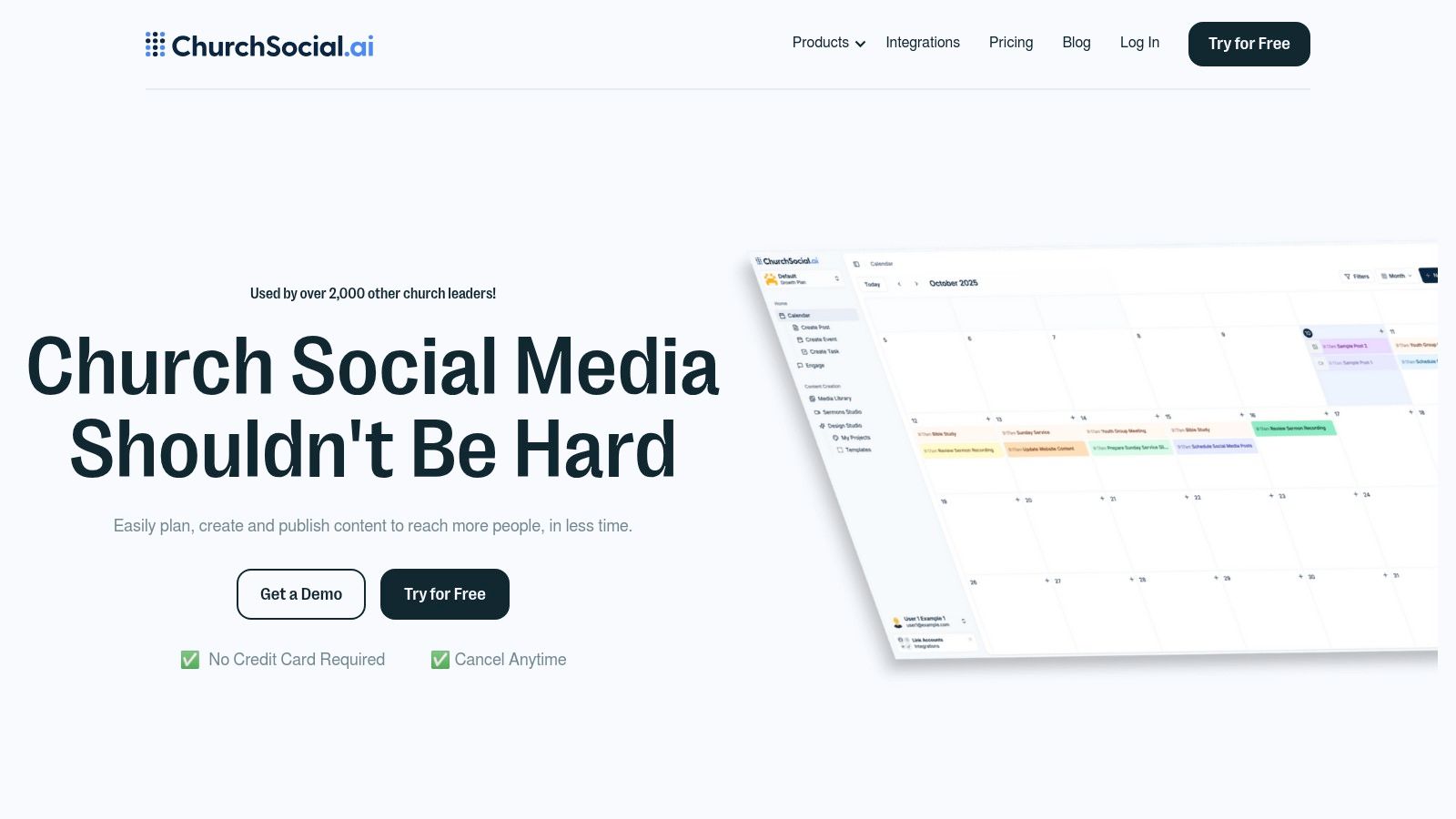
ChurchSocial.ai stands out as the best all-in-one AI tool for content creation specifically engineered for the unique needs of churches. It consolidates social media management, content generation, and graphic design into a single, intuitive platform, eliminating the need for multiple disparate tools. From solo volunteers to multi-site communications teams, this platform provides a centralized hub to plan, create, and publish content across all major channels, including Facebook, Instagram, and TikTok.
What truly sets ChurchSocial.ai apart is its powerful, ministry-focused AI toolset. With ChurchSocial.ai, you can create AI-generated reels from your sermons and generate content from the sermon transcript like social posts, blogs, and more. You can use our graphic templates and editor to create and post photos and carousels, and our simple drag-and-drop calendar allows churches to easily manage and update all of their social media. We also integrate with Planning Center and other church calendars to create content for events. This feature alone is a game-changer for extending the reach of your message.
Key Features & Use Cases
- AI Sermon Repurposing: Beyond video clips, the AI can generate blog posts, discussion questions, and social media captions directly from a sermon transcript. This allows churches to easily manage and create a full week of engaging content from a single source.
- Unified Visual Calendar: A simple drag-and-drop calendar provides a clear overview of all scheduled posts across different platforms, streamlining workflow and ensuring consistent messaging for your church social media accounts.
- Integrated Graphics Studio: Access a library of professionally designed, brandable templates and a built-in editor. This empowers ministries to produce polished graphics and carousels without needing a dedicated designer.
- Church-Specific Integrations: Connect with Planning Center to automatically pull events into your content calendar, simplifying promotion for services, small groups, and community outreach.
Pricing and Plans
ChurchSocial.ai offers a flexible pricing model designed to scale with your ministry. The Starter plan is highly affordable at $15/month for one user. For growing teams, the Growth plan at $25/month adds more collaboration features.
Powerful tools are available as modular add-ons, allowing you to pay only for what you need:
- Sermon Studio: +$49/month
- Design Studio: +$15/month
A free trial is available with no credit card required.
Our Take: For churches aiming to maximize their digital outreach without overwhelming their staff or budget, ChurchSocial.ai is an unparalleled solution. Its sermon-centric AI tools provide a strategic advantage, transforming your core ministry content into a powerful engine for online engagement and growth. It effectively replaces the need for separate video editing, graphic design, and scheduling software, making it one of the best AI tools for content creation available for ministry.
Pros & Cons
Website: https://churchsocial.ai
2. OpenAI ChatGPT
OpenAI’s ChatGPT is a powerhouse general-purpose AI assistant, acting as a versatile partner for ideation, drafting, and refining content. It excels at generating initial drafts for sermons, outlining small group discussion questions, or creating text for your church website. Its strength lies in its conversational nature and powerful reasoning, making it one of the best AI tools for content creation when you need to brainstorm or develop complex ideas from scratch. ChatGPT serves as an excellent starting point for raw text that can then be polished and scheduled using a specialized tool like ChurchSocial.ai to manage your church social media accounts.
Key Features & Use Cases
- Church-Specific Use: Use ChatGPT to create a series of social media posts based on a single scripture passage, draft an email newsletter announcing a new community outreach program, or generate a script for a short welcome video for new visitors.
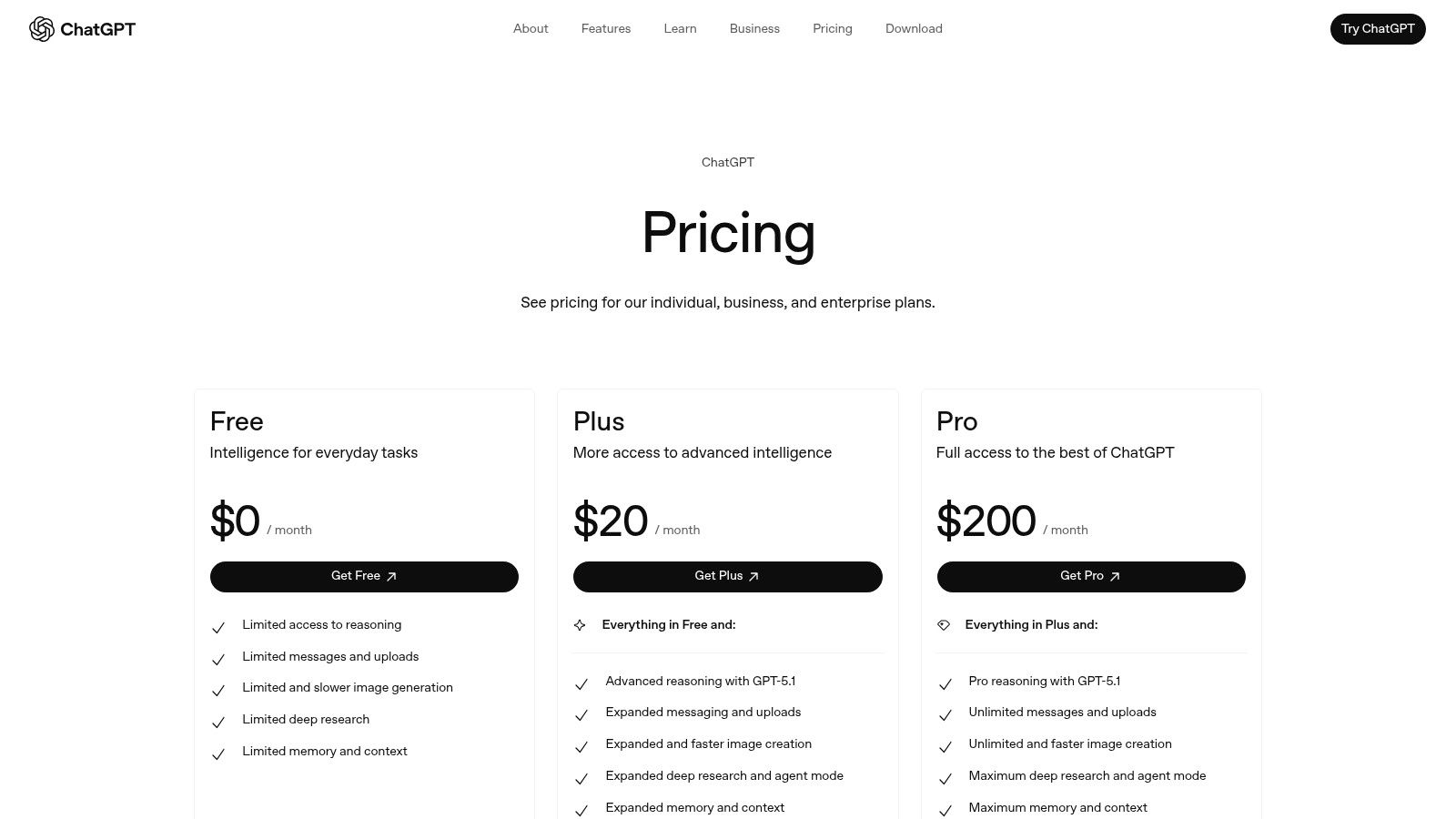
- Model Access: Paid plans (Plus, Team, Enterprise) provide access to flagship models like GPT-4o, which offer superior text and image generation capabilities.
- Custom GPTs: Teams can create custom, reusable "GPTs" trained on specific church documents or style guides to ensure consistent messaging.
Pros:
- Extremely high-quality and nuanced text generation.
- Team and Enterprise plans offer robust security and admin controls.
Cons:
- General-purpose nature means it lacks church-specific workflows.
- Usage limits apply even on paid plans.
Website: https://openai.com/chatgpt/pricing/
3. Jasper
Jasper is an AI marketing platform designed for teams that need to create on-brand content at scale. Unlike general-purpose tools, Jasper excels at maintaining a consistent voice, making it ideal for churches aiming for uniform messaging across websites, newsletters, and social media. Its strength lies in its team-oriented features and brand alignment, which allow multiple staff or volunteers to generate copy that sounds like it came from a single, trusted source. While powerful for drafting, a dedicated tool like ChurchSocial.ai is still needed to schedule and manage the final content on your church's social media calendar.
Key Features & Use Cases
- Church-Specific Use: Utilize Jasper’s Brand Voice feature to create blog posts that reflect your pastor’s sermon style, generate on-brand promotional copy for a new small group series, or produce a consistent set of volunteer recruitment emails.
- Knowledge Base: Upload your church’s statement of faith, mission documents, or style guides to ensure all AI-generated content aligns with your core beliefs and communication standards.
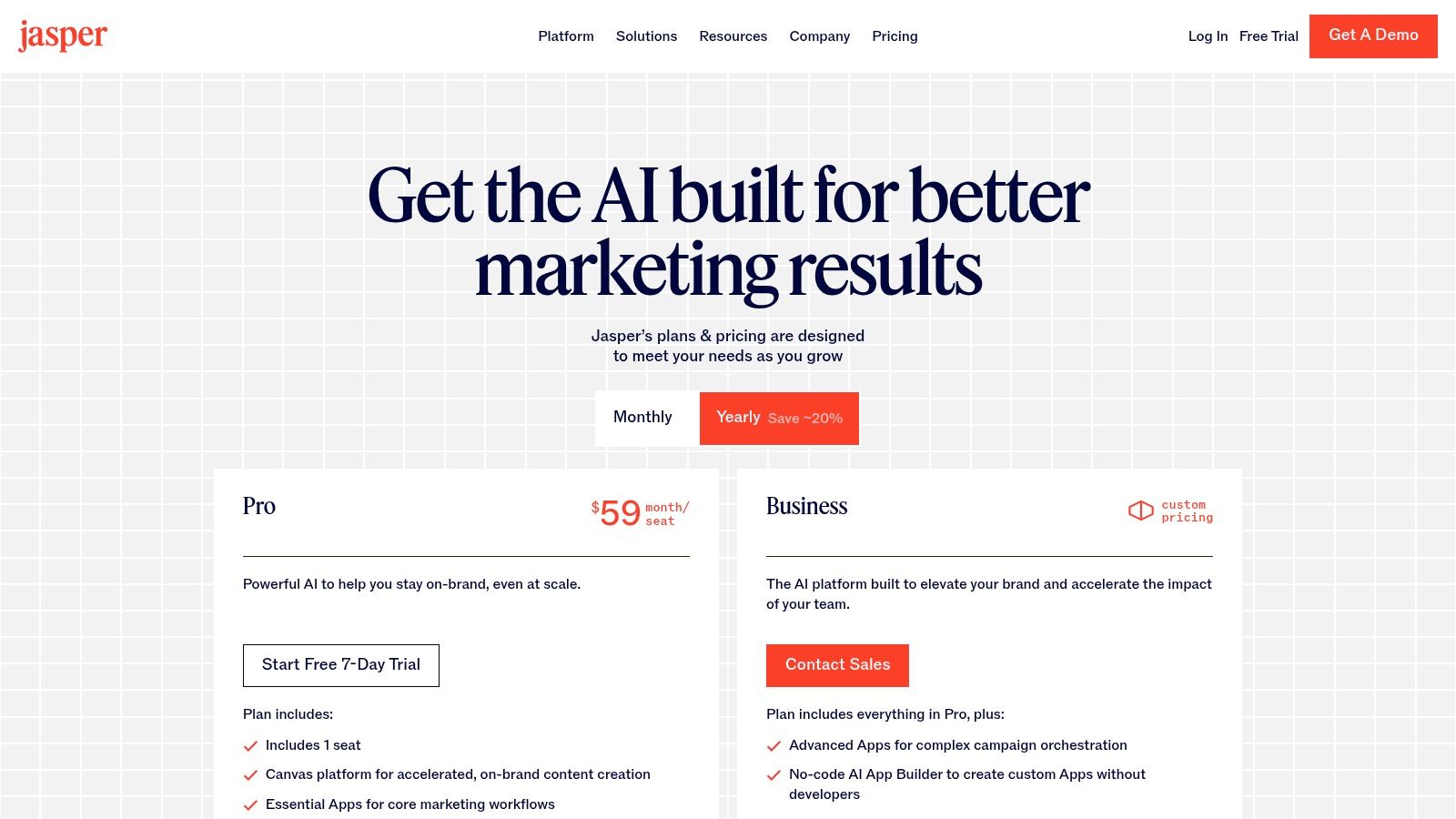
- Team Collaboration: Pro and Business plans provide workflows and governance tools, perfect for communications teams managing multiple content streams.
Pros:
- Excellent at maintaining brand consistency across all outputs.
- Built for marketing and communications team workflows.
Cons:
- Higher starting price compared to more general AI writing tools.
- Key collaboration and brand features are gated behind higher-tier plans.
Website: https://www.jasper.ai/pricing
4. Copy.ai
Copy.ai stands out by blending high-quality AI writing with workflow automation, making it a powerful choice for marketing and communications teams. While general-purpose tools like ChatGPT are great for one-off tasks, Copy.ai excels at creating repeatable processes for generating consistent content. For a church, this could mean building a workflow that automatically turns sermon notes into a blog post, a set of social media captions, and an email newsletter summary, all with a single click. It's one of the best AI tools for content creation when you need to scale your output efficiently, but you will still want an integrated platform like ChurchSocial.ai to plan and schedule your posts.
Key Features & Use Cases
- Church-Specific Use: Create a "Workflow" that takes your weekly sermon topic as input and automatically generates discussion questions for small groups, a promotional blurb for the church bulletin, and three engaging social media hooks.
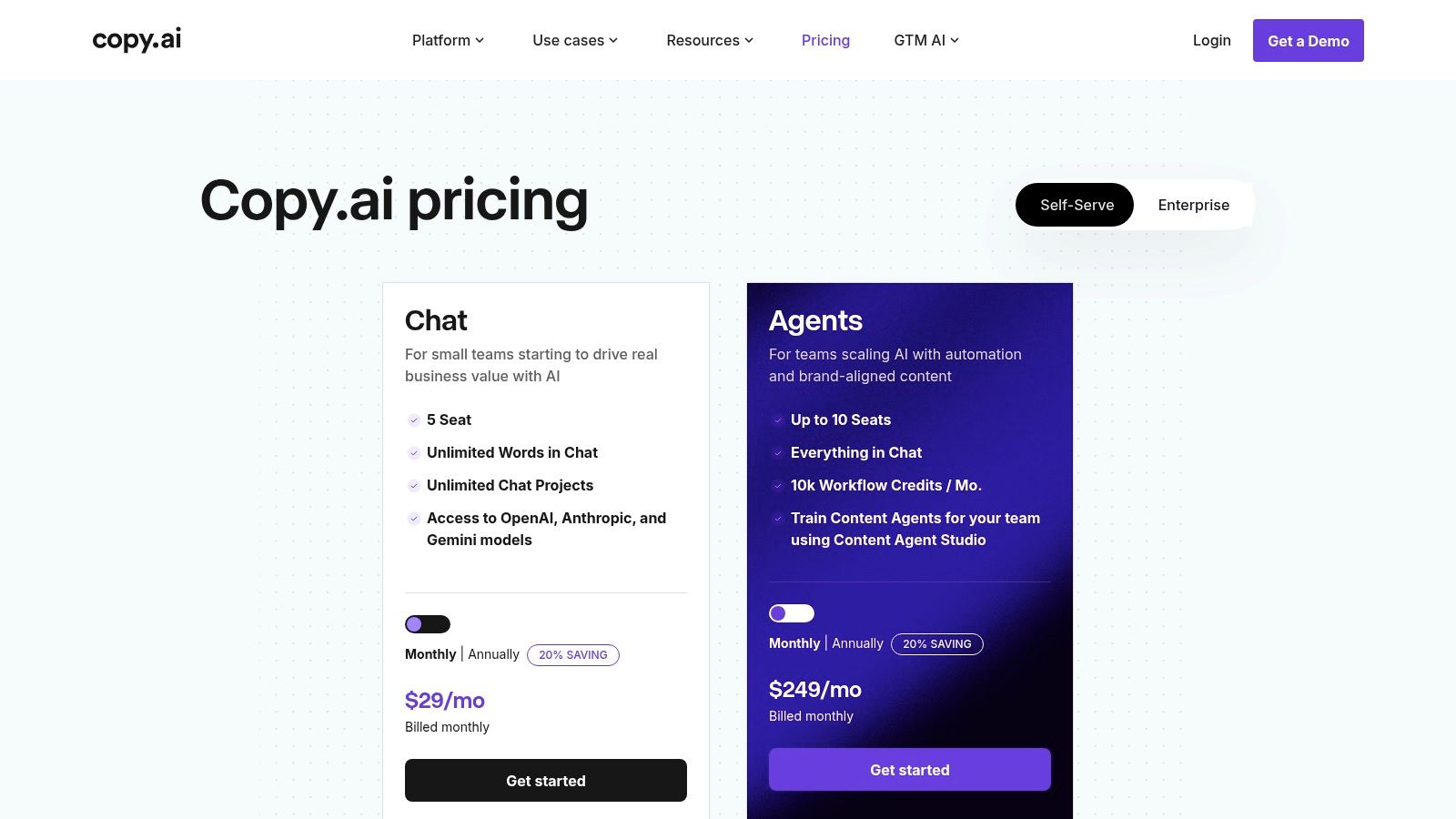
- Content Agent Studio: Design custom "Agents" that can perform repeatable marketing tasks, ensuring brand voice and messaging consistency across all church communications.
- Unlimited Chat Words: Paid plans offer unlimited words in the chat interface, allowing your team to draft and refine extensive content like sermon series outlines or grant proposals without worrying about limits.
Pros:
- Combines AI content generation with powerful workflow automation.
- Unlimited word count on paid chat plans is excellent value.
Cons:
- The automation features can have a steeper learning curve.
- Advanced "Agents" plans are a significant price increase.
Website: https://www.copy.ai/prices
5. Canva (Magic Studio, Pro, Business)
Canva has evolved from a simple design tool into an all-in-one visual communication platform, supercharged by its integrated AI suite, Magic Studio. It's an indispensable resource for churches needing to quickly create professional-looking social media graphics, sermon slides, and event flyers without a dedicated designer. Its vast library of templates provides a perfect starting point, allowing volunteers and staff to produce high-quality visuals that maintain brand consistency. While great for design, churches can simplify their workflow by using an all-in-one tool like ChurchSocial.ai, which includes a graphics editor alongside content planning and scheduling tools.

Key Features & Use Cases
- Church-Specific Use: Instantly generate a set of branded graphics for a sermon series using Magic Design, create a short animated video promoting a youth group event, or use Magic Write to brainstorm announcement text for a bulletin.
- Magic Studio: A collection of AI-powered tools within the editor, including text-to-image generation, background removal, and Magic Switch for instantly resizing and reformatting a design for different platforms.
- Brand Kits: Pro and Business plans allow you to store your church's logos, color palettes, and fonts to ensure every design is consistent.
Pros:
- Extremely user-friendly for non-designers.
- Massive library of templates and stock media simplifies the creative process.
Cons:
- The best AI features and highest usage limits are behind a paywall.
- Video editing capabilities are less advanced than specialized software.
Website: https://www.canva.com/magic/
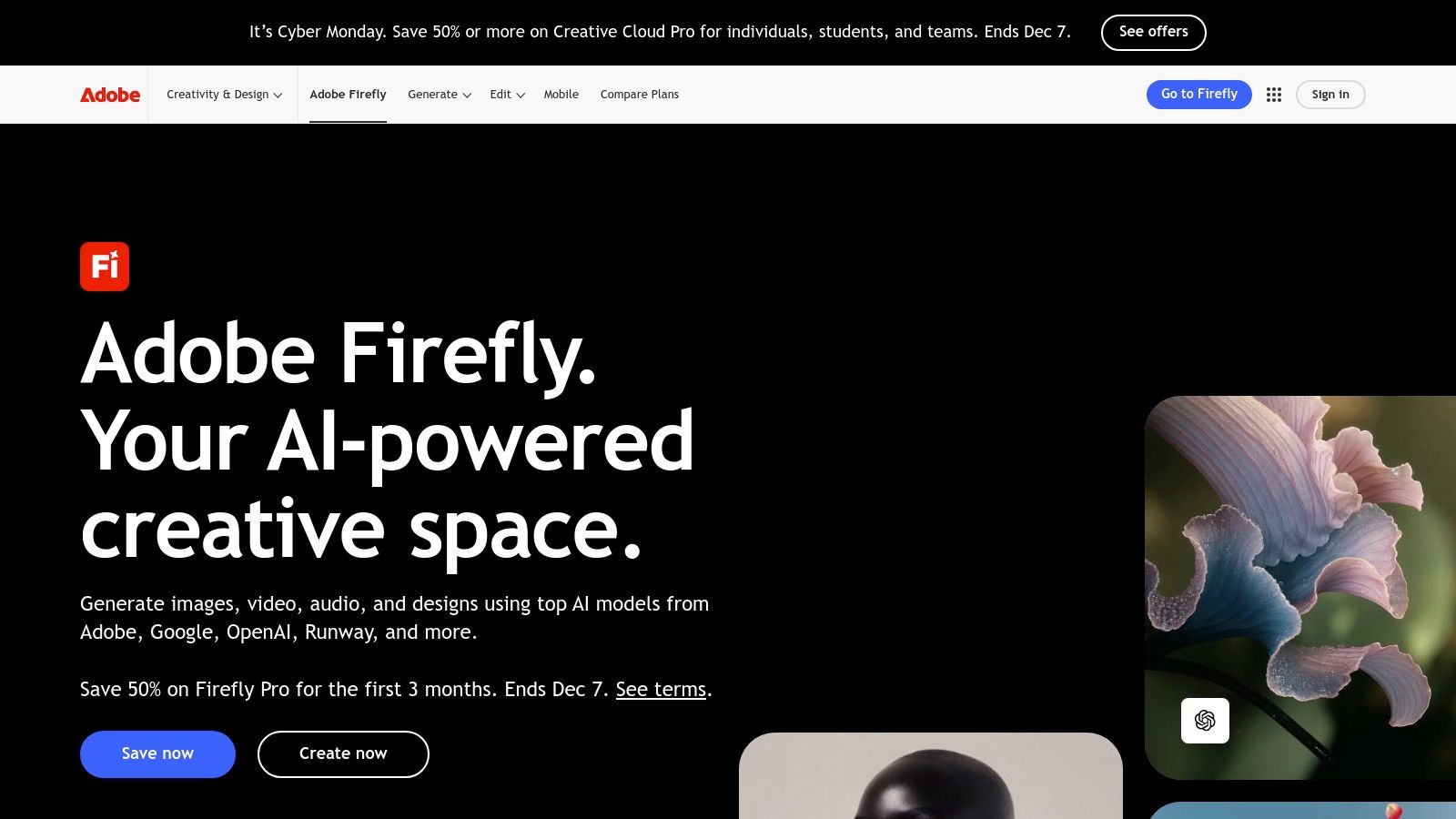
6. Adobe Firefly and Creative Cloud
Adobe Firefly brings powerful, ethically trained generative AI directly into the Creative Cloud suite, making it an indispensable tool for churches already using industry-standard apps like Photoshop or Premiere Pro. It excels at creating and modifying high-quality visuals, from custom sermon series graphics to promotional videos, without ever leaving your project. This integration makes it one of the best AI tools for content creation for teams needing professional-grade control over their visuals, which can then be seamlessly uploaded and scheduled through a content manager like ChurchSocial.ai to plan their church social media.
Key Features & Use Cases
- Church-Specific Use: Use Photoshop's Generative Fill to seamlessly remove distracting objects from event photos, create a unique vector logo for a youth group event in Illustrator, or generate custom background textures for your worship slides.
- Deep Integration: AI features like Text to Image, Generative Fill, and Text to Vector are built directly into the creative apps your team already knows.
- Generative Credits: Usage is managed through a monthly credit system, allowing teams to budget their AI generation needs across different projects and applications.
Pros:
- Deeply integrated into established professional creative workflows.
- Outputs are designed to be commercially safe for branding and production.
Cons:
- The credit-based system can be complex and costly for heavy users.
- Requires a subscription to Creative Cloud for the best experience.
Website: https://www.adobe.com/products/firefly
7. Grammarly
Grammarly is an indispensable AI writing assistant that moves beyond simple spell-checking to polish and refine all your church communications. It acts as a final quality check for everything from website copy and email newsletters to social media captions, ensuring your message is clear, professional, and tonally appropriate. Its strength lies in its seamless integration across browsers and apps, making it one of the best AI tools for content creation for teams who need to maintain a consistent brand voice. Use it to perfect content drafted in other tools before loading it into your ChurchSocial.ai calendar to plan and manage your church social media accounts.
Key Features & Use Cases
- Church-Specific Use: Refine the tone of a sensitive pastoral care email, rewrite a blog post for greater clarity, or ensure promotional materials for a youth event are grammatically perfect and engaging. Use its generative AI prompts to quickly brainstorm alternative phrasing for sermon titles or social media hooks.
- Team-Wide Polish: Browser extensions and desktop apps ensure every team member, from volunteers to lead pastors, produces polished, error-free writing across all platforms.
- Brand Voice: Business plans allow you to set a custom style guide to enforce specific church terminology, tone, and formatting rules automatically.
Pros:
- Easy to deploy across teams with excellent browser and app integrations.
- Competitive Premium pricing when billed annually.
Cons:
- Not a full content generator; it's best used as a writing and editing layer.
- Monthly billing is significantly more expensive than the annual rate.
Website: https://www.grammarly.com/
8. Notion (with Notion AI in Business/Enterprise)
Notion is an all-in-one workspace that combines documents, project management, and wikis, making it ideal for centralizing church communications. With Notion AI (fully included in Business and Enterprise plans), it becomes a powerful tool for drafting, summarizing, and organizing content directly where your team plans its work. For a church staff, this means you can brainstorm sermon series themes, outline social media campaigns, and automatically generate meeting notes all in one connected system. Notion's AI excels at transforming unstructured notes into polished drafts or action items, which can then be exported to a dedicated scheduler like ChurchSocial.ai.

Key Features & Use Cases
- Church-Specific Use: Use Notion AI to summarize a long sermon transcript into key takeaways for small group leaders, draft a volunteer recruitment email, or create a project plan for your next VBS, complete with task lists and deadlines.
- Integrated Workspace: AI features are embedded directly within documents and databases, allowing you to generate content without switching apps.
- Knowledge Management: Notion AI's Q&A feature can search your church’s entire knowledge base to answer questions, helping new volunteers find information quickly.
Pros:
- Combines content creation and project management in a single platform.
- Business plan offers clear, per-seat pricing with unlimited AI access.
Cons:
- Full AI capabilities require upgrading from the Free or Plus plans.
- Can have a steep learning curve for those unfamiliar with database-style tools.
Website: https://www.notion.com/pricing
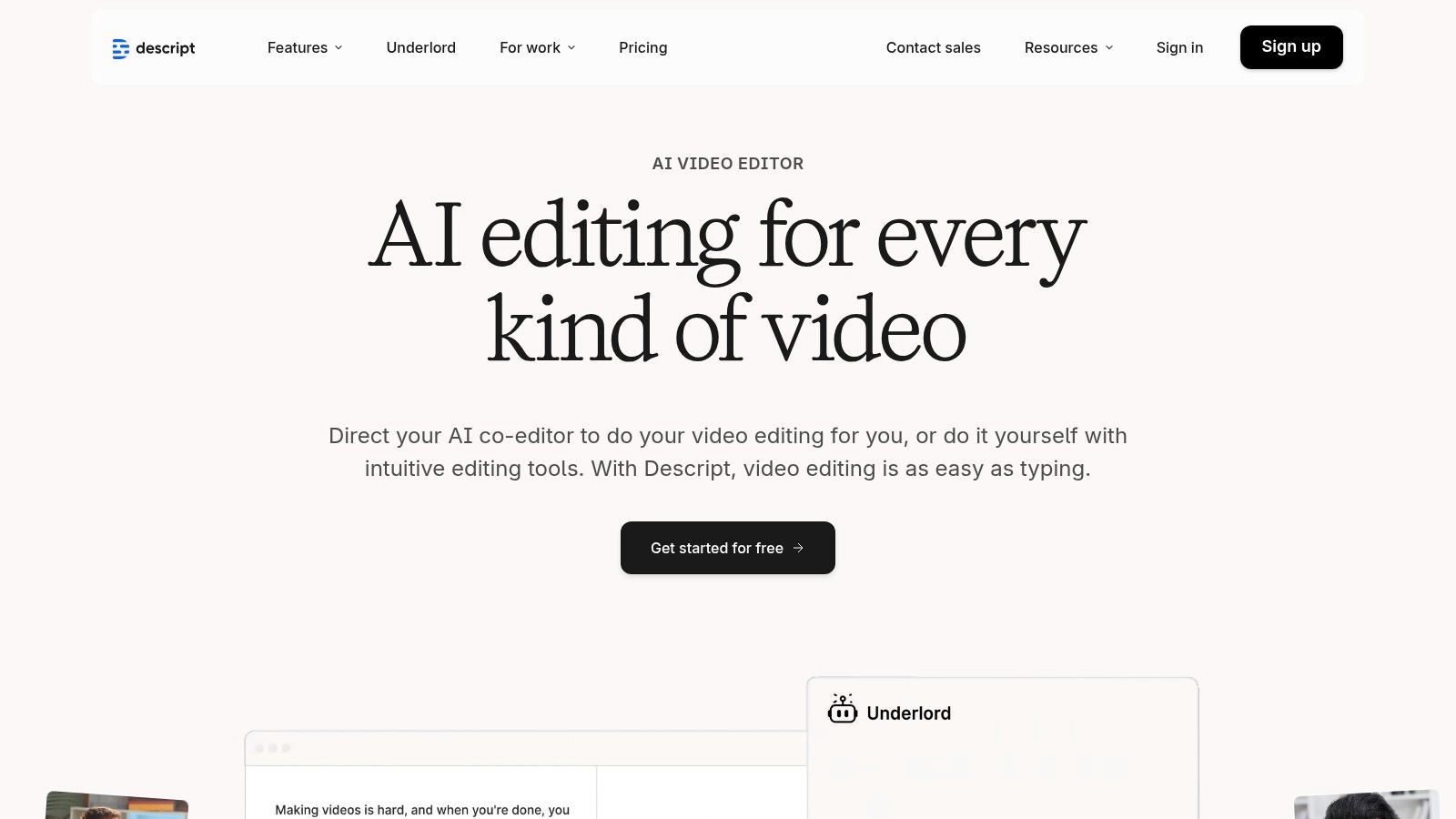
9. Descript
Descript is an innovative AI-first video and audio editor that revolutionizes how churches can repurpose sermon content. Its standout feature is text-based editing; instead of scrubbing through a timeline, you simply edit the auto-generated transcript like a document. This makes it incredibly fast to find key moments from a sermon, cut out mistakes, and create short, impactful video clips for social media. While Descript is great for editing, a tool like ChurchSocial.ai simplifies this process even further by generating AI reels from your sermons and letting you manage your entire church social media calendar in one place.
Key Features & Use Cases
- Church-Specific Use: Quickly turn a 45-minute sermon recording into several 60-second highlight reels for Instagram or TikTok. You can also use its screen recording feature to create a tutorial video for church volunteers on how to use new software.
- Text-Based Editing: Edit video and audio by simply deleting words or sentences from the transcript, drastically speeding up the post-production workflow.
- AI Voices & Overdub: Correct misspoken words or create entire voiceovers from text using a realistic AI clone of your own voice.
- Content Repurposing: Descript is an excellent part of a broader strategy. Learn more about how Descript fits into content repurposing tools.
Pros:
- Intuitive text-based editing workflow is incredibly fast.
- Discounts are available for educational and non-profit organizations.
Cons:
- The credit system and plan limits can be confusing at first.
- Advanced features like unlimited Overdub are reserved for the highest-tier plans.
Website: https://www.descript.com/
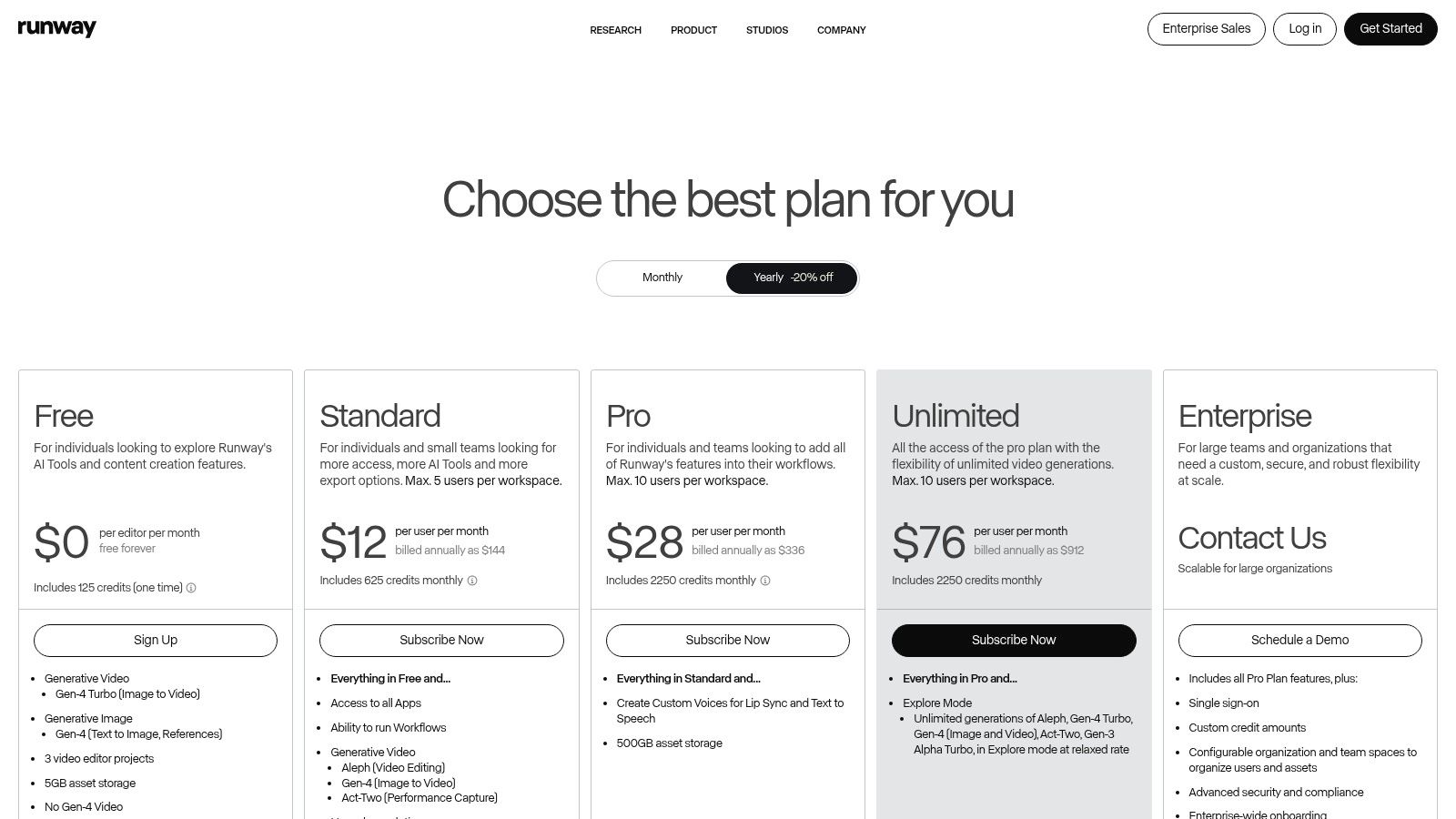
10. Runway
Runway is a cutting-edge generative video platform that empowers churches to create compelling visual content from simple text or image prompts. It excels at producing short, dynamic video clips perfect for social media announcements, sermon bumpers, or visual illustrations for worship services. Its strength lies in its advanced Gen-4 models, which make it one of the best AI tools for content creation when you need to produce unique, high-quality video without access to a film crew or complex editing software. While Runway generates the raw video assets, a tool like ChurchSocial.ai is essential for scheduling these clips and integrating them into a complete social media calendar.
Key Features & Use Cases
- Church-Specific Use: Generate a short, animated video illustrating a biblical parable for a children's ministry post, create an eye-catching video announcement for an upcoming potluck from just a text description, or transform a static event graphic into a moving visual for Instagram Reels.
- Text/Image-to-Video: Create entirely new video scenes from descriptive text prompts or animate existing images to bring them to life.
- AI Editing Tools: Access a suite of AI-powered features, including video upscaling, motion tracking, and object removal, to refine your generated content.
Pros:
- State-of-the-art video generation quality from simple prompts.
- Accessible pricing with a free tier to experiment with the technology.
Cons:
- The credit-based system can be costly for high-volume video production.
- Shared team credits can be difficult to manage without careful coordination.
Website: https://runwayml.com/pricing/
11. G2 – AI Writing Assistants category
While not a content creation tool itself, G2 is an indispensable research platform for discovering and comparing the best AI tools for content creation. It functions as a software marketplace, aggregating verified user reviews, feature comparisons, and satisfaction ratings for hundreds of AI writing assistants. This allows church leaders to filter options based on specific needs, business size, and user feedback before committing to a tool. It’s the ideal starting point to see how various platforms stack up and find specialized solutions.
Beyond general AI writing assistants, there are also specialized platforms that offer undetectable AI free tools to humanize text, a category worth exploring on sites like G2. For a curated list focused specifically on ministry needs, you can explore more of our top recommendations.
Key Features & Use Cases
- Church-Specific Use: A communications pastor can use G2 to compare two different AI video clipping tools for sermon repurposing, reading reviews from other non-profits to see which offers better value and simpler workflows before making a purchase.
- Verified Reviews: Access a large volume of authentic reviews from real users, providing honest feedback on a tool's strengths and weaknesses.
- Direct Comparisons: Use filterable comparison grids to see how different tools' features, pricing, and user satisfaction scores compare side-by-side.
- Category Research: Explore related categories to find niche tools for specific tasks, such as AI transcription, graphic design, or social media management.
Pros:
- Extensive verified user feedback helps in making informed decisions.
- Helps narrow down choices from a vast market of AI tools.
Cons:
- Rankings can be influenced by sponsored placements.
- It's a research platform only; you can't purchase directly.
Website: https://www.g2.com/categories/ai-writing-assistant
12. Product Hunt – AI Writing and Generators collections
Product Hunt is a discovery platform for new and trending technology products, and its curated collections for AI writing and generators are a goldmine for finding emerging tools. It's not a single tool but rather a launchpad for discovering niche applications before they become mainstream. For church leaders looking for specialized AI solutions, like a tool that generates sermon titles or a unique graphic creator, this is the place to look. It allows you to find some of the best AI tools for content creation that solve very specific problems, which you can then integrate into your broader workflow managed by a platform like ChurchSocial.ai.

Key Features & Use Cases
- Church-Specific Use: Discover a new AI tool for generating creative event names for your youth group, find a niche app that creates animated scripture verses for social media, or explore AI-powered music composition tools for worship backgrounds.
- Community Feedback: Read comments and upvotes from early adopters to quickly gauge a new tool's usefulness and potential pitfalls before committing.
- Direct Maker Access: Often, the creators of the tools are active in the comments, providing a direct line for questions and feedback.
Pros:
- Excellent for discovering innovative and niche AI tools.
- Community comments provide valuable, unfiltered early reviews.
Cons:
- Quality of listed tools can vary widely; vetting is required.
- Many products are in early stages and may lack robust support.
Website: https://www.producthunt.com/products/free-ai-writing-generators-tools
Top 12 AI Content Creation Tools Comparison
Choosing the Right AI Partner for Your Ministry
Navigating the expansive landscape of artificial intelligence can feel like an overwhelming task, but the journey is well worth the effort. As we've explored, the best AI tools for content creation are not just about futuristic technology; they are practical partners that can reclaim precious hours for your ministry team and amplify your church's message far beyond your physical walls. From sophisticated text generators like ChatGPT and Jasper to intuitive visual suites like Canva and Adobe Firefly, the potential to enhance your outreach is immense.
The key takeaway from this extensive list is that effectiveness isn't found in adopting every new tool, but in strategically choosing the right ones. A powerful, standalone tool like Descript can revolutionize your sermon video editing, while a utility like Grammarly ensures every bulletin, email, and social post is communicated with clarity and excellence. Each tool offers a unique piece of the content puzzle.
From Juggling Tools to a Unified Strategy
For many churches, the primary challenge isn't a lack of options, but a lack of integration. Managing multiple subscriptions, learning different interfaces, and manually moving content from a writer to a designer to a scheduler creates friction and wastes valuable time. This fragmented approach can quickly negate the efficiency that AI promises to deliver. An all-in-one platform is often the most strategic and stewardly choice for a ministry environment.
Consider these factors when making your decision:
- Your Core Content Source: What is the "single source of truth" for your weekly content? For most churches, it’s the sermon. A tool that plugs directly into this source will provide the greatest return on investment.
- Team Capacity: Are you a solo volunteer or part of a larger communications team? Your choice should match your team's size and technical skill, prioritizing simplicity and ease of use.
- Workflow Integration: Does the tool connect with systems you already use, like Planning Center or your church calendar? Seamless integration is crucial for building sustainable, long-term content workflows.
- Budget and Stewardship: An all-in-one solution can often be more cost-effective than patching together five or six different subscriptions, providing better stewardship of your ministry's resources.
The Power of a Purpose-Built Solution
While general AI tools are powerful, they require significant effort to adapt to the specific language, context, and goals of a church. This is where a specialized platform designed for ministry, like ChurchSocial.ai, becomes an invaluable partner. It's built around the rhythm of church life, transforming your sermon transcript into a week's worth of engaging reels, social posts, and blog content automatically. It understands your need for easy-to-use graphic templates and a simple drag-and-drop calendar that connects directly to your ministry events.
By centralizing your content creation, from sermon repurposing to final scheduling, you create a streamlined system that empowers volunteers and frees up staff. You move from a state of content anxiety to one of confidence and consistency. The goal is to spend less time wrestling with technology and more time focused on your people and your mission.
Ready to stop juggling multiple tools and adopt a single, streamlined system built specifically for churches? See how ChurchSocial.ai can transform your sermon into a full week of social media content automatically. Try ChurchSocial.ai for free and discover the most efficient way to plan, create, and share your message online.


