

Sermon film clips are those short, powerful video moments you see on Instagram Reels, TikTok, and YouTube Shorts. They’re bite-sized segments pulled from a longer sermon, specifically designed to grab attention and share a single, impactful point.
Think of them as potent, easy-to-digest tools for modern ministry. They let your church’s message travel far beyond Sunday morning, meeting people right where they are online.
Why Sermon Clips Are a Modern Ministry Imperative

In a world flooded with digital noise, telling a compelling visual story to share the Gospel is more critical than ever. And while it might feel like a new trend, using film for evangelism has a long, proven history.
Just look at the incredible impact of the Jesus Film Project, which started way back in 1979. That one film has reached over three billion people and is credited with inspiring more than 600 million decisions to follow Jesus worldwide. That’s the legacy we’re building on—proof that a well-crafted visual message can cut through cultural and geographical lines to change hearts. You can actually dig deeper into the history of sermon videos over at Sermonshots.com.
This very same principle applies to the sermon film clips your church is creating today. They aren't just marketing pieces; they’re the modern equivalent of a gospel tract, a digital parable that meets someone scrolling on their phone.
The Shift from Content to Connection
When you start creating these clips, something shifts. Your church's social media feed transforms from a static announcement board into a living, breathing outreach platform.
Every share, every comment, and every view becomes a chance for ministry to happen far outside your church walls. The goal isn't just to post service times anymore. It's about offering moments of hope, truth, and encouragement that can interrupt someone's day in the best way possible.
Sermon clips are the digital equivalent of time-tested outreach. They break down complex theological concepts into digestible, shareable moments that can plant a seed of faith in just 60 seconds.
Making Modern Outreach Accessible
Let’s be real: the thought of adding video production to your team’s already full plate can feel overwhelming. This is especially true for smaller churches with tight budgets and few volunteers.
Manually digging through a 40-minute sermon, finding the right moment, editing it down, adding captions, and then scheduling it all out is a massive time sink. This is where having the right tool changes everything.
Platforms like ChurchSocial.ai were built specifically to tear down these barriers. With ChurchSocial.ai, your church can:
- Create AI-generated reels straight from your sermon transcripts, which saves countless hours of manual editing.
- Repurpose sermon content into AI-generated social posts, blogs, and small group discussion questions with a single click.
- Keep everything looking sharp and on-brand with graphic templates and a simple editor to create photos and carousels.
- Organize your entire social media strategy with an easy-to-use drag-and-drop calendar.
This approach turns a complicated, time-consuming task into a simple, manageable workflow. It empowers your volunteers and staff to focus on the heart of the message, not the mechanics of video editing, making powerful sermon film clips a reality for any church.
Finding Gold Within Your Sermon Archives

A typical 40-minute sermon is packed with powerful insights, but let’s be honest—not every moment is meant for a short-form clip. The real art of creating impactful sermon film clips is knowing how to spot the gold hidden in your archives.
Think of it less like editing and more like mining for treasure.
The old-school method usually involves a dedicated staff member or volunteer manually re-watching the entire service, scrubbing through the footage, and trying to isolate a powerful 60-second segment. This process can take hours, often leading to burnout and inconsistent posting. It’s a huge barrier for many churches, making a consistent video ministry feel completely out of reach.
What if you could bypass all that manual labor and go straight to the most compelling moments? This is where a smarter approach completely changes the game, turning a multi-hour task into a simple review process.
Identifying Clip-Worthy Moments
Before you can create a killer clip, you have to know what you're looking for. Certain types of content just naturally perform better in a short, scrollable format. To really get the most out of your messages, it pays to explore effective content repurposing strategies that can turn one sermon into dozens of touchpoints.
Keep an ear out for these specific elements as you review a message:
- Powerful One-Liners: Those short, memorable statements that perfectly capture a core truth. They're incredibly shareable and easy to digest.
- Personal Stories & Illustrations: A relatable story creates an immediate emotional connection with the viewer, making a deep theological point feel personal and real.
- Core Theological Takeaways: The main point of a section, distilled into a clear, concise explanation that offers a moment of clarity or conviction.
- Emotionally Resonant Analogies: Simple comparisons that suddenly make a complex spiritual idea click for the audience.
The most effective sermon clips don’t try to teach the entire sermon. They focus on a single, powerful idea that sparks curiosity and invites the viewer to reflect, leaving them wanting more.
Automating the Discovery Process
Manually hunting for these moments is where most churches get bogged down. The time commitment is massive, and it requires a keen ear for what will actually resonate online. This is the exact problem ChurchSocial.ai was built to solve.
Instead of manual searching, our platform analyzes your sermon's transcript to find these golden nuggets for you. A quality sermon transcription service is the engine that fuels these kinds of AI-powered tools, which you can learn more about here: https://www.churchsocial.ai/blog/sermon-transcription-service.
ChurchSocial.ai’s Sermon Clip Creator uses AI to read through your message and automatically identify the segments with the highest potential for social media. It pinpoints powerful quotes, impactful stories, and key takeaways, presenting them as suggested clips.
Suddenly, your team’s job is no longer to search, but simply to review and approve. This completely removes the technical hurdles and time drain, making a consistent video ministry achievable for any church.
Turning Great Moments Into Unforgettable Clips
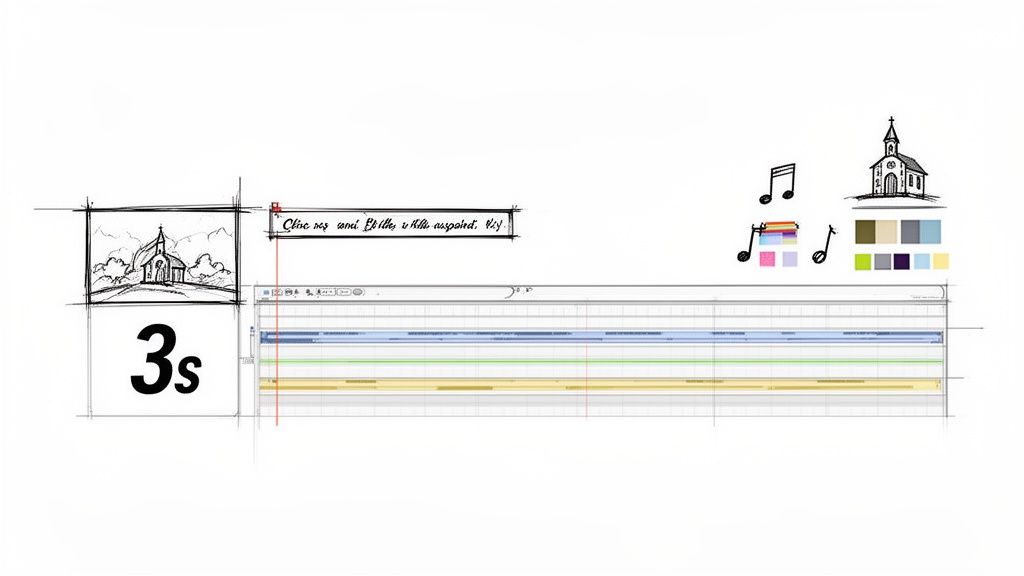
Finding a powerful, shareable moment in a sermon is a great first step. But a raw video file, no matter how profound the message, just isn't enough to stop someone from scrolling right past it. The real work begins now: transforming that raw segment into a polished, engaging clip built for how people actually watch videos today.
You have about three seconds. That’s it. If you don't give someone a reason to pause in that tiny window, they're gone. This means every single element—from the text on the screen to the music underneath—has to be intentional.
How to Grab Attention Instantly
Let's be clear: dynamic, easy-to-read captions are non-negotiable. A huge number of people watch videos on their phones with the sound off, so your message has to land visually first. We're not just talking about basic transcription here; this is about using text to emphasize key phrases and keep the viewer’s eyes locked on the screen.
Background music is another game-changer. It can completely shift the emotional tone of a clip. A subtle, hopeful track can lift a message of encouragement, while a more thoughtful piece can add real weight to a serious point. The key is to support the spoken word, not drown it out.
While a good AI video summarizer can help you find those impactful sermon sections, it's the editing that turns those highlights into something people will actually watch and share.
Building Your Church's Visual Identity
Consistency is what builds a recognizable online presence. Every single sermon film clip you share should feel like it came from your church, even before someone sees your name. This is all about consistent branding.
Focus on these core elements for every video:
- Logo Placement: Put your logo in the same corner every time. It should be small and clean, not distracting.
- Color Palette: Use your church’s official colors for the captions, progress bars, or any other graphic elements.
- Font Selection: Choose one or two of your church's go-to fonts and stick with them. This creates a clean, cohesive look.
This isn't just about looking professional; it builds trust and familiarity. When someone sees that specific style in their feed, they'll instantly know the message is from you.
The goal isn't just to post a video; it's to create a consistent, branded experience that reflects your church's unique identity. Each clip should feel like a natural extension of your ministry.
Making the Editing Process Painless
This can all sound pretty overwhelming, especially if you don't have a video editor on staff. Manually adding branded captions, finding music, and exporting clips for every platform is a massive time sink.
This is exactly why we built the editor inside ChurchSocial.ai. Our goal was to strip away all the technical headaches so your team can focus on the message itself. If you're looking for more hands-on advice, we've got plenty of guides on our blog, like this one about how to create short video clips.
Inside the ChurchSocial.ai platform, you can:
- Use Graphic Templates: Pick a professionally designed template, and it will automatically apply your church’s logo, colors, and fonts to every sermon film clip.
- Generate Captions Automatically: Our AI creates and styles your captions for you, saving you from the tedious work of transcribing and timing everything by hand.
- Edit in Seconds: Our editor is incredibly simple. You can make quick adjustments without needing any video editing experience at all.
This all-in-one approach means you can take a raw sermon file and turn it into a professionally branded clip that's ready to post in just a few minutes, without ever leaving the platform.
Publishing Your Clips for Maximum Reach
You’ve done the hard work—the sermon film clip is polished, branded, and ready to go. But getting it over the finish line is where the real ministry impact happens. How and where you publish that clip determines whether your message connects with two people or two thousand.
Think of it this way: each social media platform is its own unique mission field. It has its own culture, its own language, and its own set of expectations. What crushes it on Instagram Reels might get completely ignored on YouTube Shorts or TikTok. Getting a feel for these subtle differences is the key to making sure your message actually gets heard.
Tailoring Your Clips for Each Platform
You wouldn't act the same way in a coffee shop as you would in a library, right? The same idea applies here. For your clips to feel natural and perform well, they need to fit the digital environment they're in.
To make things easier, I've put together a quick-reference guide. It breaks down what you need to know for the most popular short-form video platforms.
Social Media Platform Guide for Sermon Film Clips
Here's a quick reference guide for optimizing your sermon clips for the top social media platforms to maximize reach and engagement.
These aren't set-in-stone rules, but they’re solid guidelines based on what each platform's algorithm seems to favor. A 90-second clip might do just fine on Instagram, but it’s probably way too long for a TikTok audience with a much shorter attention span.
Beyond the Video: Compelling Captions and Hashtags
The video is obviously the main event, but your caption and hashtags are what help people find it in the first place. A great caption does more than just describe what’s happening; it actually invites people to engage.
So, instead of just pulling a quote from the sermon, try asking a question. If the clip is about forgiveness, your caption could be, "What’s one practical step you can take to show grace to someone this week? Share your thoughts below." That simple tweak turns passive scrolling into active participation.
Hashtags are your secret weapon for reaching people who don't follow you yet. The best approach is to use a mix of broad and specific tags:
- Broad: #Christianity, #Jesus, #Faith
- Specific: #SermonClip, #ChurchOnline, #[YourChurchName]
- Niche: #[SermonSeriesTitle], #[YourCity]Church
This strategy helps your content show up in those huge, popular searches while also connecting with a more focused, local community.
Your publishing strategy shouldn't feel like a chore—it should be a seamless extension of your content creation process. The right tools can make all the difference, turning a complex, multi-step task into a simple, unified workflow.
Simplify Your Entire Publishing Workflow
Let’s be honest, trying to manage multiple platforms, each with its own specs and best practices, can get overwhelming fast. This is exactly why we built ChurchSocial.ai. Instead of exporting videos and then manually uploading them one by one, you can do it all from one central hub.
Our simple drag-and-drop calendar was designed specifically with churches in mind. You can visually plan and manage all your social media. Schedule your Instagram Reel, YouTube Short, and TikTok video to post at the perfect times—all without ever leaving our platform. And if you're curious about timing, check out our guide on the best time of day to post a Reel.
With ChurchSocial.ai, publishing is no longer that final, exhausting step. It becomes an integrated part of a smooth, efficient system that helps your church share its message farther and more effectively than ever before.
Turning Views Into Meaningful Connections
Hitting "publish" on a polished sermon film clip feels like a huge win, and it is! But it’s not the finish line. A clip with thousands of views is great, but let’s be honest, ministry isn’t just about being seen—it's about connecting. The real work starts after you post. That’s when you get the chance to turn passive viewers into active members of your church family.
This really requires a shift in how we think about social media. Instead of just broadcasting content out into the void, look at each clip as the beginning of a conversation. Your captions, your comments, and your calls to action are the bridges that can guide someone from a 60-second video into a real, meaningful connection with your community.
Sparking Conversation with Every Post
A great caption can be the difference between someone watching silently and someone feeling moved to engage. The best captions don’t just summarize the clip; they invite people into a discussion.
Try asking open-ended questions related to the sermon. If the clip is about finding peace, you could ask, "What's one thing that helps you find peace during a stressful week?" It’s a simple prompt, but it opens the door for people to share and connect in the comments.
The most powerful sermon film clips don't just deliver a message; they create a space for ministry to happen. Every comment is an opportunity to offer prayer, encouragement, and a personal touch that shows you're listening.
Responding thoughtfully to every comment you get is just as crucial. A simple "amen" or a personal reply shows that there's a real person behind the account who genuinely cares. When you consistently engage like this, you start building trust. Your social media feed transforms from a content channel into a true community hub.
This infographic breaks down the main platforms where these connections are happening.
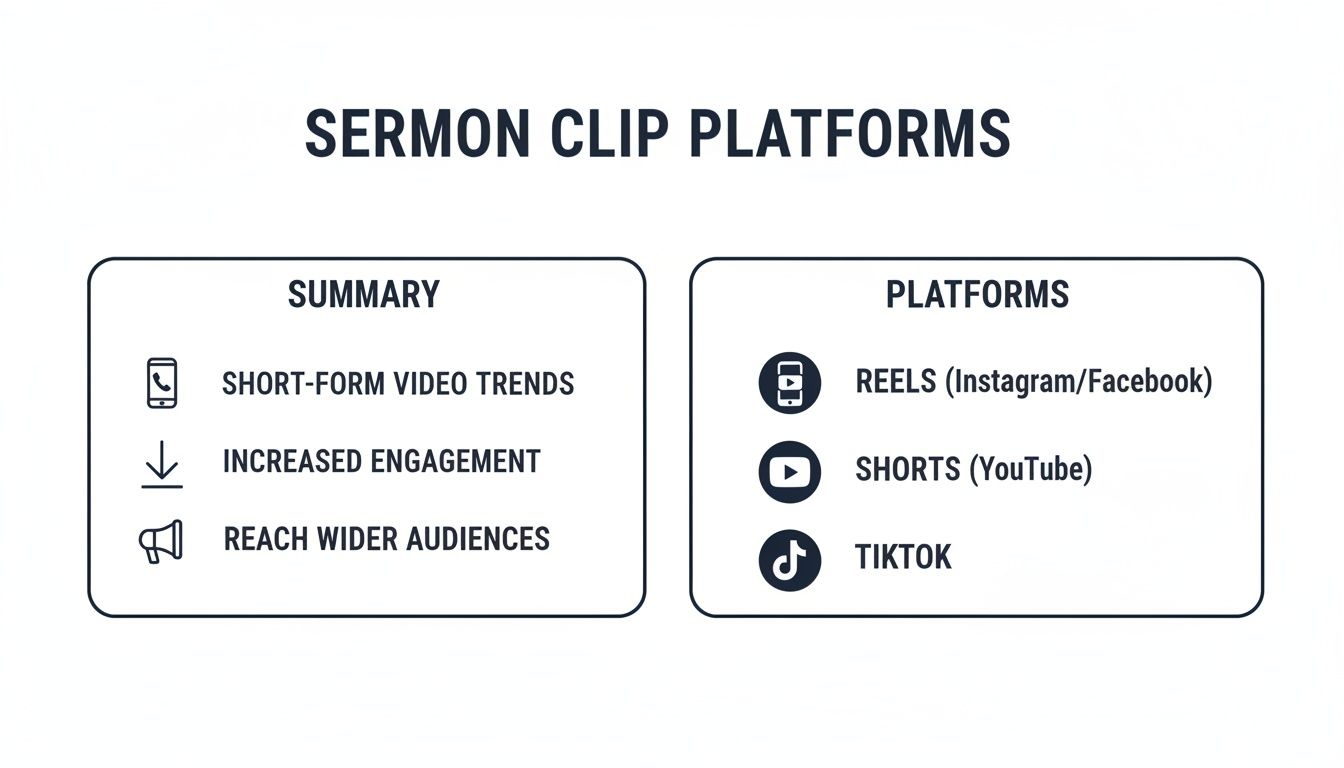
Each platform gives you a slightly different environment to foster these ministry conversations and guide people toward what’s next.
Bridging the Gap from Online to Offline
Every single clip should give viewers a clear and simple next step. Never assume they'll know where to go. Your call to action could be something like:
- Watch the full sermon: "Want to hear the rest of this message? The full video is linked in our bio."
- Join a small group: "If this topic resonates with you, we have small groups that meet weekly to discuss it. Learn more on our website."
- Attend an event: "We're continuing this conversation at our upcoming men's breakfast. Find all the details on our events page."
Now, this is where managing your church’s digital world can start to feel complicated. How do you seamlessly connect a social media post to a specific event on your church calendar without it becoming a huge headache?
This is exactly why we built ChurchSocial.ai to integrate with tools like Planning Center and other church calendars. When you want to create content for an upcoming event, our platform can pull the details directly from your church calendar to create social posts. This means you can easily generate posts, graphics, and clips to promote an event and be totally confident that the link you share takes people exactly where they need to go. It closes the loop, turning online interest into offline participation and making your sermon film clips a powerful engine for real-world community growth.
Your Top Questions About Sermon Clips, Answered
Jumping into video ministry is exciting, but let's be honest—it brings up a lot of practical questions. We hear the same ones all the time from churches just starting out with sermon film clips.
Let's cut through the confusion and get you some clear, practical answers so you can start sharing your message with confidence.
What Gear Do I Actually Need to Get Started?
This is the big one. It's the question that paralyzes so many churches, but the answer is probably sitting right in your pocket. You don't need a Hollywood budget or a full-on production studio.
- For Video: A modern smartphone. Seriously. They shoot incredible high-definition video that looks amazing on social media. The most important piece of gear you can buy to go with it? A simple, inexpensive tripod to keep your shot stable.
- For Audio: This part is non-negotiable. People will forgive a slightly shaky video, but they will click away instantly if the audio is bad. A basic lavalier (lapel) mic that plugs into your phone will make a world of difference for a tiny investment.
You can always get fancier equipment down the road. Don't let the pursuit of perfection stop you from getting started today.
How Do I Handle Music and Copyright?
Navigating music copyright feels like a minefield, and for good reason. Slap a popular song on your video without the right license, and you risk getting the video taken down or even your account flagged.
Thankfully, there’s an easy way around this.
Platforms like Instagram and TikTok have massive built-in libraries of licensed music you can add directly to your clips. This is by far the safest and simplest option. If you want something more cinematic, you can explore royalty-free music services. Just remember the golden rule: never use copyrighted music without a license.
When in doubt, just stick to the music libraries inside the social media apps themselves. It’s the easiest way to add powerful background music to your sermon film clips without any of the legal headaches.
How Often Should We Be Posting Clips?
The goal here is consistency, not overwhelming intensity. Trying to post multiple clips every single day is a fast track to burning out your team. The best schedule is the one you can actually stick with for the long haul.
Start small and build from there. Aim for 2-3 high-quality clips per week. That’s enough to keep your audience engaged and feed the algorithm, but it's a realistic goal that won't overwhelm your staff or volunteers. Once you get a smooth workflow going, you can always ramp it up.
This is exactly where a tool like ChurchSocial.ai can be a game-changer. It automates the creation of AI-generated reels from your sermons and gives you a simple drag-and-drop calendar to schedule everything out. You can plan your content weeks ahead, which removes the daily pressure and turns a chaotic task into an organized, sustainable ministry.
Ready to turn your sermons into a powerful outreach tool without the stress? With ChurchSocial.ai, you can create AI-generated reels, social posts, and graphics in minutes, all managed from one simple calendar. Stop spending hours editing and start connecting with your community. Discover how easy it can be at https://churchsocial.ai.


