
Your church’s message has the power to reach far beyond your physical walls. Video is the most effective way to connect with your community online, but creating compelling content from weekly sermons can feel overwhelming for busy church staff and volunteers.
The good news is that you no longer need a large budget or a dedicated video production team. The rise of artificial intelligence has revolutionized video editing, making it faster, easier, and more accessible than ever. This guide explores the 12 best AI video editing software options available, specifically curated to help your church turn powerful sermons into engaging social media clips, create event promotions, and share inspiring stories.
We will break down the features, pricing, and ideal use cases for each tool, helping you find the perfect fit for your ministry's needs and skill level. You will find direct links and screenshots for every platform, making your evaluation process simple. After leveraging AI to transform your sermons into compelling short-form videos, understanding how to get more views on YouTube Shorts can significantly boost your content's reach.
We’ll also show you how integrating these powerful tools with a dedicated platform like ChurchSocial.ai can streamline your entire workflow. With ChurchSocial.ai, they can create AI-generated reels from their sermons, create AI-generated content from the sermon transcript like social posts and blogs, use our graphic templates and editor to create and post photos and carousels, and our simple drag-and-drop calendar allows churches to easily manage and update all of their social media. We also integrate with Planning Center and other church calendars to create content for events.
1. Adobe Premiere Pro
Adobe Premiere Pro remains the industry-standard video editor, making it an excellent choice for churches with experienced media teams or volunteers ready to tackle a professional-grade tool. Its power lies in combining a robust, traditional editing timeline with a growing suite of AI-powered features, collectively known as Adobe Sensei. For church workflows, this means streamlining the most time-consuming tasks involved in preparing a Sunday sermon for digital outreach.
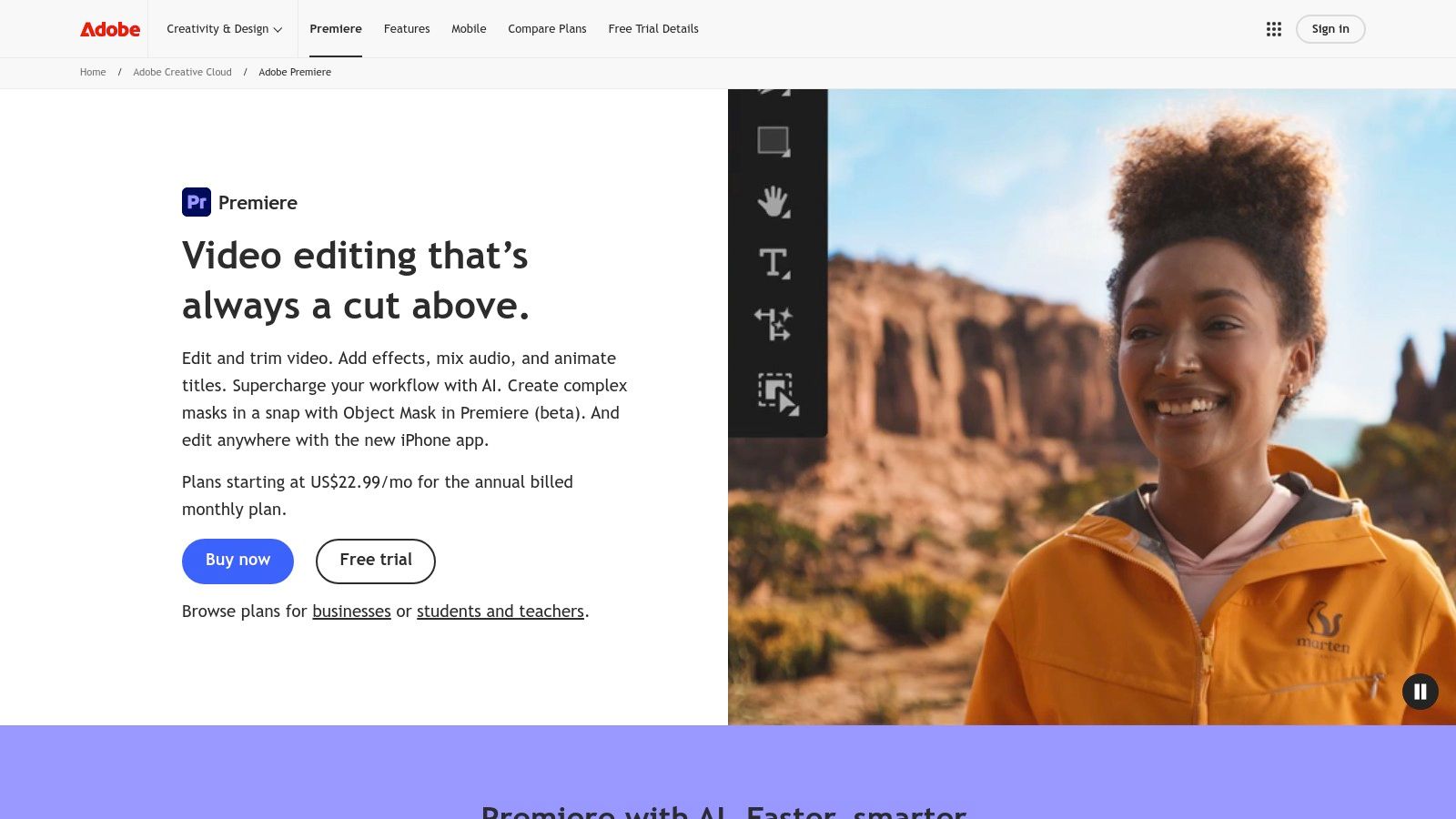
The AI-driven Speech-to-Text feature, for example, can automatically generate highly accurate captions for a full-length sermon in minutes, a crucial step for accessibility and engagement on social platforms. Similarly, Auto Reframe intelligently adjusts your 16:9 service recording into vertical formats for Instagram Reels or TikTok, keeping the speaker perfectly in frame without tedious manual adjustments.
Key AI Features & Use Cases
- Enhance Speech: This AI tool dramatically improves audio quality by removing background noise and echo, ensuring your pastor's message is clear even if the original recording wasn't perfect.
- Text-Based Editing: Edit video by simply editing the transcript. Deleting a sentence in the text automatically removes the corresponding video clip, a massive time-saver for creating concise sermon highlights.
- Generative AI (Firefly): While credits are metered, you can use generative AI to add or remove objects from a scene, perfect for cleaning up a stage shot or extending a background.
Pro Tip: For maximum efficiency, use Premiere Pro for the initial high-quality edit of your sermon. Then, export the transcript and import it into a platform like ChurchSocial.ai to instantly generate dozens of social media posts, blog articles, and small group discussion questions from the core message.
Pricing & Platform
Premiere Pro is available through a subscription-only model, starting at $22.99/month for the individual app or as part of the comprehensive Creative Cloud All Apps plan. It's a desktop-first application for both Windows and macOS, with a companion mobile app for on-the-go edits.
- Pros: Unmatched professional features, deep Creative Cloud integration, and extensive third-party plugin support.
- Cons: Steep learning curve for beginners, subscription cost, and metered generative AI credits can be limiting.
Website: https://www.adobe.com/products/premiere.html
2. Final Cut Pro
For churches operating within the Apple ecosystem, Final Cut Pro offers a potent combination of professional-grade editing and powerful machine learning features, making it a standout in the world of AI video editing software. It leverages Apple's Neural Engine to accelerate tasks that are critical for sermon post-production, all within a highly optimized environment. Its one-time purchase model is also a significant advantage for ministries managing a tight budget.

Final Cut Pro excels at processing high-resolution footage, like 4K multicam recordings of a Sunday service, with incredible speed on Apple silicon. The iPad app introduces a flexible workflow, allowing a volunteer to start an edit on the go and seamlessly hand it off to a more powerful Mac for final touches. This level of performance and integration is ideal for teams that need to turn around high-quality video content quickly.
Key AI Features & Use Cases
- Voice Isolation: This feature uses machine learning to separate the pastor's voice from distracting background noise, like HVAC hums or audience coughs, ensuring the message is always front and center.
- Object Tracker: Automatically track a person or object in your video. This is perfect for adding text callouts, graphics, or lower thirds that follow the speaker as they move across the stage.
- Smooth Slo-Mo: Create cinematic slow-motion clips from standard footage for worship moments or announcement videos, with AI generating the frames needed for a fluid, professional look.
Pro Tip: Use Final Cut Pro’s excellent audio and color tools to produce a master version of your sermon. Export the audio, get a transcript, and upload it to a specialized tool like ChurchSocial.ai to automatically create dozens of shareable assets like AI-generated Reels, blog posts, and discussion questions from the sermon’s content.
Pricing & Platform
Final Cut Pro is available as a one-time purchase of $299.99 from the Mac App Store, which includes all future updates. It is exclusively a desktop application for macOS, with a companion app available for iPad.
- Pros: One-time purchase (no subscription), exceptional performance on Mac hardware, and a strong ecosystem for professional templates.
- Cons: Mac-only, and its collaboration features are less integrated compared to cloud-based alternatives.
Website: https://www.apple.com/final-cut-pro/
3. DaVinci Resolve Studio (Blackmagic Design)
DaVinci Resolve is a complete post-production powerhouse, combining editing, color grading, visual effects, and audio production into a single application. For churches with tech-savvy volunteers or those aspiring to a cinematic quality for their productions, Resolve offers an incredible value proposition. Its DaVinci Neural Engine infuses professional workflows with powerful AI, making high-end results more accessible than ever for church media teams.
The free version alone is more powerful than many paid editors, but the paid Studio version unlocks the full potential of its AI toolkit. Features like automatic transcription for subtitling sermons and Voice Isolation for cleaning up microphone audio are game-changers. The AI-powered Magic Mask can isolate a speaker from a busy background in seconds, allowing for creative effects or subtle corrections without painstaking manual work, making it one of the best AI video editing software options available.
Key AI Features & Use Cases
- Voice Isolation: Instantly remove distracting room noise, air conditioning hum, or crowd chatter from a pastor's lapel mic, ensuring the sermon audio is pristine.
- Magic Mask: Quickly select and track a person or object. This is perfect for brightening a speaker on stage or subtly blurring the background to create more focus.
- Auto Transcription & Subtitles: Generate text from your video to quickly create subtitles for accessibility, a critical feature for sharing sermons on social media.
Pro Tip: Use Resolve’s powerful color grading and audio tools to create a master, high-quality export of your service. Then, upload that polished video's audio or transcript to ChurchSocial.ai to automatically generate dozens of social media clips, blog post summaries, and quote graphics, turning one sermon into a full week of content.
Pricing & Platform
DaVinci Resolve offers a remarkably capable free version. The full DaVinci Resolve Studio, which unlocks the Neural Engine and other advanced features, is available for a one-time purchase of $295. This perpetual license model is a significant advantage for churches wanting to avoid monthly subscriptions. It is available for Windows, macOS, and Linux.
- Pros: Extremely powerful free version, excellent value with a perpetual license for the Studio version, and an all-in-one professional workflow.
- Cons: Has a significant learning curve for beginners, and the most powerful AI features require the paid Studio upgrade.
Website: https://www.blackmagicdesign.com/products/davinciresolve/
4. Descript
Descript revolutionizes video editing by treating video and audio like a text document. This makes it one of the best AI video editing software options for churches and volunteers who are more comfortable with words than complex timelines. Its core premise is simple: edit the automatically generated transcript, and Descript edits the video and audio to match. This workflow is exceptionally fast for transforming a long sermon into dozens of shareable social media clips.
The platform is packed with AI tools designed for speed. The "Find Good Clips" feature can automatically identify compelling sections of a sermon, suggesting ready-to-export clips complete with captions. For interviews or multi-speaker messages, its multicam support simplifies switching between camera angles by just highlighting text. It’s an ideal solution for churches wanting to repurpose sermon content without a dedicated video editor.
Key AI Features & Use Cases
- Studio Sound: A one-click AI tool that removes background noise, room echo, and enhances voice frequencies, making any recording sound like it was captured in a professional studio.
- Filler Word Removal: Automatically detects and deletes filler words like "um" and "uh" from the transcript and video, cleaning up a sermon recording in seconds.
- Eye Contact Correction: This AI feature subtly adjusts the speaker's eyes to look directly at the camera, a powerful tool for creating a more personal connection in sermon clips.
Pro Tip: Use Descript to quickly generate a clean, accurate transcript of your sermon and create short video clips. Then, upload that transcript to a tool like ChurchSocial.ai to automatically generate an entire content calendar with social posts, carousels, and blog articles based on the sermon's key themes.
Pricing & Platform
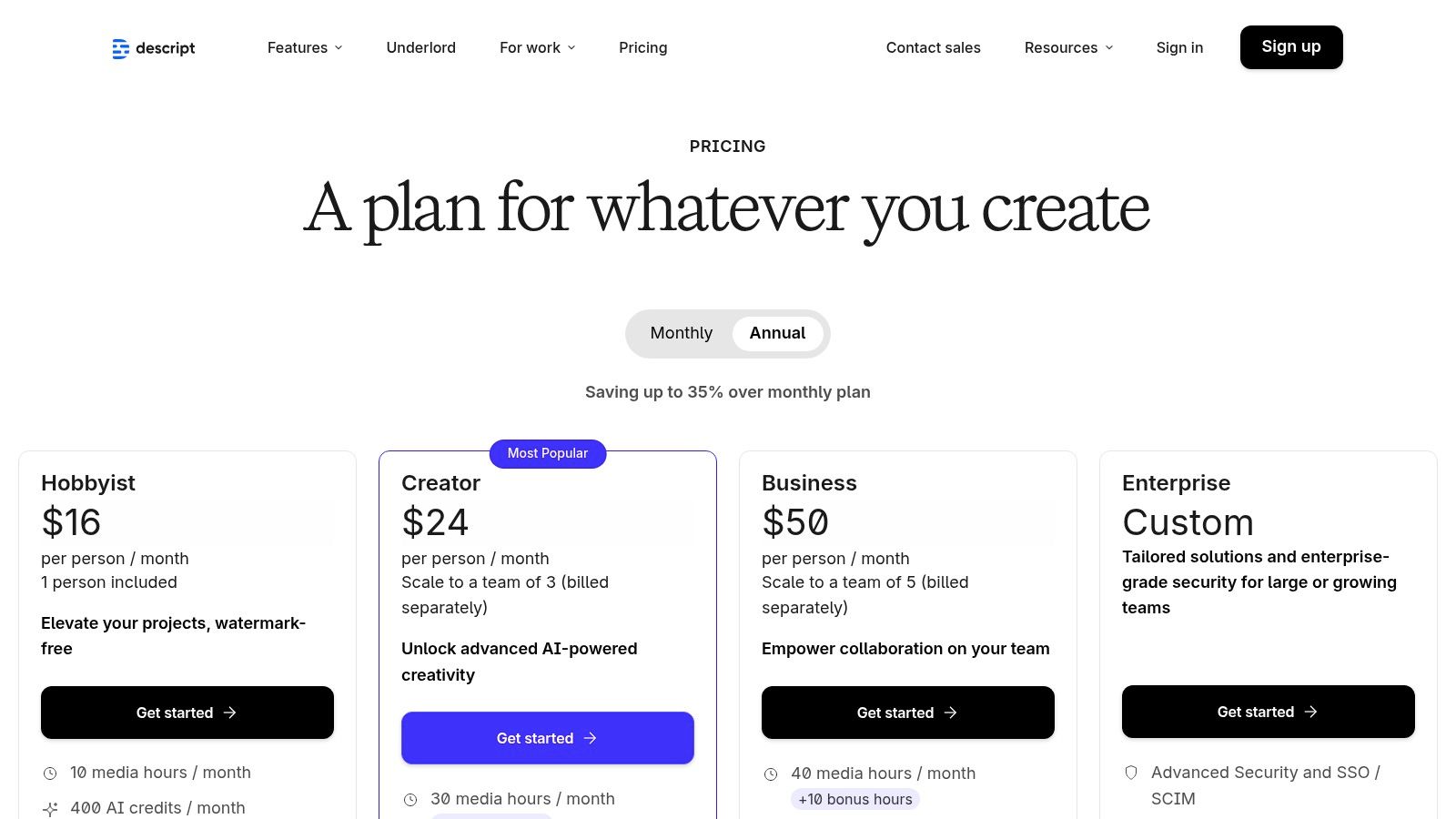
Descript offers a free plan with limited features. Paid plans start with the Creator tier at $12/month (billed annually) and scale up to a Pro plan at $24/month, which includes more transcription hours and advanced AI features. It operates as a web-based platform and a desktop app for both Windows and macOS.
- Pros: Extremely intuitive for non-editors, powerful audio enhancement, and fast workflows for repurposing content.
- Cons: Fewer advanced color grading and visual effects tools, and usage is limited by transcription hour and cloud credit caps on each plan.
Website: https://www.descript.com/pricing
5. CapCut
CapCut has rapidly become the go-to editor for short-form social media, making it a powerful tool for church youth ministries or any team focused on creating engaging Reels and TikToks. Its strength lies in its mobile-first design and a rich library of templates, trends, and AI effects that simplify the creation of dynamic, attention-grabbing content. For churches wanting to connect with a younger audience, CapCut lowers the barrier to producing culturally relevant video announcements or sermon clips.
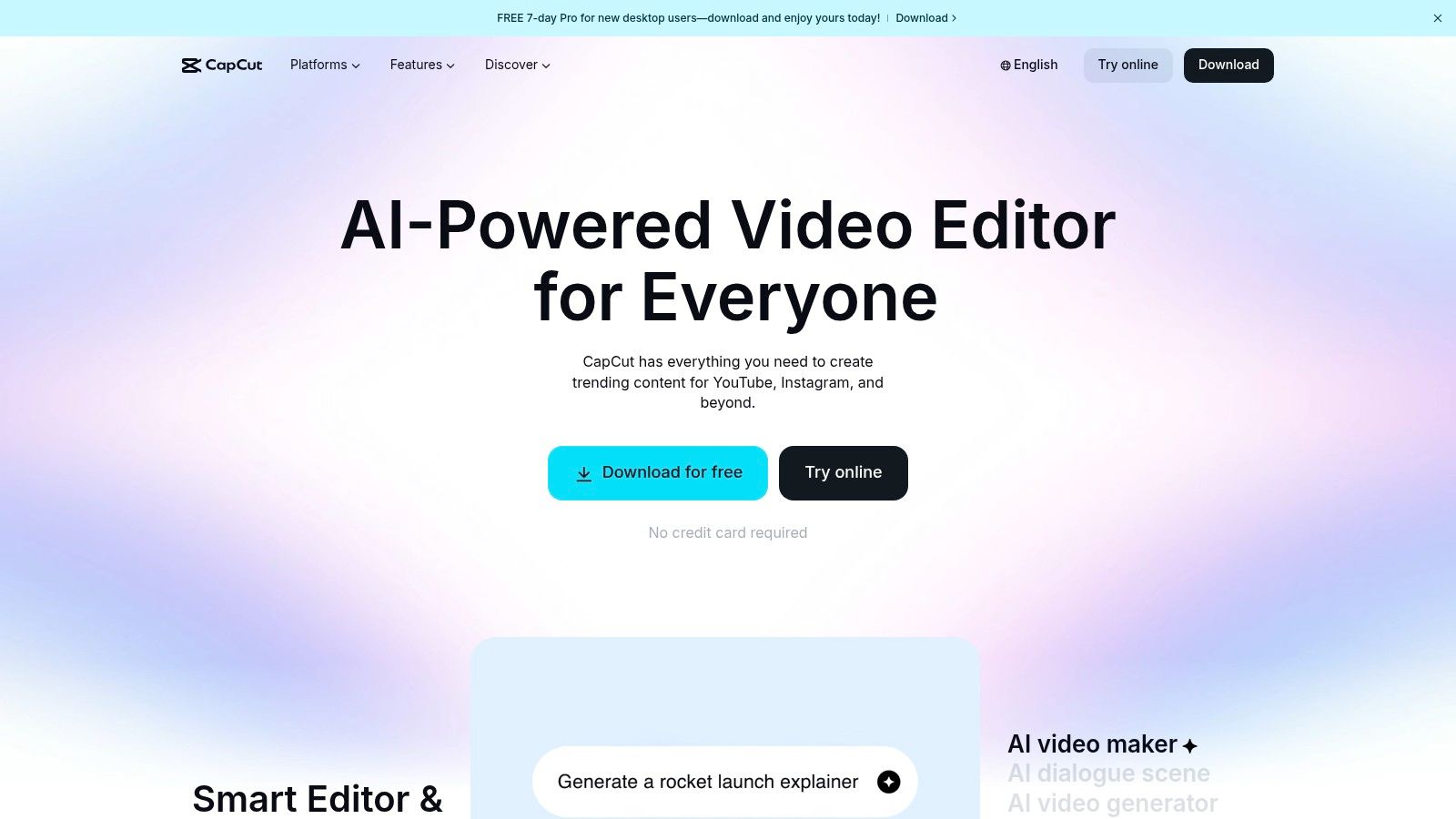
The platform excels at quick, AI-powered tasks that are essential for social video. Its auto-captioning feature can add stylized, animated text to a short sermon excerpt in seconds, a key for viewer retention. Features like background removal and motion tracking allow for creative effects that can make a simple talking head video feel much more professional and polished without needing complex software.
Key AI Features & Use Cases
- AI Script to Video: Generate entire short videos from a simple text prompt, perfect for creating quick announcements or visual accompaniments for a Bible verse.
- Auto Captions & Translation: Instantly add animated, trendy captions to your videos and translate them to reach a wider, multilingual audience online.
- Template-Driven Workflow: Leverage a massive library of pre-built video templates. Simply drop in your church's clips and photos, and the AI handles the timing and effects.
Pro Tip: CapCut is fantastic for producing individual, high-energy reels. To manage your overall content strategy, pair it with ChurchSocial.ai, where you can schedule your CapCut videos alongside AI-generated posts and graphics from your sermon, all from one simple calendar.
Pricing & Platform
CapCut offers a very capable free tier with most core features available. A Pro subscription, which unlocks premium effects, templates, and cloud storage, is available for a monthly fee (pricing varies by platform). It is available as a mobile app (iOS/Android), a desktop application (Windows/macOS), and a web-based editor.
- Pros: Extremely fast for creating social-first content, large library of free templates and effects, and a generous free version.
- Cons: Subscription pricing can be confusing as it varies by platform, and some users have reported policy changes affecting availability in certain regions.
Website: https://www.capcut.com/
6. Wondershare Filmora
Wondershare Filmora strikes an excellent balance between user-friendliness and powerful AI features, making it a fantastic choice for church volunteers or media teams who need to produce high-quality content without a steep learning curve. It provides a more traditional timeline editing experience than web-based tools but integrates AI to simplify complex tasks. For churches, this means creating polished sermon recaps, event promos, or youth group videos quickly and efficiently.
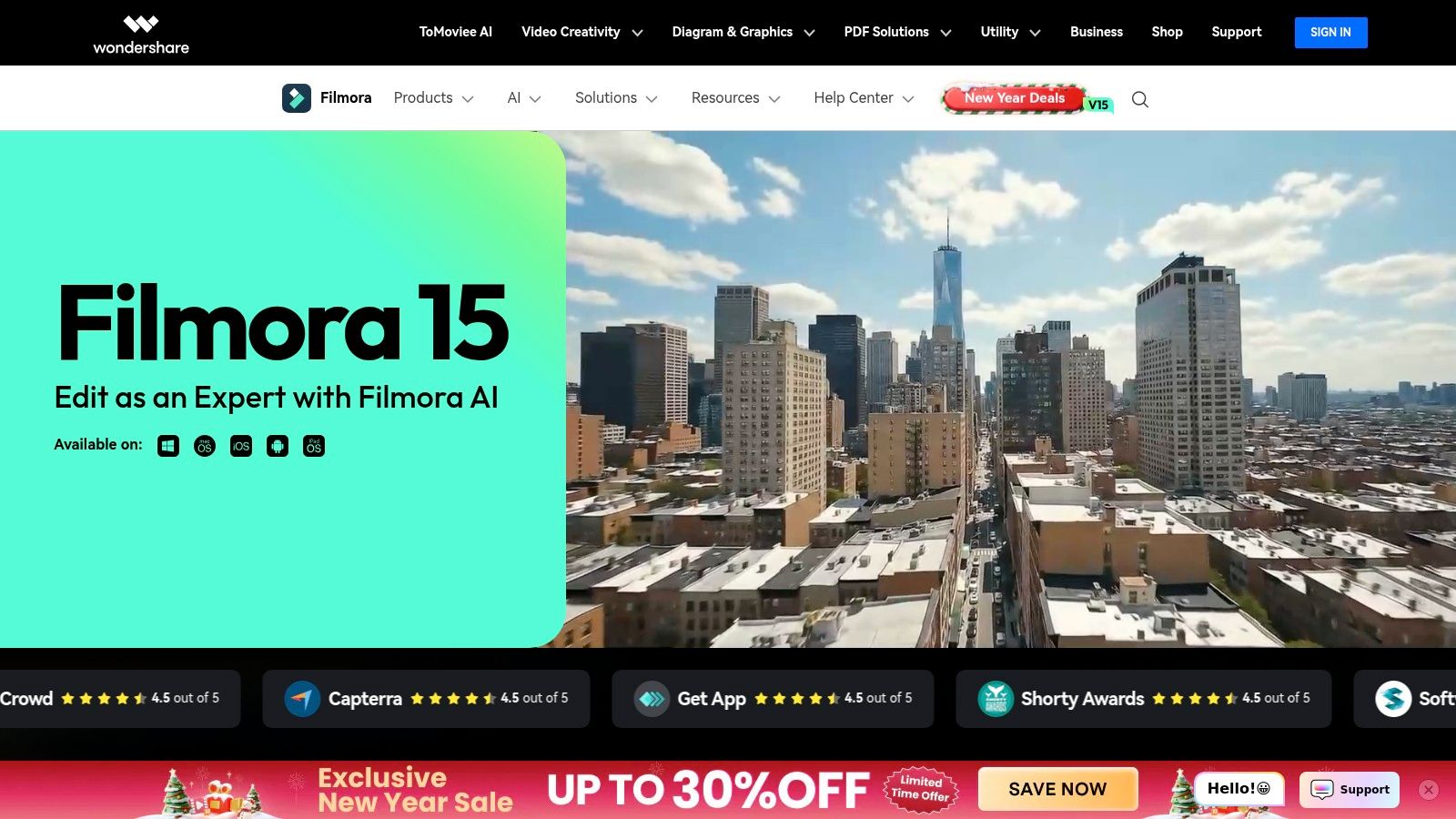
The platform is packed with ready-made templates, effects, and a large stock media library, which helps volunteers produce visually engaging videos that align with modern social media trends. AI-powered features like Smart Cutout and Auto Reframe automate tedious editing work, allowing your team to focus more on the message and less on the technical details of video production.
Key AI Features & Use Cases
- AI Smart Cutout: Easily remove the background behind your pastor without a green screen, perfect for creating dynamic sermon clips where you can place new, engaging backgrounds or motion graphics.
- Auto Reframe: Automatically converts your widescreen service recording into vertical or square formats, intelligently keeping the speaker as the focal point for platforms like Instagram Reels and TikTok.
- AI Audio Denoise: Cleans up audio from sanctuary recordings, reducing distracting echo or ambient noise to ensure every word of the sermon is crystal clear for online viewers.
Pro Tip: Use Filmora’s AI tools to quickly edit your full sermon and create a clean, high-quality video file. You can then upload this polished sermon to a tool like ChurchSocial.ai to automatically generate an entire month's worth of social media content, including AI-generated Reels, carousels, and discussion posts based on the transcript.
Pricing & Platform
Filmora offers several pricing options, including a subscription model starting around $29.99 quarterly or a perpetual license for a one-time fee. There is a free trial available, but it exports videos with a watermark. It is a desktop application available for both Windows and macOS.
- Pros: Very gentle learning curve, affordable one-time purchase option, and a large built-in library of assets and effects.
- Cons: Less powerful for advanced color grading and audio mixing compared to professional NLEs; the free version includes a watermark.
Website: https://filmora.wondershare.com/
7. CyberLink PowerDirector 365
CyberLink PowerDirector 365 strikes an impressive balance between consumer-friendly design and powerful, prosumer-level features. For churches needing more than a basic editor without the steep learning curve of professional suites, it’s an excellent choice. This platform integrates a vast library of templates and effects with practical AI tools, making it easy to produce polished promotional videos, event recaps, or dynamic sermon highlights that look professionally made.
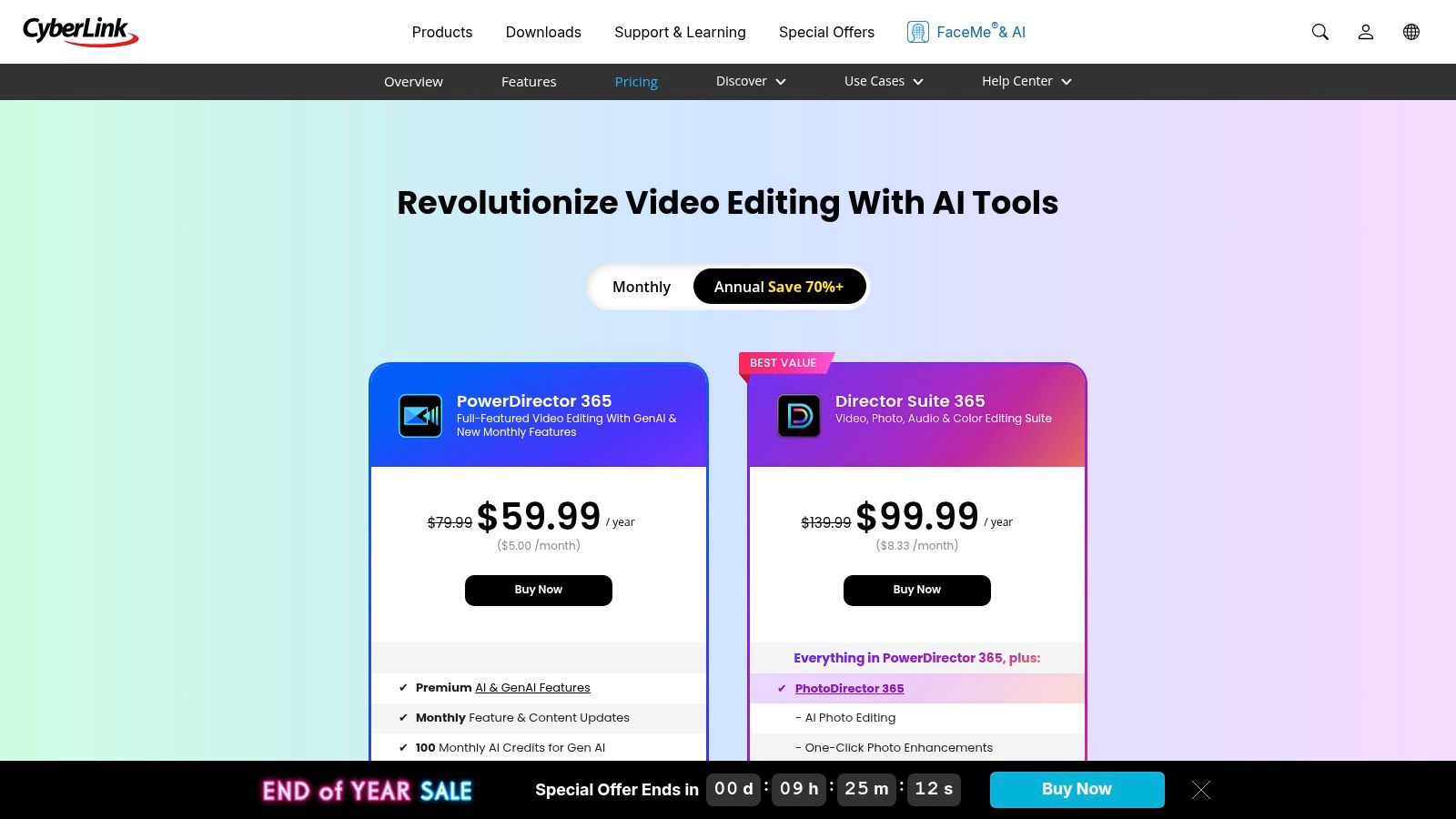
The software excels at streamlining common but time-consuming tasks. For instance, the AI Background Removal can instantly isolate a speaker from a cluttered stage, allowing you to place them against a clean branded background. Its robust AI Speech Enhancement ensures that audio captured in a less-than-ideal sanctuary environment is crisp and clear for online audiences, making it one of the best AI video editing software options for its price point.
Key AI Features & Use Cases
- AI Background Removal: Quickly remove and replace the background of your video clips without needing a green screen, perfect for creating clean speaker shots or testimonial videos.
- AI Speech Enhancement: Significantly improves audio clarity by removing wind, reverb, and other distracting background noises from sermon recordings.
- AI Style Effects: Transform standard video footage into captivating animations or artistic styles with a single click, ideal for creating eye-catching social media promos.
- Generative AI Features: Create unique AI-generated stickers, images, and text effects to add custom visual flair to your church's announcements and event videos.
Pro Tip: Use PowerDirector's AI tools and templates to create a compelling, visually engaging video recap of a recent church event or mission trip. Then, upload the final video's transcript to ChurchSocial.ai to automatically generate a detailed blog post, social media updates, and newsletter snippets to share the story with your entire congregation.
Pricing & Platform
PowerDirector 365 operates on a subscription model, offering significant value with plans like PowerDirector 365 starting around $51.99/year. It is available as a powerful desktop application for Windows and macOS, with companion mobile apps for editing on the go.
- Pros: Great value for the price, approachable for volunteers and non-specialists, and an extensive effect/template library useful for promos.
- Cons: The interface can feel busy for new users, and it has fewer high-end color and audio finishing tools than Premiere Pro.
Website: https://www.cyberlink.com/products/powerdirector-video-editing-software/pricing.html
8. Runway
Runway positions itself not just as an editor but as an AI-native creative suite, pushing the boundaries of what's possible with video. While it includes a functional multitrack editor, its true power lies in its suite of "AI Magic Tools," particularly its leading-edge generative video models. For churches, this opens up new possibilities for creating custom b-roll, abstract motion graphics for worship backgrounds, or illustrative visuals for sermon series bumpers that would otherwise require a team of animators.
Imagine needing a specific visual for a sermon on "sowing seeds" but having no stock footage. With Runway's Text-to-Video or Image-to-Video features, you can generate a unique, stylized clip from a simple prompt. This makes Runway one of the best AI video editing software options for teams focused on creative expression and brand-new visual content rather than just editing existing footage.
Key AI Features & Use Cases
- Generative Video (Gen-3 Alpha): Create high-quality, short video clips from text descriptions or still images. This is perfect for producing thematic visuals for social media campaigns or illustrative sermon clips.
- Inpainting & Motion Brush: Magically remove unwanted objects from a video or add motion to specific parts of a still image, bringing a new level of dynamism to your announcements or event promos.
- AI Training: Train your own custom AI model to generate images or video in a consistent style that matches your church's unique branding.
Pro Tip: Use Runway to generate compelling visual assets for your sermon series. Then, import your sermon transcript into ChurchSocial.ai to automatically create a full suite of promotional content, from social media posts to blog articles, all perfectly coordinated with your new visuals.
Pricing & Platform
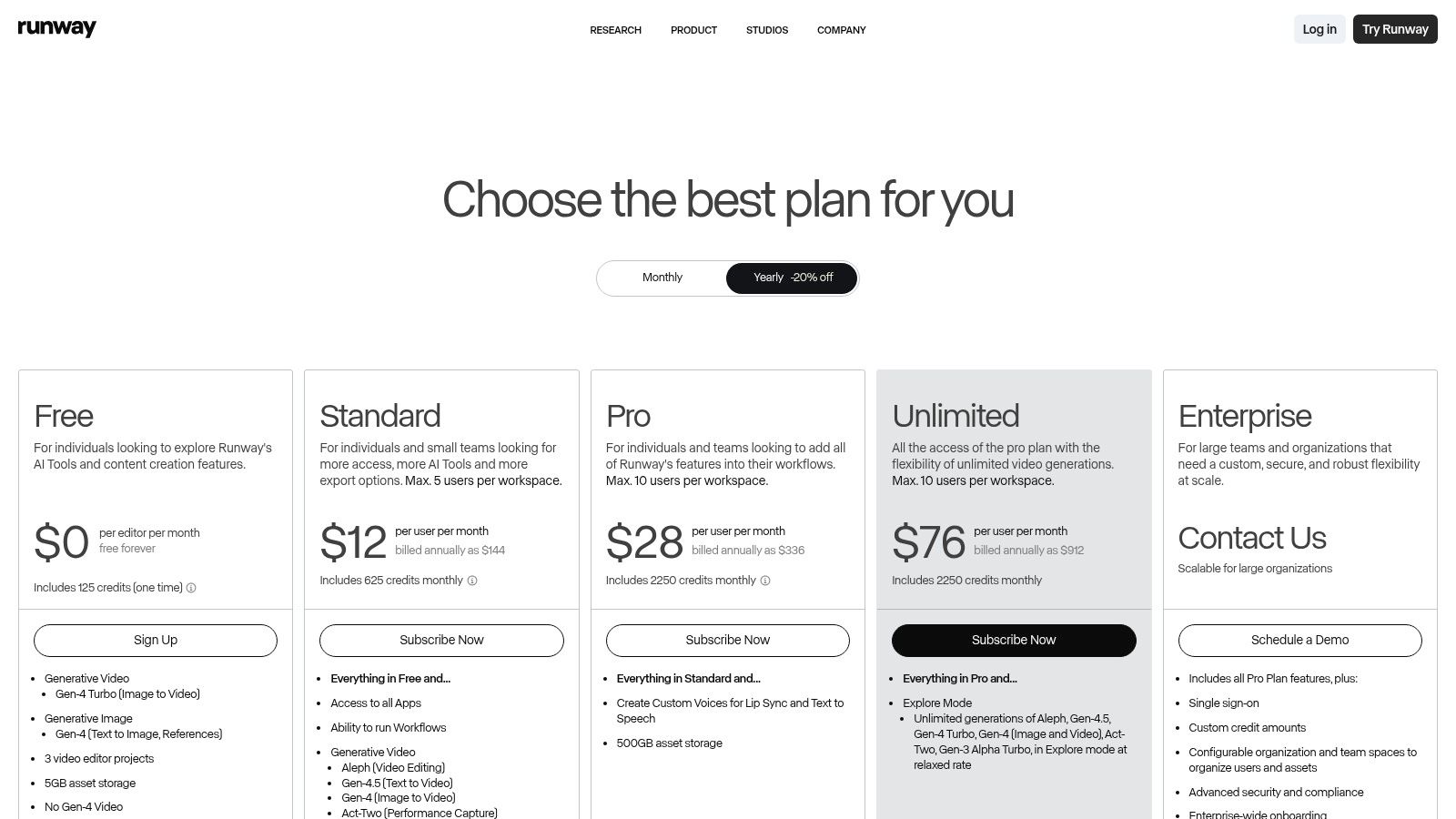
Runway operates on a credit-based subscription model, offering a free tier with limited credits for experimentation. Paid plans start at $12/user/month (billed annually) and provide more credits, higher resolution exports, and access to advanced features. It is a web-based platform, making it accessible from any computer.
- Pros: Cutting-edge generative AI models, intuitive web-based interface, and flexible pricing tiers.
- Cons: Credit system can be complex to manage, and it is not a complete replacement for a traditional editor for long-form projects.
Website: https://runwayml.com/pricing
9. VEED
VEED is a powerful, browser-based video editor that excels at speed and accessibility, making it a fantastic choice for church teams needing to create social media content quickly without installing complex software. Its strength lies in its all-in-one workflow, allowing you to go from a raw sermon file to a polished, captioned social media clip entirely within your web browser. This makes it one of the best AI video editing software options for volunteers or staff who are not professional video editors.
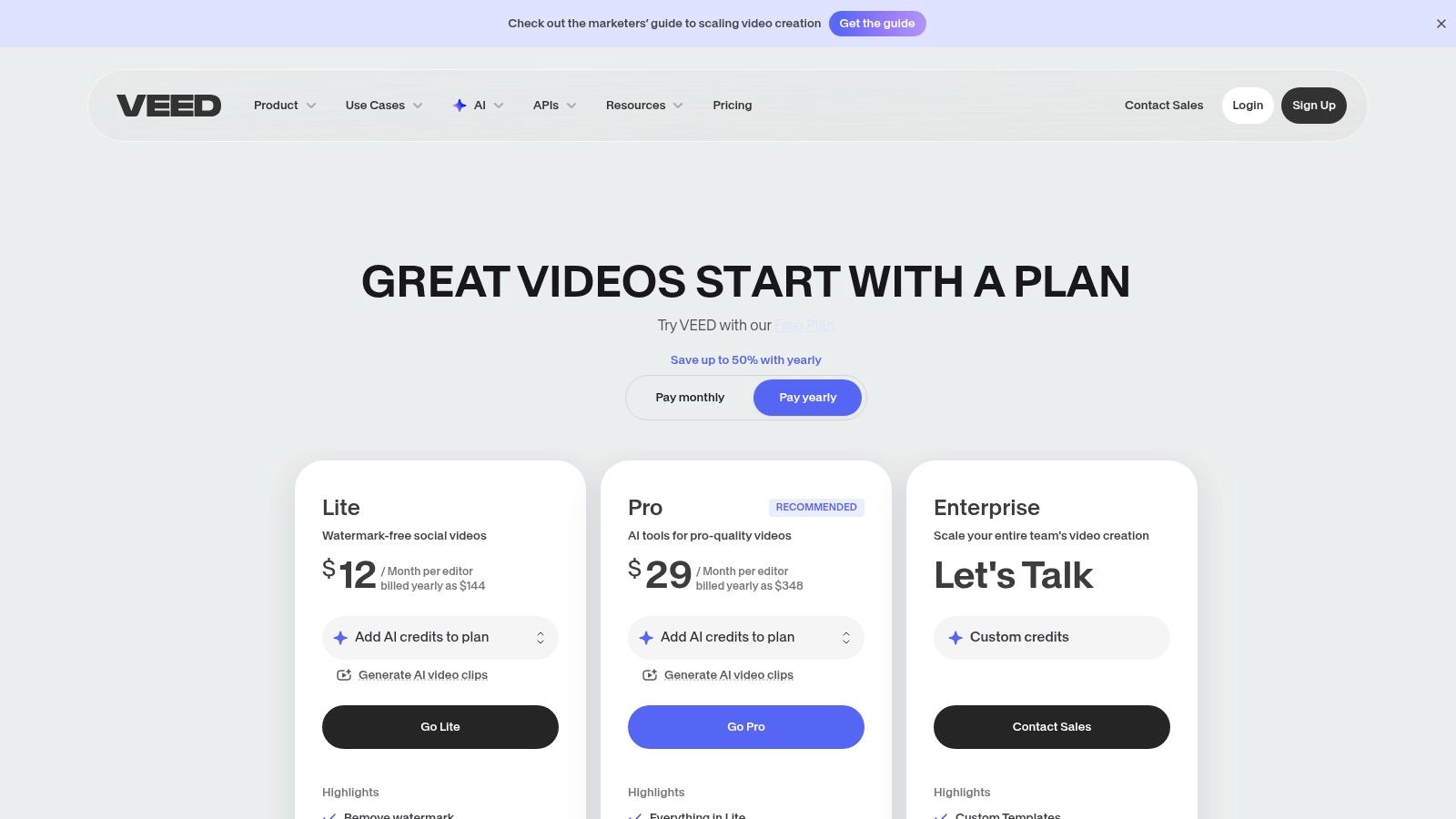
For church workflows, VEED's automatic subtitling and translation tools are invaluable for creating accessible sermon snippets for platforms like Instagram Reels and TikTok. The platform's "AI Clips" feature can automatically identify compelling moments from a longer video, providing a great starting point for sermon highlights. The entire process is designed to be intuitive for non-editors, significantly reducing the time it takes to get your message online.
Key AI Features & Use Cases
- Automatic Subtitles & Translation: Instantly generate accurate captions for your sermon clips and translate them into multiple languages to broaden your reach.
- AI Eye Contact Correction: This tool digitally adjusts the speaker's gaze to look directly at the camera, creating a more personal connection with the online audience.
- Magic Cut & AI Clips: Automatically edit out long pauses and filler words or let AI find the most engaging segments of your sermon to turn into shareable short-form videos.
Pro Tip: Use VEED to quickly generate several captioned video clips from a single sermon. Then, upload the sermon transcript to a specialized tool like ChurchSocial.ai to generate a complete social media campaign, including post captions, carousels, and blog articles, ensuring your content is cohesive and impactful.
Pricing & Platform
VEED offers several tiers, including a free plan with watermarks, with paid plans starting at $25/month per user (billed annually). Higher-tier plans unlock more AI credits, storage, and advanced features like brand kits and translation. It operates entirely in the browser, requiring no downloads.
- Pros: Very easy for non-editors, strong captioning and translation tools, and an all-in-one web workflow from edit to publish.
- Cons: The credit system for AI features can be confusing, and some advanced tools are locked behind higher-priced plans.
Website: https://www.veed.io/pricing
10. InVideo
InVideo is an AI-first video creation platform ideal for churches needing to produce high-quality videos quickly, without a steep learning curve. Its strength lies in a template-driven and prompt-based workflow, allowing a volunteer or staff member to generate polished announcement videos, event promos, or sermon recaps in minutes. This makes it a fantastic tool for turning a simple idea or script into a shareable video asset for social media or your website.
The platform is designed for speed and efficiency. You can start with a detailed text prompt, like "Create a 30-second promo for our upcoming Fall Festival," and its AI will pull from a vast library of stock media to assemble a first draft. This workflow dramatically cuts down the time spent searching for B-roll and syncing it to a message, making it one of the best AI video editing software options for rapid content creation.
Key AI Features & Use Cases
- Script-to-Video: Instantly transform a sermon outline, event description, or blog post into a video, complete with relevant stock footage, text overlays, and AI-generated voiceovers.
- Template-Driven Workflows: Choose from thousands of pre-made templates designed for specific purposes, such as event announcements or weekly service reminders, ensuring brand consistency.
- AI Avatars & Dubbing: On higher-tier plans, create videos with AI-powered avatars or easily dub existing videos into different languages to expand your ministry's reach.
Pro Tip: InVideo is excellent for creating visually engaging short-form content. Pair it with a management tool like ChurchSocial.ai by using the AI-generated blog posts from your sermon transcript as scripts for InVideo. You can then schedule these new video assets directly through the ChurchSocial.ai content calendar.
Pricing & Platform
InVideo offers a free plan with watermarked exports. Paid plans start at $20/month (billed annually) for the Plus plan, which removes the watermark and provides more AI generation minutes and stock media credits. A Max plan is available for teams needing more resources and collaboration features.
- Pros: Extremely fast from prompt or template to a finished video, great for teams needing consistent and repeatable outputs without deep editing skills.
- Cons: The credit system for exports and stock media requires careful planning to match your content volume, and manual editing controls are less robust than professional software.
Website: https://invideo.com/
11. Kapwing
Kapwing is a highly approachable, browser-based editor that excels at one key task for churches: turning long-form sermons into short-form social media content. It’s an ideal choice for volunteer teams or staff who need powerful AI features without the steep learning curve of professional desktop software. The platform is built for speed and collaboration, allowing multiple users to work on projects from anywhere.
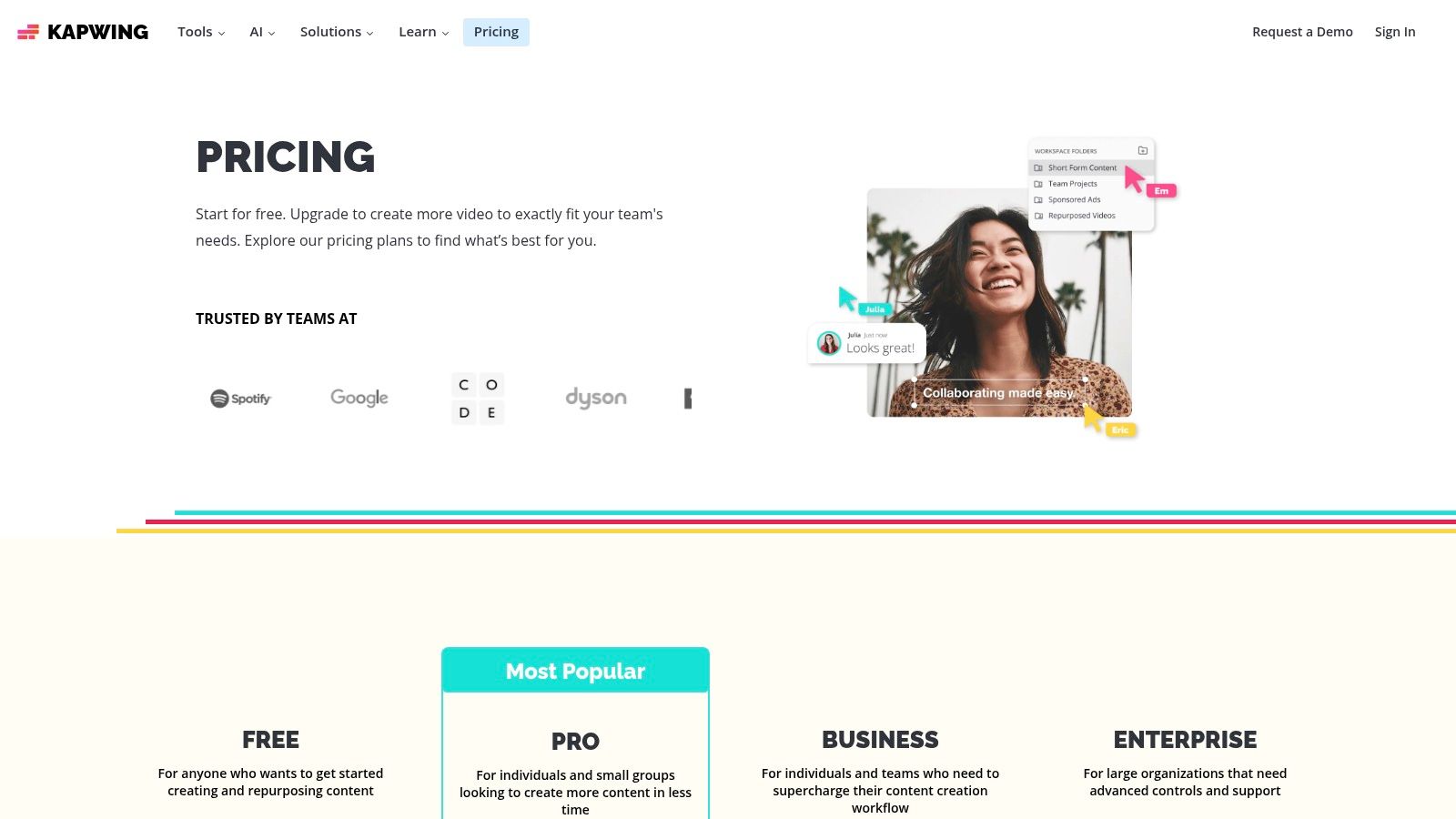
The standout feature for ministry workflows is its AI Clip Maker, which automatically finds the most engaging moments in a sermon video and formats them into vertical clips for Shorts, Reels, or TikTok. This, combined with its robust auto-subtitling and translation tools, makes it one of the best AI video editing software options for quickly creating accessible, shareable sermon highlights.
Key AI Features & Use Cases
- AI Clip Maker: Upload a full sermon and let the AI identify and create multiple shareable video clips, saving hours of manual searching and editing.
- Auto-Subtitles & Dubbing: Generate accurate captions in over 70 languages to expand your reach. You can also use AI to dub the audio into other languages.
- Smart Tools: Features like automatic background removal and silence removal help you create clean, professional-looking videos with just a few clicks.
Pro Tip: Use Kapwing to quickly generate your sermon highlight reels with captions. For a complete content strategy, upload your sermon transcript to ChurchSocial.ai to auto-generate an entire month's worth of posts, blog articles, and graphics, then use its calendar to schedule everything.
Pricing & Platform
Kapwing offers a free plan with a watermark, making it accessible to try. Paid plans start at $16/month (billed annually) for the Pro plan, which removes the watermark and adds features like 4K export and brand kit uploads. As a web-based tool, it works on any computer with an internet connection.
- Pros: Extremely easy to use for non-editors, powerful for creating captioned social videos, and offers great collaborative workspaces.
- Cons: Performance is dependent on your internet connection, and the free tier includes a watermark on exported videos.
Website: https://www.kapwing.com/pricing
12. Opus Clip
Opus Clip is a purpose-built AI tool designed to solve one of the biggest challenges for church media teams: turning long-form sermons into dozens of engaging, short-form clips for social media. Instead of functioning as a traditional editor, it acts as an intelligent repurposing engine, analyzing an entire service recording and automatically identifying the most compelling, shareable moments. This makes it an invaluable asset for scaling your digital outreach without scaling your volunteer hours.
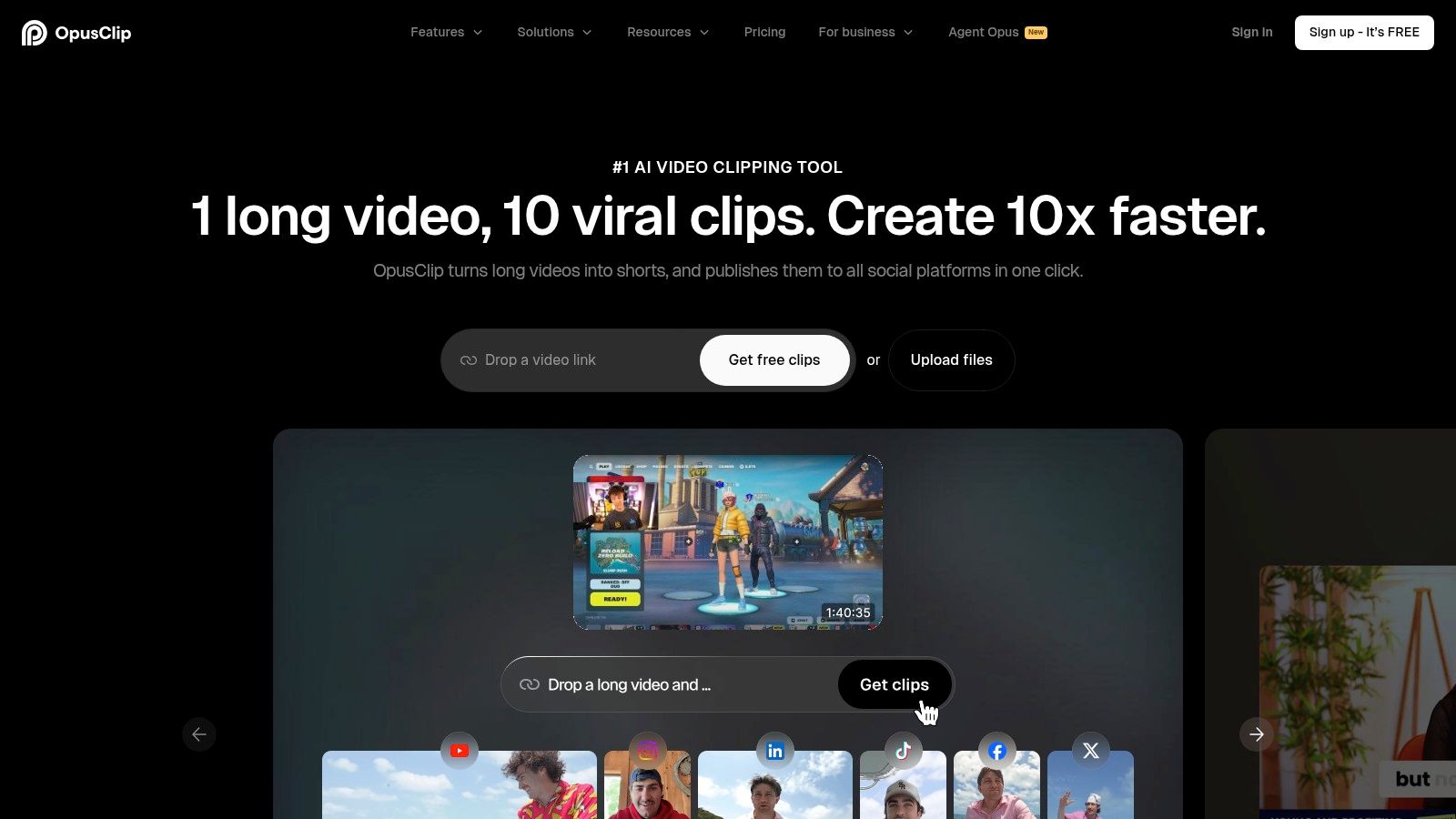
The platform automatically handles the most tedious parts of the process. It reframes horizontal video to vertical, adds dynamic captions, removes awkward silences, and even gives each clip a "virality score" to help you prioritize what to post first. For churches looking to maximize their sermon's impact on platforms like TikTok and Instagram Reels, this tool is a massive time-saver.
Key AI Features & Use Cases
- AI Curation & Virality Score: Upload a full sermon, and the AI will generate multiple short clips, ranking them based on their potential to perform well on social media.
- Active Speaker Detection & Reframing: The AI automatically keeps the speaker centered in a vertical frame, a critical feature for mobile-first viewing that eliminates manual keyframing.
- AI B-Roll: Automatically adds relevant stock footage to your clips to enhance visual storytelling and keep viewers engaged, a powerful feature for illustrating sermon points.
Pro Tip: Use Opus Clip to generate your sermon reels, then upload the original sermon transcript to a platform like ChurchSocial.ai to generate a complete content plan. This creates a powerful workflow where you get dozens of AI-generated video clips, social posts, blog articles, and graphics from a single sermon, all managed in one simple calendar.
Pricing & Platform
Opus Clip operates on a freemium model with a free tier that provides 60 minutes of processing credits per month. Paid plans start at $9/month for more credits and advanced features like team workspaces and direct exports to professional editors like Premiere Pro. It is a web-based platform, accessible from any browser.
- Pros: Dramatically reduces the time needed for sermon repurposing, virality score helps prioritize content, and the free tier is great for testing.
- Cons: Credit-based system requires careful planning for long services, and it's not a full-featured editor for complex projects.
Website: https://www.opus.pro/
Top 12 AI Video Editors — Quick Comparison
Choosing the Right Tool Is Only Half the Battle: Streamline Your Entire Workflow
We've explored a powerful lineup of the best AI video editing software available today, from industry-standard powerhouses like Adobe Premiere Pro and DaVinci Resolve to innovative, browser-based tools like Runway and Descript. Each platform offers unique AI features designed to automate tedious tasks, spark creativity, and help your church produce high-quality video content more efficiently than ever before. Whether your priority is professional-grade color correction, instant sermon clip generation, or user-friendly text-based editing, there is a tool on this list that can meet your ministry's needs.
However, selecting the right software is just the first step. The true challenge for most church volunteers and staff isn't just creating a single video clip; it's managing the entire content lifecycle that surrounds it. This includes transcribing sermons, brainstorming social post ideas, designing corresponding graphics, writing engaging captions, and scheduling everything across multiple platforms. Juggling a handful of different tools for each of these tasks can quickly lead to burnout and an inconsistent social media presence.
From Editing Software to a Unified Content Strategy
The most effective ministries don't just find a good video editor; they build a sustainable workflow. An integrated system allows you to transform one sermon into an entire week's worth of cohesive, engaging content. This is where a dedicated church social media management platform becomes a ministry force multiplier, bridging the gap between video creation and a fully executed digital outreach strategy.
Instead of exporting a clip from one app, designing a graphic in another, and then manually uploading it to a separate scheduler, a centralized hub brings these functions together. Platforms designed specifically for churches understand the unique rhythm of ministry life, integrating with tools you already use, like church management software and calendar systems.
This approach ensures that your powerful, AI-generated sermon clips don't exist in a vacuum. They become the cornerstone of a broader content plan that includes event announcements, discussion questions, blog posts, and more, all working together to serve and grow your community online. As part of a comprehensive workflow for creating AI-powered videos, it's essential to have a clear understanding of the broader concept of synthetic media. Having a solid grasp of this topic helps your team make informed decisions and use these powerful tools responsibly; for more details, a deeper dive into understanding synthetic media can provide valuable context.
The Power of an All-in-One Solution: ChurchSocial.ai
While many of the tools we reviewed excel at video editing, ChurchSocial.ai is built to be the central command center for your entire church social media presence. Our platform incorporates the powerful AI video features you need while solving the larger workflow challenges that often hold ministries back.
- Sermon Studio: Upload your full sermon, and our AI will instantly identify and generate viral-ready reel clips, complete with captions, just like specialized tools like Opus Clip.
- Content Generation: We go beyond video. From the same sermon transcript, our AI can write social media posts, blog articles, and small group discussion questions, turning one message into a multitude of resources.
- Integrated Design: Use our built-in graphic templates and editor to create stunning visuals for your posts, ensuring a consistent and professional look for your church's brand.
- Unified Scheduling: Organize and schedule all your content, from AI-generated reels to event graphics, on a simple drag-and-drop calendar. Plan your entire week for Facebook, Instagram, and more in one place.
- Church-Specific Integrations: Connect directly with Planning Center and other church calendars to automatically create content for your upcoming events, saving you valuable time.
By combining the best AI video editing software features with a comprehensive management system, you empower your team to work smarter, not harder. This streamlined process frees up precious time and energy, allowing you to focus less on administrative tasks and more on what truly matters: connecting with your community and sharing your message.
Ready to unify your church's social media and turn one sermon into a week of engaging content? See how ChurchSocial.ai combines powerful AI video creation with a complete content management system designed for ministries. Visit ChurchSocial.ai to start your free trial and streamline your workflow today.


