
Creating short video clips for your church isn't just about editing; it's about capturing a moment of impact from your ministry and sharing it in a bite-sized format that resonates on social media. With the right tools, you can easily find key messages from sermons or events, trim them down, add captions, and meet your community right where they are online.
Why Short Videos Are Crucial for Modern Ministry
We live in a world of endless scrolling. Your church has a massive opportunity to cut through the noise and share the Gospel on the platforms your community uses every day—Instagram, Facebook, and even TikTok. Short-form videos, like Reels and Shorts, aren't just a trend; they've become the primary way people consume content online. This is about more than just staying relevant; it’s about sharing the hope of Jesus in the most accessible and engaging way possible.
Think of it this way: short videos extend the life of your Sunday service throughout the entire week. A single sermon can be transformed into a source of daily encouragement. A powerful moment from worship can inspire hundreds online. And a simple event announcement can reach far beyond your church walls.
Maximizing Engagement in Minimal Time
The power of being brief is backed by some pretty compelling data. Videos under one minute consistently get the most engagement. Data from Wistia shows that short videos under 60 seconds have an average engagement rate of 53.9%, a number that drops off quickly as videos get longer.
The takeaway for ministry is huge: a focused, 30-second clip can often have a greater spiritual impact online than an entire hour-long service recording. You can learn more about these video marketing statistics and how they apply to outreach.
This is where having the right tools becomes a ministry multiplier. You don't need a massive media team or complicated software to do this well. Platforms like ChurchSocial.ai were designed to simplify the entire process for churches.
- AI Generated Reels from Sermons: It automatically finds the most powerful segments from your sermons and turns them into share-ready clips.
- AI Generated Content: It can also transform your sermon transcript into social posts, blogs, small group questions, and more.
- Easy Scheduling: Our simple drag-and-drop calendar allows churches to easily manage and update all of their social media.
The goal is to make video creation a sustainable part of your ministry, not another burden on your staff and volunteers. By turning complex tasks into simple workflows, you can consistently share hope and connect with your community online.
This whole approach is a core part of what we call visual storytelling, and it's a powerful way to make your church's message stick.
Building Your Church's Video Content Calendar
Before you even think about hitting that record button, let's talk about the most important step: having a plan. Incredible video content doesn't happen by accident; it starts with a clear purpose.
When you move past just posting random ideas, you can build a content calendar that actually supports your church's ministry goals. Are you trying to inspire your congregation during the week? Get the word out about an upcoming event? Or maybe you want to invite new people to check you out. A plan helps you do all of that intentionally.
For church communicators, being proactive is the ultimate game-changer. Instead of that weekly scramble for something—anything—to post, you can map out your content ahead of time. This keeps your social media feeds in sync with the real-life rhythm of your church, helping you stay consistent even during busy seasons like Christmas or Easter.
Defining Your Content Pillars
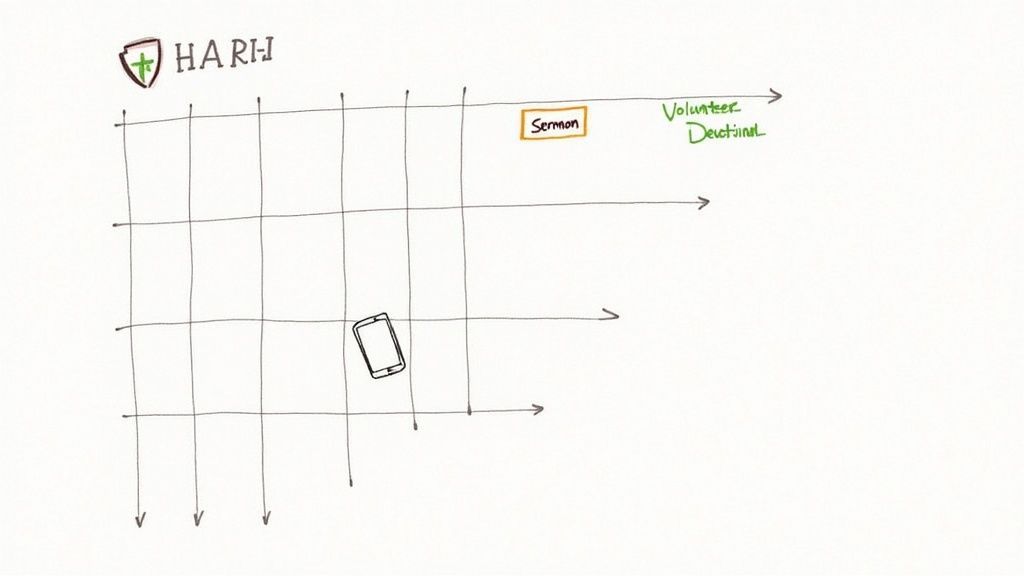
The secret to never running out of ideas is to establish a few core "content pillars." Think of these as the main themes or recurring topics your community can count on seeing from you. For a church, this approach provides a super reliable framework for creating short video clips week after week.
Here are a few practical content pillars you could use:
- Sermon Highlights: Those powerful, bite-sized clips from Sunday's message.
- Volunteer Spotlights: Quick interviews or simple thank-you videos that honor the people serving.
- Event Promotion: Fun, engaging announcements for small groups, community outreach, or special services.
- Daily Devotionals: A short scripture reading or an encouraging thought from a pastor.
Focusing on pillars like these creates a consistent and valuable experience for your online audience. If you want to go deeper on this, check out our full guide on building a social media content calendar for your church. It’s loaded with practical tips to get you organized.
A well-planned calendar transforms social media from a weekly chore into a powerful ministry tool. It aligns your digital outreach with your real-world mission, ensuring every post serves a purpose.
Streamline Planning with Smart Tools
Let’s be honest, trying to manually keep track of every sermon series, potluck, and youth event is just overwhelming. This is where technology can seriously lift a burden off your shoulders. The right tools can make the whole planning process feel seamless.
ChurchSocial.ai was built to solve this problem by integrating with church calendars like Planning Center. This integration lets our platform see what's on your schedule and automatically suggest content ideas for events.
For example, it might prompt you to create a promotional Reel for VBS or a thank-you video after a successful food drive. You can then use our simple drag-and-drop calendar to manage and schedule everything, making sure your social media is always perfectly in sync with your ministry.
Capturing Great Video with the Gear You Already Have
Let's get one thing straight: you don’t need a fancy production studio to create powerful short-form videos for your church. Honestly, some of the most engaging clips have been shot on a phone. The smartphone in your pocket is more than capable of capturing beautiful footage that genuinely connects with people.
The secret isn’t a Hollywood budget. It’s about nailing a few fundamentals. Authenticity and a clear message will always win, making video a ministry anyone on your team can jump into, regardless of their tech skills.
Mastering the Smartphone Basics
So much of what makes a video look "good" comes down to three simple things: light, stability, and sound. If you get these right, you're 90% of the way there.
- Find the Best Light: You don't need to buy a bunch of expensive lights. Just have the person you're filming face a window. Natural light is your best friend—it’s soft, it’s flattering, and it gets rid of those harsh, distracting shadows.
- Keep it Steady: Nobody likes watching shaky video. It just looks amateur. A cheap smartphone tripod is a fantastic investment, but in a pinch, you can just lean your phone against a stack of books or a coffee mug. Whatever it takes to get a stable shot.
- Shoot Vertically: This one is non-negotiable for Reels, TikTok, and Shorts. Always hold your phone upright. This fills the whole screen on mobile and matches how people are already using these apps.
Getting Crisp and Clear Audio
Here’s a little secret: people will forgive mediocre video quality, but they will not tolerate bad audio. If they can't hear the message, they'll just scroll on by.
The simplest fix is to get the phone as close to the speaker as possible. If you’re pulling a clip from a sermon recording, you might notice the room’s PA system creates a bit of an echo or sounds distant. For churches wanting to step up their game, checking out a guide to digital mixer audio systems can be a huge help in getting that clean, professional sound.
Remember, the goal here is connection, not perfection. A clear, heartfelt message shot on a phone will always do more for your ministry than some slick, overproduced video that feels cold and impersonal.
At the end of the day, the gear you have is less important than the story you’re telling. While a dedicated camera is great for your main service, your phone is the perfect tool for creating this kind of content. If your church is thinking about a bigger equipment upgrade, our guide on the best camera for church live streaming has some great pointers.
Turning One Sermon into a Week of Content
The most efficient way to keep your church’s social media feeds fresh and impactful is to work with what you already have. Think about it: that single 40-minute sermon from Sunday? It’s pure gold. You can actually turn it into an entire week's worth of shareable, encouraging clips and posts. This isn't about adding more to your plate; it's about being a good steward of the message and making it go further.
Instead of posting one long video that, let's be honest, few people will watch from start to finish online, you're creating multiple opportunities throughout the week to connect with and inspire your community.
Automating Your Clip Creation Workflow
Let’s talk about the old way of making clips. It was painful. You’d have to scrub through the entire video file, trying to pinpoint those powerful one-minute moments. Then came the trimming, the tedious captioning, and resizing it for different platforms. This is exactly where a purpose-built tool can be a game-changer for your church.
We actually built ChurchSocial.ai to solve this very problem. The whole process is incredibly straightforward:
- First, you just upload your full sermon video.
- Our AI gets to work, listening through the entire message to find the most powerful, encouraging, and biblically solid moments.
- From there, it automatically generates a bunch of AI generated Reels for you, complete with eye-catching animated captions to stop the scroll.
- Every clip is already formatted in that vertical, 9:16 aspect ratio, so it’s ready to go for Instagram Reels, TikTok, and YouTube Shorts.
Here’s a look at how ChurchSocial.ai pulls out multiple clips from a single sermon, all ready for you to look over and schedule.

A task that used to eat up hours of editing time can now be done in just a few minutes. That frees up your team to focus on what really matters—ministry—not video production.
To see the difference in black and white, here's a quick comparison of the time and effort involved.
Sermon Repurposing Workflow Comparison
The time savings are massive. This workflow gives hours back to your team every single week, allowing them to focus on community engagement rather than getting bogged down in technical editing.
Expanding Beyond Just Video Clips
The power of repurposing doesn't just stop with video, either. That sermon transcript is a treasure trove of content that can fuel your entire digital outreach for the week. Once your sermon is in ChurchSocial.ai, our AI can generate content from the sermon transcript like social posts, blogs, and more.
You end up with a complete content system that all stems from a single, powerful message. This idea isn't unique to churches; savvy creators everywhere are repurposing a single episode into multiple content pieces because it's just a smarter way to maximize a message's reach.
Your Sunday sermon is the most valuable piece of content your church produces. By strategically repurposing it, you honor the effort that went into it and multiply its potential to impact lives far beyond your church walls.
The move toward shorter content is impossible to ignore. The average video length has dropped by 75% since 2016, which makes repurposing more important than ever. By breaking down a longer sermon into these bite-sized pieces, you're meeting people right where they are and speaking their language.
Publishing and Scheduling Your Videos for Maximum Impact
You've done the hard work of creating a great video clip. That's a huge win! But let's be honest, a video doesn't make an impact until people actually see it. The final steps—publishing and scheduling—are where all your effort connects with your community. This part isn't about fancy editing; it’s all about smart, consistent delivery.
Before you hit "post," there's one non-negotiable step: add captions. The vast majority of people watch social media videos with the sound off. Captions aren't just an accessibility feature; they're essential. They ensure that the powerful truth you clipped from Sunday's sermon actually gets heard, even if someone is scrolling silently in a waiting room.
Polishing Your Videos with Professional Branding
A little bit of polish goes a long way in making your church’s content look professional and instantly recognizable. Don't worry, you don't need a graphic design degree for this. A consistent look and feel actually builds a sense of familiarity and trust with your online audience.
This is where the graphic templates and editor inside ChurchSocial.ai are a game-changer. You can easily use our templates to create and post photos and carousels that match your church's brand. Drop in your church’s logo, add a simple text overlay with a key scripture, or pop in a clear call-to-action on any post, including the thumbnails for your videos. This simple step makes everything—from a sermon highlight to a potluck announcement—feel cohesive and clearly from your church.
- Add Your Logo: Keep your church's identity front and center.
- Use Consistent Colors and Fonts: This creates a visual style people will immediately recognize as yours.
- Include Clear Calls-to-Action: Tell people what to do next, like "Join us this Sunday!" or "Sign up for the men's retreat."
Building Momentum with Consistent Scheduling
On social media, consistency is king. If you only post when you remember to, it's nearly impossible to build any kind of momentum or stay top-of-mind with your congregation. A steady, predictable rhythm of content keeps your church’s voice active in their daily digital lives.
The most effective social media strategies are built on consistency, not intensity. A simple, well-planned calendar that you can actually stick to will always outperform a complex plan that just leads to burnout.
The secret to a sustainable workflow is a simple, visual calendar. Our simple drag-and-drop calendar allows churches to easily manage and update all of their social media. You can map out your entire month at a glance, schedule posts for all your platforms, and easily shuffle things around when ministry plans change. Imagine taking all the clips from one sermon and scheduling them to go out on different days throughout the week. Just like that, you've created a steady stream of encouragement.
This kind of organization transforms social media from a frantic, last-minute chore into a proactive ministry tool. You can stop wondering what to post each morning and instead have weeks of meaningful content planned, scheduled, and ready to go. That's how you create a reliable and impactful digital presence without adding a ton of hours to your week.
Common Questions We Hear About Church Video
Jumping into video ministry for the first time can feel like a massive undertaking, and it's totally normal to have questions. Most church leaders and volunteers I talk to feel a mix of excitement and, let's be honest, a little bit of fear.
We've heard the same concerns time and again, so we pulled together some straightforward answers to help you get past the hurdles and start creating with confidence.
Do We Need a Professional Videographer?
Absolutely not. Look, a professional videographer can be a huge blessing, but it’s not a requirement. The truth is, authenticity is what really connects with people online.
A heartfelt, clear message shot on a smartphone will always beat a slick, overproduced video that feels cold and impersonal. Your community wants to hear from you, not a Hollywood production crew.
The goal here is connection, not perfection. Your church already has the most important ingredients: a powerful message and people who are passionate about sharing it.
What if We Run Out of Content Ideas?
This is probably the fear I hear most often, but it's easily solved by looking at the amazing content you already create every single week. Your Sunday sermon is a goldmine of potential video clips just waiting to be discovered.
You don't have to constantly reinvent the wheel. Just get better at repurposing what you're already doing.
Every sermon contains dozens of shareable moments—powerful quotes, key scriptures, or encouraging takeaways. The challenge isn't a lack of content; it's unlocking the potential within the content you already have.
This is exactly what tools like ChurchSocial.ai are built for. Our tool can create AI generated reels from your sermons, finding these powerful moments for you and turning one sermon into an entire week's worth of engaging clips. The platform can even pull from our integrations with church calendars like Planning Center to create content for events.
How Much Time Does This Actually Take?
Okay, this is the most critical question, especially for busy church staff and volunteers who are already wearing too many hats. Manually creating video clips can be a massive time sink. Finding the right moments, trimming them, adding captions, and sizing them for social media could easily eat up hours for just a handful of clips.
This is precisely why we built ChurchSocial.ai—to give that time back to you. The platform automates the most tedious parts of the whole process:
- Finding the clips: AI identifies the best, most shareable moments from your sermon in minutes.
- Adding captions: Dynamic, animated captions are generated for you automatically.
- Formatting: Every clip is perfectly sized for vertical platforms like Reels, TikTok, and Shorts.
What once took half a day can now be done in about 15 minutes. This makes creating short-form video a sustainable part of your ministry, not just another task that leads to burnout. You get to focus on the message, while the technology handles the rest.
Ready to stop worrying about the technical stuff and start sharing your message? With ChurchSocial.ai, you can transform your sermons into engaging social media content in minutes, not hours. Our all-in-one platform provides AI-powered tools, graphic templates, and a simple drag-and-drop calendar to make your church's social media ministry effective and sustainable.


