
Your Sunday sermon is packed with powerful, life-changing moments. But what happens on Monday? How do you get those key takeaways in front of people when they're scrolling through their feeds, not sitting in a pew?
The answer is turning a 30-minute message into a handful of compelling 60-second clips for social media. This is where a podcast clip maker becomes an indispensable tool for any modern ministry. It's the bridge between the Sunday experience and daily life online.
Extend Your Message Beyond the Sanctuary Walls
Think of your sermon not as a one-time event, but as a wellspring of encouragement and guidance that can flow throughout the entire week. In a world dominated by short-form video, the most practical way to share that message is to meet people where they already are.
Turning sermons into shareable clips isn't just a clever marketing trick; it's a digital outreach strategy.
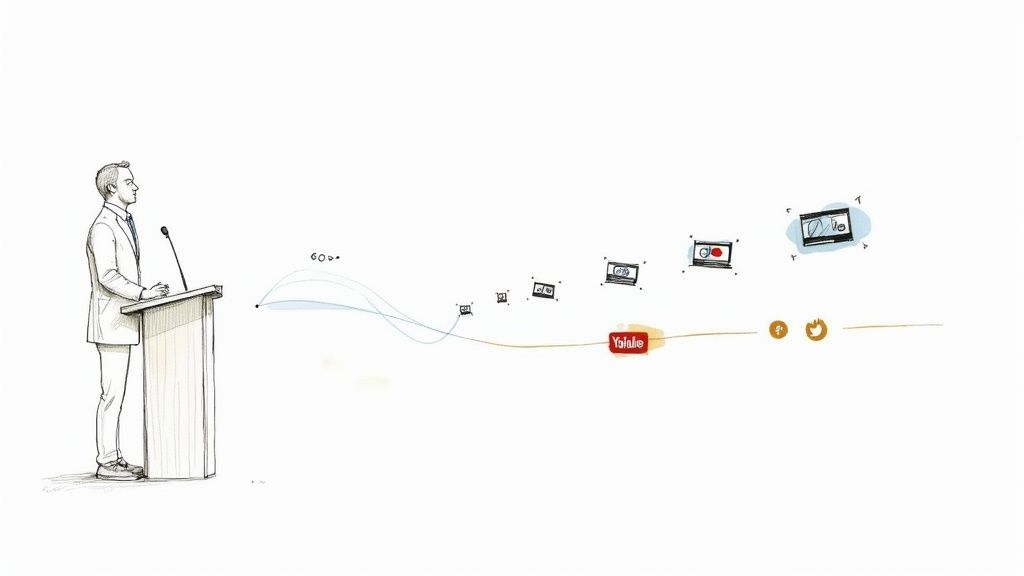
This approach keeps your church present in the lives of your congregation, offering a timely word of hope right on their phones. It also opens a door for your message to be discovered by people in your community who might never have walked through your physical doors. Every single clip is a digital handshake, a small invitation that showcases the heart of your ministry.
The Reality for Most Churches
Let's be honest, the thought of creating video content can feel completely overwhelming. The manual process—sifting through a whole sermon, finding that perfect moment, editing it down, adding captions, and getting it posted—can easily feel like a full-time job.
This work often lands on the shoulders of volunteers or staff who are already juggling a dozen other responsibilities and probably don't have "video editor" on their resume.
At the same time, the demand for this kind of content is exploding. The global podcasting market is projected to grow from USD 30.72 billion in 2024 to about USD 39.63 billion in 2025. That's a massive jump, and it shows that people are actively looking for meaningful audio and video content to consume.
Your church doesn't need a huge media budget or a team of professional editors to be a part of this. What you need is a smarter, simpler workflow designed for ministry.
A Simpler Path Forward with ChurchSocial.ai
This is exactly why we built ChurchSocial.ai. It was designed from the ground up to solve this specific problem for churches by using AI to automate the most tedious parts of the process. What used to take hours of manual labor can now be done in just a few minutes. You can learn more about how to use AI for churches in our detailed guide.
The difference is night and day. Let's compare the traditional, manual process with the AI-powered workflow in ChurchSocial.ai.
Manual Clipping vs AI-Powered with ChurchSocial.ai
See the difference in time, skill, and effort required to create sermon clips for your church's social media.
As you can see, the right tool doesn't just save time; it multiplies your ministry's impact.
With ChurchSocial.ai, your team can:
- Generate AI Reels: Let AI pull the most powerful and shareable clips from your sermon audio or video automatically.
- Repurpose with Ease: Instantly turn the sermon transcript into social media posts, blogs, and more.
- Create Branded Graphics: Use our graphic templates and editor to create and post photos and carousels for any occasion.
- Manage Everything in One Place: Our simple drag-and-drop calendar allows churches to easily manage and update all of their social media.
- Integrate with Your Church Calendar: We integrate with Planning Center and other church calendars to create content for your events.
This approach empowers anyone on your team—whether they're a dedicated staff member or a passionate volunteer—to amplify your pastor's message and build a stronger connection with your community online.
Find the Gold in Your Sermon
Your pastor's sermon is packed with powerful truths, but let's be honest—not every minute is destined to become a 60-second viral clip. The real art of creating great social content is learning to spot the "gold nuggets." These are the short, punchy, emotionally resonant moments that can stand on their own and offer a quick dose of encouragement or a flash of insight.
For a busy church volunteer or comms director, this usually means spending an hour (or more) scrubbing through the entire sermon audio, jotting down timestamps, and trying to find the perfect segment. It's a huge time-sink that pulls you away from other important work. You’re looking for those moments that can hook someone scrolling through their feed, delivering instant value without needing the context of the whole message.
This task is only getting harder. With the number of active podcasts expected to blow past 4.5 million globally by 2025, the internet is flooded with long-form audio. This explosion of content makes it even more crucial to have a smart way to pull out highlights for platforms where attention spans are short. You can dive deeper into these trends over at podcastatistics.com.
What Makes a Moment "Clip-Worthy"?
So, what are you actually listening for? When you’re hunting for the best parts of a sermon, you want to find segments that deliver a clear, powerful punch in a very short time. From my experience, they usually fall into one of three buckets.
- Powerful Quotes: Listen for that one knockout sentence that perfectly nails a key idea. It’s the line people underline in their Bibles or scribble in a notebook—it's convicting, memorable, and easy to share.
- Relatable Stories and Analogies: A quick personal story or a simple, clever analogy can build an instant emotional bridge with the viewer. These are the moments that take a complex spiritual truth and make it feel personal and understandable.
- Actionable Advice: Did the pastor offer a direct piece of encouragement or a practical step someone can take this week to live out their faith? These "how-to" moments are gold because they give people something tangible to apply to their lives right away.
Finding these moments takes a good ear and a solid grasp of the message. But what if you didn't have to do all that searching manually?
Let AI Do the Heavy Lifting for You
This is exactly where an intelligent podcast clip maker changes the game. Instead of you having to manually scrub through the audio, ChurchSocial.ai uses AI to scan and analyze your entire sermon transcript. This isn't just basic speech-to-text; the AI is trained to spot the very things that make a clip compelling. (If you're curious about the tech, we break it down in our guide on the benefits of a sermon transcription service).
The system is smart enough to detect shifts in vocal tone, recognize pauses for emphasis, and flag key theological phrases or emotionally-charged language. Using all that data, it automatically identifies and suggests several high-impact segments that are practically begging to be turned into social media clips.
Instead of searching for a needle in a haystack, ChurchSocial.ai presents you with a curated list of golden needles. Your job transforms from tedious searching to simple selection.
This AI-powered workflow is a massive advantage for any church communications team. It surfaces potential viral moments you might have easily missed and ensures the clips you create are truly the most powerful parts of the message. It's like having a dedicated production assistant who listens to every sermon and hands you a highlight reel. All you have to do is review the suggestions, pick your favorites, and move on.
Brand and Edit Sermon Clips for Social Media
So, you’ve found a powerful moment from the sermon. That's a great start, but the work isn't done yet. Just uploading that raw video file won't stop the scroll. To really connect with people on platforms like Instagram and Facebook, you need to transform that excerpt into a polished, engaging reel.
This is where a good podcast clip maker proves its worth. It’s not just about trimming the video; it’s about packaging the message in a way that’s visually appealing, easy to understand, and clearly connected to your church. Two things are absolutely essential here: dynamic captions and consistent branding. Without them, even the most profound message can get lost in the digital noise.

This screenshot from ChurchSocial.ai shows just how simple this can be. You can see the AI-suggested clips on the left, ready to be branded and edited right within the same workflow. It’s all designed to be intuitive.
Why Captions Are Non-Negotiable
Here's a hard truth: a huge percentage of videos on social media are watched with the sound off. If your sermon clip doesn't have captions, you’re basically whispering in a loud room. People will just keep scrolling.
Dynamic, easy-to-read captions make sure your message actually lands, whether someone is watching in a quiet living room or a busy coffee shop.
- Accessibility: It’s a simple way to make your content accessible to those who are deaf or hard of hearing, ensuring your message is truly for everyone.
- Comprehension: Let's be honest, captions help everyone follow along and absorb the key points more effectively.
- Engagement: It's proven that videos with captions see significantly higher engagement because they meet viewers where they are, holding their attention longer.
But manually transcribing and timing captions? That’s a notoriously slow and tedious job. This is where an AI-powered tool becomes a true game-changer for your ministry. ChurchSocial.ai automatically generates accurate, styled captions for your sermon clips in minutes, freeing up precious time for your team.
Infuse Your Church's Identity
Every single post is a chance to reinforce your church's identity. Consistent branding helps your content stand out and builds a recognizable presence online. It’s a visual cue to your community that this message is from a trusted source—their church.
Think of it this way: your church building has a distinct look and feel. Your social media should, too. This goes beyond just slapping a logo on a video. It means creating a cohesive visual style that reflects your ministry's personality. If you're looking for more advanced tools for clip creation, you can explore the Vidfarm platform to see what other robust options are out there.
Branding your clips isn't about being corporate; it's about being consistent. It lets your congregation and new visitors instantly recognize your content and connect it back to the community they know and trust.
ChurchSocial.ai makes this incredibly simple. Our platform gives you pre-designed graphic templates and a user-friendly editor. You can easily set your church’s brand colors, fonts, and logo, and then apply them to every clip with a single click. This ensures every video looks professional and feels like it came from your church, even if the volunteer creating it has zero design experience.
Here’s a quick checklist to run through before you post any clip. Following these simple best practices can make a huge difference in how your content performs.
Sermon Clip Optimization Checklist
Follow these best practices for every sermon clip to ensure maximum reach and engagement on social media.
By following these guidelines, you ensure every clip you post has the best possible chance to connect with your community and reach new people.
By combining compelling sermon moments with sharp editing, clear captions, and consistent branding, you're not just posting a video. You're creating a powerful tool for digital ministry.
Repurpose Sermon Content for an Entire Week
A powerful sermon clip is a fantastic starting point, but why stop there? Your pastor's Sunday message is a goldmine of content that can fuel your church's social media for the entire week.
Thinking beyond a single video clip unlocks your message's full potential. It lets you connect with your community through multiple touchpoints and in different formats, really making the teaching stick.
The secret weapon here is the sermon transcript. With ChurchSocial.ai, this isn't another task to add to your plate. When you upload your sermon to create an AI-generated reel, the platform automatically generates a full transcript. This text document is the raw material for a whole week of encouraging and informative content.
From Transcript to Social Gold
Once you have the sermon transcript in hand, you can quickly scan it for powerful, standalone quotes. You know the ones—the sentences that jumped out at you during the service, the lines that are concise, convicting, and memorable.
Instead of just letting that powerful line live only in a video, you can transform it into a completely different piece of content.
Using the graphic templates inside ChurchSocial.ai, you can drop that quote onto a branded background. In just a couple of minutes, you've got a beautiful, shareable graphic for Instagram or Facebook. This simple act gives the message a second life and reaches people who might prefer reading to watching a video.
Your sermon transcript is not just a record of what was said; it's a playbook for your entire week's social media content. Every key point, every story, and every powerful quote is an opportunity for a new post.
This approach is incredibly effective. Think about it: industry reports have found that while video completion rates can hover around a modest 10–15%, podcast episode completion often soars past 60–80%. This tells us that when you pull well-chosen highlights and repurpose them, you're giving your core message a much better chance to be fully heard and absorbed. You can check out more of these B2B podcasting trends and data that really highlight the value of clips.
Expanding on Key Teachings
Sometimes, a 60-second clip just can't do justice to a deeper theological point. This is where the sermon transcript becomes invaluable, allowing you to identify these key teachings and expand on them.
- Create AI-Generated Content: Did the pastor touch on a topic that deserves more explanation? With one click, ChurchSocial.ai can use the sermon transcript to create social posts, blogs, and more.
- Design a Carousel Post: Break down a three-point teaching from the sermon into a multi-slide carousel for Instagram. Our graphic templates make creating beautiful, multi-slide posts simple and fast.
- Generate Discussion Questions: Pull the main ideas from the transcript and let our AI turn them into thought-provoking questions for your small groups or for an engaging midweek social media post.
This strategy helps reinforce the Sunday message all week long, driving the teaching deeper into the hearts of your congregation. For more ideas, check out our guide on how to effectively get your sermon on video for maximum impact.
Automate Your Event Promotions
Your content calendar shouldn't exist in a vacuum. I know many churches use tools like Planning Center to manage their events, and your social media should seamlessly reflect what's happening in the life of the church.
ChurchSocial.ai actually integrates directly with Planning Center and other church calendars. This connection allows the platform to automatically create promotional content for your events. This ensures your entire online communication is aligned and perfectly timed.
Streamline Your Social Media Scheduling
Let's be real: creating great content is only part of the job. Once you've used a podcast clip maker to pull out the most powerful moments from a sermon, you still have to get those clips in front of your community. Consistency is what builds momentum on social media, but managing a posting schedule can feel like a full-time gig—something most church volunteers or staff just don't have time for.
The secret to avoiding burnout isn't working harder; it's working smarter. This is where batch creation comes in. It’s a simple but powerful idea: prepare a bunch of your social media content all at once. By setting aside one block of time to turn a single sermon into an entire week's worth of posts, you'll save a staggering amount of time and mental energy.
The Power of Batch Creation
Imagine this: instead of waking up every morning scrambling to figure out what to post, you have everything for the week planned, created, and scheduled by Monday morning. That's the kind of peace batching brings to your ministry.
With this approach, one sermon can easily fuel your social channels for days:
- Two or three AI-generated Reels for Instagram and Facebook.
- A powerful quote graphic for a dose of midweek encouragement.
- A carousel post that breaks down the sermon's main takeaways.
- Promotional graphics for any events or announcements mentioned in the message.
You're taking a single message and giving it new life, connecting with your congregation in different ways all week long.
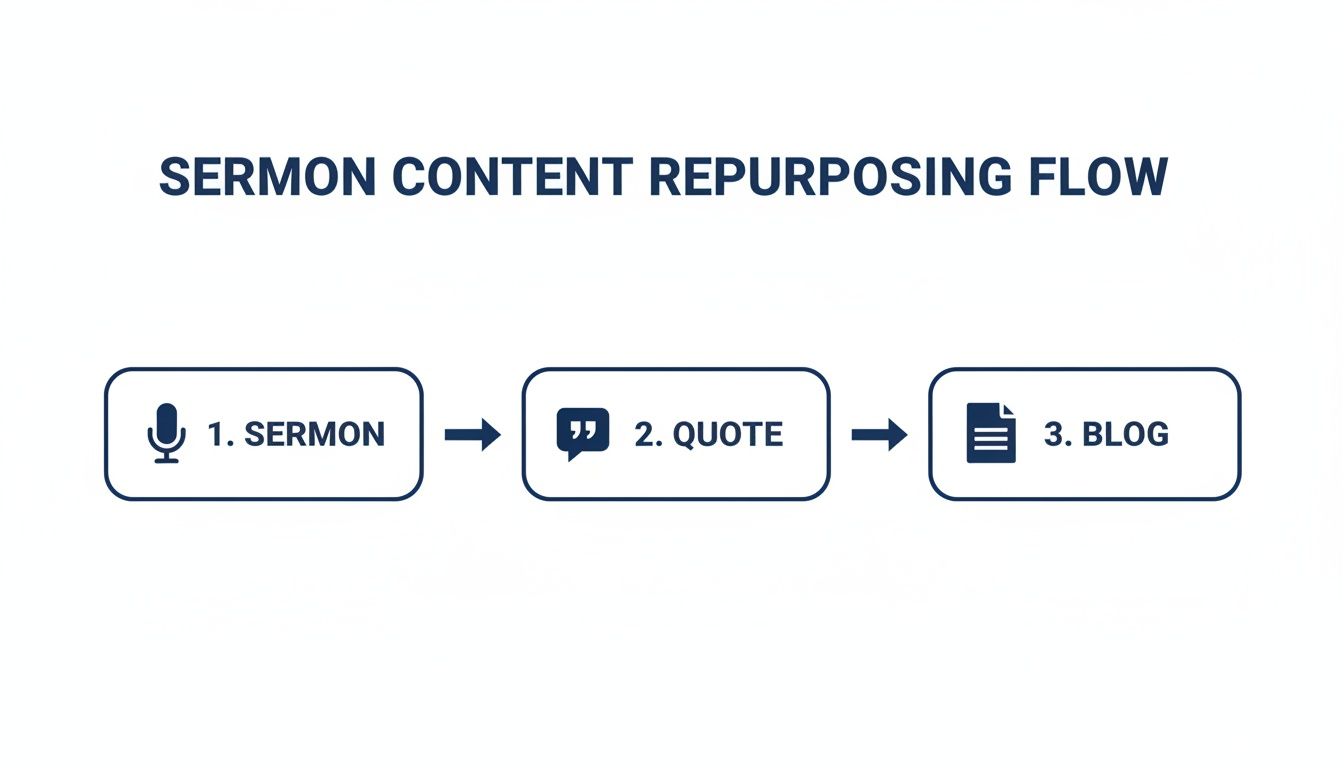
This simple flow is all about maximizing the impact of every sermon without drowning your team in extra work. You're extending the reach of Sunday's message far beyond the church walls.
Your Ministry's Central Hub
Once you have your content batched, you need an easy way to get it scheduled. Logging into Facebook, then Instagram, then YouTube to post everything individually is a surefire way to waste time and make mistakes. A unified content calendar is a game-changer.
We built ChurchSocial.ai with a simple, drag-and-drop calendar that serves as the command center for your church's social media. From this one screen, you can see your entire week or month at a glance, making sure your content flows naturally and consistently.
A visual calendar isn't just about scheduling; it's about strategy. It allows you to see the entire story you're telling your community over the week, ensuring your posts feel connected and intentional, not random.
With this tool, you can schedule all your sermon clips, graphics, and announcements across all your platforms in one go. You can easily drag posts to different days, spot gaps in your content, and make sure your pastor’s message is being reinforced all week.
Scheduling Made Simple with ChurchSocial.ai
Think about a typical Monday. You upload the Sunday sermon, and ChurchSocial.ai immediately gets to work, generating compelling clips and suggesting post ideas from the transcript. You hop into the graphic editor to quickly create a few on-brand quote images.
Then, you just open the calendar. Drag the first sermon clip to Tuesday’s slot for Facebook and Instagram. Drop a quote graphic into Wednesday’s slot. Schedule the second clip for Friday. In just a few minutes, you can see your entire week fill up with meaningful, branded content.
This completely removes the daily pressure of "what do I post today?" It empowers anyone on your team—volunteer or staff, tech-savvy or not—to maintain a vibrant and consistent online presence for your church with very little effort. That consistency is what builds trust and keeps your community engaged with your ministry's message, long after Sunday is over.
Common Questions About Sermon Clipping
Jumping into social media content can feel like a big step, especially for busy ministry teams. The idea of using a podcast clip maker to turn sermons into shareable moments is awesome, but it’s totally normal to have questions about the time, skill, and cost involved. Let’s walk through some of the most common ones we hear from churches.
A lot of pastors and volunteers worry they don’t have the technical chops to create clips that look professional. The great news is, you don’t need to be a video editor anymore. Modern tools have completely removed that barrier.
Platforms like ChurchSocial.ai were built from the ground up with the church volunteer in mind. The whole point is to give you a simple interface that makes creating beautiful, branded content as easy as a few clicks. If you can post on Facebook, you’ve got all the skills you need.
How Much Time Does This Really Take?
This is probably the biggest one. Ministry is demanding, and the thought of adding "video producer" to your to-do list can feel overwhelming. And honestly, if you were doing it manually, it would be. Finding the right moment, trimming it, adding captions, and putting your logo on it could easily burn an entire afternoon for just one clip.
This is where AI really changes the game. ChurchSocial.ai automates the most tedious parts of this job. Instead of you having to listen back to a whole sermon, our AI scans the transcript and suggests the most powerful, shareable moments for you in just a few minutes.
What used to be a 4-5 hour manual process for a single sermon is now down to about 20-30 minutes. That means you can create a full week's worth of social media content in less time than it takes to get through a staff meeting. You get to focus on people, not pixels.
What If Our Sermons Are Only Audio?
No problem at all. Many churches don't have a multi-camera video setup for their services, and that’s perfectly fine. A good podcast clip maker doesn't need professional video to create something that grabs attention on social media.
ChurchSocial.ai works just as easily with audio-only sermon files. The platform generates what’s known as an audiogram—a dynamic video that features your church’s branding, an animated sound wave that moves with the speaker's voice, and scrolling captions that bring the audio to life. These are super effective on social media and ensure your pastor's message can still stop the scroll, even without a camera.
Your message is powerful, whether it's delivered through video or audio. The right tool ensures that message is packaged in a way that connects with an online audience, regardless of the original format.
Is It Worth the Investment for a Small Church?
When every dollar in the budget counts, it’s fair to ask if a social media tool is a "need-to-have" or a "nice-to-have." But think about it as an investment in your ministry's reach. What’s it worth to get a message of hope in front of someone in your town who’s scrolling and struggling? How valuable is it to keep your congregation encouraged all week long?
The impact of consistent, high-quality social content is huge. It gives every sermon a longer life and creates countless new front doors to your church. For a more comprehensive look at the strategy behind this, you can find an ultimate podcast clip guide that covers all the bases. When you factor in the volunteer hours you save and the potential for outreach, a dedicated tool quickly becomes one of the most cost-effective investments your church can make.
How Do We Get Started?
This is the easiest part. You don't need a massive strategy meeting or a big launch plan. Just start small. Start with one sermon.
- Upload Your Sermon: Log into ChurchSocial.ai and upload your most recent sermon file, whether it's audio or video.
- Review the AI Clips: Let the AI do its thing. In a few minutes, you’ll see a list of suggested clips. Pick one that really speaks to you.
- Brand and Schedule: Use the simple editor to pop your church’s logo and colors on it. Then, just use the drag-and-drop calendar to schedule it for later in the week.
That’s it. By taking that one small step, you’ve already started multiplying the impact of your Sunday message. From there, you can explore turning the transcript into quote graphics, blog posts, and more—all from the same simple platform designed for your ministry.
Ready to amplify your message without adding to your workload? ChurchSocial.ai provides all the tools your church needs to turn sermons into a week of engaging social media content. From AI-powered sermon clips to a simple drag-and-drop calendar, we make it easy for any church to build a vibrant online presence. Start your free trial today and see the difference.


