
When you hear "AI content repurposing," what does that actually mean for your church?
It's pretty simple, really. You take a core piece of your ministry's content—like a Sunday sermon—and use smart technology to automatically spin it into a bunch of new formats for different platforms. With ChurchSocial.ai, a single Sunday message can become the source for a whole week, or even a month, of social media content.
This shifts your whole mindset from the constant pressure of creating new stuff to simply amplifying the powerful messages you already have.
Turn One Sermon Into a Month of Social Content
Imagine taking every sermon and turning it into a full month of engaging social media content—without adding a single extra hour to your team's workload. This isn’t some future dream; it's what smart, modern ministries are doing right now with ChurchSocial.ai.
Your sermon is probably the most powerful piece of content your church produces each week, yet for many, its impact fades once the service ends. We're going to fix that. Let’s look at how you can use repurpose content AI to unlock its potential, turning your sermon archive into a dynamic outreach engine that works for you 24/7.
With ChurchSocial.ai, you can create AI-generated Reels from your sermons, create AI-generated content from the sermon transcript like social posts and blogs, use graphic templates and an editor to create and post photos and carousels, and use a simple drag-and-drop calendar to easily manage and update all of your social media. It's about working smarter, not harder, to get your church's core message in front of your community online with minimal effort and maximum impact.
The Modern Ministry Content Workflow
The whole idea is to take one foundational piece of content and multiply its reach.
Instead of seeing a sermon as a one-time event, think of it as the starting point for a week of connection and conversation. This approach isn't just about being efficient; it reinforces your message through repetition, helping it stick with your congregation and reach new people online. To truly master content repurposing strategies, you need a clear system.
This flowchart breaks down the simple, yet powerful, flow of how ChurchSocial.ai can take a single sermon and transform it into a variety of content ready for social media.
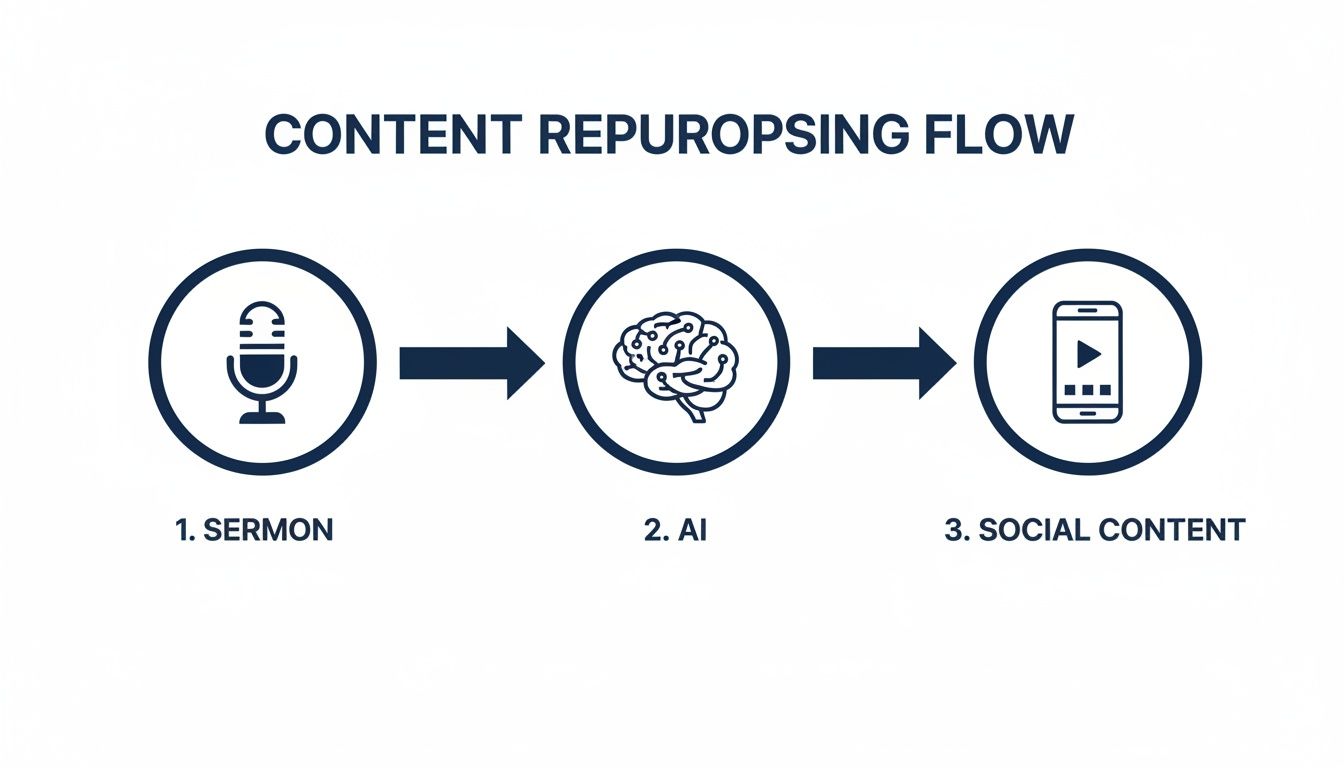
The big takeaway here is that ChurchSocial.ai acts as the bridge. It does the heavy lifting to convert your spoken message into digital assets that are ready to share.
From Sermon to Socials with ChurchSocial.ai
Let's make this practical. Here's a look at how a single sermon can be multiplied into various content formats using AI, and the specific outreach goal each one achieves.
This isn't about just throwing content out there; it's about strategically meeting people where they are with a message that matters.
Why This Matters for Your Church
Using AI for content isn't just a fringe idea anymore; it's quickly becoming standard practice for effective ministry.
Did you know that 71% of businesses are already using generative AI in their marketing? The top uses are content creation (43.04%), research (34.18%), and brainstorming (26.96%). This isn't just for big corporations. For your church, this means a 30-minute sermon can become dozens of captions, reel scripts, and blog posts in just a few minutes with ChurchSocial.ai.
This gives your church a few game-changing advantages:
- Saves Precious Time: You can drastically cut down the hours your staff or volunteers spend trying to create social media content from a blank page.
- Ensures Consistency: It helps you maintain a steady, active online presence, keeping your community engaged all week long.
- Maximizes Your Message: Your sermon's core teachings can now reach people on the platforms they use every day, in formats they actually enjoy.
- Reduces Burnout: It gets rid of that overwhelming "what do I post today?" feeling, freeing up your team to focus on hands-on ministry.
By leaning on a tool like ChurchSocial.ai, you’re not just saving time. You're building a sustainable, long-term system for digital outreach that allows your ministry's voice to be heard far beyond Sunday morning.
Preparing Your Sermon for Powerful AI Repurposing
The secret to getting incredible content out of an AI tool is putting quality material in. It's a simple "garbage in, garbage out" principle. If you want ChurchSocial.ai to generate amazing social media posts, graphics, and video clips, you first need to feed it a clean, clear sermon file.
This initial step is absolutely crucial. A fuzzy, echo-filled recording can confuse the AI, leading to transcription mistakes that ripple through every piece of content it creates. But give it a crisp audio file, and you set the stage for content that truly captures the heart of your message.
Start With High-Quality Audio
Don't worry, you don't need a professional recording studio to get this right. Just a few simple tweaks to how you record your sermon can make a massive difference in clarity, which makes the AI's job much easier and far more accurate.
A clean audio track is the foundation of any effective repurpose content AI workflow. The whole process kicks off by using Audio to Text AI to turn your spoken message into a digital document, so the quality of that first conversion matters immensely.
Here are a few practical tips we've learned along the way:
- Mind the Mic: Get the microphone as close to the speaker as you comfortably can, ideally 6-12 inches away. This simple change isolates their voice and cuts down on distracting room noise.
- Fight the Echo: If you can, preach in a room with soft surfaces. Things like carpets, curtains, and even a room full of people are great at absorbing sound and reducing the echo that can muddy a recording.
- Check Your Levels: Always do a quick soundcheck before the service. You want to make sure the audio isn't "peaking" (which creates distortion) or so quiet it gets lost in the shuffle.
Uploading and Transcribing in ChurchSocial.ai
Once you've got your sermon's audio or video file, the hard part is over. We designed ChurchSocial.ai for busy ministry leaders, not sound engineers, so we made this next step incredibly simple.
Just log into your account, head over to the sermon studio, and upload your file. That’s it. Our system immediately gets to work, using advanced AI to transcribe the entire message. In just a few minutes, you'll have a complete, word-for-word transcript of your sermon ready to go.
The goal is to move from a spoken message to a digital text document with as much accuracy as possible. This seamless conversion is what unlocks the full potential of AI-powered content creation for your church.
A Quick Review for Perfect Results
Our AI is remarkably accurate, but a quick five-minute scan by a real person is the secret sauce for getting flawless results. This isn't about re-typing anything; it's just a quick polish before you let the AI start working its magic.
Taking a few minutes for this step pays huge dividends. When the AI has a perfectly clean transcript, the social posts it generates are more coherent, the quotes it finds are more precise, and the video clips it suggests are far more impactful. To see why this matters so much, you can check out the benefits of a high-quality sermon transcription service and how it fuels your entire content strategy.
During your review, keep an eye out for these three things:
- Proper Nouns: Did the AI correctly spell the names of people, places, or ministries you mentioned?
- Theological Terms: Make sure specific church or theological words (like "eschatology" or "sanctification") are spelled correctly.
- Scripture References: Double-check that book names and chapter/verse numbers are right—for example, "John 3:16" instead of "John 3 16."
Nailing this prep phase is the key to creating a powerful and efficient content system. It guarantees the AI has the best possible source material, allowing it to generate content that truly reflects your church's unique voice and message.
Turning Sermons Into Shareable Reels With AI
Short-form video isn't just a fleeting trend anymore. For most people, it's now a primary way they discover new ideas and connect online. A single, powerful 60-second Reel can genuinely reach more people in a day than a sermon might in an entire month.
But let's be honest—the biggest hurdle for churches is time. Consistently creating these videos is a huge drain on resources and usually requires some serious technical skill.
This is exactly where AI designed for content repurposing completely changes the game for ministry. Forget spending hours scrubbing through a long sermon file, hunting for that one perfect soundbite, and then battling with confusing video software. You can now hand that whole process off to ChurchSocial.ai. We built the Sermon Clip Creator inside ChurchSocial.ai to solve this exact problem.
Imagine this: you take your Sunday message, and with just a few clicks, you identify the most moving, impactful moments and instantly turn them into dynamic, shareable AI-generated reels. This isn't about adding another task to your plate; it's about unlocking the incredible potential already packed into every sermon you preach.
How AI Finds the Perfect Sermon Moments
It all starts the moment you upload your sermon audio or video. ChurchSocial.ai doesn't just give you a simple transcript—it actually analyzes the content for patterns that signal a powerful, shareable moment.
Our AI has been trained to look for a few key things in your sermon transcript:
- Shifts in Tone and Inflection: It can hear when a speaker’s voice gets more passionate, emphatic, or gentle, which almost always lines up with a key point.
- Storytelling and Illustrations: The AI is pretty good at detecting narrative arcs, like personal stories or biblical examples, that make for really compelling video clips.
- Concise and Quotable Statements: It hunts for those sentences that are clear, powerful, and stand on their own—perfect for a short video.
- Repeated Themes: The system also identifies the core ideas you keep coming back to, flagging them as central to the message and ideal for a highlight reel.
Once the analysis is done, ChurchSocial.ai serves up a list of suggested clips. These aren't just random snippets. They are segments chosen by the algorithm because they have the highest potential to connect with an online audience.
The real magic here is that the AI does all the initial heavy lifting. It sifts through a 30- or 40-minute message to find those 30-60 seconds of gold, saving your team countless hours of tedious work.
From Suggested Clip to Published Reel
Getting a list of potential clips is great, but turning them into branded, ready-to-post videos is where the real value kicks in. We designed the workflow in ChurchSocial.ai to be incredibly simple, even for a volunteer who has never touched a video editor.
After you review the AI-generated suggestions, you just pick your favorites. The platform then automatically creates a dynamic video, overlaying animated captions that make your content accessible even when watched on mute—which is absolutely essential for social media.
This is also where you get to make it your own. The built-in editor lets you:
- Add your church’s logo.
- Tweak the colors to match your branding.
- Choose from different caption styles and fonts.
This kind of automation is exactly what top-performing organizations are doing. Content repurposing is a key strategy, with experts calling it an 'excellent way to get more value out of each piece of content.' In fact, 78% of marketers now use AI to help brainstorm ideas, which lines up perfectly with a church using it to clip, caption, and schedule sermon content. You can learn more about how businesses get more value from their content with these strategies.
The Impact of Sermon Reels
What you're left with is a library of high-impact video content, created in a tiny fraction of the time it would have taken to do manually.
Just think about the possibilities:
- A key theological point becomes a 30-second teaching moment for your Instagram followers.
- A moving testimony shared during the service is transformed into a 60-second clip for Facebook.
- A challenging call to action is captured in a short video to inspire your community in the middle of the week.
This simple workflow helps your church show up consistently on the platforms where your community is already spending their time. For a deeper look at making your videos pop, check out our guide on how to create a Reel that really grabs attention. With ChurchSocial.ai, creating compelling video is no longer a barrier to reaching people online.
Creating Graphics and Posts from Your Sermon Transcript
Beyond video clips, every sermon you preach is packed with shareable written content. The transcript is more than just a record of your message; it's a goldmine of quotes, key points, and deeper reflections just waiting to be mined. This is where your AI workflow can pivot from video to a whole host of text and graphic-based assets.
With a tool like ChurchSocial.ai, turning a single sermon transcript into a week's worth of engaging posts becomes second nature. You can spin up a series of social media posts highlighting core sermon points, draft a full blog post to expand on the message, or even create thought-provoking questions for your small groups—all from the sermon you've already preached.
Unlocking Written Content from Your Audio
Once your sermon is transcribed inside ChurchSocial.ai, you have a digital document the AI can actually read, understand, and break down. It doesn’t just see a wall of text; it identifies themes, powerful statements, and the natural breaks in your message.
This initial analysis is the foundation for creating a diverse mix of content. The platform can instantly pull out the most memorable quotes, summarize lengthy points into bite-sized social captions, or structure the entire sermon into a blog post, complete with headings. It’s like having a ministry assistant who listened intently to your sermon and now has a dozen ideas ready to go.
This is exactly how churches can start to keep up. In the business world, companies using AI publish 17 articles per month compared to 12 for non-AI users—a 42% increase in output. With 47% of marketers using AI for content generation, ministries can mirror this success to expand their 'content capacity' without burning out their team. You can find more AI marketing trends and stats on chad-wyatt.com.
From Powerful Quotes to Beautiful Graphics
One of the quickest and most effective ways to get your sermon's message out there is through quote graphics. People love to share inspiring or challenging statements, and a well-designed graphic can stop someone mid-scroll. Doing this manually is a whole process: find a quote, open a design tool, create the graphic, download it, and then upload it to social media.
ChurchSocial.ai rolls all those steps into one fluid motion. The AI scans your transcript and suggests powerful, standalone quotes for you. With a single click, you can send one of those quotes directly into our built-in graphics editor, which is loaded with templates.
You don't need to be a designer. The platform comes pre-loaded with a library of professionally designed templates created specifically with churches in mind. Just choose a design that fits your brand, and the AI instantly drops your sermon quote right onto it.
From there, you can easily:
- Tweak the font and color to match your church's branding.
- Add your church logo with a simple drag-and-drop.
- Swap out background images or colors to create some variety.
This integrated workflow means you can find a quote, design a stunning graphic, write a caption, and schedule it to Facebook or Instagram without ever leaving the platform. What used to take 15-20 minutes per graphic can now be done in less than a minute.
Generating Blog Posts and Discussion Guides
Often, your Sunday sermon is just the start of a much deeper conversation. Repurposing it into longer content helps your congregation chew on the message all week long, and ChurchSocial.ai makes this incredibly simple.
1. Create a Full-Length Blog Post
Just select the "Generate Blog Post" option, and the AI will take your entire sermon transcript and reformat it into a well-structured article. It automatically adds a title, headings for your main points, and formats the text so it’s easy to read online. This is perfect for your church website, helping your SEO and reaching people who are searching for answers.
2. Develop Small Group Questions
To help the message translate into real life change, you can ask the AI to "Create Discussion Questions." It will analyze the sermon's main themes and generate a list of open-ended questions designed to spark meaningful conversations in your small groups. This equips your leaders with great resources and ensures the Sunday message is being talked about and applied all week.
This multi-faceted approach—from quick graphics to in-depth guides—ensures that the time and prayer you put into your sermon has a lasting impact far beyond Sunday morning.
How to Plan Your Social Media with a Drag and Drop Calendar
Alright, so you’ve used ChurchSocial.ai to create a ton of amazing content from your sermons. That’s a massive win. But here's the thing—creating the content is only half the battle.
The most powerful sermon Reels and beautifully designed quote graphics won't do much good if they're just posted whenever you have a spare moment. Consistency is what turns a series of random posts into a genuine, ongoing conversation with your community. That takes a plan.
This is the part where you shift from just making content to thinking like a strategist. The goal is to get out of that frantic, last-minute posting cycle and build a simple, sustainable rhythm that nurtures your church family all week long. The simple drag-and-drop calendar in ChurchSocial.ai is the key to making this happen, allowing you to map out an entire month of social media from just one or two sermons.
Visualizing Your Content Strategy
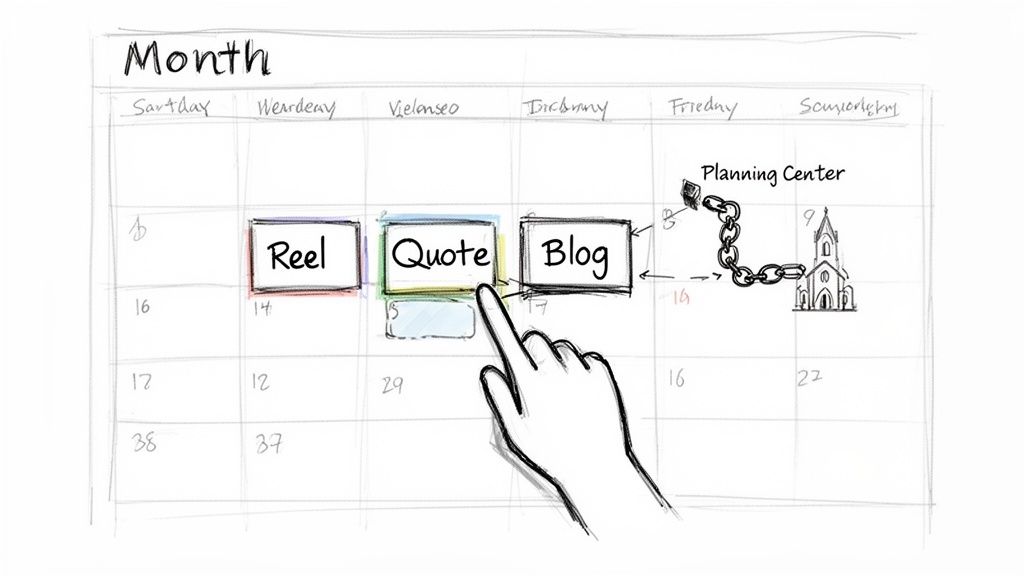
A drag-and-drop calendar, like the one we've built into ChurchSocial.ai, changes the game completely. It turns content planning from a chore buried in a clunky spreadsheet into a simple, visual process. You can see your whole week or month at a glance.
This big-picture view makes it incredibly easy to spot gaps in your schedule. Are you posting too many videos on Tuesday? Did you forget to post something that encourages comments? A visual calendar helps you strategically place all that AI-generated content right where it will have the most impact.
Here's a peek at how you get a clear, organized view of your scheduled content inside ChurchSocial.ai, making it so much simpler to manage your church's presence online.
This layout lets you immediately see your content flow and move things around with a simple drag-and-drop. All the complexity of social media planning just melts away.
A Sample Weekly Content Cadence
The best place to start is by mapping out a weekly schedule. Once you have a repeatable rhythm, you take all the guesswork out of what to post and when. It’s a simple structure that ensures you’re regularly sharing all the different pieces you created with your repurpose content AI workflow.
Here’s a sample schedule you can steal and adapt for your church, using assets generated from a single weekend message:
- Monday: Kick off the week with a powerful, 60-second Sermon Reel. It’s attention-grabbing and sets the tone.
- Tuesday: Share a well-designed Quote Graphic on Instagram and Facebook. These are perfect for sparking a little thought and conversation.
- Wednesday: Publish the full Blog Post from the sermon on your church website, then share the link across your social channels.
- Thursday: Post a Carousel Graphic with 3-5 key takeaways. This format is fantastic for teaching and engaging people who like to swipe.
- Friday: Share the Small Group Discussion Questions. This helps people reflect on the message and gets them ready for their weekly meetings.
This isn't about creating more work; it's about being more intentional with the work you've already done. A simple, repeatable schedule like this ensures your sermon's impact echoes far beyond Sunday morning.
Automating Event Promotion with Integrations
Let’s be honest, one of the biggest time-sucks for any church communicator is promoting events. Creating post after post for the men’s breakfast, the youth group night, and the weekly prayer meeting can feel like a full-time job in itself. This is where smart integrations can be a lifesaver.
ChurchSocial.ai integrates with Planning Center and other church calendars to create content for your events. This integration automatically pulls your church’s events right into your content calendar, which then allows the AI to generate promotional posts for you.
Think about what this means:
- Stop the manual entry. No more copying and pasting event details. The system pulls the date, time, and description for you.
- Create posts in seconds. The AI drafts a caption for the event, and you can instantly create a graphic using our templates.
- Schedule promotions ahead of time. You can easily plan a whole series of posts for a big event—like a "one week away" reminder and a "don't forget" post for the day of.
This kind of automation frees your team from the constant grind of making promotional content, giving you more time to actually focus on ministry. If you’re looking to build out a more robust plan, our guide provides a great social media calendar template to get you started. By combining AI-powered content creation with a smart, integrated calendar, you can finally build a social media strategy that is both impactful and sustainable.
Common Questions About AI for Church Content
Whenever a church considers bringing in new technology, good questions always follow. It’s all about stewardship—making sure any tool you bring in actually serves the mission and helps your people. Getting your head around how a platform that repurposes content with AI actually works is the first step to feeling good about that decision.
Let's walk through some of the most common questions I hear from church leaders about adding AI to their content workflow. The idea here is to get past the buzz and focus on what this practically means for your team.
Will AI Content Sound Authentic to Our Church?
This is usually the first and most important question, and for good reason. Your church has a specific voice and culture. The last thing you want is a social media feed that sounds cold, corporate, or completely disconnected from who you are.
Think of ChurchSocial.ai as a ministry assistant, not a ghostwriter. The AI generates drafts based on your sermon. That means it’s already learning your phrasing, your theological emphasis, and your unique style right from the source. You always get the final word to review, tweak, and add that personal touch, making sure every post feels true to your church’s heart.
The goal isn’t for the AI to create a finished product. It’s to give you a fantastic, on-brand starting point. It handles 80% of the work, and you bring the final 20% of polish and personality.
Is This Easy for Volunteers to Use?
Absolutely. We built this knowing that most church communicators are dedicated volunteers or staff members wearing multiple hats—not marketing gurus or tech experts.
Honestly, if you can use Facebook, you can use ChurchSocial.ai. The whole process is designed to be intuitive.
- Uploading a sermon is as easy as attaching a file to an email.
- Creating content happens with simple buttons like "Generate Reels" or "Create Quote Graphic."
- The visual, drag-and-drop calendar makes scheduling posts feel natural. We’ve stripped away the technical hurdles that so often keep churches from having a consistent, engaging online presence.
How Much Content Can We Realistically Create?
You’ll be genuinely surprised how far one sermon can go. A single 30-minute message can easily fuel your social media channels for weeks, building a consistent and cohesive content plan.
From just one sermon, you can typically generate:
- 4-5 short video clips perfect for Reels.
- 8-10 unique quote graphics or text posts.
- 1 full blog post for your website.
- 1 set of discussion questions for small groups.
When you factor in the automated posts for your church events pulled from your Planning Center integration, you suddenly have more than enough content to connect with your community all week long, all from one core message.
Does ChurchSocial.ai Post to Our Accounts for Us?
Yes, it does. It handles all the publishing automatically so you can truly "set it and forget it." During the initial setup, you just connect your church's Facebook, Instagram, and other social media accounts one time.
From there, once you approve the content the AI creates and drag it onto the calendar, our system posts it for you at the exact time you scheduled. This completely changes the game. You can plan out an entire week or even a month of content in one sitting, freeing you from that daily grind of logging in and out of different apps just to post.
Ready to see your sermon transform into a month of engaging content? With ChurchSocial.ai, you get an AI-powered sermon repurposing studio, a drag-and-drop calendar, and beautiful graphic templates all in one place. Start saving time and reaching more people online by visiting https://churchsocial.ai to learn more and begin your journey.


