
When you're looking at video systems for churches, the conversation shouldn't start with technology. It has to start with your mission. A great system is one that empowers your ministry to connect with your congregation online, keep those who can't attend in person involved, and extend your reach far beyond the church walls. The real goal is to build a reliable setup that truly serves your community.
Building Your Ministry's Video Foundation
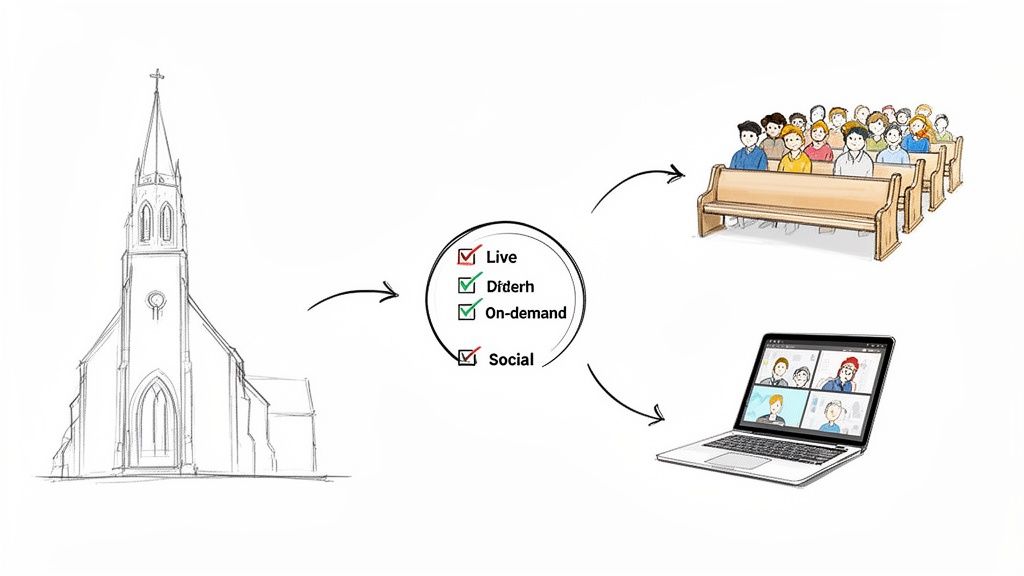
Before you even think about cameras, switchers, or software, you have to define your "why." What does your church really hope to do with video? Answering this question first saves a lot of headaches and money down the road. It ensures every piece of gear you buy and every minute your team invests has a clear purpose.
This alignment is more important than ever. The demand for high-quality, faith-based video content is exploding, showing a major shift in how people connect with their faith.
The Christian streaming market is on track to become a massive segment, with a projected value of $2 billion in 2025. This just goes to show how vital it is for churches to connect with people digitally, reaching new audiences far beyond a typical Sunday service.
Who Are You Trying to Reach?
First things first, you need to identify your audience. It's easy to say "everyone," but a focused approach will always work better. Think about the specific groups you want to serve.
- Your Current Congregation: This includes members who are traveling, sick, or homebound. For them, the video needs to make them feel like they're right there in the room with their church family.
- The Local Community: What about people in your town who are curious but maybe not ready to walk through the doors? A welcoming online presence can be that crucial first step for them.
- A Broader Online Audience: This group might stumble upon your sermons through social media or a search, looking for spiritual guidance from afar.
Knowing who you're talking to changes everything. It shapes the kind of content you create and where you share it. A full live stream is perfect for your members, but short, punchy sermon clips are what will grab the attention of a new audience scrolling through social media.
Setting Clear and Achievable Goals
Once you know your audience, you can set real, measurable goals. Vague ideas like "do video" aren't going to get you anywhere. You need concrete targets for your team to aim for.
For instance, your goals could be:
- Provide a high-quality, reliable live stream of every Sunday service. This is a foundational goal for most, focusing on consistency for your members.
- Build an on-demand sermon library on your website. This creates a fantastic resource for members and newcomers to explore past messages on their own time.
- Create engaging sermon clips for social media outreach. This is where you shift from just broadcasting a service to actively engaging a wider community online.
After you've captured all that great sermon content, the next challenge is getting the most out of it. This is where a tool like ChurchSocial.ai comes in handy. It's designed to help you turn a single sermon into an entire week's worth of content. With ChurchSocial.ai, you can create AI-generated reels from your sermons and create AI-generated content from the sermon transcript like social posts, blogs, and more. You can also use our graphic templates and editor to create and post photos and carousels. Our simple drag-and-drop calendar allows churches to easily manage and update all of their social media, ensuring your message keeps making an impact long after Sunday is over.
Choosing the Right Gear for Your Church
Jumping into the world of video equipment can feel like learning a new language, but outfitting your church isn't about having the fanciest tech. It's about making smart choices that fit your goals and, most importantly, are easy for your volunteers to run.
Let’s walk through the essential pieces you'll need. We're talking about the four core components: cameras, audio gear, a video switcher, and a streaming encoder. Getting these right is the difference between a frustrating Sunday morning scramble and a smooth, impactful broadcast that connects with people online.
The Heart of Your System: Cameras
Your camera is your online congregation's window into the service. It’s one of the biggest decisions you'll make, and it usually comes down to two main options: PTZ (Pan-Tilt-Zoom) or traditional manned cameras.
PTZ cameras are robotic workhorses. A single volunteer can control multiple cameras from the tech booth with a simple joystick. Imagine getting a wide shot of the sanctuary, a tight shot on the pastor, and another on the worship leader—all managed by one person. This is a game-changer for churches with smaller volunteer teams.
Manned cameras, on the other hand, need a dedicated operator for each one. They can produce beautifully fluid and creative shots, but that comes at the cost of needing a larger, well-trained team. For most churches starting out, the simplicity and efficiency of a PTZ system is the way to go. If you're weighing your options, some of the principles for selecting the best camera for video podcasting can offer great insights into what makes a camera reliable and user-friendly.
To get into the nitty-gritty of specific models that work well in a worship environment, we've put together a detailed guide on the best camera for church live streaming.
To help visualize how these options fit different budgets and needs, here's a quick breakdown:
Camera Options for Different Church Budgets
Ultimately, the best camera is the one your team feels confident using every single week.
Why Your Stream Audio Needs Special Attention
Let me be direct here: your online audio mix MUST be separate from your in-house sound. This is a non-negotiable rule.
If you just stick a microphone in the room, you'll broadcast a distant, echo-filled mess that’s impossible to listen to. People will forgive a grainy video feed, but they will click away from bad audio in a heartbeat.
The solution is to get a dedicated feed from your church’s audio console, often called a "matrix" or "aux" send. This lets your audio tech create a mix specifically for the online audience, making sure vocals are crystal clear and the music is full without blowing out eardrums. It's the single most important thing you can do to elevate your stream quality.
Bringing It All Together: Video Switchers and Encoders
Think of a video switcher (or mixer) as the director's chair for your live stream. This device is the central hub where you can seamlessly switch between different camera angles, put up lyrics or sermon notes, and play pre-recorded videos. A good switcher makes directing the whole service as easy as pressing a button.
The final piece of the puzzle is the streaming encoder. This can be a dedicated piece of hardware or a software program. It takes your final video and audio feed, compresses it, and sends it out to platforms like YouTube or Facebook. Reliability is everything here—you need an encoder that won't drop frames or crash mid-sermon.
Once the service is over, all that great video content becomes an incredible resource for engaging your community all week long. This is where you can multiply the impact of your investment.
Instead of letting your sermon collect dust in an archive, you can use a tool like ChurchSocial.ai to give it new life. The platform can take your sermon transcript and automatically generate social media posts, blog articles, and even short AI-powered reels. Imagine creating an entire week of engaging content from a single Sunday message, all scheduled through a simple drag-and-drop calendar.
This turns your video gear from a Sunday-only expense into a 24/7 outreach engine.
Designing a Dependable Video Workflow
Great gear is a fantastic starting point, but it's only half the battle when building out your church's video system. A truly dependable ministry runs on a smart, logical workflow—a clear plan for how video and audio signals get from the stage to your viewers' screens.
This blueprint is what makes the whole setup reliable. More importantly, it’s what makes it easy for your volunteers to run week in and week out.
Think of it like a signal chain. The journey begins the moment light hits your camera sensor and sound enters a microphone. Every single step from that point on has to be planned out to preserve quality and ensure a smooth, uninterrupted broadcast. The real goal here is a setup that’s both powerful and simple enough to troubleshoot, even in the middle of a live service.
At its core, the process is simple: capture your video and audio, mix them together, and then send that final feed out to be streamed and recorded.
This diagram breaks down that fundamental process of getting your separate audio and video sources combined into one streamable feed.
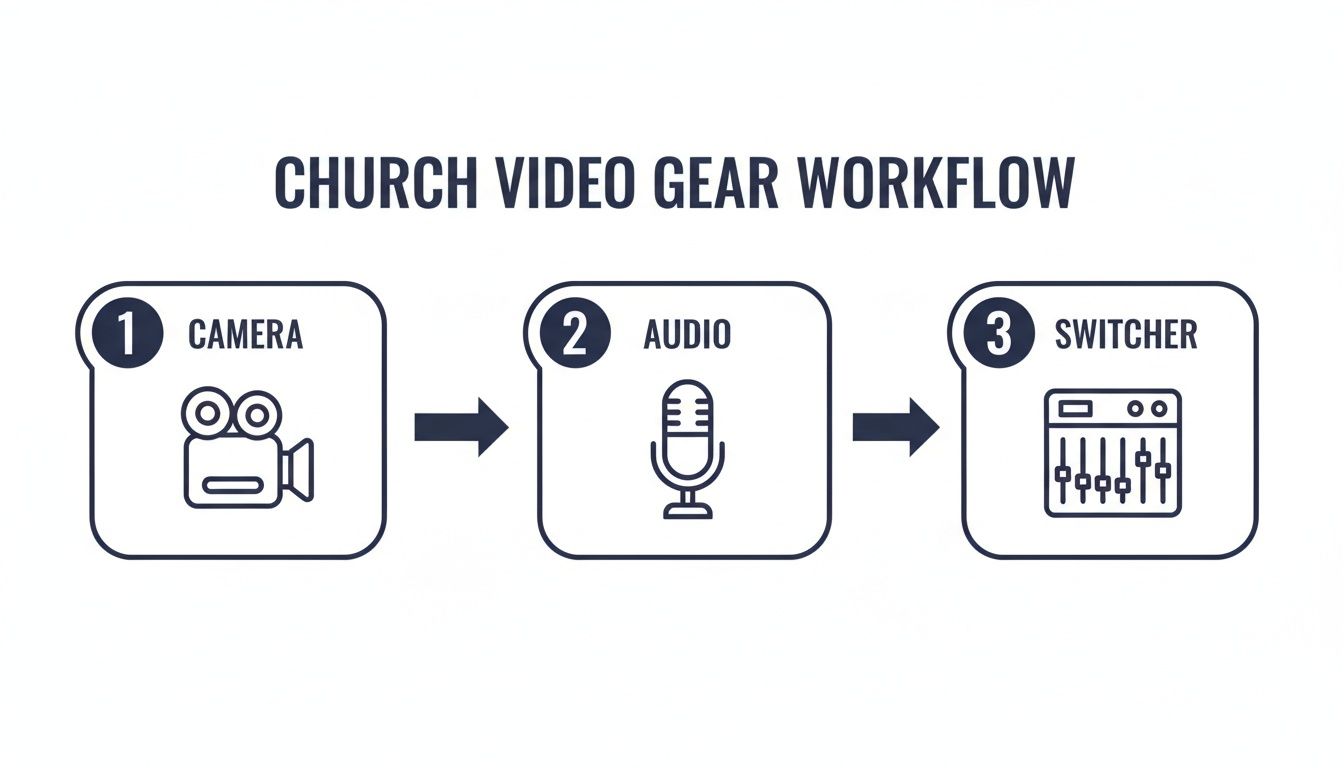
What this shows is that video and audio are two different streams. You have to intentionally combine them in a switcher before that final program goes out to your online audience.
Mapping Your Signal Flow
The heart of your workflow is the signal flow. This is the literal path—both physical and digital—that your video and audio take.
- Video Path: Cameras will connect to your video switcher using either SDI or HDMI cables. You’ll want to keep these cable runs as short as you possibly can to maintain signal strength. For longer distances, especially over 25-50 feet for HDMI, you'll probably need signal boosters or converters to stop the signal from degrading.
- Audio Path: Your audio team should send a dedicated audio mix from the main soundboard straight to your video switcher. This is usually done with balanced XLR cables, which are fantastic at rejecting interference over long distances.
- Combined Feed: The switcher is where the magic happens. Your tech operator will select camera angles, add graphics, and then send the final "program" feed to your streaming encoder.
One of the most common mistakes I see is churches overlooking cable management. A tangled mess of wires behind the tech booth isn't just ugly; it’s a huge point of failure. A single tripped-over cable can take your entire stream offline. Use cable ties, snakes, and labels to create a clean, organized, and safe control station.
Strategic Camera Placement
Where you put your cameras has a massive impact on the viewer's experience. The key is to provide engaging, clear views without being a distraction to your in-person congregation.
- Center Camera: Your main camera should be positioned dead center at the back of the room. This gives you that essential wide shot of the stage and a straight-on view of the speaker.
- Side-Angle Cameras: Place one or two cameras at roughly 45-degree angles to the stage. These are perfect for getting nice profile shots of the pastor, close-ups on musicians, or different perspectives during worship.
- Stage Cameras: A small, discreet camera on or near the stage can capture dynamic angles of a baptism, a special music performance, or a guest speaker.
Always consider your sanctuary’s unique layout—the lighting, windows, and even those pesky support columns—when you're finalizing where things go. The goal is to have a variety of shots to choose from so the online service feels dynamic and personal.
Creating an Efficient Control Station
Your tech booth should be organized for efficiency and focus. A cluttered, confusing workspace is a recipe for mistakes.
Arrange your gear logically, with the video switcher as the centerpiece. Make sure your operator can see all the camera inputs and the final program output at a glance by placing monitors in their direct line of sight.
Once the service is recorded, your workflow isn't over. This is where you can turn a single sermon into a week-long conversation with your community.
Instead of just letting the video file sit in an archive, you can use a platform like ChurchSocial.ai to multiply its impact. By uploading the sermon transcript, its AI can generate all sorts of engaging content, from social media posts to blog articles. You can even create AI-powered reels that highlight the key moments of the message. We also integrate with Planning Center and other church calendars to create content for events. With a simple drag-and-drop calendar, you can then schedule all that content across your social platforms, keeping your church family engaged long after the Sunday service has ended.
Mastering Your Live Stream and Recordings
Okay, your hardware is all set up. Now comes the fun part—actually getting your message out to your online congregation. This is where your software and streaming platforms act as the bridge between your sanctuary and the screens of viewers, whether they're across town or on the other side of the world.
Choosing the right platform is a huge decision for building a lasting online ministry. It’s not just about hitting a "go live" button. You need to think about reliability, how easy it is for your volunteers to run, and what it tells you about who you're actually reaching.
Choosing Your Streaming Destination
You've got a few solid options for where to send your broadcast, and honestly, the best choice really comes down to your church's specific goals and how comfortable your team is with tech.
- Free Social Platforms (YouTube and Facebook Live): These are incredible starting points. They have massive built-in audiences, which makes it way easier for new people to stumble upon your church. Plus, they’re free and everyone already knows how to use them, so there’s no learning curve for your viewers.
- Dedicated Church Streaming Services: Platforms like Resi, Boxcast, or Dacast give you a much more professional, ad-free experience. They typically offer higher reliability, better analytics, and let you embed a video player right on your church website. This creates a clean, branded feel.
- A Hybrid Approach: We see a lot of churches doing both. They'll stream to a dedicated player on their website for a premium experience for members, while also simulcasting to Facebook or YouTube to get the most outreach and discovery possible.
Church video streaming is pretty much standard now. Recent surveys show that over 60% of churches have a favorable view of online services. This has created a great ecosystem of software solutions. For a mid-sized church, standard plans often fall in the $50-$100 monthly range for things like custom branding and multi-camera support. Larger churches might invest $100-$300 a month for more advanced features.
Configuring Your Broadcast Software
Your encoder, whether it's a physical box or software like OBS Studio, is what actually sends your finished video out to the internet. Getting this set up correctly is the last technical hurdle before you can go live.
The process usually involves getting a "Stream Key" from your chosen platform (like YouTube). Think of this unique code as a password. It tells the platform, "Hey, the video coming from this encoder is authorized to be on our channel." You just copy that key, paste it into your encoder's settings, and that's it—you're ready to broadcast.
Pro Tip: Always, always run a private "test stream" for at least 15-20 minutes before your real service. This is your chance to catch any audio glitches, dropped frames, or connection issues before your public audience sees the trial and error.
If you want to get deeper into the software side of things, our guide on choosing the best church live stream software offers some great, detailed comparisons.
The Importance of High-Quality Recordings
While the live stream is happening, it is absolutely essential to also make a high-quality local recording of your service. Internet connections drop, platforms have outages, but that master recording on a local computer or hard drive is your safety net.
This master copy, captured straight from your video switcher, will always have the best possible video and audio quality. It's the pristine version of your sermon, completely free from any streaming compression or glitches. This recording isn't just an archive; it's the raw material for your entire week of digital outreach.
With this high-quality recording, a whole world of content opens up. Instead of just having a one-hour video on your YouTube channel, you can use a tool like ChurchSocial.ai to transform it. Its AI can analyze the sermon transcript to create shareable social media posts and even AI-generated video reels of the most powerful moments. You can also use our graphic templates and editor to create photos and carousels. This turns your video system into a true content engine, letting you plan and schedule an entire week of engaging posts from a simple drag-and-drop calendar.
Turn Sunday Sermons Into a Week of Content
Your investment in a quality video system for churches doesn't punch the clock when the live stream ends. Honestly, that’s just where the real work begins. That sermon you just captured is a goldmine, but its impact shouldn't be trapped in a single hour on Sunday morning. Now, it's time to shift from a technical mindset to a strategic one and multiply your ministry's reach by turning one message into a full week of connection.
Why let that incredible teaching just gather dust in an archive? With the right game plan, you can keep your community thinking, praying, and talking about the message all week long.
From One Hour to a Full Week of Ministry
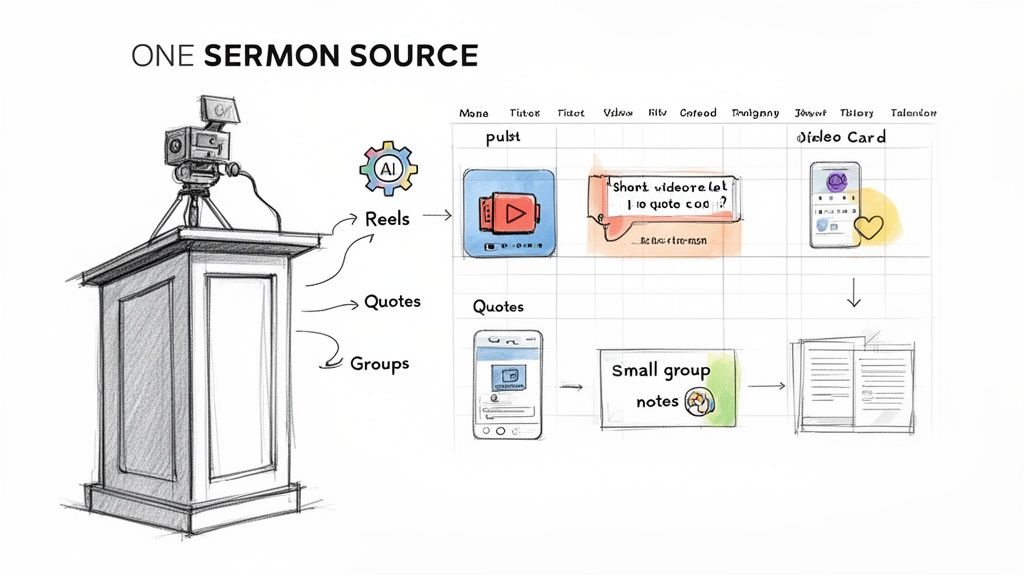
The core idea is beautifully simple: repurpose your sermon. Instead of just throwing the full-length video online and calling it a day, you slice it and dice it into smaller, super-shareable pieces. This is how you meet people where they actually are—scrolling on their phones during a lunch break or looking for a quick hit of encouragement before bed.
This approach means you're transforming one asset into many:
- Video to Short-Form Reels: Snag the most powerful 60-second stories, quotes, or teaching points to create vertical videos for Instagram Reels, TikTok, and YouTube Shorts.
- Audio to Podcast Clips: Pull out compelling audio segments to share as daily devotionals or thought-provoking clips that are easy to listen to on the go.
- Transcript to Text-Based Content: Use the sermon transcript to spin up beautiful quote graphics, insightful blog posts, or even discussion questions for your small groups.
If you're looking for more creative ways to give your sermon content a longer shelf life, check out these actionable content repurposing strategies. They're fantastic for sparking new ideas.
Automating Your Content Creation with AI
Okay, I know what you’re thinking. Manually creating all of this sounds like a full-time job, especially for already stretched church staff and volunteers. This is where modern tools completely change the equation. Imagine just uploading your sermon video and letting AI do the heavy lifting for you.
That's precisely what we built ChurchSocial.ai to do. It’s designed to be the content engine that runs in the background, fueled by your video system for churches. You feed it the sermon recording, and it automatically generates AI-powered reels and a whole suite of content like social posts and blogs from the sermon transcript. It’s a content-generating machine that saves your team countless hours.
The real power of a smart content strategy is turning a one-time event—the Sunday sermon—into an ongoing conversation that keeps your community connected to the church's mission throughout the entire week.
Streamlining Your Entire Social Media Workflow
Creating the content is only half the battle, right? You still have to get it all scheduled and posted. A platform like ChurchSocial.ai brings it all under one roof. With a simple drag-and-drop calendar, you can plan out your entire week's social media in a tiny fraction of the time it would normally take. You can whip up graphics using our templates and editor, write captions, and schedule everything across all your platforms from one spot.
This kind of streamlined workflow is what makes consistency possible. It frees your team from the daily panic of "what do we post today?" and lets them get back to actual ministry and engaging with people. For a deeper look at this process, you can learn more about how to repurpose content with AI in our detailed guide.
This whole strategy works hand-in-glove with your other church tools. Think of it this way: your church management software (like Planning Center, Tithe.ly, or Breeze) handles the "who" and "when" of your ministry. Your video system captures the "what." And a content tool like ChurchSocial.ai takes that "what" and delivers it to everyone, everywhere, all week long. We even integrate with Planning Center and other church calendars to help create content for your events. It’s about creating a unified communication front that serves your people well.
Common Questions About Church Video Systems
Jumping into a new video system for your church, or even upgrading an old one, can feel like opening a can of worms. A lot of questions pop up. What's this really going to cost? Can my volunteers actually run this thing? We hear these questions all the time, so let's walk through some straightforward answers to help you move forward with confidence.
How Much Should We Budget for a Video System?
This is the big one, and the honest answer is: it depends entirely on your goals.
For a simple, single-camera setup just to get your service online, you might get started for under $1,000. But if you're a mid-sized church looking for a more polished feel with multiple PTZ cameras, a more realistic budget is somewhere in the $5,000 to $15,000 range. For larger churches aiming for that broadcast-quality look, it’s not uncommon to invest $25,000 or more.
The best advice I can give is to let your ministry goals drive your gear decisions. It's always better to start with incredible audio and one really good camera than to spread your budget thin on a cheap, complicated system that no one knows how to use.
People will forgive video that isn't perfect, but they will leave immediately if the audio is bad. Always prioritize sound.
What Is the Easiest System for Volunteers to Run?
If your video ministry relies on volunteers, the winning combination is almost always PTZ (Pan-Tilt-Zoom) cameras paired with a user-friendly video switcher. This setup is built from the ground up for simplicity.
- PTZ Cameras: One person sitting at a joystick controller can operate several cameras at once. No more scrambling to find three or four camera operators for every single service. This is a game-changer for lean teams.
- User-Friendly Switchers: Look for hardware with big, backlit buttons and the ability to program presets. This means a volunteer can switch to the baptismal font, put lyrics on the screen, or roll a video clip with just one confident button push. It takes the panic out of producing a live service.
When you make the tech intuitive, you empower your volunteers and create a ministry that can last for the long haul.
Do We Need a Dedicated Computer for Streaming?
Yes. A thousand times, yes. Think of it as non-negotiable. Using a dedicated machine just for encoding and streaming your service sidesteps a whole world of potential headaches, from dropped frames to the dreaded blue screen of death mid-sermon.
When you ask one computer to run presentation slides, check email, and stream video simultaneously, you're forcing it to multitask. The processor and graphics card can easily get overwhelmed, resulting in a choppy, unreliable feed for your online audience. A dedicated streaming computer ensures every bit of its power is focused on one critical job: delivering a smooth, high-quality broadcast.
How Can We Get Good Audio for Our Live Stream?
The absolute best way to get clean, professional audio for your stream is to take a dedicated mix straight from your main soundboard.
Whatever you do, don't just put a microphone in the room. That's a recipe for disaster. You'll pick up every cough, every crying baby, and a whole lot of distracting room echo.
Talk to your audio tech and ask for a "post-fader auxiliary send" or a "matrix output." This lets them create a separate audio mix dialed in specifically for the live stream audience. The mix that sounds great in the sanctuary often needs a different balance for someone listening at home on headphones or laptop speakers. This direct feed is the secret to making your online viewers feel like they’re right there with you.
Once you have your video system dialed in, the next step is to make sure your sermon's impact lasts all week long. ChurchSocial.ai helps you turn that single Sunday recording into a full week of engaging social media content. With AI-powered tools to create sermon reels, social posts from the transcript, and stunning graphics, you can plan and manage your entire outreach calendar with a simple drag-and-drop interface. Learn more about automating your church's social media.


