
Your Sunday sermon is so much more than a 45-minute talk. It's the starting point for a week's worth of connection, encouragement, and outreach. The secret is learning to see your videos of sermons not just as an archive, but as a deep well of content ready to be shared.
Let's walk through how to turn that single message into a content engine that works for you all week long with the help of a tool like ChurchSocial.ai to plan and manage your church's social media.
Your Sermon Is a Content Goldmine

Think about it: every sermon is packed with powerful quotes, relatable stories, and life-changing truths. These are the moments that stick with people, and they’re perfect for sharing online where your community spends their time.
This isn't just a hunch; it's about meeting people where they are. We're seeing some incredible trends, with recent research showing that church attendance among Millennials and Gen Z has almost doubled in just five years. This is a huge opportunity for churches that are ready to engage them online. You can read the full research about these encouraging trends to really see the potential.
Unlocking Your Sermon’s Potential
So, how do you actually pull this off without overwhelming your team? It's all about having the right process and the right tools. With ChurchSocial.ai, one sermon can easily become:
- AI-Generated Reels: Punchy, engaging clips from your sermon, perfect for grabbing attention on Instagram and TikTok.
- AI-Generated Social Media Posts: Key takeaways, challenging questions, or simple words of encouragement pulled right from the message transcript.
- Blog Content: A full blog post based on the sermon, which makes the message easy to find on your website and great for SEO.
- Quote Graphics & Carousels: Use our graphic templates and editor to create eye-catching images with powerful lines from the sermon, designed to be shared.
When you start seeing your sermon as a library of content, your social media strategy becomes both sustainable and authentic. You're not trying to invent things to say—you're just sharing the heart of your ministry in fresh ways.
This simple shift in thinking changes social media from a weekly chore into a genuine extension of your ministry. With a platform like ChurchSocial.ai, the whole process gets a lot easier. It can automatically transcribe your message, generate shareable clips with AI, and help you schedule everything on a simple drag-and-drop calendar, turning one sermon into a conversation that lasts all week.
How to Record High-Quality Sermon Videos
You don't need a Hollywood budget or a professional film crew to start creating incredible videos of sermons. Honestly, getting just a few of the fundamentals right will do more for your videos than the most expensive gear ever could. The goal here is to capture clean, distraction-free footage that becomes the perfect raw material for a tool like ChurchSocial.ai to spin into social media gold.
Let's start with the single most important—and most often overlooked—element: audio. Think about it. People will put up with a slightly grainy video, but they will click away in a heartbeat if the sound is muffled, distant, or crackly. If they can't clearly hear the message, nothing else you do matters.
Investing in a simple, dedicated microphone is the single best upgrade you can make. A lavalier (or lapel) mic for your pastor, or even a shotgun mic pointed at the pulpit, can make a night-and-day difference. It ensures every single word is captured with crisp clarity.
Setting the Stage with Light and Angles
Once your audio is solid, good lighting is the next piece of the puzzle. You don't need a complex, three-point lighting rig to get this right. The main goal is just to light your speaker's face evenly and get rid of any harsh, distracting shadows.
A couple of affordable LED panel lights are perfect for this. Try placing one or two at 45-degree angles to your speaker to create a really warm and inviting look. The one thing to avoid is direct overhead lighting—it tends to create unflattering shadows under the eyes and nose.
When it comes to cameras, a modern smartphone on a steady tripod can produce amazing results. The real secret is just finding a good angle and locking it down. If you want to add a more professional, dynamic feel, a simple two-camera setup works wonders. Use one for a wide shot of the stage and a second for a tighter shot on the speaker.
Optimizing Your Recording for Social Media
As you hit record, start thinking like a social media manager. This small shift in mindset can make a huge difference in the quality of your final clips.
- Frame the Speaker Well: Keep your main speaker framed nicely, especially if you know you'll be creating vertical clips later. A centered, medium shot is usually your best bet. It leaves enough space around them so they aren't awkwardly cut off when the video is cropped for Instagram Reels or TikTok.
- Minimize Background Distractions: Take a quick scan of what’s behind your speaker. A cluttered stage, people moving around in the background, or flickering screens can completely pull focus from the message. A clean, simple background keeps the speaker—and their words—as the main event.
- Record in the Highest Quality Possible: Always set your camera to record at its highest resolution, whether that’s 1080p or 4K. This gives you way more flexibility when you get to the editing stage and makes sure your clips look sharp on any device.
Think of your recording process like preparing a great meal. The better your raw ingredients—clear audio, good lighting, and steady video—the more delicious the final dish will be. When you feed high-quality source material into an AI tool like ChurchSocial.ai, it can effortlessly slice and dice it into dozens of impactful, shareable moments for your social media.
Turning Your Full Sermon into Shareable Gold
Okay, so you've got a fantastic, high-quality recording of the Sunday sermon. That's a huge win. But the work doesn't stop there—in fact, this is where the real magic begins with a platform like ChurchSocial.ai.
This is the moment you shift from simply archiving a service to actively engaging your community throughout the entire week. The goal is to slice up that single, powerful message into a bunch of bite-sized, shareable moments that are tailor-made for social media.
For years, this was a massive headache. A dedicated staff member or a faithful volunteer would have to sit down for hours, scrubbing through the timeline, trying to find those perfect quotes, and then painstakingly editing each one. That post-production grind was a serious bottleneck, and it kept a lot of churches from consistently sharing the best parts of their sermons.
Shifting from Manual Labor to AI-Powered Ministry
Thankfully, that old way of doing things is over. Now, you can bring in an AI assistant like ChurchSocial.ai to handle all the heavy lifting. This isn't just about saving a bit of time; it's about giving your team back countless hours they can use to focus on what really matters—people.
Let's play this out. Say your pastor delivers an incredible 40-minute message. Within just a few minutes of uploading that video to ChurchSocial.ai, the platform gets to work.
- It instantly transcribes the entire sermon, giving you a full, searchable text of the message.
- It automatically finds the best parts. The AI scans the transcript for the most powerful quotes, compelling stories, and key takeaways that are most likely to connect with people scrolling online.
- It generates ready-to-post video clips. From there, it churns out AI generated reels from your sermons—complete with eye-catching, animated captions—already formatted for platforms like Instagram, Facebook, and TikTok.
This whole process really hinges on getting the first few steps right.
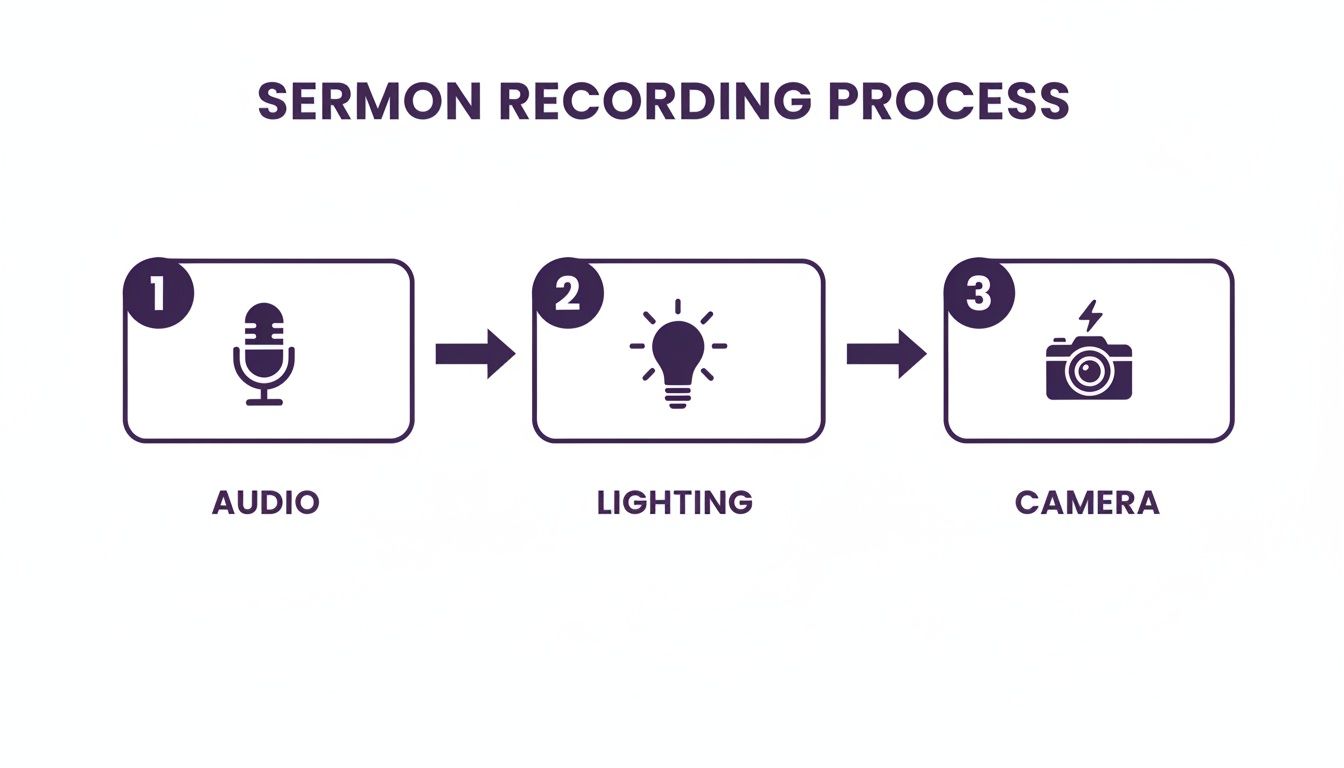
Starting with clean audio, decent lighting, and solid camera work gives the AI the high-quality source material it needs to create truly exceptional content.
Getting the Most Out of Every Single Message
This AI-driven workflow completely changes how you connect with your community. People aren't just engaging on Sunday mornings anymore; they're looking for encouragement all week long on digital platforms. A Pew Research Center study found that the median sermon length is 37 minutes—that's a ton of content to pull from.
When you automate the process of creating clips, you make sure the most encouraging and challenging parts of the message don't get buried. You get to deliver bits of hope and truth right into your community’s social media feeds, day after day.
The efficiency here is a game-changer. Instead of one person spending half their Monday editing, your team can review a dozen AI-generated clips in a few minutes, pick their favorites, and schedule them out using the simple drag-and-drop calendar in ChurchSocial.ai.
We walk through the specifics in our guide on how to create sermon clips from a full-length video. This frees up your team to do the real work of ministry: engaging in the comments, following up with people, and building genuine relationships.
Your Sermon Is More Than Just a Video
Think of your finished sermon video as the starting point, not the finish line. The real magic happens when you take that single recording and multiply its impact, turning it into a whole ecosystem of content that engages your community all week long. The key that unlocks it all? A simple transcript.
This isn't just a "nice to have" anymore; it's a fundamental shift in how we approach ministry online. Video is absolutely dominant. Projections show it’s on track to make up 82% of all internet traffic, and with 75% of all video views happening on mobile devices, you can see why short, punchy clips are so vital. But don't discount the long-form sermon! It still has its place, especially for desktop viewers. It’s a balancing act, and understanding these trends is crucial.
From Spoken Word to Written Resources
Once you have that sermon transcript, a whole world of possibilities opens up. This is where tools like ChurchSocial.ai become a ministry game-changer, automatically turning the spoken word into a variety of written resources.
Instead of your team spending hours transcribing and writing from scratch, the AI can generate AI-generated content from the sermon transcript almost instantly:
- Blog Posts: Imagine a full, SEO-friendly blog post for your website, making your message searchable and available to people who might never step into your building.
- Social Posts & Small Group Questions: Get thought-provoking discussion questions tied directly to the sermon's main points, helping your community dig deeper into the message.
- Email Newsletter Content: Pull out a perfect summary or devotional thought to drop right into your weekly email update.
This completely changes your content workflow. A three-point sermon can become a three-day devotional series for Instagram or a week's worth of encouraging emails, all spun out from that original video. For a deeper dive into the technical side, this guide on converting video files to text can be a huge help in diversifying how you share your message.
Create Polished Visuals Without a Designer
Great text is one thing, but pairing it with sharp visuals is what really stops the scroll. The good news is you don't need a professional graphic designer on staff to create stunning, high-quality posts.
The goal is to make every piece of content feel intentional and polished. Consistent, high-quality visuals build trust and help your message stand out in a crowded social media feed.
With ChurchSocial.ai, this is all built right in. You get access to a library of professionally designed graphic templates and a simple editor that anyone on your team can master.
- Quote Graphics: Easily pull powerful one-liners from the sermon transcript and pop them onto an eye-catching background.
- Carousels: Create those popular multi-slide posts that walk people through the key takeaways from the sermon in a visually compelling way.
- Event Announcements: Use the templates to quickly design and share reminders for upcoming services, small groups, or outreach events.
An integrated system like this makes sure your church’s social media looks cohesive and professional, all without adding a ton of work to your team’s plate. We talk more about the recording side of things in our guide to getting your sermon on video. It's all connected, working together to give every single sermon a much longer life and a much wider reach.
Building a Sustainable Social Media Workflow
So you’ve started creating awesome, compelling content from your videos of sermons. That’s a huge win! But the real secret to building an online community isn't a single viral clip; it's consistency. Without a solid system in place, even the best intentions fizzle out, leaving your team scrambling at the last minute and heading straight for burnout.
A sustainable social media workflow isn’t about working harder. It’s about having a simple, repeatable process that actually saves you time and kills the stress of the “what do we post today?” question.
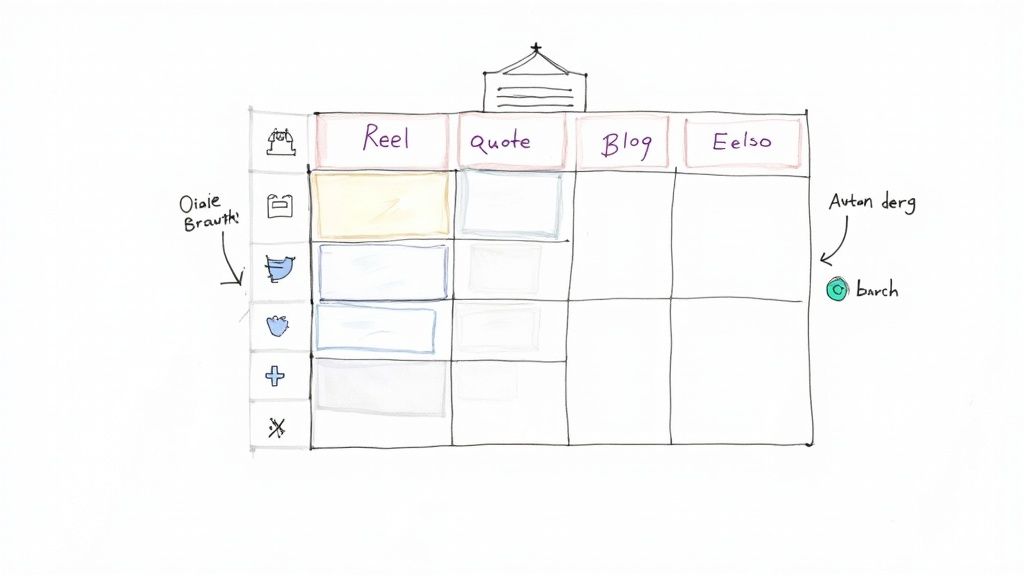
This is where having a central command center becomes a total game-changer. ChurchSocial.ai’s simple drag-and-drop calendar allows churches to easily manage and update all of their social media. Imagine seeing your entire week—or even a whole month—of social media posts laid out visually. Every sermon clip, every quote graphic, every event reminder, all in its place. That kind of organization shifts your strategy from being reactive to proactive, and that freedom is priceless.
Your Central Hub for Ministry Communications
This is exactly the kind of organized approach we built right into ChurchSocial.ai. The calendar isn't just another feature; it's a drag-and-drop command center designed specifically for the rhythm of church life. You can schedule those AI-generated reels from your sermon, drop in the graphic templates you’ve already customized in the tool, and see your whole content plan at a glance.
Having a system like this makes your online presence reliable. When your community knows they can count on you for daily encouragement and updates, they’re far more likely to stick around and engage. If you want to go even deeper on this, a great guide to marketing with video can offer more insights for building out an effective workflow.
Automated Content for Church Events
But let's be real—a truly seamless workflow has to go beyond just sermon content. It needs to connect to everything else happening at your church. This is where integrations become so powerful, turning your social media tool into a true ministry communications hub.
A sustainable system automates the routine tasks so you can focus on the relational ones. When your tools work together, you spend less time managing software and more time engaging with your community.
For example, ChurchSocial.ai integrates with Planning Center and other church calendars to create content for events. Once connected, the platform automatically pulls in the details for upcoming events—like that youth group bonfire or a community food drive—and starts creating promotional content for you.
This kind of automation means you can:
- Generate Event Graphics: Instantly create sharp, professional-looking announcements for your events without ever opening a design program.
- Schedule Reminders: Easily set up a series of posts to count down to an event, which is a simple way to boost attendance and awareness.
- Keep Everyone Informed: Your social media channels will always be perfectly in sync with the main church calendar, no double-checking required.
This is what transforms ChurchSocial.ai from just a content creator into a core part of your ministry operations. It simplifies everything, gives you back hours of your week, and ensures that every part of your church life is represented beautifully online.
Answering Your Questions About Sermon Videos
Once you decide to start creating videos of sermons for social media, a ton of practical questions bubble up. It's not just about the gear, is it? It’s about being a good steward of your time, your budget, and most importantly, your message. Let's walk through some of the most common questions I hear from church leaders.
Probably the first thing everyone asks is, "how long should the clips be?" The honest answer is, it completely depends on where you're posting it.
- Instagram Reels & TikTok: Think short and punchy. You've got 15-60 seconds to make an impact. These platforms are all about grabbing attention fast.
- Facebook & YouTube Shorts: Here, you have a little more breathing room, anywhere from 60 seconds up to 3 minutes. This is perfect for sharing a quick story or unpacking a single, powerful point from your message.
- Standard YouTube & Facebook Videos: For deeper dives or condensed sermon highlights, clips in the 3-10 minute range can perform really well.
Handling Worship Music and Saving Time
Copyright is another big one, especially when it comes to the worship music in your recordings. This can get complicated fast. If your video includes worship songs, you'll typically need a special license (like the Streaming Plus License from CCLI) to legally post it online.
The easiest workaround? Just start your recording after the worship team finishes and stop it before the final song. This gives you a clean recording of just the sermon, dodging any potential copyright flags.
The biggest hurdle for most churches isn't the technology or the budget—it's time. The real question isn't "Can we do this?" but "How can we possibly do this every week without burning out our staff and volunteers?"
This is where having the right tool changes everything. If you've ever tried it, you know that creating just one sermon clip by hand—scrubbing through the video to find a good moment, editing it down, adding captions, maybe making a thumbnail—can easily take an hour, if not more.
When you use a platform like ChurchSocial.ai, you can slash that time by over 90%. The AI finds the most powerful clips for you, adds the captions, and gets them ready to post. Suddenly, your team can create an entire week's worth of engaging video content in the time it used to take to make one. It’s not just about saving a few hours; it’s about giving your team the margin to focus on actual ministry.
Ready to turn your weekend sermon into a week-long conversation? See how ChurchSocial.ai can automate your entire content workflow, from AI-generated reels to a simple drag-and-drop calendar. Start your free trial today and discover just how easy it is to amplify your ministry online.


