

Using church Facebook ads is one of the most effective ways for ministries today to connect with new families, get the word out about big events like Easter and Christmas, and truly grow beyond the four walls of the building. It lets you step past the old playbook of flyers and mailers to reach people right where they're already spending their time—online. The best part? You can do it with incredible precision, even on a shoestring budget.
Why Facebook Ads Are a Modern Ministry Imperative
Think about it for a second. That new subdivision that just went up a few miles from your church? It's filled with families looking for a new church home. Or what about the students at the local community college who are searching for a place to belong?
In the past, reaching them was a shot in the dark—maybe a mailer that got tossed, or hoping for word-of-mouth to spread. But today, those exact same people are scrolling through their Facebook feeds every single day. The old methods just don't have the same pull they once did.
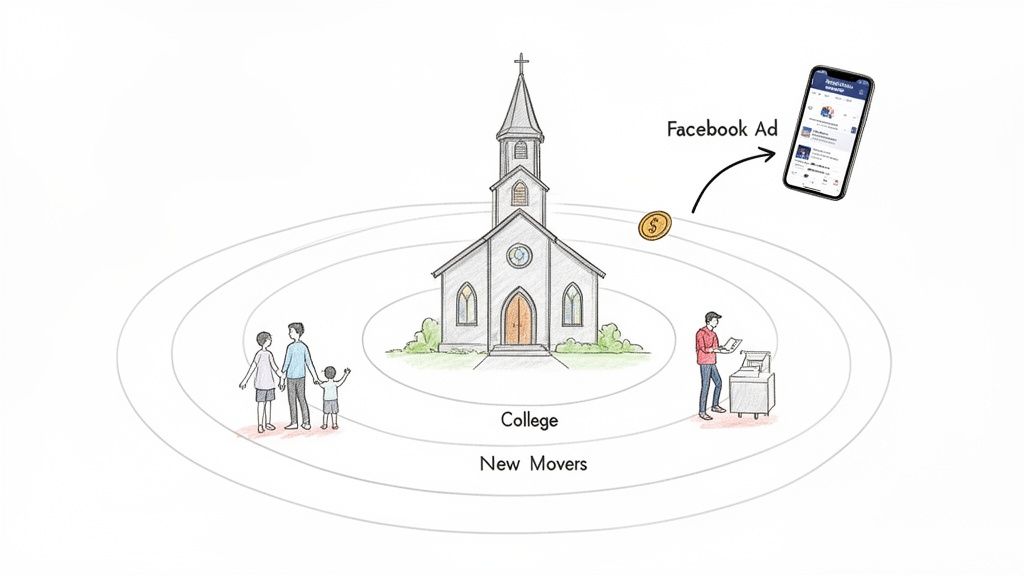
This is precisely why Facebook ads have become an essential tool for any church that wants to grow. This isn't about adopting corporate marketing jargon; it's simply about meeting people where they are. With the powerful tools Facebook provides, you can send a specific message of hope and invitation directly to the people who need to hear it most.
Reaching the Right People Precisely
Let's get practical. Say you want to invite young families to your VBS this summer. With Facebook ads, you could set up a campaign that specifically targets:
- Parents who have kids in elementary school.
- People who live within a 5-mile radius of your church campus.
- Even individuals who've recently shown interest in local, family-friendly events.
This kind of targeting means your message isn't just being shouted into the wind. It's being delivered directly to the families most likely to be interested. You're not just spending money—you're investing it in making real connections.
This is the big shift in modern outreach: moving from broad, impersonal announcements to specific, personal invitations. It's about using today's tools for the timeless mission of building community and sharing the Gospel.
Making a Big Impact on a Small Budget
The budget question always comes up first, and understandably so. But here’s the great news: you don't need a massive marketing fund to make this work. A small, focused investment of just $5 to $10 per day can create a surprising amount of awareness and lead to real action, like getting someone to click "Plan Your Visit" on your website.
This is where having a tool like ChurchSocial.ai can be a game-changer, especially for busy pastors and church staff. Trying to manage social media, let alone a paid ad campaign, can feel like a second full-time job. ChurchSocial.ai is built to simplify all of it. You can instantly create AI-generated reels from your sermons, use professional graphic templates for your event promotions, and organize everything on a simple drag-and-drop calendar. It takes what could be hours of work and boils it down to just a few clicks, making powerful digital outreach something any church can do.
Laying the Groundwork for a Successful Ad Campaign
Before you even think about launching a church Facebook ad, you need to do a little prep work. Just jumping in is a surefire way to waste money. Setting up your digital foundation correctly from the get-go is what turns your ad spend into a genuine investment for your ministry.
First things first, get your church’s Facebook Business Page in order. Make sure everything is current—service times, location, website link, you name it. Then, you'll need to set up a Facebook Ad Account through the Meta Business Suite. This is command central for all your campaigns, billing, and tracking.
And here’s a pro tip: don’t skip the Meta Pixel. It's a small piece of code you install on your church website, and it works like a digital usher. It tells you what people do after they click your ad, like filling out a "Plan Your Visit" form or registering for an event. That data is gold for figuring out what’s actually working.
Define Your Goals with Clarity
Vague goals get you vague results. Just saying you want "more engagement" isn't going to move the needle. A great ad campaign always starts with a specific, measurable goal that ties directly to a real-world ministry outcome.
Instead of fuzzy targets, get specific. Think more like this:
- Generate 15 new visitor sign-ups for your upcoming Easter services.
- Secure 50 RSVPs for your Vacation Bible School through a registration link.
- Drive 100 clicks to a new sermon series landing page on your website.
Each of these goals has a number attached to it. You’ll know, without a doubt, if your campaign succeeded because you defined what success looks like from the start. This clarity not only shapes your ad creative but also makes it much easier to justify the budget.
A successful Facebook ad campaign isn't measured in likes and shares, but in lives connected. The goal is to move someone from their social media feed to your church family, and that journey starts with a clear, actionable objective.
Syncing Your Ads with Your Ministry Calendar
One of the biggest headaches for church communicators is the constant need for fresh content. Your ad campaigns shouldn't feel like another task on your to-do list; they should be a natural extension of what's already happening in the life of your church.
Imagine this: your church admin adds a community cookout to the calendar in Planning Center. With a platform like ChurchSocial.ai, that event information can automatically sync, immediately prompting you to build a promotional campaign around it. No more manually copying details or starting from scratch every single time.
This kind of integration builds a streamlined content pipeline for your ads. You can pull event details, whip up graphics with professional templates, and schedule everything from one simple drag-and-drop calendar. For a wider look at how this fits into a bigger picture, you can explore other proven social media advertising strategies as well.
By connecting your church management tools directly to your social media workflow, your ads stay perfectly aligned with your ministry's rhythm, making your outreach timely, relevant, and way less stressful to manage.
Crafting Ad Creative That Truly Connects
With the technical pieces in place, we get to the fun part. The creative—the images, videos, and words you use—is where the heart of your ministry gets to shine through in your church Facebook ads. This is your opportunity to stop someone mid-scroll and offer them a real moment of connection.
The best ad creative never actually feels like an ad. It should feel like a warm, genuine invitation from a friend. That means letting go of the overly polished, corporate-looking graphics and ditching the "churchy" insider language that can make someone feel like an outsider before they even step through your doors.
Think about it: instead of promoting an "eschatological exegesis series," what if you asked, "Feeling anxious about the future? Discover what real hope looks like in our new series." The topic is the same, but the language is open, accessible, and speaks to a real, human feeling.
This simple three-step process—configure, define the goal, and track—is your roadmap. It makes sure every ad you run is doing its job.
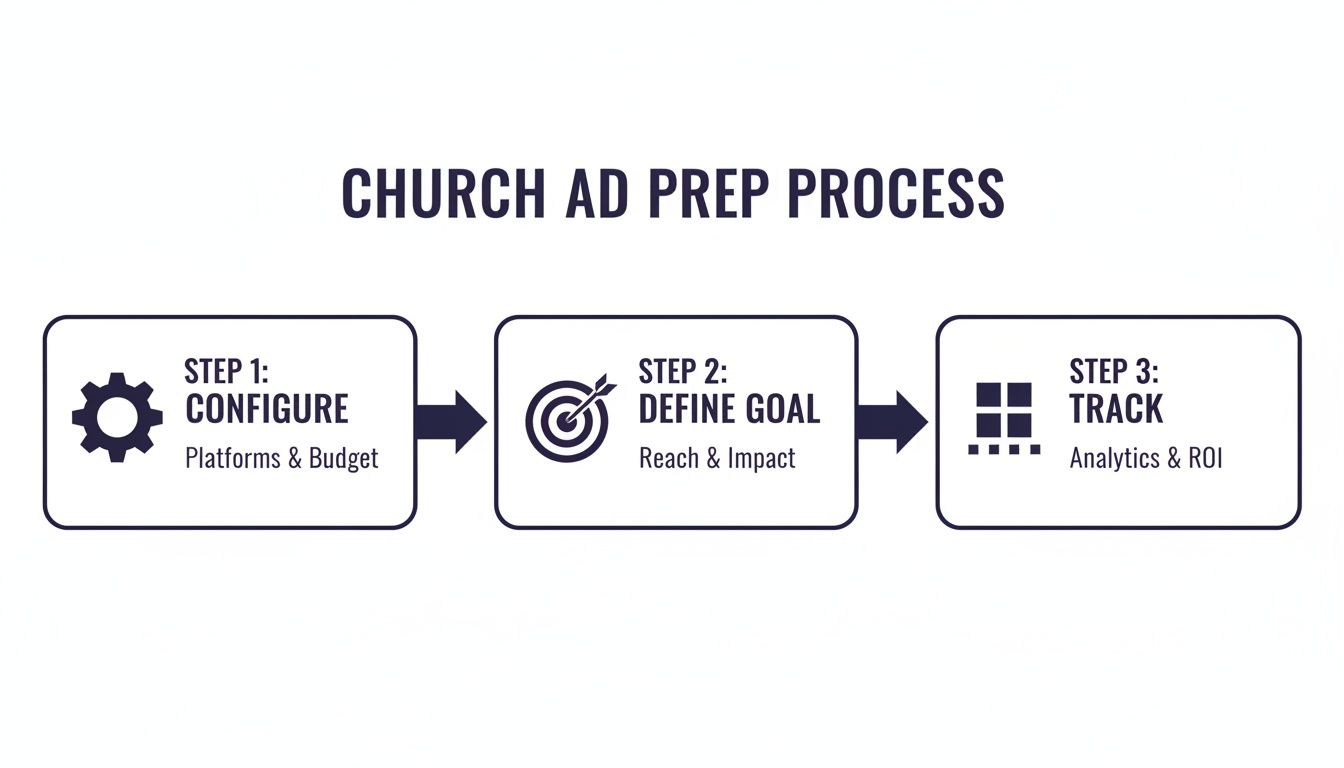
Following this ensures every dollar is tied to a measurable ministry outcome, not just thrown into the digital void.
Writing Ad Copy That Resonates
The words you choose for your ad are make-or-break. You need to be clear, concise, and compelling, all while sounding like yourself. I've found a simple formula works wonders, whether you're inviting people to a new sermon series or promoting a community block party.
It goes something like this:
- The Hook: Lead with a question or a statement that hits on a felt need. Think, "Looking for a safe, fun place for your kids this summer?"
- The Solution: Quickly introduce what your church is offering as the answer. For example, "Our Vacation Bible School is packed with games, music, and stories they'll love!"
- The Call-to-Action (CTA): Be crystal clear about what they should do next. Something like, "Register your child today to save their spot!"
This structure keeps your message tight and action-oriented. Stick to short sentences and everyday language—the kind you’d use when talking to a neighbor.
Designing Visuals That Stop the Scroll
Let’s be honest, people see the picture before they ever read a word. While having a professional designer on staff is a huge plus, it's definitely not a requirement for creating graphics that work. The secret is using images that show the real, authentic life of your church community.
This is where a tool like ChurchSocial.ai can be a game-changer, especially for pastors and volunteers wearing multiple hats. Instead of staring at a blank screen, you get access to a whole library of professional graphic templates. You can just pop in your church's logo, colors, and event details in a super simple editor. If you want to dive deeper, our guide on church graphic design principles is a great place to start.
The best ad visuals feel like a window into your church family. They showcase genuine moments of joy, service, and connection, making newcomers feel like they can already see themselves belonging there.
This approach lets you create beautiful, on-brand photos and carousels for your ads in just a few minutes, not hours. It takes the tech headache out of the equation so you can focus on the message.
Unleashing the Power of Video
If a picture is worth a thousand words, a good video is worth a million. Video content just flat-out performs better than static images on Facebook, especially the short, vertical videos made for Reels and Stories. This format is perfect for sharing powerful sermon clips, event invitations, or personal testimonies.
I know creating video can sound intimidating, but it doesn't have to be. AI-powered tools are completely changing the game here. With ChurchSocial.ai, you can upload a 40-minute sermon, and the AI will automatically find the most impactful moments and generate engaging video reels from them. It even adds auto-captions, which is critical since most people watch with the sound off. What used to be a multi-hour editing job is now done with a few clicks, giving you an endless supply of powerful video content for your church Facebook ads.
The results speak for themselves. One church we worked with saw their cost per lead plummet from $49 to just $19—an 88.7% decrease—after launching a new video strategy. They also saw a 786% increase in leads for every dollar spent. A tiny $154 ad investment led to eight families planning a visit. The key was using direct-response video that asks for an immediate action.
Mastering Audience Targeting and Budgeting
Once you have compelling creative ready to go, the next step is making sure the right people actually see it. This is where the magic of church Facebook ads really happens. You’re no longer just shouting into the void; you’re delivering a specific invitation to a specific group of people in your community.
This is also where a lot of churches get intimidated, but trust me, it’s simpler than it looks. Facebook gives you some incredible tools to build an audience, allowing you to connect with real precision. It all comes down to knowing who you want to reach and how much you can invest to make that connection.
Unlocking Facebook's Audience Types
Facebook gives you three main tools for targeting your ads: Saved, Custom, and Lookalike Audiences. Each one serves a unique purpose in your ministry’s outreach. Think of them as different nets for catching different kinds of fish.
A Saved Audience is built from the ground up using demographics, interests, and behaviors. This is your go-to for reaching brand new people who have never heard of your church before.
- VBS Campaign Example: You could build an audience of parents with grade-school-aged kids who live within a 10-mile radius of your church. To get more specific, you could even layer in interests like "family activities" or "parenting blogs."
A Custom Audience is created from your own data, like your church’s email list or a list of people who have recently visited your website. This is perfect for re-engaging people who are already warm to your ministry.
- Easter Service Example: Imagine uploading your list of past visitors (who have shared their email) to invite them back for Easter. This is a powerful way to remind them of their previous experience and give them a personal nudge to return.
A Lookalike Audience is where Facebook’s algorithm really shines. It takes one of your Custom Audiences (like your email list) and finds new people with similar characteristics. This is a game-changer for expanding your reach to folks who are highly likely to be interested in your church.
Setting a Realistic and Effective Budget
The budget question is always front and center, but the answer is simpler than you might think. You don't need a massive fund to make an impact. The key is to align your spending with a clear, specific goal.
For a smaller church, a daily budget of just $5 to $10 can work wonders for a local awareness campaign promoting a new sermon series. That's about the cost of a couple of coffees, but it can reach thousands of people in your immediate community every single week.
For major events like Christmas or Easter, you might set a dedicated campaign budget of $300 to $500, spread out over a few weeks. This gives the campaign enough fuel to gain momentum and drive significant actions, like "Plan Your Visit" sign-ups.
Your budget isn't just a number; it's a reflection of your campaign's goal. A small, consistent budget is great for ongoing awareness, while a larger, short-term budget is ideal for high-stakes events.
This strategic approach is central to effective nonprofit outreach. In fact, many of these concepts apply more broadly, as you can explore in our guide to https://www.churchsocial.ai/blog/digital-marketing-for-nonprofits. When you're allocating funds, understanding key metrics like Return on Ad Spend (ROAS) in digital marketing can help you see the tangible returns on your investment.
Sample Church Facebook Ad Campaign Blueprints
To make this super practical, let's look at a few campaign blueprints. Think of these as a starting point—feel free to adjust them to fit your church's unique context and goals.
Use these examples as a starting point to plan your church's Facebook ad campaigns, adjusting the budget and audience to fit your specific context and goals.
These blueprints show that even a modest budget of $20–$50 a day can act like a highly-targeted digital flyer, putting your event in front of the right people. Given that Facebook ads can reach an estimated 2.08 billion users, it's a tool your church simply can't ignore. It’s no wonder 89% of marketers use Facebook to promote their message.
Ultimately, mastering targeting and budgeting is about being a good steward of your resources. This is exactly where a platform like ChurchSocial.ai can help. By making it easy to create high-quality sermon clips and graphics that connect with your church calendar, it ensures the content you're putting money behind is top-notch. That makes your ad spend more efficient, accessible, and impactful for your ministry.
Launching, Analyzing, and Optimizing Your Campaigns
You’ve built the perfect audience, crafted compelling creative, and set a smart budget. Now for the exciting part—launching your church Facebook ads and watching them connect with your community.
This final phase isn’t a “set it and forget it” process. It’s all about listening to the data and making small, smart adjustments to turn a good campaign into a great one.
Before you hit that final "Publish" button, I always recommend running through a quick pre-launch checklist. It's a lifesaver. Double-check your audience settings, give your ad copy one last look for typos, make sure the landing page link actually works, and confirm the budget and schedule are correct. A simple five-minute review can save you from some seriously costly and frustrating mistakes.
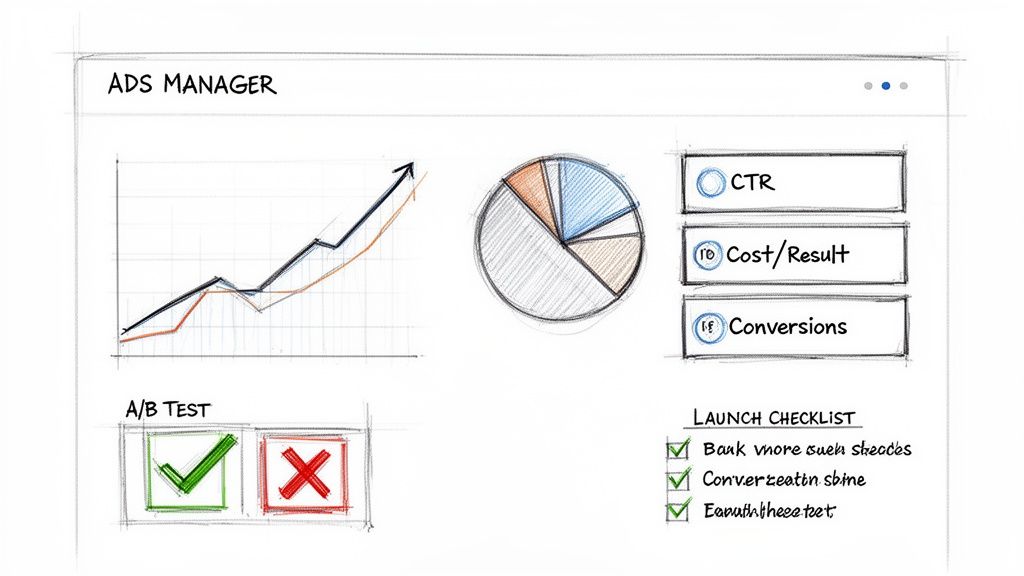
Once your ad is live, the real work begins. It's time to step into the Facebook Ads Manager and pay close attention to what the numbers are telling you.
Demystifying Your Campaign Metrics
The Ads Manager dashboard can look like a wall of data, and it's easy to get overwhelmed. The good news? Your church only needs to focus on a handful of key metrics to really understand performance. Don't get lost in vanity metrics like 'Reach' or 'Impressions.'
Instead, lock in on the numbers that signal real connection and action:
- Cost Per Result: This is your north star. It tells you exactly how much you’re paying for each desired action, whether that’s a "Plan a Visit" click, a VBS registration, or a simple video view.
- Click-Through Rate (CTR): This percentage shows how many people who saw your ad actually clicked on it. A higher CTR (I usually aim for above 1%) is a great sign that your creative is resonating.
- Amount Spent: Simple, but crucial. Always keep an eye on your spending to make sure you're staying within your budget.
These metrics give you a clear, honest picture of what’s working. Tracking these is non-negotiable, and if you're ready to go deeper, we have a whole guide on how to measure social media ROI.
The Power of Simple A/B Testing
Ever wondered which photo or headline truly connects best with your community? That's exactly what A/B testing (or split testing) helps you figure out. The concept is simple: you create two slightly different versions of an ad and run them at the same time to see which one performs better.
You don't need to get complicated here. Start by testing just one thing at a time. For instance:
- Image Test: Use the exact same ad copy but with two different images. Maybe one is a shot of your worship team, and the other is a clean graphic with your sermon series title.
- Headline Test: Keep the image the same but try two different headlines. One could be a direct invitation, while the other asks a thought-provoking question.
After a few days, you can see which version has the lower Cost Per Result or the higher CTR. This insight is gold for future campaigns, helping you fine-tune your messaging over time.
Making Smart Optimization Decisions
Optimization is all about making data-driven adjustments. Based on the metrics you're tracking, you can decide when to lean into what's working and when to pull back on what isn't.
An ad campaign is a conversation with your community. The data is their feedback. Your job is to listen carefully and adjust your message to better serve them.
Let's say an ad is performing exceptionally well—achieving a low cost per result and high engagement. Consider gradually increasing its daily budget by about 20-25%. This lets you scale up its success without shocking Facebook's algorithm.
On the flip side, if an ad has been running for several days with a high cost per result and a pitiful CTR, don't be afraid to pause it. That's not a failure; it's a learning opportunity.
The results can be incredible. We've seen churches slash their cost per lead by 88.7%, from $49 down to just $19, just by adopting new strategies and paying attention to the data. With the right approach, aiming for 20–30% growth in key metrics is entirely realistic.
This entire process—from creating and launching to analyzing and optimizing—is made so much simpler with a platform like ChurchSocial.ai. It helps generate sermon clips, provides professional graphic templates, and houses everything in an easy-to-use calendar. It’s designed to remove the technical friction, so you can focus on what really matters: the ministry of connection.
Your Church Facebook Ads Questions Answered
Jumping into the world of church Facebook ads can feel a bit overwhelming. I hear it all the time—questions about how much to spend, what to post, and whether you need to be some kind of marketing genius to make it work. It's totally normal to wonder where to even begin.
Let's cut through the noise. My goal here is to tackle the most common questions I get with practical, no-fluff answers. Effective digital outreach is absolutely within your grasp, especially when you have tools that take the complexity out of the process.
How Much Should My Church Budget for Facebook Ads?
This is always the first question, and the answer is probably not what you expect: there's no magic number. You really don't need a massive budget to start seeing an impact.
For most local churches, even $5-$10 per day (that’s about $150-$300 a month) can make a real difference. That's enough to get the word out about a new sermon series or build buzz for a community cookout.
When you've got a big event like Easter or Christmas services, you might want to dedicate a specific, short-term budget of around $200-$500 for that campaign. The key is to start with your goal. Are you trying to get "Plan a Visit" sign-ups? Figure that out first, and then you can work backward to land on a budget that makes sense.
The objective isn't to spend the most money; it's to spend the smartest. Every dollar should be tied to a clear ministry outcome, turning your ad spend into a true investment in your community.
This is where a platform like ChurchSocial.ai can really help you maximize every dollar. By making it incredibly simple to create high-quality, engaging content, your ads will naturally perform better. That means a lower cost for each result, making your budget go a whole lot further.
What Kind of Content Works Best for Church Ads?
Here's the secret: authenticity always wins. The content that performs best on social media feels like it belongs there—not like a slick, corporate advertisement. Right now, short-form video is the undisputed king of engagement.
Think about creating content like this for your ads:
- Short Video Clips: We're talking 15-60 second reels with captions. It could be a quick, encouraging thought, a personal invitation from your pastor, or highlights from a recent outreach event.
- Authentic Photos: People connect with people. Use high-quality pictures of your community showing genuine joy and connection. Steer clear of stiff, posed shots or generic stock photos at all costs.
- Simple Graphics: For an event, all you need is a clean graphic with the essential details: what, when, and where. Clarity always beats a cluttered, complex design.
The most important thing is to drop the "churchy" jargon that can make newcomers feel like outsiders. With ChurchSocial.ai, for example, you can effortlessly turn your Sunday message into dozens of ad-ready video clips and create graphics from professional templates, even if you have zero design experience. You can also generate social posts, blog articles, and more directly from your sermon transcript, saving you hours of work.
Do We Need a Marketing Expert to Run Ads?
Definitely not. I know the Facebook Ads Manager can look like the control panel of a spaceship at first, but the basics are pretty simple. And honestly, tools like ChurchSocial.ai are built specifically to close that technical gap for busy pastors and church staff.
If you can post on your church's Facebook page, you have what it takes to run a successful ad campaign. Just start with a simple goal, like sending people to your website or boosting an event post. ChurchSocial.ai handles the most time-consuming parts—creating content and scheduling it on a simple drag-and-drop calendar—so a pastor, admin, or a key volunteer can manage a powerful social media presence from one simple dashboard.
How Do We Handle Negative Comments on Our Ads?
This is such a valid concern for any ministry with an online presence. Before you even launch an ad, you need to have a game plan for this. When you get genuinely curious or challenging questions, see it as a ministry opportunity and respond with grace and truth.
However, for comments that are hateful, abusive, or just plain spam, the policy should be simple: hide or delete the comment and block the user immediately. Don't waste your time getting into arguments with trolls. Your ad's comment section is a digital front porch you control, and keeping it safe and positive makes your church look more welcoming to the very people you're trying to reach. Making a habit of checking your comments is just part of running a smart ad campaign.
Ready to take the guesswork out of your social media and advertising? With ChurchSocial.ai, you can transform your sermons into engaging videos, create stunning graphics in minutes, and manage your entire content calendar with a simple drag-and-drop interface. Stop stressing about content and start connecting with your community.


