
Sunday's sermon is done. Monday's inbox is full. A volunteer texts to ask what should go on Instagram this week. Someone else remembers the youth event needs a graphic, the women's Bible study needs a reminder post, and the church calendar still hasn't been updated everywhere.
That's where many churches live now. They care about people, but their communication process feels scattered. Social media becomes one more spinning plate instead of a clear outreach pathway.
Church outreach software helps turn that chaos into a repeatable ministry system. Used well, it doesn't just help a church post more often. It helps a church connect online in ways that lead people toward real steps in person.
Connecting Your Community in a Digital World
A lot of church leaders don't need another app. They need breathing room.
For many churches, outreach lives in fragments. The pastor has sermon notes. A volunteer has Canva access. Another team member remembers Facebook. Event details sit in Planning Center, in a text thread, or on a paper note near the sound booth. Everyone means well, but the work stays disconnected.

Why this feels harder than it used to
Church communication used to center on announcements, bulletins, and a website update when time allowed. Now the front door is often digital first. People may see a sermon clip, an event post, or a midweek devotional before they ever walk into the building.
That shift is one reason the broader church management software market keeps expanding. Strategic Market Research valued the category at $1.2 billion in 2024 and projected $2.1 billion by 2030, a 9.5% CAGR, reflecting a move toward integrated digital tools for ministry through church management software market analysis.
Outreach isn't separate from ministry operations anymore; it's tied to events, follow-up, volunteer coordination, and the way a church stays visible during the week.
Churches usually don't struggle because they lack heart. They struggle because their message, calendar, and follow-up live in different places.
From chore to ministry channel
The mindset shift is simple. Social media isn't only a publishing task. It can be a bridge.
A sermon clip can invite someone to watch a full message. An event post can lead to a registration. A welcome reel can make a nervous first-time guest feel less anxious before Sunday. A volunteer spotlight can help people picture themselves serving.
If your team has been treating social media like a side job, it helps to rethink it as part of your outreach system. That's also why many churches are looking for more church-specific guidance instead of generic marketing advice. If that's where you are, this article on Christian social media marketing ideas for churches is a useful next read.
What Is Church Outreach Software Anyway
The simplest way to describe church outreach software is this. It's a digital mission control center for communication and engagement.
A basic social scheduler can post content. That's helpful, but limited. Church outreach software is meant to connect the work around the post too. It helps a church move from “Did we publish something?” to “Did this help someone take a next step?”
More than a posting tool
Generic schedulers usually focus on timing, captions, and publishing. Church outreach software is built around ministry workflows.
Modern church systems increasingly work as one connected environment where records update in real time, events use automated sign-ups, and leaders track engagement patterns through this church management software guide. That model matters because outreach doesn't happen in isolation. It touches visitors, givers, volunteers, event guests, and members at different stages of connection.
Think about a simple example.
A church plans a community dinner. In a disconnected setup, one person creates the event, another posts about it, someone else manages sign-ups, and no one can easily tell whether online interest turned into attendance. In a connected setup, the event, promotion, reminders, and follow-up can support each other.
What churches often confuse
Many readers get stuck here because the names sound similar. So here's a practical distinction:
| Tool type | Main job | Typical limitation |
|---|---|---|
| Generic social scheduler | Publishes posts to social channels | Often stops at content distribution |
| Church management system | Organizes church data and operations | May not focus deeply on content creation |
| Church outreach software | Connects content, events, follow-up, and engagement | Needs clear goals to be used well |
The category overlaps with church management software, but the outreach side emphasizes how communication helps people move from awareness to participation.
What “integrated” actually means
When vendors talk about integration, they don't mean complexity for its own sake. They mean fewer handoffs and fewer missed details.
That often looks like this:
- Sermons feed content creation: A message can become clips, quotes, captions, or blog drafts.
- Events connect to promotion: Your team doesn't need to rewrite the same details across several tools.
- Volunteer workflows stay visible: Reminders, campaigns, and scheduled posts don't rely on one person's memory.
- Engagement becomes trackable: Leaders can watch for patterns such as which kinds of posts lead to sign-ups or conversations.
Practical rule: If your church has to copy and paste the same information into multiple places every week, you're not dealing with a people problem. You're dealing with a workflow problem.
Essential Features That Amplify Your Message
The strongest church outreach software doesn't just add features. It reduces friction between the sermon, the calendar, the design process, and the people who need to see the message.
That's the win. A smaller team can stay consistent without feeling like they need a full media department.

Sermon repurposing with AI help
One sermon often contains a full week of useful content. The challenge isn't usually a lack of ideas. It's the time required to turn spoken teaching into usable formats.
That's where AI-assisted tools can help. Some church-focused platforms can transcribe a sermon, pull short clips for Reels, Shorts, or TikToks, and draft supporting content from the transcript. In practical ministry terms, that means one Sunday message can fuel weekday touchpoints without asking your team to start from a blank page every time.
ChurchSocial.ai is one example of this type of workflow. It can create AI-generated reels from sermons, generate social posts and blog-style content from sermon transcripts, provide templates for graphics and carousels, and organize publishing through a drag-and-drop calendar.
Calendar-based planning that volunteers can actually use
Many churches don't fail because they lack creativity. They fail because no one can see the whole week.
A visual calendar matters more than it sounds. It helps the team answer basic but important questions:
- What's already scheduled
- What event still needs promotion
- Which platform gets which content
- Who is responsible for approval
When that calendar also connects with tools like Planning Center or other church calendars, the communication team spends less time chasing event details. A setup like that is part of why churches compare social media management tools for ministry teams before choosing software.
Design tools that lower the skill barrier
A lot of volunteers are willing. Fewer are trained designers.
Built-in templates and simple editors help churches keep visuals clean and consistent without requiring advanced design software. That's especially useful for recurring needs like sermon series graphics, event reminders, quote cards, and announcement carousels.
The ministry value is easy to miss. Consistent design doesn't just look nicer. It helps people recognize the church's voice quickly, especially when they're scrolling fast.
AI needs guardrails, not blind trust
Many churches have healthy concerns. If AI can draft captions, clips, and graphics, how do you keep communication from sounding generic or careless?
That concern is valid. Church tech commentary around AI keeps returning to the same issue: governance. The key question isn't only what AI can produce, but who reviews it and how a church protects an authentic voice, as discussed by Outreach Social's overview of AI-assisted church workflows.
A good process includes human review. A pastor, communications lead, or trusted volunteer should approve messaging before it goes out broadly.
AI should speed up preparation. It shouldn't replace discernment.
That balance matters most in ministry. Software can help shape a draft. People still carry the responsibility for tone, theology, and pastoral wisdom.
Choosing the Right Software for Your Church
Different churches need different things. A church plant with one volunteer has a very different reality from a multi-campus team with specialists for video, design, and events.
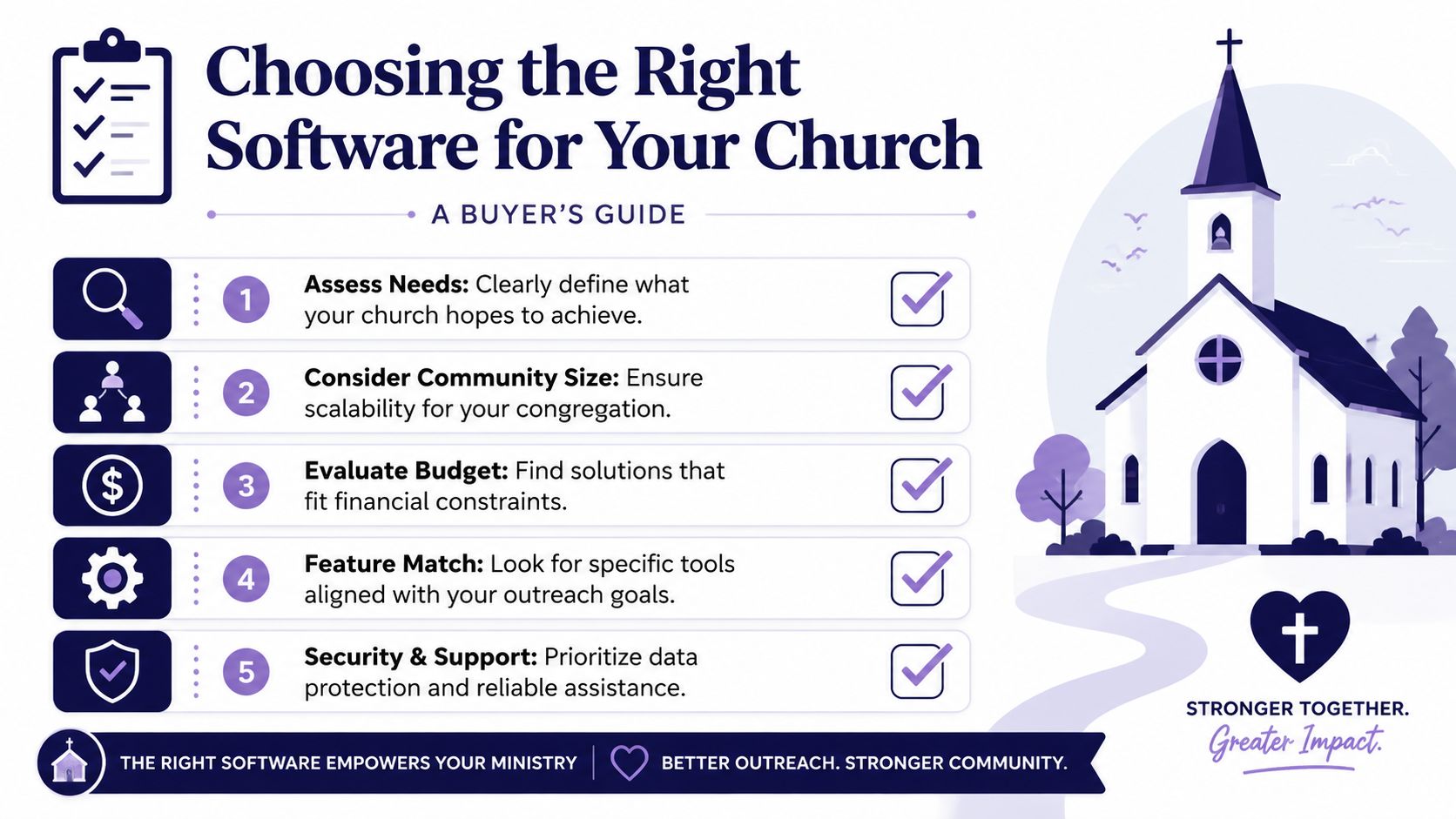
That's why choosing church outreach software starts with fit, not feature overload.
Start with the ministry problem
Before comparing dashboards, ask a more useful question. What problem are you trying to solve?
Some churches need help turning sermons into consistent social content. Others need a better planning workflow. Others need fewer handoffs between event scheduling and promotion. If you skip this step, it's easy to buy software that looks impressive but doesn't remove your actual bottleneck.
A church working on donor communication or broader ministry alignment may also benefit from adjacent planning resources like Alignmint for churches, especially when the bigger issue is team clarity rather than publishing alone.
The criteria that matter most
Here's a practical checklist you can use while comparing options.
| Criterion | What to Look For | Importance |
|---|---|---|
| Ease of use | Simple interface, clear calendar, low training burden for volunteers | High |
| Content workflow | Sermon-to-post tools, reusable templates, approval steps | High |
| Integrations | Connection with Planning Center, calendars, and existing ministry tools | High |
| Scalability | Works for one volunteer now and a larger team later | Med |
| Reporting | Tracks meaningful engagement, not just post completion | Med |
| Brand control | Templates, graphics editor, and voice consistency tools | Med |
| Support | Help docs, onboarding help, responsive assistance | High |
Questions worth asking on a demo
Not every platform reveals its weaknesses on the homepage. Ask direct questions.
- Who can approve content before it posts?
- How does the system handle events already living in another church tool?
- Can a non-designer make a usable post without outside software?
- Does the AI output need heavy rewriting, or is it a solid first draft?
- Will our volunteer team understand this after a short training session?
These questions usually surface the difference between software that looks powerful and software your church will use.
Think in seasons, not just today
A common buying mistake is choosing only for the current month. Better questions look ahead.
Will this still work when your event calendar gets busier? Can it handle multiple ministries posting at once? Can you keep a consistent voice if leadership changes or volunteers rotate?
For churches sorting through options side by side, a comparison guide like this one on church management software comparison for ministry teams can help frame the decision.
The right platform should remove recurring friction. If it creates new complexity, it isn't the right fit for your team.
Implementation and Best Practices for Success
Once a church chooses software, the next fear usually sounds like this: “Now who's going to run it?”
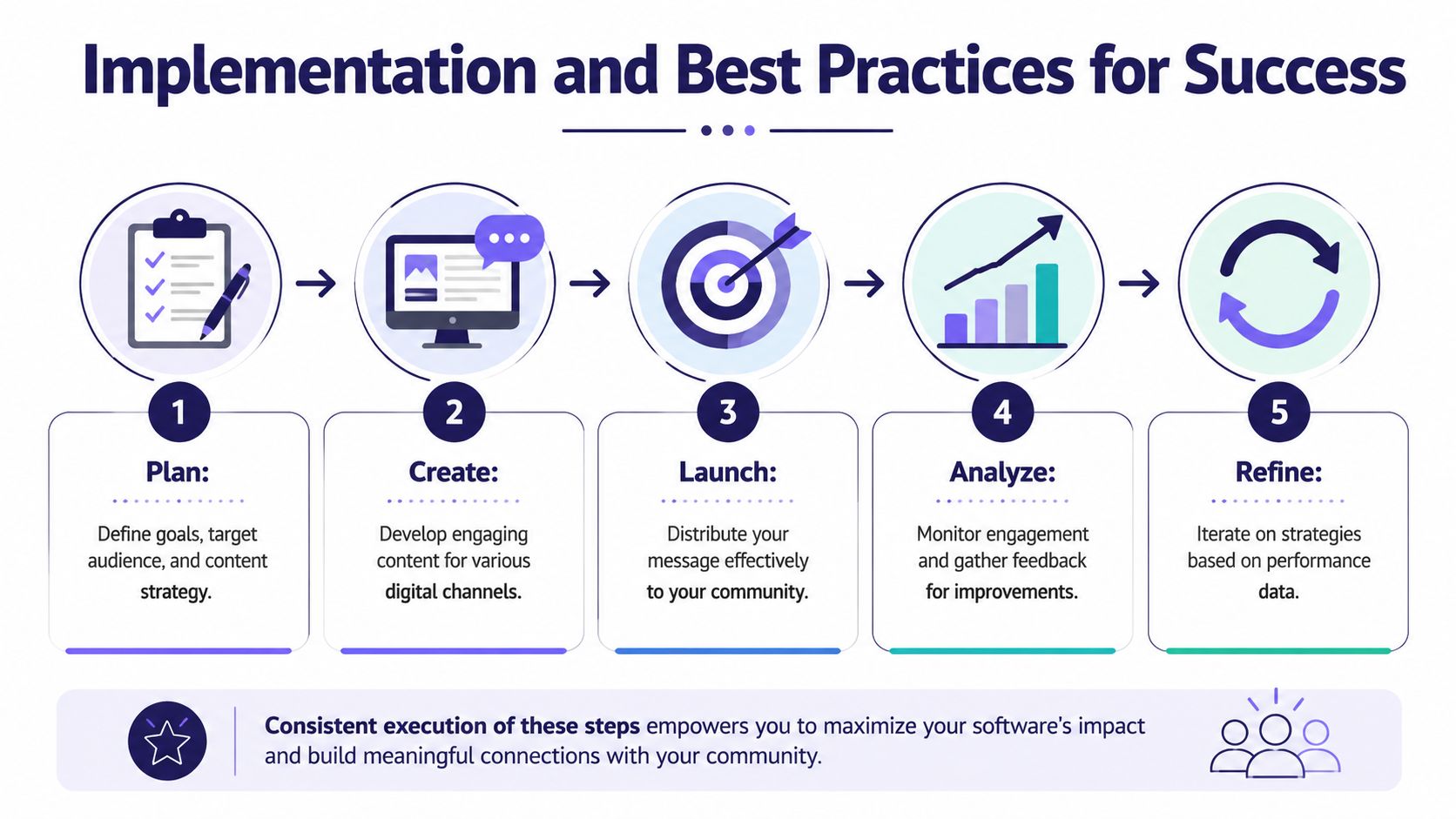
The good news is that implementation doesn't have to be heavy. Most churches do better with a simple rhythm than a complicated strategy document.
Use a simple ministry workflow
A steady process often works better than bursts of enthusiasm.
Plan
Pick a few content pillars for the month. Common ones include sermon moments, event invitations, community stories, and next-step opportunities.Create
Turn existing ministry material into content. Sermons, announcements, testimonies, and calendar events are usually enough to start.Schedule
Load posts into the calendar ahead of time so the team isn't always posting at the last minute.Engage
Reply to comments, answer messages, and notice who is asking practical questions.Refine
Look for patterns. Which posts led to conversations, registrations, or visits?
Keep the setup light
Churches often assume they need stronger hardware before adopting cloud-based tools. In many cases, they don't.
One church management provider notes that cloud-based systems can run well with about 5 Mbps download, 1 Mbps upload, 4 GB RAM, and an i3-class processor, adding that if a computer can play YouTube smoothly, it's generally enough for online systems through these church management solution requirements.
That's encouraging for volunteer-run teams using modest laptops at home or older office computers at church.
Avoid the most common mistakes
A few habits cause most of the frustration.
- Set-it-and-forget-it posting: Scheduled content helps, but people still need responses and follow-up.
- Too much event promotion: If every post is an announcement, your feed starts to sound like a bulletin board.
- No review process: AI drafts, graphics, and captions still need a human check.
- Trying every platform at once: It's usually better to be consistent in fewer places than stretched thin everywhere.
- No content bank: Save reusable photos, sermon clips, testimonial prompts, and recurring templates.
A church's social presence improves fastest when the team stops reinventing every post and starts reusing a few solid workflows.
Build around real ministry rhythms
Your posting plan should follow church life, not fight it.
A practical pattern might include a sermon clip early in the week, a discipleship post midweek, an event reminder later in the week, and a Sunday invitation before the weekend. That kind of rhythm feels manageable because it comes from what the church is already doing.
Measuring What Matters Online and Offline
The final test of church outreach software isn't whether the feed looks polished. It's whether digital activity helps people move closer to real community.
That's the question many churches are asking now. Barna's reporting on churches and digital tools points to a measurable pathway from online activity to real participation, not just more posting, with interest centered on actions such as visits, sign-ups, and volunteer involvement through Barna's analysis of church digital tools.
Better metrics for ministry
Online metrics still matter, but not all of them matter equally.
Comments, shares, saved posts, clicks to event pages, and direct messages usually tell you more than raw reach alone. They suggest someone is moving from passive viewing toward response.
Offline signals matter even more. Listen for things like these:
- A guest says they found the church through Instagram
- More people register after event posts go out consistently
- A sermon clip leads someone to watch online, then visit
- Volunteer inquiries increase after serving stories are posted
The real bridge
That's the promise of church outreach software when it's used wisely. It helps a church connect the sermon to the screen, the screen to the calendar, and the calendar to actual people showing up, asking questions, and getting involved.
Posting more isn't the goal. Helping people take a next step is.
If your church wants a simpler way to turn sermons into reels, create social posts and graphics, organize content on a visual calendar, and connect online communication with real ministry follow-through, take a look at ChurchSocial.ai. It's built for churches that need a practical system, not just another publishing tool.


