
The volunteer who posts your church's sermon clip on Tuesday night is probably doing it between dinner dishes, kid pickup, and a half-finished text thread about Sunday's setup. That's normal. It's also exactly why how to build trust online for a church has less to do with glossy branding and more to do with whether people can sense steadiness, honesty, and care in every small interaction.
Church audiences don't just ask, “Do I like this content?” They ask, often without saying it out loud, “Can I trust these people with my attention, my family, my questions, and maybe my hurt?” That's a different test from product marketing. A church can post beautiful graphics and still feel distant, unclear, or unsafe if the communication feels staged, inconsistent, or evasive.
The good news is that smaller teams can win here. A volunteer crew that responds quickly, tells the truth plainly, and keeps showing up with a clear voice can build more trust than a polished account that only looks active. The goal is not perfection. It's visible reliability.
Why Trust Is the Foundation of Digital Ministry
A church Instagram feed can look alive and still miss the mark. I've seen teams post sermon quotes, event flyers, and worship photos for months while their online audience stayed silent, because the content gave information but not confidence. People will not lean in if every post feels like a broadcast from behind glass.
A more useful question is whether your online presence behaves like a trustworthy pastor or a forgetful office. Trust online is fragile. Queue-it reports that consumers need an average of four good online experiences to trust a business, but only two bad experiences to lose trust, and that 74% say a reliable website or app drives trust while 73% say transparency does Queue-it's consumer trust statistics. That pattern matters in ministry too, because a church's digital voice is often the first proof of whether it is steady enough to visit, serve, or join.
What trust means when faith is involved
For a church, trust isn't just about competence. Congregants are also reading for spiritual authenticity, leadership integrity, and whether the community seems safe for newcomers and wounded people. A polished post can't cover for a confusing process, a disappearing response, or a tone that feels performative.
Practical rule: if your digital presence feels more curated than cared for, people notice before they ever comment.
A small church can have an advantage here. Volunteer teams usually know the community personally, which makes it easier to sound human, answer with context, and admit what the team is still figuring out. That kind of presence can be more convincing than a high-budget feed that never sounds like a real church.
A helpful self-check is simple. If your audience can't easily find a contact point, a policy, a next step, or a real human reply, trust is getting blocked somewhere. If you want a church-specific lens on that, the article on building an online church community pairs well with this work.
The Four Pillars of Online Trust for Churches

A church can post a clean logo, a verse graphic, and a smiling photo stream and still leave people unconvinced. Trust grows when reliability, transparency, authenticity, and safety show up together in the everyday details people check before they ever visit, comment, or give.
Reliability and transparency have to be obvious
Queue-it reported that people are less likely to trust after overselling, a website crash, or a slow website. For a church, the lesson is practical. If service times, event details, or livestream links are often wrong, people start assuming the rest of the communication is shaky too.
Transparency is not a polished paragraph at the bottom of the site. It means a complete contact footprint, clear policies, and leadership communication that does not hide behind vague language. If a church budget, youth policy, or event change affects people, say so in plain language. When that information is hard to find, the silence becomes the message.
A volunteer team can check this quickly. Open the website on a phone, look for the contact page, the next step for visitors, and the most recent updates. If any of those take too long to find, trust is being blocked before the first conversation even starts.
Authenticity and safety are not opposites
Authenticity is not oversharing. It is content that sounds like the people in the room and shows real life instead of stage-managed perfection. Safety means your public spaces, comment threads, and forms protect people who may already be cautious.
That balance matters because church audiences are not only judging whether the information is accurate. They are also reading for spiritual sincerity, leadership integrity, and whether the community seems safe for newcomers and wounded people. A post can be attractive and still feel performative if it never sounds like real ministry.
A simple self-assessment helps:
- Reliability: Are service times, links, and follow-up steps always accurate?
- Transparency: Can someone easily find your contact info, privacy notice, and basic policies?
- Authenticity: Do your posts sound like actual church life, or only like announcements?
- Safety: Do your comments, forms, and moderation practices make vulnerable people feel protected?
The quickest improvement usually comes from the weakest pillar. If your church already sounds warm but lacks clear policies, start there. If your policies are solid but the feed feels staged, make the content more human.
Creating Authentic Content That Builds Credibility
Most churches do not need more content. They need content that proves they are attentive, consistent, and safe to approach. The strongest posts usually come from actual ministry moments, not from a blank design canvas that tries to sound inspiring.
Use one sermon to create several trust signals
A sermon transcript can become a short clip, a discussion prompt, a blog summary, a carousel about one practical takeaway, and a follow-up question for comments. That kind of repurposing matters because it shows consistency without demanding fresh invention every day. ChurchSocial.ai can help with sermon-to-social workflows, including AI generated reels from sermons, AI generated content from the sermon transcript like social posts and blogs, graphic templates, an editor for photos and carousels, and a drag-and-drop calendar that keeps posts organized across channels.
The point is not volume for its own sake. It's turning one faithful teaching moment into a set of touchpoints that sound coherent across platforms. When people see the same message show up in different formats, they feel steadiness, and steadiness reads as trust.
Make your content look lived-in
Behind-the-scenes images from setup, prayer, greeting teams, kids ministry prep, or a volunteer packing boxes often build more trust than a polished stage photo. Not because polish is bad, but because ordinary ministry is easier to believe. A church that only posts its best angle can feel distant, while a church that shows work in progress feels present.
Member stories matter too, but they need specificity. Generic praise does not carry much weight. A better testimonial explains what changed, what the person struggled with, and what helped.
Keep the detail human: use real names only with consent, describe actual moments, and avoid turning every story into a brand slogan.
A balanced feed usually includes inspiration, teaching snippets, community spotlights, and transparent updates. If you want a clear framework for response tone after comments or questions, the guide on how to respond to comments fits naturally with this kind of content.
Transparency and Community Management Practices
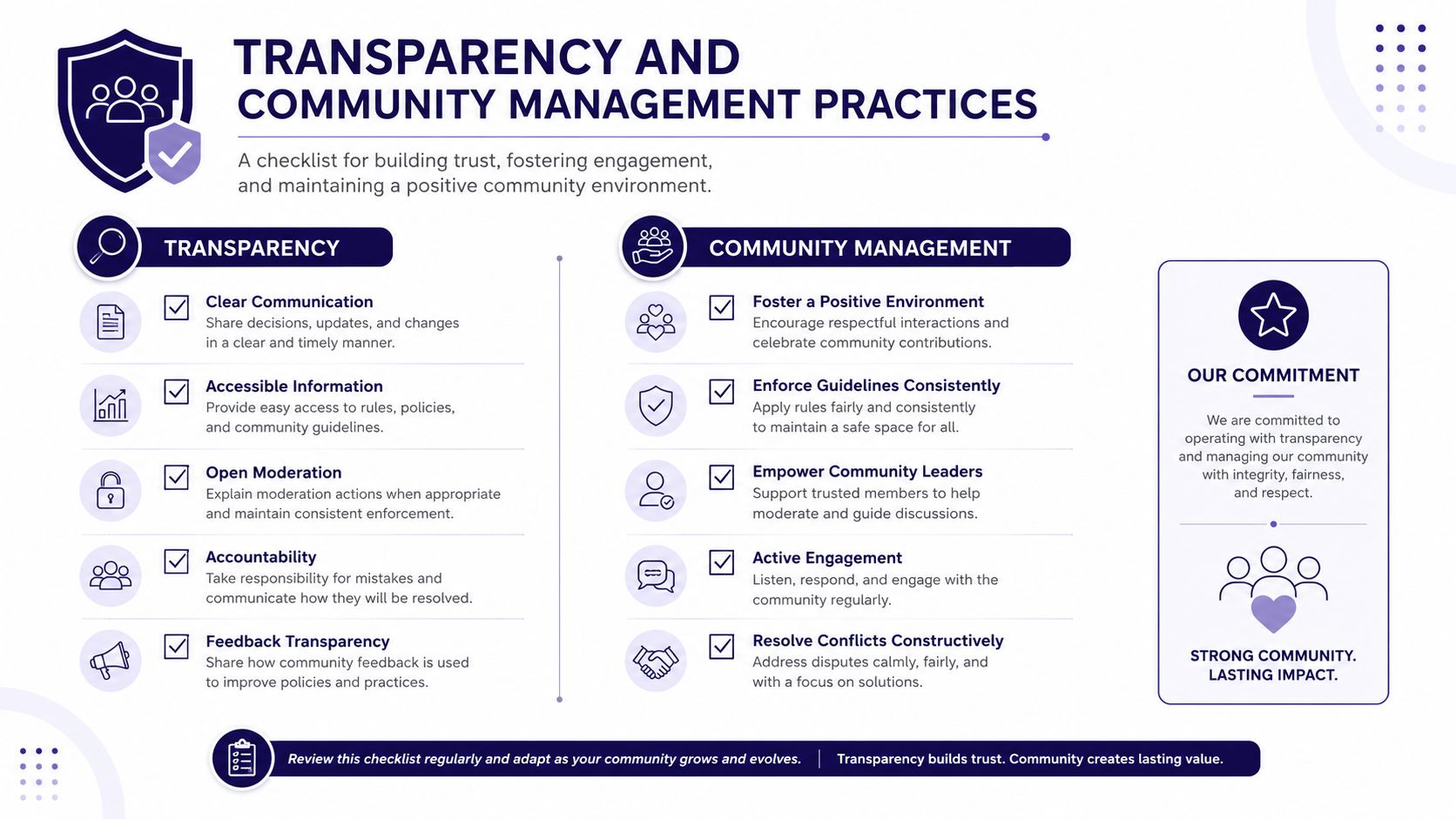
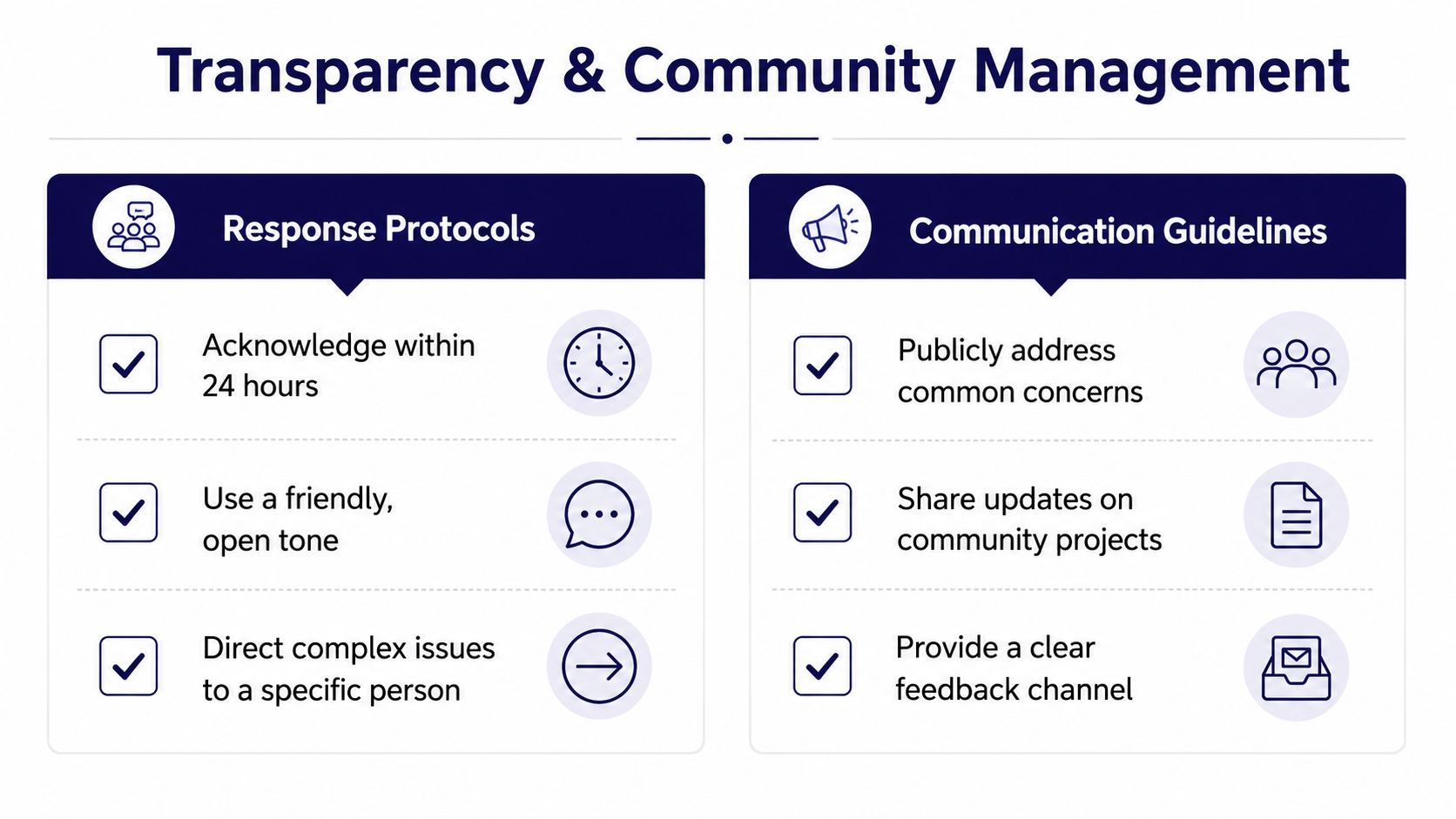
The comments section is where a church either earns credibility or spends it. People watch how you answer a complaint, whether you delete hard questions, and whether your tone changes when the message gets uncomfortable. That is not a side issue, it is public discipleship.
Make the rules visible before conflict starts
Clear moderation guidelines protect both the church and the people posting inside its spaces. Decide in advance what gets removed, what gets replied to, and what gets escalated. Then publish enough of that policy that people know the space is cared for, not controlled.
Data privacy deserves the same clarity. Since 77% of global consumers do not fully understand how their data is collected and used, 62% feel they have become the product, and 59% are uncomfortable with their data being used to train AI EMARKETER's summary of Usercentrics data, churches should avoid sloppy forms, unclear consent language, and hidden data practices. That is especially important when you collect prayer requests, registration details, or photos of minors.
Respond to criticism without defensiveness
A mature response does three things. It acknowledges the issue, names the next step, and keeps the tone calm. When the issue is public, your response should be public too. When the issue involves a person's safety or privacy, move it to a direct channel quickly.
For churches that want a security-minded lens on policies and digital risk, CEFCore's cyber security guidance is a useful companion read. It helps leaders think more carefully about who has access, where information lives, and how to reduce avoidable exposure.
The deeper trust question is whether marginalized or wary members can see themselves respected in your spaces. That means accessible language, clear contact paths, and feedback channels that don't assume everyone already knows your systems. If people with a history of exclusion feel dismissed online, they'll assume the same in person.
Measuring Trust Through Engagement and Retention Metrics
Follower count can be flattering and still tell you very little. A church may have plenty of likes and still struggle to move people from passive watching to real participation. Trust shows up in behavior, not just attention.
| Trust Metrics That Matter for Church Social Media | What It Measures | Healthy Benchmark | Warning Signs |
|---|---|---|---|
| Comment quality | Whether people ask real questions or only leave emojis | Questions, thoughtful replies, and story-based comments | Repeated silence, hostility, or only drive-by reactions |
| Response time | Whether staff or volunteers answer consistently | Replies that are prompt and predictable | Long gaps, uneven tone, or unanswered concerns |
| Repeat engagement | Whether the same people keep returning | Familiar names show up across posts | One-time reactions with no ongoing participation |
| Click-through to next step | Whether content moves people toward action | People follow links to forms, livestreams, or event pages | Many views, little follow-through |
| In-person connection | Whether online attention leads to real-world participation | More online-to-offline movement over time | Lots of online activity, little actual visitation |
| Accessibility testing | Whether people can access content and forms easily | Issues are found and fixed before they block participation | Broken forms, unclear text, or hard-to-read layouts |
Numbers only help when they're tied to behavior. A post with reach but no conversation is not building much trust. A smaller post that sparks thoughtful questions, prompt replies, and a few steady return visitors is often the stronger signal.
Qualitative feedback matters too. Ask a few regular viewers what made them keep watching, what still feels confusing, and what would make them more likely to visit. For teams that want to audit their content and access, accessibility testing options from WebAbility.io can help you catch friction that your own team has stopped noticing.
If you need a deeper framework for interpreting social engagement, the guide on community engagement metrics gives a good companion view. The point is to track trust over time, not chase a single viral moment.
Building Sustainable Workflows for Volunteer Teams

Even good ideas die when the team is tired. Volunteer ministry needs a rhythm that survives vacations, changing schedules, and the occasional week when nobody has extra margin. Trust grows when people see that the church can stay present without burning out the people behind the accounts.
Build a workflow that protects consistency
A workable content flow is simple. Plan monthly, draft from templates, review before posting, then schedule everything in one calendar. That keeps quality from depending on a single exhausted volunteer who is trying to invent posts at 10 p.m.
One of the cleanest ways to do that is to use a unified planning system that pulls events from church calendars, sermon content, and ministry priorities into one place. ChurchSocial.ai supports that kind of workflow by connecting planning and publishing around sermons and church events, which matters because volunteer teams usually need fewer tools, not more.
A useful weekly pattern looks like this:
- Planning: choose the sermon theme, event highlights, and one trust-building update.
- Creation: turn the sermon transcript into clips, captions, and a simple graphic set.
- Review: let one other person check tone, names, dates, and privacy concerns.
- Publication: schedule the posts, then watch comments and direct messages for follow-up needs.
Leave room for the unexpected
Crisis protocols matter because churches do not get to choose when hard news, conflict, or confusion hits. Decide who replies, who approves public statements, and what gets moved off social channels and into direct conversation. That keeps your team from improvising under pressure.
If your church is large enough to have rotating volunteers, role clarity matters even more. A volunteer management guide like Alignmint's volunteer management best practices is helpful because it reinforces the basics of handoffs, expectations, and accountability. Those same habits keep a digital team from losing momentum when the lead coordinator steps away.
The strongest workflow is not the fanciest one. It is the one that a tired volunteer can still use on a busy week without breaking trust. If you can plan one sermon, produce a week of content, respond with a clear voice, and keep the calendar updated, you're already ahead of most churches.
ChurchSocial.ai helps churches turn sermons, events, and everyday ministry moments into a steady, trustworthy social presence without adding chaos to the week. If your team needs sermon clips, post drafts, branded graphics, and a simple calendar that keeps everything moving, visit ChurchSocial.ai and see how it can support your church's online trust-building work.


