
Your volunteers are the heartbeat of every ministry. They open classrooms, run slides, answer messages, calm nervous kids at check-in, and stay late when everyone else has gone home. When they feel seen, they usually keep serving with energy. When they feel invisible, they often drift away.
That's why church volunteer appreciation can't live in the “nice if we get to it” category. It needs a real system. One church leadership resource notes that over 50% of church volunteers leave within the first year if they don't receive regular, tangible recognition, and it recommends a structured appreciation timeline instead of random gestures through the year, as outlined in ChurchPad's guidance on volunteer retention.
The good news is you don't need a big team or a fancy studio to do this well. With ChurchSocial.ai, churches can create AI-generated reels from sermons, turn sermon transcripts into social posts and blogs, build branded appreciation graphics with templates and an editor, and manage it all inside a simple drag-and-drop calendar. It also integrates with Planning Center and other church calendars, which makes it easier to connect volunteer moments, ministry events, and social content in one place.
1. Volunteer Spotlight Social Media Campaign

A spotlight series works because it turns appreciation into a habit. Instead of waiting for Volunteer Sunday or an annual banquet, you build a visible rhythm that reminds people their service matters every week.
The simplest version is a recurring post series. Run a weekly nursery spotlight, a monthly worship team reel, or a carousel that features three behind-the-scenes volunteers at once. ChurchSocial.ai makes this manageable because you can build a few reusable templates, write captions with the AI Caption Writer, and drop the whole series into the visual calendar ahead of time.
Build a repeatable format
Don't make every spotlight a long bio. Keep the structure tight so your team can sustain it.
- Pick one recurring theme: Try “Volunteer Wednesday,” “Serving Stories,” or ministry-specific features like greeters, kids check-in, parking, and production.
- Use one photo request form: Ask for a simple headshot, ministry role, one sentence about why they serve, and one favorite church memory.
- Create two post versions: One square graphic for Instagram and Facebook, and one vertical story or reel cover for short-form video.
A strong example is a children's ministry team that posts one volunteer each Wednesday and then reuses the same story in Sunday announcements, email, and a lobby screen. The appreciation lands in more than one place without creating extra work.
What works and what falls flat
Public recognition works best when it's specific. “Thanks for serving” is polite, but “Thanks for learning every child's name at check-in” feels personal. That difference matters.
Practical rule: Public honor works best when it reflects real contribution, not charisma.
There's another social-media angle here. Pro Church Tools recommends that 70% of a church's social posts should feature a real person from the congregation, and announcement posts should be cut by 75%, with sermon titles and event flyers limited to no more than seven of the last 30 posts, according to this Pro Church Tools teaching. A volunteer spotlight campaign helps you move toward that mix while making church volunteer appreciation visible to the whole congregation.
If you're short on content, use ChurchSocial.ai to pull volunteer-related moments from sermons, then turn those clips into reels and companion graphics. That's one of the easiest ways to keep the series going without chasing new material every week.
2. Volunteer Appreciation Event Promotion and Coverage
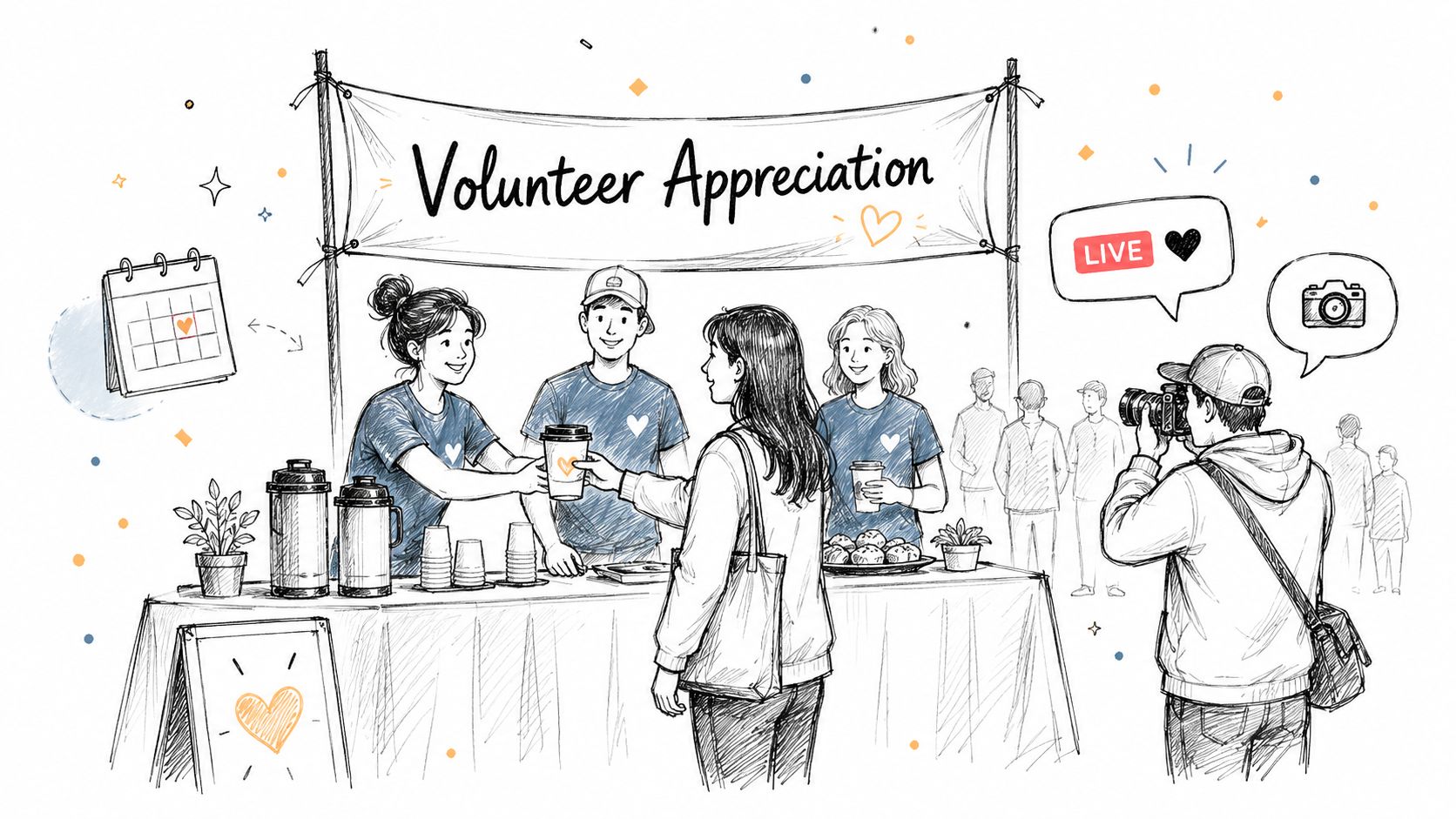
Sunday ends, the room is cleaned up, and someone says, “We should do a volunteer dinner next month.” That idea can still work, but only with structure. Volunteers notice the difference between a thoughtful appreciation event and a last-minute meal with a generic thank-you from the stage.
The strongest churches treat the event as one part of a longer communication plan. Start talking about gratitude well before the event date. Then use the event to make that appreciation visible, memorable, and easy to revisit afterward. ChurchSocial.ai helps small teams do this without adding a full extra project to the calendar.
A simple workflow works well:
- Four to six weeks before: Build the event in your content calendar and batch the promotion pieces at once.
- Two weeks before: Schedule team-specific invitation posts, email copy, and announcement slides.
- Event day: Assign one person to capture short vertical clips, two or three candid photos, and one quote from a ministry leader or volunteer.
- Within 48 hours after: Turn those assets into a recap reel, photo carousel, and short written recap inside ChurchSocial.ai.
That timing matters. If promotion starts too late, attendance drops and the event feels lightly attended even when people care. If coverage is delayed by a week or two, the appreciation loses energy and your team often never publishes the follow-up.
Here is a low-budget example I would recommend. A church hosts a volunteer brunch after second service. The communications lead syncs the date from Planning Center, uses ChurchSocial.ai templates to create one invitation graphic, one story slide, and one announcement screen, then schedules all three in one sitting. On the day of the brunch, a staff member records volunteers laughing, praying, and receiving handwritten notes. By Monday afternoon, ChurchSocial.ai turns those clips into a branded reel with captions, plus a short recap post the church can reuse in email and on lobby screens.
Coverage should show people, not just the room
A table setup photo is fine. A short clip of the kids ministry director thanking check-in volunteers by name is better. Specificity gives the event weight.
Use captions that mention real service, not vague praise. “Thank you to the parking team for showing up before sunrise” says more than “We love our volunteers.” That kind of language also helps members who were not in the room understand what service looks like.
There is a trade-off here. Live coverage creates momentum, but it can pull staff out of the event itself if the plan is too ambitious. Keep the shot list short. Get a welcome moment, one candid team interaction, one prayer, and one closing thank-you. That is enough for strong post-event content.
A good appreciation event creates three assets at once. An in-person experience, a public story, and a repeatable workflow for the next one.
ChurchSocial.ai is especially useful if your team is small or mostly volunteer-run. Save the event as a campaign template, duplicate it for the next quarter, and keep the same promotion and follow-up sequence. That gives your church a consistent rhythm of appreciation without rebuilding the process every time.
One caution. An event can highlight a healthy culture, but it cannot cover for a weak one. If ministry leaders stay quiet all year and speak warmly for one evening, volunteers will notice that gap right away. Use the event to reinforce regular appreciation that is already happening in team texts, hallway conversations, and Sunday leadership moments.
3. Volunteer Thank-You Video Series

Sunday ends, the room clears, and the week starts fast. A 20-second thank-you video recorded before your pastor leaves the building can do more for church volunteer appreciation than a polished post written three days later.
Video works because volunteers can hear gratitude, not just read it. Keep the tone conversational and the details specific. “Thank you, parking team, for arriving before first light and helping new families feel at ease” gives people a clear sense that their work was seen.
ChurchSocial.ai makes this practical for churches that do not have a media team on standby. Record quick clips on a phone, upload them, and use the platform's templates to add captions, trim pauses, place your logo, and schedule the finished reel on your content calendar. If your pastor thanks a ministry team during announcements or in a sermon moment, ChurchSocial.ai can also turn that existing footage into a short appreciation video, which saves another recording session.
Speed matters here. Volunteer management data cited by VolunteerHub's church coordination article shows that churches using volunteer management systems to track participation, attendance, and retention report stronger retention than churches relying on informal appreciation alone, and the same VolunteerHub article reports that 68% of volunteers who receive personalized, data-informed thank-you notes within 48 hours of service remain active for over 12 months. A short video fits that 48-hour window without creating extra writing work for staff.
Keep the format repeatable
A thank-you video series only works if your team can sustain it. I recommend building a simple monthly workflow inside ChurchSocial.ai instead of filming whenever someone remembers.
- Record by ministry role: Capture one short thank-you for kids volunteers, one for greeters, one for setup, one for worship, and one for care teams.
- Write from a template: Use ChurchSocial.ai prompts to generate captions that mention the actual service provided, the time given, and the people impacted.
- Schedule in batches: Load the clips into one monthly calendar so appreciation stays visible even during busy ministry weeks.
- Reuse live moments: Pull a clean 15 to 30 second sermon or stage clip when a leader names volunteer impact, then edit it into a midweek post.
There is a trade-off. Highly personalized videos mean more filming and coordination. Role-based videos are less individual, but they are easier to produce consistently and still feel thoughtful when the message is concrete.
One strong low-budget approach is to record five clips after Sunday service, process them in ChurchSocial.ai on Monday, and schedule them across the month using a saved campaign template. That gives your church a steady rhythm of public gratitude, keeps the workload realistic, and turns one short recording block into a full month of volunteer appreciation content.
4. Monthly Volunteer Impact Stories and Blog Series
Not every volunteer wants a public spotlight graphic. Some people would rather know their service changed someone's life. That's where impact stories do better work than applause alone.
A monthly story series gives your church volunteer appreciation more depth. Interview one volunteer, one family, or one ministry recipient. Then use ChurchSocial.ai to turn that interview transcript into a blog post, several social captions, a carousel, and an email feature. One conversation can serve every channel if you structure it well.
Show what the service accomplished
The strongest stories answer three questions. What did the volunteer do. Who did it help. Why did it matter.
This approach also fits a long-standing pattern in ministry appreciation. A historical shift in church volunteer recognition has been the use of year-in-review stats, milestone tracking, volunteer birthdays, logged hours, and automated monthly thank-you messages through church management tools, as described in Nick Blevins' volunteer appreciation ideas. The point isn't bureaucracy. It's clarity. When you can tell a volunteer, “Here's what your faithfulness made possible,” appreciation becomes more credible.
Turn one interview into several assets
Use a standard interview template so the process stays easy.
- Ask consistent questions: Why did you start serving, what's surprised you, what keeps you coming back, and what moment sticks with you most.
- Create one long and several short formats: Publish the full story as a blog, then pull quotes and short excerpts for social.
- Include ministry outcomes when appropriate: Children served, Sundays covered, or stories from families can help volunteers connect effort to impact.
“Thank you” is good. “Here's the difference your service made” is better.
One practical example is a food pantry volunteer story. Start with a short interview, let ChurchSocial.ai generate a blog draft from the transcript, build a carousel with a few quote slides, and schedule follow-up posts over the next two weeks. You're not just praising a person. You're showing the church what faithful service achieves.
5. Interactive Volunteer Recognition Challenges and Contests
If your congregation already comments, tags friends, and shares prayer updates online, interactive recognition can work well. If your church social pages feel quiet, don't start with a big contest that requires too much effort. Start small and obvious.
A simple challenge like “Tag a volunteer who helped your family” is often enough. ChurchSocial.ai helps because you can design the launch graphic, write multiple versions of the invitation copy, and schedule reminder posts in the calendar so the campaign doesn't disappear after one day.
Make participation easy
The mistake here is making people work too hard. Long nomination forms and complicated rules kill momentum.
Better options look like this:
- Comment-based nominations: Ask members to name a volunteer and share one sentence about why they matter.
- Story reposts: Invite people to submit a photo of a volunteer team in action.
- Theme weeks: Run a short series around greeters, kids ministry, hospitality, or prayer teams.
There's a deeper issue behind this too. Generic gratitude can backfire when it ignores burnout or uneven workloads. Payroll Partners' article on church volunteer appreciation argues that appreciation is strongest when it includes training people need to do the job and leadership development opportunities, not only gifts or public praise. That's especially relevant for high-stress roles like church social media volunteers, where “thanks” without support can feel hollow.
Use the challenge to listen, not just celebrate
A good challenge surfaces names. A great one surfaces patterns. You may notice the same team gets thanked repeatedly while another team gets almost no mention. That doesn't always mean one group serves better. Sometimes it means one role is visible and another is forgotten.
Run a challenge, then act on what you learn. If your digital volunteers, safety team, or early setup crew rarely get named, build a specific appreciation plan for them in ChurchSocial.ai and give them public attention they usually miss.
6. Volunteer Milestone and Anniversary Recognition Program
Milestones matter because they tell volunteers the church noticed the length of their faithfulness, not just the latest thing they did. That's a different kind of encouragement. It says, “We've been paying attention.”
This is one of the easiest church volunteer appreciation systems to automate. ChurchSocial.ai can support the content side with milestone graphics, captions, reels, and scheduled posts, while integrations with Planning Center and other church calendars make it easier to identify who should be recognized and when.
Build a milestone ladder your team can sustain
Keep the categories simple. Recognize first-year volunteers early, then celebrate longer-term anniversaries with a more visible post, note, or Sunday mention.
A practical monthly workflow looks like this:
- Review upcoming milestones: Pull names from your volunteer records at the start of each month.
- Use service-length templates: Create one visual style for newer volunteers and a distinct one for long-term anniversaries.
- Pair public and private appreciation: Post the recognition online, then send a note, certificate, or small gift separately.
This isn't just sentimental. Earlier, we noted the importance of systematic recognition. Milestones create predictable moments so appreciation doesn't depend on a pastor remembering in a busy week.
Add meaning, not just names
A milestone post shouldn't read like a spreadsheet. Include the role, a specific contribution, and one sentence that tells people what this person has done for the church.
For example, instead of “Celebrating Linda for five years,” write a caption that honors how she has welcomed families at kids check-in, stayed calm on busy Sundays, and helped new volunteers feel comfortable. Then use ChurchSocial.ai to turn that same recognition into a story slide, a carousel, or an annual compilation reel.
Worth repeating: The most effective milestone recognition combines public visibility with personal specificity.
That balance keeps the post from feeling performative while still letting the whole church celebrate with you.
7. Volunteer Impact Dashboard and Transparency Communication
The last layer is visibility at the church-wide level. Individual spotlights are powerful, but they don't replace a clear picture of what volunteers accomplished together.
A simple impact dashboard can do that. It might live as a quarterly graphic, a year-end carousel, or a short reel that summarizes ministry service across teams. ChurchSocial.ai is useful here because you can turn the same source material into multiple formats without designing each one from scratch.
Track only what your team will actually review
Don't bury a volunteer team in analytics. For social content, Sermon Clips' guide to church social media analytics recommends a monthly review limited to 15 minutes and focused on exactly four metrics: unique reach, saves and shares, video completion rate, and profile visits that convert to website clicks. That narrow review keeps volunteer teams from getting overwhelmed.
For appreciation content, use the same mindset. Track enough to learn, not so much that the reporting itself becomes the ministry.
- Measure volunteer-facing content performance: Which spotlight posts get saved, shared, or watched to completion.
- Watch for response patterns: Which teams or stories spark comments from the congregation.
- Use the findings to improve recognition: If impact stories connect better than graphics alone, make more of them.
Combine outcomes and responsiveness
There's also a pastoral side to transparency. If volunteers help run your church's online presence, recognition should include response standards and healthy workflows. One church social media management resource says churches should respond to every comment within 24 hours and reply to every direct message in about 60 minutes, noting that DM speed is one of the highest-converting variables and delays of up to 3 days reduce conversion potential, according to Ministry Automation's social media management guidance. Volunteers handling digital ministry deserve appreciation for that hidden labor too.
One realistic scenario is a solo communications volunteer who monitors DMs, clips sermons, posts events, and updates the calendar. That person may never stand on stage, but the ministry is visible because they keep showing up. Build dashboard reports and public thank-yous that include those invisible roles. ChurchSocial.ai makes that easier by centralizing the content calendar, AI-generated sermon content, graphics, and publishing workflow in one place.
Church Volunteer Appreciation: 7-Point Comparison
| Item | Implementation Complexity 🔄 | Resource Requirements ⚡ | Expected Outcomes 📊⭐ | Ideal Use Cases 💡 | Key Advantages ⭐ |
|---|---|---|---|---|---|
| Volunteer Spotlight Social Media Campaign | Low–Moderate 🔄: recurring scheduling + short interviews | Low–Moderate ⚡: templates, scheduling time, brief interviews | 📊 Steady morale & reach; ⭐ Moderate ongoing engagement | Regular social recognition; recruit volunteers via stories | ⭐ Builds community connection; easy templated execution |
| Volunteer Appreciation Event Promotion & Coverage | Moderate–High 🔄: event planning + live content workflow | Moderate–High ⚡: venue, staffing, real-time capture, post-production | 📊 High visibility & attendance spikes; ⭐ Strong communal affirmation | Annual/quarterly appreciation events, milestone banquets | ⭐ Concentrated recognition moment; lots of repurposable content |
| Volunteer Thank-You Video Series | Moderate 🔄: recording coordination + post-production automation | Moderate ⚡: recording devices, coordination time, editing tools | 📊 High emotional impact & shareability; ⭐ Strong platform engagement | Leadership thank-yous, weekly/monthly reels, in-service shares | ⭐ Authentic voice of leadership; highly shareable across channels |
| Monthly Volunteer Impact Stories & Blog Series | Moderate–High 🔄: interviews, drafting, editing cycles | Moderate ⚡: interview time, writing/editing (or AI refinement) | 📊 Deep storytelling & SEO value; ⭐ Long-term inspiration & recruit | Thought leadership, newsletters, multi-format content planning | ⭐ Produces multi-format assets; deep, contextual recognition |
| Interactive Volunteer Recognition Challenges & Contests | Moderate 🔄: campaign rules, promotion, moderation | Low–Moderate ⚡: promotional assets, moderation, small prizes | 📊 High engagement & UGC; ⭐ Potential viral reach | Short-term engagement boosts, youth/online participation drives | ⭐ Low-cost, high-impact engagement; peer-to-peer recognition |
| Volunteer Milestone & Anniversary Recognition Program | Low–Moderate 🔄: automation setup + personalization | Low ⚡: data sync, templates, occasional gifts | 📊 Consistent retention & equity; ⭐ Predictable, meaningful touchpoints | Ongoing retention strategy, anniversary/tenure recognition | ⭐ Automated and equitable recognition; reduces manual oversight |
| Volunteer Impact Dashboard & Transparency Communication | Moderate–High 🔄: data collection, validation, visualization | Moderate ⚡: tracking systems, analytics time, design resources | 📊 Data-driven credibility & resource justification; ⭐ Strategic insight | Quarterly/annual reports, leadership updates, fundraising asks | ⭐ Demonstrates measurable value; informs strategy and recruitment |
Putting Appreciation into Practice
The best church volunteer appreciation plans aren't the most elaborate ones. They're the ones your church can consistently repeat. A weekly spotlight, a monthly story, a milestone post, and one well-planned event will usually do more for culture than a single oversized celebration that drains the team and disappears for another year.
Start with one system, not seven. If your social presence is inconsistent, begin with a volunteer spotlight series in ChurchSocial.ai and schedule the next several weeks in the drag-and-drop calendar. If your church already posts regularly, add a thank-you video rhythm or a milestone program. If your team struggles to prove impact, turn one volunteer interview into a blog, a reel, and a carousel so appreciation becomes visible and concrete.
Consistency matters because volunteers notice patterns. They can tell when recognition is part of the culture and when it's a reaction to a staffing problem. They can also tell when appreciation is generic. A gift bag is nice. A post that names what they did, a pastor who thanks them in the moment, and a story that shows who they helped will usually mean more.
For churches managing social media with a small staff or a rotating volunteer team, ChurchSocial.ai is a natural fit. You can create AI-generated reels from sermons, turn sermon transcripts into social posts and blog drafts, use templates to build branded appreciation graphics, and organize every campaign in one calendar that integrates with Planning Center and other church calendars. That means less scrambling and more follow-through.
If you need inspiration for pairing digital recognition with physical thank-you moments, this guide on crafting customer thank you mail offers a useful complement to your online appreciation rhythm.
Pick one idea and launch it this week. Then keep going next week. That's how appreciation becomes culture, and that's how more volunteers stay encouraged, stay connected, and keep serving with joy.
ChurchSocial.ai helps churches turn volunteer appreciation into a repeatable system instead of a last-minute scramble. Use ChurchSocial.ai to create sermon-based reels, generate social posts and blogs from transcripts, design branded graphics with templates, and schedule every appreciation campaign in one visual calendar that works for solo volunteers and full communications teams alike.


