

When you think about your Sunday sermon, what's the goal? To share a message that sticks with people, right? Taking that sermon and creating short video clips is how you make that message stick all week long. It's about finding those powerful, goosebump-inducing moments, trimming them down, and adding captions so people can watch even with the sound off.
You're essentially transforming a long message into multiple, bite-sized highlights—the kind of content that's perfect for a quick scroll on social media and a powerful way to extend your ministry's reach.
Why Shareable Video Clips Are Essential for Your Ministry
In a world where so much connection happens through a screen, your church’s message has a massive opportunity to break through the noise. Short, shareable video clips aren't just a trendy thing to do; they've become a core part of modern ministry. They let you reach people far beyond your church walls, long after the Sunday service has wrapped up.
Think about it. A single 40-minute sermon can be repurposed into several powerful, one-minute moments. These clips keep your own congregation fed and inspired throughout the week. But they also act as little digital invitations, introducing your ministry to someone who might just be scrolling through their feed looking for a little hope.
Meeting People Where They Are
The best outreach always meets people right where they are, and today, that's on platforms like Instagram, TikTok, and Facebook. This is exactly where video shines. The numbers don't lie: according to recent video marketing statistics, people have a clear preference for how they want to connect with a message online.
Now, for many churches—especially if you're working with a small team or relying on dedicated volunteers—the idea of creating regular video content can feel totally overwhelming. The thought of sifting through sermons, editing clips, creating graphics, writing captions, and then posting to multiple accounts sounds like a full-time job in itself.
This is where having the right tools makes all the difference. The goal is to turn a complicated, time-consuming task into a simple, effective outreach strategy that anyone on your church team can manage.
This is exactly the problem ChurchSocial.ai was built to solve. With ChurchSocial.ai, you can create AI-generated reels from your sermons in minutes. Our platform can also create AI-generated content from the sermon transcript, like social posts, blogs, and small group questions. We provide graphic templates and an editor to create and post photos and carousels, and our simple drag-and-drop calendar allows your church to easily manage and update all of its social media. It makes building a vibrant digital presence that truly reflects your church’s heart not just possible, but genuinely easy—no matter your size or technical skill.
To help you visualize the possibilities, here’s a quick look at how different types of clips can serve your ministry.
Video Clip Impact on Church Engagement
This table provides a quick overview of how different types of video clips can serve your church's digital ministry goals.
As you can see, each type of clip has a specific job to do, helping you connect with your community in a more meaningful and targeted way.
How to Find Compelling Moments in Your Sermons
Every single sermon is packed with those "golden moments." You know the ones—the relatable story, a profound insight that makes you pause, or even a funny line that gets the whole room laughing. The raw material is there. The real challenge is pulling out those specific segments that can stand on their own as powerful 30-to-90-second video clips.
This means you have to start listening with a social media mindset. Instead of just taking in the entire message, you need to train your ear for standalone thoughts that have a clear beginning, middle, and end. These are almost always the parts of the sermon where the congregation leans in, nods along, or bursts out laughing. They’re self-contained nuggets of wisdom.
Identifying Clip-Worthy Content
So, what exactly are you listening for? The best clips for social media almost always fall into one of these categories:
- Actionable Advice: A clear, practical tip someone can apply to their life right away.
- Relatable Stories: A short, personal story that makes a biblical truth stick.
- Powerful Quotes: That one sentence or two that just perfectly sums up the core idea.
- Moments of Vulnerability: A genuine, heartfelt moment that shows authenticity and builds a real connection.
This simple workflow shows how a full message gets distilled down into a shareable clip that can reach a much wider audience.
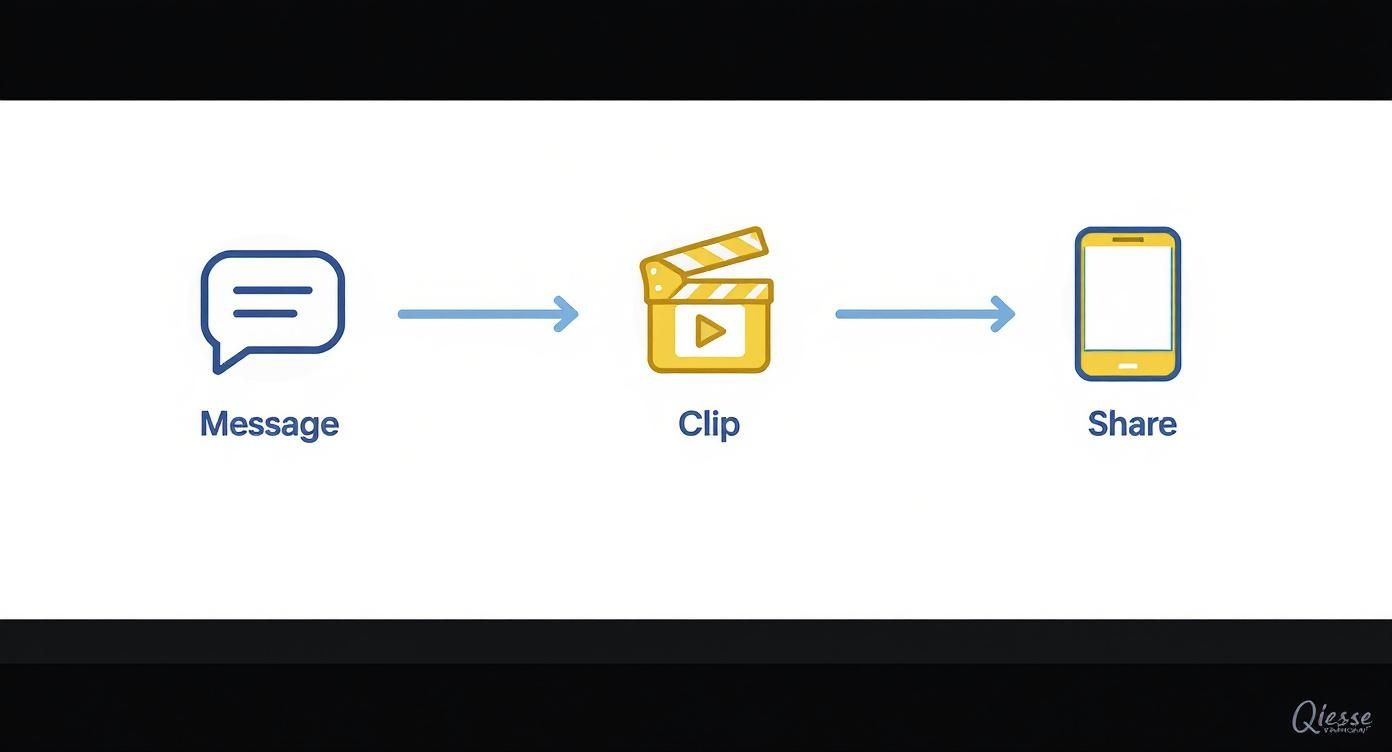
It’s all about taking that core message, finding its most potent segment, and putting it directly where people are already spending their time.
The Manual Way vs. The Automated Way
Let's be honest, manually scrubbing through a 45-minute sermon recording is a grind. It usually means re-watching the whole service, jotting down timestamps, and then sending those notes over to a volunteer or staff member for editing. This process can easily eat up hours every single week, creating a massive bottleneck in your content plan.
The most effective content strategies are the ones you can actually sustain. If finding clips becomes a weekly chore, it’s the first thing that will get dropped when your team gets busy.
This is where technology can completely change the game for your church. Instead of that manual search, you can use a tool built to do the heavy lifting for you. With a platform like ChurchSocial.ai, the whole process shifts from a tedious task to a simple, streamlined workflow.
You just upload your sermon, and our AI gets to work. It analyzes the entire transcript to automatically generate engaging, AI-generated reels from your sermon, complete with captions ready to go. This kind of automation frees up your team to focus on the message itself, not the mechanics of making videos.
Simple Editing That Makes Your Clips Shine
Video editing can sound like a huge, technical mountain to climb, but honestly, it's never been easier to add a professional polish to your sermon clips. Forget about needing a Hollywood-level editing suite. These days, it’s all about a few key touches that make a world of difference in how people connect with your message online.
The first and most important step? Clean cuts. Start the clip right when the powerful statement begins and end it the second it’s over. Trimming out the "ums," long pauses, and intro fluff makes your clip feel tight, intentional, and respectful of your viewer's time.
Key Elements for Polished Clips
Once you’ve got a clean trim, a few simple additions can take your video from a raw file to a genuinely engaging piece of social media content.
- Background Music: Never underestimate the power of a subtle instrumental track. It can add a layer of emotion to a poignant moment or a boost of energy to an inspiring one. It just feels more complete.
- On-Screen Captions: This is absolutely essential. Most people scroll through their feeds with the sound off. If you don't have captions, they'll just keep scrolling, and your message will be completely missed.
- Branded Graphics: A simple logo in the corner or a branded frame doesn't just look good—it builds brand recognition over time. It makes your content instantly identifiable as coming from your church.
The goal isn’t to become a video production pro overnight. It’s about making your clips as easy to watch and as impactful as possible for someone scrolling on their phone. Simple, clean, and clear always wins.
Streamlining the Editing Process
This is where having a tool built specifically for churches is a game-changer. While there are tons of great video editors out there, the learning curve can be a real time-sink for a busy church team. The world of video creation has become much more accessible, which is fantastic news for churches, empowering volunteers and staff to create incredible content without needing a film degree.
And that’s exactly why we built these essential editing features directly into ChurchSocial.ai. Our AI automatically generates accurate captions for your AI-generated reels in seconds. Then, you can use our graphic templates and editor to add your church logo and a branded frame. It’s all right there, designed for ministry. For those looking at other AI options, an AI video generator from text can be another powerful tool in your arsenal.
This all-in-one approach means any volunteer can jump in and create a high-quality, shareable clip in just a few minutes. It frees up your team to focus on what really matters—ministry—not on fighting with complicated software.
Editing Tool Comparison for Churches
Choosing the right tool can make a world of difference for your church's workflow. Here’s a quick look at how a dedicated platform stacks up against traditional, general-purpose software for creating sermon clips.
Ultimately, the best tool is the one your team will actually use. For most churches, a specialized platform like ChurchSocial.ai removes the technical barriers, making it possible to consistently share your message without burning out your volunteers.
Turn One Sermon into a Full Week of Content
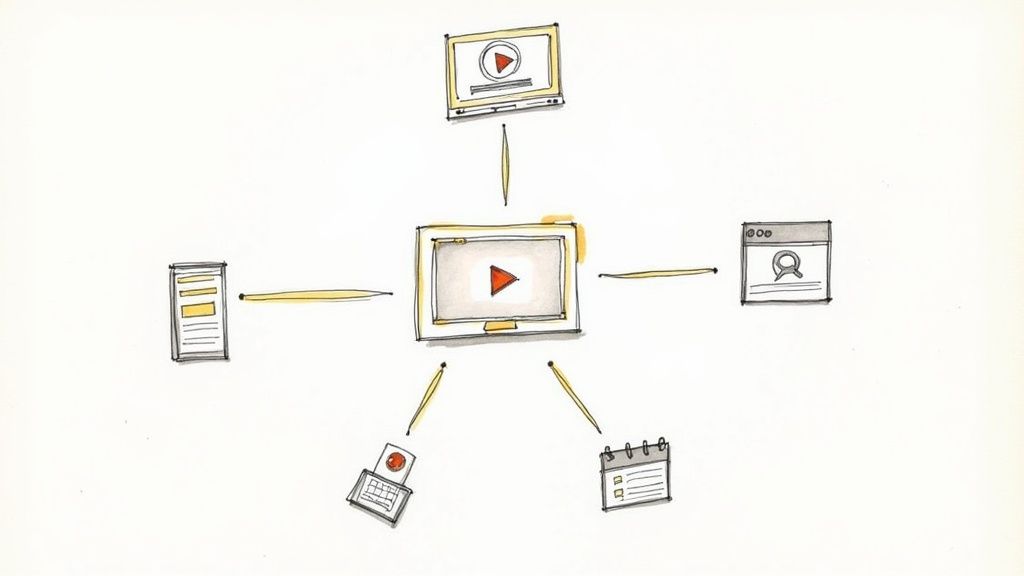
Your weekly sermon is a goldmine. But if its life ends when the Sunday service is over, you're leaving a massive amount of impact on the table. Think of creating video clips as the first step, not the last. The real magic happens when you strategically multiply that single message into a full week of content that meets people where they are.
This isn't about creating more work; it's about working smarter. By building a content plan around your sermon, you reinforce the core message across all your platforms. Instead of the frantic Monday morning scramble for "what do we post this week?", you have a deep well of meaningful content ready to go. This is how you build a consistent, powerful online presence without burning out your team.
Beyond the Video Clip
Let's get practical. How can one sermon point be communicated in multiple ways? A powerful quote from the message doesn't have to live only in a video clip—it can become a stunning graphic. A moving personal story can be fleshed out into a short, encouraging blog post.
Here are a few simple ways to get more mileage from every single sermon:
- Quote Graphics: Pull out the most memorable one-liners. Use a simple tool (like the editor in ChurchSocial.ai) to overlay the text on a branded background. These are absolute gold for Instagram and Facebook feeds.
- Social Posts: Grab a key scripture or insight from the sermon and write a short, 2-3 paragraph social media caption. This is perfect for a daily post that prompts personal reflection and prayer.
- Blog Post Summaries: Draft a quick blog post that hits the main takeaways from the sermon. This is fantastic for your website's SEO and gives people who missed the service a way to catch up.
- Discussion Questions: Pull out 3-5 application-focused questions from the sermon. You can post these on social media to get a conversation going or send them directly to your small group leaders.
The goal isn't just to post content; it's to start conversations. When you repurpose your sermon, you give your community more doors to walk through to engage with the message on their own terms.
Automating Your Content Creation
Now, I know what you’re thinking: that sounds like a ton of work. And if you’re doing it all manually, it absolutely can be. This is the exact pain point we built ChurchSocial.ai to solve. Our AI doesn’t just help you create AI-generated reels; it can take your sermon transcript and instantly generate a whole suite of content ready for you to review and post.
With a single click, you can get AI-generated social posts, blogs, and even those small group discussion questions. Our built-in graphic editor and templates make creating those quote graphics a simple drag-and-drop affair. If you want to really explore content repurposing strategies in more detail, it's a game-changer. We've also put together a guide on the best content repurposing tools right here on our blog.
Ultimately, a system like this hands your team back countless hours, freeing them from the creative grind to focus on what matters most: ministry.
Schedule Your Posts for Consistent Digital Outreach
You’ve done the hard work of creating a library of powerful video clips, social posts, and quote graphics. That’s a massive win! But their real power is unlocked through consistent delivery. A brilliant video clip posted once in a blue moon will just get lost in the digital noise.
What truly builds community, creates momentum, and keeps your church’s message in front of people all week long is a steady, predictable rhythm of content.
This is where so many church comms teams, especially volunteers, hit a wall. The pressure to post something, anything, every single day leads straight to burnout. The secret isn't posting constantly; it's posting consistently. A sustainable schedule will grow your reach without running your team into the ground.
Building a Sustainable Content Calendar
A great place to start is by planning your content around your current sermon series. This weaves a cohesive story across all your social platforms and keeps reinforcing the message from Sunday.
Think about a weekly rhythm. You could schedule a key sermon clip on Monday, a related quote graphic on Wednesday to get people thinking mid-week, and maybe a call to worship or a weekend reminder on Friday.
This isn’t just about filling slots on a calendar. It turns your social media from a random collection of posts into an intentional discipleship tool, giving your community multiple touchpoints with the same core truth.
Consistency is more important than frequency. A reliable schedule of three high-quality posts per week is far more effective than posting seven times one week and then going silent for the next two.
This is where having the right tool is a game-changer. With ChurchSocial.ai, you can wave goodbye to the daily scramble. Our simple drag-and-drop calendar lets you plan and schedule an entire month’s worth of AI-generated reels, graphics, and event announcements in one sitting. It transforms social media management from a daily chore into a strategic monthly task.
Automate and Integrate for Greater Impact
Imagine your church’s social media running smoothly in the background, keeping everyone in the loop without you having to manually post every update. This isn't some far-off dream; it's what happens when your tools work together.
For instance, ChurchSocial.ai integrates with other church calendars like Planning Center. That means when you add a youth group event or a community outreach day to your main church calendar, our platform can automatically create content for events. This simple connection makes sure nothing falls through the cracks. Your community always feels connected and knows what’s going on.
If you really want to master the art of planning ahead, our guide on how to schedule social media posts dives into even more strategies. By putting the right tools to work, you can essentially put your digital outreach on autopilot. This frees you and your team up to focus on the face-to-face ministry that matters most.
Common Questions About Creating Sermon Clips
Diving into creating video clips can bring up a lot of questions, especially when you're trying to balance ministry duties with learning new skills. The good news is, many churches face the exact same hurdles when they first start out. Let's walk through some of the most common questions we hear and get you some straightforward answers.
What Equipment Do I Really Need to Get Started?
You can absolutely start with less than you think. The single most critical element for a great sermon clip is clear audio, and your church likely already has a good system for recording weekly messages. Honestly, that's the biggest piece of the puzzle right there.
For the video, a modern smartphone on a simple tripod can capture fantastic, high-quality footage. You don't need a fancy multi-camera setup just to get in the game. The real magic happens after you've recorded.
A tool like ChurchSocial.ai is built to make any footage look polished. It helps you create AI-generated reels from your sermons and adds professional touches like animated captions and branded graphics, so you can create compelling clips without a big budget for gear.
How Long Should Our Video Clips Be for Social Media?
This is a great question, and the ideal length really depends on where you're posting. Different platforms have different appetites for content, and knowing the sweet spot is key to grabbing and holding attention.
Here’s a quick guide to think about:
- Instagram Reels & TikTok: Aim for 30-90 seconds. These platforms are all about quick, impactful moments. Your goal is to deliver one powerful point or story that makes someone pause their scroll.
- Facebook & YouTube Shorts: You have a little more breathing room here. Anything under two minutes is a solid rule of thumb. People on these platforms are often willing to engage with slightly longer content if it's compelling.
The main takeaway is to be concise. This is where ChurchSocial.ai’s AI becomes so valuable—it’s specifically designed to find these perfect, bite-sized moments for you, completely taking the guesswork out of it.
Is This Manageable for a Small Church with Limited Volunteers?
Absolutely. In fact, this is the very problem platforms like ChurchSocial.ai were created to solve. We know that traditional social media management is a massive time commitment that can quickly lead to volunteer burnout. It’s just not sustainable for most churches.
Our AI automates the most time-consuming parts of the job. It creates AI-generated reels, generates accurate captions, and can even generate AI content from the sermon transcript like social posts, blogs, and more. With our graphic templates, editor, and drag-and-drop calendar, we make it easy to manage all of your church's social media.
This kind of system empowers a single volunteer to manage a consistent and engaging social media presence in just a few hours a week. It makes digital outreach a sustainable part of your ministry, not another burden to carry.
How Do We Make Sure Our Clips Actually Reach New People?
Getting your content in front of new people in your community involves a few simple but effective strategies. First, use relevant hashtags that relate to your sermon's topic (like #hope, #faith, or #[yourcity]). Next, try writing captions that ask a question to encourage comments and conversation.
But most importantly, post consistently. This is the number one signal to social media algorithms that you are an active creator worth showing to a wider audience. ChurchSocial.ai makes this easy by helping you plan and manage your church social media accounts, which dramatically increases your chances of being discovered.
Ready to stop spending hours on social media and start reaching your community more effectively? ChurchSocial.ai gives you the AI-powered tools to turn your sermons into a full week of content, plan your posts on a simple calendar, and grow your digital ministry without the stress. See how easy it can be at https://churchsocial.ai.


