

Picture this: you've just finished editing a fantastic TikTok video to announce your church's big Easter service. You post it, only to realize the service time is completely hidden behind the "like" and "comment" buttons.
That frustrating experience is exactly why understanding the TikTok video safe zone is so important. It's the part of your screen that stays totally clear of TikTok's interface, making sure your message is always seen.
Why This Invisible Frame is Crucial for Your Ministry
Think of the safe zone as good digital stewardship. Every video is a chance to connect with people and share a message of hope. If that message gets covered up by a username or a caption, you've lost the opportunity. It's a surprisingly common mistake, but thankfully, it's also an easy one to fix.
When your key details—like service times, a special event location, or a powerful quote from Sunday's sermon—are blocked, it doesn't just annoy the viewer. It can make your church's content look unplanned or unprofessional, which works against all the effort you put in.
The Difference a Clean Video Makes
Getting the safe zone right instantly makes your videos look more polished and professional. It shows your audience you care about communicating clearly and are intentional with what you share online. This small detail has a big impact on how your ministry comes across.
- Guarantees Clarity: Your main point, whether it's an invitation or a word of encouragement, never gets lost in the noise.
- Improves Engagement: People are far more likely to interact with content that’s easy to read and looks professional.
- Protects Your Work: It ensures the time you spent creating the video actually pays off.
Designing within the safe zone makes your content accessible to everyone. You’re removing a small but real barrier that might stop someone from taking the next step, whether that's visiting your website or just thinking on a powerful message.
For your church, this isn't just about design—it's about effective outreach. You want every second of your content to serve its purpose without any distractions.
Once you get the hang of it, you’ll see how essential this is for creating great content. If you're just starting out, our guide to getting started on TikTok for churches can walk you through the basics.
Knowing the rules is the first step. The next is putting them into action. This is where the right tools can save you a ton of headaches. With ChurchSocial.ai, you can use our graphic templates and editor to create and post photos and carousels, all designed with these safe zones in mind, so your message is always front and center—automatically.
Understanding TikTok Safe Zone Dimensions
Getting your TikTok video’s safe zone right is a game of pixels, and it’s one you need to win if you want your church’s message to land clearly.
Think of your phone screen as a stage. The safe zone is the brightly lit center where the main action happens. The edges of the screen? That's where TikTok puts the curtains and props—the username, caption, share buttons, and all the other interface elements. Your goal is to keep every critical piece of information firmly in that center stage.
The Pixel-Perfect Measurements
For a standard full-screen vertical video (1080x1920 pixels), the safe zone isn’t just a vague middle area; it has exact dimensions. These measurements are your blueprint for creating polished content that just works.
Here’s a quick-reference guide to keep your content clear and visible on a standard 1080x1920px video.
TikTok Safe Zone Quick Reference Guide (1080x1920px Video)
This table breaks down the essential margins you need to respect to keep your key elements from getting lost behind TikTok's interface.
Keeping your essential elements away from these margins is non-negotiable for clear communication. It's what separates a professional-looking video from one that feels accidental.
This visual guide breaks down why mastering the safe zone is so crucial for your ministry's impact and professionalism.
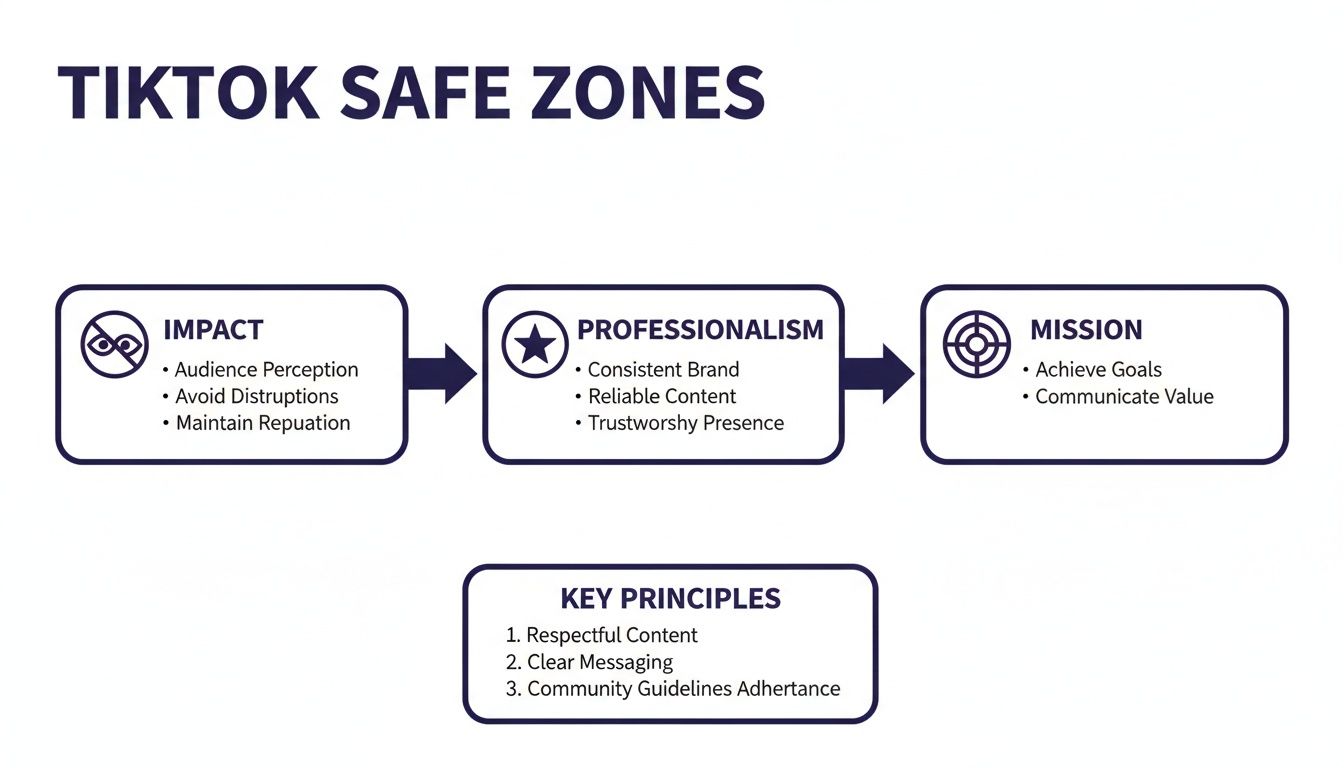
When you respect these boundaries, your church’s content immediately looks more intentional. It shows you care about the viewer's experience, ensuring your message is always the main focus.
Why The Numbers Actually Matter
Those pixel counts might seem a little technical, but they represent real-world obstacles on the screen. That 440-pixel margin at the bottom is where TikTok places the account name, the caption, music details, and all the engagement buttons. If you put your event's date and time there, you can guarantee most people will never see it.
The core principle is the same across platforms, from TikTok to understanding Instagram Stories safe zones—protect your core message from the app's interface.
Remembering exact pixel counts for every video is tedious. It's a drain on your ministry's time and creative energy. This is precisely why we built these guardrails directly into our tools at ChurchSocial.ai.
With ChurchSocial.ai, our graphic templates and AI-powered tool to create reels from your sermons are already optimized for these exact specifications.
When you create AI-generated content from a sermon transcript or design a graphic for an upcoming event, you don’t need to pull out a digital ruler. The platform automatically keeps your content within the TikTok video safe zone, freeing your team to focus on what truly matters—sharing your ministry's heart with the community.
Designing Impactful Videos for Your Church
Alright, now that we've covered the technical side of things, let's get to the fun part: actually designing videos that connect with people. Moving from pixel counts to practical application is where your ministry’s message truly comes alive within the TikTok video safe zone.
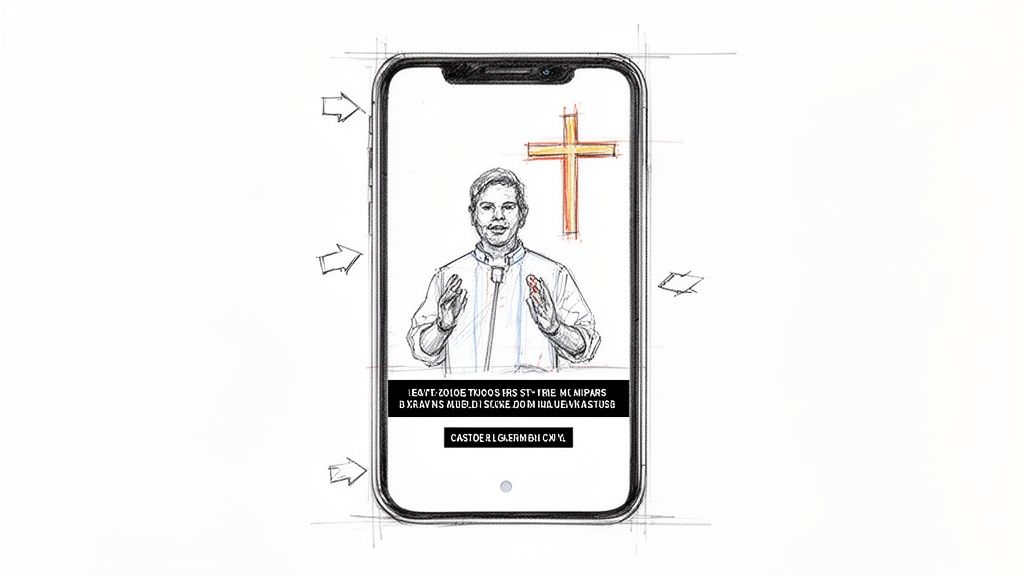
Think about sharing a clip from last Sunday's sermon. The idea isn't just to point a camera at the pastor. You want to frame them in a way that feels personal and direct to the person watching on their phone. Keeping the pastor centered ensures their face and expressions—the most powerful parts of the message—are never hidden behind a like button or the caption. This simple framing choice instantly makes your content feel more professional and engaging.
From Sermon Clips to Event Invites
This same thinking applies to everything you create, whether it's an invitation for a youth group event or a promo for a community outreach program. All of your critical details—the date, time, and location—have to live inside that central safe area.
A few quick tips I've learned from experience:
- High-Contrast Text: Always use bold, easy-to-read fonts. Make sure they have strong contrast against the video background. I’ve seen it a hundred times: light text on a busy, bright background is completely unreadable in a fast-scrolling feed.
- Simple Graphics: Less is more. A clean design with one clear call to action will always outperform a video cluttered with too much text or competing graphics.
Your goal is to grab attention fast and deliver your message without any friction. For more ideas on repurposing sermons, you might find our guide on how to create short video clips for social media really helpful.
A well-designed video respects the viewer's time and attention. By keeping your core message clear and unobstructed, you're not just following rules; you're demonstrating care and intentionality, which builds trust with your online community.
Making Great Design Accessible to Everyone
This is where having the right tools becomes an absolute game-changer for your church. Let's be honest, you shouldn't need a full-time graphic designer on staff just to create polished social media content.
We built ChurchSocial.ai to solve this exact problem. Our graphics studio and professionally designed templates come with the TikTok video safe zone already built in. This means anyone on your team, from the senior pastor to a parent volunteer, can jump in and create branded, effective content that's automatically compliant.
It frees up your ministry to focus on what matters most—the heart of the message—not the technical headaches. With our tools, you can create and post with confidence, knowing it’s going to look great and that your church's message will always shine through.
Automate Safe Zone Compliance with ChurchSocial.ai
Let's be honest—nobody has time to manually measure pixel dimensions for every single video. It's tedious, error-prone work that pulls your team away from what really matters: connecting with your community.
Instead of getting bogged down in technical specs, you can let a tool designed for churches handle the heavy lifting. ChurchSocial.ai automates the entire process of creating safe-zone-compliant content. This gives you and your volunteers back precious hours to pour directly into your ministry.
Instantly Create Perfect Sermon Reels
You can turn a 30-minute sermon into multiple, high-impact TikTok videos with just a few clicks. Our AI allows you to create generated reels from your sermons. All you have to do is upload your sermon transcript, and our AI gets to work identifying the most powerful and shareable moments.
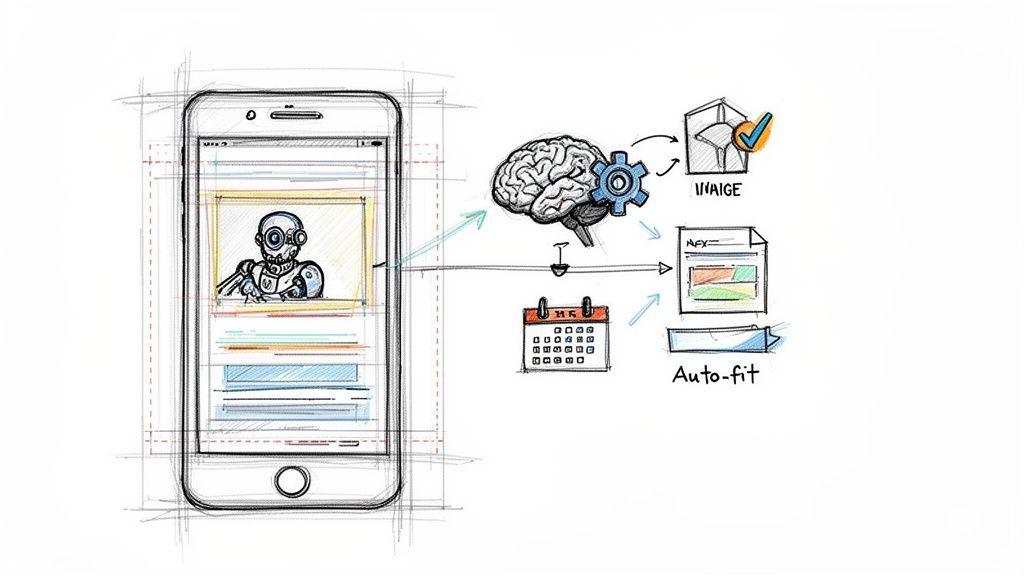
From there, it automatically generates short video clips, complete with captions that are perfectly placed within the TikTok video safe zone. The AI already knows where TikTok’s interface elements live, so it frames everything to ensure your key message is never blocked from view.
A Smart Framework for All Your Posts
This same attention to detail extends beyond video. With ChurchSocial.ai, you can also create AI-generated content from the sermon transcript like social posts and blogs. Our platform provides a smart framework for all your visual content.
- Graphic Templates: Use our graphic templates and editor to create and post photos and carousels. No more guesswork.
- Drag-and-Drop Calendar: Our simple drag-and-drop calendar allows churches to easily manage and update all of their social media.
- Brand Consistency: Save your church’s brand colors and fonts to keep a consistent, professional look across every post you make.
This streamlined workflow empowers anyone on your team—volunteer or staff—to create beautiful, effective graphics without needing a design background. You can see more on how we simplify your workflow in our complete social media management solution for churches.
The goal is to remove the technical barriers so your ministry’s voice can be heard clearly. Automation isn't about replacing personal touch; it's about freeing you up to provide more of it.
Connect Your Calendar for Stress-Free Promos
One of the most practical features is our ability to integrate with the tools you’re already using. We integrate with Planning Center and other church calendars to create content for events.
So when you add a youth group night or a food drive to your calendar, the system can instantly create a set of ready-to-post graphics and video templates. They come pre-filled with the event details and, just as important, are already optimized for the TikTok safe zone.
This is also critical for staying compliant with platform guidelines. For example, many TikTok users enable age gates—which have an 85% implementation rate—and content is reviewed with high accuracy. Creating content that respects these settings is vital for avoiding the 35% Week 1 churn risk for new sessions. ChurchSocial.ai helps ensure your posts are always appropriate and compliant, so you can post with total confidence.
Common Pitfalls to Avoid on TikTok
Okay, so you’ve mastered the safe zone. That’s a huge win. But believe me, there are other tripwires on TikTok that can easily get your church’s content buried—or worse, get your account suspended.
Knowing these common mistakes ahead of time will help your ministry team post with real confidence, not just hope.
One of the biggest hurdles for any organization on TikTok, especially churches, is creating content around younger audiences. The platform is intensely focused on minor safety, and it's something every ministry has to take seriously. In fact, a staggering 30.6% of all violating videos removed by TikTok were due to minor safety issues—more than any other category. That figure, which you can dig into in recent TikTok statistics reports, shows just how critical it is to create content that is unambiguously positive and appropriate.
Navigating Youth Content and Music Licensing
When you're creating content aimed at your youth group or featuring minors, you have to err on the side of caution. Always. That means steering clear of any themes, language, or even imagery that could possibly be misinterpreted. This is exactly where a tool like ChurchSocial.ai can bring some peace of mind. Our AI is built to find the most inspiring and uplifting moments from your sermons, automatically turning them into clips that are safe for every audience.
Another landmine is music. It’s tempting to jump on a trending song to chase views, but using it without the right license is a fast track to copyright strikes and content removal.
Beyond visual framing and technical considerations, it's essential to ensure proper music licensing for social media videos to avoid copyright issues that can lead to content removal or strikes. Using royalty-free tracks or TikTok's own library for commercial use is the safest path forward.
Avoiding Misinterpreted Language
Finally, watch your words carefully. Language that is perfectly normal inside your church walls—standard theological terms, for example—can be flagged by TikTok's algorithms as hateful or harassing. The platform’s moderation is largely automated and simply doesn't have the context to understand nuanced, faith-based discussions.
To stay on the right side of the algorithm, here's what I recommend:
- Stick to messages of hope, love, and community. Frame everything you post in welcoming, positive terms.
- Use simple, clear language. Ditch the jargon that an algorithm (or a newcomer) could flag out of context.
- Proofread your captions. Before you hit post, read your text and ask yourself, "Could someone outside our community misunderstand this?"
Being aware of these common issues is half the battle in protecting your church's online ministry. With ChurchSocial.ai, you can navigate these challenges instead of just reacting to them. From AI-generated sermon reels to pre-vetted graphic templates, we give you the tools to share your message without constantly worrying about breaking a rule you didn't know existed. It lets you get back to what matters: building a positive online space that reflects your ministry’s heart.
Frequently Asked Questions About TikTok for Churches
Jumping into social media always brings up a few practical questions. When you're using a platform like TikTok for your ministry, getting the small details right helps you post with confidence and make a bigger impact. Let's walk through some of the most common questions we hear from churches.
Does the TikTok Video Safe Zone Change for Different Devices?
For the most part, no. The TikTok video safe zone is designed as a universal fit for the vast majority of modern smartphones. Think of it as a "one-size-fits-most" solution.
TikTok's interface—the captions, like/share buttons, and your username—is always placed in the same spot relative to the screen's edges. When you follow the recommended safe zone margins, you're essentially preparing your video for the worst-case scenario, guaranteeing your important visuals don't get covered up on over 99% of devices. A good rule of thumb is to always place your most critical details, like service times or a website, as close to the center as possible.
How Can ChurchSocial.ai Help If I'm Not a Graphic Designer?
This is exactly why we built ChurchSocial.ai. It was created for ministry leaders, staff, and volunteers who are passionate about sharing the gospel, not necessarily about becoming design experts. We've focused on making it incredibly simple to create polished, professional-looking content without any design background.
Our platform gives you a whole library of templates for videos, photo carousels, and single images. The best part? They are all pre-optimized for the TikTok video safe zone. You just find a template that fits your message, plug in your text, and our editor automatically keeps everything within the correct boundaries.
Our AI takes this a step further. It automatically finds the most powerful moments in your sermons and frames them perfectly, allowing you to create AI-generated reels. You can create truly engaging content with zero design stress.
What Is the Easiest Way to Check My Video Is in the Safe Zone?
The most reliable way is to use a tool that has built-in guides. You can find free PNG overlay templates online to place over your video in an editing app, but that adds a manual, time-consuming step to your process and leaves room for error.
A much easier approach is to use a platform where the safe zones are already integrated. When you use ChurchSocial.ai, our content editor and templates have these "digital guardrails" built-in from the very beginning. You never have to waste time checking manually, which eliminates the risk of mistakes and ensures every single post looks intentional. It's all about working smarter, not harder.
Stop wrestling with social media and start connecting with your community. With ChurchSocial.ai, you can plan, create, and schedule all your church's social media content in one place. Turn sermons into viral clips, design beautiful graphics, and manage your entire online presence with ease. See how we can help your ministry grow at https://churchsocial.ai.


