

You’ve probably been there. The photo is ready. The sermon quote is solid. The event graphic looks fine. And then the cursor blinks in the caption box while a volunteer, admin, or pastor thinks, “What am I supposed to write here?”
That moment trips up a lot of church teams. Not because they don’t care, but because most advice about Instagram captions was written for brands trying to sell products, not ministries trying to build trust, invite conversation, and reflect the tone of real pastoral care.
Learning how to write engaging instagram captions for a church means working with a different goal. You’re not trying to sound clever for its own sake. You’re trying to help someone pause, feel seen, and respond. Sometimes that response is a comment. Sometimes it’s a save. Sometimes it’s the first quiet step toward visiting your church.
Why Your Church's Instagram Captions Matter More Than Ever
A church caption does more than explain a post. It frames how your church sounds online.
For many churches, that’s where the tension starts. The pressure to be relevant online can push teams toward borrowed marketing language that doesn’t fit the message. The result is often a feed that looks active but feels detached. It says words, but it doesn’t sound like your church.

That mismatch matters. According to Later’s Instagram captions workshop, faith-based accounts grew 28% YoY in engagement when using vulnerability-driven narratives, while 82% of small church pages reported low interaction from using mismatched commercial templates. That tells you something important. Churches don’t need louder captions. They need truer ones.
Generic marketing advice usually misses the church context
A church isn’t a clothing brand or a software company. Your audience isn’t looking for urgency tactics or polished hype. They’re looking for honesty, clarity, warmth, and spiritual substance.
That’s why a caption like “Don’t miss this life-changing Sunday” often lands flatter than church teams expect. It sounds promotional, but not pastoral. Compare that with a caption that names a real human struggle, offers a grounded takeaway, and invites reflection. One sounds like an ad. The other sounds like ministry.
Practical rule: If your caption could work just as easily for a product launch, it probably needs another draft.
Church leaders also feel another pressure online. When engagement drops, it’s easy to blame the algorithm, post more often, or start copying what larger accounts are doing. Some of the problem may be deeper than frequency. If your messaging feels generic, people scroll past. If that’s happening alongside audience churn, this guide on why Instagram followers drop gives useful context on the patterns behind disengagement.
The caption is where community starts
The image gets attention first. The caption decides what people do next.
For churches, that next action matters more than a quick like. A strong caption can turn a sermon recap into a discussion. It can turn an event post into a clear invitation. It can turn a testimony into a moment of recognition for someone who feels alone.
That’s the standard worth aiming for. Not “Did people see this?” but “Did this help someone engage?”
Church teams also need a process they can realistically sustain. Volunteers don’t have time to write from scratch every day, and most churches don’t have a full creative department. A church-specific tool such as ChurchSocial.ai fits this gap by helping teams turn sermons into captions, reels, graphics, and scheduled posts without forcing volunteers to sound like marketers.
Establish Your Authentic Voice and Write Irresistible Hooks
Most weak captions fail before the second line. They either sound generic, or they open so softly that no one keeps reading.
A strong church caption needs two things working together. First, it needs a voice that actually sounds like your church. Second, it needs a first line that earns attention.
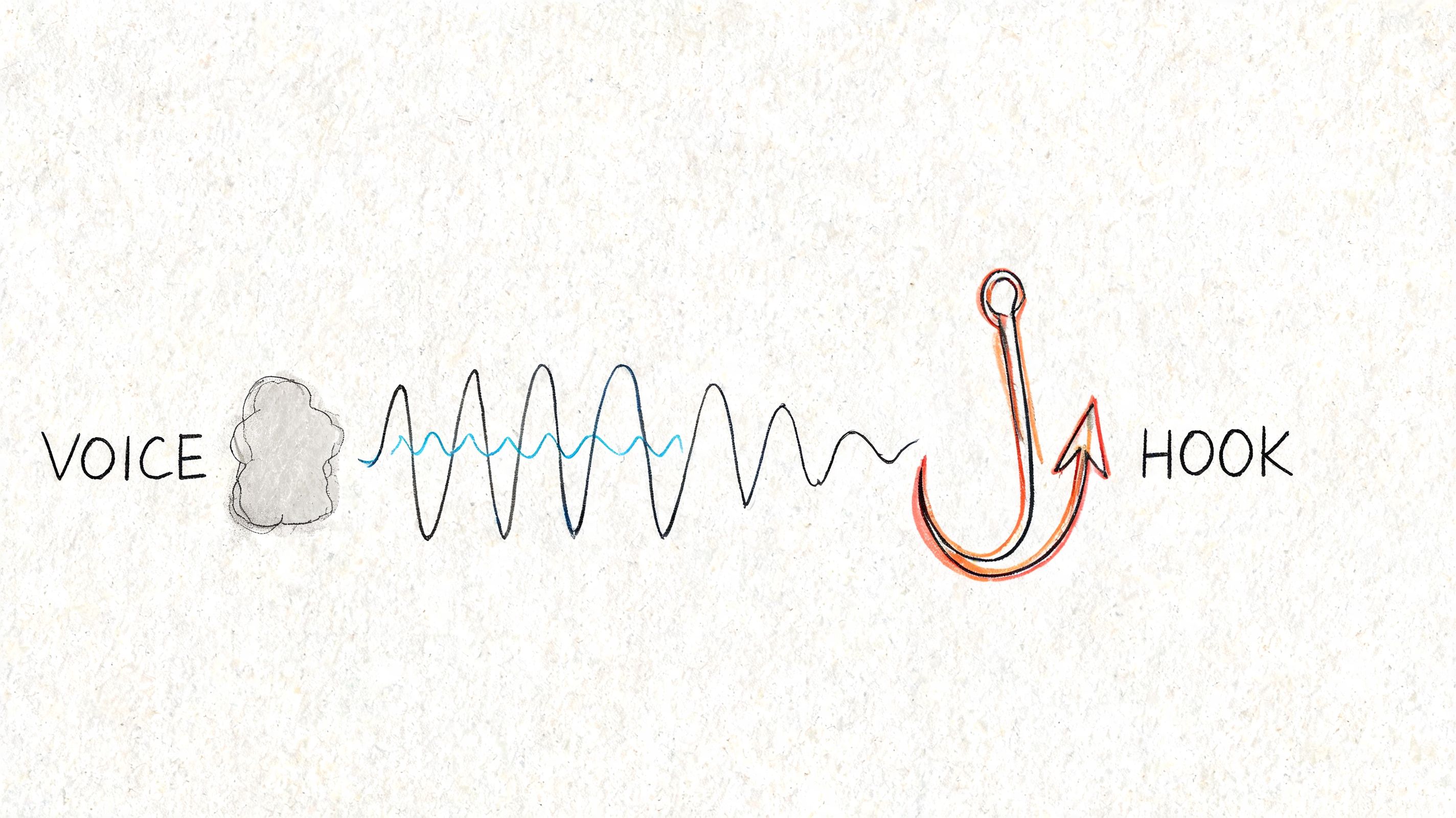
Pick a voice your volunteers can actually use
“Brand voice” can sound corporate. For churches, it’s better to think in terms of communication posture. How do you want people to feel when they read your captions?
Here are four common voice patterns that work well for ministry teams.
| Voice style | How it sounds | Works well for |
|---|---|---|
| Pastoral and reassuring | Calm, warm, compassionate | Prayer posts, care updates, scripture reflection |
| Teaching and practical | Clear, grounded, helpful | Sermon summaries, devotional takeaways, ministry tips |
| Joyful and communal | Welcoming, upbeat, people-centered | Event recaps, baptisms, volunteer celebration |
| Honest and vulnerable | Real, humble, reflective | Testimonies, hard-season posts, leadership reflections |
The mistake is trying to use all four in every caption. Pick one based on the post.
A volunteer appreciation post shouldn’t sound like a theological explainer. A Good Friday reflection shouldn’t read like an event flyer. Consistency doesn’t mean sameness. It means your tone fits the moment and still feels recognizably yours.
Write the way your church actually speaks
If your church is warm in person but stiff online, your captions will feel off. If your preaching is direct and biblically rich but your captions sound trendy and vague, people notice that too.
A few practical filters help:
- Read it out loud: If a pastor or ministry leader wouldn’t naturally say it, rewrite it.
- Cut borrowed jargon: Phrases like “game changer,” “epic Sunday,” or “you don’t want to miss this” often flatten trust.
- Choose one audience at a time: Write to the tired parent, the new guest, the longtime member, or the volunteer. Don’t write to “everyone.”
- Keep the spiritual language human: Scripture-rich is good. Stiff is not.
A good church caption should sound like a person from your church talking to another person, not like a committee polishing a slogan.
If you want more examples for short-form openings, the ideas in Sup Growth's caption strategies are worth scanning, then adapting to a church voice instead of copying directly.
The first line decides whether anyone taps Read More
The hook matters because many don’t start by reading your whole caption. They scan the first line and decide whether it’s worth more attention.
According to Cyndi Zaweski’s guide on Instagram captions, the strongest opening uses a Tension-Based hook within the first 80 characters, often around 10 to 12 words. That approach was shown to increase dwell time by 40% and boost Read More clicks by up to 50%. The same source notes that an AI-sounding intro can reduce engagement by 25%.
That matters for churches because tension is already present in your community. People are dealing with grief, burnout, doubt, loneliness, marriage strain, parenting fatigue, unanswered prayer, and fear. If your opening line names real tension with care, it earns authentic attention.
What a tension-based hook looks like in church content
A tension-based hook doesn’t mean clickbait. It means starting where the core struggle lives.
Here are a few examples.
Weak sermon recap hook
“Pastor shared a great message on faith this Sunday.”
Stronger sermon recap hook
“When your prayers feel unanswered, faith gets honest fast.”
Weak event caption hook
“Join us this Wednesday for our church prayer night.”
Stronger event caption hook
“If you’ve been carrying too much alone, come pray with us.”
Weak scripture reflection hook
“Today’s verse reminds us that God is with us.”
Stronger scripture reflection hook
“Some days, ‘God is with you’ is hard to believe.”
Notice the difference. The stronger versions don’t exaggerate. They naturally begin inside a real human moment.
A simple hook formula for ministry posts
Use this structure when a caption feels flat:
Name the tension
What hurts, confuses, burdens, or interrupts peace?Use everyday language
Write the way someone in your church would describe that struggle.Point toward hope, not hype
Don’t solve everything in the first line. Open the door.Let the next lines carry the ministry
The hook earns the pause. The body of the caption should earn trust.
For reels and sermon clips, the same principle applies. If your team is working on video-first content too, these hooks for reels examples line up well with what works in captions.
How to Structure Captions That Spark Conversation
Not every caption should do the same job.
Some posts need speed and clarity. Others need room to tell a story. Others are built to lead people through multiple slides, where the caption supports the swipe and deepens the takeaway. The mistake is forcing every post into one format.

Structure one for short and punchy posts
Use a short caption when the post itself does most of the work. This fits event reminders, service time updates, quick encouragement posts, or a clean graphic with one main idea.
Keep these captions simple:
- Open with one clear line
- Add the key detail
- Finish with one specific action
A short church caption might look like this:
Prayer night is tomorrow.
7 PM in the chapel.
Come as you are, and bring someone who needs encouragement.
This format works because it respects the audience’s attention. No filler. No throat-clearing.
Structure two for story-driven captions
Some posts need more than a quick line. Testimonies, ministry highlights, sermon applications, and volunteer stories usually perform better when the caption carries emotional context.
That’s where the Inverted Pyramid structure helps. Put the most important point first, then add supporting detail, then close with a prompt.
A simple church version looks like this:
| Part | What to include |
|---|---|
| Opening | The core takeaway or emotional tension |
| Middle | The story, context, or lesson |
| Ending | A question or invitation that invites response |
Example:
Some people walked into church carrying more than anyone could see.
Sunday’s message reminded us that Jesus doesn’t shame weary people. He meets them. If you’ve been trying to look strong while feeling stretched thin, that truth matters.
What part of this week has felt heaviest for you?
This structure gives people something to respond to. It doesn’t just tell them what happened. It helps them locate themselves inside the message.
Longer captions work when every paragraph earns its place. If a line doesn’t add clarity, warmth, or movement, cut it.
Structure three for carousel captions that build depth
Carousel posts are especially useful for churches because they let you teach, recap, and guide reflection one slide at a time. According to LiveDune’s caption length analysis, carousel posts consistently drive the highest engagement, reaching up to 1.36% for influencers, compared with 1.04% for single photos and 0.71% for videos. The same source notes that long-captioned carousels collect substantially more likes and comments than short-captioned versions.
That lines up with practical church use. A carousel lets you break a sermon point into pieces people can absorb. Then the caption gives the fuller pastoral context.
A good church carousel usually follows this rhythm
- Slide 1 gives the promise or main theme
- Slides 2 to 4 unpack the idea
- Final slide asks a reflective question or offers a next step
- Caption ties the slides together and opens the conversation
Example carousel topics for a church account:
- Three truths from Sunday’s sermon
- A short devotional from one passage
- What to expect at an upcoming event
- Volunteer spotlight with ministry impact
- A testimony broken into key moments
A matching caption could begin with a hook, summarize the central lesson, and end with a discussion question.
Choosing the right structure for the post
Don’t ask, “What kind of caption should we write today?” Ask, “What is this post trying to do?”
Use this quick decision guide:
- Need clarity fast? Use short and punchy.
- Need pastoral depth? Use story-driven structure.
- Need teaching, reflection, or multiple takeaways? Use a carousel with a longer caption.
This is also where workflow matters. If you already have a sermon transcript, the raw material is there. You can pull a tension-based opening from the sermon, extract two or three main points into slides, and turn the application section into a comment prompt. That process is much easier when your team plans from the sermon first instead of inventing every caption from scratch on Tuesday afternoon.
Amplify Your Message with Hashtags, Emojis, and Accessibility
A caption can be thoughtful and still underperform if it’s hard to scan, hard to discover, or hard to access.
Church teams often overcorrect in one of two directions. They either ignore hashtags, formatting, and alt text completely, or they pile on so much visual clutter that the message gets buried. Better captions feel intentional. They are readable, discoverable, and welcoming.

According to Socialinsider’s analysis of Instagram caption length, captions under 30 words consistently achieve higher engagement rates, and LiveDune found that 95% of posts in 2018 used fewer than 1,000 characters. That doesn’t mean every church caption should be tiny. It means dense blocks of text lose people fast. Formatting matters.
Use a simple hashtag formula
Hashtags don’t need to be complicated. Churches usually get into trouble when they use broad tags that say almost nothing about the local community or the content itself.
A practical church mix looks like this:
One or two broad faith tags
Examples: tags related to prayer, worship, scripture, or church lifeOne or two ministry-specific tags
Examples: youth ministry, marriage ministry, sermon recap, Bible studyOne or two local tags
Your city, neighborhood, or regionOne branded church tag
A consistent tag tied to your church name or campaign
The goal is relevance, not volume. If a hashtag feels forced, skip it.
Use emojis as signposts, not decoration
Emojis help break up text and add tone. They also make captions more scannable, which matters when people are reading quickly.
Good uses of emojis in church captions include:
To signal the theme
A prayer hands emoji for a prayer post, a calendar for an event, a heart for care-related contentTo create visual breaks
One emoji at the start of a paragraph or before a CTA can guide the eyeTo soften a practical invitation
Especially for event reminders or volunteer asks
What doesn’t work is stacking emojis everywhere. If the caption starts to feel noisy, they’re getting in the way.
Keep emojis tied to meaning. If you remove them and the caption becomes clearer, leave them out.
Accessibility is part of hospitality
Accessibility is not a technical extra. It’s part of how a church welcomes people online.
If someone in your community uses a screen reader, alt text helps them understand the content of an image. If someone struggles with visual processing or reading fatigue, line breaks make the caption easier to follow. If someone is new to church language, simple wording lowers the barrier to entry.
Three habits that improve accessibility fast
Add descriptive alt text
Describe what’s in the image plainly. If it’s a sermon graphic, mention the title and visual. If it’s a baptism photo, describe the setting and action.Use short paragraphs and line breaks
Avoid posting one long block of text. Break thoughts apart so people can breathe while reading.Say the important thing plainly
Don’t hide the main point inside insider language.
Here’s the difference.
Harder to read
We’re expectant for all the Lord is going to do in and through this powerful gathering as we collectively contend in prayer together as a body.
Clearer
We’re gathering to pray together tonight.
If you’re carrying something heavy, you’re welcome here.
The second version is easier to read, easier to understand, and more inviting. That’s not dumbing the message down. It’s serving people well.
Measure What Matters and Continuously Improve Your Captions
A lot of church teams stop at likes because likes are easy to see. They’re also one of the least helpful signals if your real goal is community.
For ministry content, the stronger question is this: did the caption create conversation, reflection, or action? That’s where improvement starts.
According to Chookapeck’s guide to Instagram captions, church accounts see 5.2x higher retention from comment-heavy captions, while 67% of small organizations don’t track beyond likes. The same source notes that Instagram’s Conversation Boost feature rewards captions that generate 10+ threaded replies with 22% more profile visits.
That changes how churches should judge a post. A caption with fewer likes but meaningful comments may be doing far better ministry work than a polished post that got passive reactions.
What to watch instead of just likes
A useful church caption usually shows up in one or more of these ways:
| Metric | Why it matters for churches |
|---|---|
| Comments | Shows people are engaging with the message |
| Threaded replies | Signals actual discussion, not just quick reactions |
| Saves | Suggests someone wants to revisit the content later |
| Shares | Indicates the post felt worth passing on to someone else |
Comments are especially valuable because they tell you what kind of language opens people up. Do people respond more to testimony? To direct scripture questions? To sermon application? To practical encouragement?
Those patterns are more useful than guessing.
A simple three-step review routine
Most volunteers don’t need a complex analytics setup. They need a repeatable check-in.
Step one: review your last few posts together
Open Instagram Insights and compare recent posts. Look for patterns in captions, not just visuals.
Ask:
- Which posts got the most comments?
- Which ones were saved or shared?
- Which openings seemed to pull people in?
- Which CTAs led to real responses?
You can go deeper with a church-specific guide on how to measure social media success if your team wants a cleaner framework.
Step two: test one variable at a time
You don’t need a formal experiment. Just change one thing deliberately.
For example, compare:
- Week one: a sermon recap that ends with “Join us Sunday”
- Week two: a sermon recap that ends with “What part of this message stayed with you?”
Or compare:
- One post with a short caption
- One post with a longer reflective caption
Keep the test small. If you change the image, topic, timing, and CTA all at once, you won’t know what helped.
Step three: keep a running note of what your audience responds to
This can be a shared doc, a note in your planning system, or a simple spreadsheet. The point is to capture what you learn before it gets forgotten.
Track observations like:
- Testimony posts create more discussion
- Questions about everyday faith get better replies than abstract prompts
- Captions with one clear takeaway perform better than recap-heavy summaries
- Event posts need clearer practical details
The goal isn’t to “crack the algorithm.” The goal is to learn how your people respond, then write more captions that serve them well.
Improvement beats perfection
Some weeks, a caption won’t land. That’s normal.
What hurts church teams most isn’t a weak post. It’s inconsistency, burnout, and the feeling that every caption has to be perfect before it goes live. A better approach is steady iteration. Write, review, adjust, repeat.
That mindset also protects your voice. Instead of chasing whatever worked for another account, you build a style based on what your own congregation responds to.
Putting It All Together A Cohesive Content Workflow
Most churches don’t struggle because they lack ideas. They struggle because the workflow is fragmented.
The sermon is in one place. Events are in another. Graphics take too long. Nobody knows what to post on Thursday. The volunteer writing captions is also serving in two other ministries and trying to remember whether the youth retreat registration link changed. That’s where even good strategy falls apart.
A workable church caption process needs to be light enough for a volunteer and clear enough for a team.
A practical weekly checklist
Keep the core pieces simple:
Start with one clear voice
Match the tone to the post, not to internet trends.Lead with a strong first line
Open with tension, honesty, or a real pastoral question.Choose the right structure
Short for clarity. Longer for story. Carousel for layered teaching.Format for readability
Use line breaks, clean phrasing, and thoughtful supporting elements.Review what sparked conversation
Let response patterns shape the next round of captions.
That’s manageable when your content starts with material you already have, especially the sermon.
What a realistic week can look like
A church team records Sunday’s message and uploads the sermon transcript. From that one input, the main ideas are identified, a few caption drafts are created, and a short-form reel concept is pulled from a key moment in the sermon. One draft becomes a midweek Instagram caption. Another becomes the foundation for a carousel recapping two or three sermon takeaways.
The team then pulls a prebuilt graphic template for the sermon recap, swaps in the right visual, and schedules the post. Later in the week, an event from the church calendar is turned into a clean announcement post with the practical details already in place. Instead of staring at an empty caption box every time, the volunteer is editing and refining.
That kind of workflow gets even smoother when planning happens on one calendar. A visual system helps teams see sermon posts, event reminders, reels, and recap carousels together instead of posting reactively. For teams trying to organize that side of the work, this guide on a social media content calendar is useful.
The goal is sustainability
Church communications shouldn’t depend on one unusually creative person having free time every week.
A healthy workflow gives volunteers a starting point. It reduces repeated effort. It helps the church sound consistent without sounding robotic. It also keeps the caption connected to real ministry instead of turning social media into a disconnected side task.
That’s the bigger point. Good Instagram captions aren’t a trick. They’re part of how your church communicates care, clarity, invitation, and truth in a place where attention is brief and trust is earned slowly.
If your process helps your team do that consistently, you’re already ahead of most accounts.
If your church needs a simpler way to turn sermons, events, and ministry moments into scheduled social posts, ChurchSocial.ai brings caption writing, sermon clip creation, graphic templates, calendar scheduling, and church-focused planning into one workflow that volunteers and staff can manage.


