

Sunday is over. The message was strong, people responded, and by Monday afternoon your church is asking the same question again: what are we posting this week?
That’s where sermon notes stop being a private habit and start becoming ministry infrastructure. Good notes help a listener remember what was preached. Great notes help a church extend that message into small groups, follow-up emails, social posts, blog content, and short-form video planning.
If you want to learn how to take sermon notes in a way that serves both discipleship and digital ministry, you need more than a notebook and good intentions. You need a repeatable system that works in a live service, respects the pace of preaching, and leaves you with usable source material afterward.
Prepare for Insight Before the Sermon Starts
Sermon notes begin before the first point. The strongest note-takers don’t walk in hoping they’ll catch the important parts. They arrive ready to listen on purpose.
That mindset has deep roots. In Acts 17:11 and the Berean model of engaged listening, the Bereans were commended for examining the Scriptures daily to verify the apostles’ teachings. That practice established a biblical pattern for cross-referencing what is preached with what God has said, and it still shapes faithful note-taking today.
Build a simple template you can reuse
Don’t reinvent your notes every Sunday. Use the same structure every week so your brain can focus on the sermon instead of the page.
A useful sermon notes template usually includes:
- Basic header details like date, preacher, sermon title, and primary passage
- Main point space with enough room for a few clear ideas
- Scripture references for cross-references you’ll want to revisit
- Application section for personal response, discussion prompts, or ministry follow-up
- Content ideas area where staff or volunteers can flag a quote, clip moment, or carousel concept
If your church already thinks beyond Sunday, make one extra line in the template: “What should live online this week?” That small prompt changes how people listen.
Choose tools that help you focus
Paper works well because it limits distractions. A notebook doesn’t buzz, switch apps, or tempt you into checking notifications during the sermon.
Digital notes have their place too. They’re searchable, easy to share, and faster to turn into team workflows after service. But tablets and phones can pull attention away at exactly the moment the sermon turns.
A practical rule is to pick one primary tool and stick with it for a month. You’ll learn its limits quickly.
Practical rule: The best note-taking tool is the one that lets you stay present while capturing enough to use later.
For churches training volunteers, consistency matters more than novelty. If half the team uses scattered screenshots, another person uses the notes app, and someone else writes on spare bulletin paper, nobody can combine the material later.
Use a short pre-sermon routine
A solid routine doesn’t need to be complicated. It needs to be repeatable.
- Open the passage first. Seeing the text before the sermon starts gives your notes an anchor.
- Write the header before worship ends. That removes friction once the preaching begins.
- Pray briefly for focus. Ask God to help you hear, understand, and retain.
- Decide your role. Are you taking notes for personal growth, small group follow-up, church communications, or all three?
- Reduce distractions. Silence notifications, close other apps, and clear your lap of everything you won’t use.
If your team needs help creating a consistent Sunday workflow, this guide on how to prepare for sermon planning is a useful companion.
Effective Note-Taking Methods to Capture the Message
During the sermon, a common first mistake occurs. It is trying to write everything.
That almost never works. Effective sermon note-taking can boost retention by up to 50%, but Crossway’s guidance on sermon notes also warns that verbatim recording distracts from deep thinking. The same source notes that the Cornell System improves long-term recall by 40% over passive listening, and that 70% of congregants forget sermon content within 24 hours without notes.
Match the method to the preacher
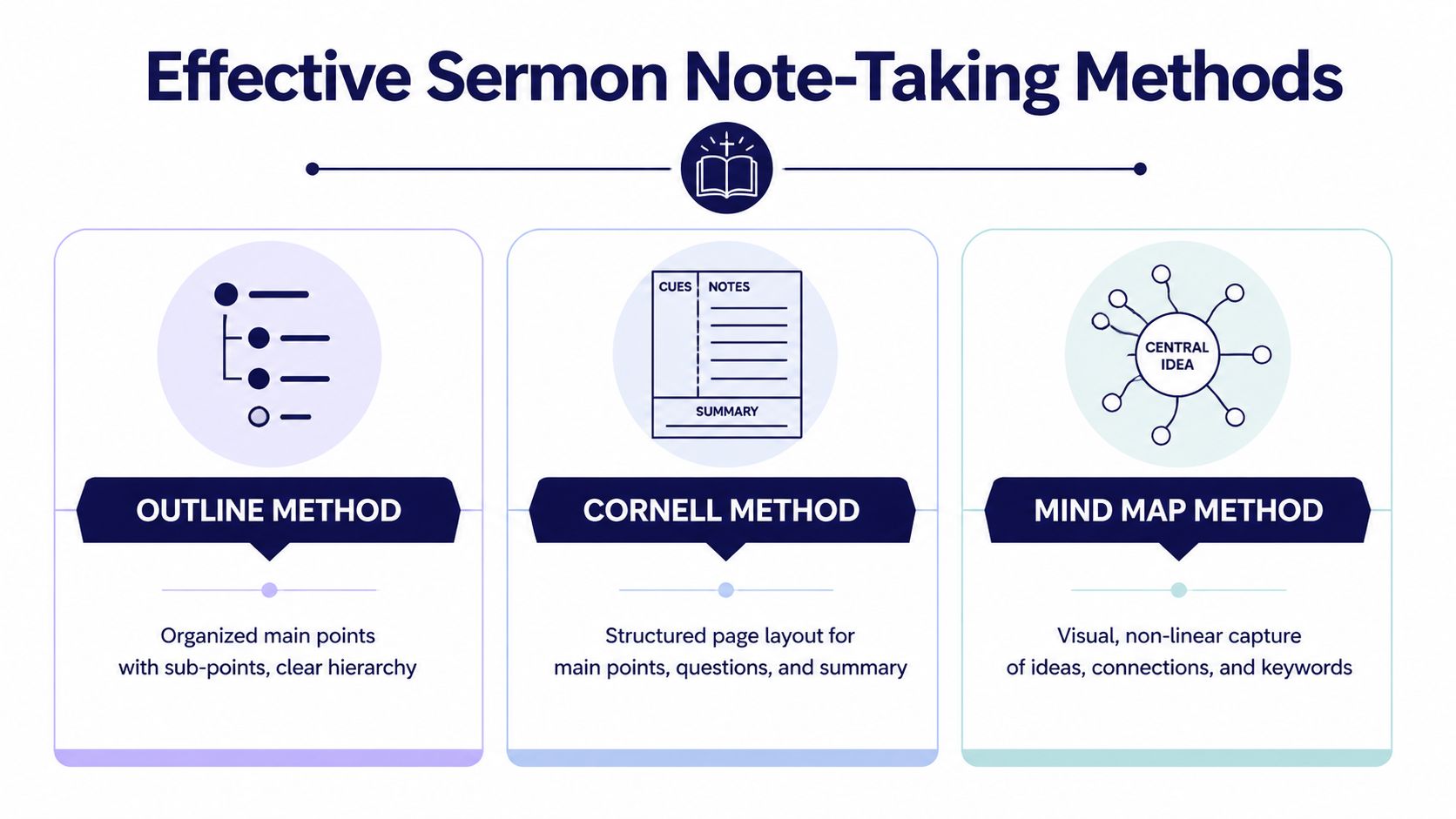
Not every sermon comes in the same shape. Your note-taking method should fit the delivery.
| Method | Best for | What to capture | Trade-off |
|---|---|---|---|
| Outline | Clear, numbered sermons | Main points, sub-points, references, applications | Less flexible if the preacher moves thematically |
| Cornell | Structured sermons with reflection value | Main notes, cue words, summary | Needs a little setup before service |
| Mind map | Narrative, thematic, or fast-moving sermons | Connections, repeated ideas, phrases, images | Can get messy if you don’t review it afterward |
Use the Outline Method when the preacher is organized
Some pastors preach in crisp progression. Point one. Point two. Point three. If that’s your context, use an outline.
Write the sermon’s main points down the left margin. Indent supporting verses, examples, and applications underneath each one. This keeps the hierarchy clear and makes it easier to turn your notes into a teaching recap later.
If your pastor says phrases like “the first thing we see” or “my second point,” you’re hearing the structure out loud. Follow it.
Use Cornell when you want both capture and review
The Cornell Note-Taking System works especially well for sermons that deserve follow-up during the week. Divide your page into a large note area, a smaller cue column, and a short summary section at the bottom.
In the main area, record the sermon’s flow. In the cue column, add review words or questions after service. In the summary section, force yourself to state the big idea in a sentence or two.
If you can’t summarize the sermon clearly after church, your notes probably captured noise instead of meaning.
This is also one of the strongest methods for churches that want sermon notes to become ministry content later, because your summary and cue words already point toward captions, discussion prompts, and recap copy.
Use mind mapping for thematic preaching
Some sermons don’t move in straight lines. They circle around a central idea, build through story, or connect several passages in a web. For that style, a mind map is often better than a list.
Put the central theme in the middle of the page. Branch out to supporting texts, recurring phrases, illustrations, and applications. Keep it visual and fast. Single words are often enough.
If you prefer handwritten notes, pen choice matters more than people think. Thin pages, margin writing, and fast-paced marking all benefit from good tools, so this roundup of expert advice on bible pens is worth skimming before you settle on your setup.
From Personal Notes to Powerful Ministry Content
The sermon ends, but your work with the notes shouldn’t. Raw notes are useful. Refined notes are productive.
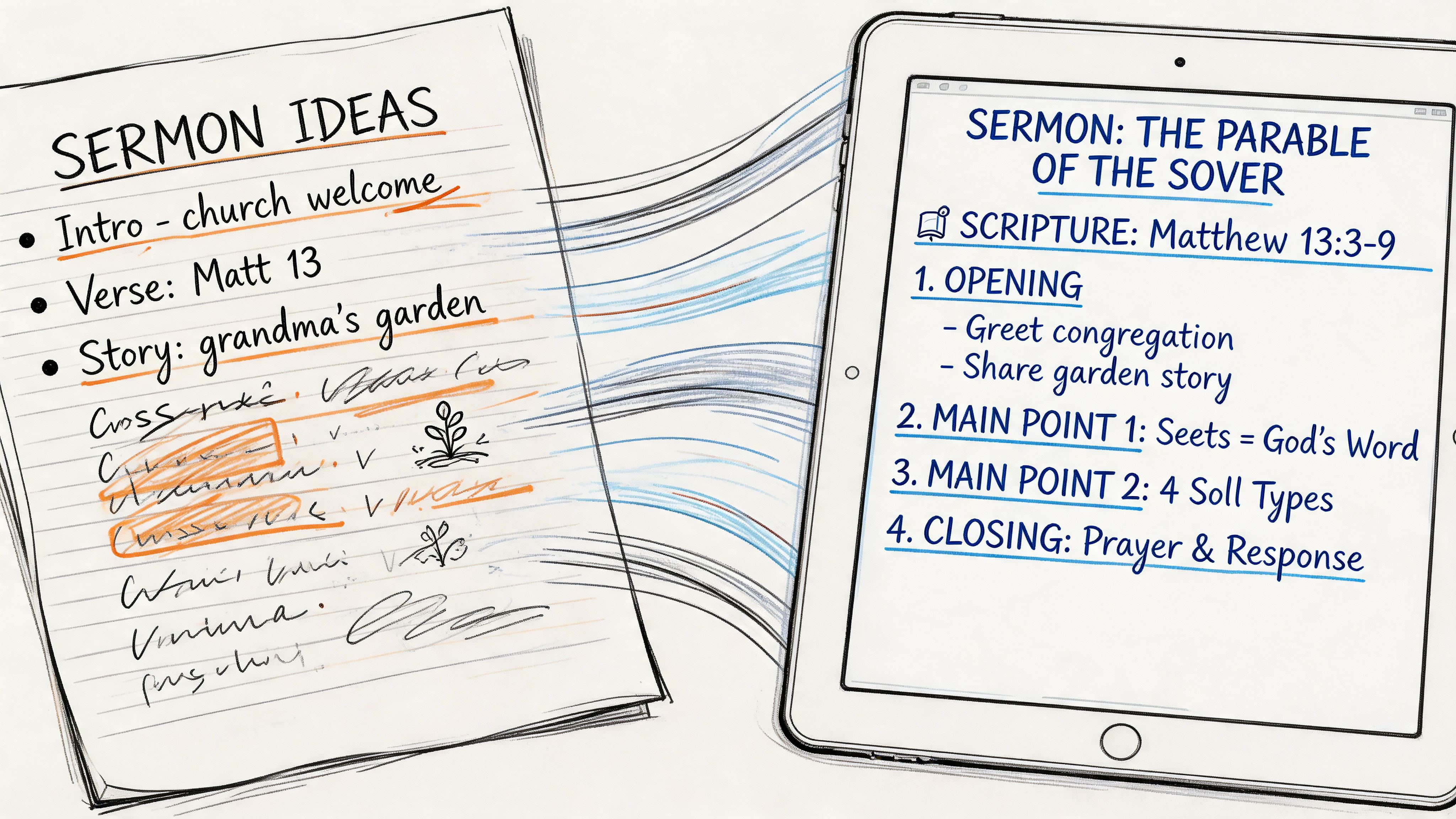
Most sermon notebooks are full of half-sentences, arrows, verse references, and fragments that made sense in the room but won’t make sense three days later. That’s normal. The fix is to process them while the message is still fresh.
Filter your raw notes hard
The best post-sermon editing principle is simple. Keep less.
Guidance drawn from Rick Warren’s CRAFT methodology recommends trimming 50-70% of raw notes to focus on the big idea, then adding personal thoughts and source citations. That same guidance says this kind of “owned content” can boost message retention by 40-60% compared to passive listening.
That matters for two reasons. First, people remember what they process. Second, churches can’t build clear communication from cluttered notes.
Try this review sequence within a day of the sermon:
- Name the big idea. Write one sentence that explains the sermon plainly.
- Pull the strongest lines. Identify a few phrases worth revisiting. Don’t force “quote graphics” if the line isn’t memorable.
- List supporting scriptures. These often become the backbone for small group questions or devotional follow-up.
- Write the application clearly. What should a listener believe, do, repent of, or remember?
- Mark shareable moments. Circle anything that could become a post, email opener, or video clip theme.
Turn notes into content categories
Note-taking starts serving church communications instead of staying private.
A well-processed set of sermon notes can supply content for the entire week:
| From your notes | Best use in ministry |
|---|---|
| Big idea sentence | Weekly sermon recap, email intro, website summary |
| Memorable line | Social graphic, short caption, slide text |
| Key scripture list | Bible reading prompt, carousel, discussion guide |
| Application question | Facebook prompt, small group follow-up, volunteer devo |
| Illustration or story hook | Reel setup, blog intro, youth discussion opener |
This is one reason communications teams should care about how to take sermon notes. Notes are not just records. They are source assets.
Ministry mindset: Don’t ask, “What should we post this week?” Ask, “What did God already give us on Sunday that we can steward well?”
Write for reuse, not just recall
A volunteer who writes “good point about fear” hasn’t captured much. A volunteer who writes “Fear shrinks when obedience grows. tied to main passage and final application” has done the church a service.
That second kind of note can become something else. It can become a discipleship reflection, a caption, a staff recap, or a next-step question. That’s why reviewing your notes matters almost as much as taking them.
If your team is building a broader content workflow, this article on how to repurpose content helps connect Sunday notes to the rest of the week’s communication.
Automate and Amplify Your Sermon Content with AI
Manual repurposing works, but it’s slow. A staff member or volunteer has to listen again, clean up language, pull clips, write captions, resize graphics, and schedule each post. That’s a lot to ask from a small church team already juggling announcements, slides, events, and follow-up.
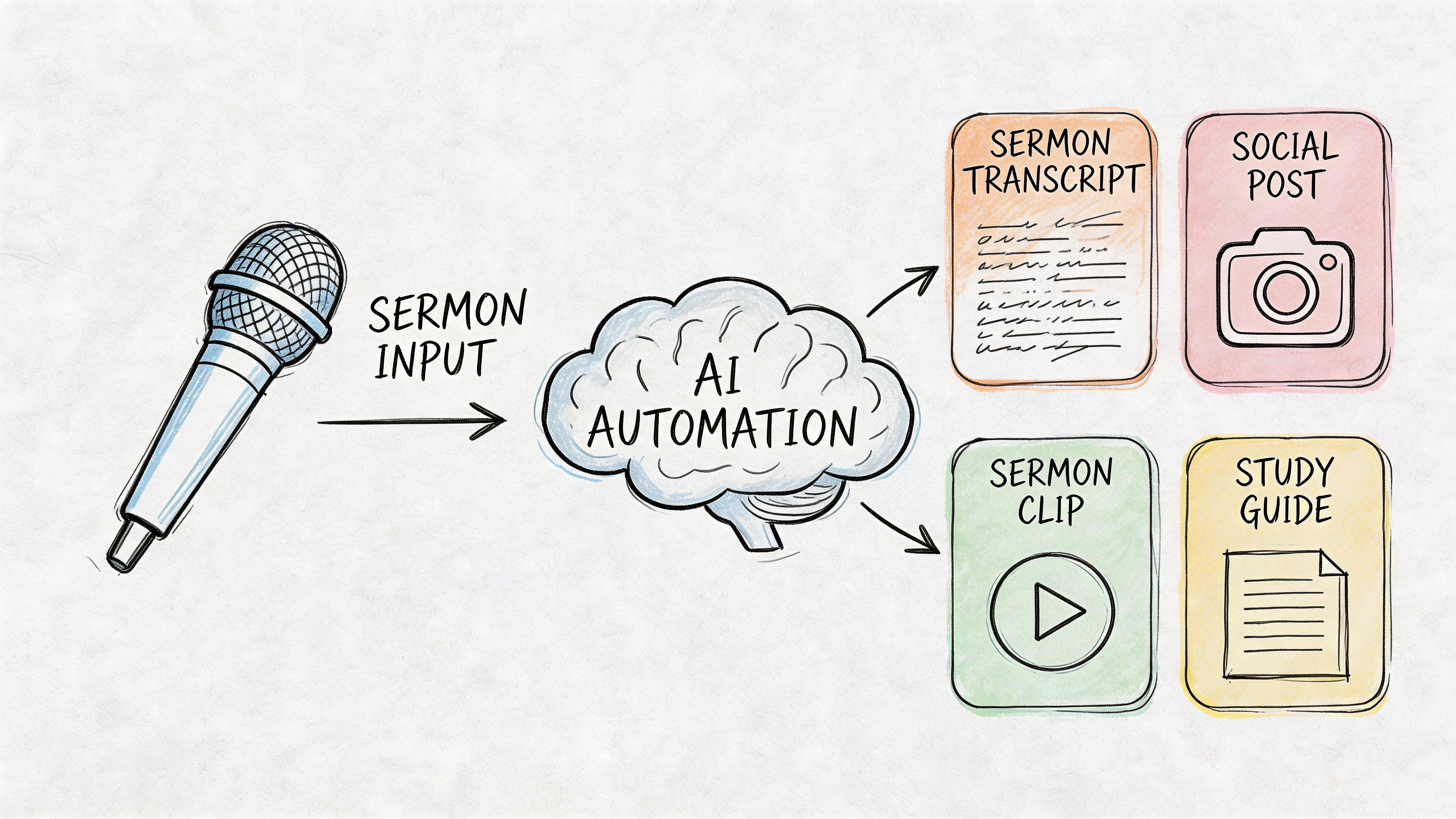
AI changes the workflow when you treat the sermon as a content source, not a one-time event. Notes still matter because they help you identify emphasis, theology, and tone. But once you have a transcript or audio file, software can do the heavy lifting that used to consume the week.
Let transcripts do the repetitive work
A sermon transcript gives your team a searchable version of what was preached. That alone improves speed. Instead of scrubbing through an hour of video to find one line, you can locate the phrase and build from there.
Once you have the transcript, you can create:
- Short social captions built around one clear takeaway
- Blog drafts from the sermon’s structure and application
- Discussion questions for small groups or family ministry follow-up
- Clip candidates for reels or YouTube Shorts
- Email copy that reinforces the message midweek
If you haven’t built this step into your process yet, learning how to transcribe video to text is one of the most useful upgrades a church communications team can make.
Use AI where judgment is repetitive, not pastoral
Churches are right to be cautious here. AI shouldn’t replace discernment, doctrine, or pastoral responsibility. It should reduce repetitive production work so your team can spend more time reviewing, refining, and shepherding.
That distinction matters. If the pastor says one sentence awkwardly in speech but clearly in intent, a human should decide how that becomes public-facing content. If the transcript contains a great section that’s too long for social, AI can help condense it, but a ministry leader should still approve the final version.
For a thoughtful perspective on that balance, The Bible Seminary on AI is worth reading. It helps frame the conversation in a way churches can engage without hype.
Build one weekly workflow and keep it boring
The most effective sermon-content systems aren’t flashy. They’re dependable.
A practical weekly rhythm looks like this:
- Capture notes during service with emphasis on the big idea and standout moments.
- Secure the transcript or audio as soon as possible after the sermon.
- Review both together so human insight shapes the content direction.
- Create assets in batches such as clips, recap copy, scripture posts, and questions.
- Schedule the week in one sitting instead of posting reactively every day.
The churches that stay consistent online usually aren’t creating more content from scratch. They’re extracting more value from the sermon they already preached.
When teams skip the note-taking step, AI often produces content that is technically polished but emotionally generic. When teams bring clear notes into the process, the outputs usually feel more faithful to the actual message.
Advanced Tips for Better Retention and Accessibility
A lot of sermon note advice assumes everyone listens the same way. They don’t.
Some people can follow a detailed outline and review it later. Others lose focus halfway through point one if they’re trying to write complete sentences. Churches that want better notes need better assumptions.
Build your own shorthand
Speed matters in live preaching, so develop a personal system of symbols and abbreviations. Use arrows for implication, stars for key lines, question marks for follow-up, and short tags for repeated themes.
Keep the system small. If your shorthand requires a legend every week, it isn’t helping.
A few practical examples:
- → for implication or result
- * for especially strong phrasing
- Q for discussion question
- PRAY for direct spiritual response
- REF for a cross-reference worth revisiting
Reviewing those marks later often surfaces the material that should move beyond your notebook.
Challenge the write-more assumption
More words on the page doesn’t always mean more understanding. For some people, it means cognitive overload.
A 2024 Barna report summarized here found that neurodiverse individuals retain 40% more information through minimalistic, tech-aided methods like voice-to-text apps, compared to 25% with traditional pen-and-paper notes. The same source also notes that a 2023 Lifeway study found 15% of churchgoers report ADHD-like symptoms impacting focus.
That should change how churches train volunteers and members.
Make note-taking more accessible
Accessibility doesn’t lower the standard. It removes avoidable friction.
Consider options like:
- Timestamped audio notes for people who process better by speaking than writing
- Minimalist note sheets with only three prompts instead of a full outline
- Visual timers or section markers to help listeners reset attention
- Fidget tools that support focus without disrupting others
- Voice-to-text apps for volunteers who need a lighter capture method
Some of the most useful sermon notes in a church won’t look tidy. They’ll look usable.
If your church wants sermon content that serves the whole congregation, your note-taking culture has to make room for different brains, different tools, and different ways of paying attention.
Turn Every Sermon into a Week of Ministry
A sermon doesn’t need to disappear by Monday. With the right system, it can keep serving people all week.
Prepare before the message starts. Capture the sermon with a method that fits the preacher. Refine your notes while the message is still fresh. Then use transcripts, editing discipline, and smart workflows to turn that material into clear ministry communication.
That approach helps in two directions at once. It deepens personal retention, and it gives your church a steady stream of faithful, relevant content rooted in what was preached.
If you’re responsible for social media, small group follow-up, or church communications, don’t settle for random note pages and last-minute posting. Treat sermon notes like the raw material they are. That’s how one Sunday message becomes a week of discipleship, outreach, and connection.
ChurchSocial.ai helps churches turn sermons into a practical weekly content engine. You can create AI-generated reels from sermon recordings, generate social posts, blogs, and other content from sermon transcripts, design graphics and carousels with built-in templates and an editor, and manage everything on a simple drag-and-drop calendar. It also connects with Planning Center and other church calendars so event content is easier to plan and publish. If you’re ready to stop letting strong sermons fade after Sunday, start a free trial with ChurchSocial.ai.


