

Your church stage is more than just a platform; it's the visual heart of your ministry and a powerful engine for your digital outreach. A thoughtfully designed stage not only improves the in-person worship experience but also creates compelling content that resonates across social media. The right stage ideas for church can turn a single Sunday sermon into a week's worth of engaging clips, posts, and stories that extend your message far beyond your physical walls.
This comprehensive guide moves past generic advice to provide a curated collection of actionable stage designs. We will explore specific, practical ideas organized by budget, church size, and event type. You’ll find setup notes, lighting suggestions, and quick DIY tips for each concept. More importantly, we'll show you how to frame each design for social-media-friendly sermon clips and promotional content, making your digital ministry more effective.
As you discover these powerful stage ideas for church, consider how you will manage the new content you create. The goal is a consistent and impactful online presence, not another administrative burden.
Key Takeaway: A modern stage design serves a dual purpose: it creates a sacred atmosphere for your in-person congregation and provides a dynamic studio for your digital outreach efforts.
Planning and posting this content can be simple. With a tool like ChurchSocial.ai, you can automatically create AI-generated Reels from your sermon recordings, generate social posts and blogs from the sermon transcript, and use professionally designed graphic templates. Its simple drag-and-drop calendar even integrates with Planning Center and other church calendars, helping you easily manage and update all of your social media in one place and turn these stage ideas into a sustainable content strategy.
1. Multi-Camera Live Stream Setup
A multi-camera live stream setup turns your physical stage into a global one, creating a dynamic and professional broadcast for your online congregation. Instead of a single, static viewpoint, this approach uses multiple cameras to capture different angles of the service, from a wide shot of the sanctuary to close-ups of the pastor and worship team. This method transforms a simple live stream into a broadcast-quality production, engaging both in-person and online audiences simultaneously.
Churches like Lakewood and North Point Community Church have demonstrated the massive reach this technique offers, but it's accessible for churches of any size. By broadcasting to platforms like YouTube and Facebook, you meet people where they are and extend your ministry's impact far beyond your building's walls. This is one of the most effective stage ideas for church because it multiplies the reach of every sermon and song.
Implementation Tips
- Start Small: Begin with just two cameras. A primary camera focused on the speaker and a second wide-angle camera capturing the entire stage is a great starting point.
- Prioritize Audio: Great video with poor audio is unwatchable. Invest in quality microphones before splurging on high-end cameras to ensure your message is clear.
- Test and Rehearse: Conduct a full test stream on a weeknight. This helps your tech team work out any issues before the Sunday morning service.
Key Insight: Archiving every live stream creates a valuable library of on-demand content. This allows new visitors to explore past sermons and keeps your community engaged throughout the week.
Repurpose Your Content with AI
After the service, the work isn't over. Your live stream recording is a goldmine for social media content. Using a tool like ChurchSocial.ai, you can automatically create AI-generated Reels from your full-length stream. The AI can identify powerful moments from your sermon and format them into vertical videos perfect for Instagram and TikTok, helping your message reach an even wider audience with minimal effort. This is how you turn one Sunday sermon into a week of outreach.
If you're looking to start or upgrade your streaming gear, finding the right equipment is the first step. You can discover the best camera for church live streaming to match your budget and goals.
2. Modular Stage Platform System
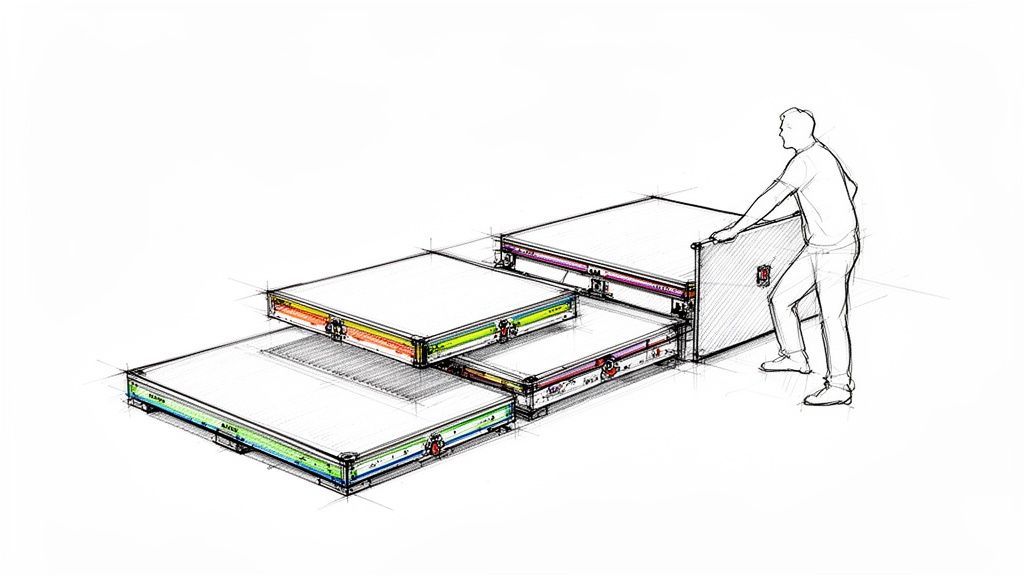
A modular stage platform system introduces incredible flexibility to your sanctuary, allowing you to reconfigure your stage layout for different sermon series, worship styles, or special events. This approach uses interlocking platform modules that can be quickly arranged into various shapes and heights. It lets you shift from a traditional, pulpit-centered design to a more contemporary, interactive configuration without needing permanent construction or a massive budget.
Churches like Elevation and Austin Stone Community Church use modular elements to create dynamic environments that support their contemporary services. This adaptability makes it one of the most practical stage ideas for church because it empowers you to refresh your visual presentation regularly. With systems from companies like QuickLock Stage Platforms and Wenger Corporation, a small team can dramatically change the stage in under an hour.
Implementation Tips
- Plan Ahead: Design your primary, go-to configuration first. Then, map out two or three alternative layouts for special events or sermon series so you have a playbook ready.
- Color-Code Modules: Apply colored tape or stickers to different platform sizes or leg heights. This small step makes identification and assembly much faster for your volunteer team.
- Document Your Layouts: Once you create a layout you like, take photos from multiple angles. Store these in a shared folder so your team can replicate them accurately and efficiently.
Key Insight: The flexibility of a modular stage isn't just for in-person impact. Each new configuration offers a fresh visual backdrop for your live stream and sermon clips, keeping your online content from feeling stale.
Promote Your New Stage Design
When you launch a new sermon series with a fresh stage layout, you have a perfect opportunity to create exciting promotional content. Take behind-the-scenes photos or a time-lapse video of your team setting up the new design. You can use ChurchSocial.ai to schedule these posts across your social media channels, building anticipation for Sunday. Its graphic templates and editor make it simple to create and post stunning photo and carousel announcements that highlight your new look.
3. Projection Mapping and Scenic Backdrop System
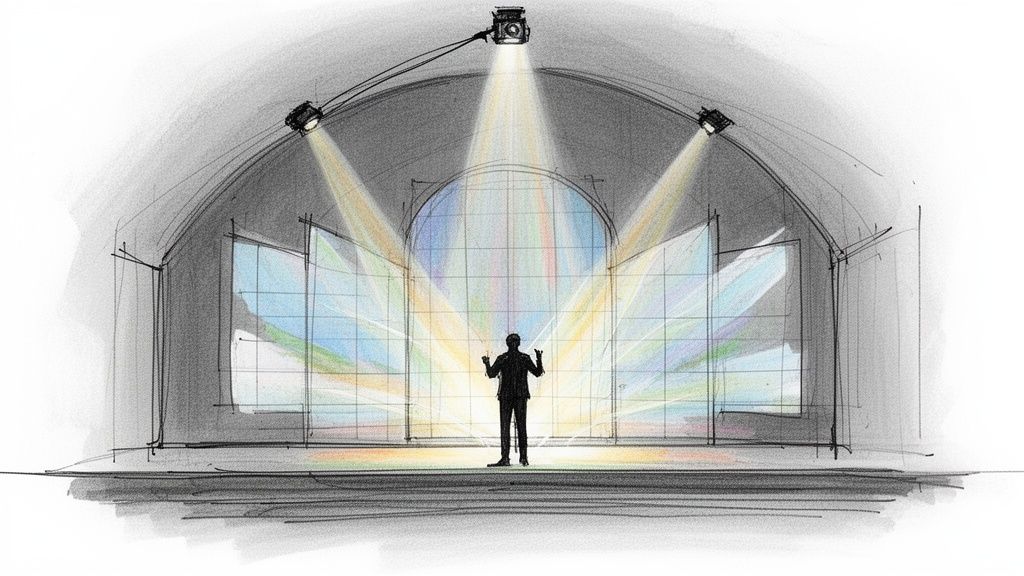
A projection mapping and scenic backdrop system transforms your stage into a dynamic visual canvas, moving beyond static banners to create immersive and emotionally resonant environments. This approach uses high-brightness projectors to cast custom graphics, videos, or atmospheric textures onto the stage backdrop. The visuals can change in real-time to match the mood of a worship song, illustrate a sermon point, or celebrate a special event, producing cinematically compelling scenery.
Churches like Hillsong have become well-known for their sophisticated projection designs, demonstrating how visuals can deepen the worship experience. This technology, powered by software like ProPresenter and projectors from manufacturers like Epson, is no longer just for megachurches. It stands as one of the most powerful stage ideas for church because it allows for infinite creative possibilities without the need for physical set construction.
Implementation Tips
- Start with One Projector: Begin with a single, high-quality projector aimed at a central screen or flat wall. This is a cost-effective way to learn the basics before expanding.
- Integrate with Worship Software: Ensure your presentation software, like EasyWorship or ProPresenter, can control the projections. This allows your tech team to seamlessly sync slides, lyrics, and background visuals.
- Plan Thematically: Update your projections to align with your current sermon series. A consistent visual theme across several weeks helps reinforce your message and creates a cohesive experience for the congregation.
Key Insight: The true power of projection is its flexibility. You can shift from a stained-glass window graphic for a traditional hymn to an abstract motion background for a modern worship song in seconds, all without changing any physical set pieces.
Repurpose Your Content with AI
Your stunning stage visuals provide the perfect backdrop for social media content. After the service, use a tool like ChurchSocial.ai to automatically identify sermon moments where the projection mapping was particularly impactful. The AI can generate short video clips with these beautiful backgrounds, creating visually arresting Reels and posts that stand out online. You can also use ChurchSocial.ai's graphic templates as a starting point for your projection designs, ensuring a consistent brand look from the stage to the social media feed.
4. Portable Stage Risers with Integrated Lighting
Portable stage risers with integrated lighting merge structural elevation with professional illumination in a single, efficient system. Instead of setting up separate lighting rigs, these modular units have built-in LED systems, reducing setup complexity and clutter. This approach ensures speakers, musicians, and performers are properly lit from multiple angles, improving visibility for both the in-person congregation and camera capture.
This integrated solution provides a clean, modern aesthetic perfect for multi-site churches standardizing equipment or for congregations that use corporate or rented spaces. The combination of structure and light creates a polished environment that elevates the entire service. This is one of the more advanced stage ideas for church because it solves two major production challenges at once: elevation and illumination.
Implementation Tips
- Choose RGB for Flexibility: Opt for risers with RGB (Red, Green, Blue) LED systems. This allows for maximum flexibility in color matching to sermon series branding, liturgical seasons, or worship song moods.
- Create Lighting Presets: Develop and save preset lighting looks for different parts of your service, such as worship, sermon, and announcements. This creates smooth transitions and a consistent visual experience.
- Complement Projections: Ensure your riser lighting works in harmony with your worship software projections. The colors should complement, not clash with, the background visuals on your main screens. For effective stage illumination, you can also investigate options like professional par can lighting to add depth.
Key Insight: Test your lighting setup specifically for the camera before streaming. What looks good to the human eye can sometimes appear washed out or create harsh shadows on video. Make adjustments to ensure your online audience gets a clear, high-quality view.
Repurpose Your Content with AI
The dynamic colors and professional lighting from your stage risers create visually striking video content. This makes your sermon recordings ideal for social media. With a tool like ChurchSocial.ai, you can upload your full sermon and automatically generate dozens of short, engaging AI-generated Reels.
The AI identifies powerful moments, and the integrated stage lighting will make these clips pop on platforms like Instagram and TikTok. You can also use ChurchSocial.ai’s drag-and-drop calendar and graphic editor to easily create and schedule posts that feature your beautifully lit stage, promoting upcoming services and keeping your community engaged.
5. Content Creation Studio Corner
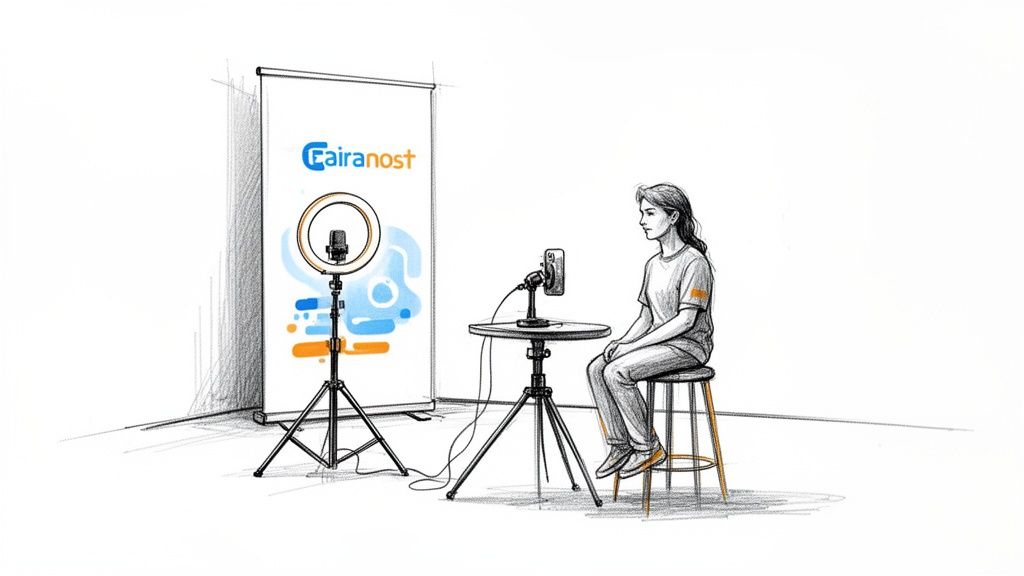
A content creation studio corner carves out a dedicated, visually optimized space on your stage or in an adjacent room for creating short-form video content. This setup is specifically designed for recording announcements, devotional thoughts, and behind-the-scenes clips. It features controlled lighting, quality audio, and intentional backdrops, making it easy for one or two people to produce professional-looking videos for social media.
Inspired by professional content marketing studios and solo creators, this approach has been adopted by many contemporary churches to feed their social media channels with consistent, high-quality content. It allows for quick production of daily announcements and teaching moments, a practice seen in multi-site churches using similar setups at each campus. This is one of the most practical stage ideas for church because it directly supports your digital outreach strategy.
Implementation Tips
- Choose Your Backdrop: Use a neutral, non-distracting background or a branded wall with your church’s logo. This ensures the focus remains on the speaker and the message.
- Batch Record Content: To maximize efficiency, record 3-5 short video clips in a single session. This builds a content library you can schedule throughout the week.
- Create a Simple Script: Develop a consistent template for your videos (e.g., greeting, main point, call-to-action). This standardizes your output and makes recording faster.
- Optimize Lighting: Set up flattering lighting that looks great on camera without being disruptive to the in-person environment. A simple ring light or softbox is often sufficient.
Key Insight: A dedicated content corner removes the friction of setting up for every recording. When the space is always ready, your team is more likely to create content consistently, keeping your online community engaged.
Repurpose Your Content with AI
This studio corner is the perfect place to record supplemental content, but don't forget the power of your primary sermon. ChurchSocial.ai can take your full sermon transcript and use AI to generate ideas for blog posts, social media updates, and small group questions. You can also use its editor and graphic templates to create branded photos and carousels for the video clips you record in your new studio. By combining a dedicated recording space with smart tools like ChurchSocial.ai, you create a powerful, easy-to-manage content engine for your ministry.
6. Podcast Recording Studio Integration
A podcast recording studio integration moves beyond just streaming video and creates a dedicated audio-first experience for your congregation. This approach involves setting up a professional audio recording space, either on or near the stage, to capture sermons, worship music, or interviews with superior sound quality. This allows you to produce high-quality podcast episodes for distribution on platforms like Spotify and Apple Podcasts, reaching listeners wherever they are.
While megachurches like Hillsong have large podcast audiences, this strategy is incredibly effective for churches of any size. By creating a podcast, you provide an accessible way for your community to engage with your teachings during their commute, at the gym, or while doing chores. This is one of the most practical stage ideas for church because it turns your weekly sermon into evergreen audio content that serves your audience all week long.
Implementation Tips
- Prioritize Microphones: Before investing in expensive mixers, focus on getting quality microphones (in the $200-$500 range) for your main speakers. Clear audio is the most critical element of a successful podcast.
- Use Remote Recording Tools: For interviews with guests, use platforms like Riverside.fm or Zencastr. These tools record each participant's audio locally, ensuring high-fidelity sound regardless of internet connection quality.
- Create Dedicated Branding: Design distinct podcast cover art and branding that aligns with your church’s identity. This helps your podcast stand out on listening platforms and look professional.
Key Insight: Auto-transcribe every sermon recording. The full transcript can be repurposed into blog posts, small group discussion guides, and daily devotionals, maximizing the impact of a single message.
Repurpose Your Content with AI
Your podcast audio is a valuable source for creating promotional content. With a tool like ChurchSocial.ai, you can automatically generate compelling content from your full episodes. You can upload the sermon transcript to have the AI generate social media posts and blog ideas. The platform’s simple drag-and-drop calendar allows you to easily manage and schedule this content across all your social channels, ensuring consistent promotion without the headache.
To get started, it’s helpful to see how audio clips can be visualized for social media. You can discover more about creating engaging clips with a podcast clip maker.
7. Interactive Stage Technology (Touchscreens/Tablets)
Integrating interactive digital displays and tablets onto the stage allows you to break down the wall between the platform and the pews. This technology enables real-time audience engagement through live polls, digital prayer requests, and interactive sermon points. Instead of a one-way monologue, the service becomes a dynamic conversation where the congregation's input is visibly valued and incorporated into the message.
Churches like Elevation and conferences like Catalyst use these tools to create highly engaging experiences, displaying audience responses on screen and gathering instant feedback. This is one of the most powerful stage ideas for church because it makes every person feel seen and heard, turning passive listeners into active participants. The on-screen results also create compelling visual moments.
Implementation Tips
- Start with Simplicity: Begin with easy-to-answer polls, such as yes/no or three-option multiple-choice questions, using tools like Slido or Mentimeter.
- Always Have a Backup: Technology can be unpredictable. Have a non-tech backup plan, like asking for a show of hands, in case the system fails.
- Test Extensively: Conduct thorough tests with your tech team and a small group before going live. Ensure the process is smooth and intuitive for your congregation.
Key Insight: Audience responses are not just for the moment. Capture poll results and powerful prayer requests to inform future sermon topics, small group discussions, and community outreach initiatives.
Repurpose Your Content with AI
The engagement doesn't end when the poll closes. The data and moments you create are perfect for social media. Use a tool like ChurchSocial.ai to instantly turn poll results into shareable graphics for Instagram or Facebook, showcasing your community's collective voice. You can also pull quotes from the sermon that relate to audience feedback and have the AI generate text posts, keeping the conversation going online all week long. This makes managing your church's social media simple and effective.
8. Sustainable/Modular Backdrop Wall System
A sustainable and modular backdrop wall system offers a flexible, environmentally-conscious approach to stage design. This method uses reusable panels that can be rearranged in different configurations for various sermon series, seasons, and special events. It allows your church to maintain a fresh, modern appearance while minimizing waste and reducing long-term costs associated with single-use designs. This system is one of the most practical stage ideas for church because it balances aesthetic variety with responsible stewardship.
Contemporary churches looking for visual consistency and multi-site campuses needing to replicate a specific look have adopted this philosophy. The core idea is to invest once in a high-quality system that can be adapted endlessly, rather than spending time and money on disposable materials for every new series. This creates a recognizable visual brand for your ministry, reinforcing your identity in person and online.
Implementation Tips
- Choose Neutral Panels: Start with a base of neutral-colored panels (grays, whites, or wood tones). You can easily add pops of color with lighting, fabric swags, or smaller accent panels for specific themes.
- Create a Setup Guide: Document the assembly process for different configurations with photos and step-by-step instructions. This makes it easy for volunteers to set up the stage consistently.
- Plan Seasonal Variations: Design specific arrangements for key church seasons like Advent, Easter, and Pentecost. This allows you to mark the liturgical calendar visually without a complete overhaul.
Key Insight: Using the same modular backdrop in all your video content, from sermon recordings to announcements, creates powerful visual continuity. This helps your online audience instantly recognize your content as it appears in their feeds.
Repurpose Your Content with AI
A consistent backdrop is a key element of strong video branding. When you use a tool like ChurchSocial.ai to create AI-generated Reels from your sermon, your modular wall system will be the visual anchor in every video. The AI pulls powerful moments from your sermon and creates dozens of short-form videos for social media. By coordinating your backdrop colors with the graphic templates in ChurchSocial.ai, you create a cohesive and professional look across all your digital platforms, reinforcing your church's brand with every post.
9. Multi-Purpose Stage with Flexible Seating Configuration
A multi-purpose stage with flexible seating turns your sanctuary into a highly adaptable ministry hub. This approach moves beyond a fixed pulpit and pews, allowing the space to be reconfigured for various functions, such as traditional worship, intimate cabaret-style events, small group workshops, or community gatherings. This flexibility helps churches maximize their venue's utility and create distinct environments for different ministry activities.
This concept is especially powerful for church plants and smaller congregations looking to get the most out of limited space. By creating different layouts, you can host a Sunday worship service, a midweek youth event, and a Saturday community outreach program all in the same room. This is one of the most practical stage ideas for church because it allows one physical space to serve multiple ministry purposes, broadening your church's impact.
Implementation Tips
- Document Configurations: Create 2-3 standard layouts (e.g., "Worship Mode," "Cafe Mode," "Workshop Mode") and take clear photos of each. This gives your volunteer team a visual guide.
- Establish Procedures: Develop a clear setup and breakdown process. Document the steps and estimate the time required so teams can plan accordingly.
- Train a Core Team: Designate and train a specific group of volunteers to manage the reconfigurations. This ensures consistency and prevents damage to furniture and equipment.
Key Insight: Scheduling different layouts for specific days of the week (e.g., Sunday for worship, Wednesday for small groups) creates a rhythm and makes the transitions feel intentional rather than chaotic.
Repurpose Your Space as Content
The physical transformation of your space is a compelling story to share on social media. Film time-lapses of your team reconfiguring the room and post them as Reels. You can manage this entire content strategy with ChurchSocial.ai, which helps you plan your social media calendar around your church's physical calendar. Because ChurchSocial.ai integrates with Planning Center and other church calendars, you can use its graphic templates to easily create and schedule posts announcing a "Community Cafe Night" with a photo of the new layout, keeping your content perfectly in sync with your events.
10. Video Wall/LED Screen Stage Backdrop
A video wall or large-format LED screen replaces static backdrops with a dynamic digital canvas, creating a powerful, immersive worship environment. This technology serves as the primary visual anchor on stage, displaying high-resolution worship lyrics, sermon graphics, live video feeds, and motion backgrounds. It transforms the stage from a physical space into a storytelling medium, offering endless visual possibilities that can be updated weekly.
Churches like Hillsong and other large contemporary congregations have shown how effective this can be, but the technology is becoming more accessible for various church sizes. An LED wall is one of the most versatile stage ideas for church because it consolidates lyrics, sermon notes, and atmospheric visuals into one central, high-impact element. The visuals you create for the screen are also perfect for recording and sharing online.
Implementation Tips
- Start with a Section: You don't need to cover the entire back wall at once. Begin with a smaller, centrally located LED wall and expand it over time as your budget and needs grow.
- Invest in a Content System: Use a content management system that integrates with your presentation software (like ProPresenter). This makes managing lyrics, backgrounds, and sermon slides much simpler for your tech team.
- Establish a Workflow: Create a clear process for content creation. Assign specific roles for designing graphics, programming the visuals for the service, and operating the system on Sunday.
Key Insight: A video wall's value extends beyond Sunday morning. Use it as a high-quality backdrop to film special announcements, worship sessions, or teaching segments during the week, creating premium video content for your online channels.
Repurpose Your Content with AI
The graphics and sermon points displayed on your video wall are excellent source material for social media. Instead of letting that work disappear after the service, use a tool like ChurchSocial.ai to give it new life. The platform's graphic editor and templates make it easy to adapt your sermon graphics into engaging posts for Instagram and Facebook.
Furthermore, you can upload your sermon recording and let the AI automatically generate shareable AI-generated Reels, social media posts, and even a blog summary from the transcript. This allows you to easily share the most impactful moments from your service—all managed from a simple drag-and-drop calendar—and all coordinated with the visuals your congregation saw on the big screen.
10-Point Comparison of Church Stage Ideas
Turn Your Stage Into a Content Powerhouse with ChurchSocial.ai
We've explored a wide range of powerful stage ideas for church, from high-impact video walls to flexible, modular platforms. Each concept offers a unique way to create a more engaging, visually compelling worship environment. Whether you're working with a minimal budget or planning a major overhaul, the key takeaway is that your stage is more than just a physical space; it's the visual heart of your ministry's message. The ideas presented, such as installing a multi-camera live stream setup or building a dedicated content creation corner, are designed not just for the people in the room, but for the community you can reach online.
The true value of an upgraded stage design is realized when you capture and share the moments that happen on it. A well-designed stage creates visually appealing content that stops the scroll. A dynamic backdrop makes sermon clips more shareable, and thoughtful lighting ensures your worship team looks their best in photos and videos. The challenge, however, is turning these raw assets into a consistent stream of digital outreach without overwhelming your staff or volunteers.
From Sunday Service to 24/7 Digital Outreach
Implementing any of these stage designs will undoubtedly elevate your in-person experience. But the real potential is unlocked when you strategically repurpose the content created on that stage. This is where ChurchSocial.ai becomes an essential partner for your ministry. Instead of letting your powerful sermons and beautiful worship sets exist for only an hour on Sunday, our platform helps you transform them into a continuous flow of online engagement.
Imagine your new multi-camera setup captures a moving sermon. With ChurchSocial.ai, you can:
- Generate AI Content Instantly: Upload the sermon transcript, and our AI instantly drafts a week's worth of social media posts, a complete blog article for your website, and even suggests multiple AI-generated Reels highlighting the key takeaways.
- Create Stunning Graphics: That new modular backdrop wall or projection mapping system now becomes the background for eye-catching graphic posts. You can create them in seconds using our professionally designed templates and simple-to-use graphic editor to post photos and carousels.
- Streamline Event Promotion: Our integrations with Planning Center and other church calendars automatically pull in your events. From there, you can design, schedule, and post all your promotional content in minutes, ensuring a cohesive look that matches your new stage aesthetic.
To truly transform your stage into a content powerhouse, it's essential to develop a clear content strategy that guides your creation and distribution efforts. Having a plan ensures that every photo, video clip, and graphic you produce from your services has a purpose and contributes to your ministry's goals.
Key Insight: Your stage design and your content strategy are not separate initiatives. A great stage makes for great content, and a great content tool like ChurchSocial.ai makes sharing that content simple and effective.
Don't let the thought of managing more content prevent you from creating a more dynamic stage. ChurchSocial.ai simplifies the entire workflow with a simple drag-and-drop calendar, allowing you to easily manage and update all of your social media at a glance. You have invested time, effort, and resources into making your sanctuary a place of inspiration; now, let us help you share that inspiration with the world. Stop spending hours trying to manage multiple platforms and start maximizing your ministry's impact online.
Ready to connect your Sunday stage to your weekly social media? See how ChurchSocial.ai helps you create and schedule a month of content in minutes, not days. Visit ChurchSocial.ai to start your free trial and turn your stage into your greatest digital asset.


