
A volunteer posts the Sunday graphic on Monday morning. By Tuesday, it has a few likes, no comments, and disappears from the feed. That pattern is common in church social media, especially when a small team is trying to keep up with announcements, sermon links, and event reminders.
User generated content strategies help churches move from broadcasting information to documenting ministry as it happens. Members stop feeling like passive viewers and start participating through stories, photos, prayer updates, short videos, and responses to what God is doing in the church body.
That shift matters because trust usually grows faster through familiar faces than polished church graphics. A baptism testimony, a volunteer photo from a food pantry, or a member sharing how Sunday's message met them that week often creates more real connection than another announcement post. For churches building a practical repurpose content strategy, UGC gives your team more than engagement. It gives your congregation a visible way to encourage one another online.
Small churches do not need a media department to run this well. They need a repeatable system, clear prompts, and a way for volunteers to turn church moments into usable content without starting from scratch every week. That is the angle of this guide. Each strategy is built for volunteer-led teams and tied to the kind of workflow support that tools like ChurchSocial.ai can provide, from sermon clips to scheduling and approvals. If your team needs a starting point for repurposing church content across the week, this article will show how to build that system in a way a real church can sustain.
1. Sermon-Based Content Repurposing

Most churches are sitting on their best content every single Sunday. The sermon already carries the teaching, tone, and theology of the church. The mistake is posting the full message link once and assuming the job is done.
A better workflow is to split one sermon into multiple pieces. Pull two short vertical clips, one quote graphic, one discussion prompt, and one midweek devotional reflection from the transcript. Churches that keep a steady rhythm of two new posts per week for 90 days without weeks off achieve about 1.5% monthly follower growth, which translates to roughly 20% annual growth, according to Pro Church Tools on how small churches grow using social media.
Build one sermon into a full week
ChurchSocial.ai fits this workflow well because it can create AI-generated Reels from sermons and generate social posts, blogs, and other assets directly from the sermon transcript. That removes the usual bottleneck where one volunteer has to watch the message, trim clips, write captions, and build graphics by hand.
A practical weekly rhythm looks like this:
- Sunday afternoon: Pull one strong 30 to 90 second Reel from the sermon.
- Tuesday: Publish a second clip with a question in the caption.
- Wednesday: Turn one teaching point into a devotional post or blog.
- Friday: Share a quote graphic or carousel with reflection prompts.
If your team needs a cleaner process, this ChurchSocial.ai guide to repurposing sermons and social posts pairs well with a broader repurpose content strategy.
Practical rule: Don't ask your pastor to create more content. Ask your team to extract more value from the content already preached.
What works is consistency and specificity. What doesn't work is clipping random sermon moments with no clear takeaway. Pick sections that stand alone, answer one question, or make one clear point people can share.
2. Member Testimony and Faith Story Campaigns
A guest scrolls past your church feed on Tuesday night. They can spot polished church marketing in a second. What often makes them stop is a real person saying, in plain language, “Here's how God met me here.”
That is why testimony campaigns work. In church social media, trust grows when people hear faith stories from members, not only from staff or the platform.
Start with prompts members can answer quickly
“Send us your testimony” is too broad for busy volunteers to manage and too intimidating for many members to answer. Short, specific prompts produce better stories and make review easier.
Use prompts like these:
- A first-step story: “What made you visit our church the first time?”
- A growth moment: “What has God been teaching you lately?”
- A prayer update: “How have you seen God answer prayer recently?”
- A community story: “What ministry or small group has helped you feel known?”
Keep the recording process simple. Ask for a 30 to 60 second phone video in a quiet room, or collect a written response and turn it into a graphic carousel. Small churches do not need studio production here. They need clarity, consent, and a repeatable workflow volunteers can run.
ChurchSocial.ai helps with the part that usually slows volunteer teams down. You can collect the story, turn it into a branded post with built-in templates, and place it on the content calendar so the next volunteer knows what is scheduled. That system matters for churches with limited staff because inconsistency usually shows up in formatting and follow-through, not in the quality of the story itself.
A weekly pattern works well. “Member Monday” or “Testimony Tuesday” gives your team a recurring slot and gives the congregation a clear expectation. If you want a clearer model for formatting and presenting stories well, these church testimonial examples for social posts and ministry storytelling are a useful reference.
Start with members who are already engaged and comfortable being visible. Early stories set the tone and lower hesitation for everyone else.
There is a trade-off here. Strong testimony content feels personal, but personal content needs more pastoral care than a quote graphic or event photo. Review each submission, confirm written permission, trim anything that shares private details without context, and check that the final post serves the person sharing as much as the audience watching.
What works is guided storytelling, simple volunteer steps, and clear approval. What fails is collecting stories with no plan for editing, scheduling, or follow-up. A testimony campaign should feel pastoral and organized at the same time.
3. Event-Based Content Communities
Church events create the easiest opportunities for user generated content strategies because people are already taking photos. VBS, retreats, mission projects, worship nights, and holiday services naturally produce moments members want to share. Your job is to make those moments easy to collect and easy to repost.
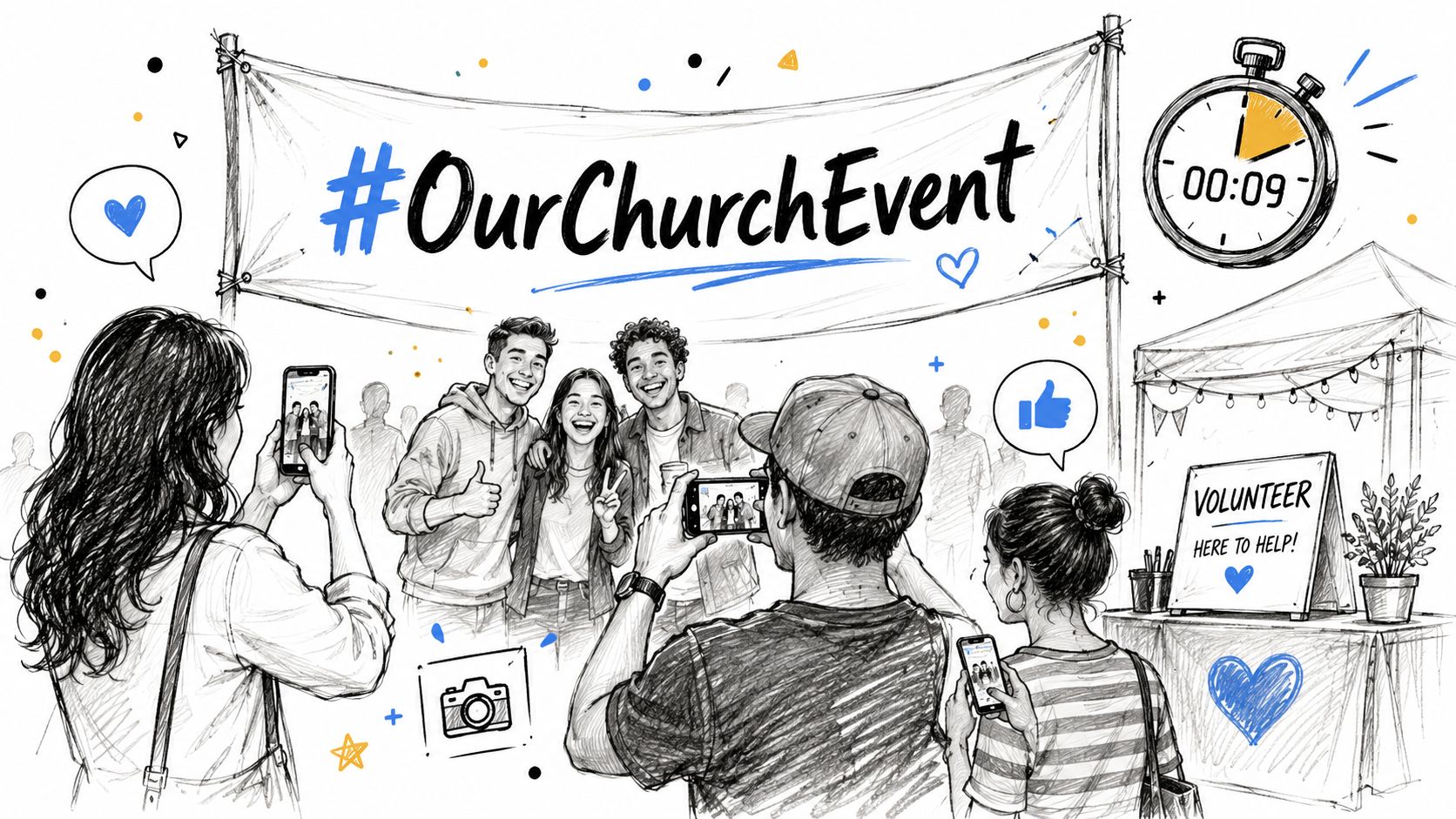
The simplest system is a branded hashtag, a printed sign at the event, and one designated volunteer monitoring posts and stories. You don't need a large team. You need one person who knows what to watch for and what the church has permission to reshare.
Make the event easy to participate in online
Before the event, publish the hashtag and a few prompts. During the event, reshare attendee posts to Stories. After the event, turn the best submissions into a recap carousel or short highlight Reel.
The trade-off is moderation. Event UGC creates volume quickly, but volume without review turns into chaos. You need a permission process, especially with children, and a basic standard for what fits your church's voice.
That challenge is real for small churches. One source notes that many churches rely on volunteers for social media and lack a scalable, permission-based workflow for requesting permission, generating credit tags, and moderating content without paid software, as described in Cloudinary's guide on UGC workflows and church constraints.
ChurchSocial.ai helps by giving volunteers one place to organize event posts, build graphics, and map content to the calendar. Its Planning Center and calendar integrations are especially useful here. Instead of manually rebuilding every event plan, your team can create content around dates that already exist in the church's schedule.
What works is giving attendees a simple action: tag, post, and share. What doesn't work is waiting until the event ends to think about content.
4. Seasonal Prayer and Praise Request Campaigns
Prayer content can become repetitive fast if every post looks like a church bulletin screenshot. It becomes engaging when members help shape it. Prayer requests, praise reports, and Scripture responses let people participate in the spiritual life of the church, not just observe it.
This format works especially well in seasons. Advent, Lent, a church-wide prayer emphasis, back-to-school month, or a community crisis all give the church a natural reason to gather and share member voices.
Use recurring formats people can recognize
A recurring format creates familiarity. Try a weekly prayer carousel, a monthly praise report post, or a short story set with one request and one answered prayer. If your church already receives prayer requests through email or connection cards, adapt that system rather than starting from scratch.
Keep the design simple:
- Prayer Wednesday: One carousel with several short requests.
- Praise Friday: One answered prayer or one member update.
- City Prayer Week: A daily post focused on schools, leaders, families, or local needs.
- Sermon tie-in: One prayer prompt connected to Sunday's message.
ChurchSocial.ai's templates and editor make this easier for volunteers who aren't designers. One person can drop requests into a repeatable graphic format, schedule them in the calendar, and keep the look consistent across platforms.
A caution matters here. Don't turn prayer requests into public content by default. Some requests belong in private pastoral care, not on Instagram. Ask permission, remove identifying details when needed, and avoid writing captions that feel sensational.
For churches, this kind of community participation fills a real gap. One source argues that churches need a community UGC model built around authentic member voices rather than sales-based metrics, including prompts such as church story and sermon takeaway tags, in Keyhole Marketing's article on church UGC strategy.
5. Visitor and New Member Welcome Campaigns
A family visits on Sunday, likes the service, then spends Monday and Tuesday deciding whether to come back. In that window, your social presence often answers practical questions they did not ask in person. Who will know my name? What do people do after the service? Is there a place for someone like me here?
That is why welcome campaigns work best as follow-up, not branding. A polished “welcome to our church” graphic has limited value on its own. A short story from a new member, a photo from a newcomers lunch, or a simple post explaining the next step gives a guest something more concrete. It shows what joining looks like.
Build a welcome system volunteers can run
Small churches do not need a complicated campaign here. They need a repeatable process with clear boundaries and simple assets.
A workable rhythm looks like this:
- Week 1: Post a general next-steps carousel covering groups, classes, serving, and how to ask questions.
- Week 2: Share one approved new member introduction with a photo and two or three sentences.
- Week 3: Run an Instagram Story question sticker such as “What would help you get connected?”
- Week 4: Share a brief “why we stayed” reflection from a newer family or member.
The order matters. Guests usually need clarity before visibility. Start by helping them understand the path into church life. Then invite participation once trust has had time to grow.
Consent sets the tone. Do not feature first-time guests publicly unless they have clearly opted in. Even with new members, keep the process simple. Ask permission, confirm the wording, and give them an easy way to decline a photo, tag, or quote. Churches that handle this well make people feel seen, not used.
The strongest welcome content also answers a leadership problem. Follow-up often depends on one organized staff member remembering everything. Volunteer teams need a system they can maintain. ChurchSocial.ai helps by giving volunteers shared post templates, a calendar for scheduling introductions and next-step posts, and one place to manage approvals. That makes advanced social media management realistic even for a small church communications team.
Keep the message warm and specific. “We're glad you came” is fine. “Here are three ways to meet people this month” is better. Visitors return when the path feels personal and clear.
6. Volunteer Highlight and Impact Story Series
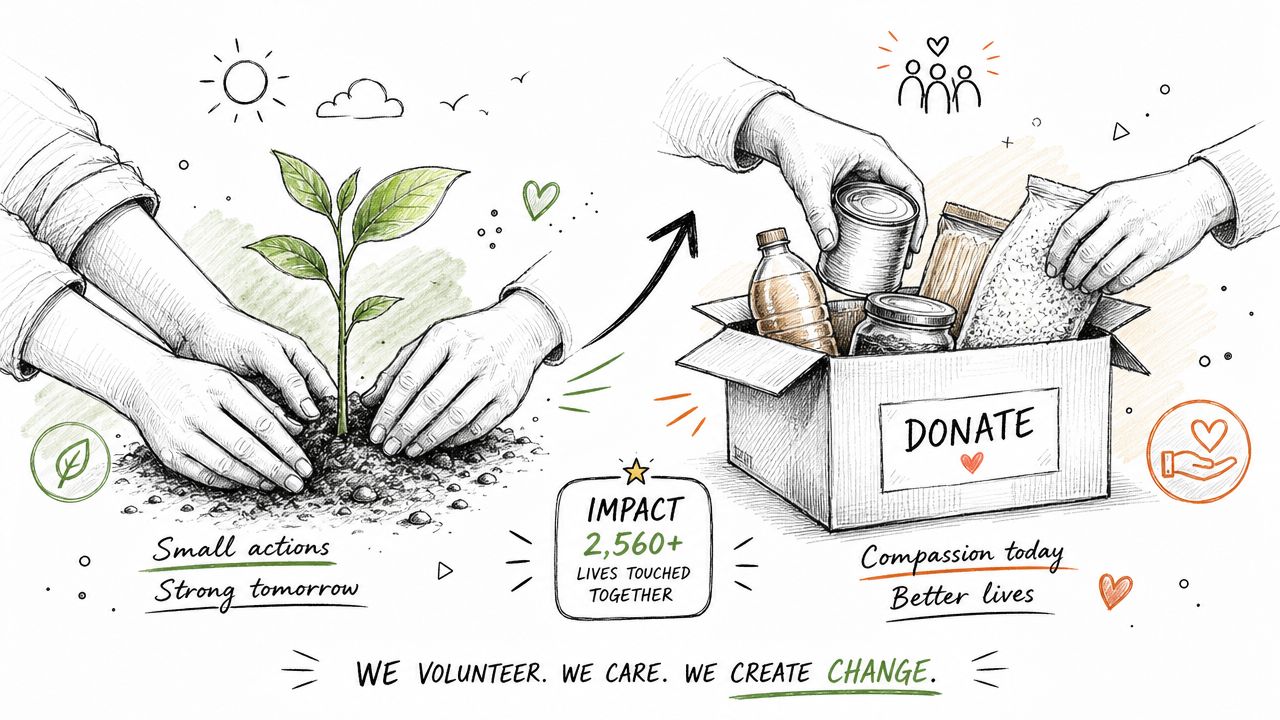
Most churches say volunteers matter. Fewer churches show that consistently online. A volunteer spotlight series fixes that. It also gives your congregation a steady stream of authentic content that reflects the church's actual ministry, not just its stage moments.
This is one of the most practical user generated content strategies because volunteers already have stories, photos, and reasons they serve. You don't need to invent a campaign. You need to ask better questions and collect the answers in a repeatable format.
Show the person, then show the impact
A volunteer spotlight gets stronger when it includes both identity and outcome. Don't just post a headshot with “thanks for serving.” Share where they serve, why they care, and what that ministry helps make possible.
A useful rhythm might include:
- One profile: A children's ministry volunteer sharing why they greet families each week.
- One service recap: Photos from a food pantry team after a Saturday outreach.
- One behind-the-scenes story: The tech volunteer nobody sees online helping people worship in person and at home.
Churches often underestimate how encouraging it is for members to see ordinary faithfulness recognized in public.
Formal strategy still matters here. Even though 87% of brands use UGC for authentic, cost-effective content, only 16% have a formal strategy, according to Grand View Research's user-generated content platform market report summary. Churches fall into the same trap. They have plenty of real stories, but no simple system for collecting, approving, and publishing them.
ChurchSocial.ai helps with the system side. Volunteers can gather quotes, pair them with photos, build branded carousels, and place recurring spotlights on the calendar. That's what moves this from a nice idea to a sustainable ministry practice.
What doesn't work is highlighting the same visible teams over and over. Rotate across ministries so setup crews, prayer teams, greeters, kitchen volunteers, and student leaders all get seen.
7. Interactive Community Challenges and Engagement Campaigns
A pastor posts a 7-day prayer challenge on Monday. By Wednesday, half the church has forgotten it exists. The issue usually is not lack of interest. It is lack of structure.
Interactive campaigns work when people know exactly what to do, how long it lasts, and what kind of response the church is hoping to see. For churches, the strongest challenges are tied to actual discipleship habits: prayer, Scripture memory, serving a neighbor, gratitude, or family devotions. If the activity feels staged for social media, participation drops fast.
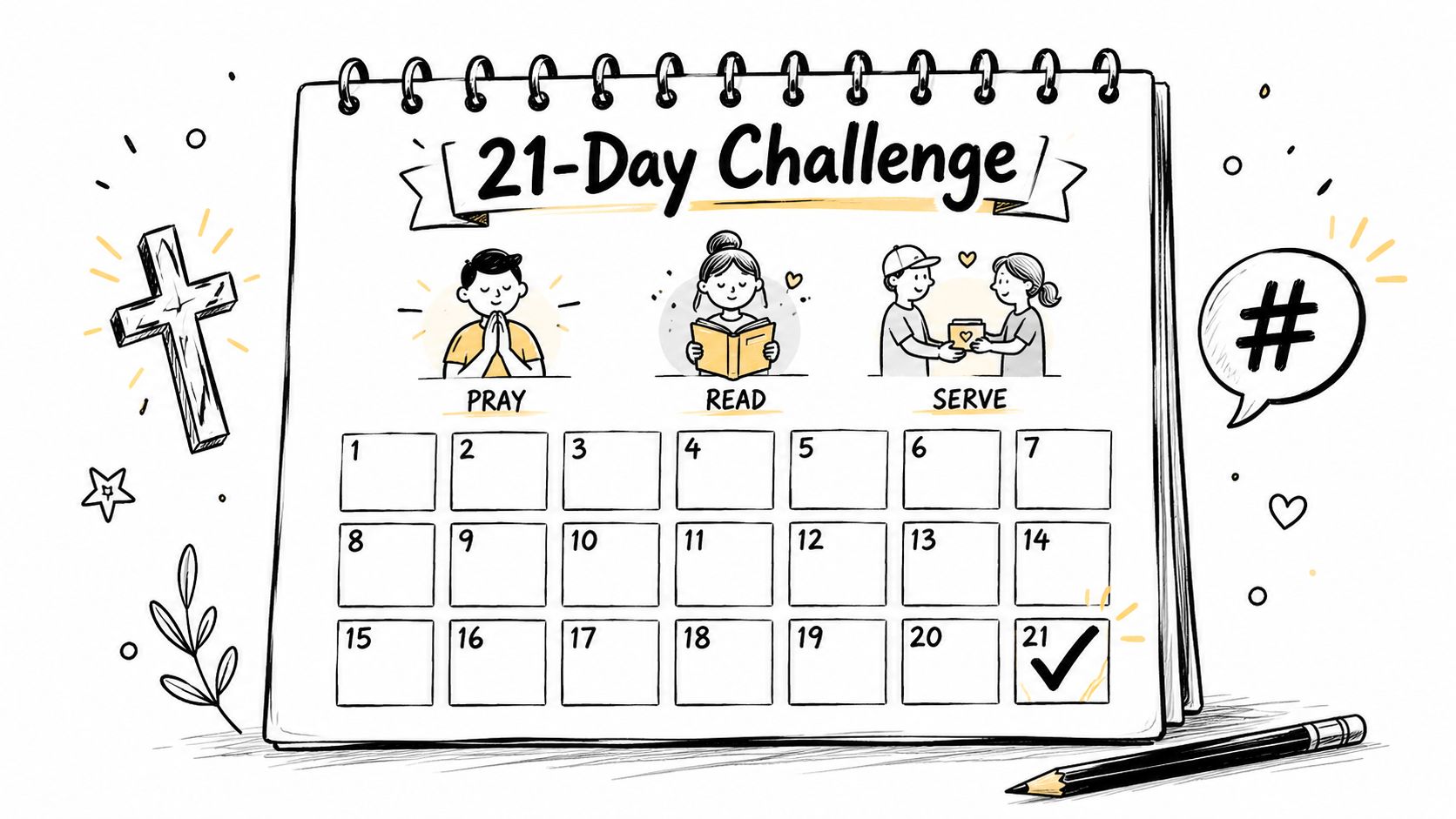
Keep the challenge short enough for volunteers to manage and members to finish. Seven days is often enough. Twenty-one days can work if each prompt takes a minute or two. A month-long challenge needs stronger planning, because energy fades unless the church keeps showing people what participation looks like.
That is where a volunteer-led system matters. One person can draft the prompts. Another can review submissions. A third can reshare strong examples and reply to comments. ChurchSocial.ai helps small teams handle that workflow without building everything from scratch. Volunteers can schedule the full series on the visual calendar, reuse branded templates, and keep approvals organized in one place. If your team needs a clearer response plan, these community engagement best practices for churches are a useful next read.
Audience participation matters here for a simple reason. Churches are asking people to join in, not just watch. As noted earlier, user-generated content keeps growing across the broader market. Churches do not need to copy brand tactics, but they do need a repeatable way to invite members into visible, meaningful participation.
Use prompts that are easy to complete and easy to share:
- Prayer challenge: Post one daily prayer focus and invite a short reply or Story share.
- Scripture memory: Ask members to submit a brief video reciting one verse.
- Serve week: Encourage one photo or sentence about a practical act of service.
- Family devotion challenge: Suggest a picture of an open Bible, notebook, or breakfast table setup for families who prefer privacy.
The trade-off is straightforward. Low-friction challenges get more participation, but they still need moderation and follow-up to feel pastoral rather than mechanical.
What works is a clear daily rhythm, examples from leaders or volunteers, and regular resharing so people can see the community taking part. What fails is a challenge launched with no owner, no posting schedule, and no plan for acknowledging the people who join in.
8. Live Event Coverage and Real-Time Social Updates
Live coverage helps people feel included before, during, and after an event. It's especially useful for baptisms, conferences, youth nights, outreach days, and big Sundays. But live content isn't just about streaming the whole event. It's about capturing the energy around it.
One volunteer can handle Stories. Another can manage the livestream or comments. That separation matters because split attention creates mediocre results in both places.
Treat live updates as ministry, not just media
A good live workflow has three layers. First, announce the livestream or event coverage ahead of time. Second, post a few real-time updates during the event. Third, cut short follow-up clips within a day while the moment still feels current.
Here's the practical benchmark for whether your content is resonating. For organic church social content, a solid engagement rate is 3% to 5%, rates below 1% to 2% often signal weak resonance, and rates above 6% indicate highly impactful posts worth repeating, according to Story and Stone's church social media strategy guidance.
If a live Story sequence gets replies, shares, or direct messages, treat that as a pastoral signal, not just a metric.
ChurchSocial.ai can support the follow-up stage especially well. After the event, a church can turn the sermon or talk into AI-generated Reels, write recap posts from the transcript or notes, and schedule the next round of clips and photos in the same drag-and-drop calendar. That keeps the momentum going after the room empties.
What works is clear assignments, tested equipment, and short recap assets posted quickly. What doesn't work is one long shaky stream with no captions, no context, and no post-event reuse.
8-Point User-Generated Content Strategy Comparison
| Strategy | Implementation Complexity 🔄 | Resource Requirements ⚡ | Expected Outcomes 📊 | Ideal Use Cases 💡 | Key Advantages ⭐ |
|---|---|---|---|---|---|
| Sermon-Based Content Repurposing | Medium, needs transcript capture and AI setup | Low–Medium, quality audio, AI subscription, light editing time | Consistent weekly assets, improved SEO and reach | Churches with regular preaching and limited staff | Efficient content production; consistent messaging; quick turnaround |
| Member Testimony & Faith Story Campaigns | Medium, submission flows and moderation required | Medium, curation, editing, consent management | High engagement, authentic relatable content | Churches with active, story-willing members | Builds trust and community; diverse voices; reduces staff content burden |
| Event-Based Content Communities | Medium, hashtag strategy and event integration | Medium, promotion, volunteer monitors, Planning Center sync | Large volume of moment-based UGC; extended event reach | VBS, retreats, outreach, holiday services | Turns events into content engines; FOMO and repurposable library |
| Seasonal Prayer & Praise Request Campaigns | Low–Medium, forms and privacy controls needed | Low–Medium, management, privacy workflows, recurring scheduling | Deepened spiritual engagement; steady meaningful posts | Pastoral care, liturgical seasons, prayer ministries | Consistent, meaningful content; strengthens pastoral care visibility |
| Visitor & New Member Welcome Campaigns | Medium, visitor system integration and opt-in flows | Medium, timely follow-up, templates, consent handling | Improved newcomer retention and pathway conversions | Churches prioritizing assimilation and growth | Warm public welcome; clear next steps; social proof for newcomers |
| Volunteer Highlight & Impact Story Series | Medium, ongoing story collection and scheduling | Medium, coordinator time, photos/videos, editing | Higher volunteer retention and recruitment; documented impact | Churches with active volunteer ministries and outreach | Public recognition; inspires service; shows tangible impact |
| Interactive Community Challenges & Engagement Campaigns | High, campaign design, tracking, and moderation | Medium–High, promotion, monitoring, prizes/tracking tools | Short-term viral spikes; large amounts of UGC | Short campaigns tied to series, missions, or growth drives | High shareability and participation; drives behavior change |
| Live Event Coverage & Real-Time Updates | High, technical setup, streaming and moderation | High, equipment, trained volunteers, reliable connectivity | Real-time inclusion, FOMO, immediate engagement | Services, baptisms, concerts, large public events | Authentic live energy; two‑way engagement; archival content |
Your Next Step: Automate Your UGC Strategy
User generated content strategies work because they reflect what church ministry already is. Church life is built on stories, service, prayer, testimony, and shared experience. Social media becomes healthier when it reflects that reality instead of acting like a digital bulletin board.
The challenge isn't whether your church has enough potential content. It almost certainly does. The challenge is building a workflow that volunteers can sustain. That means simple prompts, clear permission practices, recurring formats, and a calendar everyone can see. It also means deciding in advance what belongs publicly on social and what should stay in private pastoral care.
There's real upside in getting this right. According to Yotpo's research on UGC strategy and conversion performance, shoppers who engage with reviews and user-generated content convert at a 161% higher rate than those who don't, and pages featuring UGC can see up to a 308% increase in time on site when visitors interact with customer galleries. Churches aren't measuring purchases in the same way, but the lesson still applies. When people engage with real human stories, they stay longer, pay closer attention, and are more likely to take a next step.
That's why moderation and permission matter as much as creativity. If your church is inviting members to share stories, photos, and videos, set clear expectations for usage, approvals, and reposting. Small teams can keep this manageable by documenting simple moderation policies and tools before a campaign starts.
ChurchSocial.ai is relevant here because it reduces the amount of scattered work. Churches can create AI-generated Reels from sermons, generate posts and blogs from transcripts, design graphics and carousels, and manage the week in a drag-and-drop calendar. Planning Center and church calendar integrations also help event content stay tied to real ministry activity instead of being rebuilt manually every time.
Start smaller than you think. Pick one sermon repurposing workflow, one testimony slot each month, and one event hashtag for the next major ministry moment. Train one volunteer on the process. Build from there. The churches that do this well usually aren't creating more noise. They're giving their people more ways to participate, respond, and be seen.
ChurchSocial.ai helps churches turn sermons, testimonies, events, and volunteer stories into a manageable social media system. If you want one place to create sermon Reels, write posts from transcripts, design graphics, and schedule everything on a visual calendar, explore ChurchSocial.ai.


