
What if you could turn one Sunday sermon into an entire week's worth of powerful social media content? And what if you could do it without spending hours glued to a video editor?
That's exactly what an auto trim clip tool does. Specifically, a platform like ChurchSocial.ai uses AI-powered tech to intelligently scan your long-form sermons, pinpoint the most impactful moments, and automatically snip them into short, shareable clips. For churches, this is a total game-changer for getting the weekend message out into the world and managing your entire social media presence from one simple place.
From Pulpit to Pocket: The Power of Auto Trim Clip AI
For years, the process of getting sermon highlights onto social media was a grind. It meant a dedicated staff member or volunteer had to manually scrub through an hour-long recording, hunt for a compelling 60-second soundbite, and then wrestle with complex software to cut, caption, and format it.
Honestly, this old workflow was a huge bottleneck. By the time a clip was finally ready, the momentum from Sunday was often gone. This kept so many churches from consistently sharing their best content on the very platforms where their community spends its time, like Instagram, TikTok, and Facebook. The recent explosion in AI has completely changed how we can approach this, and it’s worth understanding the broader world of content marketing automation tools to see just how much is possible now.
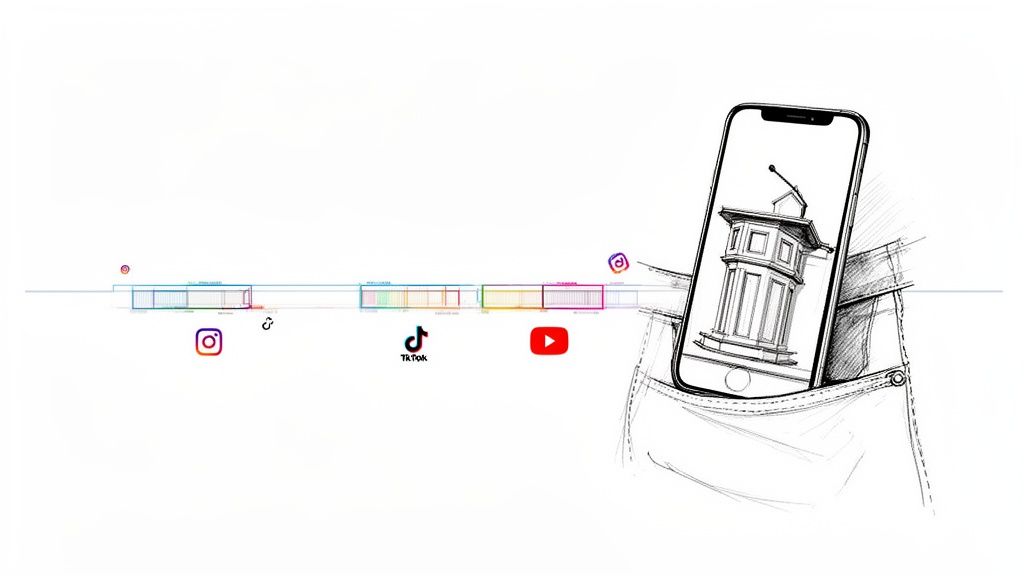
A New Way to Amplify Your Message
An auto trim clip tool flips the script entirely. Instead of manual labor, artificial intelligence does the heavy lifting. The technology is smart enough to understand the rhythm and flow of a sermon, picking out moments of deep theological insight, genuine emotional connection, or powerful storytelling.
This shift has a massive impact on your ministry's outreach:
- Saves Precious Time: What used to take hours can now be done in minutes. This frees up your team to focus on actual ministry, not video editing.
- Increases Content Output: You can easily pull multiple high-quality clips from a single sermon, giving you a steady stream of content all week long.
- Extends Your Reach: By creating short-form videos, you connect with both your congregation and a wider audience in a format they’re already watching every day.
At its core, an auto trim clip tool isn't just about being more efficient; it's about good stewardship. It lets your church steward its most important content—the weekend message—by multiplying its impact far beyond the four walls of your building.
Tools like ChurchSocial.ai build this feature directly into a platform designed for churches. Our AI can create generated reels from your sermons, create AI generated content from the sermon transcript like social posts and blogs, and it's all managed within our simple drag-and-drop calendar. It transforms your message from a one-time event into an ongoing digital conversation, keeping your community connected long after the service ends. If you want to dive deeper into how this tech can serve your ministry, check out our guide on AI for churches.
Creating Sermon Clips Automatically with ChurchSocial.ai
Turning an hour-long sermon into a handful of shareable, high-impact social media videos used to be a massive headache. Honestly, it was a job that could take a skilled volunteer hours. With ChurchSocial.ai, that entire process is surprisingly simple and, dare I say, intuitive.
The whole platform feels like it was designed by people who actually work in a church. It cuts out all the technical jargon and confusing steps so you can just focus on the message. From the moment you upload your sermon to having AI-generated reels ready to post, you’re only looking at a few minutes of work.
It all starts with feeding the AI your sermon. You’ve got two dead-simple options: upload the video file from your computer or just paste in the YouTube link. You don't need to do any pre-editing or fancy prep work. Just give our AI your raw recording and let it do its thing.
The AI Gets to Work
Once you've uploaded the sermon, the AI kicks into gear. This is where the real magic happens behind the curtain. First, the system transcribes the entire message, word for word. This transcript becomes the road map for finding the best moments.
But it doesn't just pull out random soundbites. The AI is smart enough to analyze the content for key theological themes, powerful one-liners, and moments that just feel important. It has a sense for the natural rhythm of a sermon, knowing when a point is building or a story is hitting its peak.
A few minutes later, you'll see a list of suggested clips pop up. These aren't rough cuts, either. Each one is a polished starting point, complete with eye-catching, animated captions—a must-have when you remember that over 85% of videos on social media are watched with the sound off.
Reviewing and Refining Your Clips
Here’s the best part: you always have the final say. The AI does a fantastic job of finding great moments, but you have total control to tweak them. You can quickly scan each proposed auto trim clip and make sure it captures the spirit and context you intended.
What if a clip starts a second too early or cuts off a little too late? No problem. The editor is visual and super easy to use. Just click and drag the start and end points with your mouse to get it just right. No need to open up some complicated, professional video editing software.
This teamwork between AI-powered suggestions and human oversight is what makes it so powerful. You get to skip hours of tedious work but still keep full creative and theological control. This is a core part of the content multiplication strategy we talk about when you repurpose your church's content with AI.
Customizing Clips for Your Church
After you've picked your favorite clips, the last step is making them look like they belong to your church. Branding is what creates that consistent, professional feel across your social media feeds, and ChurchSocial.ai makes it incredibly easy.
Your church's message is unique, and your social media content should reflect that. Customization turns a great sermon moment into a recognizable piece of content from your ministry.
You can instantly apply your church's branding to every single video.
- Add Your Logo: Just upload your church's logo, and it'll appear on every clip.
- Match Your Colors: Change the caption colors to match your church’s brand palette perfectly.
- Select Aspect Ratio: With a single click, you can format the video for its destination, whether that’s a 9:16 vertical clip for Reels and TikTok or a 1:1 square for an Instagram post.
This whole workflow means you can pull multiple, fully-branded, and perfectly formatted clips from just one sermon. It turns a massive, time-consuming task into an efficient process that anyone on your team can handle.
Getting the Most Out of Your Clips: Impact and Engagement
Okay, so you've got a fantastic, hope-filled clip auto-generated from Sunday's message. That’s the first big win. But getting that clip in front of people—and getting them to actually engage with it—is a whole different ballgame.
The truth is, a one-size-fits-all approach to social media just doesn't cut it anymore. Each platform has its own vibe, its own audience, and its own algorithm. To really connect, you have to play by their rules.
A quick, punchy clip that’s under 60 seconds and gets right to the heart of the matter? That's perfect for the fast-paced, scroll-happy world of Instagram Reels and TikTok. But on a platform like YouTube, where people are often ready to settle in for a bit longer, a more detailed two or three-minute segment can really capture and hold attention.
This is where the right tools make all the difference. The process of getting from a full sermon to a perfectly sized, customized clip used to be a huge headache. Now, it's a simple, streamlined workflow.
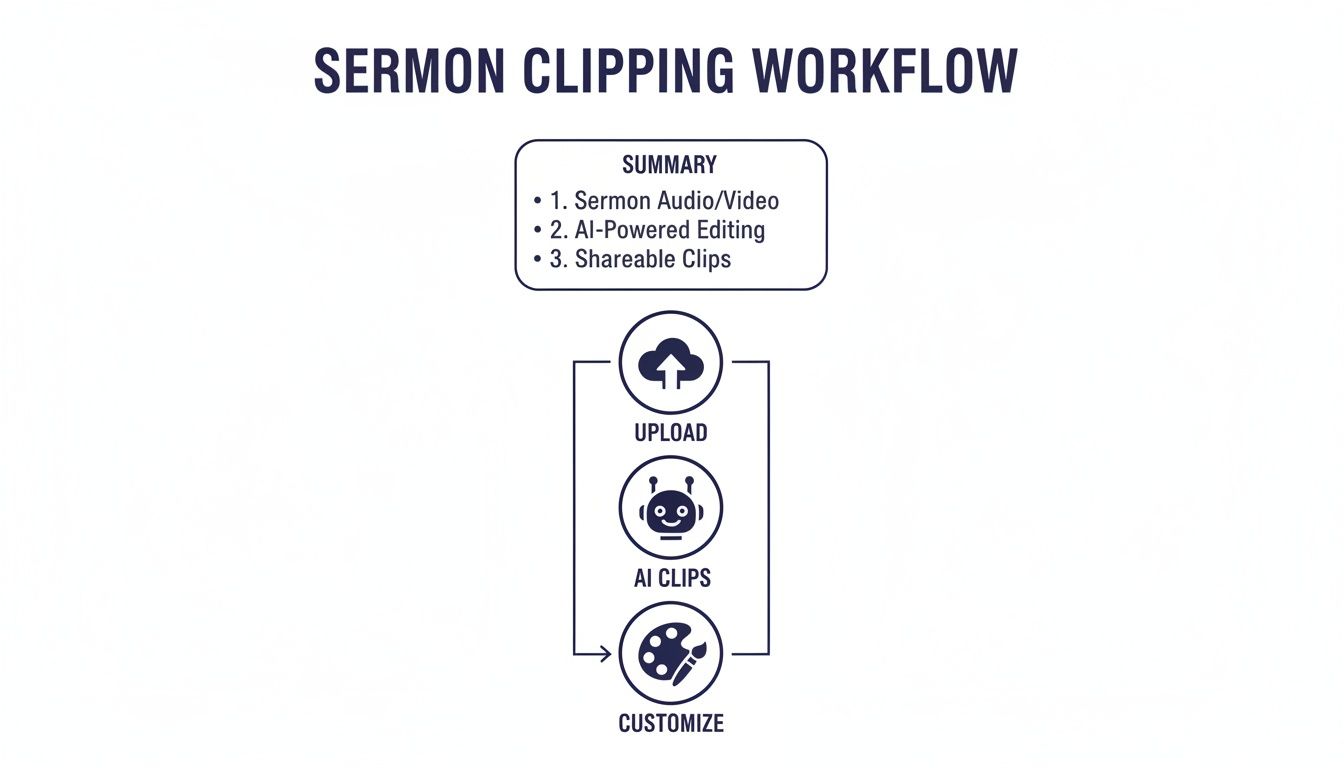
The real takeaway here is that the technical stuff is handled. You can finally stop wrestling with video editors and start focusing your energy on the strategy of sharing your church's message.
Going Beyond the Video: Crafting a Compelling Post
The clip might be the star of the show, but the caption, hashtags, and description are the supporting cast that makes it shine. This is your chance to add context, pose a question, and invite your online community into a real conversation.
Don’t just summarize what’s in the video. Use your post description to pique curiosity. The AI in ChurchSocial.ai is designed specifically for this—it moves beyond bland summaries to generate thought-provoking questions and calls to action that get people talking in the comments.
Remember this stat: up to 85% of social media videos are watched with the sound off. Your on-screen captions aren't just a nice-to-have; they're absolutely essential for making sure your message actually lands.
Hashtags are another game-changer for expanding your reach. Think in layers:
- Broad: Use tags like
#churchonlineor#faithto tap into the wider Christian conversation. - Local: Add your city or neighborhood (e.g.,
#dallaschurch) to connect with people right in your backyard. - Specific: Create tags for your current sermon series or the topic of the clip itself (e.g.,
#graceandmercyor#BookofRomans).
Recommended Video Clip Lengths by Social Media Platform
To make things easier, here's a quick guide to help you tailor your video clips for the best performance on each platform.
Matching your clip's length to the platform's sweet spot is a simple tweak that can dramatically boost how many people see and interact with your post.
Little Details, Big Results
Getting the technical details right matters, too. For vertical video platforms, you need to make sure your dimensions are correct so nothing important gets awkwardly cut off. For example, understanding the proper YouTube Shorts aspect ratio ensures your clip looks polished and professional, not like a poorly cropped afterthought.
Finally, think about when you post. You can check your platform’s built-in analytics to see when your followers are most active online. Posting during those peak hours gives your content the best shot at getting that crucial initial burst of engagement, which signals to the algorithm that you've shared something valuable.
If you want more ideas on how to capture attention right from the jump, check out our guide on creating powerful hooks for your church's Reels.
Going Beyond Sermons with Your Content Strategy
The magic of an auto trim clip tool doesn't end when the Sunday service concludes. Honestly, that’s just scratching the surface. Your church is likely sitting on a goldmine of powerful, untapped video content in its archives, and that's your ticket to a truly vibrant social media ministry.
Think past the pulpit for a second. What about that incredible testimony from a small group Bible study? Or the key takeaways from a guest speaker at your last leadership training? These are the real, human moments that resonate deeply and can make a massive impact when you share them with your community online.
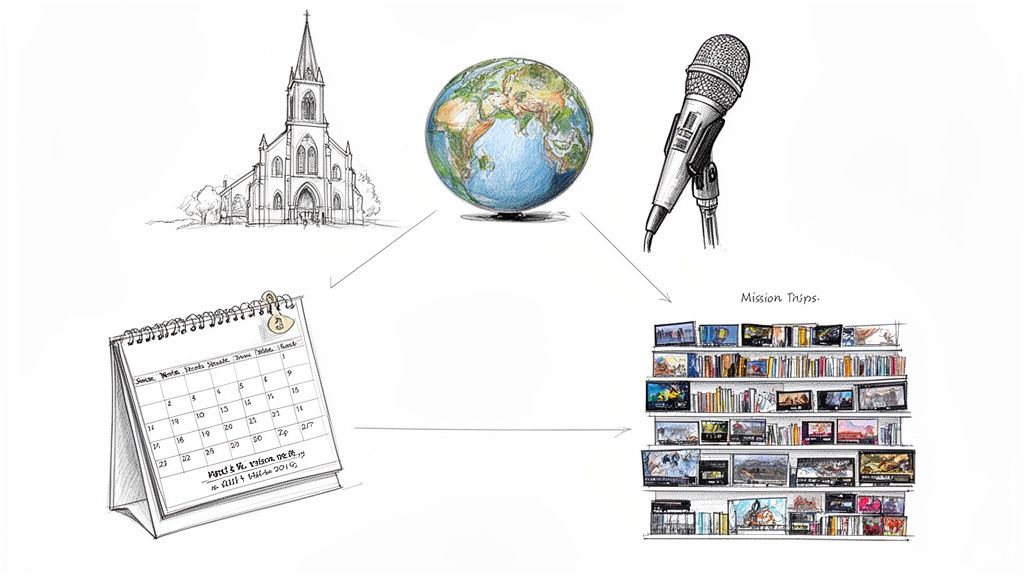
This is where your content strategy can really come to life, transforming your video library into a constant stream of encouragement that lasts all week long.
Repurpose Every Church Moment
Just imagine creating a moving highlight reel from your latest mission trip by pulling out the most powerful soundbites. Or, you could take a long teaching session from a conference and use the same AI tech to spin off several bite-sized clips, each one perfect for a different social platform.
Suddenly, your video assets aren't just a static archive; they become a dynamic content engine. This is exactly what tools like ChurchSocial.ai are built for—turning all sorts of video into engaging posts, blog articles, and promotional materials. You can also use our graphic templates and editor to create and post photos and carousels, all managed from a simple drag-and-drop calendar.
Automate Your Event Promotions
Now, this is where things get really exciting for church communicators. Think about how much time you pour into creating promo content for upcoming events. With the right setup, that whole process can be put on autopilot.
ChurchSocial.ai, for example, can connect directly with church calendars like Planning Center. This integration allows the platform to see your upcoming events and automatically generate content to promote them.
By connecting your event calendar to your content creation tool, you build a promotional system that works for you, freeing up your team to focus on the ministry of the event itself, not just the marketing.
Let’s walk through what this looks like in the real world:
- You add the annual youth group retreat to your Planning Center calendar, complete with the date, time, and a short description.
- ChurchSocial.ai picks up this new event and automatically creates a short, animated promo video or a beautiful graphic post.
- From there, you can schedule that content to post across your social channels in the weeks leading up to the retreat—all from one central place.
This is how a single, smart platform can become the hub for your church's entire digital outreach. You stop creating one-off posts and start building a sustainable, efficient system for sharing the life of your church with the world.
Working Through the Common Sticking Points
Let's be honest, bringing a new tool into your ministry workflow can feel like a big step. You might be picturing a steep learning curve or technical headaches. But when it comes to using an auto trim clip tool within a platform like ChurchSocial.ai, most of the hurdles you're probably imagining are surprisingly simple to clear.
A big one for many church teams is audio quality. What if your sanctuary has a natural echo, or there’s some background noise from the congregation? You don’t need a state-of-the-art recording studio. While cleaner audio is always a plus, even small tweaks—like moving the mic a little closer to the pastor—can dramatically improve the AI's accuracy.
What If the AI Doesn’t Get It Perfect?
This is probably the most common question I hear: "What if the AI picks a clip that's just… off?" It's a fair question, but it comes from a slight misunderstanding of how this all works. The AI isn't the final decision-maker. You are.
Think of the AI as your helpful intern, not the senior video editor. ChurchSocial.ai is designed to give you a handful of fantastic starting points, saving you the tedious work of scrubbing through a full sermon. If a suggested clip starts a beat too early or cuts off right before the punchline, you can fix it in a snap.
The magic of this technology isn't that it's flawless. It's that it gets you 90% of the way there in seconds. You and your team provide the final creative polish.
Inside the editor, you just drag the start and end markers to frame the exact moment you want. It’s a simple, intuitive process that takes a few clicks—no wrestling with complicated video software required.
Keeping Your Message Authentic
Maybe the biggest concern for ministry leaders is the fear that technology will make their message feel cold or impersonal. Will using an AI to create clips somehow water down the genuine, Spirit-led message from the pulpit?
Absolutely not. The AI is just a tool, no different than the microphone that carries the pastor’s voice or the projector that displays the sermon notes. It’s there to amplify the message, not alter it. The passion, the theology, and the heart behind every clip are still 100% from your church. The AI just helps you package that powerful moment for a wider audience.
At the end of the day, tools like ChurchSocial.ai are built for busy church staff and dedicated volunteers, not Hollywood video editors. They exist to remove the technical roadblocks so you can focus on what you do best: sharing the message of hope with your community.
Common Questions About Auto-Trimming Clips
Jumping into new tech always comes with a few questions. Let's tackle some of the most common ones we hear from church leaders about using an auto-trim tool like ChurchSocial.ai.
Do I Need to Be a Video Editor to Use This?
Not at all. Seriously. Tools like ChurchSocial.ai were built from the ground up for people who have zero video editing experience.
The AI does all the heavy lifting—finding the right moments and making the cuts. If you want to tweak anything, it’s all done through a super simple, click-and-drag interface. The whole point is to make this easy for busy church staff and volunteers who don't have a background in video production.
How Good Is the AI at Actually Finding Good Clips?
It's surprisingly good. The AI is trained to listen for things that make a clip compelling, like a shift in vocal tone, a powerful statement, or a moment that’s packed with emotion.
The best part? It doesn’t just spit out one option. You'll get a handful of great suggestions, giving you the final say on which clips best capture the heart of your message.
This gives you the speed of AI without ever losing control over the final content.
Can I Put My Church's Branding on the Videos?
Absolutely, and you definitely should. ChurchSocial.ai makes it simple to add your church’s branding to every single clip.
- Upload your church logo and place it where you want.
- Set your caption colors to match your brand's palette.
- Choose fonts that fit your church’s visual identity.
This makes sure every video you share looks professional and is instantly recognizable as coming from your ministry.
What if My Sermon Audio Isn't Perfect?
While clean audio is always best, today's AI is pretty forgiving. The transcription can usually handle a bit of background noise or room echo without a problem.
We also have some practical, easy-to-follow tips for getting better audio without buying a bunch of expensive equipment. The goal is to make this technology work with the setup you already have.
Ready to trade hours of video editing for a bigger impact? With ChurchSocial.ai, you can turn one sermon into a full week of social media content in just minutes. From AI-powered clips to a complete suite of tools for creating graphics, writing posts, and scheduling your entire calendar, we're here to help your church connect with people online.


