
Your church is already a powerhouse of content. Every Sunday sermon, Bible study, and community event holds immense potential to inspire, teach, and connect with people well beyond your church walls. But are you maximizing its reach? Many church leaders feel the constant pressure to create brand new social media content, a cycle that often leads to burnout and an empty calendar. The secret isn't necessarily creating more; it's being smarter with what you already have.
The strategy to repurpose social media content is about transforming one core message, like a 30-minute sermon, into a full week of engaging posts. This approach extends the life of your ministry's message, helps you reach new audiences on different platforms, and fosters deeper community engagement, all while saving your team precious time and resources. Before diving into specific strategies, it's crucial to understand the fundamental principles of what content repurposing is and how it works. This foundation will help you see every piece of content not just for what it is, but for what it could become.
This guide provides 10 practical, actionable strategies designed specifically for churches. We'll show you exactly how to fragment sermons into shareable clips, turn event announcements into compelling stories, and transform testimonials into powerful series. Throughout this list, we will demonstrate how a dedicated platform like ChurchSocial.ai can streamline and even automate this entire workflow, turning a complex and time-consuming task into a simple, sustainable system for your ministry.
1. Sermon-to-Clip Repurposing
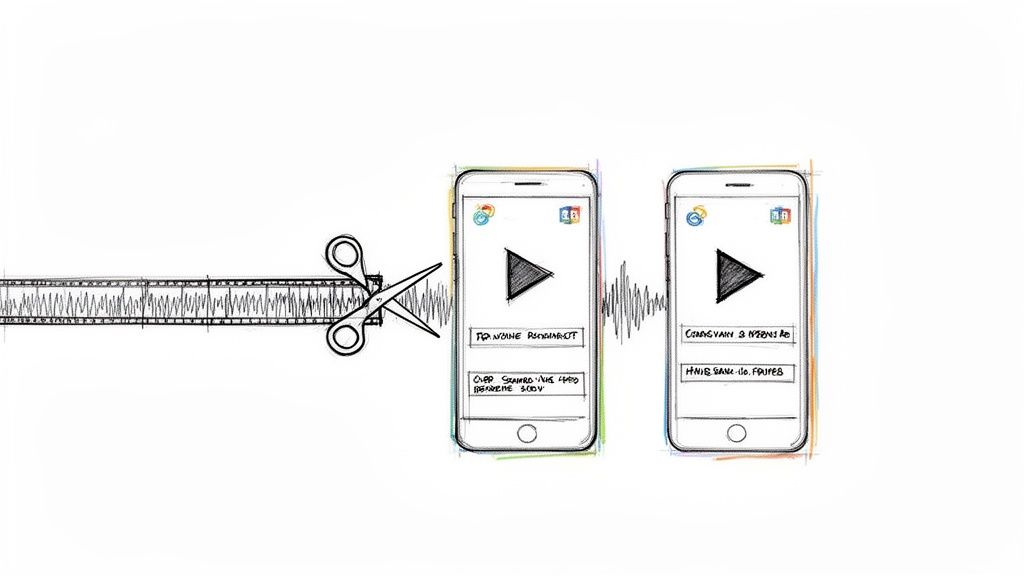
Sermon-to-clip repurposing involves transforming your full-length sermon recordings into short, captivating video clips (typically 15-60 seconds) tailored for platforms like Instagram Reels, TikTok, and YouTube Shorts. This strategy extracts the most powerful moments, memorable quotes, or key teachings from a longer message, making your content accessible to a broader online audience who may not watch a complete service. By packaging these moments with dynamic captions, graphics, and music, you create highly shareable content that captures attention quickly.
This is arguably one of the most effective ways to repurpose social media content because it meets your audience where they are: scrolling through short-form video feeds. Instead of asking them to commit to a 40-minute sermon, you offer a bite-sized piece of inspiration that can spark curiosity and lead them to the full message.
Actionable Tips for Sermon Clips
- Identify Universal Truths: When reviewing your sermon, pinpoint quotes or stories with universal appeal that resonate even without the full context. These moments are perfect for reaching people outside your immediate congregation.
- Embrace Dynamic Visuals: Use animated text overlays and progress bars to keep viewers engaged. For many, social media is a sound-off experience, so clear, easy-to-read captions are non-negotiable.
- Create a Clear Call-to-Action (CTA): End each clip with a simple instruction. A CTA like, "Watch the full sermon on our YouTube channel - link in bio!" guides interested viewers to take the next step.
- Batch Your Creation Process: Dedicate a specific time block to pull multiple clips from a single sermon. This builds a content library you can schedule throughout the week, ensuring a consistent online presence. With ChurchSocial.ai, you can easily manage and update all of your social media on a simple drag-and-drop calendar.
- Optimize Your Workflow: Manually editing clips can be time-consuming. With ChurchSocial.ai, you can create AI-generated reels from your sermons, dramatically speeding up your content creation. To master the recording process itself, explore these expert tips on how to effectively get your sermon on video.
2. Blog-to-Social Microcontent Fragmentation
Blog-to-social microcontent fragmentation is the strategy of deconstructing long-form written content, such as blog posts or Bible study articles, into smaller, distinct social media updates. Instead of just sharing a link to your article, you extract key quotes, statistics, discussion questions, and main points to create a series of posts. Each piece of microcontent stands on its own while simultaneously encouraging followers to explore the full article for deeper context.
This method is a powerful way to repurpose social media content because it extends the life and reach of your written work. A single 1,000-word blog post can fuel a week's worth of social media updates, driving sustained traffic back to your website and reinforcing your message through repeated, varied exposure. It respects the fast-paced nature of social feeds by offering immediate value.
Actionable Tips for Microcontent Fragmentation
- Create a Content Map: Before you start, outline your blog post and identify 5-7 key takeaways. Map each takeaway to a specific social media post format, such as a quote graphic, a question poll, or a text-based insight. This ensures you cover the most important points without becoming repetitive.
- Design High-Impact Quote Graphics: Use your church’s branding to turn powerful sentences from your article into visually appealing graphics. High-contrast colors and bold, readable fonts stop the scroll and make your message shareable. ChurchSocial.ai's graphic templates and editor make this simple.
- Vary Your Post Formats and CTAs: Don't just post a series of quotes. Mix it up by posing questions related to the article, sharing a surprising statistic, or creating a carousel that breaks down a key concept. Vary your call-to-action (CTA) too, using prompts like "Read the full post," "Share your thoughts below," or "Tag a friend who needs this."
- Strategically Space Out Posts: Avoid overwhelming your audience by publishing all the microcontent at once. Schedule the posts 2-3 days apart using a content calendar. This creates a mini-campaign around your blog post, keeping the topic top-of-mind for your community.
- Automate the Idea Generation: Manually pulling ideas from a long article can be tedious. With ChurchSocial.ai, you can input your blog post or sermon transcript and let our AI create generated content like social posts and blogs. This allows you to focus on refining the content rather than starting from scratch.
3. User-Generated Content (UGC) Curation and Reposting
User-generated content (UGC) curation involves collecting and resharing content created by your church members, attendees, and community. This includes everything from event photos and worship moments to personal testimonies and spiritual reflections shared online. This strategy amplifies your members' voices, builds authentic community, and provides social proof without requiring your staff to create every single piece of original content.
This is a powerful way to repurpose social media content because it transforms your audience from passive consumers into active participants in your church's story. By featuring their experiences, you validate their contributions and showcase the real, vibrant life of your congregation, which is far more relatable and trustworthy than purely institutional messaging.

Actionable Tips for UGC
- Create a Branded Hashtag: Establish and promote an easy-to-remember hashtag, like
#[YourChurchName]Familyor#[ChurchName]Sunday, to easily find and track member posts. - Establish Clear Permissions: Always ask for permission before reposting. Create a simple Google Form or email template to get consent and ensure you have the rights to share someone's photo, video, or story.
- Launch a 'Member Spotlight' Series: Dedicate a regular post, such as "Testimony Tuesday" or "Member Monday," to feature a story or photo from your community. This creates anticipation and encourages more submissions.
- Acknowledge Every Contribution: Even if you don't feature every submission, respond with a thank you message or a comment. Acknowledgment makes people feel valued and more likely to share again in the future.
- Integrate UGC Seamlessly: You can streamline this process by using platform-specific widgets for displaying user-generated content directly from Instagram on your church website, creating a dynamic and authentic gallery of your community in action.
- Organize Your UGC Workflow: Use ChurchSocial.ai’s simple drag-and-drop calendar to schedule and manage your UGC features. You can plan your Member Spotlights weeks in advance, ensuring a consistent and engaging feed that truly reflects your church family.
4. Discussion Question Extraction and Engagement
Discussion question extraction involves converting key themes from your sermons, Bible studies, or other teachings into thought-provoking questions designed to spark community conversation. Instead of just broadcasting information, this strategy transforms passive content consumption into active, meaningful engagement by inviting your audience into a dialogue. You can pull a central idea from last Sunday's message and frame it as an open-ended question for your social media feed.
This is a powerful way to repurpose social media content because it fosters a sense of community and discipleship beyond your church walls. By prompting reflection and sharing, you create a space where your congregation can connect with each other and deepen their understanding of the teaching. It shifts your social media from a monologue into a vibrant, interactive forum.
Actionable Tips for Discussion Questions
- Ask Open-Ended Questions: Avoid simple yes/no questions. Instead of "Did you like the sermon?" ask, "What was one truth from Sunday's sermon that challenged you this week?" This encourages more thoughtful and personal responses.
- Relate to Real Life: Frame your questions around everyday challenges and circumstances your congregation faces. Connect the spiritual principle to practical application, such as asking, "How can we show grace in the workplace based on this passage?"
- Use Hypothetical Scenarios: Spark deeper reflection with "what if" or "would you rather" style questions. For example, "Imagine you had to explain 'faith' to a friend who has never been to church. What story or example would you use?"
- Schedule for Peak Engagement: Post your questions when your community is most likely to be online, such as evenings or weekends. With ChurchSocial.ai's drag-and-drop calendar, you can easily schedule these prompts for optimal times and keep the conversation going consistently.
- Engage with Responses: Actively participate in the comments. Have a pastor or staff member respond to thoughtful answers to show that you are listening and value your community's input. This interaction encourages others to join the discussion.
5. Cross-Platform Content Adaptation
Cross-platform content adaptation involves reformatting a single piece of content for optimal performance on different social media platforms. This strategy accounts for each platform's unique algorithms, audience expectations, and technical specifications, such as video length or image dimensions. Instead of simply copy-pasting the same post everywhere, you tailor the message to fit the distinct culture of each channel, maximizing its reach and impact.
This is a powerful way to repurpose social media content because it respects the user experience of each platform. A thought-provoking question that sparks discussion on Facebook may need to be a visually stunning graphic on Instagram or a quick, trend-aligned video on TikTok. By adapting your core message, you increase its relevance and engagement potential, ensuring it connects effectively with different segments of your audience.
Actionable Tips for Cross-Platform Adaptation
- Start with a Core Message: Begin with one central idea, like a sermon quote or an event announcement. Then, brainstorm how to present that same idea differently for each platform. For example, a sermon point on "community" could become a discussion prompt on Facebook and a "behind-the-scenes" video of your small groups on Instagram Reels.
- Customize Your Language and Tone: Each platform has its own voice. A professional, leadership-focused tone works well for LinkedIn, while a more casual, authentic style is better for TikTok. Create a simple communication guide that defines the tone, style, and hashtag strategy for each platform your church uses.
- Optimize for Platform-Specific Features: Use features unique to each network. On Instagram, create a multi-slide carousel to break down a concept. On Facebook, use the event feature to drive registrations. On YouTube, create a longer, SEO-optimized video that provides deep value.
- Vary Your Call-to-Action (CTA): Your CTA should match the platform's user behavior. Use "Comment below with your thoughts" for Facebook, "Tap the link in bio to learn more" for Instagram, and "Subscribe for weekly encouragement" for YouTube.
- Streamline Your Workflow: Managing different versions of a post can be complex. The ChurchSocial.ai calendar allows churches to easily manage and update all of their social media from one place. You can use our AI content generator to quickly rephrase a single idea for different platforms, saving you hours of creative effort.
6. Testimonial and Story Series Storytelling
Testimonial and story series storytelling transforms individual member testimonies into compelling, multi-part serialized content. Instead of a single post, you break down a person's faith journey into several "chapters" shared over time. This approach builds anticipation and emotional connection, turning a passive audience into an engaged community that follows along week after week. Each installment, whether a video, carousel post, or blog, reveals a new part of the story, from a life-changing moment to a lesson learned in faith.
This is a powerful way to repurpose social media content because it leverages the natural human affinity for stories. By serializing a testimony, you create a consistent content pillar that fosters deeper relationships and showcases the real-life impact of your ministry. It moves beyond a one-off post to create a sustained narrative that keeps your audience coming back for more.
Actionable Tips for Story Series
- Structure a Clear Narrative Arc: Identify members with relatable stories and help them structure their journey. A classic arc includes the "before" (the challenge or struggle), the "turning point" (the moment of change or faith), and the "after" (the transformation and application).
- Vary Your Content Formats: Use a mix of media to tell the story. You could feature a short video interview for one part, a carousel post with key quotes for the next, and a longer blog post for a deeper dive. This keeps the series fresh and engaging.
- Build Anticipation: Create teaser posts before the series launch to generate excitement. Use graphics and captions like, "This month, we're sharing Sarah's incredible story of hope. Part one drops this Friday!"
- Schedule and Organize: Plan the entire series in advance. Use ChurchSocial.ai's drag-and-drop calendar to schedule each installment across 3-5 weeks, ensuring visual consistency with our graphic templates and a reliable posting rhythm.
- Extend the Conversation: End each post with a question to encourage comments and discussion. For example, "What part of John's story resonates with you the most?" This turns passive viewing into active participation. To see how other churches effectively capture and share these powerful narratives, check out these inspiring church testimonials examples.
7. Educational: Series, Carousels and Archive Conversion
This strategy involves converting deep theological concepts, Sunday school lessons, or Bible studies into structured, digestible educational series. You can transform these teachings into multi-slide carousels for Instagram, engaging infographics for Pinterest, or even a searchable digital archive on your website. The goal is to break down complex topics into smaller, more accessible pieces that your community can easily understand and share.
This is a powerful way to repurpose social media content because it positions your church as a go-to resource for spiritual growth. Instead of content that is consumed and forgotten, you create evergreen assets that serve your audience long-term, much like how The Bible Project creates animated videos that explain biblical themes. This approach meets the need for deeper learning in a format native to social media.
Actionable Tips for Educational Content
- Structure for Progression: Design your carousels and series with a clear flow. A great model is: introduce a concept, explain its meaning, show how to apply it, and end with a challenge or reflection question. This guides your audience on a clear learning journey.
- Keep Slides Uncluttered: For carousels, adhere to a rule of 3-4 lines of text per slide. Use strong headlines, icons, and visual metaphors to communicate ideas quickly without overwhelming the viewer.
- Build a Discoverable Archive: When converting recorded teachings, go beyond just uploading the video. Use a tool like ChurchSocial.ai to generate accurate transcripts from your content. This makes your archive searchable, allowing members to find specific topics easily.
- Create Topic-Specific Clips: From a single 45-minute Bible study recording, extract 3-5 key highlight clips. Label them with specific themes (e.g., "What is Grace?" or "Understanding Forgiveness") to create standalone micro-lessons perfect for social feeds.
- Batch Your Creation: The ChurchSocial.ai calendar allows you to plan an entire teaching series at once. You can design all the carousel graphics using our graphic templates and editor, then schedule them to post over several days or weeks, creating a consistent and anticipated learning experience for your followers.
8. Event-to-Content Repurposing Pipeline
An event-to-content repurposing pipeline transforms a single church event, like a VBS, retreat, or special service, into a multi-week stream of social media content. This strategy involves intentionally capturing photos, videos, testimonials, and key moments before, during, and after an event to maximize its promotional and engagement value. Instead of creating content from scratch, you systematically extract it from the experiences your community is already having.
This is a powerful way to repurpose social media content because it multiplies the return on investment for every event you host. It creates an authentic narrative that not only promotes the event itself but also showcases your church's vibrant community life, attracting new attendees and keeping your current congregation engaged long after the event has concluded.
Actionable Tips for Your Event Pipeline
- Assign a "Documentarian": Designate a specific volunteer or staff member whose sole responsibility is to capture content during the event. Provide them with a shot list of essential moments, such as worship, fellowship, speaker highlights, and attendee reactions.
- Plan Your Content Arc: Your content strategy should span three phases: pre-event (teasers, registration reminders), during-event (live updates, behind-the-scenes looks), and post-event (recap videos, testimonials, impact stories). Extend post-event content for 2-3 weeks to maximize its reach.
- Capture Diverse Media: Don't just take wide shots. Get a mix of close-ups, detailed shots of decor, short video testimonials, and candid moments of interaction. This variety provides a rich library of assets for different platforms and post formats.
- Centralize and Organize: Create a dedicated, shared folder for all event media immediately. This makes it easy for your team to access photos and videos for future throwback posts, annual promotions, and other campaigns.
- Streamline with Automation: Managing an event pipeline requires organization. Use ChurchSocial.ai to schedule your entire content arc on our drag-and-drop calendar. We also integrate with Planning Center and other church calendars to create content for events, saving valuable time.
9. Quote Graphics and Inspirational Content Batching
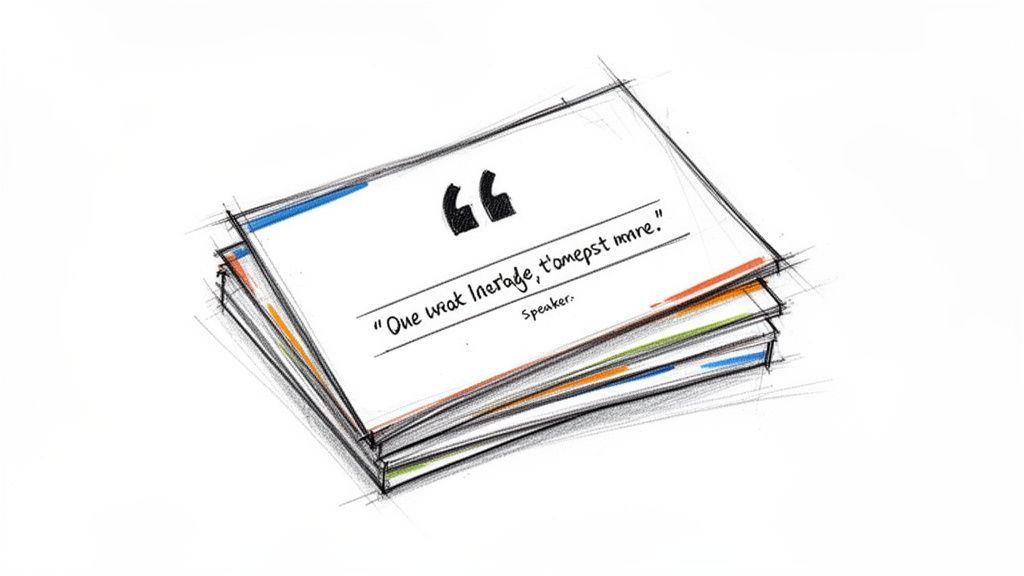
Quote graphics involve extracting powerful statements, scriptures, or key teachings from your sermons and converting them into visually compelling, standalone images. These bite-sized inspirational posts are highly shareable across platforms like Instagram, Facebook, and Pinterest. By turning a profound sentence from a sermon into a beautiful graphic, you create a moment of encouragement that can reach people scrolling through their feeds and make your ministry's wisdom easily digestible.
This is a cornerstone strategy to repurpose social media content because it transforms auditory teachings into static, shareable art. A powerful quote graphic can stop someone in their tracks, offering a quick dose of inspiration and keeping your church top-of-mind throughout the week. It’s an efficient way to provide daily value with minimal effort, especially when created in large batches.
Actionable Tips for Quote Graphics
- Extract from Your Own Sermons: Pull quotes directly from your pastor's messages for authenticity. This connects your online content back to your Sunday teachings and reinforces key points for your congregation.
- Establish Design Templates: Create 4-6 branded design templates using ChurchSocial.ai’s graphic templates and editor. Rotating these templates gives your feed a consistent yet varied look, making your content instantly recognizable.
- Limit Text for Maximum Impact: The most effective quote graphics are concise, typically one to two sentences. Use high-contrast colors and clean, sans-serif fonts to ensure readability on small mobile screens.
- Batch-Create Your Content: Dedicate a single session to creating a month's worth of quote graphics. This streamlines your workflow, builds a content library, and allows you to schedule posts for consistent daily engagement using ChurchSocial.ai’s simple drag-and-drop calendar.
- Automate Quote Discovery: Manually searching for quotes can be tedious. Instead, upload your sermon transcript to ChurchSocial.ai and let our AI tools identify impactful statements for you. You can learn more about how to do this by exploring our guide on creating AI-generated quotes to accelerate your content creation.
10. Seasonal and Calendar-Based Content Recycling
Seasonal and calendar-based content recycling is a strategic approach to planning and reusing content around key church calendar events (like Advent, Lent, and Easter) and significant cultural moments (such as New Year's, Mother's Day, or back-to-school season). This method involves auditing and refreshing high-performing content from previous years, allowing you to maintain a relevant and timely presence without creating everything from scratch. By updating graphics and tweaking messaging, you can efficiently connect with your community during moments that matter most.
This is a powerful way to repurpose social media content because it capitalizes on the natural rhythms of the year that are already on your audience's mind. Instead of fighting for attention with unrelated topics, you meet them with content that feels timely and deeply relevant, building anticipation for major church celebrations and providing support during key life transitions. This approach creates a reliable content framework you can build upon year after year.
Actionable Tips for Seasonal Content
- Audit and Refresh Annually: Before each season, review last year's content. Identify which themes, graphics, and messages resonated most with your audience. Keep the core message but update the visuals with fresh designs to prevent content fatigue.
- Create "Evergreen" Seasonal Templates: Build reusable templates for recurring events like your annual Advent devotional series or a Lenten prayer guide. ChurchSocial.ai's graphic templates and editor are perfect for this, allowing you to simply update dates and specific readings each year.
- Plan Around a Master Calendar: At the end of each year, map out all major church and cultural dates for the upcoming year. Use ChurchSocial.ai's drag-and-drop calendar to schedule content themes 6-8 weeks in advance, ensuring you are well-prepared for every season.
- Batch Your Seasonal Creation: Dedicate specific blocks of time to create all your Christmas or Easter content at once. This builds a complete campaign that includes social posts, emails, and small group materials, ensuring a cohesive message across all platforms.
- Connect to Broader Themes: Tie your seasonal promotions to your current sermon series. For example, if your back-to-school content aligns with a series on "Purpose," you create a more integrated and impactful experience for your congregation.
Top 10 Social Content Repurposing Comparison
Build a Sustainable Content Engine for Your Ministry
The journey through these ten strategies reveals a transformative truth for church communicators: your ministry is already producing a wealth of powerful content. The challenge isn't about creating more from scratch; it's about learning to see the potential within what you already have. By mastering the art of how to repurpose social media content, you can shift from a frantic, week-to-week content scramble to building a sustainable, strategic engine that fuels your online ministry.
We've explored how a single sermon can blossom into dozens of touchpoints, from compelling AI-generated Reels to thought-provoking blog posts and shareable quote graphics. We've seen how a simple church event, integrated from your Planning Center calendar, can become a pipeline for before, during, and after content that builds community and extends your reach far beyond your physical walls. This is not just a collection of clever tricks; it's a fundamental change in your content creation workflow.
From Content Treadmill to Strategic System
The core takeaway is to adopt a "create once, publish everywhere" mindset. This approach respects your limited time, amplifies your core message, and ensures consistency across all your platforms. Instead of feeling the pressure to invent something new for Instagram, Facebook, and your blog every single day, you can now draw from a deep well of existing material.
Key principles to remember from our journey:
- Deconstruction is Key: Break down your long-form content (sermons, testimonies, blog posts) into its smallest, most valuable components. Each key point, powerful quote, or emotional moment is a potential piece of micro-content.
- Context is Queen: Adapting content for each platform is non-negotiable. A video clip for a Reel needs a different hook and format than a carousel for Instagram or a discussion prompt for a Facebook Group.
- Batching Breeds Efficiency: Group similar tasks together. Dedicate time to creating all your quote graphics for the month or scheduling all your sermon-based posts at once. This workflow, especially when using a tool with a drag-and-drop calendar, saves immense mental energy.
- Community is Your Co-Creator: Don't forget the power of User-Generated Content (UGC). Highlighting stories, photos, and testimonials from your congregation is one of the most authentic ways to repurpose social media content and build a vibrant online community.
Embracing a repurposing strategy moves your social media from a list of tasks to be checked off to a dynamic ecosystem where every piece of content works together to tell a larger, more cohesive story about your church's mission and impact.
This strategic pivot allows you to focus less on the "what" of content creation and more on the "why." It frees you up to engage with comments, build relationships, and minister to your online community, which is the ultimate goal. The aim isn't just to be busy on social media; it's to be present and effective. By implementing these repurposing systems, you create the margin necessary for meaningful digital discipleship. You build an engine that runs consistently, allowing your message of hope to reach people every single day, not just on Sundays.
Ready to stop the content creation hamster wheel and start building your ministry's sustainable content engine? ChurchSocial.ai was built specifically to help you implement every strategy in this article, from generating sermon clips and social posts with AI to managing it all on a simple drag-and-drop calendar. Start your free trial at ChurchSocial.ai and transform your church's online presence today.


