

Monday starts with good intentions. By Tuesday, the sermon clip is still on someone's phone, the youth event graphic has two different versions, and the volunteer who usually schedules posts is waiting for approval in a text thread. That is how a church's social media falls behind. Not because the message lacks value, but because the workflow breaks under real ministry pressure.
The best social media calendar app gives your team one place to plan, draft, approve, schedule, and review posts. For churches, that matters because communications work rarely sits with a full marketing department. It usually lives with a pastor, an admin, or a few volunteers fitting this work in around everything else.
A church also needs more than a generic posting tool. The right app should support sermon repurposing, shared access for volunteers, a clear approval process, and a weekly rhythm that matches ministry life. If your team is still building the week post by post, a practical church social media plan will make any calendar tool easier to use well.
The tools below are evaluated through that lens. I focused on what helps churches stay consistent: managing content across ministries, reducing handoff problems, and turning sermons, events, and invitations into posts that get published on time. I also paid attention to trade-offs, because a platform that works well for a retail brand is not always a good fit for a church team using Planning Center, sharing duties with volunteers, and trying to keep the workload realistic.
1. ChurchSocial.ai
ChurchSocial.ai is the one tool on this list built specifically for church workflows, and that changes the experience immediately. Instead of adapting a generic brand tool to sermon clips, event promotions, and volunteer handoffs, you start with a platform that already assumes your content comes from weekend messages, ministry events, and weekly rhythms.
The core advantage is consolidation. You can plan, create, schedule, and publish content across major platforms from one visual calendar, while also using AI tools that are useful for church teams. That includes an AI Caption Writer, sermon-based content generation, branded templates, and a drag-and-drop planner that keeps the week from feeling chaotic.
Why it fits ministry work
Most social tools are strong at scheduling and weaker at content production. Churches often have the opposite problem. They don't need another place to drop finished posts. They need help creating enough quality content in the first place.
ChurchSocial.ai is built around that reality. Sermon uploads can become clips, captions, discussion prompts, blog-style content, YouTube descriptions, and other assets your team can edit and schedule. If your biggest bottleneck is turning one sermon into several useful posts, the platform excels in this area.
Practical rule: If your church struggles more with content creation than with date management, pick a calendar tool that starts upstream and helps produce the content before it asks you to organize it.
Another strong fit is church-specific workflow support. Planning Center integration helps connect ministry events with your publishing schedule, which removes a surprising amount of manual work for small teams. If you want a clearer system behind your posting rhythm, this guide on how to create a social media plan pairs well with the platform.
What works well and what to watch
Pricing is approachable for churches. Starter begins at $15/month and Growth at $25/month, with add-ons for Sermon Studio, Design Studio, and additional social accounts. That modular setup is helpful because a small church can start lean, while a larger team can add sermon clipping or design capabilities as needed.
The platform is also used by over 2,000 church leaders, which matters because software aimed at churches often looks promising but isn't broadly adopted. Here, there is enough real-world usage to suggest the product isn't just church-branded software. It's being used in ministry contexts now.
A few trade-offs are worth noting:
- Best for church content teams: If your weekly content revolves around sermons, events, and ministry updates, the workflow feels natural instead of improvised.
- Add-ons can raise total cost: The base plans are affordable, but teams that want the full sermon and design workflow should budget for extra modules.
- Human review still matters: AI can save time, but churches should still review captions and generated copy for tone, theology, and pastoral clarity.
If your church wants the best social media calendar app without forcing volunteers to stitch together five tools, ChurchSocial.ai is the strongest fit on this list.
2. Hootsuite

Hootsuite is a long-standing choice for organizations that need one place for planning, approvals, publishing, inbox management, and reporting. It has the broad feature set many larger teams want, and its calendar is designed for cross-platform scheduling rather than single-channel posting.
For churches, Hootsuite becomes interesting when multiple people touch content. A communications director drafts, a ministry lead requests edits, and a pastor or campus leader wants final approval. Hootsuite is built for that kind of chain.
Where Hootsuite shines
A major gap in many "best social media calendar app" roundups is workflow fit for small distributed teams. That's one area where Hootsuite is relevant because it now emphasizes AI caption and image support alongside approval workflows inside its publishing system, as shown in Hootsuite's overview of publishing and approvals.
That matters because churches often don't need more features in theory. They need less coordination overhead in practice.
Small teams don't usually break under content volume. They break under handoffs, approvals, and waiting for the right person to send the final file.
Hootsuite's unified approach helps when your church manages several campuses, ministries, or language-specific accounts. The downside is that it can feel heavier than necessary for a solo volunteer.
Best fit and biggest drawback
If your church is growing into a more structured communications workflow, Hootsuite can support that. Its AI tools, approval chains, analytics, and integrations make sense for teams that need governance and consistency across multiple accounts.
The catch is cost. Reported paid tiers start around $199 per user per month, which will be hard to justify for many churches. If your team only needs a visual calendar, basic publishing, and simple collaboration, Hootsuite is often more platform than you need.
3. Sprout Social
Monday morning often looks like this in church communications. Sunday recap clips need to go out, a volunteer wants to know which Reel format performed best last month, and a ministry director asks for a report before the staff meeting. Sprout Social fits teams that need to answer those questions inside the same system they use to schedule posts.
Its strength is visibility. The calendar gives your team a clear publishing view, but the bigger value is what happens after the post goes live. Sprout connects planning with reporting, so your communications lead can review engagement patterns, compare content types, and spot what deserves to be reused from sermons, events, or ministry updates.
That matters for churches with a real review process. If content comes from several ministries, or if staff and volunteers share the workload, role permissions and approvals help prevent confusion. A student ministry post, a missions update, and weekend service content can all sit in one organized workflow without turning the week into a string of text-message handoffs.
Sprout is usually a better fit for staff-led teams than volunteer-led ones.
The trade-off is cost and complexity. Sprout is polished, and the reporting is strong, but per-user pricing adds up fast when several people need access. For many churches, that makes Sprout a good choice when leadership expects regular reporting and the communications function is already mature. If your main need is simple scheduling, or if you want tighter church-specific workflows like sermon repurposing and ministry coordination tied to tools such as Planning Center, a general platform like Sprout can feel one layer removed from how churches operate.
- Best for: Churches with a staff communications team that needs calendar management plus serious reporting
- Works well for: Multi-ministry workflows with approvals and account oversight
- Main drawback: Pricing rises quickly as more staff members need seats
- Church-specific gap: Strong as a general platform, but not built around volunteer turnover, sermon reuse, or ministry-first workflows the way ChurchSocial.ai is
4. Buffer
Buffer works best when you want calm, simple scheduling without a long onboarding process. The interface is clean, the calendar is easy to understand, and the pricing structure is easier to tolerate at smaller scale than many enterprise platforms.
For churches, Buffer is often a smart choice when one volunteer or one staff member manages most of the posting. It covers the essentials well: scheduling, queue management, basic collaboration, and analytics.
What Buffer gets right
The biggest strength is usability. If someone can learn the system in one sitting, it has a better chance of surviving volunteer turnover. Buffer usually passes that test.
It also has built-in AI assistance and content idea support, which can help when the team needs a caption draft or quick rewording. That said, Buffer still feels like a scheduler first and a content engine second.
Where it starts to pinch
Buffer charges per channel, which is reasonable at first and less pleasant as your church adds accounts. A church with Facebook, Instagram, TikTok, YouTube, and maybe a second campus profile can see costs rise without ever feeling like it's using a high-end suite.
If your ministry needs lightweight scheduling and predictable day-to-day use, Buffer is easy to recommend. If you need stronger approval flows, sermon repurposing, or deeper analytics, you'll outgrow it faster.
Buffer is often the right answer when your real need is consistency, not complexity.
5. Later

Later is a visual planner first. If your church puts serious effort into Instagram, TikTok, Reels, carousels, and short-form video, Later's drag-and-drop approach makes planning easier than text-heavy tools.
This is a helpful fit for churches where the brand experience matters. Maybe your team wants sermon quote graphics, event promos, volunteer highlights, and clips to look coherent across the month. Later helps you see the visual rhythm before anything goes live.
Best use case for churches
Later makes the most sense for churches with a visually driven strategy. If your social presence is built around photos, clips, and creative series, the media library and layout planning are valuable. The tool supports a wide range of networks and keeps visual scheduling front and center.
That said, churches that rely heavily on text updates, approval chains, or sermon-derived content may find it less complete than they hoped.
Real limitations
Its starter plan includes post caps per profile, which can become restrictive if your church posts frequently. That's not a deal breaker for every ministry, but it matters if you're posting weekend invites, live reminders, event promos, stories, and clips each week.
- Strong visual calendar: Good for planning what the feed and schedule look like.
- Best for Instagram and TikTok heavy teams: Especially useful for image and video-driven ministries.
- Less complete for church-specific workflows: It doesn't solve sermon repurposing on its own.
If your church's communications strategy is built around visual consistency, Later is worth a close look.
6. Loomly
Loomly sits in a useful middle ground. It isn't as heavy as enterprise suites, but it does more for collaboration than lightweight schedulers. For churches that are moving from "one person posts everything" to "a few people need to coordinate," that's a practical place to be.
Its core value is structure. Roles, approvals, and clear account limits make it easier to keep the process organized without overwhelming less technical users.
Why teams often like it
Loomly feels designed for teams that want a real workflow but not a giant software project. You can set up approvals, assign access, and keep multiple calendars organized without much friction.
That makes it attractive for growing communications departments, especially if different ministries contribute content. A youth director can draft. A communications lead can review. The final post can still stay on one shared calendar.
Where caution is needed
The starter tier can work well, but moving up the pricing ladder is a bigger jump. Churches should think carefully about how many users and accounts they'll need over the next year, not just today.
Loomly is a good fit for churches that need collaboration discipline. It isn't the most church-specific or the most analytics-heavy option. But for clean workflow management, it does the job.
7. CoSchedule

CoSchedule is useful when social media is only one part of a bigger content system. If your church publishes sermon blogs, email newsletters, event landing pages, and social posts together, CoSchedule's broader marketing calendar approach can make sense.
Instead of treating social as a separate lane, it lets your team plan around campaigns and tasks. That's helpful for seasonal pushes like Easter, Christmas, VBS, or a capital campaign.
What makes it different
The drag-and-drop calendar and rescheduling features are good, but the bigger win is context. Your social posts can sit beside the rest of the ministry's communication work.
For churches with a communications pastor or content manager, that's useful. For a solo volunteer who just needs to schedule Instagram and Facebook posts, it can feel like too much overhead.
Good fit for content-centered ministries
CoSchedule also offers a free calendar tier for basic social scheduling, which makes it easy to test. But its more advanced features live in higher, sales-quoted plans, so churches should be realistic about how much of the full platform they'll use.
If your church plans campaigns across channels, CoSchedule is stronger than a pure scheduler. If you only need to post this week's sermon clip and Saturday event reminder, it's probably more system than you need.
8. Agorapulse

Agorapulse is a balanced all-in-one option. It combines a visual calendar, unified inbox, team workflows, and reporting in a way that's easier to grasp than some enterprise tools.
For churches, the inbox is a big part of the appeal. If your team wants to manage comments, direct messages, and publishing in one place, Agorapulse can tighten the loop between posting and responding.
Why it deserves consideration
Agorapulse supports broad channel management and brings publishing, engagement, and analytics together. That's useful for churches that treat social as conversation, not just announcement. A post about baptism Sunday or a community event often leads to comments and questions. Having those replies visible in the same system helps.
The visual calendar is also solid, and paid tiers allow substantial scheduling flexibility.
The main trade-off
Per-user pricing can become expensive as more staff or volunteers need access. That makes Agorapulse better for a defined team than a broad volunteer bench.
If your church wants one product for scheduling, community management, and reporting, Agorapulse is a credible option. If you mainly need content planning and creation, there are more specialized fits elsewhere on this list.
9. Sendible

Sendible has agency DNA, and that shows in the way it handles multiple brands, content libraries, reporting, and onboarding support. Churches with several campuses, ministries, or distinct departments can benefit from that structure even if they aren't an agency.
It works well for teams that want a more guided setup and appreciate educational resources while they build process.
Where Sendible helps churches
If your church manages a central account plus students, kids, counseling, or campus-level pages, Sendible's multi-brand style workflow is useful. The content library can also help keep recurring assets organized, which matters when volunteers rotate in and out.
The queueing and bulk scheduling options are practical for batching content ahead of busy ministry seasons.
Where it may not fit
Public pricing tends to skew toward higher tiers, and that can push it beyond what many volunteer-led teams want to spend. It also feels strongest when the team is managing several streams of content at once.
For a large church network or a ministry organization with multiple audiences, Sendible makes more sense. For a small church trying to keep one Facebook and Instagram account active, it may be too much.
10. Metricool
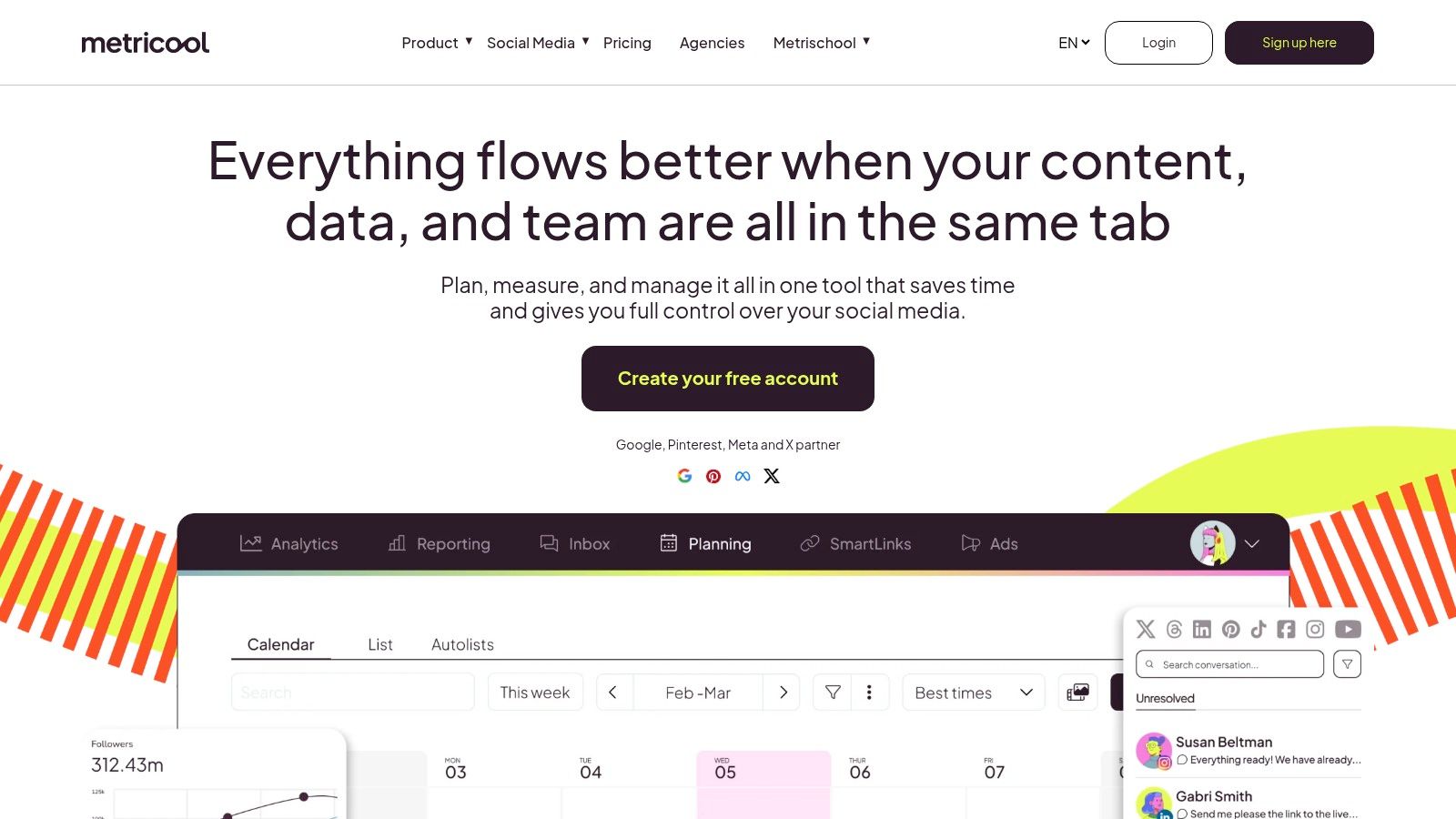
Metricool is the most analytics-forward option in this group for teams that want scheduling plus a broader performance picture. Its appeal is straightforward: one place for calendar planning, publishing, and consolidated reporting across organic and paid channels.
Churches don't always need that depth. But if you're running event ads, promoting a conference, or measuring both social and ad performance together, Metricool becomes more compelling.
Strongest use case
The visual calendar is solid, and the reporting is the main reason to choose it. If your church cares about seeing organic and paid results in one dashboard, Metricool offers a practical setup without requiring a full enterprise platform.
Its free tier also makes it approachable for testing.
What to keep in mind
Some capabilities require paid add-ons, and brand-based limits can push teams into upgrades as they grow. That's manageable if your church already values analytics, but less appealing if your main problem is primarily getting content created and approved each week.
Another issue with many tools in this category is that they still focus more on scheduling than content generation. Coverage often misses the question of whether a tool can help a small team create enough useful content, especially as AI features expand. That's a real gap in the market, as discussed in this overview of social media calendar tools and AI content workflows.
Metricool is best for ministries that already have content and want better visibility into performance.
Top 10 Social Media Calendar Apps Comparison
| Platform | Core Features (✨) | UX / Quality (★) | Value / Pricing (💰) | Target Audience (👥) | Unique Selling Point (🏆) |
|---|---|---|---|---|---|
| ChurchSocial.ai 🏆 | ✨ AI Caption Writer, Sermon Clip Creator, Graphics Studio, unified calendar, Planning Center integration | ★★★★☆, church‑focused, easy for volunteers | 💰 Starter $15/mo; Growth $25/mo; modular add‑ons (Sermon +$49, Design +$15) | 👥 Churches: solo volunteers → multi‑site teams | 🏆 Tailored for churches, turns sermons into ready‑to‑post clips & content at scale |
| Hootsuite | ✨ Enterprise calendar, approvals, bulk scheduling, integrations (Canva/Adobe) | ★★★★☆, robust, mature UI for teams | 💰 Higher‑end (~$199+/user/mo reported) | 👥 Large orgs & cross‑functional teams | Strong enterprise features and broad integrations |
| Sprout Social | ✨ Visual calendar, CRM‑style reporting, role workflows, SSO/API | ★★★★★, best‑in‑class analytics & reporting | 💰 Premium per‑user pricing (enterprise tiers) | 👥 Teams needing deep analytics & reporting | Enterprise reporting depth and polished collaboration |
| Buffer | ✨ Simple scheduler, queue/queue management, UTM presets, AI assistant | ★★★★, clean, easy to learn | 💰 Budget‑friendly; permanent free plan (up to 3 channels) | 👥 Small teams & volunteers | Predictable pricing and low learning curve |
| Later | ✨ Drag‑and‑drop visual planner, media library, IG/TikTok workflows | ★★★★, visual‑first UX for creatives | 💰 Tiered plans with post caps on Starter | 👥 Visual/content‑heavy teams & creators | Optimized for Instagram/TikTok visual planning |
| Loomly | ✨ Approval workflows, role access, AI content assistant, unlimited calendars | ★★★★, collaboration‑friendly | 💰 Transparent seat/account limits; jump in cost between tiers | 👥 Growing comms teams needing approval flows | Clear seat/account model and approvals focus |
| CoSchedule | ✨ Marketing calendar that links social to projects/tasks, auto‑reschedule | ★★★★, campaign + social planning | 💰 Free Calendar tier; advanced features on quoted plans | 👥 Marketing teams blending content & projects | Plans social within broader campaign workflows |
| Agorapulse | ✨ Visual calendar, unified inbox, reporting, listening add‑ons | ★★★★, engagement + analytics combined | 💰 Per‑user pricing; scales with team size | 👥 Teams needing publishing + engagement + reporting | Strong unified inbox + reporting in one suite |
| Sendible | ✨ Agency calendar, content library, client reporting, onboarding support | ★★★★, agency‑oriented UX | 💰 Public pricing leans higher; best for agencies | 👥 Agencies & multi‑brand client teams | Client/multi‑brand workflows and hands‑on support |
| Metricool | ✨ Unified organic + paid analytics, auto‑publish, API/connectors | ★★★★, data‑forward dashboard | 💰 Accessible entry price; permanent free plan | 👥 Teams wanting consolidated performance (ads + organic) | Combines organic & ads reporting alongside scheduling |
Your Next Step: Empower Your Ministry's Voice Online
Choosing the best social media calendar app isn't really about finding the flashiest dashboard. It's about removing the weekly friction that keeps your church from showing up consistently online. If your team is always scrambling for captions, chasing approvals in text messages, or forgetting to promote important events until it's too late, the problem usually isn't effort. It's the system.
The strongest tools on this list all reflect how the category has changed. Social media calendars used to be simple planning aids. Now they're expected to unify planning, scheduling, approvals, publishing, and performance in one place. That's why a generic scheduler often feels incomplete. Churches need more than a place to drop dates. They need a workflow that supports ministry reality.
That matters even more for small and distributed teams. Many churches depend on volunteers, part-time staff, or one communications lead doing the work of three people. In that environment, operational fit matters more than feature volume. A 2026 Airtable report notes that 78% of enterprise marketing teams prioritize tools with integrated automation and visual scheduling capabilities in its review of content calendar software. Churches may not be enterprise teams, but the lesson still applies. When planning and automation live together, coordination gets easier.
The same trend shows up in simpler tools too. A 2026 Zapier review says Post Planner is a top choice for small businesses and reports that 85% of users said they were more satisfied organizing and publishing content faster, while 72% prioritized integrated analytics and automated content suggestions in Zapier's reviewed video roundup of social media tools. For churches, that reinforces a practical point. The best tool isn't just a calendar. It's the one that helps a small team produce enough content to keep the calendar full.
That's where ChurchSocial.ai stands apart. Most platforms on this list can help you schedule posts. ChurchSocial.ai helps you build the posts, especially from the content your church already creates every week. Sermons become clips. Transcripts become captions, blog content, and discussion prompts. Templates and a graphics studio help volunteers make polished visuals without needing a designer. Planning Center integration reduces manual event coordination. And the visual calendar keeps the whole week organized.
If your church already has a mature communications department, you may prefer a broader platform like Sprout Social, Hootsuite, or Agorapulse. But if your goal is to save time, reduce stress, and help a ministry team turn sermons and events into consistent social content, ChurchSocial.ai is the more purpose-built solution.
Start with the workflow you currently have, not the one you wish you had. If your team is small, busy, and trying to steward its message well online, choosing a church-specific platform can remove friction faster than adapting a generic enterprise tool ever will.
ChurchSocial.ai gives churches a practical way to plan, create, schedule, and publish social content from one place. If you want a visual calendar plus sermon clip creation, AI captions, branded graphics, and church-focused workflows, start a free trial of ChurchSocial.ai.


