
Your Sunday sermon is packed with powerful truths. But what happens after the service ends? Imagine taking that one 45-minute message and turning it into a whole week of encouragement that reaches people right where they are—scrolling on their phones.
The key is to chop your YouTube videos into shorter, shareable clips. This isn't about shortening the Gospel; it's about creating more doorways for people to walk through and experience it.
Turn Sermon Videos Into Powerful Ministry Moments
A full-length sermon is perfect for a dedicated audience on Sunday morning. But on social media, attention works differently. You're competing with a flood of content, and you have only seconds to make a connection.
Think of each short clip as a standalone invitation. It’s a single, profound thought from the sermon that can encourage, challenge, or comfort someone in the middle of their busy week. It's a taste that leaves them wanting more.
Expand Your Reach Beyond Sunday
When you chop your sermons into bite-sized videos, you start meeting people on their own turf. This simple strategy does a few incredibly important things for your ministry:
- Reach New People: Short, powerful clips are built to be shared. They can carry your church's voice far beyond your existing community.
- Encourage Your Flock Daily: A timely word from Sunday’s message popping up on a Wednesday afternoon can be a huge boost of faith for your members.
- Create a Path to Deeper Content: Every clip is a teaser. It's a natural way to point people back to the full sermon on your YouTube channel or website for the complete picture.
This guide is all about showing you how to do this easily. We’ll turn what feels like a complicated technical chore into a simple, repeatable part of your ministry outreach. For a busy pastor or a dedicated church volunteer, this is a huge win.
We’ve seen firsthand how manual editing can become a bottleneck. Downloading, trimming, captioning, and then scheduling dozens of clips every week is a massive time sink. This is the very reason we built ChurchSocial.ai—to solve that exact problem.
Instead of seeing video editing as just another task on your endless to-do list, what if you saw it as a new form of digital mission? With the right system, one sermon can fuel your entire week of social media content. We designed ChurchSocial.ai to make this a reality, letting you turn sermon videos into AI-generated Reels, posts, and graphics, all managed on a simple drag-and-drop calendar. It turns a frustrating process into an effective, sustainable part of your weekly ministry.
How to Chop YouTube Videos for Maximum Impact
Getting your full sermon onto YouTube is a huge win, but the work doesn't stop there. To really connect with people online, you need to turn that long-form message into bite-sized, shareable moments. This is where we chop YouTube videos into powerful clips for social media.
There are a few ways to get this done, but for a busy ministry, not all methods are created equal. Let’s walk through the options, from the simple built-in tools to smarter, AI-driven solutions made for churches.
First up is YouTube's own "Create a Clip" feature. It’s built right into the platform and lets you grab a segment up to 60 seconds long to create a shareable link. The upside? It's fast and free. The major downside is that you can’t download the clip, add your church’s branding, or put captions on it. It’s a start, but it won’t give you that polished look that stops the scroll.
This simple process—from sermon to clip to phone screen—is the foundation for a successful digital outreach strategy.
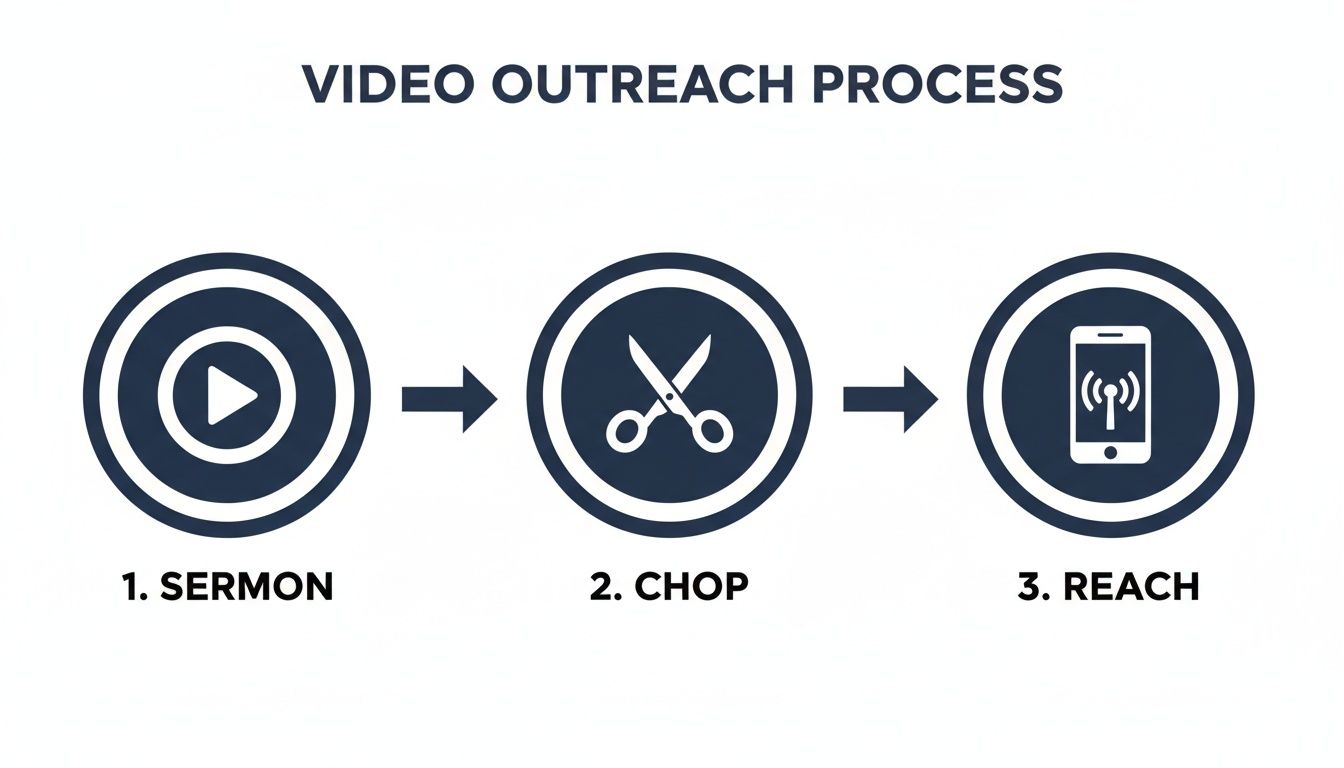
Turning one message into dozens of touchpoints is how modern ministry expands its reach well beyond Sunday morning.
Manual Editing and Its Challenges
The next logical step for many is to download the sermon and edit it themselves. Using a free online editor or desktop software gives you far more creative freedom. You can trim clips just right, add your logo, and export a file you can upload directly to Facebook or Instagram.
This is also where good intentions often hit a wall. The manual process can be incredibly time-consuming and requires a bit of technical know-how.
- First, you have to download a massive video file from YouTube.
- Then, you’re scrubbing through 30-60 minutes of footage, trying to find that one perfect 45-second point.
- You have to learn a new editing program just to make a few simple cuts.
- Then comes the tedious part: typing out captions word-for-word and getting the timing right.
- Finally, you have to figure out the right export settings for each social media platform.
For a pastor or volunteer who’s already stretched thin, this can easily eat up an entire afternoon for just one or two short clips. It's just not a sustainable process, and it often leads to inconsistent posting. We explore these methods in more detail in our guide on how to cut clips from YouTube videos.
The AI-Powered Path for Ministry
This is where tools built specifically for ministry can make all the difference. Instead of fighting with downloads and timelines, an AI-powered system designed to understand sermon content does the heavy lifting for you. This is, by far, the most effective way to chop YouTube videos of your weekly messages.
With a dedicated AI tool, your focus shifts from being a video editor to being a content curator. You get to select the most powerful moments, letting technology handle the technical work so you can spread your message further and faster.
With ChurchSocial.ai, we've turned this entire process on its head. You just paste your sermon's YouTube link into our Sermon Clip Creator, and the AI takes over.
- It transcribes the entire sermon to understand what’s being said.
- It automatically identifies the most powerful, shareable moments from your message.
- It generates multiple AI-generated Reels for you, complete with the dynamic captions that are crucial for people watching on their phones without sound.
- It adds your church’s branding and formats each clip perfectly for platforms like Instagram Reels and YouTube Shorts.
What used to be a multi-hour headache is now a simple, automated workflow. In minutes, you have a week's worth of high-quality sermon clips ready to go. This frees up your time and energy to focus on what really matters: your people.
How to Turn Sermon Clips into Shareable Reels and Shorts
So you’ve got your sermon clip. Great! But that’s just the first step. To actually reach people on Instagram Reels, TikTok, and YouTube Shorts, you need to think differently than you do for a Sunday morning livestream.
The world of short, vertical video has its own rules, and understanding them is the key to getting your message seen.
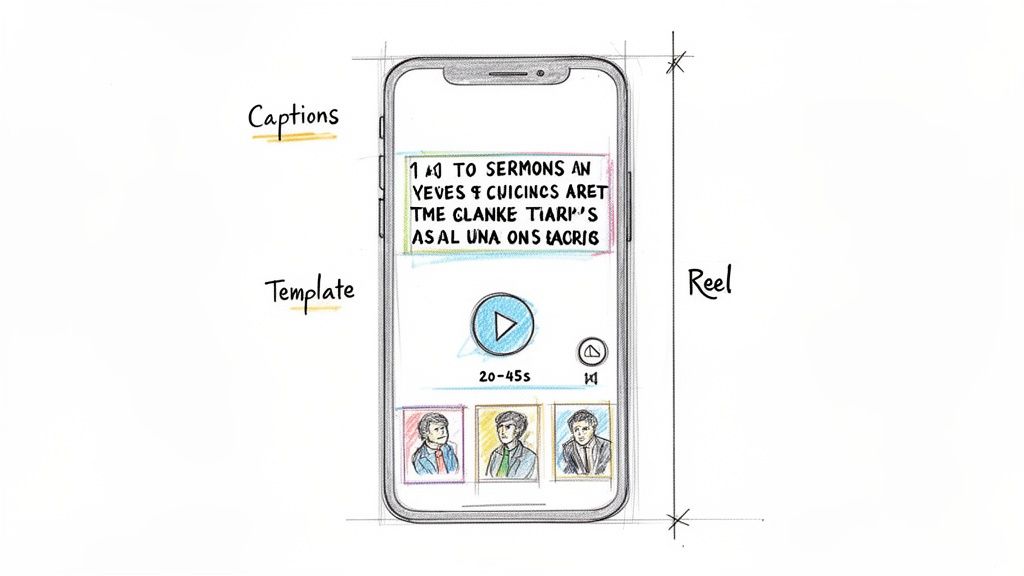
First, let's talk about length. We've seen that clips between 20-45 seconds perform the best. This length is the sweet spot—long enough to make a meaningful point but short enough to keep someone from scrolling past in a fast-moving feed.
Creating Content That Stops the Scroll
To get noticed, your videos must be easy to watch and visually interesting. Remember, most people watch social media videos with the sound off. If you don't have captions, your message is getting lost.
This doesn't mean you need a graphic designer on staff. This is exactly why we built ChurchSocial.ai—to handle the technical details for you, so you can stay focused on the ministry.
Here’s how it works:
- AI-Generated Reels: Our AI automatically generates reels from your sermon, complete with dynamic captions. This makes sure your message connects, even on silent.
- Perfect Formatting: It takes your horizontal sermon video and instantly reformats it to the 9:16 vertical aspect ratio needed for Reels and Shorts.
- Branded Graphic Templates: You can choose from a library of professional templates in our graphic editor and customize them with your church's logo and colors for a consistent look.
With these features, you can consistently chop YouTube videos of your sermons and produce high-quality clips that are ready for social media.
Short-Form Video Performance by Length
Choosing the right clip length is more of an art than a science, but data gives us a great starting point. This table breaks down how different video lengths typically perform, helping you match your clip's duration to your goal.
| Clip Length | Average View Duration (AVD) | Best Use Case |
|---|---|---|
| Under 15s | High (80-95%) | Quick announcements, viral trends, or a single powerful quote. |
| 15-30s | Moderate (50-70%) | A single teaching point, a short testimony, or an event highlight. |
| 30-60s | Lower (35-55%) | A short story, a more developed devotional thought, or a Q&A answer. |
While longer clips have a lower average view duration, they can be incredibly effective for connecting with a highly engaged audience. The key is to grab attention in the first three seconds, no matter the length.
For churches ready to dive into short-form video, the opportunity is massive. YouTube Shorts, for instance, exploded to over 200 billion daily views by mid-2025. That's a 186% increase in just one year. Mastering some basics of video editing for social media can make your content stand out even more.
From Content Creation to Community Connection
ChurchSocial.ai does more than just help you share clips; it helps you create content that connects with people in a very crowded digital space.
By automating the time-consuming parts of video creation, your staff and volunteers are freed up to do what really matters: engaging with the people who comment on and share your content. This allows even a small church to share the Gospel consistently and effectively.
To learn more, check out our guide on how to create a Reel for best practices on the format. It's all about meeting people where they already are with a message of hope, one short clip at a time.
Using Short Clips and Full Sermons Together
Lots of church leaders I talk to share the same worry: if they start putting out short clips, it'll somehow cheapen or replace their full, 45-minute sermons. It's a completely understandable fear, but my experience has shown me the exact opposite is true. Short clips and long-form sermons aren't in competition; they're actually a powerful team for spreading your message.
Think about it like a movie trailer. Does a great trailer stop you from wanting to see the movie? Of course not. It grabs your attention and makes you want to see the whole story. Your sermon clips do the same thing. They're compelling, bite-sized invitations that pique curiosity on crowded social media feeds.
The Synergy of Short and Long Content
When you chop YouTube videos of your sermons, you're doing more than just making social media posts. You're building a bridge. Each clip you share acts like a signpost, pointing people toward the deeper, more substantial teaching your church offers. It’s a strategy that meets people right where they are—scrolling on their phones—and gently guides them toward the full message.
And this isn't just a nice idea; it’s backed by how people behave online. Despite all the buzz around short-form video, long-form content is still where deep connection happens. Recent YouTube data shows that "TV-length" videos (40-60 minutes) are still the reigning champs, pulling in a massive 44% of total watch time despite only making up 26% of all uploads. You can explore more about the surprising power of long-form video in a shifting media environment on YouTube.
This reveals a dynamic that’s crucial for ministry:
- Short Clips for Discovery: These are your digital handshakes. They introduce your church and your message to people who would likely never stumble across your website on their own.
- Full Sermons for Discipleship: This is where the deep, life-changing work happens. It’s for the person who was intrigued by a 30-second clip and is now ready to invest 45 minutes to hear the full context of God's Word.
A Complete Digital Discipleship Pathway
This two-part approach is the bedrock of any modern digital ministry. You use the wide net of short-form video to draw people in, and then you offer the depth of long-form content to help them grow in their faith. If you only have the long sermon, you miss the initial connection. If you only have the clips, you miss the opportunity for real discipleship.
The goal isn't just to get views; it's to create pathways. A well-placed clip on Instagram can lead someone to your YouTube channel, which can then lead them to your church website, and ultimately, through your doors.
This is exactly where a tool like ChurchSocial.ai makes a world of difference. Our Sermon Clip Creator doesn't just help you chop YouTube videos. It's designed to help you build that entire pathway, almost effortlessly. You can create a compelling Reel that automatically includes a call to action, prompting viewers to watch the full message with a single click.
By using short and long videos together, you’re creating a complete digital ecosystem for your ministry. You're no longer just throwing content out there; you're intentionally guiding people on a journey—one that can start with a simple scroll and end with a transformed life.
Put Your Social Media on Autopilot
Learning how to chop YouTube videos from your sermons is a great start. But let's be honest, that’s only one part of the social media grind. To really connect with people online, you need a system that handles everything from creating the clip to getting it posted. This is where you can turn social media from a weekly headache into a genuine outreach ministry.
Think about a workflow that doesn't just give you a video clip but actually builds an entire social media campaign around it. That's the idea behind a platform built specifically for the way churches work.
Go from a Single Clip to a Full Campaign
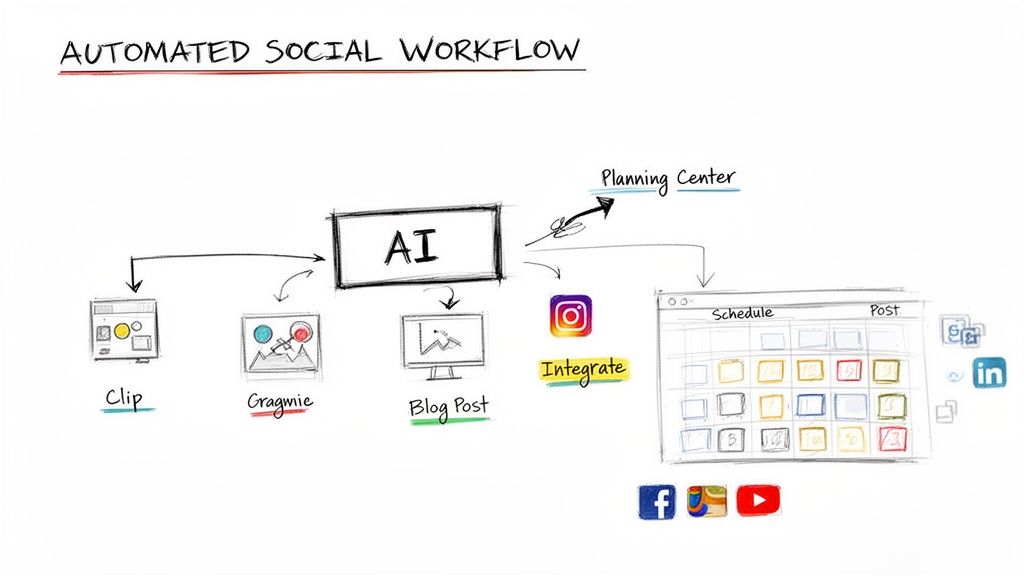
With a tool like ChurchSocial.ai, the process starts when the AI generates AI reels from your sermon. But it doesn’t end there. From the same sermon transcript, the system can write a thoughtful caption to go with it, help you create a related graphic using our editor and templates, and even draft an AI-generated blog post.
All of a sudden, you have a whole set of coordinated content from just one message. This takes you way beyond just posting random videos and into true content automation. You can learn more about https://www.churchsocial.ai/blog/what-is-content-automation and how much time it can save your team.
Instead of trying to manage five different tools for video, graphics, writing, and scheduling, you can run your entire digital presence from one place. This makes it possible for a single person—even a volunteer—to pull off a professional social media strategy without all the stress.
A Stress-Free System Built for Church Communicators
Once you have your clips and graphics, getting them all posted across different platforms is another huge time sink. Using the ultimate automation tools for social media can totally change the game, giving you more time back for actual ministry. ChurchSocial.ai has this built right in.
Our simple drag-and-drop calendar lets you schedule your AI-generated reels, social posts, carousels, and more to all your church’s accounts—like Facebook and Instagram—in just a few clicks.
We’ve even built integrations that get the unique rhythm of church life. By linking up with Planning Center and other church calendars, ChurchSocial.ai can automatically create and schedule posts for your upcoming events. Think reminders for the next potluck or details about a new small group series, all created and posted for you.
This kind of connected system transforms your social media from a bunch of separate posts into a powerful, unified voice for your ministry. It’s more than just a tool; it’s a new way of working that makes a coordinated, stress-free social media strategy a reality.
Common Questions About Creating Sermon Clips
Here are answers to the most common questions we hear from churches about creating video clips for social media.
How Long Should My Sermon Clips Be For Social Media?
For platforms like Instagram Reels, TikTok, and YouTube Shorts, the ideal length is between 20 and 45 seconds.
This provides enough time to share a complete, powerful thought while still holding the attention of online viewers. The AI inside ChurchSocial.ai is designed to find impactful segments within this optimal time frame automatically.
Can I Get In Trouble For Using Worship Music In Clips?
Yes, using copyrighted worship music without a license can lead to your video being muted or taken down.
The safest approach is to create clips only from the spoken portions of your sermon. The Sermon Clip Creator from ChurchSocial.ai analyzes your sermon's transcript, making it simple to find and clip powerful spoken-word moments while avoiding music copyright issues.
This focus on transcript-based clipping ensures your message is the star and you can chop YouTube videos of sermons into shareable clips without worrying about copyright strikes.
We Are A Small Church With Limited Time How Can We Do This?
This is the exact problem ChurchSocial.ai was created to solve. Manually downloading, editing, and captioning video clips can take hours each week.
Our platform automates the entire process. Simply provide a link to your sermon, and our AI will generate multiple AI reels, social posts, and even blog content for you in minutes. This turns a time-consuming task into a simple part of your ministry, even with a small team or a single volunteer.
Ready to turn your sermons into a week-long ministry outreach? With ChurchSocial.ai, you can create AI-generated Reels, graphics, and social posts from your sermon in minutes. Start simplifying your church's social media today at ChurchSocial.ai.


