

Knowing how to cut clips from YouTube videos really boils down to what your church needs to accomplish. You can go the quick-and-easy route with YouTube's built-in tools for a simple share, or you can download your videos for a more polished edit. It all depends on whether you're aiming for a fast clip or a perfectly branded social media post to share your ministry's message.
Turn Your Sermons Into Shareable Social Media Moments
Imagine taking last Sunday's 45-minute sermon and effortlessly pulling out a dozen powerful, one-minute clips. These aren't just snippets; they're perfectly sized moments ready for Instagram Reels, TikTok, and YouTube Shorts. This is about more than just recycling content. It's about extending your ministry's voice beyond the church walls and meeting people right where they are online.
Your church's video library—packed with sermons, special services, and worship sessions—is an untapped goldmine. Creating short clips from these longer videos unlocks their potential, highlighting the most resonant moments and making your message accessible to a much broader audience all week long.
Why Short-Form Video Is a Game-Changer for Churches
You don't need to be a professional video editor or have a huge budget to make this happen. The truth is, small, digestible clips can have a massive impact. Someone scrolling through their social feed is far more likely to pause for a 60-second video than to click a link to watch a full-length service.
This simple flowchart breaks down the decision-making process for creating clips.

The takeaway is crystal clear: if you’re already uploading full-length sermon videos, you should absolutely be creating clips to maximize their reach and impact.
Video Clipping Methods for Churches at a Glance
With several ways to create clips, it helps to see them all in one place. This table gives you a quick overview to help you decide which approach is best for your team's needs.
Each method has its place, but for busy church teams, automation is often the most sustainable path to consistently creating great content.
Start Clipping Without the Complexity
The first step is empowering your team, whether it's a pastor with a packed schedule or a dedicated volunteer. For a deeper look at the overall strategy, you can learn more about how to clip YouTube videos to get the most value from your content.
This has become even more critical as platforms evolve. YouTube's algorithm now rewards retention and engagement from clips. In fact, top videos often retain 47% of their viewers well past the typical drop-off point. Cutting precise, powerful moments from your sermons is the secret to growing your channel's reach.
This is where a tool designed specifically for churches, like ChurchSocial.ai, can make all the difference. Our AI can generate reels from your sermons, create other content like social posts and blogs from the sermon transcript, and help you easily manage all your social media. It’s a powerful way to connect, especially when you consider that 37% of adults aged 30-49 now turn to YouTube for information and news.
Using YouTube's Built-in Tools for Quick Clips
If your church is just dipping its toes into creating social media content from your sermons, the best place to start is right on YouTube itself. Before you even think about downloading fancy software, it’s worth getting comfortable with the platform’s own features. They’re perfect for grabbing quick moments without any downloads or external programs, which is a lifesaver for busy volunteers.
You've got two main tools at your disposal here: the Clip feature and the Trim function. They might sound similar, but they do completely different things and play unique roles in a church's social media strategy. Think of it this way: Clip is for quick, public sharing, while Trim is a permanent editing tool for your own channel's videos.
The Power of YouTube's Clip Feature
The "Clip" button is basically a digital highlighter. It lets anyone—a staff member, a volunteer, or even someone in your congregation—grab a 5 to 60-second segment of your sermon and share it instantly with its own unique link. This is a fantastic tool for sparking organic engagement.
Picture this: your pastor shares a really powerful one-liner during the message. A viewer can click "Clip," snag that exact moment, title it "Best advice from today's sermon," and post it straight to their own social media. Just like that, you have authentic, user-generated promotion for your church.
- How it works: Viewers click the little "Clip" button (it looks like a pair of scissors) right below the video player.
- What it does: An editor pops up, letting them drag a couple of handles to select a segment up to 60 seconds long.
- The result: They get a special URL that links directly to that specific clip, which then plays on a loop on the original video's page.
The best part? This feature doesn't require any special permissions from you. It’s an amazing, hands-off way to encourage your community to share the parts of the service that really connected with them.
Permanently Editing Your Sermons with the Trim Tool
While "Clip" is all about sharing, the "Trim" tool is for making permanent edits to videos you've already uploaded. You'll find this inside your church's YouTube Studio dashboard. Its main job is to help you clean up videos after they’ve gone live.
For instance, maybe your live stream started a few minutes early and you caught some pre-service chatter on the recording. Or perhaps a microphone cut out for a few seconds mid-sermon. The Trim tool lets you permanently slice those bits out of the public video without having to re-upload the whole thing.
Here, you can see the video timeline where you can trim the start, chop off the end, or even cut a section right out of the middle of your sermon.
Key Takeaway: The Trim tool is your go-to for simple, permanent fixes. It's not designed for creating a bunch of short clips, but for polishing a single, long-form video that's already live.
Beyond just trimming, YouTube also gives you a built-in "Edit into a Short" option. This is a handy way to create a YouTube Short from an existing video without leaving the platform. If you're looking to build your Shorts channel, this is a great feature to know about.
These built-in options are excellent starting points, but you’ll probably hit their limits pretty quickly if you're serious about having a consistent social media presence. The 60-second cap on clips and the fact that Trim is for one-off edits just isn't designed for generating lots of content.
This is where a more focused solution becomes essential. For churches that want a steady stream of polished clips, learning how to upload YouTube Shorts from a PC is usually the next logical step in the journey.
Ultimately, these native tools are a fantastic, zero-cost way to get started. They remove the initial technical hurdles and give you a taste of the potential locked away in your sermon library. But to truly scale your outreach, you'll need a more powerful workflow—which is exactly what tools like ChurchSocial.ai are designed to provide.
Downloading and Editing Videos for Custom Clips
Sometimes, YouTube's built-in tools just don't cut it. They’re great for a quick share, but when you want to create polished, branded content that truly stops someone mid-scroll, you'll need a bit more creative control. This is where downloading your own sermon videos comes into play.
Think about it. You can create custom aspect ratios for Instagram Reels (9:16), add your church’s logo to the front of a clip, or even weave together a few powerful moments from a sermon into one impactful video. Taking your videos offline gives you the freedom to craft a message that perfectly fits each platform and connects more deeply with your online community.

This whole process might sound overly technical, but it’s more accessible than you’d think. There are a ton of free, user-friendly tools that can help any volunteer learn how to cut clips from youtube videos in no time.
Getting Started with Free Video Editing Tools
You absolutely do not need expensive software to get started. Free tools like CapCut, DaVinci Resolve, or even Clipchamp (which comes built into Windows) have more than enough horsepower for what most churches need.
For this guide, we'll walk through a basic workflow that applies to almost any editor, using a tool like CapCut as our example since it's so simple and popular.
The general game plan looks something like this:
- Download Your Video: First, you need the original video file. Head over to your YouTube Studio, click on the "Content" tab, find your video, hit the three-dot menu, and select "Download." Easy.
- Import into Your Editor: Open up your editing software and start a new project. From there, you'll import the sermon file you just downloaded into your project's media library.
- Set Up Your Project: Before you do any cutting, set your project's aspect ratio. If you're making this for Instagram Reels or YouTube Shorts, you’ll want a vertical 9:16 format.
Getting this initial setup right ensures your final video is perfectly optimized for how people actually watch on their phones.
The Essential Editing Functions You'll Need
Once your sermon is on the timeline, the fun begins. Don't get overwhelmed by all the buttons and panels; you really only need to master a few key tools to create awesome clips.
- The Blade Tool: This is your digital pair of scissors. Use it to make cuts right at the beginning and end of the segment you want to turn into a clip. Just play the video to your start point, make a cut, play to the endpoint, and make another cut. Then you can delete the extra footage on either side.
- Text Overlays: This is how you add context, like a key scripture reference or the pastor's main point. Most editors let you pop in text boxes, change fonts to match your church’s branding, and even add simple animations to make the text stand out.
- Exporting: When you’re happy with how your clip looks, you’ll export it. This is where you pick the final file format (MP4 is the standard), resolution (1080p is perfect for social media), and frame rate.
Pro Tip for Churches: Create a simple video template for your clips. It could have a pre-made intro with your church's logo and a consistent look for your text overlays. This keeps everything looking professional and cohesive, no matter which volunteer is on duty. For more guidance, check out our complete guide on video editing for beginners.
Manually editing clips gives you incredible control, but let's be honest—it's time-consuming. Imagine going through this entire process ten times just to get enough clips for a week's worth of content. For a busy pastor or a volunteer with limited hours, that can become a huge bottleneck.
This is the exact problem ChurchSocial.ai was built to solve. Instead of manually downloading, importing, cutting, and exporting, our platform automates the whole thing. Our AI generates reels from your sermons and creates other content like social posts and blogs. From there, you can use our templates and simple drag-and-drop calendar to schedule everything in one place, freeing up your team to focus on ministry, not tedious editing tasks.
Best Practices for Creating Sermon Clips
Alright, let's move beyond just knowing how to snip a video and talk about how to create sermon clips that actually stop the scroll.
A perfectly edited clip that lacks a soul won't connect with anyone. The goal isn't just to chop up a sermon; it's to intentionally pull out moments that will inspire, teach, or comfort someone scrolling through their feed.
This isn't really about being a video editing wizard. It's about empathy. Put yourself in the shoes of your online community. What single thought or story from Sunday would make them pause and listen?
Choose Moments That Actually Matter
Let's be honest, not every part of a sermon is meant for a 60-second social media clip. The most compelling moments usually fit into one of three buckets. As you rewatch your sermon, keep an eye out for these.
- Powerful Stories: Those personal anecdotes or illustrations that make a deep theological point feel incredibly human and relatable. These are the moments people remember and share.
- Practical Advice: A clear, actionable takeaway someone can apply to their life right now. Think of it as a "how-to" for living out their faith during the week.
- Bold Declarations: A single, powerful statement of truth that can stand entirely on its own. These are often the most quotable and memorable lines in the entire message.
When you focus on finding these gems, you shift from just recycling content to curating genuinely impactful moments for your online audience.
Format for a Mobile-First World
So you’ve found the perfect moment. Now you have to package it correctly for where people will actually see it: their phones. This means getting the aspect ratio—the shape of your video—right. A widescreen video designed for a TV or projector screen looks tiny and amateurish on a phone.
It's a noisy world out there. Over 500 hours of video are uploaded to YouTube every single minute, with more than 1 billion hours watched daily. To stand out, your content has to be optimized for the device in people's hands. Churches have a massive opportunity to turn hour-long messages into powerful short-form content, but only if they get the format right. You can see more stats on how people watch video at Rev.com.
Here's a quick cheat sheet for aspect ratios:
- 16:9 (Horizontal): This is your standard for full-length YouTube videos, TVs, or computer screens.
- 9:16 (Vertical): This is non-negotiable for Instagram Reels, TikTok, and YouTube Shorts. It fills the entire phone screen, which is exactly what you want.
- 1:1 (Square): A safe bet for a standard Instagram or Facebook feed post, although vertical is quickly taking over even there.
A Quick Reference for Social Video Specs
Every platform has its own preferences for video. Keeping them straight can be a headache, so here's a handy table to help you format your clips perfectly every time.
Getting these details right makes a huge difference in how your content is received and whether the algorithm decides to show it to more people.
Why Captions Are Not Optional
If you take only one thing away from this section, let it be this: you must add captions to your videos. A massive percentage of people watch social media videos with the sound off. Without text on the screen, your powerful message is just a silent talking head. It will be completely lost on most of your audience.
Key Insight: Think of captions as more than just a transcript. They're a core part of the visual experience, grabbing attention and driving the message home, even when the viewer's phone is on silent.
Adding burned-in captions (text that is permanently part of the video file) is the best way to ensure everyone can engage with your content. It’s a critical step that turns a simple clip into a powerful ministry tool.
This whole process—finding the right moment, reformatting it, and adding captions—can eat up a lot of time. That's exactly why we built tools like ChurchSocial.ai. Our AI can automate this entire workflow. It listens to your sermon, identifies the most compelling segments, and generates multiple clips with professional, branded captions automatically added.
Instead of spending hours in an editor, you can get a week's worth of engaging video content ready in just a few minutes, all managed from a simple drag-and-drop calendar.
The Automated Clipping Power of ChurchSocial.ai
We've covered a lot of ground on how to cut clips from YouTube videos, from YouTube’s built-in tools to more advanced editing software. They all work, no question. But they all share one major drawback for busy church leaders and volunteers: they eat up an incredible amount of time.
Let's be real—manually scrubbing through a 45-minute sermon to find just the right moments, cutting them, formatting them for different social platforms, and then adding captions… that’s easily a multi-hour job for just a few clips.
This is the exact wall most ministry teams hit every single week. You have this powerful, life-changing message locked inside your sermons, but you just don't have the hours or the technical staff to consistently pull it out for social media. It's a huge missed opportunity for digital outreach.
Say Goodbye to Tedious Editing
This is where automation completely changes the game for your ministry. Instead of asking volunteers to become part-time video editors, a smarter workflow lets technology do all the heavy lifting. That's the whole philosophy behind ChurchSocial.ai. We built our platform from the ground up to solve this very problem for churches.
Our platform uses AI to watch your sermon videos and automatically pinpoint the most compelling, shareable segments. No more guesswork or re-watching an entire service. You just provide a link, and our AI gets to work.
- It Finds Key Moments: The AI listens for impactful stories, powerful declarations, and practical teaching points that are most likely to connect with an online audience.
- It Generates Multiple Clips: Forget creating one clip at a time. Our system gives you a whole menu of AI-generated reels from your sermons.
- It Adds Automatic Captions: Every single clip is automatically transcribed and captioned. This saves you from what is arguably the most tedious part of the entire process.
This approach tears down the biggest barriers—time and technical skill—making it possible for any church, regardless of size or budget, to have a vibrant and consistent video presence online.
From Sermon Clip to Complete Social Post
But getting the video clip is just the first step, right? An effective social media strategy needs more than just a video. You need a compelling caption, branded graphics, and a smart schedule. This is where a disconnected, manual process really starts to fall apart. ChurchSocial.ai brings this entire workflow together under one simple roof.
This graphic gives you a sense of how our platform connects content creation, design, and scheduling into one seamless flow.
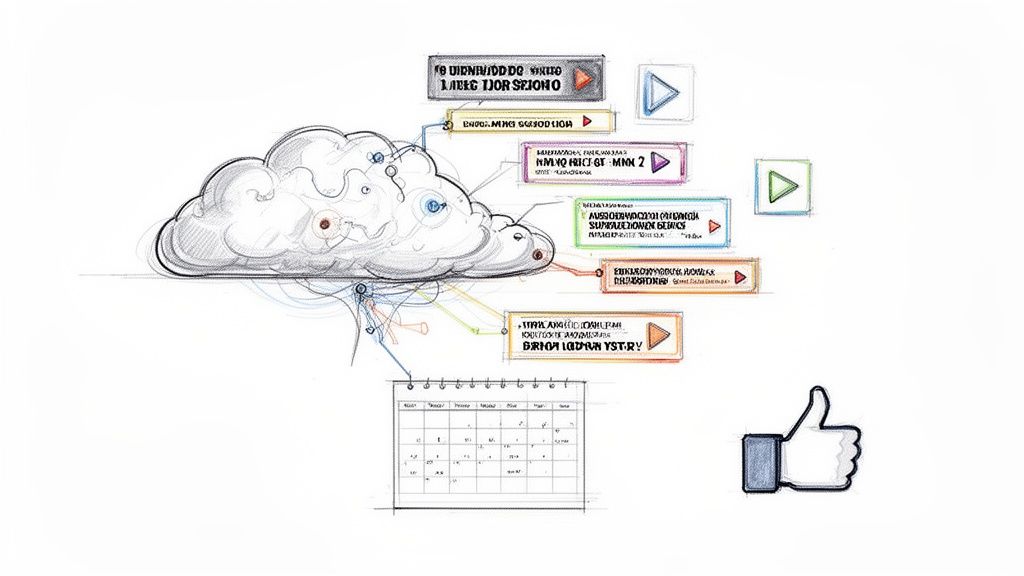
This integrated system means that once your clips are ready, the rest of your social media to-do list can be knocked out in minutes, not hours.
The Big Picture: ChurchSocial.ai isn't just a clipping tool; it's a complete content engine. It transforms your sermon from a single, long-form video into dozens of distinct pieces of content ready for every platform.
Once the AI-generated clips are in your account, your workflow is incredibly straightforward.
- Generate AI Content: Use our platform to instantly create AI-generated content from the sermon transcript, like social posts, blogs, and more.
- Create Branded Graphics: Need a thumbnail or a supporting graphic? Use our graphic templates and editor to create and post beautiful, on-brand photos and carousels.
- Schedule Everything: Simply drag and drop your finished posts onto our simple drag-and-drop calendar to easily manage and update all of your social media.
This is the modern, sustainable way for churches to do social media. It replaces a clunky, multi-tool process with a single, smart platform built for your specific needs. If you want to dive deeper, our guide on how to auto-trim and clip videos for social media breaks it down even further.
Plus, we know your ministry is about more than just sermons. That's why ChurchSocial.ai also integrates directly with Planning Center and other church calendars. Our AI can automatically create content promoting your upcoming events, saving your team even more time and making sure your community never misses a thing. It’s all about making your digital outreach as efficient and impactful as possible, so you can focus on what matters most—your people.
A Few Common Questions About Clipping Videos
As you start turning your sermons into social media clips, a few questions are bound to come up. That’s perfectly normal. Getting clarity on the little details is what helps you move forward with confidence.
Let's tackle some of the most common questions we hear from church teams who are just getting started.
Is It Legal to Cut Clips from Any YouTube Video?
This is a big one, and the answer is refreshingly simple: you should only be clipping and sharing content your church owns. That means your own sermons, worship services, special announcements—anything you’ve created.
I can't stress this enough: avoid creating clips from movies, TV shows, or other creators' videos, even if it's for a sermon illustration. Using copyrighted material without the right license can get your ministry into hot water.
We've seen it lead to:
- Copyright strikes against a church's YouTube channel.
- Sudden video takedowns on Instagram and Facebook.
- In rare cases, even legal action from the copyright owner.
The best path forward is always to use your own authentic content. Your church’s message is powerful enough on its own, and you'll never have to worry about copyright issues when you stick to your original material.
How Long Should My Social Media Clips Be?
The ideal length really depends on the platform you're using, but when it comes to social media feeds, shorter is almost always better. You're competing for attention, after all.
The sweet spot for platforms like Instagram Reels, TikTok, and YouTube Shorts is under 60 seconds. This length is just perfect for how people watch content on their phones. For a key teaching point on Facebook, you might be able to go a little longer—maybe two or three minutes—but the real engagement almost always happens in that first minute.
Do I Really Need to Add Captions to Every Clip?
Yes. Absolutely. Think of it as non-negotiable for modern social media. A huge number of people scroll through their feeds with the sound off. Without captions, your pastor’s profound message is just a silent video they’ll scroll right past.
Captions make your content accessible to everyone, including the Deaf and hard-of-hearing community. But they also help people in noisy coffee shops or parents who are scrolling after the kids are in bed. Tools designed specifically for ministry, like ChurchSocial.ai, can automate this for you, adding professional, branded captions to your clips so you never miss an opportunity to connect.
What if Our Church Does Not Have a High-Quality Camera?
Please don't let a lack of fancy equipment stop you. The camera on any modern smartphone is more than capable of producing great video for social media. In fact, on platforms like Reels and TikTok, audiences often prefer content that feels a little more authentic and less polished.
People value a clear, heartfelt message way more than Hollywood-level production. Just focus on two things: keeping the video stable (a simple tripod works wonders) and getting clean audio. If people can see you and hear you clearly, you have everything you need to start creating clips that make a real impact.
Ready to stop spending hours on manual editing and start automating your church's social media? ChurchSocial.ai gives you an all-in-one platform to turn your sermons into AI-generated clips, create branded graphics, and schedule everything from a simple drag-and-drop calendar. See how it can transform your ministry's online presence at https://churchsocial.ai.


