
It's Saturday night, the service order just changed, one event got moved, and someone handed you a last-minute announcement they insist must go in this week's bulletin. That scramble is familiar in church communications. The problem isn't only time. It's that many bulletins still try to do everything at once and end up helping almost no one.
A church bulletin can do much more than carry a sermon title and a few dates. It can welcome first-time guests, guide regular attenders toward next steps, and point people into your church's digital life during the week. A landmark 2018 study found that 73% of church members skip business or administrative sections in parish bulletins, while only 27% engage with content beyond the order of service and sermon title, which is why layout matters so much in the first place (America Magazine on bulletin design).
Strong church bulletin layout ideas don't start with software. They start with purpose. Some layouts are best for visitor hospitality. Others are better for weekly rhythm, event promotion, or pushing people into digital tools like sermon clips, connect forms, and ministry signups. That's where a platform like ChurchSocial.ai fits naturally. Churches can turn sermon transcripts into social posts, blogs, and reels, use graphic templates and an editor for matching visuals, and manage everything in a simple drag-and-drop calendar that also connects with Planning Center and other church calendars.
1. The Classic Single-Fold Layout Clear and Familiar
A classic single-fold bulletin works well on weeks when your team needs clarity more than creativity. Sunday arrives, a few details change late, and volunteers still need a layout they can update without breaking the whole piece. That is a key strength of this format. It gives you enough structure to stay organized and enough flexibility to finish on time.
An 8.5" x 11" sheet folded in half gives you four clear zones: front cover, two inside panels, and a back panel. For churches with mixed audiences, especially regular attenders, older members, and guests who want something easy to follow, that familiarity lowers friction. It also shortens production time, which matters if one staff member or volunteer handles the bulletin every week.
The communication goal here is weekly clarity. This is the layout to choose when you want people to find the order of service fast, notice one or two next steps, and leave with a simple record of what happened on Sunday.
Best use of the inside spread
Use the front cover to orient people quickly. Include the church name, current series title, service time, and one strong visual. I usually recommend architectural details, communion elements, seasonal imagery, or stage design over portrait-heavy graphics because those choices hold up better from week to week and are easier to keep visually consistent.
Inside, keep the structure predictable. Put the order of service on the left panel and the week's main response points on the right, such as one event, one ministry update, and one clear next step. As noted earlier, readers engage more when the bulletin is visually divided into obvious sections instead of one dense block of text.
Practical rule: If a first-time volunteer cannot identify every section in three seconds, the layout needs less on the page.
The back panel deserves more discipline than it usually gets. Use it for contact information, giving details, sermon notes, or a short "Start Here" box. Avoid stacking leftover announcements there. That habit creates clutter and trains people to ignore the entire panel. If your team struggles with overstuffed layouts, keep this guide on common church bulletin mistakes that hurt readability close during final review.
For smaller churches, this is often the most sustainable option. One late update does not force you to rebuild multiple panels or rewrite the flow of the whole bulletin. The trade-off is space. If your church regularly needs to explain several ministries or guide guests through many next steps, another layout will serve you better.
How to repurpose it for social media
This layout is also easy to turn into a simple weekly content system. That makes it a strategic choice, not just a familiar template.
- Front cover to weekend post: Reuse the bulletin cover as a Sunday morning reminder on Facebook or Instagram.
- Primary announcement to carousel: Turn the main event block into a short slide post with the date, location, and signup step.
- Sermon title to weekday content: After service, use ChurchSocial.ai to create AI-generated reels from the sermon and publish matching transcript-based posts during the week.
That workflow saves design time because the bulletin becomes the source file for print and digital communication. One layout decision can support Sunday clarity and midweek reach at the same time.
The single-fold bulletin works best when every panel has a job. Keep it focused, and it will keep serving your church well.
2. The Tri-Fold Layout Maximizing Information for Visitors
A family walks in five minutes before service. They are carrying kids, scanning for the nursery, and trying to figure out whether they should sit down or stop at a welcome desk first. The tri-fold bulletin serves that moment well because it can guide a guest step by step instead of dropping every detail into one crowded page.
This layout works best for churches with more than one audience in the room. First-time guests need orientation. Regular attenders want the schedule and next steps. Parents want fast answers. Six panels give you room to serve all three without forcing visitors to sort through insider language.
A panel strategy that works
Use the tri-fold as a guided path, not just extra space. A reliable structure looks like this:
- Front panel: Church name, series title, service time
- Inside panel one: What to expect in the service
- Inside panel two: Two or three priority announcements
- Inside panel three: New Here? section with clear visitor steps
- Back panel one: Ministry contacts, kids check-in, or office info
- Back panel two: QR code for connect card, website, and social channels
The biggest decision is panel order. Put guest content where people will see it early. In many churches, that means the first inside panel or the panel directly opposite the cover. If the welcome section is buried on the far back flap, guests often miss it.
Good tri-folds also depend on hierarchy. One panel should answer immediate Sunday questions. One should move people toward connection. One should cover ongoing church life. If every panel competes for attention, the format stops helping.
This is also the point where design discipline matters. Use consistent headings, short blocks of copy, and one visual style for icons or ministry markers. If your team needs help tightening the look, these church bulletin graphic design tips will save time in production.
Where tri-folds go wrong
The most common mistake is treating all six panels like storage bins. Teams keep adding items because space exists. The result is a bulletin that feels full but still fails to guide anyone.
The second problem is weekly maintenance. A tri-fold can become tedious fast. One updated event time can shift spacing across multiple panels, and volunteer designers often feel that pressure on Saturday night. If your church changes details late every week, this layout may cost more time than it saves.
Use it when guest guidance is the goal. Skip it if your bulletin changes heavily from week to week.
How to repurpose it for social media
The tri-fold is one of the easiest layouts to turn into a weekly content plan because each panel already has a distinct job.
- Welcome panel to visitor post: Turn the New Here? section into a Monday or Saturday welcome graphic.
- Priority announcement panel to carousel: Break the main event into a short social post with date, location, and signup instructions.
- Service expectation panel to story content: Reuse parking, kids check-in, or service details in Instagram Stories before Sunday.
- QR and sermon panel to follow-up content: Use ChurchSocial.ai to turn sermon content into reels and transcript-based posts, then connect those posts back to the same next steps featured in the bulletin.
That is a key advantage of this layout. It supports visitor clarity on Sunday and gives your team a ready-made framework for digital follow-up during the week.
3. The Modern Two-Column Grid Clean and Scannable

A guest walks in three minutes before service starts, grabs the bulletin, and scans for two things fast: what is happening in the room, and what matters after the benediction. A two-column grid handles that moment well because it gives people clear lanes to read instead of one long stream of mixed information.
This layout usually fits best on a front-and-back 8.5" x 11" sheet. It feels current without pushing print into a magazine-style design that your volunteer team has to rebuild every Saturday. That trade-off matters. A clean layout only helps if your team can maintain it consistently.
The strength of the two-column grid is clarity under time pressure. Readers can find one section, skip another, and still leave with the main points. Churches with several steady ministries often benefit from that structure because it separates information without making the bulletin feel crowded.
A practical setup is simple. Use one column for in-room content and one for next-step content.
- Column one: order of service, sermon title, scripture, songs, sermon notes
- Column two: key announcement, upcoming event, prayer focus, serving opportunity, contact or giving block
- Bottom section: one QR code tied to the week's main action
That structure works because each area has a job. It also reduces the common mistake of giving every announcement the same visual weight.
Symmetry is usually the trap here.
Teams often try to make both columns equal even when the content is not. That creates awkward white space on one side and tiny text on the other. A better approach is to keep the grid consistent while letting one block expand when the week requires it. If the sermon response is the priority, give it more room. If a major event is coming up, let that box carry more visual emphasis and trim lower-value items.
Design discipline matters more than decoration in this format. Short headings, strong spacing, and repeatable content boxes make the bulletin easier to scan from the lobby to the pew. If your team needs help tightening that system, these church bulletin graphics tips will help you improve hierarchy, spacing, and consistency.
This layout is also a smart strategic choice if your goal is multi-channel communication, not just a nicer handout. Each box can become a content unit during the week. The prayer section can turn into a midweek social post. The main announcement can become a carousel. The sermon title, scripture, and response step can become a Sunday afternoon recap. ChurchSocial.ai fits well here because the bulletin is already organized into reusable pieces your team can turn into graphics, captions, and scheduled posts without rebuilding the message from scratch.
Avoid one thing: long paragraphs in narrow columns. If a person cannot understand a section at a glance while standing in the lobby, the layout is carrying too much copy. Trim it, break it into boxes, and let the grid do its job.
4. The Minimalist Insert Focused and Action-Oriented
Sunday starts in ten minutes. A volunteer is still stuffing bulky bulletins, a first-time guest is skimming a page full of announcements, and the one action you want people to take is buried in small type. A minimalist insert solves that problem by narrowing the job.
A 5" x 7" card or half-sheet works best when the goal is response, not volume. It gives people the few details they need during the service, then points them to the next place for everything else. That usually means the sermon title, scripture, one clear next step, and one QR code.
This layout is a strategic choice for churches that already use email, text, social media, or an app for ongoing updates. The insert stops trying to carry every ministry announcement at once. It supports the room, the message, and the response moment.
Why less often works better
Use this format when the weekly bulletin has become a storage bin for leftover communication. If people leave without remembering the announcements, and your team keeps shrinking type to fit more in, the issue is not the template. The issue is scope.
Printing less often cuts waste, shortens prep time, and reduces the amount of sorting and stacking volunteers handle on Sunday morning. The trade-off is clear too. You need a reliable digital destination, strong lobby signage, or both. If the insert removes information from print, that information still needs an easy home somewhere else.
This approach also works well in churches where stage screens, verbal announcements, and welcome teams already carry part of the communication load. The insert becomes a guide, not a catch-all.
A smart minimalist structure
Keep the layout tight and predictable:
- Top section: Series title, sermon title, main scripture
- Middle section: One clear response step for the day
- Bottom section: QR code linking to notes, signups, giving, or the full weekly hub
Placement matters. Put the QR code where a person can find it again after the service without hunting. Keep the response line specific. “Take your next step” is weak. “Join Starting Point” or “Submit a prayer request” gives people something concrete to do.
ChurchSocial.ai fits this layout well because the insert already forces your team to clarify the main message. That clarity makes weekly repurposing easier. The sermon title can become a Monday recap post. The response step can become a midweek reminder. A quote or scripture can become a simple social graphic without rewriting the whole bulletin.
Minimalism works when it removes clutter and keeps direction. It fails when it removes context people still need. Cut aggressively, but keep the path obvious.
5. The Themed Layout Creating a Cohesive Experience
A family walks in during Advent. The lobby sign, stage screens, bulletin cover, and Instagram post they saw on Saturday all share the same visual direction. That consistency does more than look polished. It helps people connect the week's message across every channel your church uses.
Themed layouts work best when the goal is reinforcement. Use them for sermon series, liturgical seasons, ministry emphases, and churchwide campaigns where repetition helps people remember what matters.
The key trade-off is production discipline. A themed layout can save time once the system is built, but it creates extra work if your team redesigns from scratch every week. Keep the structure steady and swap only the parts tied to the theme.
Build a repeatable theme system
Set up the layout in layers so volunteers can update it without guessing:
- Fixed elements: Service times, contact details, standard ministry info, footer
- Theme elements: Series title, headline treatment, cover art, accent colors
- Support elements: Scripture pattern, seasonal icon, event spotlight, photo style
This approach keeps the bulletin recognizable from week to week while still giving each series or season its own identity.
I've found that themed layouts hold up best when the rules are simple. Choose one headline font, one accent color family, and one image style for the full series. If every week introduces a new visual idea, the piece starts to feel homemade in the wrong way.
Consistency also matters outside print. Your bulletin should match the visual standards your church uses elsewhere. A short set of social media branding guidelines for churches helps teams keep bulletin art, slides, and social posts aligned even when multiple people touch the files.
Where this layout pays off
A prayer series is a good example. Keep the same cover treatment for four or five weeks, change the sermon title and scripture, and repeat the visual motif in your email header and social graphics. The church starts recognizing the series before reading a word.
ChurchSocial.ai helps with the repurposing side. Once the weekly bulletin has a defined theme, your team can turn that same art direction into post graphics, carousel slides, and short recap content without rebuilding the look each time. That is a key advantage of this layout. It gives your print piece and digital channels one shared system.
If the bulletin also points people to an email or mobile hub, the linked content needs to read well on phones. The principles in designing mobile-friendly emails are useful here because spacing, hierarchy, and button clarity affect whether people follow through.
The risk is easy to spot. Churches sometimes get so focused on atmosphere that readability slips. If the themed background lowers contrast, shrinks event details, or buries next steps, the design is doing the wrong job. A good themed bulletin creates cohesion first and decoration second.
6. The Digital-First Bulletin Interactive and Data-Rich
A guest walks into service, scans a QR code on the screen, and opens your bulletin on their phone before the welcome is over. If that page loads fast, gives them the next step in one tap, and answers their basic questions without pinching and zooming, your bulletin is doing its job.
Digital-first works best when the communication goal is action. Registration, giving, message notes, event sign-ups, prayer requests, and sermon replay all perform better when people can respond in the moment instead of promising themselves they will look it up later.
What digital-first actually looks like
Build it as a mobile page first, then adapt it anywhere else. Put service details and the top two or three actions near the top. Follow with sermon resources, key events, volunteer opportunities, and giving. Keep buttons large, spacing generous, and copy short enough to scan between moments in the service.
For email-based bulletins, these principles from designing mobile-friendly emails are useful because mobile readability depends on button size, spacing, and hierarchy, not just attractive graphics.
I have found that churches usually overbuild this format on the first try. They add every ministry link, every announcement, and every PDF they already had. The stronger approach is narrower. Decide what this week's bulletin needs people to do, then make those actions obvious.
This layout also needs visual discipline. A simple set of social media branding guidelines for churches helps your bulletin, email header, story graphics, and sermon recap posts look like they came from one team.
Why this layout matters beyond Sunday
A digital-first bulletin can feed the rest of your communications system if you plan for reuse. Write headlines that can become social captions. Build one or two scripture graphics that also work as vertical story posts. Use clear event titles and concise descriptions so your team can copy them into social content without rewriting everything.
ChurchSocial.ai fits well here because the source material already lives in digital form. Sermon clips can be linked inside the bulletin, weekly recap posts can be drafted from the message, and event information can be turned into social content without re-entering details by hand.
There is a real trade-off. Digital-first gives you better tracking and faster updates, but it also depends on phone usability and clear prioritization. If the page is crowded, slow, or full of competing buttons, people stop engaging. A good digital-first bulletin feels simple on screen, even when a lot of information sits behind it.
7. The Hybrid Layout: Bridging Print and Digital
Sunday starts, a guest reaches for the bulletin, and a longtime member opens the church website before the first song. A hybrid layout serves both habits without asking the printed piece to do too much.
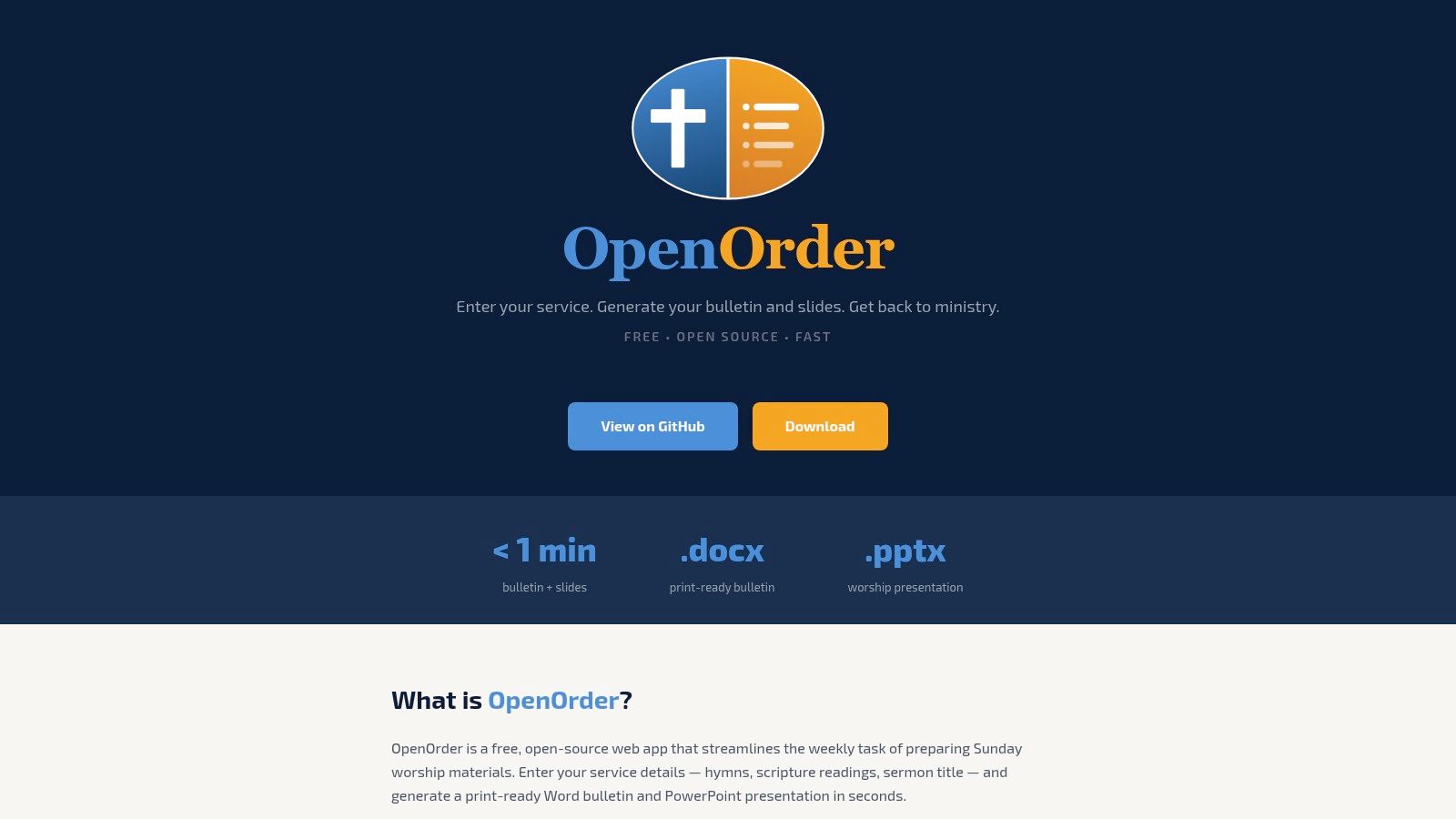
For many churches, this is the most practical layout to maintain week after week. The printed bulletin handles the fast, in-room questions: where to look, what is happening today, and what step to take next. The digital side carries the detail that changes often, such as full event info, registrations, sermon notes, and media.
That division saves space and reduces weekly layout stress. It also gives your team a clearer production process. Print only what needs to be physically handed out. Send everything else to pages your staff can update without reformatting a bulletin every Saturday.
Why this layout works in real church settings
Hybrid fits churches that still have strong paper habits but want better follow-through after Sunday. Guests often trust a printed handout. Older attenders may prefer it. Ushers and volunteers also benefit from a format that still works if the internet is spotty or someone forgets to update a screen.
The trade-off is maintenance. A short bulletin linked to outdated pages creates frustration fast. The system works only if someone owns the digital destinations and checks them every week.
A strong hybrid bulletin usually points people to three clear destinations:
- Full weekly details: events, registrations, and extended announcements
- Guest next steps: connect card, staff contact, and basic church info
- Message follow-up: sermon notes, replay links, and weekday content
How to make print and digital feel connected
Keep the QR code experience simple. Place codes beside plain-language prompts that match real intent, such as “I'm new,” “See upcoming events,” or “Watch the sermon again.” People scan more often when they know exactly what opens next.
Design consistency matters here. Use the same colors, type styles, and button language across the bulletin and the landing pages it sends people to. If you are refining that larger web experience too, these resources for church websites can help you plan where bulletin traffic should go.
This layout also gives you a useful content workflow. The printed bulletin introduces the top actions for the week. The linked page can hold the fuller version of that content, and that same copy can feed email and social posts. ChurchSocial.ai is useful in this setup because sermon points, event details, and recap content can be repurposed into scheduled social posts without rebuilding everything from scratch.
Use the hybrid layout when your goal is reach across the room and beyond Sunday. It keeps print focused, gives digital a defined job, and helps your team reuse content instead of recreating it.
7-Point Comparison: Church Bulletin Layouts
| Layout | 🔄 Implementation Complexity | Resource Requirements | ⚡ Speed / Efficiency | 📊 Expected Outcomes ⭐ | 💡 Ideal Use Cases |
|---|---|---|---|---|---|
| 1. The Classic Single-Fold: Clear and Familiar | Low, straightforward two-panel design | Basic design tools, moderate-weight paper | Fast to design and print | Clear readability, reliable engagement ⭐ | Traditional services, weekly handouts |
| 2. The Tri-Fold: Maximizing Information for Visitors | Medium, must design with folds in mind | More copy/design time, tri-fold template | Moderate, more content to layout but printable | High informational capacity, good for orientation ⭐⭐ | New-guest packets, outreach, visitor-focused services |
| 3. The Modern Two-Column Grid: Clean and Scannable | Medium, requires typographic hierarchy | Design skill, icons/graphics, front/back printing | Efficient for quick scanning and updates | Scannable, contemporary look, good retention ⭐⭐ | Contemporary congregations, detailed weekly updates |
| 4. The Minimalist Insert: Focused and Action-Oriented | Low, single-card focus, minimal content | High-quality cardstock, concise copy, QR to digital hub | Very fast to produce; lowers print volume | Drives digital engagement; focused CTA, lower in-print detail ⭐ | Digital-first churches, event promos, sermon CTAs |
| 5. The Themed Layout: Creating a Cohesive Experience | Medium–High, series branding and templates | Initial design for brand kit, repeatable templates | Moderate, initial setup time, then repeatable | Strengthens series cohesion and message retention ⭐⭐ | Sermon series, liturgical seasons, coordinated campaigns |
| 6. The Digital-First Bulletin: Interactive and Data-Rich | High, responsive design and accessibility work | Web/app dev, media production, analytics, content upkeep | High engagement potential; instant updates but ongoing work | Interactive metrics, measurable engagement, broad reach ⭐⭐⭐ | Mobile-savvy congregations, online-first ministries |
| 7. The Hybrid Layout: Bridging Print and Digital Seamlessly | Medium, coordinates print + digital links | Print template + QR/link hub, automation tools | Balanced, simple print, rich digital follow-up | Combines tactile presence with measurable digital impact ⭐⭐⭐ | Churches transitioning to digital or wanting both channels |
From Bulletin Layout to Community Engagement
A strong bulletin layout doesn't just make Sunday feel more organized. It helps people know where they are, what matters now, and what to do next. That's the key difference between a bulletin people glance at and a bulletin people actively use. The layout sets the path.
The best choice depends on your communication goal. A classic single-fold is reliable when your church needs simplicity. A tri-fold serves guests well when you need more orientation. A two-column grid is excellent for weekly scanning and segmented communication. A minimalist insert works when print should support, not carry, the whole load. Themed layouts reinforce teaching. Digital-first formats make interaction easier. Hybrid models often give churches the most practical balance.
What matters most is alignment. If your church wants deeper visitor follow-up, your layout should prioritize welcome and connection. If your team needs stronger digital reach, your bulletin should point clearly into mobile content, sermon clips, and event signups. If volunteers are burning out every Saturday, pick a format that reduces production complexity instead of adding more clever design.
That's also why bulletin strategy can't stop at the page. Churches need a manageable way to extend Sunday communication through the rest of the week. Sermons can become reels, quotes, blogs, and social posts. Event blurbs can become carousels. A sermon series visual can carry from bulletin cover to Instagram graphic without rebuilding it every time.
ChurchSocial.ai fits naturally into that workflow. Churches can plan and manage social accounts from one calendar, create AI-generated reels from sermons, turn sermon transcripts into social posts and blogs, build visuals with graphic templates and an editor, and use integrations with Planning Center and other church calendars to support event-based content. For teams trying to connect bulletin content with a consistent digital presence, that kind of workflow can reduce repetitive manual work.
A better bulletin won't fix every communication problem in your church. But it can become the weekly starting point for clearer messaging, better next steps, and more consistent engagement. That's worth treating as ministry, not just production.
If your church wants to connect Sunday bulletins with a simpler weekly social media workflow, take a look at ChurchSocial.ai. It gives churches one place to plan posts, turn sermons into reels and written content, create graphics, and keep event-based communication organized across the week.


