
Saturday night always seems to be the moment a church social media volunteer realizes there's no decent photo for tomorrow's post. The sermon graphic is ready, the caption is half-written, and the only image left in the folder is a blurry hallway shot from last Easter. That's usually when stock photos for churches stop feeling like a convenience and start feeling like a system you wish had been in place months ago.
The problem isn't just finding an image that looks good. It's finding one that fits the message, clears licensing, feels real to your congregation, and can be reused without creating a mess for the next post, slide, or flyer. A church that treats visuals as an afterthought ends up making reactive choices, while a church that treats visuals as part of its communications rhythm saves time, protects trust, and gives volunteers something workable when the calendar gets tight.
Why Your Church Needs a Visual Strategy
A volunteer opens the church laptop at 10 PM on Wednesday and types the same search everyone types, then clicks through page after page hoping one image will somehow work for youth night, a sermon teaser, and the Sunday bulletin. That scramble is familiar because most churches build visuals reactively, one deadline at a time. It feels efficient in the moment, but it usually produces inconsistent branding, last-minute licensing questions, and images that don't feel like your church.
A visual strategy changes the job from “find something fast” to “use the right kind of visual for the right communication.” Church-specific guidance on visual storytelling makes that distinction useful because every image already carries a message about tone, community, and expectation, whether you planned it or not. If you want a practical lens for that bigger picture, this visual storytelling guide is a helpful companion to the stock-photo work itself.
The real cost of random image hunting
Random image hunting drains volunteer energy because every post becomes a new search problem. It also makes your church look less stable than it is. A homepage with one style, an Instagram feed with another, and a flyer with a third signals that no one is steering the visual identity.
A better approach is to decide what stock is for. Use it as support for recurring needs, not as the main source of every image your church publishes. That distinction matters because stock should fill gaps, keep content moving, and save time when you don't have fresh photography ready.
Practical rule: if a post is important enough to publish, it's important enough to decide in advance what kind of image it needs.
The biggest win is consistency. When volunteers know what the church tends to need, they stop starting from zero each week. That lowers stress, makes the output look more intentional, and keeps the team from treating every deadline like a fire drill.
Identifying Your Church's Visual Needs
Before you browse a single photo library, map the images your church uses. Teams waste time because they search first and categorize later. A simple audit of your content calendar reveals the patterns immediately, and once those patterns are visible, your visual decisions get much easier.
Start with recurring content buckets
Look at the last few months of website updates, sermon posts, event promos, and printed pieces. Sort them into recurring buckets such as worship moments, sermon series themes, seasonal visuals, volunteer highlights, and outreach or event coverage. That framework keeps the library from turning into a random pile of downloads.
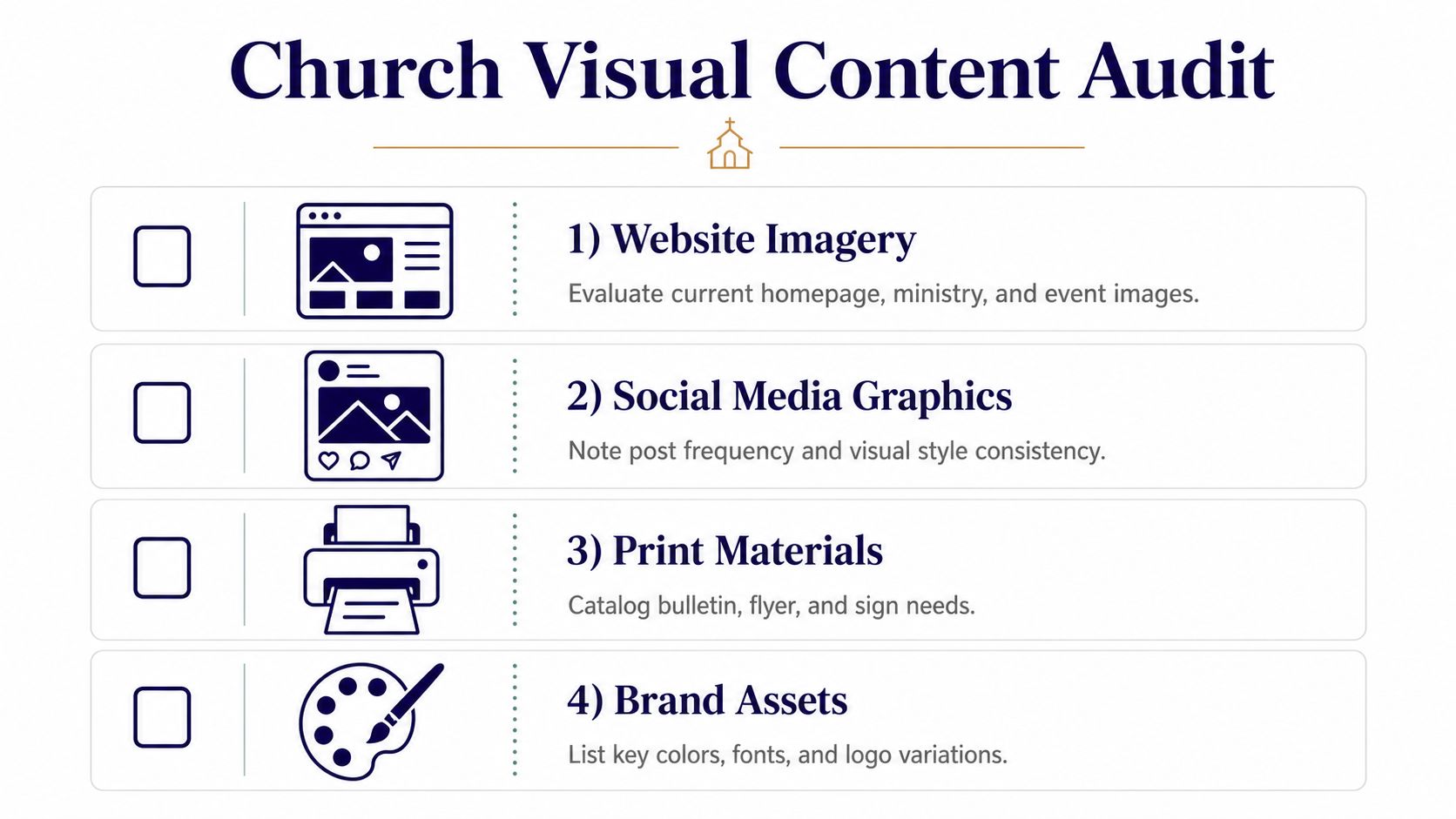
Treat the audit like a working document, not a one-time exercise. Add a note beside each bucket about where it appears, whether the image needs to feel formal or casual, and whether it can be stock or should be custom photography. Church communications guidance recommends keeping stock as a supplemental layer, plus using a shared upload folder and simple contribution rules so the library grows in a searchable way, not by accident. That practical structure is what keeps one volunteer's good intentions from becoming everyone else's future cleanup project.
Decide what deserves custom photography
Not every need should be solved with stock. The strongest trust-building images usually come from real people in your actual church, especially for pages and posts that are about community, belonging, or invitation. Stock works best when the content is broader, more thematic, or visually abstract.
A useful rule of thumb is simple. Put custom photography at the top of the list for high-trust content, and reserve stock for the supporting pieces around it. That gives your church a visual identity that feels lived in, not assembled from generic leftovers.
Practical rule: if the image is meant to say “this is who we are,” custom usually wins. If it's meant to say “this is the idea,” stock can do the job well.
The audit also tells you what not to chase. If you only need one seasonal graphic, don't build an enormous image archive around it. If you reuse the same sermon-series style every month, design for that pattern now and save the recurring assets where volunteers can find them quickly.
Finding the Right Stock Photo Sources
The church stock-photo market is no longer a tiny corner of the web. Major libraries now show multi-million-image church categories, including Shutterstock's 7,107,536 royalty-free church images on one page and another localized page showing 6.7 million+ church images, Getty Images' about 2,018,447 church stock photos, and iStock's 3,377,154 church images (Shutterstock's church search). That scale matters because churches need enough variety to find images for sermons, seasons, and campaigns without settling for the same overused visual every time.
Free, paid, and faith-specific options
A smart church team doesn't ask which platform is “best” in general. It asks which platform fits the use case, budget, and brand sensitivity. Free libraries can be enough for simple needs, while paid libraries often save time when quality and search depth matter more. Faith-specific marketplaces can also be useful when the church needs imagery that feels closer to ministry life than generic business stock.
The comparison below gives a practical starting point.
| Platform | Cost | Best For | Licensing |
|---|---|---|---|
| Unsplash | Free | Simple web and social visuals | Check the site's current terms before reuse |
| Pixabay | Free | Broad, quick-use church graphics | Verify license terms and attribution rules |
| Pexels | Free | Social-first visuals and general inspiration | Review commercial use permissions |
| Shutterstock | Paid | Large search depth and varied church imagery | License-based commercial use |
| Getty Images | Paid | High-end editorial and marketing needs | License-based commercial use |
| Lightstock | Paid | Faith-oriented church and ministry visuals | Marketplace licensing |
| Vecteezy | Mixed | Budget-conscious teams needing more options | Check the asset's exact license |
| Unsplash and similar free libraries | Free | Fast placeholders and lower-risk internal needs | Read terms carefully |
Church communications advice from 2016 still centered on finding free or cheap images, which tells you how tight the sourcing problem used to be. The category has expanded, but the trade-off hasn't disappeared. More images doesn't automatically mean more authentic images, especially if your congregation doesn't look like the generic worship scenes that dominate many search results.
Why authenticity still beats volume
The hardest part isn't availability, it's fit. A church in a diverse urban neighborhood, a bilingual congregation, or a ministry outside North America and Europe often needs visuals that reflect the community in the room. Stock libraries can offer plenty of church imagery, but the search results still tilt toward static buildings, posed worship scenes, and generic interiors.
That's why a source list should always be paired with a style filter. If the photo looks polished but disconnected, it won't help your communication. The best library is the one your team can use repeatedly without compromising the feel of your church.
For churches that want to think more strategically about free assets, this free media for churches guide is worth keeping on hand.
Navigating Copyright and Licensing Safely
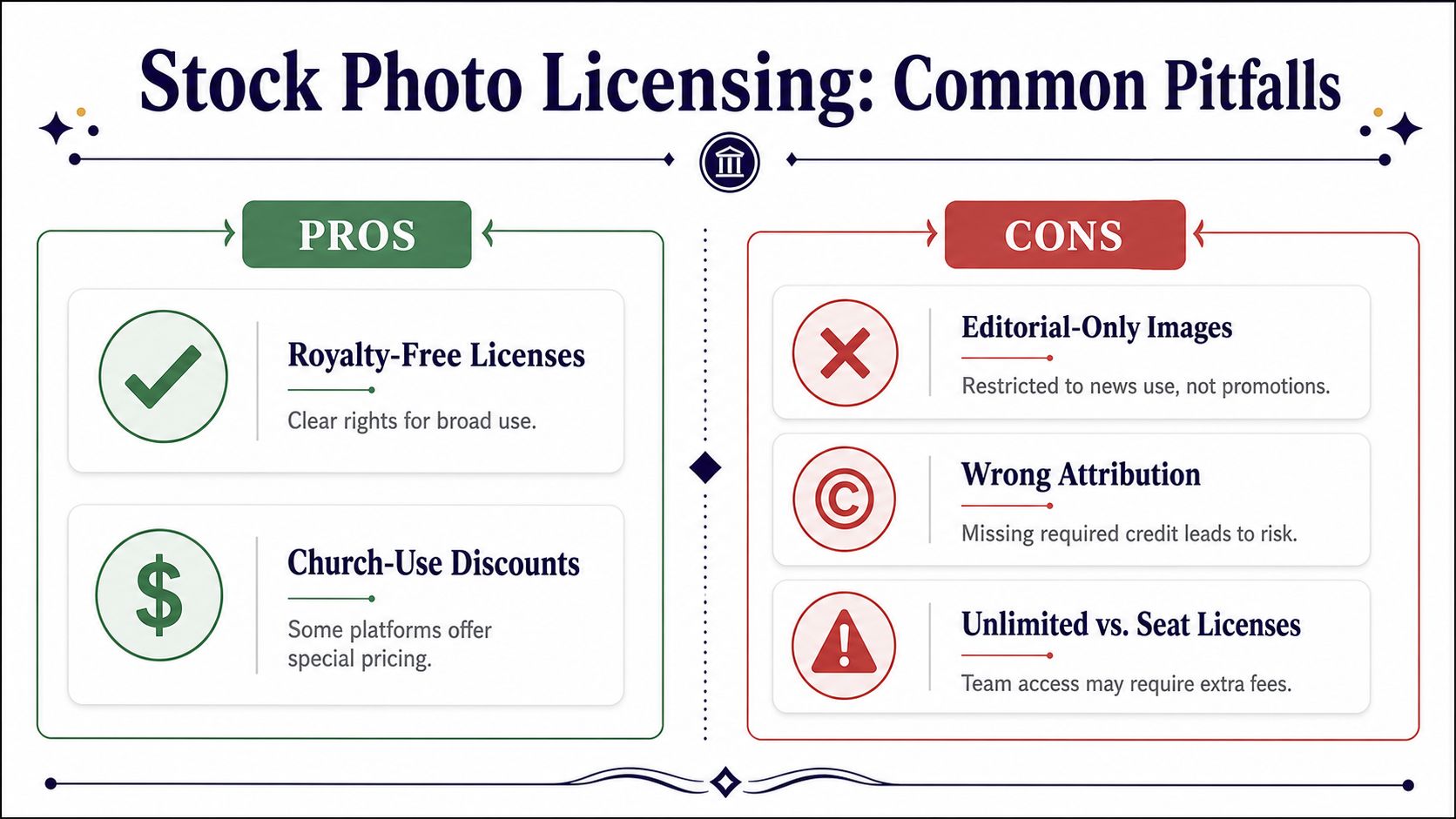
The biggest risk for churches usually isn't paying for a photo. It's using one that looks free but lacks the clearance needed for social media, slides, ads, or printed pieces. That's the blind spot most stock-photo pages skip, because they focus on where to download images, not whether a church can legally reuse them across multiple channels.
What churches often get wrong
One common mistake is assuming that anything found online is fair game. A church copyright guide for digital teams says to assume an image belongs to somebody unless you created it or got permission, and that credit should be given exactly as the Creative Commons license requires when that's the permission path used. Another church-digital guide says to look specifically for images labeled Royalty-Free or licensed under Creative Commons for free commercial use, because the license is what determines reuse rights, not how harmless the image looks.
That matters even more when the photo includes people. If faces are identifiable, the church needs to think about model releases and downstream use, not just the initial download. A photo might work for one bulletin, then become risky when the same image gets posted to Instagram, used in an ad, or placed on a landing page that reaches a wider audience.
Practical rule: if you can't explain where the image came from, what the license allows, and whether the people in it consented to publication, don't use it.
A helpful external check when you're reviewing image rights is the AI Image Detector copyright guide. Even if you don't use that exact workflow, the bigger lesson is the same. Churches need a habit of verifying rights before publishing, not after someone raises a question.
Editorial use is not promotional use
Another trap is editorial-only imagery. That kind of image may be fine for news-style coverage, but it's not meant for promotional church content. If your team is making an invite graphic, a sermon teaser, or an outreach post, editorial restrictions can create unnecessary risk.
Some license packages also differ by access model. A team license may sound simple until more volunteers need access than the plan covers. That's why the license needs to fit the workflow, not just the file.
Churches that publish in many places should take the strictest interpretation seriously. A bulletin image can end up on a website, then in a social carousel, then in a texted event reminder. The safest team is the one that plans for that reuse up front.
Customizing Images for Your Church Brand
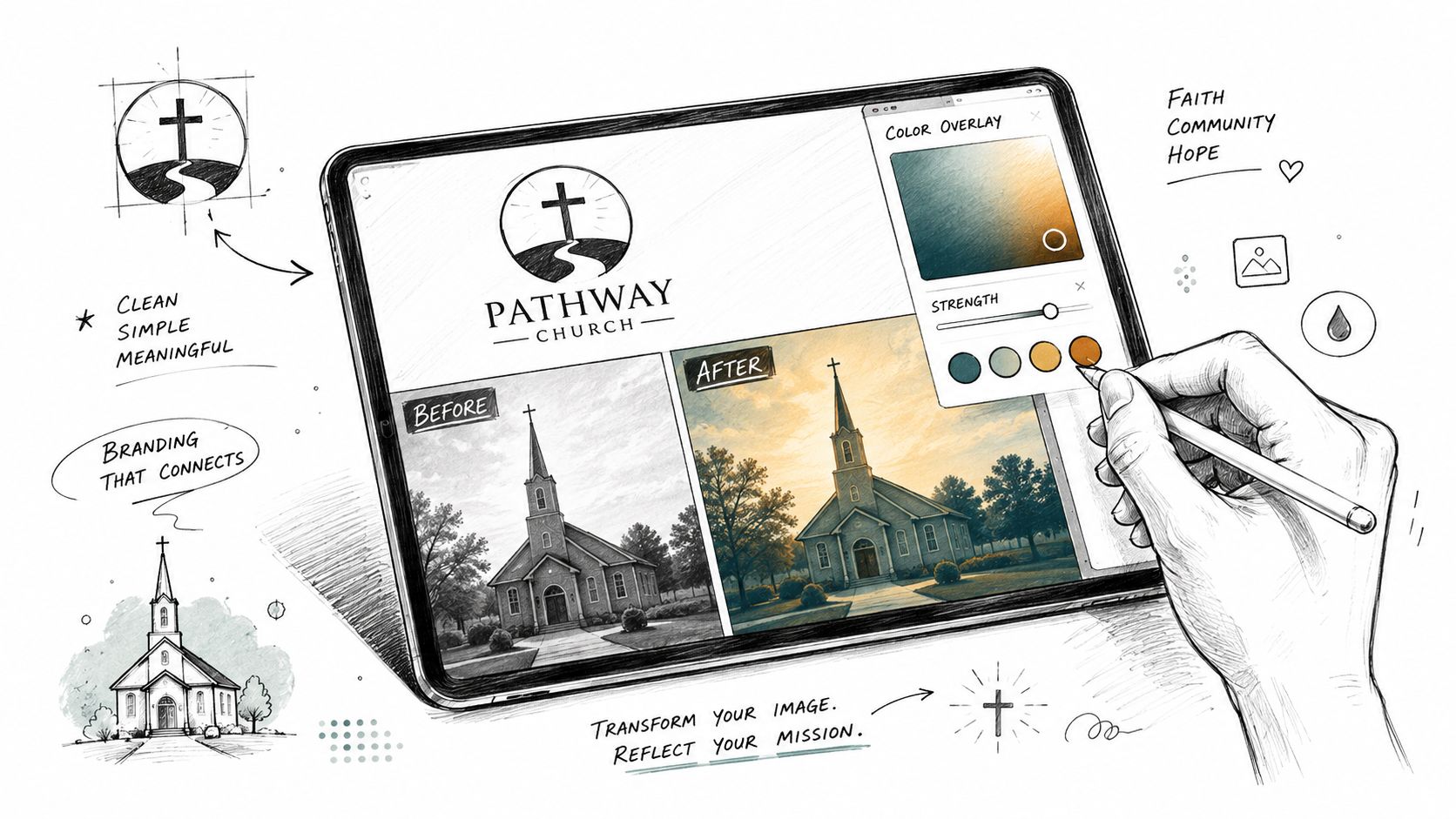
Stock photos rarely arrive ready for your church's exact look. The colors are off, the crop is wrong, and the image often feels too polished to match a local congregation. Good customization fixes that without trying to turn stock into something it isn't.
Make the image feel like yours
Start with cropping. A tighter crop can pull attention toward the part of the image that supports your message and remove background clutter that feels generic. From there, use your church's colors as an overlay or accent so the piece matches your brand without overpowering the photo.
Text placement should be selective. Put text where it makes sense, like on paper, whiteboards, signage, or other surfaces that naturally carry writing. Don't scatter text on random parts of the image just because a template has space. Text can also be added later as an overlay, which is often cleaner and easier to read than trying to force it into the original scene.
Church stock-photo guidance warns that images can look too perfect and too smiley, which is a real issue in ministry graphics. Avoid clichéd visuals, avoid artificial-looking props, and choose images that feel like people might live in that space. When an image feels staged for a brochure instead of selected for your congregation, people notice.
Prepare images for the places they'll appear
Technical cleanup matters just as much as design. One church photography checklist recommends resizing images for web use to less than 1 MB and doing proper sizing, cropping, and compression before or after upload (Clearpath Church's photography guide). That's a useful operational threshold for site speed and mobile loading.
Accessibility needs the same attention. Write alt text that describes the image clearly and concisely, then check contrast if you place text on top of a photo. If the image becomes harder to read on a phone, it isn't helping the post.
Churches that spend ten extra minutes on branding and sizing usually save themselves from reworking the same visual three times later. That's a good trade.
Streamlining Your Church Social Workflow
A visual strategy falls apart if the workflow still lives in someone's inbox. Churches need one place where ideas, graphics, scheduling, and sermon-based content can move together without creating more volunteer chaos. That's where an integrated system matters, especially for mid-sized congregations that can't afford a full-time design team.

Turn one sermon into multiple assets
A sermon transcript shouldn't end its life as a file in the cloud. It can become a caption, a blog post, a short-form clip, a discussion prompt, or a graphic idea. That's the point of a smarter workflow, it turns one piece of ministry into multiple publishable assets without starting from scratch each time.
If you want a practical reference for the scheduling side, this guide to scheduling social media posts is a good fit alongside the visual process. Churches need rhythm more than they need heroic bursts of effort, and scheduling is what makes that rhythm sustainable.
The biggest shift happens when image production, post writing, and calendar management stop living in separate tools. A drag-and-drop calendar gives volunteers a clear way to see what's coming, update posts, and avoid duplicate effort. Integrations with Planning Center and other church calendars also make event-based content easier to create because the visual plan starts with real ministry dates, not guesswork.
Use AI where it saves time, not where it replaces judgment
There's a practical middle ground for churches that want speed without losing discernment. Tools that create sermon clips, social posts, and graphic variations can reduce the blank-page problem, while templates and editors keep the brand consistent. For churches exploring that kind of workflow elsewhere in the market, the create social media visuals with AI article is a useful example of how AI is being used in visual production.
The point isn't to automate ministry. It's to automate the repetitive parts so staff and volunteers can focus on choosing the right message, the right image, and the right timing. Once that system exists, stock photos become a supporting asset instead of a weekly emergency.
Churches that build around a unified workflow end up with cleaner visuals, fewer licensing surprises, and a lot less scramble. That's the win.
If your church needs a simpler way to plan visuals, write posts, and keep social content moving without overwhelming volunteers, ChurchSocial.ai brings the workflow together in one place. It helps churches create sermon-based reels, generate social posts from transcripts, and manage branded graphics and scheduling with less friction. Visit ChurchSocial.ai and see how a practical visual system can support your next month of ministry content.


