
Let's stop thinking about church media software as just another piece of tech to learn. Instead, see it as your digital ministry partner—a central hub that completely changes how you plan, create, and share your church’s message online. For churches looking to plan and manage their social media accounts, a platform like ChurchSocial.ai is designed to replace that clumsy juggle of different apps with one smart, ministry-focused system.
What Is Church Media Software and Why Your Ministry Needs It
Simply put, church media software is an all-in-one platform built to manage your church’s entire social media world. It's like a Swiss Army knife for your digital communication, designed to solve the problems every ministry team knows all too well: not enough time, tight budgets, and the constant need to stay connected with your community all week long.
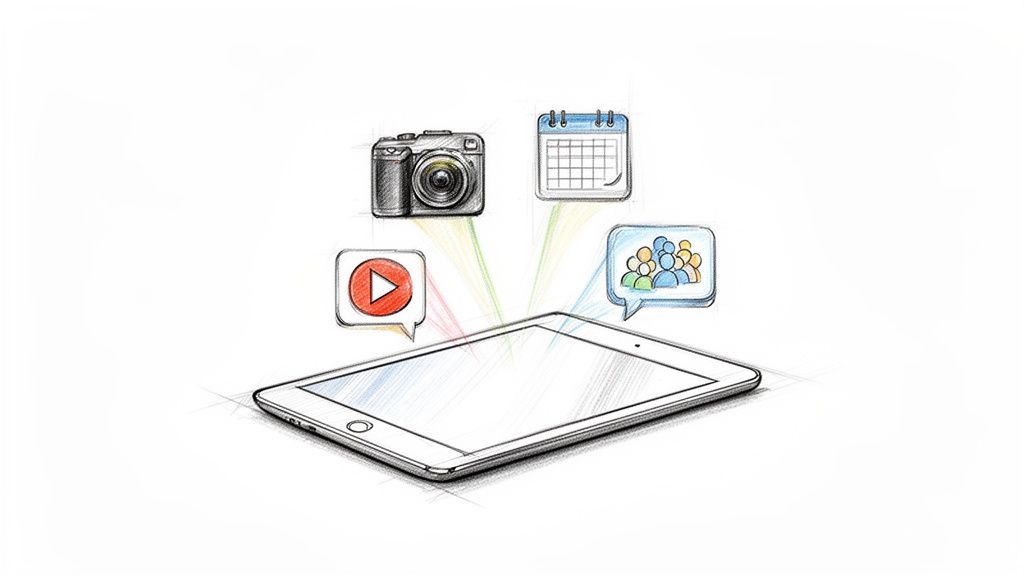
This kind of tool empowers everyone on your team. It doesn't matter if they're a seasoned staff member or a volunteer who's not super tech-savvy. Anyone can create professional, compelling content that takes your ministry's reach far beyond Sunday morning.
The Old Way vs The New Way of Church Social Media
For too long, the default approach to church social media has been a chaotic scramble of disconnected tools and manual processes. A dedicated platform like ChurchSocial.ai changes the game entirely, turning what was once a source of stress into a streamlined, effective ministry tool.
The difference is clear. Moving to an integrated system isn't just about saving time; it's about multiplying your ministry's impact with the time you save.
Moving Beyond Disconnected Tools
So many churches are stuck in a digital scramble. They’re using one tool for graphics, another for video clips, and then manually posting to Facebook, Instagram, and everywhere else. This scattered method doesn't just eat up valuable time; it creates inconsistent branding and a disjointed message.
An effective online presence is no longer a luxury for churches; it's a fundamental part of modern ministry. It's about meeting people where they are and creating avenues for connection and spiritual growth every day of the week.
An integrated approach means you can create your content once and get it everywhere without the headache. The global church management software market hit USD 275.71 million in 2024 and is expected to grow to USD 465.8 million by 2033. This isn't just a trend; it's a response to a real need, especially when you consider that 85% of church leaders say better engagement is a top priority. You can dive deeper into these market growth trends on SkyQuest.
The Power of a Unified System
The real magic of this kind of software is how it amplifies your efforts. You're no longer just pushing out announcements; you're building a vibrant digital community. A unified system like ChurchSocial.ai helps you do just that.
- Amplify Your Sermons: Effortlessly turn your sermon transcript into AI-generated reels and short videos.
- Create Content Instantly: Use AI to spin up social posts, blogs, and even small group questions right from a sermon, saving you hours of work.
- Build a Cohesive Brand: Use our graphic templates and editor to create and post stunning photos and carousels that reflect your church’s heart.
- Schedule with Ease: Our simple drag-and-drop calendar allows your church to easily manage and update all social media from one place.
- Promote Events Seamlessly: We integrate with Planning Center and other church calendars to create content for all your events.
By bringing all these tasks under one roof, you free up your team to do what they do best: focus on ministry and invest in people.
Key Features That Transform Your Digital Ministry
It's one thing to understand the 'why' behind church media software, but seeing the tools in action is where the lightbulb really goes on. These aren't just little add-ons; they're core features built to solve the biggest communication headaches ministries face every single week. Let's pull back the curtain and look at the specific tools in a platform like ChurchSocial.ai that actually move a ministry forward.
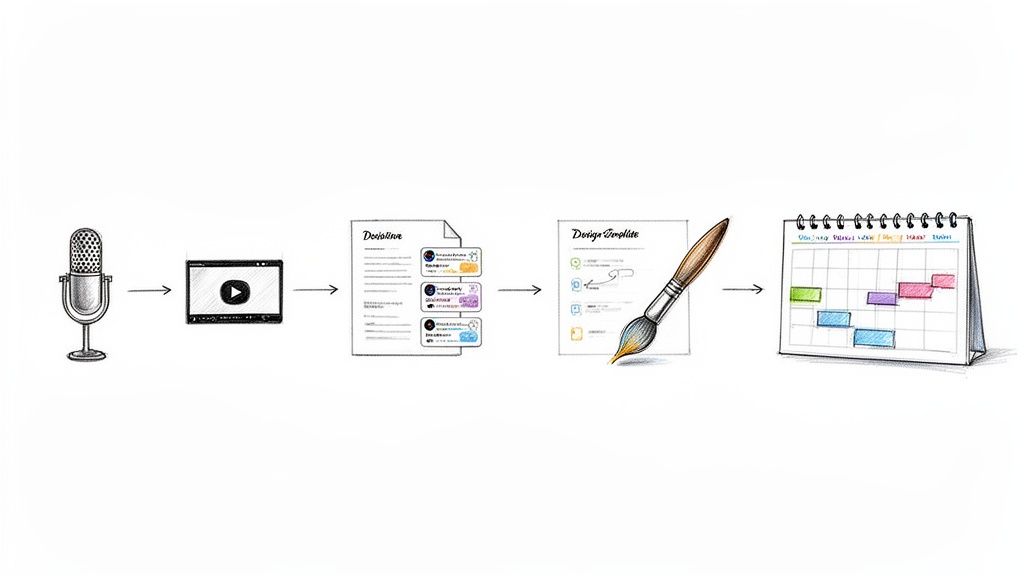
The whole point of this technology is to take the heavy lifting off your team’s shoulders. It’s about turning those frustrating, multi-step processes into simple, one-click actions. This frees you up to focus on what really matters: connection and community.
AI Sermon Clipping and Content Generation
Think about it: your weekly sermon is the single most powerful piece of content your church creates. The problem has always been that mining all the gold from that message is a manual, time-consuming chore. Good church media software completely flips this script, treating your sermon as the engine for an entire week of digital outreach.
With a tool like ChurchSocial.ai, you just upload your sermon transcript. From there, artificial intelligence becomes your hardest-working digital volunteer.
- AI Generated Reels: The system is smart enough to find the most impactful, shareable moments in the message. It then automatically creates AI-generated reels from your sermons, complete with captions. A one-hour sermon can become several engaging video clips, and you don't need to know a thing about video editing.
- AI Generated Content: It doesn't stop at video. The AI also repurposes the sermon transcript into other content like social posts, blogs, etc. It can draft social media posts with thoughtful captions, brainstorm blog post ideas, and even pull out discussion questions for your small groups.
This isn't just about being efficient. It's about reinforcing the message. It gives your congregation different ways to chew on the Sunday teaching all week long, deepening its impact far beyond just hearing it once.
This one feature alone can change your content strategy from a constant scramble to a sustainable, automated workflow. A single one-hour investment on Sunday can now fuel your online presence for the next seven days.
Integrated Graphic Design Studio
Having a consistent, professional look online is a huge part of building recognition and trust. But most churches don't have a graphic designer on staff. This often leads to a reliance on clunky software or generic templates that just don't capture your church's unique vibe.
A key feature of modern church media software is a built-in graphic design studio created specifically for ministry. Inside ChurchSocial.ai, you get our graphic templates and editor to create and post photos and carousels.
The editor itself is simple enough for anyone to use but powerful enough to get the job done right. You can easily drop in your church logo, tweak colors to match your branding, and add your own text and images. This means anyone on your team—not just the "creative" one—can produce beautiful photos and carousels that look polished and on-brand, every single time. The design bottleneck is gone.
Unified Content Calendar and Integrations
Juggling multiple social media accounts is a recipe for chaos. Logging in and out of different platforms to post content is a huge time-waster, and it makes it nearly impossible to see the big picture of your communications.
A unified content calendar acts as the command center for your entire digital ministry. With ChurchSocial.ai's simple drag-and-drop calendar, your church can easily manage and update all social media accounts from one screen. This visual overview helps you build a balanced and consistent posting schedule without pulling your hair out.
Even better, powerful integrations make this calendar a true hub. ChurchSocial.ai integrates with Planning Center and other church calendars. This means your upcoming events are pulled right into the system, making it incredibly easy to create promotional content for them. Your calendar stops being a simple scheduler and becomes a proactive ministry planner, making sure nothing ever falls through the cracks.
How AI Becomes Your Most Dedicated Digital Volunteer
When you hear "artificial intelligence," it’s easy to think of something cold or complicated. But for church media, just think of AI as your most reliable ministry assistant. It’s like a digital volunteer working tirelessly behind the scenes, multiplying your team's efforts without adding to your payroll.
Platforms like ChurchSocial.ai use this technology to handle the repetitive, time-consuming tasks that so often drain your team's creative energy.

Imagine having a helper who listens to every sermon, finds the most powerful quotes and illustrations, and then turns them into shareable content. That’s exactly what AI does. It takes your main weekly message and transforms it into a steady stream of digital outreach to engage your community all week long.
This isn’t just about working faster; it's about working smarter. The demand for great digital ministry tools is growing fast. In fact, the church management software market in the U.S. is expected to grow by USD 50.92 million between 2021 and 2026. This is happening because churches are looking for better ways to connect with people online. With volunteer numbers shrinking in many places, AI automation is becoming a key part of keeping a consistent and professional online presence.
From Sermon to Social Media in Minutes
At its core, the AI in a platform like ChurchSocial.ai is a content engine. It can take a single sermon transcript and, with just a few clicks, generate a full week of diverse, engaging material. This really levels the playing field, giving smaller churches the power to produce content at a scale that used to be possible only for mega-churches with big media teams.
Here’s a quick look at how this digital volunteer gets to work:
- Creates AI-Generated Reels: The AI scans your sermon for short, punchy moments that are perfect for Instagram Reels or TikTok and automatically creates AI-generated reels from the sermon.
- Drafts AI-Generated Content: It creates AI-generated content from the sermon transcript like social posts, blogs, and even discussion questions for small groups.
- Designs Graphics: With our graphic templates and editor, you can create and post beautiful, on-brand photos and carousels without needing a graphic designer on staff.
This simple workflow turns a one-hour sermon from a one-time event into a week-long conversation, helping the message stick and keeping your community connected. You can learn more about how to use this technology in our guide on how AI can support your church.
A Force Multiplier for Your Ministry Team
Ultimately, AI-powered church media software acts as a force multiplier. It automates the routine tasks so your staff and volunteers can focus on what people do best: building relationships and loving their community. By handling the heavy lifting of content creation, AI frees up your people for pastoral care, outreach, and one-on-one connections.
Instead of spending hours editing videos or staring at a blank screen trying to write a caption, your team can use that time to connect with people in the comments, pray for requests, and build a truly interactive digital ministry.
To take your digital ministry even further, you can explore specialized AI tools for faith-based video content that can help create visuals that resonate deeply with your community. This kind of technology helps you build a professional and far-reaching online presence without straining your team or your budget.
Choosing the Right Software for Your Church
Picking the right church media software can feel like a massive, overwhelming decision. It doesn't have to.
Whether you're a pastor at a smaller church juggling a dozen different roles or the communications director for a multi-campus ministry, the end goal is always the same. You need a tool that actually supports your ministry, not one that just adds another task to your plate. A confident decision starts with asking the right questions.
The best software should feel like a natural extension of your team. It ought to simplify the complex stuff, automate the tedious stuff, and ultimately free up your staff and volunteers to focus on people, not platforms. That means finding a solution built by people who understand the unique rhythms and needs of a church.
First, What Problems Are You Trying to Solve?
Before you even book a demo or watch a tutorial, you need to get crystal clear on what you're trying to fix.
Are you spending way too many hours trying to create social media content from scratch? Is your online presence inconsistent from week to week? Are you struggling to get the word out about upcoming events? Nailing down your specific pain points will be your best guide in this whole process.
As you look at different options, it’s really helpful to compare different church management platforms like Alignmint vs. Planning Center to see how they stack up. This kind of comparison forces you to clarify which features are truly essential for your ministry's workflow versus what's just a "nice-to-have." Your choice should be grounded in your church's real-world context and your goals for the future.
An Evaluation Checklist for a Smart Decision
To make a choice you feel good about, you need a clear set of criteria. The right software should be intuitive enough for a first-time volunteer to pick up quickly, yet powerful enough to handle all your media needs. Platforms like ChurchSocial.ai are designed with this exact balance in mind, offering a simple interface backed by powerful, church-centric features.
This handy checklist will help you assess and compare different software options to find the perfect fit for your ministry's unique needs.
Church Media Software Evaluation Checklist
Having a checklist like this turns a vague search into a focused, confident evaluation. It helps you cut through the noise and zero in on what truly matters for your church. For a deeper dive, you can explore our church management software comparison guide to see how different options stack up.
The Power of Church-Centric Integrations
The right integrations are more than a simple convenience—they are a genuine strategic advantage. The market definitely shows this, with North America holding over 40% of the global market share and an estimated 70% of churches in major markets now using some form of digital media software.
Why? Because integrations with systems like Planning Center can slash content creation time by as much as 40%. This efficiency frees up teams to build data-driven strategies that often correlate a 15-20% membership growth with consistent, high-quality social posting.
The best church media software isn’t just about scheduling posts. It’s about creating a connected ecosystem where your church's calendar, sermon content, and social media all work together seamlessly to amplify your ministry's message.
This kind of connectivity, especially with tools like ChurchSocial.ai, transforms your social media management from a series of disjointed tasks into a unified, efficient ministry operation. It ensures every part of your digital presence is working in harmony to build community and extend your reach.
Your Step-By-Step Plan for a Stronger Online Presence
Bringing a new tool into your ministry can feel like a huge project, but it doesn't have to be. With the right game plan, getting started with powerful church media software can be a simple process that gets your team excited and builds momentum right away. We've broken it down into a practical, step-by-step roadmap to get you moving with confidence.
The idea here is to start small and see results fast. This isn't about flipping a switch and changing everything overnight. It's about taking small, smart steps that build on each other, creating a digital ministry strategy you can actually stick with. Tools like ChurchSocial.ai are built to make this whole process feel natural from day one.
Step 1: Define Your Ministry Goals
Before you click a single button, stop and ask the most important question: What are we actually trying to do here? Your social media needs a purpose. Are you trying to get more people to sign up for online small groups? Boost attendance for that upcoming community picnic? Or maybe just create more connection with your congregation throughout the week?
Jot down one or two specific, measurable goals. This focus will be your compass, guiding every post you create and making sure your online work is directly connected to your real-world ministry.
Step 2: Onboard Your Team
Your "team" might just be you and a key volunteer, or it could be a few staff members. The goal is to get everyone on the same page. Set up a quick kickoff meeting to walk through the new software, focusing only on the core features you’ll use right away.
Show them how this tool will make their jobs easier, not just add another task to their plate. With a platform like ChurchSocial.ai, the learning curve is short and sweet. You can get everyone comfortable and ready to go in a single meeting.
This simple graphic shows the three-step process for choosing the right software before you even get to this implementation stage.
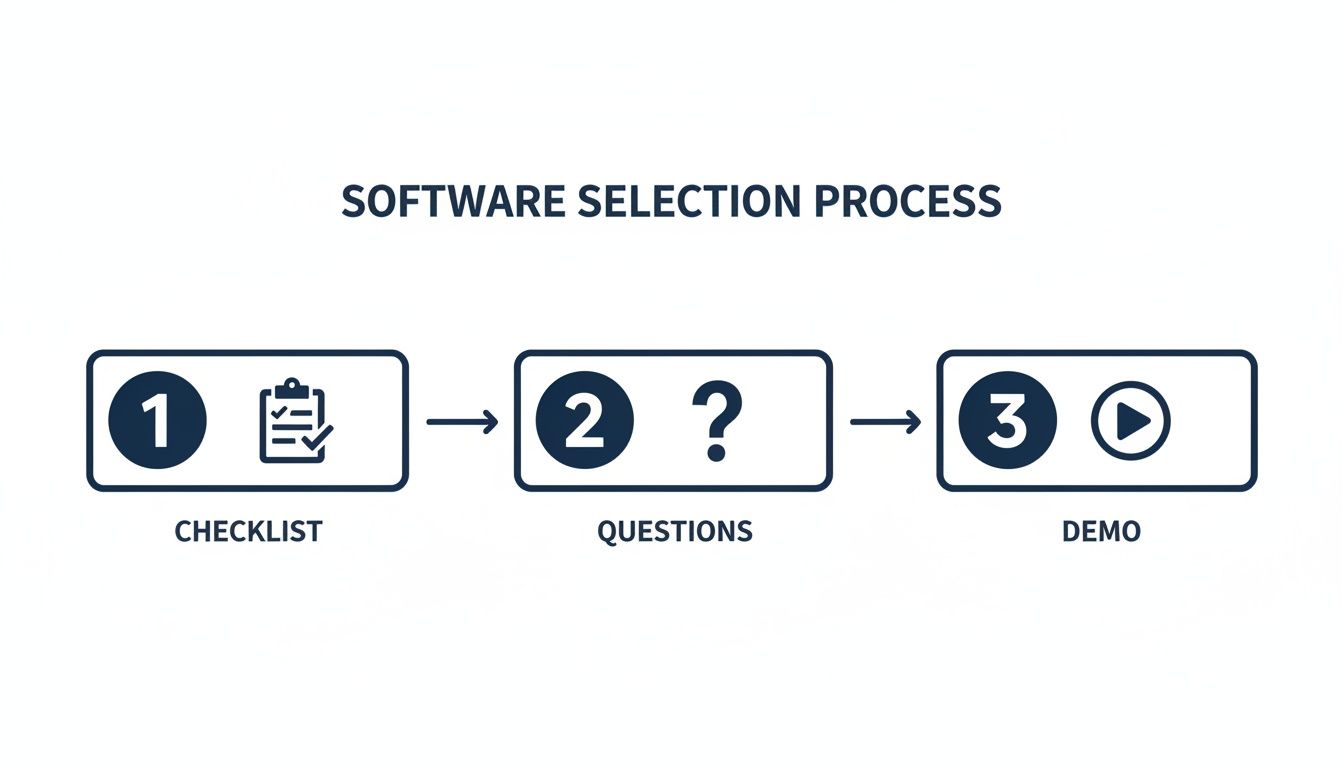
Starting with this kind of simple evaluation ensures the tool you pick is actually the right fit for your ministry's needs.
Step 3: Connect Your Systems
The real magic of a good platform is how it plays nicely with the tools you're already using. One of the first things you should do is connect your church calendar.
- Link Your Planning Center Account: If you use a system like Planning Center, integrating it with ChurchSocial.ai means all your upcoming events get pulled in automatically.
- Simplify Event Promotion: This connection makes it incredibly easy to create posts promoting services, events, and meetings.
- Eliminate Double-Entry: No more manually typing event details into your social media planner. It's a huge time-saver.
This one step creates a smooth path between your church’s internal schedule and your public communication, making sure nothing falls through the cracks.
Step 4: Create Your First Week of Content with AI
Okay, this is the fun part—seeing the AI in action. Grab your most recent sermon and let the software do its thing. You’ll be amazed at how much time this saves.
- Upload Your Sermon Transcript: Just copy and paste the text from your Sunday message into ChurchSocial.ai.
- Generate AI Reels: The AI will pinpoint the most powerful, shareable moments and automatically turn them into AI-generated reels from your sermon, complete with captions.
- Create AI Social Posts: Watch as the system creates AI-generated content from the sermon transcript like social posts, blogs, and more.
- Design Graphics: Use our graphic templates and editor to quickly create beautiful, on-brand images to go with your posts.
In just a few minutes, you can get an entire week's worth of solid, relevant content from that one sermon.
Step 5: Schedule and Engage
With a batch of content ready to go, the final step is getting it on the calendar. Use the simple drag-and-drop scheduler in ChurchSocial.ai to map out your posts across all your social media channels for the week ahead.
Remember, the goal isn't just to broadcast; it's to connect. As your scheduled posts go live, make time to engage with comments, answer questions, and participate in the conversations you've started.
This five-step plan gives you a clear path to building a stronger, more consistent online presence. For a deeper dive, check out our guide on how to create a social media plan for your church.
Common Questions About Church Media Software
Let's be honest—bringing any new technology into your ministry raises a few questions. It's smart to think through how a new tool will actually fit with your team, your budget, and your current workflow. We'll tackle some of the most common concerns church leaders have about church media software so you can move forward with confidence.
We'll cover everything from the price tag to the learning curve for volunteers. Our goal is to give you the clear, straightforward answers you need to make the right call for your church.
How Much Does Church Media Software Typically Cost?
Budget is always near the top of the list for any ministry, and software pricing can feel a little murky sometimes. The good news is that most modern platforms are built to be affordable for churches of all sizes. For instance, a tool like ChurchSocial.ai starts with a simple base plan that gives you core features like a unified content calendar.
From there, you can add more powerful tools as your ministry grows.
- Modular Add-Ons: You might start with the calendar and later decide to add the AI sermon studio or the graphic design tools.
- Pay for What You Use: This approach means you’re not paying for advanced features you aren't ready for yet.
- Predictable Expenses: You get a clear, stable monthly cost that fits right into your budget without any surprises.
This kind of flexibility ensures even a small church with a tight budget can get the foundational tools needed to start building a great online presence.
Is It Difficult for Volunteers to Learn?
This might be the most important question of all. A tool is only helpful if your team can actually use it without getting frustrated. The best church media software is designed specifically with volunteers in mind, focusing on simplicity over a bunch of complicated, hard-to-find features.
Platforms like ChurchSocial.ai are built to feel intuitive right from the start.
The goal is to empower, not overwhelm. An effective platform should make a first-time volunteer feel capable and confident within minutes, turning them into a valuable part of your communications team without needing weeks of training.
Things like our simple drag-and-drop calendar for scheduling, pre-made graphic templates, and one-click AI content generators remove the technical hurdles. This lets your team focus on the heart of the message, not on wrestling with confusing software.
Will This Just Create More Work for Our Team?
It’s a fair question. The last thing any ministry needs is another to-do list. But the right software is built to do the exact opposite—it's a time-saving engine, not a time-draining chore.
Think about it: how much time does your team currently spend brainstorming post ideas, trying to create graphics, clipping sermon videos, and logging in and out of different social media accounts? ChurchSocial.ai is designed to automate or dramatically simplify almost all of that.
- Sermon Repurposing: Turning one sermon into a week's worth of content (reels, quote graphics, blog starters) saves hours of manual work.
- Template-Based Design: Creating a sharp-looking graphic for an event takes minutes, not hours in a complex design program.
- Centralized Scheduling: Planning and scheduling posts for all your platforms in one spot beats logging into each site individually every single day.
By doing the heavy lifting, the software frees up your team to do the more important work, like actually engaging with people in the comments and building community.
Can We Really Create Quality Content Without a Designer?
Absolutely. This is one of the biggest game-changers with modern church media software. In the past, you really did need specialized skills or expensive programs to create professional-looking content. That's just not the case anymore.
ChurchSocial.ai comes with our graphic templates and editor, filled with options designed specifically for ministry contexts.
- Select a Template: Find a professionally designed layout for your next sermon series, a guest speaker announcement, or an inspirational verse.
- Customize in Seconds: Drop in your church logo, change the colors to match your branding, and type your message.
- Post with Confidence: In just a few clicks, you have a polished, on-brand graphic that’s ready to share.
This empowers anyone on your team—no design experience required—to produce beautiful, effective visuals. It ensures your church’s online presence looks consistent and professional, which goes a long way in building trust and recognition in your community. Your social media will finally look and feel like your church.
Ready to see how an all-in-one platform can save you time and expand your ministry's reach? With ChurchSocial.ai, you can plan and manage your church social media accounts with ease. Transform your sermons into a week of engaging content, design beautiful graphics, and manage everything from a single, intuitive calendar. Stop juggling multiple tools and start building a stronger online community today.


