

When it comes to your church service videos, thinking beyond the Sunday morning livestream is one of the biggest opportunities for your ministry today. These videos are more than just a way to reach people who are sick or traveling; they're your chance to keep the conversation going all week long.
Why Your Ministry Needs More Than Just a Livestream
If your video strategy starts and ends with hitting the 'go live' button, you're leaving a massive amount of impact on the table. A live broadcast is great for that in-the-moment connection, but the real magic happens when you see that Sunday recording as the starting point, not the finish line.
It’s all about shifting your perspective. This isn’t about needing a megachurch-sized budget. It's about being smart with the powerful content you're already creating every single week and turning it into a source of continuous encouragement for your community.

The Shift from Live-Only to On-Demand Ministry
We've seen a huge change in how people engage with content, and that absolutely includes their faith. People are used to on-demand everything, from Netflix to YouTube, and they bring that same expectation to church. This isn't a threat—it's an incredible opportunity to meet them right where they are.
The table below breaks down this crucial mindset shift from a traditional live-only approach to a modern, on-demand strategy.
| Focus Area | Traditional Live-Only View | Modern On-Demand Strategy |
|---|---|---|
| Primary Goal | Broadcast the Sunday service in real-time. | Create a library of accessible, evergreen content. |
| Audience | People who can't attend in person at that specific time. | Anyone, anywhere, at any time—including new seekers. |
| Content Lifespan | The moment the livestream ends, its main purpose is over. | The sermon becomes a source for clips, posts, and devotionals. |
| Engagement | Limited to live chat and comments during the service. | Continuous engagement on social media throughout the week. |
| Reach | Confined to those who know to tune in live. | Expands reach through shareable clips and SEO. |
This move toward on-demand content is backed by some serious numbers. By 2026, 27% of U.S. adults will watch religious services online, a figure that jumps to 53% among practicing Christians. An estimated 25 million Americans are now part of this hybrid model, attending church primarily online or mixing digital and physical attendance.
The goal is to move from a one-time broadcast mindset to a sustainable content strategy. Your Sunday sermon is the most valuable piece of content you create all week—don't let its impact end when the livestream does.
Turn One Sermon Into a Week of Impact
So, how do you actually do this without hiring a whole new team? Imagine taking one sermon and effortlessly turning it into a week's worth of social media posts, reels, and graphics. This is where ChurchSocial.ai changes the game for your ministry.
ChurchSocial.ai was specifically designed to help churches like yours manage and grow their social media presence. Instead of adding more to your plate, it helps you get more out of what you’re already doing. For example, you can:
- Create AI-Generated Reels: The AI pulls the most powerful, shareable moments from your sermon and instantly formats them as vertical videos for Instagram, TikTok, or Shorts, complete with animated captions.
- Generate Content from Transcripts: Use the sermon transcript to create AI-generated social media posts, pull impactful quotes for graphics, or even draft a full blog post summarizing the message.
- Design Beautiful Graphics: You don't need to be a graphic designer. Use professional graphic templates and our simple editor to create and post on-brand photos and carousels in minutes.
- Schedule Everything Easily: Our simple drag-and-drop calendar allows your church to easily manage and update all of your social media accounts, keeping your church’s voice active every day.
By leaning into this strategy, you can learn more about how to effectively grow your online church services and ensure the message God gave you for Sunday resonates far beyond the weekend.
Planning Your Service for Video Success
Great church videos don’t just happen on Sunday morning. They start with a plan. This begins with a simple but crucial shift in mindset: you're not just recording a service; you're producing an online experience that can serve your community all week long.
This doesn't have to be some complex, drawn-out process. It can be as simple as jotting down a basic shot list that maps out the key moments of your service. A shot list is a total game-changer for your tech team, guiding your camera operators—even if it's just a volunteer on an iPhone—on where to point the camera and when.
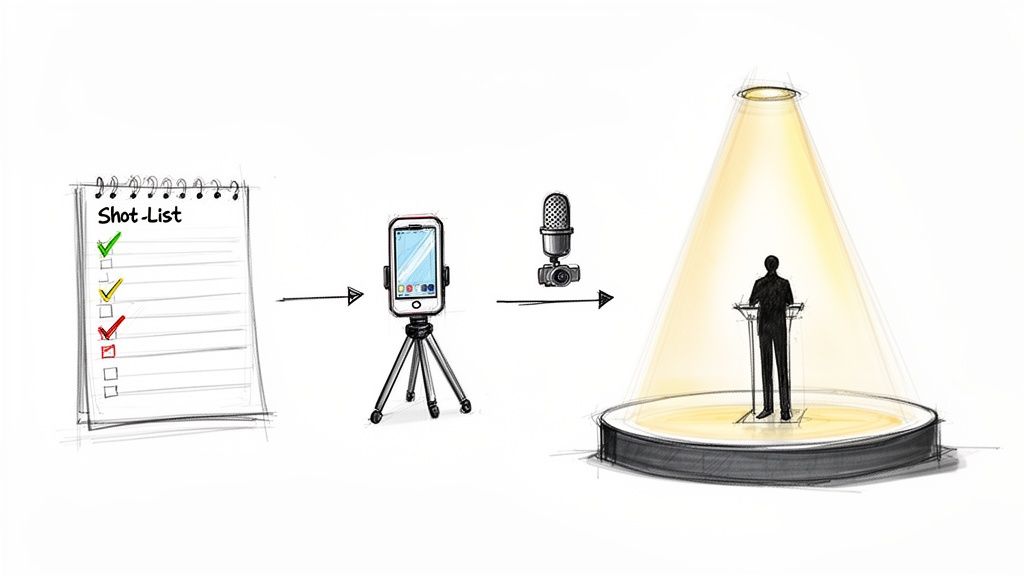
It’s also not just about the tech—it's about what the camera sees. Before Sunday, do yourself a favor and stand exactly where your main camera will be. What’s in the background? A cluttered music stand, a stack of water bottles, or a flickering light on stage might not seem like a big deal in person, but on video, they become major distractions.
Gear Up for Any Budget
You absolutely do not need a Hollywood-level budget to produce a quality video stream. The secret is to start with what you have and make smart, gradual upgrades over time. Honestly, many churches start with gear they already own.
Here's how you can think about equipment, no matter your budget:
- Good (Smartphone Setup): A modern smartphone is an incredibly powerful video camera. To really level up, get a tripod to eliminate shaky footage and an external lavalier microphone for the speaker. Clear audio is non-negotiable—people will forgive grainy video, but they won't stick around for bad sound.
- Better (Single DSLR/Mirrorless): Stepping up to a dedicated camera gives you way more control. A mirrorless or DSLR camera with a decent lens will give you that much cleaner, more professional look that a phone just can't match.
- Best (Multi-Camera Setup): This is where your online experience becomes truly dynamic. Using multiple cameras lets you cut between a wide shot of the stage, a tight shot of the pastor, and a shot of the worship team. It keeps the online viewer engaged and makes them feel more connected to what's happening.
No matter what you're working with, the goal is to make smart investments. Remember, a simple setup used well will always beat expensive gear used poorly.
Plan Your Sermon for Social Media
One of the most effective strategies you can adopt is to start thinking about social media from the very beginning—in the sermon prep phase. As the pastor is writing their message, they can start flagging key phrases, powerful stories, or actionable takeaways that would make fantastic short clips.
Marking these moments directly in the sermon notes gives your video team a heads-up. They can be ready to get a tighter shot or double-check the audio for that one powerful quote. This proactive approach makes finding and editing clips later a thousand times easier.
When you film with a "clip-first" mindset, you stop just recording a service and start building a library of shareable, impactful content that can reach people far beyond your Sunday morning gathering.
This is where your planning pays off big time. Instead of your team scrubbing through an hour-long video file to find "that one good part," you've already handed them a map to the gold. You'll save a ton of time and empower your team to create content that really connects on Instagram, TikTok, or Facebook.
Tools like ChurchSocial.ai can push this even further. By connecting with software you already use, like Planning Center and other church calendars, the platform can automate content creation for your events. Imagine mentioning a new small group during the announcements; because it's on your church calendar, ChurchSocial.ai can instantly create content for your social posts and graphics to promote it. This turns your announcements into a seamless workflow that keeps your community in the loop without adding more work for your team.
Capturing High-Quality Video and Audio
Alright, you've got a plan. Now for the part that can make even seasoned church leaders a little nervous: the tech. Getting your video and audio right for your church service videos can feel like a huge hurdle, but it doesn't have to be.
Let's start with a piece of advice that might surprise you: clear audio is far more important than perfect video. I've seen it time and time again. People will stick around through a slightly fuzzy video, but they will leave in a heartbeat if they can't understand what's being said. If the message can't get through, nothing else matters.
Prioritizing Crystal-Clear Audio
Most sanctuaries are built to make a voice carry—which is great for the people in the room, but it creates a ton of echo and reverb on a recording. This is why using the built-in mic on your phone or camera is one of the biggest mistakes you can make. It picks up everything: the echo, the rustling, the coughing in the back row.
The secret is to get your microphone as close to the person speaking as possible. This simple step isolates their voice and gives you that clean, professional sound you're after.
- Lavalier Microphones: These little clip-on mics are the best-in-class for sermons. They attach right to a pastor's shirt or lapel, giving you consistent, clear audio no matter how much they move around. Wireless versions are definitely the way to go for freedom on stage.
- Podium Microphones: If your pastor stays at the lectern, a quality podium mic is a solid choice. The key is making sure it’s positioned to catch their voice directly, not the sound of them shuffling their notes.
- Handheld Microphones: These are fantastic for worship leaders or quick announcements but can look a bit clunky or distracting for an entire sermon. Think of them as tools for shorter, more dynamic segments.
To really nail the clarity of your sermons and worship, it's worth looking into the best microphone for recording vocals. The same principles for capturing a singer's voice apply directly to getting crisp, spoken-word audio. And if you want to do a deeper dive on your room's acoustics, we have a whole guide on optimizing sound systems in churches.
Composing Visually Engaging Shots
Once your audio is locked in, you can shift your focus to the visuals. Your goal isn't just to point a camera at the stage; it's to create an experience that draws your online viewers in and makes them feel like they're a part of things.
A simple but powerful principle to start with is the Rule of Thirds. Just imagine a 3x3 tic-tac-toe grid over your screen. Instead of sticking your pastor smack in the middle square, try placing them along one of the vertical lines. It's a small shift that makes your shot feel instantly more balanced and professional.
Good framing tells a story. A wide shot shows the context of worship, while a tight shot on the pastor’s face emphasizes a powerful, personal moment. Mixing these up keeps your online audience engaged.
A single, static camera angle gets boring, fast. If you can, try to switch between different shots during the service to keep things dynamic.
- Wide Shot: This shot shows the whole stage, maybe the worship team, or even a glimpse of the congregation. It sets the scene.
- Medium Shot: This is your workhorse shot for the sermon, framing the speaker from about the waist up.
- Close-Up Shot: Zoom in on the speaker’s face to capture emotion and really drive home an important point.
Live-Stream vs. Recorded: A Good, Better, Best Approach
This doesn't have to be an all-or-nothing decision. In fact, the best long-term strategy often involves a mix of both live and recorded content. Here’s a simple way to think about it as you grow.
| Level | Approach | Description |
|---|---|---|
| Good | Record Now, Post Later | Just film the service with a single camera. After it's over, you can do a quick trim of the start and end, make any simple fixes, and upload the full video to your website or YouTube. |
| Better | Basic Livestream | Use one camera to stream the service live to Facebook or YouTube. This is fantastic for building community in real-time, though you have less control over the final quality. |
| Best | Hybrid Model | This is the goal. You livestream the service for that immediate connection while also recording a higher-quality version locally to your camera or computer. |
The hybrid model is a game-changer. It gives you immediate engagement through the livestream and a pristine recording to work with afterward.
With that clean, high-quality recording, you can use a tool like ChurchSocial.ai to do the heavy lifting. Its AI can analyze your sermon and automatically generate dozens of short, engaging reels and vertical videos—perfect for reaching new audiences on Instagram and TikTok.
Turning One Sermon Into a Week of Content
If you think your sermon’s job is done after the Sunday live stream, you’re missing the biggest opportunity for connection all week long. The full service is the foundation, absolutely. But the real engagement, the stuff that reaches new people and keeps your congregation plugged in, happens when you strategically break that one recording down into a whole library of content.
This is how you multiply your ministry's voice without actually multiplying your workload. Think of your Sunday message less like a one-time event and more like the wellspring for a full week of encouragement, inspiration, and conversation.
From One Hour to Dozens of Moments
Let's be honest about how people consume content today: it's all about short-form video. Your full-length service has its place on YouTube or your website, but the real growth is happening on Instagram Reels, TikTok, and YouTube Shorts.
The problem? Manually hunting through an hour-long video for those 30-second "gold nugget" moments is a soul-crushing task for any church staffer or volunteer. This is a perfect place to let technology do the heavy lifting.
With a platform like ChurchSocial.ai, this whole process gets put on autopilot. Its AI can listen to your sermon, identify the most powerful and shareable segments, and then automatically create AI-generated reels. It even adds those slick, animated captions that are essential for grabbing attention when people are scrolling with the sound off.
This simple shift in strategy turns a single sermon into an entire pipeline of social media content. You go from having one big asset to having 20-30 small, shareable clips to post all week, massively boosting your visibility.
It’s a simple workflow: capture the service well, then focus your energy on turning it into assets for your digital audience.
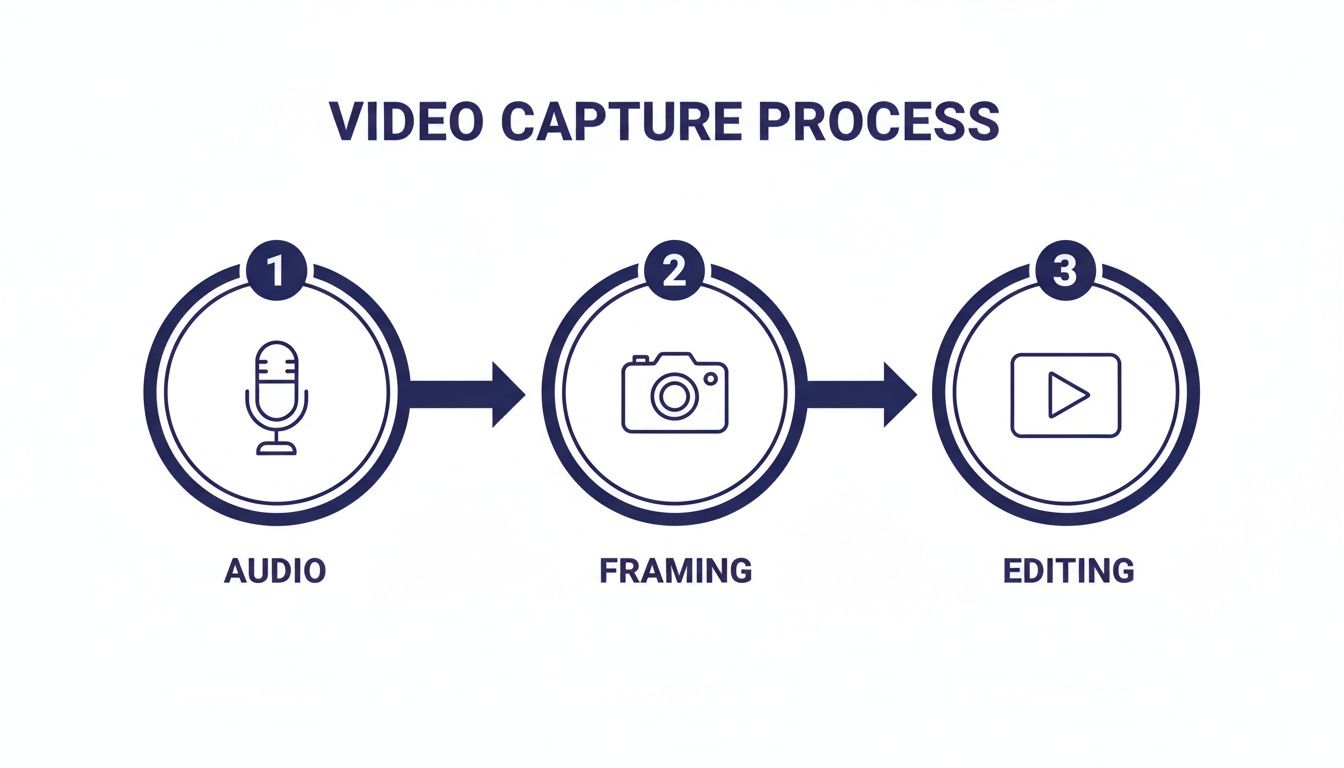
The real magic for reaching people online happens in that final editing and repurposing stage.
The 90 Percent Rule of On-Demand Viewing
Here’s a stat that changes everything for church leaders: while we put a lot of energy into the live broadcast, up to 90% of total views on your sermon videos will come from on-demand replays. People are watching later in the week, on their own time. For example, a large church like Prestonwood in Dallas sees a clear 10% live versus 90% on-demand viewing pattern within the first couple of weeks. This isn't just a megachurch thing; it's true for churches of all sizes.
You can actually explore the research on live versus on-demand viewership yourself. The takeaway is clear: total plays matter far more than how many people tuned in live. This is why having a strong repurposing strategy isn't just a “nice to have”—it’s essential. You are creating content primarily for the on-demand audience.
Beyond Video Clips: Mining the Sermon Transcript
The sermon transcript itself is an incredible, often-ignored resource. The written words of the message can be used in so many ways to reinforce the teaching and reach people who prefer reading or static images.
Using a tool like ChurchSocial.ai, that same sermon transcript can also instantly generate a ton of other AI-generated content.
- Quote Graphics: Pull the most memorable one-liners and use our graphic templates and editor to create beautiful, shareable photos and carousels for Instagram and Facebook in seconds.
- Social Posts: Turn the sermon's main points, a key verse, and some application questions into engaging social media posts.
- Blogs: Instantly generate a blog article summarizing the sermon for your church's website. This is fantastic for SEO and gives people another way to engage with the message.
- Discussion Questions: Create a list of thought-provoking questions from the sermon. These are perfect for sparking conversation on Facebook or giving your small groups a ready-made study guide.
This multi-format approach works because it meets different people in different ways. Check out our guide to the best content repurposing tools to see just how powerful this can be.
Best of all, you can schedule all of this content on our simple drag-and-drop calendar right inside the ChurchSocial.ai platform. This lets you plan out an entire week of posts from that one sermon, giving you a consistent, encouraging presence across all your channels without the daily grind.
Publishing and Promoting Your Video Content
You've filmed a great service, but the work isn't over once the camera stops. The next step is getting that video in front of your community and reaching people who haven't discovered your church yet. A solid promotion plan turns your video content into a real outreach ministry.
The key to promotion is to adapt your content for each social media platform. A one-size-fits-all strategy simply won't connect. What works on YouTube is entirely different from what grabs attention on Instagram.
Think of it like this:
- YouTube: This is your digital archive. It's the perfect home for full-length services and sermons.
- Facebook: Treat this as your community hub. Share clips that encourage comments and discussion.
- Instagram & TikTok: These are your primary outreach channels. Use short, powerful, vertical video clips to reach new audiences.
Making Your Videos Accessible and Discoverable
Before you publish anything, two details are essential for success: accessibility and discoverability. Making your videos accessible ensures everyone, including individuals with hearing impairments, can receive your message. This means captions are non-negotiable. Since most social media videos are watched silently, captions make your content understandable to all.
Discoverability is all about helping people find your church online. This is especially true for YouTube, which acts as the world's second-largest search engine. Writing titles and descriptions with search in mind is crucial.
- Titles: Don't just use "Sunday Service - May 5th." Instead, write a title that speaks to a real need, like "How to Find Hope in Hard Times | Sunday Sermon."
- Descriptions: In the description, summarize the message, add links to your website or small groups, and include keywords people might be searching for.
Accessibility isn't just a technical task; it's a ministry principle. When you add captions and thoughtful descriptions, you're removing barriers and making the gospel more available.
Streamline Your Workflow with a Content Calendar
Posting consistently across multiple platforms can feel chaotic. A visual content calendar is the best way to simplify your workflow and maintain a steady online presence without the last-minute scramble.
A digital presence is essential for modern ministry. By 2026, it's projected that 89% of churches worldwide will maintain one. This has a direct impact on growth, as 48% of first-time church visitors say they are more likely to attend in person after looking at the church's website first. With 91% of churches now using livestreaming, an organized system is more important than ever. You can learn more about how technology is shaping ministry in this detailed report on church trends.
A platform like ChurchSocial.ai is designed to bring this entire process together. Its simple drag-and-drop calendar lets you easily manage and update all of your social media, scheduling everything in one place—from AI-generated sermon reels to graphics made with our editor and templates. This unified approach not only saves hours of work but can increase video plays by over 50%. The system can even connect to your existing church calendars, like Planning Center, to create content for your events automatically.
Track Your Performance to Maximize Impact
Finally, you need to know what's actually working. Don't get overwhelmed by analytics; just focus on a few key numbers to see what your audience responds to.
- View Duration: Are people watching the entire clip or leaving after a few seconds? This shows if you're holding their attention.
- Engagement Rate: Look at the number of likes, comments, and shares. High engagement shows your content is making a connection.
- Reach/Impressions: This metric tells you how many people saw your content, which is a great measure of your outreach.
By watching these simple numbers, you'll learn what resonates with your audience and can adjust your strategy over time. This lets you focus on what works, ensuring your church service videos have the greatest possible impact for the Kingdom.
Common Questions About Church Video Ministry
Stepping into church video ministry can feel overwhelming. It's a constantly moving target, and it's easy to feel like you're always one step behind. We hear the same questions from pastors and church leaders all the time.
Most questions boil down to three things: money, platforms, and time. The good news is you don’t need a massive budget or a huge team to make a real impact with your online ministry.
What Is the Best Platform to Post Church Service Videos?
This is usually the first question people ask. The simple answer isn’t a single platform, but a smart, multi-platform approach. You don't want to put all your content in one place. Instead, you need to use each platform for its unique strengths to get your message out as far as possible.
A smart strategy usually looks like this:
- YouTube: This is your sermon archive. It’s the perfect home for your full-length messages. Since YouTube is basically a giant search engine, using good, descriptive titles will help people find your church when they’re looking for hope.
- Facebook: Think of this as your digital living room. Sharing longer clips (3-5 minutes) from the sermon here is great for starting conversations with your church family and going deeper into the message.
- Instagram Reels, TikTok & YouTube Shorts: These are your front door. Post short, high-impact clips (30-90 seconds) to grab the attention of a much wider audience that might not have ever heard of your church.
Trying to manage all of that can be a lot. That's where an all-in-one tool comes in handy. For example, ChurchSocial.ai lets you schedule and publish everything—from AI-generated reels to custom graphics—across all of these channels from one simple drag-and-drop calendar.
How Can a Small Church With No Budget Create Quality Videos?
You don't need a huge budget to create great-looking videos anymore. The key is to focus your resources on what truly matters. Start with the powerful camera you already own: your smartphone.
Your first two investments should always be audio and lighting.
You can have a slightly grainy video, and people will stick around. But if they can't hear the message clearly, they will leave immediately. Bad audio is a non-starter.
A simple lavalier microphone for your pastor costs less than $50 and will make a world of difference by isolating their voice. Similarly, a basic two-point LED light kit can get rid of distracting shadows and create a clean, professional look that makes your videos far more watchable.
After that, affordable tools can do the heavy lifting. ChurchSocial.ai, for instance, can take your raw video file and automatically create social media clips, add branded graphics from our editor and templates, and burn in captions—giving you a polished look without expensive software or a design team.
How Long Should Our Church Videos Be?
The right video length is all about where you're posting it. One size does not fit all. Your full-length service video can live on your church website or YouTube channel, where people are prepared for longer content.
On social media, however, shorter is almost always better. Here are a few solid guidelines to follow:
- Facebook: Aim for sermon clips that are between 3-5 minutes long.
- Instagram Reels, TikTok & YouTube Shorts: The sweet spot is 30 to 90 seconds. These platforms are all about quick, powerful moments.
The most effective way to do this is to record the full sermon and then pull out the best short clips. The most powerful strategy is using ChurchSocial.ai's AI to create reels from your sermon. It analyzes your sermon and automatically finds dozens of the most shareable moments, editing them into perfect, bite-sized clips for these fast-moving platforms.
Should We Livestream or Post a Recorded Video Later?
This isn't an either/or question. The best strategy is to do both. Each one serves a different, but equally important, role in your online ministry.
Livestreaming is great for creating that "we're in this together" feeling for people who can't be there in person. However, the data is very clear: up to 90% of your total views will come from the on-demand replay watched later in the week. Your biggest audience is the on-demand audience.
So, think of it as a two-step process. Livestream your service to connect with your live online crowd. Then, use that clean recording to create high-quality clips and posts for the much larger audience that will watch on their own schedule. This hybrid approach lets you minister to both groups effectively and get the most out of every single message.
Ready to stop the social media scramble and turn your sermons into a week-long ministry tool? With ChurchSocial.ai, you can create AI-generated reels from your sermons, generate AI-generated content from the sermon transcript like social posts and blogs, use our graphic templates and editor to create and post photos and carousels, and manage all your platforms from our simple drag-and-drop calendar. Start transforming your church's social media today at ChurchSocial.ai.


