
Sunday's sermon is uploaded. The livestream replay is sitting on YouTube. The message was strong, the worship flowed, and there was at least one moment you know people needed to hear again.
Then Monday hits, and that sermon becomes an archive instead of a ministry asset.
That's the pattern a lot of churches fall into. The full message exists, but it's buried inside a longer video that only your most committed viewers will watch all the way through. If you're the person handling social media, that leaves you with a familiar question. How do you turn one sermon into something people will share during the week?
Turn Your Sermons into Shareable Moments
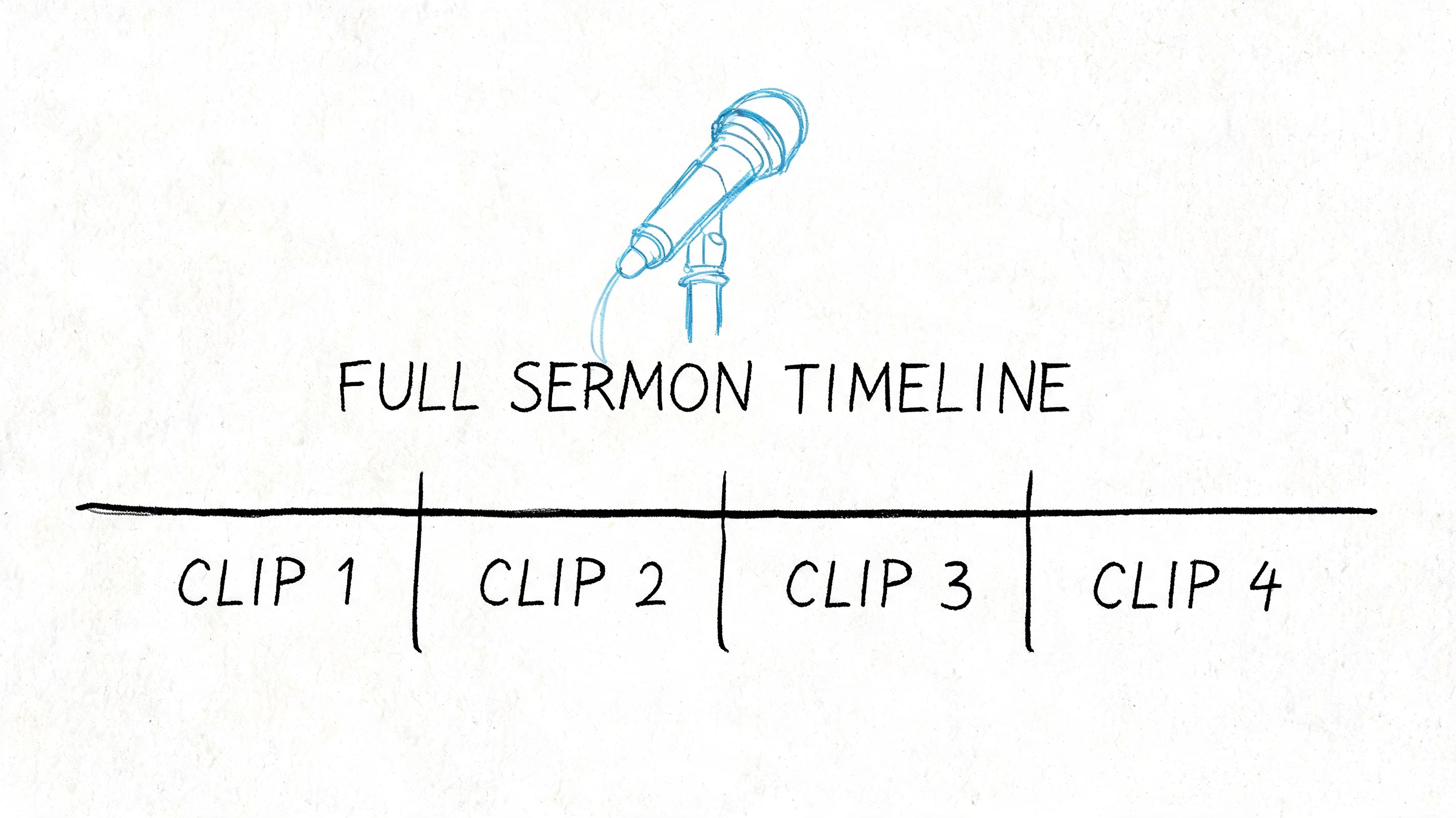
A good sermon usually contains several smaller moments that can stand on their own. A clear explanation. A sharp one-liner. A short prayer. A call to trust God in a hard season. Those moments often work better on social than the entire service replay.
That's where the youtube create clip workflow becomes useful for churches. Instead of treating YouTube as a storage shelf, you use it as a source for weekly outreach and encouragement.
What churches are running into
Small church teams usually don't have a video editor on staff. One volunteer uploads the sermon, writes a quick caption, and moves on to the next task. The content is there, but the repurposing process never happens.
That's part of why so many generic tutorials miss the mark. Existing tutorials on YouTube's clip feature focus heavily on technical mechanics but lack strategic guidance for faith-based organizations on which sermon moments will generate engagement, especially for solo volunteers without media training, as noted in this YouTube tutorial gap analysis.
Churches rarely have a content problem. They usually have a packaging problem.
A sermon can serve more than one purpose during the week:
- Sunday replay: The full message stays available for your congregation.
- Midweek encouragement: A short highlight gives members something easy to share.
- First-touch outreach: A focused moment introduces new people to your church without asking for a long time commitment.
A simple shift in mindset
The change is practical. Stop asking, “Did we upload the sermon?” Start asking, “Which moments from this sermon deserve their own audience?”
That shift helps your team plan better. It also makes your social channels feel active even if your church only creates one major piece of content each week.
Tools built for churches can reduce the friction. A platform like ChurchSocial.ai fits this workflow because it helps churches turn sermons into clips, posts, and scheduled social content instead of making staff bounce between editing software, design tools, and posting apps.
If you've been treating sermon uploads like finished work, this is the adjustment worth making. The upload is the starting point.
YouTube Clips vs Shorts What's Best for Your Church
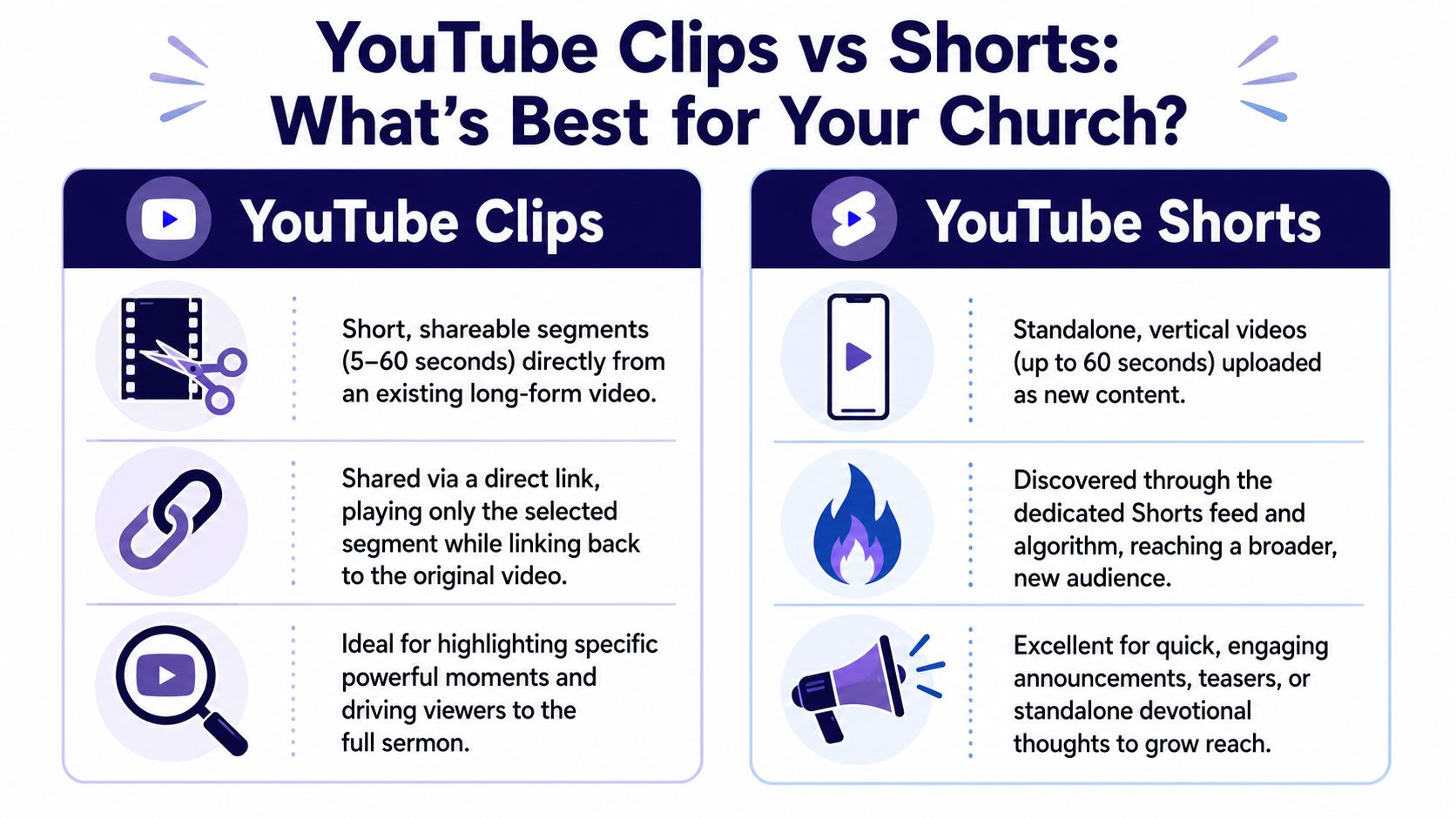
Churches often mix up YouTube Clips and YouTube Shorts because both deal with short video. They are not the same tool, and they serve different ministry goals.
The core difference
YouTube Clips are shareable segments from an existing video. They must be between 5 and 60 seconds, they play on a loop from the original video's watch page, and they don't create a new video entry on your channel, according to YouTube's clip documentation.
YouTube Shorts are separate uploads. They stand on their own and live in YouTube's Shorts ecosystem.
For a church, that difference matters because the ministry purpose is different.
| Tool | Best use in church communication | Main trade-off |
|---|---|---|
| Clips | Highlight a sermon moment and send people back to the full message | They depend on the original sermon video |
| Shorts | Reach people who may never visit your channel otherwise | They require a more standalone content approach |
When Clips make more sense
Clips work well when your goal is depth. You want someone to hear a key thought from Sunday, then watch more. That's useful for:
- Sermon highlights: A pastor's strongest teaching moment
- Follow-up ministry: A prayer or encouragement sent in email or posted on Facebook
- Targeted sharing: A volunteer texts one clip to a friend who needed that exact message
When Shorts make more sense
Shorts work better when your goal is discovery. You're trying to meet people in a feed, not send existing viewers back to a replay page.
That makes Shorts stronger for things like:
- a quick invitation to a new series
- a short devotional thought recorded separately
- event promotion that needs broad reach
Use Clips when the full sermon is the destination. Use Shorts when the short video is the destination.
A healthy church content plan often uses both. Clips help your congregation revisit and share key moments from the sermon. Shorts help new people find your church in the first place.
Your Step-by-Step Guide to Creating YouTube Clips
The practical side of youtube create clip is simple once you know which button matters. The biggest mistake church teams make is opening the wrong tool and getting stuck in editing screens they didn't need.
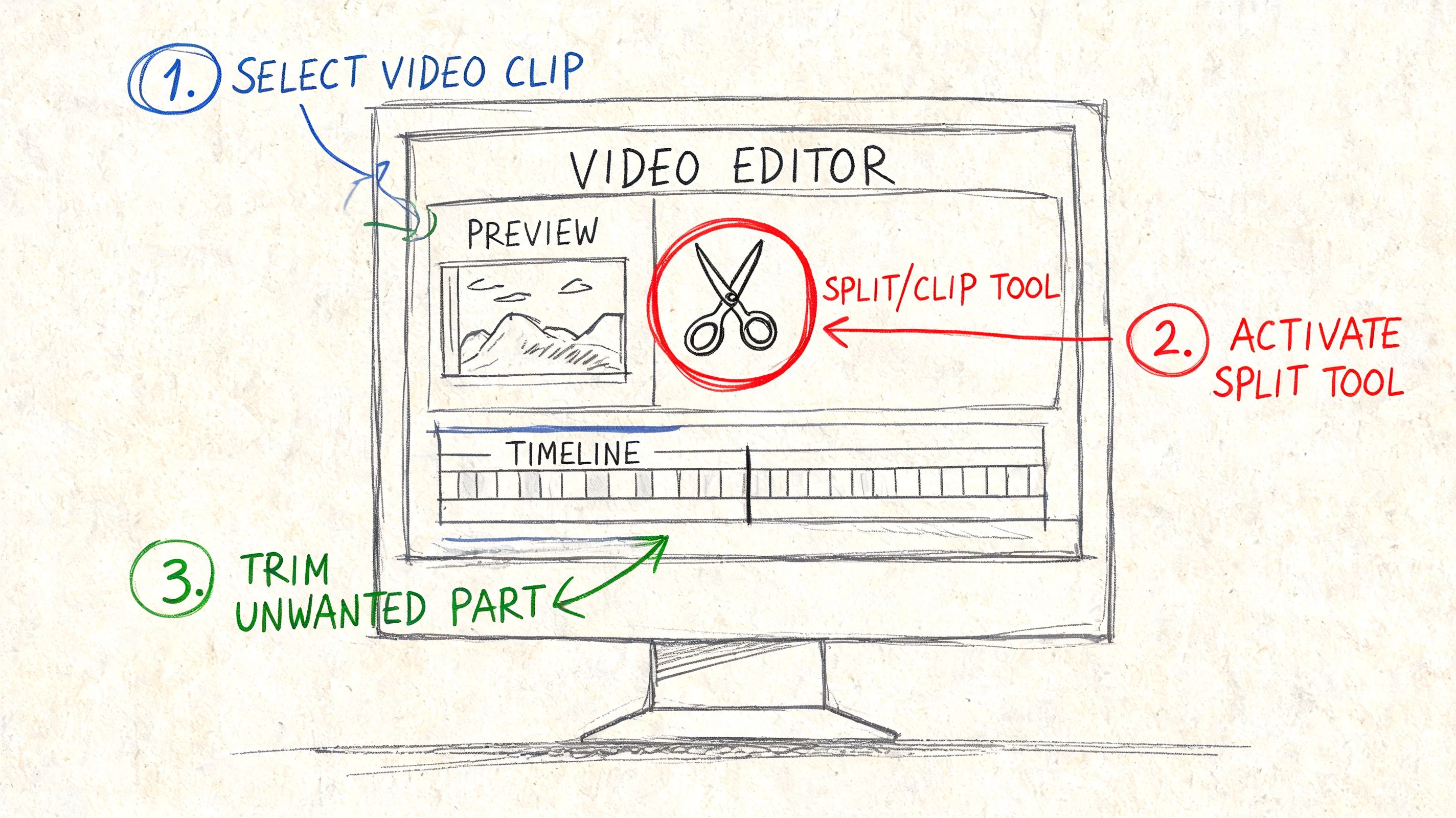
A critical pitfall is confusing YouTube's native Clips feature, which you access through the scissors icon, with the Trim or Cut editor, which is meant for a different job. That confusion wastes time, as explained in this clip creation walkthrough.
Find the right tool first
On a sermon video with Clips enabled, look below the player for the scissors icon. That's the Clip tool. If you're on mobile, you may need to scroll through the row of actions under the video to find it.
Once you click it, YouTube opens a small clip panel with a timeline selection area. This is not full video editing. You're selecting one shareable moment from the existing video.
Practical rule: If you're trying to share a sermon moment, start with the scissors icon, not the editor.
Choose a moment that can stand alone
Drag the selection area to the beginning and end of the section you want. You're looking for a clip that makes sense without a long setup. A complete thought works better than a partial explanation.
Good church clips often include:
- A finished sentence of truth: Something listeners can understand immediately
- A short emotional turn: A testimony line, a pastoral encouragement, a direct challenge
- A natural ending: The moment should feel resolved, not cut off
On desktop, the process is easier when you've already reviewed the sermon once and written down rough timestamps. On mobile, it's still workable if you know the part you want.
Add a title people will understand
Your clip title matters because it gives context before someone clicks. Name the moment clearly. “Pastor James on anxiety” is more useful than “Powerful moment.”
If your team also creates content from written sermon material, it helps to think across formats. The same core idea can become a clip, a caption, and even a short script. That's one reason resources on how to repurpose articles into short videos can be useful for church communicators trying to build a repeatable workflow.
If you want a clearer breakdown of the difference between clipping and trimming, this guide on clip and trim workflows for church content is worth reviewing before you train volunteers.
Optimizing Sermon Clips for Maximum Reach
The churches that get the most from sermon clips usually make one change early. They stop looking for random highlights after the service and start preparing sermons to be searchable, skimmable, and easy to segment.
That preparation starts with timestamps.

By adding timestamps in your video description using formats like MM:SS Chapter Title, creators enable YouTube's Key Moments feature, which can generate clickable links in Google Search results and also creates a practical roadmap for clip selection, as explained in Yoast's guide to timestamps and Key Moments.
Think in chapters before you think in clips
When the sermon is uploaded, add timestamps for the major turns in the message. That might include the introduction, the main text, a story, an application section, and the closing prayer.
That gives you two advantages:
- Viewers can move through the sermon quickly
- Your team gets a built-in list of likely clip candidates
A sermon with clear chapters is easier to repurpose because you're not scrubbing through the whole video trying to rediscover the strongest moments.
What usually works best
Not every good sermon moment becomes a good social clip. The moments that tend to travel well are the ones that feel complete and emotionally clear.
Look for these patterns:
- One-line clarity: A concise statement people would repeat to a friend
- Pastoral empathy: A line that names pain, fear, grief, or hope directly
- Actionable application: A practical next step for faith and daily life
- Strong transitions: The point where the sermon moves from explanation to invitation
A clip should answer one question fast. What is this moment saying, and why should I keep watching?
Visual packaging matters too. If your church is posting clips alongside sermon graphics or sermon recap posts, consistency helps the whole week feel connected. This is where thumbnail discipline matters. A thoughtful thumbnail and a clear title often do as much work as the clip itself. For churches trying to tighten that part of the process, this guide to creating eye-catching thumbnails for church video content is a useful companion.
If your team is also thinking about broader distribution strategy, it helps to study practical advice on scaling your social presence effectively so sermon clips fit into a larger publishing rhythm instead of staying a one-off tactic.
Sharing Your Clips Beyond the YouTube Platform
A clip sitting inside YouTube won't do much by itself. The value comes when your church puts that moment where people already pay attention during the week.
Once the clip is created, YouTube gives you a shareable link. That link works well for Facebook posts, X posts, group chats, and email newsletters. It's one of the easiest ways to keep the sermon present after Sunday without asking someone to commit to the whole replay immediately.
Where clip links work best
For churches, clip links are usually strongest in channels where people already know you:
- Email newsletters: A “this week's encouragement” slot works well
- Facebook: Good for congregational sharing and comments
- Text groups or volunteer chats: Helpful for direct ministry follow-up
That part is fast. The harder part comes when you want the same sermon moment to become a native vertical video for Instagram Reels or TikTok. A YouTube Clip is still a linked moment on YouTube. It isn't automatically a polished vertical asset for every platform.
The manual route gets messy fast
A lot of church teams piece together a workflow like this:
- make the clip on YouTube
- screen record or rebuild the segment elsewhere
- resize it for vertical platforms
- add captions
- upload separately to each social channel
- write new copy in each app
That's manageable once. It gets exhausting every week.
There's a strong reason to keep doing the work, though. Expert data indicates that well-segmented clips can generate 40 to 60 percent higher engagement rates than the original full-length content, according to YouTube clip guidance for Android. For churches, that makes multi-platform distribution worth the effort.
Why an integrated workflow matters
Church staff and volunteers don't need more disconnected steps. They need one repeatable process that turns the sermon into several usable pieces without rebuilding everything by hand.
That's where a church-specific tool becomes practical. Instead of creating a clip in one place, captions in another, graphics in another, and scheduling in another, an integrated setup removes handoff friction. The less time your team spends exporting, resizing, and reposting, the more likely sermon highlights get published.
Manage Your Church Social Media in One Place
Clipping sermons is helpful, but most church teams aren't struggling with only one task. They're juggling sermon promotion, event graphics, Instagram posts, Facebook updates, YouTube uploads, and calendar changes at the same time.
That's why fragmented tools usually break down. One app edits video. Another handles design. A third schedules posts. Then someone has to remember what was posted where and what still needs approval.
What a unified workflow looks like
A more usable system starts with the sermon and builds outward. From one message, your team can create:
- Short video content: AI-generated sermon reels and clips built from the transcript and message
- Written content: Social captions, blog drafts, discussion prompts, and recap posts
- Visual posts: Branded graphics, carousels, and announcement images using templates and an editor
- Scheduled publishing: Posts organized in a drag-and-drop calendar instead of scattered across platforms
That matters even more when your church calendar changes often. Event promotion falls apart when social planning is disconnected from ministry planning.
Fewer handoffs, fewer missed posts
For church teams that want to centralize the process, ChurchSocial.ai social media management combines sermon-based content creation, graphic design tools, scheduling, and calendar-based planning in one workflow. It also supports event-driven content planning through integrations such as Planning Center and other church calendars.
That kind of setup helps in everyday ministry work:
- A volunteer can schedule the week without opening five tools
- A communications pastor can turn one sermon into multiple post types
- A multi-site team can keep branding and timing consistent
The goal isn't to publish more for the sake of volume. The goal is to make sure the message from Sunday keeps serving people on Monday, Wednesday, and Friday without burning out the person running social.
If your church has been stuck in upload-and-forget mode, the next step isn't more hustle. It's a cleaner system.
If you want a simpler way to turn sermons into clips, posts, graphics, and a full weekly schedule, take a look at ChurchSocial.ai. It's built for churches that need to manage social media without adding a full production team.


