
Monday morning arrives, Sunday's sermon file is still sitting on a laptop, and the church's social feed is empty. The volunteer responsible for posting has a full workday ahead, no approved caption, three upcoming events, and a vague expectation that something should go live every day. By Friday, the calendar has either been filled with rushed announcements or abandoned altogether.
A sustainable church social media calendar solves a workload problem before it solves a content problem. It gives volunteers a clear rhythm, gives leaders visibility into what's being communicated, and turns one sermon, event, or ministry moment into useful content across the week. The right system won't demand constant inspiration. It will make the next responsible action obvious.
Why Most Church Social Media Calendars Fail
Monday arrives with a full list of possible posts and no clear way to produce them. Sermon quotes, ministry photos, prayer prompts, event reminders, baptism stories, livestream notices, and seasonal graphics all compete for attention. Without assigned owners and production limits, one volunteer ends up writing captions, requesting images, checking details, publishing on multiple platforms, answering comments, and recalling announcements made after the service.
The calendar then becomes a wishlist instead of an operating model. Volunteer turnover makes the problem worse because the process often lives in one person's memory rather than in a shared system.
Digital participation also gives churches a reason to maintain a dependable presence. Pew Research found that 17% of U.S. adults post or share things about religion on social media, including people who do so daily, weekly, or less often, and 36% have watched religious services online (Pew Research findings on digital religious participation). A church does not need to imitate every account online. It does need a realistic way to stay present for people who already encounter faith content digitally.
The calendar breaks when capacity stays invisible
A schedule built on unlimited time creates work that has nowhere to go. A missed approval, unavailable volunteer, or late sermon transcript pushes tasks into the next day. Seasonal demands add pressure, and when the person who knows the process steps away, the whole rhythm can stall.
The reactive question is, “What should we post today?” Replace it with, “What can this team repeat during an ordinary week?” That change shifts planning from daily improvisation to capacity management.
Practical rule: Build the calendar around the people who will actually produce it, not the team you hope to recruit later.
A small or mid-sized church might reserve space for a sermon follow-up, one midweek encouragement, a weekend invitation, and a community story. If the team has less time, reduce the number of formats or posting days while preserving the core rhythm. If capacity increases, add content deliberately. A calendar that contracts during demanding seasons is healthier than one that promises daily publishing and repeatedly collapses.
Church communications leaders comparing planning platforms can also browse Klap's 2026 tool list to see how content-planning tools handle organization and repurposing. The practical test is whether a tool reduces decisions, keeps ownership visible, and helps the church reuse material responsibly.
Defining Your Church Communication Goals
Before adding posts, choose two or three communication goals for the month. More goals usually produce a crowded feed where every post competes for attention and volunteers can't tell which outcome matters most.
A church might choose:
- Help first-time visitors take a next step: Publish service details, newcomer FAQs, “what to expect” guidance, and a direct invitation to attend or ask a question.
- Deepen engagement with the existing congregation: Follow sermons with reflection prompts, devotional material, discussion questions, and practical applications.
- Recruit people into ministry: Show how volunteers serve, explain available roles, and make the next action specific.
Each goal should connect to a content category. The category tells the volunteer what kind of post to create, while the goal tells them why it exists.
Use five categories as a working filter
Educational content can include a sermon recap, Bible study prompt, short explanation, or answer to a real faith question. It helps people continue thinking beyond the service.
Promotional content carries dates, service times, registration details, location information, and invitations. It should remove uncertainty, not merely announce that an event exists.
Testimonial content shares a personal account, baptism highlight, ministry reflection, or story of changed circumstances. Obtain appropriate permission and avoid turning someone's vulnerable experience into a marketing asset.
Inspirational content includes a prayer prompt, Scripture graphic, or brief encouragement. These posts can support the heavier teaching content, but they shouldn't become the entire calendar.
User-generated content may feature a volunteer spotlight, community-submitted image, or ministry moment. Establish a simple permission process before publishing.
Give every post an owner
A post isn't planned until someone knows what they're responsible for. Record the platform, format, call-to-action, due date, approval contact, and accountable owner beside the idea.
For example, a sermon recap might belong on Instagram and Facebook as a carousel, with a call-to-action inviting people to read the full recap or discuss the application. A newcomer post might use a short video on Instagram and YouTube, while Google Business receives the practical service information. The same message can travel across channels, but the format and next step should fit the audience.
ChurchSocial.ai's church social media calendar can support this kind of visual planning, but the underlying discipline remains human. A tool won't decide whether the church's priority is attendance, belonging, discipleship, or service. Leaders must make that decision first, then give volunteers a manageable brief.
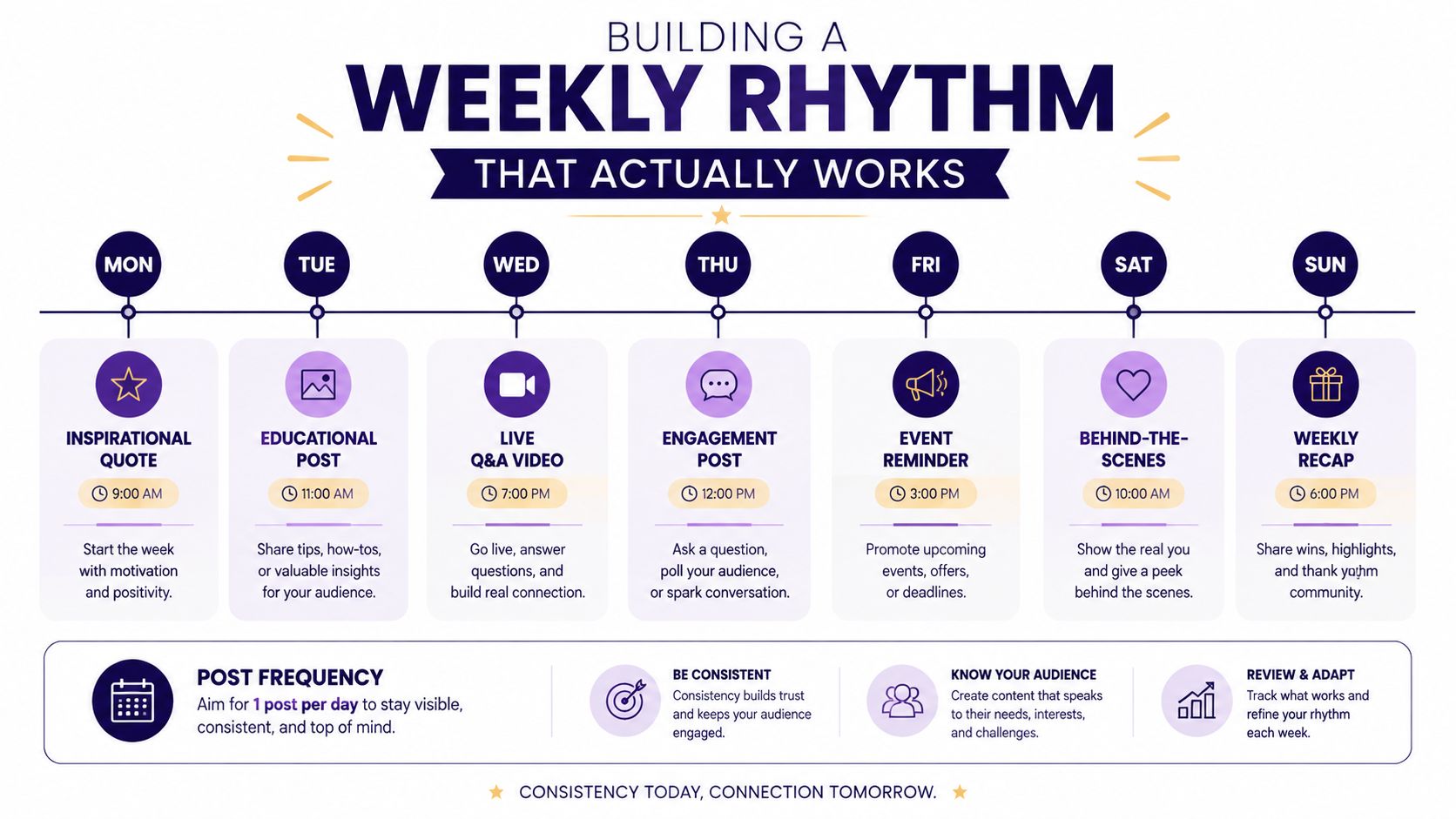
Building a Weekly Rhythm That Actually Works
A weekly rhythm should prioritize content that helps people understand, practice, and respond to the church's message. An exploratory study of church-facing social content found that higher cognitive content, including live broadcasts, video recordings, announcements, and devotionals, was perceived as contributing more to spiritual formation than memes, photographs, inspirational quotations, or external links (exploratory research on church social media content).
That doesn't make lighter posts useless. A photograph of a prepared room can create warmth, and a short prayer prompt can invite reflection. The mistake is allowing easy-to-produce content to displace substantive communication merely because it takes less effort.
A practical rhythm for a small team
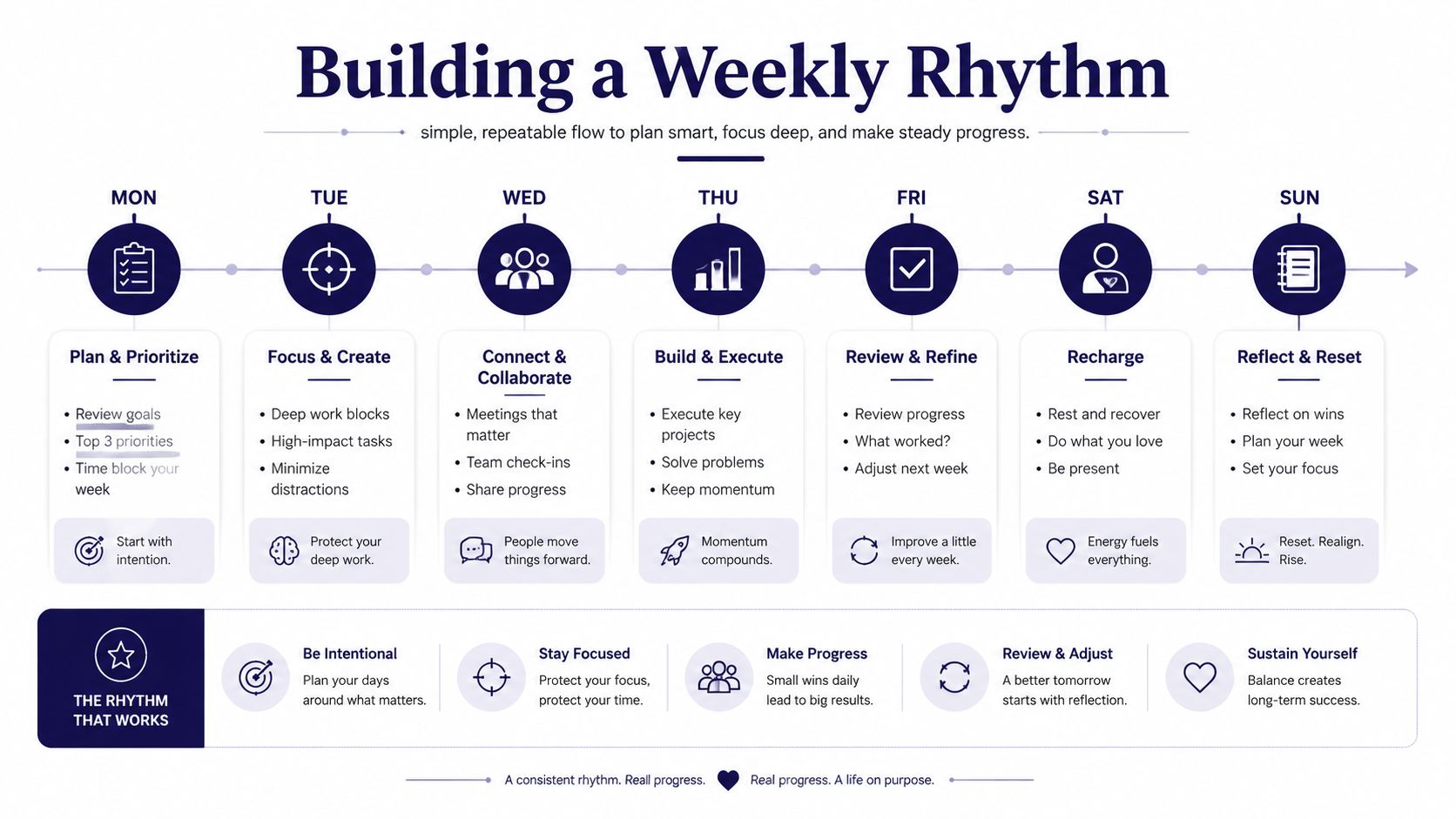
Use the following as a starting pattern, then adjust it to your service schedule:
- Monday, sermon recap: Summarize the central idea and give people one practical question to consider.
- Midweek, encouragement or answer: Share a devotional, short sermon clip, or response to a real question people ask.
- Thursday or Friday, weekend invitation: Include service times, location, children's information, parking guidance, or registration details.
- Weekend or early following week, community story: Highlight a ministry, service project, volunteer opportunity, or approved user-generated moment.
A “what to expect” post deserves special attention. First-time visitors often need practical reassurance more than another generic inspirational graphic. Explain the service flow, where to go, what children's check-in involves, or how someone can speak with a leader afterward.
Question-led content makes the calendar more useful. Instead of posting only “Join us Sunday,” answer “What happens if I've never attended?” Instead of saying “Bible study tonight,” address the concern that prevents participation. The invitation then becomes a clear next step attached to an actual need.
Short clips can make this rhythm easier to sustain because one sermon can produce several useful moments without requiring a separate recording session. Churches that want a deeper workflow can use this guide on how to repurpose content to turn one source into multiple formats while keeping the message consistent.
Scheduling and Managing Posts with ChurchSocial.ai
A sustainable workflow starts with material your church already produces. After recording and transcribing a sermon, mark the central teaching point, several short moments that can stand alone, one discussion question, and a practical invitation. This gives volunteers a defined batch of work instead of a new blank caption for every post.
ChurchSocial.ai can create AI-generated reels from sermons and generate social posts and blog content from a sermon transcript. That gives a volunteer a workable draft, but it does not remove the need for pastoral review. Check theology, Scripture references, names, dates, tone, and context before scheduling anything.

Turn one message into a coordinated campaign
Use a repeatable production sequence:
- Import or prepare the sermon transcript: Mark the main idea, memorable explanations, and practical applications.
- Create the first draft set: Generate reel concepts, captions, a blog draft, discussion questions, and graphic copy.
- Review for pastoral accuracy: Remove unsupported claims, clarify Scripture references, and check whether the wording sounds like your church.
- Adapt the format: Use a reel for a strong spoken moment, a carousel for several teaching points, and a static graphic for a concise invitation.
- Schedule by platform: ChurchSocial.ai supports advance scheduling across Instagram, Facebook, X, TikTok, YouTube, and Google Business, with a visual drag-and-drop planner that integrates with Planning Center.
A planner earns its place when plans change. If an event time moves, a volunteer should be able to update the related posts, shift their placement, and check the rest of the week without rebuilding the calendar. That flexibility matters for small teams and for churches managing volunteer turnover.
Planning Center and other church calendars can provide event information for promotional content. This reduces copying from outdated documents, although imported times, locations, and registration details still need a final check. Use this guide to scheduling social media posts to set up a publishing workflow that fits the people maintaining it.
ChurchSocial.ai also includes graphic templates and an editor for creating photos and carousels without advanced design experience. Templates can shorten approvals, but repeating one layout for every message makes the calendar feel mechanical. Let the audience, message, and requested action determine the format, then keep only the templates volunteers can maintain week after week.
Creating Visual Content That Stands Out in Feeds
Church graphics usually fail in one of two ways. They either look so generic that viewers can't distinguish them from a stock template, or they place too much text over an image and make the message difficult to read on a phone.
The strongest choice is often simpler than teams expect. Use a clean background, a meaningful object, architectural detail, prepared communion elements, a notebook, a Bible, a whiteboard, or an empty room. Images without people are often easier to design around because the text doesn't compete with faces, gestures, or important visual details.

Make every word earn its place
Text belongs on the image when it improves comprehension. A handwritten prayer prompt on paper or a question written on a whiteboard can feel natural. A random sentence placed across someone's shirt or over a busy sanctuary photo usually feels accidental.
As a separate overlay, text can work well when the designer controls the placement, spacing, size, and contrast. Research on visual text overlays connects salience and engagement with overlay size and centrality, while accessibility guidance recommends at least a 4.5:1 contrast ratio for normal text (research on text overlays and visual salience). Place copy in negative space or add a dark or light overlay behind it rather than forcing readers to decode text against a detailed photograph.
Compare these approaches:
- Busy photo with small type: Preserves the full image but asks too much from mobile viewers.
- Simple image with concise overlay: Directs attention and leaves room for the message.
- Object carrying natural writing: Makes the text feel part of the scene, when that object supports the idea.
- Template with excessive copy: May contain every detail but belongs in a caption, event page, or carousel instead.
ChurchSocial.ai's templates and editor can help volunteers maintain fonts, colors, and layout rules without starting from a blank canvas. For more guidance on visual consistency, use these church sermon graphic principles. Teams working with portrait imagery can also review background options for professional headshots, especially when deciding how much uncluttered space a composition needs.
Sustaining Your Calendar Without Burning Out
More posts do not automatically create better ministry. A calendar that depends on one volunteer producing content daily may look strong briefly, then fail when that person gets sick, enters a busy season, or leaves the role.
Set a minimum viable cadence based on the people and time you have. Two sermon clips, one community story, and one clear invitation each week can provide teaching, evidence of church life, and a next step without requiring elaborate production. If that rhythm still fails, simplify the formats, approvals, or source-material process before adding more posts.
Review the system, not just the feed
At the end of each cycle, compare planned posts with published posts. Record what caused the gaps: missed approvals, late source material, event changes, unclear ownership, or formats that took too long. Ask, “What made this difficult?” before asking how to publish more.
Measure content against the church's communication goals:
- Reach: How many people encountered the post?
- Likes and comments: Did it prompt a visible response?
- Shares and saves: Did viewers find it useful enough to keep or pass along?
- Link clicks: Did people take the intended digital step?
- Conversions: Did someone register, ask a question, attend, volunteer, or complete another defined action?
Compare the last 10 comparable posts instead of relying on follower count alone, since results vary by format and platform (research on content types and church social media evaluation). Measure sermon clips against sermon clips, not holiday announcements.
Sustainable social media is not the most crowded calendar. It's the calendar your team can still operate when ministry gets busy.
Give each important task a backup, keep approval rules short, and maintain evergreen posts for weeks when live material is unavailable. These safeguards reduce decisions during busy ministry periods and keep the rhythm from resting on one person's heroic effort.
ChurchSocial.ai helps churches turn sermons into AI-generated reels and written content, create branded photos and carousels with templates and an editor, and manage posts across church social accounts from a drag-and-drop calendar. Visit ChurchSocial.ai to plan the next month with clearer responsibilities and a publishing rhythm your volunteers can maintain.


