

When you’re scrolling through a busy social media feed, what makes a post immediately feel like it’s from your church? It’s often the familiar symbols, and few are as powerful as the pulpit.
Using a clip art pulpit in your church's social media isn’t just about decoration. It’s a visual shorthand that connects a timeless symbol of God's Word with your modern-day outreach. It can frame a powerful sermon quote, announce a new teaching series, or simply add a touch of reverence to a post. It's a simple way to bridge the gap between your physical sanctuary and your digital community.
Why Pulpit Graphics Resonate in Digital Ministry
Symbols matter, especially in a fast-scrolling world. For your congregation, the image of a pulpit instantly says authority, teaching, and the heart of Sunday's message. It's so much more than a piece of furniture—it’s a visual anchor that cuts through the noise and signals, "this is from us." When you use a clip art pulpit, you're tapping into a visual language your people already speak fluently.
This one simple graphic can wear many hats. Use it as a frame for a key quote from the pastor, a subtle background for an event announcement, or an icon for your next sermon series. That kind of visual consistency helps your posts stand out and reinforces your church’s identity online.
The power of the pulpit isn't confined to the four walls of the church. When used thoughtfully online, it extends the reach of your ministry, inviting people into the conversation long after the Sunday service has ended.
Bridging Tradition and Technology
The pulpit has a rich history, tracing its roots back to the Latin word pulpitum, which simply meant 'platform.' Early Christian basilicas featured raised platforms called ambones to make sure the sermon could be seen and heard by everyone. That legacy is still deeply felt today. A 2019 survey confirmed that 92% of U.S. Protestant churches still see the pulpit as the 'most sacred furniture' in their sanctuary. You can explore more on the pulpit's historical journey to really grasp its enduring significance.
This deep-rooted symbolism is exactly what makes modern tools so powerful. You aren’t replacing the pulpit; you’re amplifying its message for a whole new audience.
This is where a platform like ChurchSocial.ai can completely change the game for your ministry. Instead of spending hours trying to piece together content from scratch, you can transform your sermons into engaging digital outreach with just a few clicks.
Imagine this workflow:
- You upload your Sunday sermon audio or video.
- Our AI automatically generates short, shareable video reels from the sermon's most powerful moments.
- It then pulls from the sermon transcript to create social media posts, small group questions, and even a blog summary.
- Using our built-in graphic templates, you can instantly add a professionally designed pulpit graphic to a key quote.
Suddenly, a process that took your team hours now takes minutes. With our simple drag-and-drop calendar, even a solo volunteer can easily plan, manage, and update all of your social media. By connecting a timeless symbol like the pulpit with today’s technology, you can reach more people and deepen your community's engagement.
Finding and Using the Right Pulpit Clip Art
Let’s be honest, hunting for the perfect clip art pulpit can feel like a chore. You’re not just looking for something that looks good; you also have to make sure you’re legally allowed to use it for your church’s social media. This is where the licensing maze of royalty-free, creative commons, and public domain comes in, and it’s enough to give any busy church volunteer a headache.
Just so we’re clear, royalty-free doesn’t always mean it’s free to download. It just means you pay once to use it as many times as you want. Public domain images, however, are totally free for anyone to use however they like.
The biggest hurdle for churches on social media isn't a lack of faith; it's a lack of time and easy-to-use tools. Finding the right image, making sure it’s licensed, and getting it to fit your brand can eat up hours that could be spent on actual ministry.
Choosing Quality and Consistency
Once you find a potential source, you have to think about quality. The best files are PNGs, which have a transparent background that’s perfect for layering over other images, and SVGs, which are vector files you can resize infinitely without them getting blurry. Knowing how to properly enlarge a photo without losing quality is a key skill for making sure your graphics always look sharp and professional.
Style matters, too. Are you going for a modern, minimalist pulpit graphic or something more traditional and ornate? Whatever you choose, sticking with it helps build a consistent, recognizable look for your church online. This visual identity tells your community what to expect and strengthens your brand. If you need more places to look, we’ve put together a guide on finding free media for churches.
This whole process—from sermon to social post—can be streamlined. It doesn’t have to be a multi-day project.
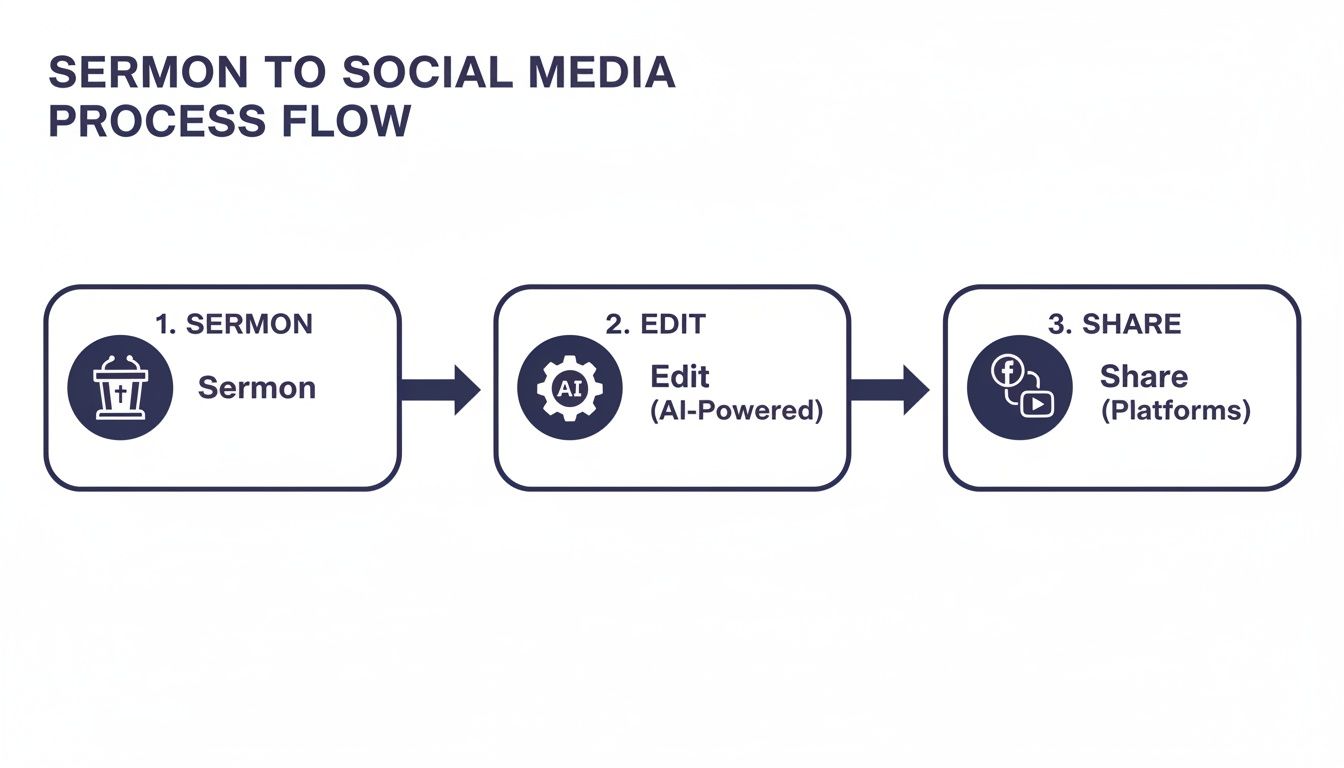
With the right tools, your entire content workflow becomes much, much simpler.
A Smarter Way to Create Graphics
Using pulpit clip art in church media isn't a new idea, but it has absolutely exploded in popularity. Stock photo sites now offer a staggering 49,000 history clipart illustrations, which includes thousands of pulpit designs. That's a 150% increase since 2010.
Here’s the gap: while 65% of congregations use social media every week, only 22% have any kind of dedicated graphic design tool. This is exactly where an all-in-one platform like ChurchSocial.ai makes a real difference. Our pre-made templates with pulpit themes can slash your content creation time by as much as 75%, empowering volunteers to create beautiful, branded graphics in minutes.
Instead of spending hours searching for individual graphics and stressing over licenses, ChurchSocial.ai gives you a built-in library of professionally designed templates. They’re all fully licensed and ready for you to customize in our graphic editor. You can just drop in a quote from the sermon, add your church logo, and you’ll have a polished, on-brand graphic ready to post. It saves time, removes legal worries, and ensures your posts always look fantastic.
Designing Engaging Content with Pulpit Graphics
Finding the right clip art pulpit is just the beginning. The real magic happens when you turn that simple graphic into a post that actually stops people from scrolling.
So many churches get stuck here, but creating visuals that connect with your community is simpler than you might think. A thoughtful design can transform a powerful sermon quote into a shareable moment of encouragement or build real anticipation for a new teaching series.
It all comes down to being intentional with your design. And no, that doesn’t mean just slapping some text onto a picture. It’s about choosing fonts and colors that support the graphic, not fight with it. One of the most common mistakes is using way too many fonts or clashing colors, which instantly makes a post look messy and amateur.
Our rule of thumb? Stick to two or three core fonts and a consistent color palette that already feels like your church.
The goal isn't just to make something pretty; it's to create clarity. A great graphic should guide the viewer's eye to the most important message—whether that's a Bible verse, a sermon point, or an event detail.
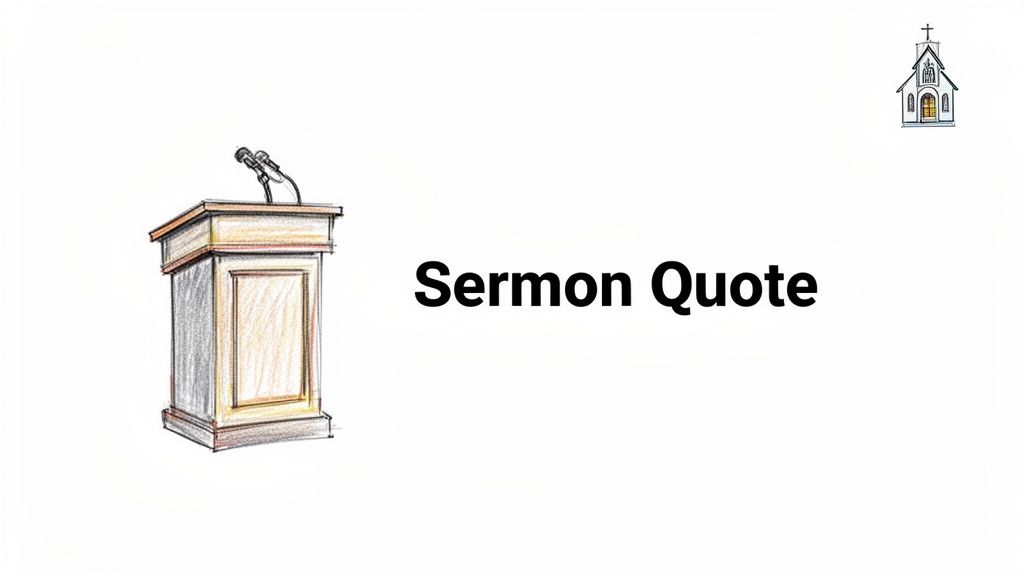
From Simple Graphic to Engaging Post
We get it. That whole design process can feel overwhelming, especially if you’re a pastor or volunteer without a graphic design degree. This is exactly why we built ChurchSocial.ai specifically for ministries. Our entire platform is designed to make professional-looking graphics accessible to anyone.
With ChurchSocial.ai, you don't have to be a designer. Our graphic editor is packed with a huge library of templates ready to go.
Think about this quick workflow:
- You pick a template featuring a pulpit graphic that matches the tone of your message.
- You copy and paste a key quote from the sermon transcript—which our AI has already generated for you.
- The text automatically formats beautifully.
- You can then post it directly to your social media channels or schedule it on our simple drag-and-drop calendar.
You can finally stop worrying about font pairings or color theory. Our professional designers have already handled all of that for you.
Expanding Your Visual Storytelling
Pulpit graphics offer a ton of creative possibilities beyond just a single image. Here are a few ideas to get you started and maximize your reach on different platforms.
Creative Ways to Use Pulpit Clip Art
| Content Idea | Best Platform | ChurchSocial.ai Feature to Use | Pro Tip |
|---|---|---|---|
| Sermon Quote | Instagram, Facebook | AI Sermon Clip & Content Creator | Pull a powerful one-liner. Let our AI suggest several options to choose from. |
| "This Sunday's Message" | Facebook, Instagram Stories | Graphic Templates & Editor | Use a subtle animation on the title to grab attention in a feed. |
| Sermon Series Promo | All Platforms | Graphic Templates & Editor | Use the pulpit graphic on the first slide, then reveal the series title and topics. |
| 3 Key Takeaways | Instagram, LinkedIn | Graphic Templates & Editor | Create a simple carousel post summarizing the main points from the message. |
These are just a few ways to get more out of a single graphic. The key is to think about how you can break down the message into bite-sized, engaging pieces.
Don't feel limited to static images, either. Platforms like Instagram reward more dynamic content. Multi-image carousels are a fantastic way to unpack a bigger idea. For instance, you could use a pulpit graphic on the first slide to introduce a three-point sermon recap, with each of the next slides diving into one of those points.
You can even create simple animations to catch your audience's eye. A subtle text reveal or a gentle zoom effect on the pulpit graphic can make a huge difference in engagement. Inside ChurchSocial.ai, you can build photos and carousels using our graphic templates and editor. It makes creating engaging graphics simple, helping your church’s social media feel modern and alive.
Automating Your Sermon Content with AI
What if one Sunday sermon could fuel an entire week of engaging social media content? This isn’t just a nice idea—it’s entirely possible when you pair your message with smart AI. For busy church staff and volunteers, this can save an incredible amount of time.
This approach multiplies your ministry’s reach far beyond Sunday morning. By letting technology handle the heavy lifting, you free up your team to do what really matters: connect with your community.
From Sermon Audio to Viral Reels
The core of this workflow is turning your sermon audio into all kinds of digital content. With ChurchSocial.ai's AI Sermon Clip & Content Creator, the whole process becomes remarkably straightforward. The AI listens to your sermon, pinpoints the most powerful moments, and generates shareable, AI-driven reels perfect for Instagram and TikTok.
And it doesn't stop with video. The platform also uses the sermon transcript to create a ton of other resources.
- Insightful blog posts that explore the sermon topic more deeply.
- Thought-provoking questions to get conversations started on social media.
- Concise email summaries to share with your congregation.
A single teaching is effectively repurposed into a complete, week-long content plan.
This shift from manual content creation to an automated system is vital for modern ministry. It allows churches to maintain a consistent, high-quality online presence without burning out their teams, ensuring the message from the pulpit resonates all week long.
A Practical AI Workflow for Churches
Let's look at how this works in the real world. You upload your Sunday sermon to ChurchSocial.ai, and the AI immediately starts generating reels, social posts, blogs, and more. An AI paragraph expander can also be a huge help, letting you flesh out sermon points from a few key ideas before you even step on stage.
Next, you jump into the integrated graphic editor and add a branded clip art pulpit to a powerful quote from the sermon. The visual connection is instant. From there, you schedule everything on a simple drag-and-drop calendar. The entire workflow takes a fraction of the time it would manually, and all your accounts are managed in one place. You can find out more about how AI is specifically helping churches in our detailed guide.
This mirrors a historical trend; even 1840s public health infographics used statistical visuals to influence 19th-century pulpit sermons. Today, that data-driven approach is amplified by AI. A 2026 study of 2,000 religious nonprofits found that branded clip art increased donor engagement by 32%. When tools like ChurchSocial.ai's AI Content Creator integrate visuals like a clip art pulpit with automated sermon clips, the results can be a 15x increase in reach on platforms like YouTube—a game-changer for mid-sized congregations. You can discover more insights about the history of these impactful visuals.
Streamlining Your Visual Content Calendar
Creating posts with your clip art pulpit is a positive step, but effective social media requires consistency. A sustainable system is essential for turning this recurring task into a manageable part of your ministry.
Without a plan, social media can become a source of stress, leading to volunteer burnout and an inconsistent message. A visual content calendar provides a clear roadmap, allowing you to plan ahead and ensure your digital pulpit is always active.
A well-managed content calendar doesn't just organize your posts; it organizes your ministry's digital voice. It ensures the message from Sunday continues to encourage, teach, and connect with people all week long.
This planning separates a stressful social media effort from a thriving online presence.
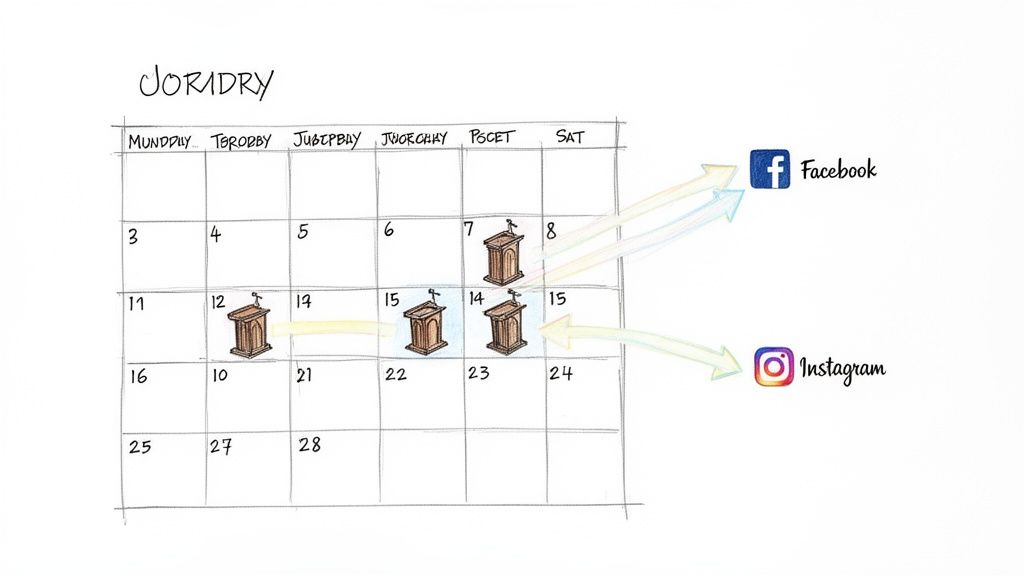
Building a Sustainable System
A content calendar involves more than just scheduling posts. It requires identifying optimal posting times and, most importantly, integrating your various ministry activities. A dedicated tool for churches can make a significant difference.
ChurchSocial.ai is designed to connect the different parts of your ministry workflow. A key feature is its ability to integrate with existing church calendars, such as Planning Center.
Consider this workflow:
- An event like a new Bible study is added to your Planning Center calendar.
- ChurchSocial.ai detects the new event and automatically generates a branded graphic for it.
- The platform then drafts a promotional post, which is ready for your approval and scheduling.
This automation fundamentally improves the process. Your social media feed becomes a dynamic hub that keeps your congregation informed about all church activities, not just sermon highlights.
From Calendar Entry to Published Post
This seamless integration transforms your calendar from a scheduling tool into a content engine. For a more detailed look at planning, you can review our guide on building a social media content calendar for your church. The objective is to make content creation as simple as possible.
With ChurchSocial.ai, the entire process is handled within a single platform. You can generate AI reels from sermons, design custom images with our graphic templates and editor, and schedule all content on our drag-and-drop calendar. All your accounts—Facebook, Instagram, and others—are managed in one place.
This unified approach reduces the administrative load on your staff and volunteers. It provides one system that works for you, making it possible for any church to maintain a professional and active social media presence.
Common Questions About Church Media
Managing church media often brings up a handful of common questions, particularly around creating visuals like a clip art pulpit. Ministry leaders know they need a solid online presence, but the path to creating it isn’t always clear.
Let's tackle some of the most frequent challenges churches face and provide practical answers to help you succeed online without creating more work.
How Can I Make My Clip Art Graphics Look Modern?
To avoid a dated or unprofessional look, the secret is to prioritize quality and consistency in your designs. It's best to move away from generic, cartoon-style clip art. Instead, you should be looking for clean vector illustrations or high-resolution graphics that feel current.
Pairing your graphic with modern, easy-to-read fonts and a color scheme that aligns with your church’s branding is just as important. The simplest way to do this is with a tool like ChurchSocial.ai. Our graphic editor provides templates built by designers who know what works for churches. You can create a polished and authentic graphic in just a few minutes, even if you have no design background.
Where Can I Find Free and Legal Pulpit Clip Art?
Finding images you can legally use is a significant hurdle for many ministries. While you can find free stock photo websites, their collections are often limited, and you have to double-check the license for every single image you use. That process can be both time-consuming and legally risky.
A far more reliable approach is using a media tool designed for churches. ChurchSocial.ai, for example, comes with an enormous library of pre-licensed graphic templates that include various pulpit styles and other ministry-focused art.
Using an integrated library completely removes the legal worries and saves you hours of searching. It ensures all your visuals are professional, properly licensed, and ready to customize for your ministry's needs.
I Am a Volunteer, How Can I Manage All This Content Alone?
This is exactly why tools like ChurchSocial.ai exist. You shouldn't have to manage everything on your own or by hand. Our AI Sermon Clip & Content Creator, for instance, can turn a single Sunday sermon into a dozen or more content pieces—think reels, quote graphics, and posts—all done for you automatically.
With our simple drag-and-drop calendar, you can schedule an entire week of social media content in less than an hour. By automating the most demanding tasks, ChurchSocial.ai gives a single volunteer the power to run a dynamic social media presence without it turning into a full-time job.
How Do I Connect Social Posts to Actual Church Events?
Integration is the key to a unified digital ministry. ChurchSocial.ai is built to connect with popular church calendars like Planning Center. When you add a new event, such as a Bible study, our platform can automatically generate promotional graphics and draft social media posts for it.
This direct connection keeps your online content perfectly in sync with your church's real-world activities. You could use a clip art pulpit graphic to announce a new sermon series or create a countdown post for a special service, making sure your community is always in the loop.
Ready to stop the social media struggle and start reaching more people? With ChurchSocial.ai, you can transform your sermons into a full week of content, design beautiful graphics without any experience, and manage all your accounts from one simple calendar. Visit ChurchSocial.ai to see how our platform can save you time and grow your ministry's digital outreach.


