
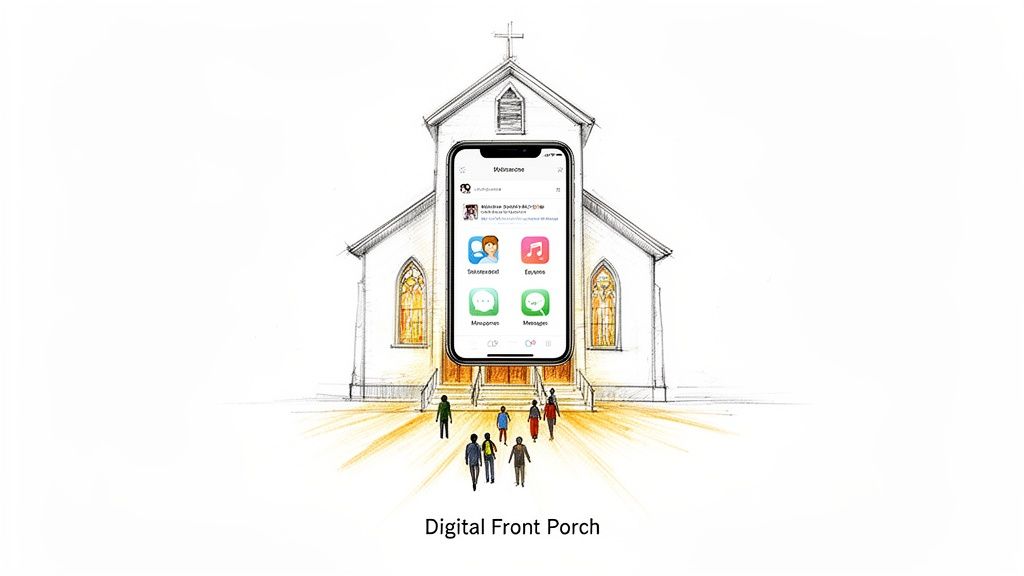
Think of a community church builder app as your ministry’s digital front porch. It’s often the very first place a new visitor will stop by to see who you are, and it’s where your congregation can connect throughout the week. It’s what turns social media from a constant chore into a genuine, thriving ministry.
Why Your Church Needs A Digital Front Porch
Let’s be honest, a church’s online presence isn't just a digital bulletin board anymore. It’s become the main lobby where community happens, where people ask real questions, and where crucial first impressions are made.
Think about it from a visitor's perspective. Before they even think about walking through your physical doors, they’re going to check you out on social media. A silent or sporadic feed can send the wrong message, making it seem like the church itself isn't very active or welcoming.
This isn’t just a feeling; the numbers back it up. A recent study found that 70% of Christians want their churches to be more active on social media. It's no longer a "nice to have," it's a core expectation. We also see that churches posting consistently see up to 40% higher first-time visitor rates than those who only post now and then. There's a clear line connecting digital engagement to people walking in the door on Sunday.
From Task To Ministry
I’ve been there. Managing social media can feel like a never-ending hamster wheel, especially for staff and volunteers who are already stretched thin. The constant pressure to create graphics, write captions, and schedule everything out is draining. This is where a purpose-built community church builder app changes the game, turning that burden into a sustainable ministry.
Instead of trying to make generic business tools work for ministry, you can use a platform like ChurchSocial.ai that was designed from the ground up for churches. It makes the complicated stuff simple and empowers your whole team.
For instance, with ChurchSocial.ai, you can:
- Create AI-generated reels from your sermons in just a few minutes.
- Use our graphic templates and editor to create and post professional photos and carousels.
- Use our simple drag-and-drop calendar to easily manage and update all of your social media.
This shift helps your team stop worrying about the how and focus on the what—creating authentic content that builds real connections. It’s about building an online community that truly reflects the heart of your church family.
A Unified Communication Strategy
A unified digital approach doesn't just make your life easier; it amplifies your message and makes your community feel more connected. When your event promotions, sermon clips, and small group updates are all working together on one platform, you create a cohesive and welcoming space for everyone.
Adopting a dedicated platform brings tangible results. We’ve seen churches completely change their engagement metrics by creating a consistent outreach strategy.
Impact of a Unified Digital Strategy
These numbers show that when you streamline your digital efforts, you’re not just posting more—you’re building momentum that translates into real-world growth and deeper community bonds.
Since churches operate much like community-focused nonprofits, the principles of clear communication are universal. You can find some great insights on communication software for nonprofit organizations that apply directly to ministry. And for more practical tips, our guide on how to build an online community is a great next step.
Essential Features For Ministry-Focused Apps
When you're looking for a community-building app, it's easy to get lost in features built for the business world. But a church isn't a business. Your app needs to be built around the unique rhythm of ministry life, solving the specific challenges you face every week.
A great app doesn't just add another task to your plate—it acts like a digital ministry partner. It should handle the repetitive work so you and your team can focus on people. It's not just about scheduling a few posts; it’s about turning your Sunday sermon into a source of connection and conversation all week long.
AI-Powered Content Creation
Think about it: your weekly sermon is the single most valuable piece of content your church produces. Its impact shouldn't be confined to one hour on Sunday morning. A top-tier church app will have AI tools that are specifically trained to understand and work with ministry content.
For instance, with a platform like ChurchSocial.ai, you can upload your sermon audio and let the AI get to work. It can instantly create AI-generated content from the sermon transcript, such as:
- Social media posts by pulling out the most powerful quotes and themes from your message.
- A complete blog post that expands on the sermon, ready to publish on your website.
- Small group discussion questions that help your congregation dig deeper and apply what they learned.
This isn't about replacing your team's creativity; it's about amplifying it. The AI gives you a fantastic first draft, saving you hours of work and making sure your core message keeps reaching people long after the service is over.
Sermon Clip Creator And Graphics Editor
In our scroll-and-tap world, video is essential. We've seen that short, punchy sermon clips get 3x more engagement than full-length recordings. In fact, churches with an active social media presence see up to 40% more visitors.
A built-in Sermon Clip Creator is a non-negotiable feature. You need a simple way to create AI-generated reels for platforms like Instagram, TikTok, and Facebook.
Just as important is a graphics editor that comes loaded with church-specific templates. Your team needs to create announcements, scripture graphics, and event promos that look professional without needing a graphic design degree. ChurchSocial.ai includes a simple editor and a full library of graphic templates made for ministry, which means even volunteers can create and post beautiful photos and carousels in minutes.
Seamless Calendar And Integrations
A clunky workflow is a recipe for volunteer burnout. Look for an app that includes a simple drag-and-drop content calendar, giving you a bird's-eye view of your entire social media schedule at a glance.
The right tool unifies your digital efforts. In fact, churches that switch to a unified platform see a 50% surge in media plays and a 15% boost in giving. Discover more insights about the impact of church technology and see how a cohesive digital presence can fuel ministry growth.
The best platforms also connect with the tools you're already using. For example, ChurchSocial.ai integrates directly with Planning Center and other church calendars to create content for events. This eliminates double-entry and ensures your community always knows what's coming up. As you weigh your options, you should also look into tools like accessibility plugins for platforms like WordPress to ensure your digital front door is open to everyone. To help you decide, our in-depth church management software comparison can bring even more clarity to the process.
Your Sunday sermon is a powerhouse of content, but its life shouldn't end when the service does. Let's be honest, the biggest hurdle for most church teams is figuring out how to take a 30-minute message and keep it alive online all week. This is where a community church builder app like ChurchSocial.ai really shines, completely changing how you manage your church social media accounts.
Think about it: you upload your sermon audio on a Sunday afternoon, and almost immediately, you have a whole week's worth of social media content lined up and ready. The AI in ChurchSocial.ai is built specifically for ministry, so it actually gets the context of your teaching and knows how to pinpoint those powerful, shareable moments.
From Full Sermon To Viral Reels
Here’s the hard truth: very few people who aren't already part of your church are going to sit through a full-length sermon online. But a compelling 60-second clip? That can get in front of thousands.
The Sermon Clip Creator inside ChurchSocial.ai is made for this exact task. You don't need to be a video editing pro or have a bunch of fancy software. The tool scans your sermon and automatically suggests the most potent segments, letting you quickly create AI-generated reels for Instagram, TikTok, and Facebook.
It's a straightforward process that takes your sermon audio and turns it into a stream of social posts, extending your ministry's voice way beyond Sunday morning.
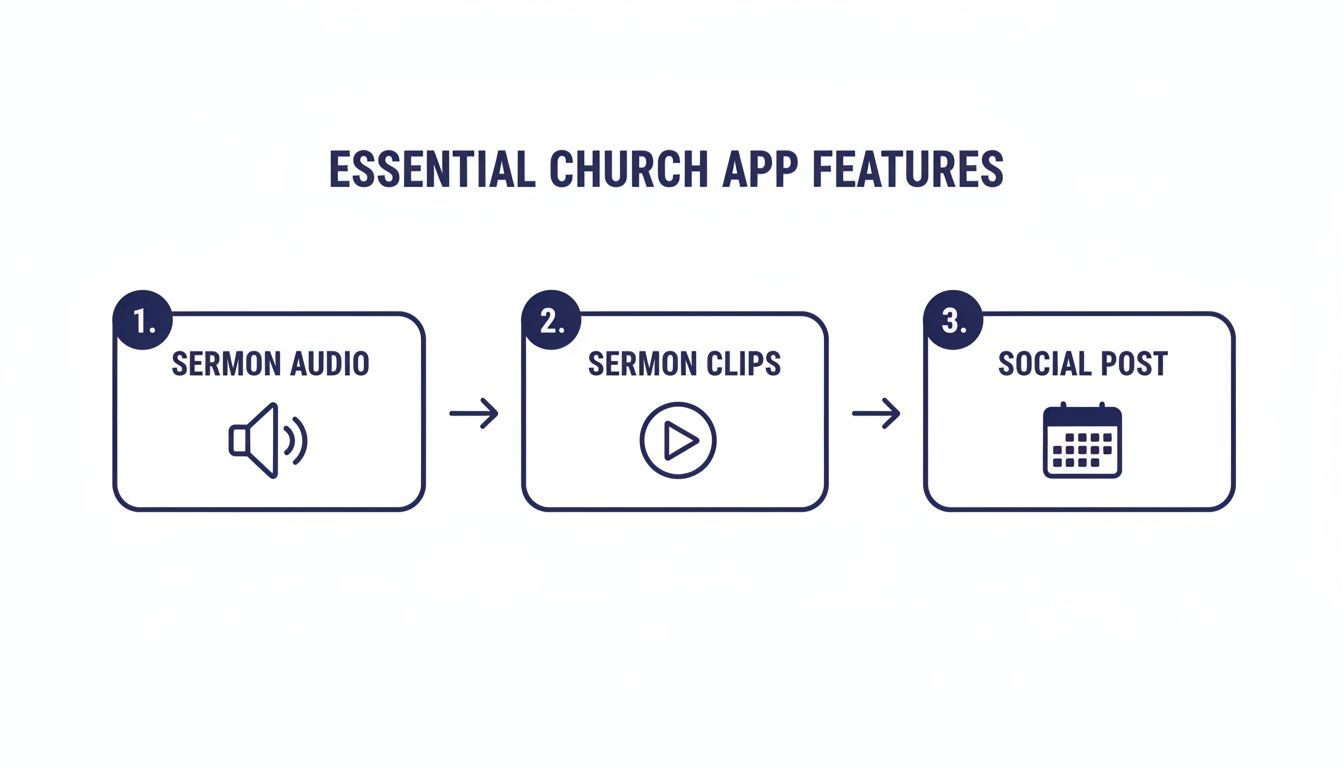
This one workflow becomes the backbone of a strategy that engages people across multiple platforms.
Generating A Full Week Of Content
It’s not just about video, either. A smart app will squeeze every drop of value out of your sermon transcript. The AI in ChurchSocial.ai can repurpose your message into several formats in seconds, saving your team hours of work every single week.
- Social Media Posts: It can pull out key points and turn them into a series of thought-provoking social posts, complete with captions and relevant hashtags.
- Blog Articles: A full blog post can be generated from the sermon's theme, which is fantastic for your church website's SEO and for reaching people who search for answers online.
- Small Group Questions: The app can even create a list of discussion questions automatically, helping your congregation dive deeper into the teaching during their small group meetings.
The table below breaks down just how much you can get from a single sermon.
Sermon Content Repurposing Workflow
By turning one sermon into multiple touchpoints, you build a cohesive story that flows directly from your pulpit.
This whole strategy is about making sure your Sunday message keeps encouraging and reaching people from Monday all the way to Saturday. It reinforces truth for your congregation and opens the door for new people who might never have listened to the full sermon.
We actually have a ton more ideas on this. For a deeper dive, check out our complete guide on how to repurpose content for your church. Using these tools transforms one sermon into a week-long ministry moment, helping you build a stronger connection with your community and extend your impact far beyond your church walls.
Automate Your Event Promotions And Calendar
Your church calendar is the vibrant heartbeat of your community. But let's be honest—promoting every single event, from the weekly youth group to the annual service project, can feel like a full-time job for your already-stretched staff and volunteers.
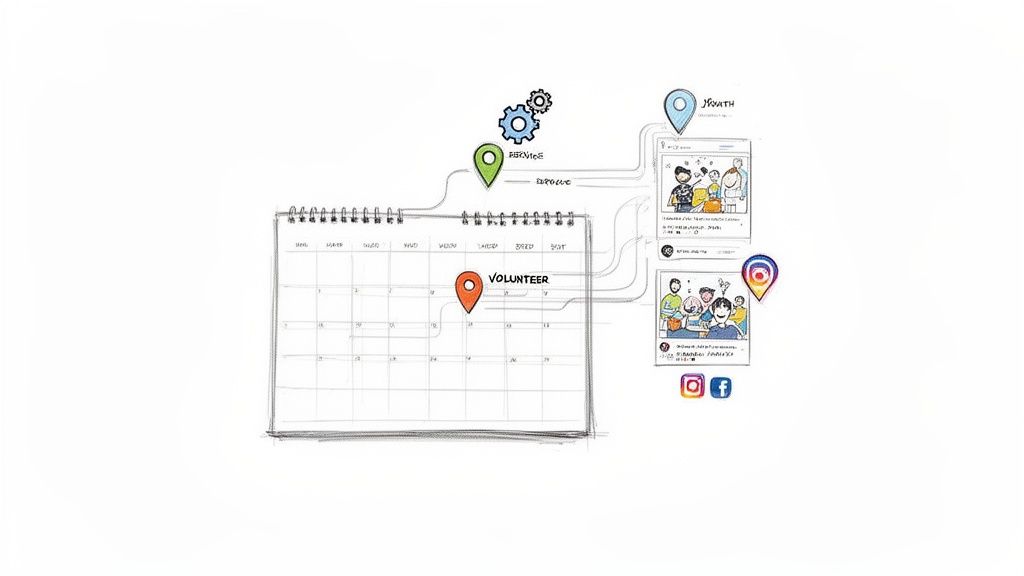
A modern community church builder app can completely change the game. It lifts this administrative burden by connecting your calendar directly to your social media channels. Think of it as creating a seamless, automated workflow. Events you've already put into Planning Center or Google Calendar can flow right into your content plan, ready to become engaging social media promotions.
This is exactly how a tool like ChurchSocial.ai works. It turns event management from a manual chore into a powerful part of your digital ministry.
Connect Your Calendar And Create Content
The first step is a simple, one-time integration. You just link your church’s main calendar, like Planning Center, and the app automatically pulls in all your upcoming events. This isn't just about seeing them in a new place; it’s about making them actionable.
Once an event is in the system, the AI inside ChurchSocial.ai can instantly create content for events. Take your upcoming "Community Cleanup Day" as an example. The app can produce several distinct posts from that one event:
- An initial announcement: This post would highlight the date, time, and purpose of the event, maybe paired with an eye-catching graphic from our templates.
- A call for volunteers: A more focused post specifically asking people to sign up and serve, with a direct link to your registration form.
- A "day-before" reminder: A quick post to build excitement and make sure the event stays top-of-mind for your congregation.
This simple connection means no event ever falls through the cracks. It also saves your team countless hours of writing and designing posts from scratch.
Schedule Everything On A Visual Calendar
Seeing the whole picture makes planning so much easier. When all your sermon-based content and event promotions are in one spot, you get a complete overview of your church's digital communication.
A tool like ChurchSocial.ai gives you a simple, drag-and-drop visual calendar. You can easily manage and update all of your social media weeks or even months out. Need to move the Men's Breakfast promo from Tuesday to Wednesday? Just drag it over. Want to add a last-minute reminder for the worship night? It takes only a few seconds. This visual approach empowers volunteers and makes the whole process intuitive, removing the tech barriers that often get in the way of consistency.
By automating the tedious parts of event promotion, you're not just saving time. You're building a more informed, connected, and engaged church community where everyone knows what's happening and how they can be a part of it.
This kind of system frees your team to focus on what truly matters: ministry. Instead of spending hours creating social posts, they can invest that time in building relationships and serving the people God has called them to reach.
Get Your Team Fired Up, Not Burnt Out
Let's be honest: a new tool is only as good as the people who actually use it. You can have the best community church builder app on the planet, but if your team feels overwhelmed or intimidated, it’s just another subscription collecting digital dust. The real win is empowering your people—from the full-time communications director to the part-time volunteer who just loves your church—to feel confident and take ownership of telling your story online.
I've heard it a hundred times from church leaders: "Another piece of tech? My team is already stretched so thin." That's a valid concern. But a platform like ChurchSocial.ai isn't meant to add another complicated task to their plate. It’s built to do the exact opposite—to take the chaos of social media and simplify it so anyone can contribute without needing a marketing degree.
Create a Simple Launch Plan for Your Team
Getting your team on board doesn't need a 20-page manual. A straightforward plan that clarifies who does what is all it takes to get moving. This avoids that all-too-common scenario where one person becomes the "social media guru" and quickly burns out.
Think about breaking down the work into simple, clear roles:
- Sermon Repurposer: This person uses the AI tools to create AI-generated reels from sermons and draft social posts for the week. They focus on getting initial content ready.
- Graphics Creator: Have a volunteer who's got a good eye? They can use our graphic templates and editor to create beautiful photos and carousels for events and announcements.
- Scheduler & Approver: This role is perfect for a staff member who gives the final look-over, ensuring everything is on message before scheduling it on the simple drag-and-drop calendar.
When you divide the labor like this, the workload feels light and manageable. Someone’s entire "job" could be spending 30 minutes a week making graphics. That’s not a burden; it's a simple, fun way to serve the church.
Making Tech Approachable for Everyone
But what about the volunteers who still think "the cloud" has something to do with the weather? This is where the app's design has to do the heavy lifting. When you’re training your team, don't start with the most advanced features. Start with the easiest wins.
The drag-and-drop calendar in ChurchSocial.ai is a perfect place to begin. Just show them how easy it is to manage and update all your social media at a glance and move posts around. It immediately makes social media feel less abstract and more like organizing a simple schedule.
The goal is to take the fear out of the equation and replace it with confidence. When you focus on simple, repeatable wins—like customizing a template or dragging a post to a new date—volunteers realize they can make a huge impact without being tech experts. Ministry suddenly becomes less about technical skill and more about a heart to serve.
The built-in graphics editor is another fantastic starting point. You don’t need to teach them design theory. Just show them how to pick a template, change the text for your next potluck, and save it. It's a quick victory that proves the tool is a helper, not a headache. This is how you build a sustainable system where more people are involved, the work is light, and your church’s voice is heard loud and clear online.
Common Questions About Church Apps
Making a change to how you handle your church's digital outreach is a big decision, and it’s natural to have questions. We talk to church leaders all the time, and these are some of the most common concerns that come up. Let’s tackle them head-on.
Our Church Has A Small Budget. Can We Afford This?
This is almost always the first question we hear. And the answer is a confident yes. These tools aren't just for megachurches anymore; they're built to be accessible for ministries of any size.
For instance, a platform like ChurchSocial.ai has a starting plan for just $15/month. That gets you the foundational tools that make a real impact, like a visual content calendar and an AI caption writer. From there, you can add more specialized features—like the Sermon Clip Creator or the graphics Design Studio—as you need them. This à la carte approach lets you build a plan that fits your budget perfectly, putting powerful tools within reach for even the smallest congregations.
Our Team Lacks Technical Skill. Is This Too Complicated?
Honestly, this is the very problem platforms like ChurchSocial.ai were created to solve. The whole experience is designed for pastors and volunteers, not professional marketers.
We’ve seen firsthand how quickly church teams get the hang of it. The simple drag-and-drop calendar makes it easy to manage and update all of your social media. Our graphic templates and editor are loaded with professionally designed templates, so you don’t need any design experience to create and post beautiful photos or carousels for your next potluck or Bible study.
Best of all, the AI tools handle the hardest part: coming up with what to say. The system is built to empower your team, transforming what feels like a daunting task into a manageable and even enjoyable part of your ministry.
How Is This Better Than The Social Media Tools We Already Use?
Sure, a generic scheduler can push a post to Facebook. But those tools are completely unaware of the unique rhythm and content of a church. They’re ministry-blind.
A dedicated community church builder app like ChurchSocial.ai, on the other hand, actually knows your content. It understands how to create AI-generated reels from a sermon, turn a Bible passage into a thoughtful discussion prompt, and integrate with Planning Center to create content for events. The AI is trained on faith-based language, and the graphic templates are designed with church aesthetics in mind.
That kind of specialization saves an incredible amount of time. More importantly, it produces content that’s more effective, more authentic, and a true reflection of your church’s voice.
We Already Have A Process. Why Should We Change?
If your current "process" involves someone manually creating every graphic, writing every post from a blank screen, and downloading sermon videos to edit by hand, then a unified platform will be a complete game-changer. This isn't about changing your mission; it's about amplifying your ministry's impact.
We've seen a platform like ChurchSocial.ai cut the time teams spend on social media management by over 50%. Think about what you could do with all those freed-up hours—more time for pastoral care, discipleship, or community outreach. It also gives you tools like AI-generated reels from sermons, which are proven to dramatically increase your reach to people who might never have heard the gospel otherwise. This isn't just changing a process; it's being a better steward of your message.
Ready to simplify your church's social media and get your message heard? ChurchSocial.ai gives you all the tools—from AI-powered sermon clips to automated event promotion—in one simple platform. Start your free trial today and see just how easy it can be.


