
Most pastors don't need another app that can generate an outline. They need a free sermon builder app that fits real ministry constraints: limited prep time, inconsistent volunteer help, and a weekly need to turn Sunday's message into something people can revisit and share.
That's where the usual roundups fall short. They list features, but they rarely ask whether a free tool can carry the whole workflow from passage notes to manuscript to delivery, and then into follow-up content for your church website and social channels. That second part matters more than many teams admit. A sermon that stays in a notes app serves the preacher. A sermon that becomes clips, posts, carousels, and event-connected content serves the church all week.
Free tools have also changed. Logos notes that YouVersion offers free access to hundreds of Bible translations and includes a basic sermon notes feature, while app listings now show free and freemium sermon tools with mobile drafting and AI-assisted prep built in, which reflects how sermon prep has shifted from desktop-only workflows to mobile-first access for pastors on the go (Logos on popular Bible apps for preaching). If you've seen a similar pattern in the broader creator world, the same adoption logic shows up in tools like this curated tech stack for online educators.
Below are the tools worth considering. I'm not treating them all as equal. Some are better for drafting, some for ideation, some for delivery, and some only make sense if you already know where the free version will hit its limit.
1. Preach – Sermon Builder

How much does it help when the same app handles both sermon writing and sermon delivery?
Preach – Sermon Builder on the App Store makes a clear case for that approach. It is a free iOS app with in-app purchases, so pastors can test the workflow before deciding whether the paid features are worth it.
Its strength is focus. Preach is built for pastors who want to move from draft to pulpit view on the same device, without sending outlines between a notes app, a word processor, and a separate preaching tool. That saves time, but it also shapes who this app is for. If your sermon process depends on deeper study tools, shared browser access, or mixed-device staff collaboration, you will hit the edges faster here than you would in a broader platform.
Best fit
Preach fits pastors who already work on iPhone or iPad and want a tighter weekly routine. I usually recommend tools like this to solo pastors, bi-vocational leaders, and mobile-first teams that care more about clean delivery than advanced research inside the app itself.
Here are the trade-offs:
- Strong Apple-native workflow: Writing, editing, and preaching feel more natural on iPhone and iPad than in many browser-first tools.
- Built-in delivery view: A readable pulpit mode matters if you preach from a screen and do not want to fight formatting during the message.
- Limited platform flexibility: Android users, desktop-first pastors, and teams that need shared web access should look carefully before committing.
One test matters more than the feature list. Open a full sermon in the reading view and use it the way you would on Sunday. Font size, scrolling, section breaks, and visibility under stage lighting will tell you more than any AI label in the app store description.
Preach also works well as one part of a larger church content workflow. A pastor can draft and deliver the message here, then use a sermon-to-social content workflow in ChurchSocial.ai Sermon Studio to turn that message into follow-up posts, clips, and recap content for the week. That is the bigger decision framework for this list: do you need one app to write sermons, or do you need a practical system that helps the sermon keep serving the church after Sunday?
2. Sermon Maker
Sermon Maker is the kind of tool many smaller churches need. It's browser-based, straightforward, and doesn't assume the user wants a dense feature set. For a volunteer preacher, a bi-vocational pastor, or a church that just needs a central place to draft and store messages, that simplicity is useful.
Its value is less about advanced study tools and more about reducing friction. Open the browser, write the sermon, keep an archive, and move on.
Where it works well
Sermon Maker makes sense when your team wants one lightweight place for sermon outlines, manuscripts, and basic service planning. It's also helpful if you don't want everyone tied to a single phone platform.
The benefits are practical:
- Web access: Staff and volunteers can log in without worrying about device type.
- Low learning curve: It doesn't take long to understand the interface.
- Archive-friendly workflow: Keeping past sermons in one browser-based system is easier than hunting through local files.
The weakness is just as important. If you rely on integrated commentaries, original-language work, or a deep step-by-step research flow, a lighter browser tool won't replace a fuller study environment.
Free sermon apps often do the first half of the job well. They help you draft. They don't always help you research, verify, and refine at the same level.
For many churches, that's still enough. If your current system is scattered notes, email drafts, and old documents in random folders, a simple browser-based sermon builder can be a major upgrade even without premium features.
3. SermonForge

SermonForge leans into AI-assisted prep, but its better use case is not “write my sermon for me.” It's helping a pastor move faster from passage work to an outline and rough draft. That distinction matters.
A lot of AI sermon tools are strongest in the middle of the process. They can help summarize, structure, and unblock a draft. They're weaker when pastors expect doctrinal judgment, pastoral tone, or contextual sensitivity.
The real trade-off
SermonForge is useful for occasional preachers and pastors who want guided momentum. If you tend to stall between study notes and a workable sermon structure, this kind of tool can shorten that gap.
What it does well:
- Study-to-draft movement: It gives a clearer path from exegesis help to outline to manuscript.
- Export options: Moving a draft into Word or PDF for offline editing keeps ownership in your hands.
- Free entry point: That makes it easier to test whether AI helps your prep rhythm.
Its limits are predictable. A browser-based AI workflow depends on internet access, and free use usually comes with limits on how much drafting you can do before the platform nudges you toward a paid plan.
I'd use SermonForge as a first-draft accelerator, not a final-authority tool. A pastor still needs to verify structure, illustrations, interpretation, and emphasis before anything reaches the pulpit.
4. SundayTask Beta
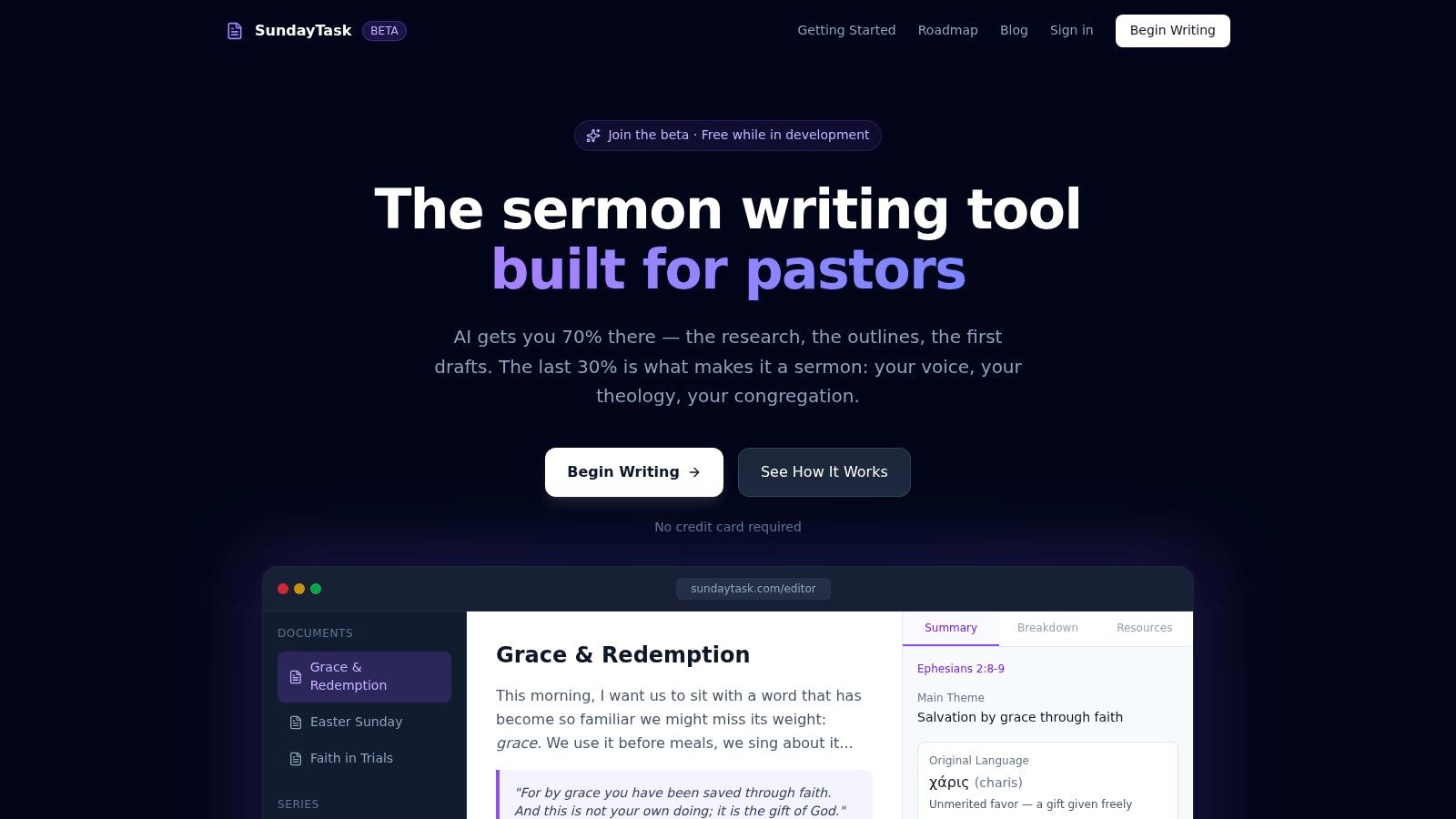
SundayTask feels like a product built around the writing desk rather than around a generic AI prompt box. That's a meaningful difference. Pastors don't just need text generation. They need a place to research, draft, revise, and organize sermons without wrestling the interface.
Because it's in beta, the strongest reason to try it is exploration. You can test an AI-augmented workflow while expectations are still flexible.
Why beta can be useful
Beta products often change quickly, which is both the attraction and the risk. Churches willing to experiment can discover helpful workflows before the tool settles into its long-term pricing and feature model.
SundayTask is attractive if you want:
- An AI editor shaped around sermon writing
- Integrated research help during drafting
- Structured sermon organization rather than one-off prompt output
The caution is simple. Newer tools don't have the same public track record as more established platforms. That doesn't make them bad. It means you shouldn't build your entire church workflow around them until you know how stable the product is.
Test beta sermon tools with a low-risk message first. Use one for a midweek lesson, devotional, or internal teaching draft before using it for Sunday preaching.
That approach gives you the benefit of experimentation without handing too much trust to a new system too quickly.
5. SermonSpark

SermonSpark is one of the clearest examples of how AI sermon tools structure free access. It offers a free tier with 500 credits per month and a paid starter plan at $7.95 per month for 3,000 credits (SermonSpark pricing details). That credit model matters because it tells you what the company considers expensive work: transcription, brainstorming, and AI-assisted drafting.
In other words, the free plan is less about unlimited sermon prep and more about controlled experimentation.
How to judge the free tier
For a small church, SermonSpark can be a solid sandbox. You can test outlines, research help, illustrations, and repurposing features without paying upfront. But if you preach often or generate a lot of content from every message, you'll need to watch your credit use closely.
The strengths are easy to spot:
- Broad toolset: Titles, outlines, illustrations, research, and transcription in one place.
- Ministry-focused use case: It's not pretending to be a generic AI writer.
- Good trial environment: You can see where AI saves time in your workflow.
The downside is throughput. A credit system rewards targeted use, not careless use. If your team wants to process every sermon, every clip, and every rewrite inside one platform, the free level won't last long.
That doesn't make the tool weak. It just means you need to ask the right question. Not “Is it free?” but “What part of our weekly sermon process can the free credits realistically cover?”
6. SermonOutline.ai
SermonOutline.ai is fast, narrow, and useful for exactly one kind of problem. You need structure now. Not later. Not after setup. Not after learning a new platform.
That makes it a practical option for volunteers, guest preachers, and pastors who already have notes but need help turning a passage or theme into a workable sermon skeleton.
Where it shines
This tool is not a complete sermon environment. It doesn't pretend to be. It's an outline generator, and for that job, speed matters more than depth.
Use it when you need:
- Quick ideation: Generate a starting structure from a text or topic.
- No-signup convenience: Immediate access removes friction.
- Simple export or copy workflow: Easy to move the outline elsewhere.
Its weakness is also its value. Because it stays lightweight, it won't offer deep exegesis, integrated commentaries, or delivery tools. You'll need another system for writing, editing, and preaching.
If you want to improve what you do after the outline appears, this guide on how to develop a sermon outline is a useful next step. That pairing works well. Generate the structure quickly, then refine it with stronger pastoral judgment and clearer movement.
For busy ministries, an outline-only tool can save time without replacing discernment.
7. PulpitPoints

PulpitPoints is a niche tool, and that's why it's worth mentioning. It focuses on alliterated sermon points. For pastors who preach in that style, this can remove a surprisingly time-consuming part of sermon polishing.
For pastors who don't care about alliteration, this tool will feel unnecessary. That's fine. Not every free sermon builder app needs to serve every tradition.
A specialty tool, not a full workflow
PulpitPoints works best late in prep, not early. Once the structure and substance are in place, it can help shape headings that are more memorable and more cohesive.
It's useful for:
- Generating alliterated headings and point sets
- Trying different three-point or five-point structures
- Sharpening a preaching style that values verbal symmetry
The limitation is obvious. This won't carry your research, manuscript writing, or delivery. And even if the output is stylistically helpful, it still needs pastoral refinement so the wording serves the text instead of forcing it.
Some pastors will save time with this. Others should skip it entirely. That's a healthy reminder that the best sermon app is often the one that solves your actual bottleneck, not the one with the longest feature list.
8. ChurchContentAI – AI Sermon & Content Generator

ChurchContentAI is interesting because it doesn't stop at sermon text. It also leans into supporting content like titles, descriptions, and material for web or social use. For churches trying to connect the pulpit to digital outreach, that makes it more relevant than a draft-only tool.
That broader framing matters. A sermon doesn't end when the manuscript is done. It often needs a landing page title, a social caption, a follow-up summary, or a blog version.
Why this matters for church communication
Churches often split sermon prep and church communication into separate silos. The pastor writes the message. Then a volunteer scrambles to create posts from scratch. Tools like this at least try to bridge that gap.
Its strongest use cases are:
- Creating a draft plus surrounding content
- Testing the workflow through demo access
- Helping small teams move from sermon to promotion faster
The weak point is depth. If your main need is heavy sermon research, this won't replace a stronger study environment. But if your pain point is what happens after the sermon is written, it becomes more practical.
For churches trying to build a repeatable follow-up process, this article on repurposing content with AI is worth reading alongside tools in this category. It addresses the core ministry question: how do you keep one sermon serving people through the week?
That same workflow logic shows up in other sectors too, including Alignmint's approach to intelligent fund management, where teams use structured automation to extend the value of a single input across multiple outputs.
9. Faith AI Stack – Christian Sermon Outline Generator
Faith AI Stack looks less like one polished platform and more like a set of focused ministry utilities. That can be a strength for small churches. Sometimes a volunteer doesn't need a large workspace. They need one tool for an outline and another for a bulletin, without paying for a broad suite they won't fully use.
The sermon outline generator is the most obvious entry point, but the surrounding church tools are what make it distinctive.
Good for utility-first churches
Faith AI Stack fits teams that think in tasks rather than ecosystems. If your ministry workflow is already spread across a few lightweight tools, this can slot in without much disruption.
It's helpful when you want:
- A free sermon outline generator with a ministry angle
- Bulletin support connected to sermon material
- Church-oriented utilities beyond the sermon itself
The trade-off is maturity. Smaller tool collections often have lighter documentation and less visible long-term history than larger vendors. That means you should assess reliability before making it central to weekly ministry work.
I'd consider this a practical option for churches that value focused helpers over polished all-in-one systems.
10. SermonBuild
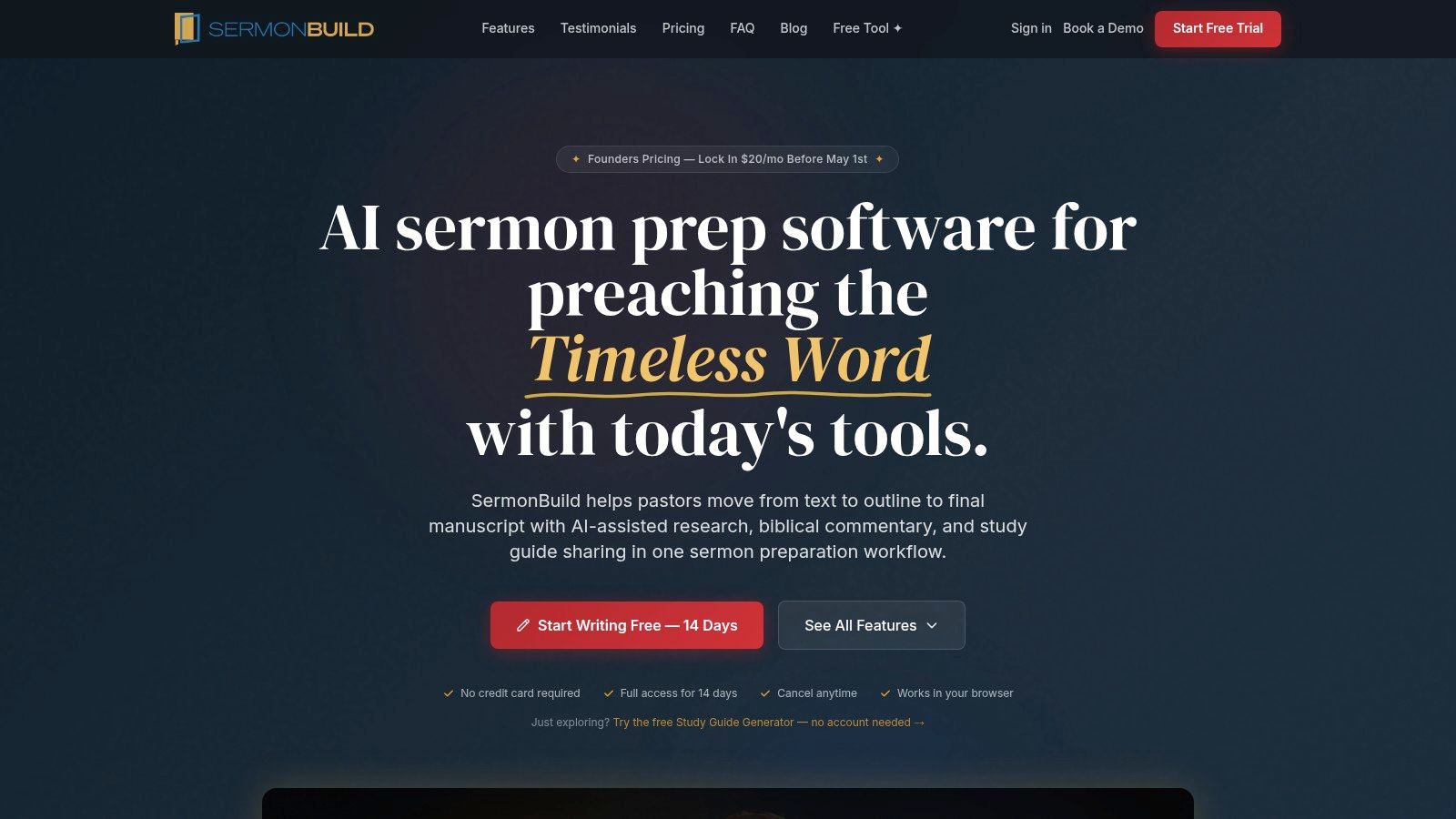
SermonBuild sits closer to a full sermon-prep platform than most tools on this list. It includes outline generation, commentary access, series planning, delivery mode, and export options. It isn't free long term in the same way some others are, but the product is still relevant here because it offers a 14-day free trial, and the broader sermon-tool market now commonly uses free plans, free-forever plans, or free trials as the entry point, with paid tiers often starting in the single digits per month according to a 2026 comparison from The Lead Pastor (The Lead Pastor comparison of AI sermon generator pricing).
That free-to-paid ladder is now standard in this category.
Who should test it
SermonBuild is worth testing if you want to see whether a more complete workflow saves enough time to justify paying later. This is less about grabbing a free tool forever and more about validating fit.
Its appeal is clear:
- Broader workflow coverage: Study, planning, drafting, and delivery sit in one platform.
- Series and calendar orientation: Helpful for churches planning ahead rather than writing week to week.
- Free trial for end-to-end evaluation: Enough to see whether the system reduces friction.
Its limitation is also clear. If you need a permanently free solution, this won't be your long-term answer unless the free study guide utility alone covers your use case.
For pastors comparing categories, SermonBuild is useful because it shows where lightweight free apps end and fuller sermon systems begin.
Top 10 Free Sermon Builder Apps – Feature Comparison
Which free sermon builder fits the way your church prepares, preaches, and reuses a message after Sunday?
A feature table only helps if it also clarifies the trade-offs. Some tools are better for mobile delivery. Some are better for quick AI outlining. A few are useful because they connect sermon prep to follow-up content, which matters if your church wants to turn one sermon into clips, posts, and midweek reinforcement instead of letting the message disappear after the service.
| Tool | ✨ Key Features | 👥 Target Audience | ★ Quality / UX | 💰 Pricing & Value | 🏆 Unique Selling Point |
|---|---|---|---|---|---|
| Preach – Sermon Builder | Outline and manuscript editor, Pulpit/Delivery mode, iCloud sync | Pastors using iPhone/iPad | ★★★★☆ Native, polished iOS UX | 💰 Paid app + IAP (Apple-only) | 🏆 True mobile pulpit mode |
| Sermon Maker | Browser editor, basic service planning, sermon archive | Small churches, volunteers | ★★★☆☆ Simple, low learning curve | 💰 Free (web) | 🏆 Truly free, no install |
| SermonForge | Exegesis aids, auto outlines and drafts, export to Word/PDF | Bi-vocational and occasional preachers | ★★★★☆ AI study to draft workflow | 💰 Free tier, paid limits | 🏆 Balanced study-to-draft flow |
| SundayTask (Beta) | AI-assisted editor, research "Berean" helper, org tools | Pastors testing AI workflows | ★★★☆☆ Clean, beta polish | 💰 Free while beta | 🏆 Integrated research assistant |
| SermonSpark | AI tools for titles, outlines, transcriptions, credit system | Teams wanting many micro-tools | ★★★★☆ Broad toolset, ministry focus | 💰 Free account + monthly credits | 🏆 Wide tool variety in one hub |
| SermonOutline.ai | Fast topic or text-driven outlines, no signup, easy export | Time-pressed preachers and volunteers | ★★★☆☆ Instant ideation, minimal UX | 💰 Free, no signup required | 🏆 Quick, no-barrier outline generator |
| PulpitPoints | AI alliteration engine, adjustable 3 to 5 point sets | Stylized preachers building memorable points | ★★★☆☆ Niche but effective | 💰 Free to start | 🏆 Automated alliterated sermon points |
| ChurchContentAI – AI Sermon & Content Generator | Sermon drafts plus social and web helpers, demo access | Teams needing sermon and social content | ★★★★☆ Focused workflow with demo | 💰 Demo then paid plans | 🏆 Combined sermon plus repurposing tools |
| Faith AI Stack – Christian Sermon Outline Generator | Outline generator, bulletin creator, church utilities | Small churches and volunteers | ★★★☆☆ Useful suite, basic depth | 💰 Free tools | 🏆 Suite of church-specific utilities |
| SermonBuild | AI outlines and drafts, commentary library, Preach Mode, exports | Churches seeking end-to-end prep and delivery | ★★★★★ All-in-one, production-ready | 💰 Subscription (14-day trial) | 🏆 Full study to planning to delivery platform |
One pattern stands out. The strongest free options usually do one job well. They help you draft faster, organize notes better, or generate a starting outline. The trade-off is that many churches still need a second tool for delivery, archive management, or post-sermon content.
That second layer is where selection gets more practical. If preaching from a tablet is the priority, Preach has a clear edge. If the goal is zero cost and zero setup, Sermon Maker and SermonOutline.ai make sense. If your team wants AI help but still needs pastoral review and doctrinal control, SermonForge, SundayTask, and SermonSpark are the safer category to test first because they speed up prep without pretending to replace it.
Churches that care about sermon reach should also weigh what happens after the manuscript is finished. A tool like ChurchContentAI points in the right direction by connecting sermon prep with content repurposing. That same workflow question matters when evaluating tools such as ChurchSocial.ai. The issue is not adding more software for its own sake. It is reducing the weekly scramble to turn Sunday's message into social posts, clips, follow-up prompts, and church communication that gets published.
For most pastors, the right choice comes down to one honest question: do you need help writing the sermon, or do you need help carrying that sermon through the rest of the week?
Final Thoughts
Which app will save your team time this week, and which one will create more cleanup work next week?
That question usually leads to a better choice than chasing the longest feature list. A good free sermon builder should remove friction from your current process, not ask your staff to rebuild their process around the app.
Fit matters more than novelty. Preach makes sense for pastors who preach from a tablet and want prep and delivery close together. Sermon Maker works for churches that need a simple editor and archive without much setup. SermonForge, SundayTask, and SermonSpark can shorten the distance from study notes to draft, but they still require pastoral judgment, editing time, and doctrinal review. SermonOutline.ai is useful when structure is the bottleneck. PulpitPoints helps if your preaching style depends on polished phrasing and alliterated points.
The larger decision is whether you are buying relief for sermon prep or building a repeatable weekly communication process.
Many churches discover the bottleneck after Sunday. The manuscript is finished, the message is preached, and then someone still has to turn that sermon into clips, captions, graphics, email copy, and posts people will see during the week. If that work always happens late, or does not happen at all, the sermon tool solved only part of the problem.
AI can help, but it also raises review standards. App listings increasingly promise outline generation, draft writing, transcript handling, and faster manuscript creation, yet pastors still need to check tone, doctrine, originality, and privacy before publishing anything, especially with tools making broader AI claims around sermon prep and transcript workflows (Google Play listing context for AI sermon tools). A free AI sermon builder can save time. It cannot make ministry decisions for you.
That is also why sermon prep should connect to your church communication workflow. ChurchSocial.ai fits on the distribution side of that process by helping teams turn sermons into social posts, clips, blog summaries, graphics, and scheduled content from one calendar. For churches with a small staff, that connection matters because it reduces the usual handoff problem between the pastor who prepared the message and the person responsible for publishing content during the week.
Choose the app that solves the most expensive problem in your workflow, whether that is drafting, organizing, delivery, or follow-up. Then make sure Sunday's message does more than reach the room. It should keep working after the service ends.


