
Sunday afternoon arrives, the sanctuary is quiet, and the volunteer who manages social media is still sorting through sermon footage. The clip is worth sharing, but posting it manually during the week means remembering captions, finding the right thumbnail, and opening another app when ministry responsibilities already fill the calendar.
That's why learning how to schedule Facebook Reels matters. A scheduled Reel turns a strong sermon moment, announcement, or event invitation into a planned touchpoint instead of another task someone has to remember. The practical workflow is simple: prepare content in batches, schedule it through the right tool, and keep the whole church calendar visible from Sunday to Sunday.
Why Scheduling Facebook Reels Matters for Churches
A church rarely struggles because it has nothing to say. It struggles because good material stays buried in sermon recordings, event notes, and phone galleries while volunteers rush from one responsibility to the next. Scheduling creates breathing room. Someone can identify several useful sermon moments early in the week, prepare them together, and let the publishing calendar carry the routine.
Facebook Reels became globally available in February 2022 after rollout across 150 countries, helping establish short-form vertical video as a mainstream Facebook format rather than a temporary experiment. Facebook Reels' global rollout history helps explain why churches now treat Reels as a regular publishing format for sermon clips, worship reflections, community invitations, and event reminders.
Consistency without constant screen time
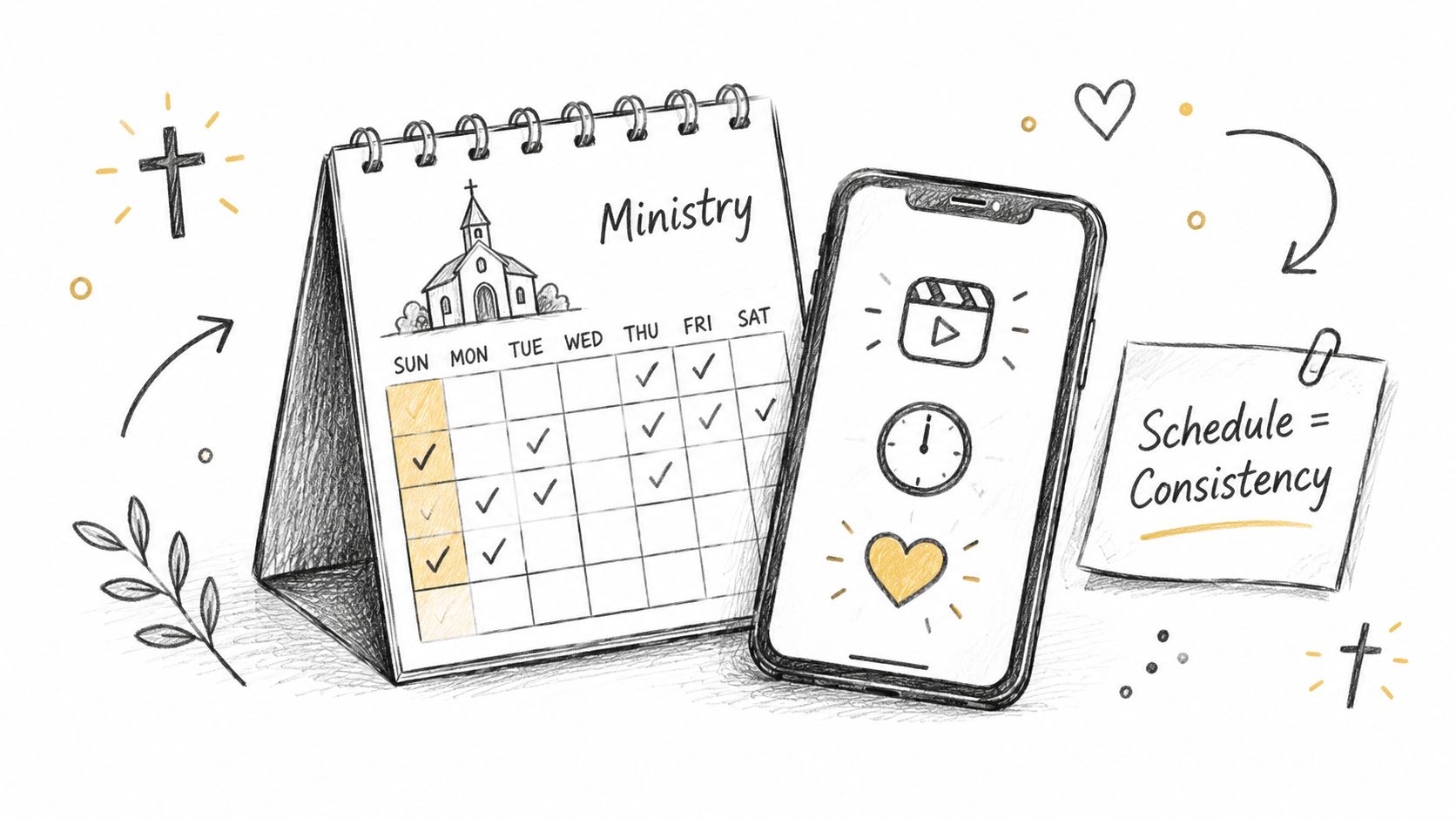
A volunteer might spend Monday reviewing the sermon transcript, Tuesday preparing a clip, and Wednesday checking an event announcement. Without a plan, each post becomes a separate interruption. With a schedule, those decisions happen together, while the volunteer still has time for pastoral care, administration, and Sunday preparation.
Scheduling also supports ministry timing. A sermon clip can reinforce the weekend message, while an event Reel can appear while registration or attendance decisions are still relevant. The point isn't to fill every day with content. It's to make sure the church's most useful messages don't depend on someone remembering to publish them at the perfect moment.
Practical rule: Schedule the content you already know you'll need, then leave room for timely updates and pastoral moments.
Meta now documents Facebook Reel scheduling as a native feature inside Meta Business Suite. That gives churches a dependable starting point for publishing, while a broader church workflow can organize sermon clips, graphics, blogs, and event content before anything reaches the native scheduler. This guide focuses on the native steps, the practical planning window, and the creative checks that keep scheduled Reels from feeling like forgotten leftovers.
How to Schedule Facebook Reels Using Meta Business Suite
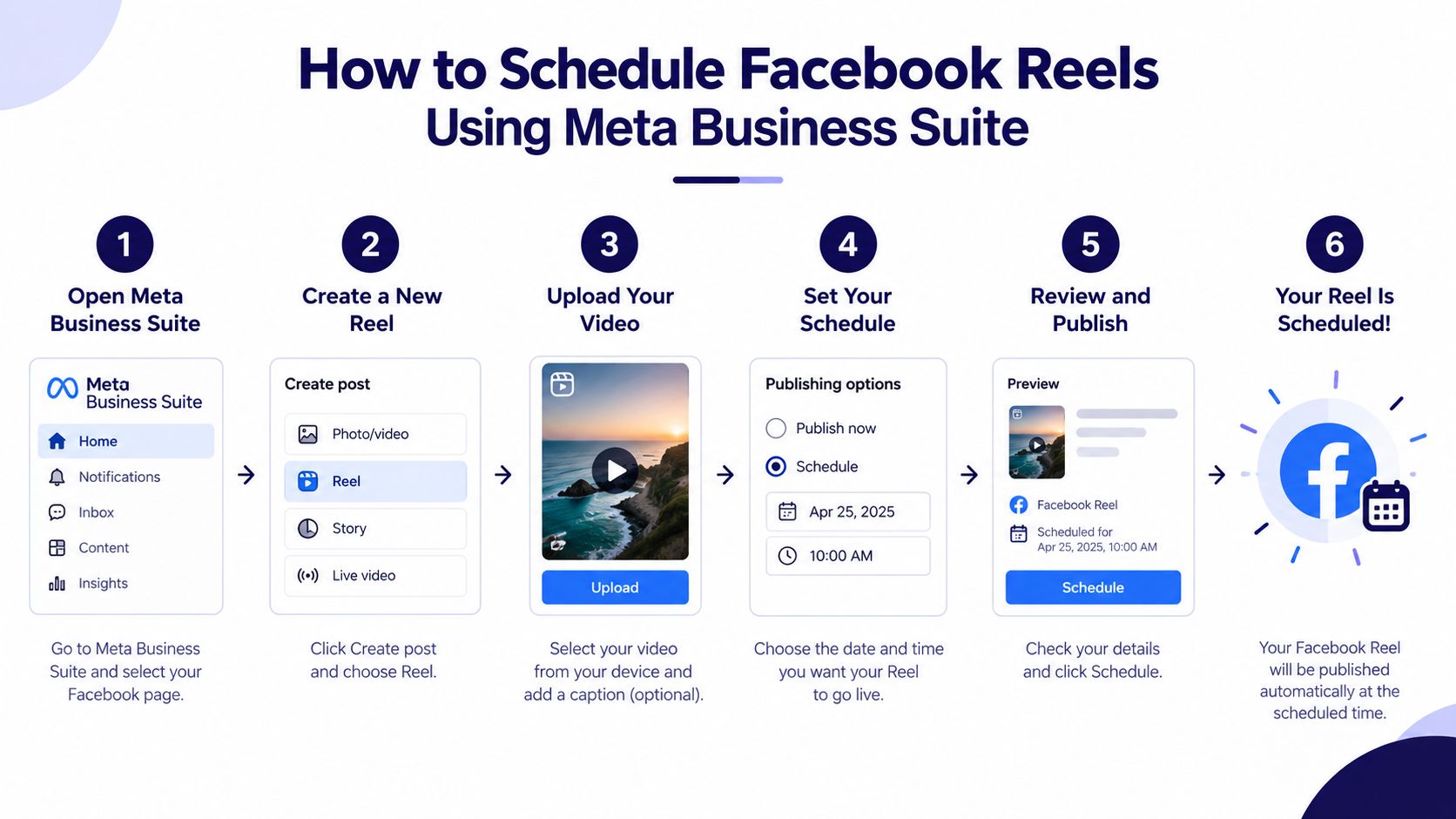
Meta Business Suite provides the native publishing path for Facebook Pages. Meta's official scheduling instructions for Facebook Reels say that desktop users can open Planner, select Create Reel, upload their video, and choose a future date and time through the scheduling options. The current help pages were updated in September 2026, which shows that Meta is actively maintaining the feature in its product stack.
The desktop workflow
Open Meta Business Suite: Sign in to the account that manages the church's Facebook Page and open the Planner. Confirm that you're working on the correct Page before creating the Reel.
Choose Create Reel: In the Planner, select Create Reel. Upload the sermon clip or other vertical video you've prepared.
Review the creative: Add the caption, select a thumbnail, and use the available editing controls if the video needs audio, cropping, or text adjustments. A clear opening frame usually serves a church better than an arbitrary freeze-frame.
Select the destination: Choose where the Reel should be shared. If Instagram is connected and the content fits both audiences, review the cross-post settings rather than assuming the same caption and presentation will work everywhere.
Choose Schedule for later: Select Schedule for later, then choose the future date and time. Check the time zone and review the preview before confirming.
Confirm the calendar entry: Save the scheduled Reel and return to Planner to verify that it appears on the intended date. The calendar view gives the volunteer a quick way to spot gaps, duplicated topics, or an event post that now conflicts with the sermon clip.
The mobile workflow follows the same general idea. Meta's mobile help documentation lists Posts, Reels, and Stories as content types, then instructs users to tap Schedule for later, choose a date and time, and finish the setup through the publishing flow.
For churches that also need the native process for regular image and text updates, this guide to scheduling Facebook posts fits alongside the Reel workflow. Reels shouldn't live in isolation from Sunday announcements, prayer prompts, registration reminders, and other Page content.
Planning Further Ahead Without Hitting Scheduling Limits
Native scheduling works well for placing an individual Reel on the calendar. The challenge appears when a church plans an entire sermon series, holiday campaign, or month of events and expects one queue to hold everything indefinitely.
An independent Facebook post reports that Meta Business Suite may allow an unlimited number of Reels but only up to 29 days in advance. Treat that as a practical planning constraint to verify in your own account, since platform behavior and account availability can change. The important lesson is operational: unlimited content doesn't mean unlimited lead time.
Native queue versus church calendar
| Workflow | Where it helps | Where it falls short |
|---|---|---|
| Meta Business Suite Planner | Native Facebook scheduling, direct Page management, and date-based publishing | A limited advance window can make long-range ministry planning harder |
| Spreadsheet or shared document | Simple idea capture and approval | Volunteers still need to transfer every approved item into a publishing tool |
| Church-focused calendar | Visual planning, drag-and-drop changes, repurposing, and multi-platform coordination | Requires an intentional setup and clear ownership |
A practical rhythm is to maintain the full editorial plan outside the native queue, then load the next scheduling window when it becomes available. Put sermon clips, event promos, Scripture graphics, and follow-up posts on a visual calendar first. When an event moves or a sermon series changes direction, drag the content to a new position instead of rebuilding the plan from memory.
Churches already understand calendar-based coordination through tools such as Planning Center and other church calendars. This Planning Center social workflow example shows how event planning can inform social content planning, while Meta Business Suite's Planner handles the publishing side.
ChurchSocial.ai provides a drag-and-drop calendar for managing church social accounts, and it can integrate with Planning Center and other church calendars so events can feed content planning. Its role is broader than holding a Facebook queue. A team can organize the idea, assign the platform, adjust the date, and repurpose the same ministry moment across channels before scheduling the final post.
For a church planning several weeks of sermon clips, the strongest approach is hybrid. Use a church-wide calendar for the complete plan, then use Meta's native scheduler for the near-term publishing window. That keeps long-range visibility while respecting the native tool's practical lead-time limit.

Making Scheduled Reels Look and Perform Their Best
Scheduling doesn't repair a weak video. A Reel can publish exactly on time and still miss its audience if the text is unreadable, the first frame is confusing, or the caption gives viewers no reason to continue.
Start with the technical foundation. Common guidance recommends a 9:16 vertical format and 1080 × 1920 pixels for Facebook Reels. Facebook Reels technical specifications also describe a common Reel duration range of 3 to 90 seconds, while some advertising guidance favors shorter clips. For sermon content, choose the length that preserves one clear thought rather than forcing an artificial cutoff.
Build the clip for mobile viewing
Keep the speaker, text, and meaningful visual action inside the safe central area of the frame. Churches should avoid placing important words near the edges where interface elements can compete with them. Images and graphics should generally avoid showing people when a symbolic or environmental image communicates the idea, and text belongs on a purposeful design surface or as a deliberate overlay, not scattered across a random background.
Before scheduling, check the following:
- Opening moment: Start with the strongest sentence or question from the sermon. Don't make viewers wait through a long introduction.
- Captions: Add readable captions for people watching without sound and for viewers who need text support.
- Thumbnail: Choose a frame that communicates the topic immediately. A simple branded title overlay can work when it's placed cleanly and doesn't cover the speaker's face or key visual.
- Audio and crop: Review the audio level, crop, and any added text before saving the schedule. Meta Business Suite and related publishing workflows can include controls for audio, crop, text, and thumbnail selection.
- Caption: Write one clear idea, then invite a response, reflection, or next step. “What part of this message stayed with you?” is more useful than a caption that merely repeats the sermon title.
- Cross-posting: Decide whether the Reel belongs on both Facebook and Instagram. Cross-posting can save preparation time, but review the caption, thumbnail, and audience context for each platform.
Later's guide to scheduling Facebook Reels is useful for comparing scheduling details and cross-post workflows, while the native creative workflow described for Meta Business Suite reinforces that users can select destinations and apply edits before scheduling.
Before you schedule: Watch the final preview with the sound off, read every caption line, confirm the thumbnail, and ask whether a church member understands the next step without extra explanation.
Timing deserves a separate decision rather than a guess. Look at when your church audience responds, consider the purpose of the Reel, and avoid publishing an event invitation after the event has effectively begun. A church-focused guide to choosing a time for a Reel can help your team build a repeatable timing habit without treating timing as a substitute for useful content.

A Simple Weekly Workflow to Turn Sermons Into Scheduled Reels
The most sustainable church workflow starts with the sermon transcript, not the Facebook composer. Once the message is transcribed, the communications volunteer can mark several complete thoughts: a memorable explanation, a practical application, a response to a common question, or a sentence that connects naturally to the church's current series.
On Monday, review the transcript and select the strongest moments. On Tuesday, turn those moments into vertical clips and prepare captions. On Wednesday, place the Reels alongside supporting content such as a discussion question, Scripture graphic, blog post, or small-group prompt. The rest of the week becomes review and adjustment instead of emergency production.
One message, several useful formats
ChurchSocial.ai can create AI-generated Reels from sermon audio or video, generate content from the sermon transcript such as social posts and blogs, and provide graphic templates and an editor for photos and carousels. That gives a volunteer a practical way to move from one source message to several formats without opening a separate tool for every deliverable.
A useful calendar might contain:
- Sermon clips: Short, focused excerpts that reinforce the message after Sunday.
- Conversation starters: Questions generated from the transcript and adapted for Facebook discussion.
- Visual reminders: Branded graphics for prayer, Scripture, groups, or service information.
- Event content: Posts created from Planning Center and other church calendar entries.
- Long-form support: A blog post or devotional that gives members another way to engage the sermon.
The drag-and-drop calendar matters because church plans change. An event may move, a speaker may cancel, or a timely pastoral message may need the original slot. Move the scheduled content visually, then review the affected captions and links before publishing.
This rhythm also keeps Facebook, Instagram, TikTok, and YouTube connected without requiring a separate creative meeting for every platform. The church still needs human review, especially for theology, names, dates, and pastoral tone. AI can reduce production friction, but a volunteer or staff member should approve the final message before it represents the church publicly.
Keep Your Reels Consistent and Your Calendar Under Control
A church doesn't need a perfect Reel every day. It needs a dependable process that protects the message, respects the volunteer's time, and leaves room for real ministry. Scheduling helps because it moves publishing decisions into a planned work session instead of scattering them across the week.
The native process is straightforward. Open Meta Business Suite, use Planner, choose Create Reel, prepare the video and creative details, select Schedule for later, and verify the date and time. Keep the longer content plan on a church calendar, especially because an independent report has identified a possible 29-day advance limit for Meta Business Suite Reel scheduling. Confirm the current behavior in your own account before building a long-range calendar around it.
Strong scheduled Reels share a few practical qualities:
- They begin with one clear thought.
- They use 9:16 vertical video at 1080 × 1920 pixels.
- They include readable captions and a useful thumbnail.
- They give viewers a simple response or next step.
- They fit the church's event and sermon calendar.
Start with one sermon series rather than trying to rebuild every social channel at once. Create the clips, prepare supporting posts, place them on a visual calendar, and schedule the next publishing window. Once that rhythm feels ordinary, add event-driven content from Planning Center and other church calendars.
ChurchSocial.ai can support that larger system by creating AI-generated sermon Reels, turning sermon transcripts into posts and blogs, providing graphic templates and an editor for photos and carousels, and organizing social content in a simple drag-and-drop calendar. That approach keeps Facebook Reel scheduling connected to the rest of the church's communication work instead of creating another isolated queue.
Visit ChurchSocial.ai to turn sermon recordings into AI-generated Reels, create supporting posts and graphics, and manage Facebook and other church social accounts from a drag-and-drop calendar. Connect your sermon and event planning rhythm to a clearer publishing workflow, then schedule the next batch of content with less Sunday-to-Sunday scrambling.


