

Conversion tracking is the practice of measuring when someone completes a meaningful action after interacting with your church's online content, and Google Ads uses those tracked actions to report performance and optimize bidding. In simple terms, conversion rate is conversions divided by eligible visits or interactions, expressed as a percentage, so you can tell whether a post, ad, or page led to a step that mattered Google Ads conversion tracking guidance.
A volunteer can spend all week scheduling sermon clips, posting event graphics, and updating the church calendar, then still have no clear answer about what happened next. That uncertainty is exactly where conversion tracking helps, because it turns social media from a pile of activity into a record of real ministry outcomes.
Why Your Church Needs Conversion Tracking
A church comms volunteer can post a sermon clip on Monday, design a youth night graphic on Wednesday, and share a volunteer invite on Friday, then hear nothing back except a few likes. Without tracking, all that work lives in the dark. With conversion tracking, the church can see whether someone clicked through, filled out a form, donated, or took another meaningful next step after engaging online.
That matters because churches don't have unlimited staff time or endless volunteer energy. Every hour spent editing captions or building graphics should connect to a ministry goal, and tracking is the feedback loop that tells you whether a channel is worth another hour. It also gives pastors and leaders something more useful than a vague impression, because it shows which content supports outreach, discipleship, stewardship, or volunteer care.

Practical rule: If a post never leads to a next step you care about, it may still be good content, but it isn't measurable ministry.
ChurchSocial.ai's own guide to how to measure social media ROI fits neatly here, because the point isn't to chase vanity metrics. The point is to connect social posts to actual responses from people in your church community and the people you hope to reach.
For churches, that often means asking simple questions. Did the invite to the serve day lead to registrations? Did the sermon clip lead to more video views or blog reads? Did the online giving reminder lead to donations? Conversion tracking gives those questions a trail you can follow instead of guesses you have to defend.
It also changes how leadership conversations feel. When a team can point to meaningful actions instead of just posting volume, the discussion becomes about stewardship, clarity, and mission fit. That's why conversion tracking isn't a marketing gimmick, it's a ministry accountability tool.
How Conversion Tracking Works
A church example makes the process easy to picture. Someone sees a Facebook post about a community service event, clicks the link, lands on the church website, and fills out the registration form. That trail from post to page to completed action is the basic shape of conversion tracking, and it shows which interaction led to the response that matters Rebrandly's conversion tracking overview.
The three events behind the scene
First, a person clicks something, such as a post, ad, shared link, or another piece of content. Then they arrive on a destination page, like an event page or a volunteer signup page. Finally, they complete the meaningful action, and the tracking system records that action as a conversion.
A tracking tag, pixel, or script is the small piece of code that notices the action. On the church side, it often sits on a thank-you page or confirmation page, so when someone reaches that page after submitting a form, the system can fire the conversion event TrackingPlan's guide to conversion tracking.
A pixel works like a friendly greeter at the church door. It does not judge the visitor, it simply notes that they came in and took the next step.
This is different from counting pageviews. A pageview shows that someone passed by. A conversion shows that someone acted. If a parent registers for a Christmas event, that matters in a different way than a casual visitor landing on your homepage and leaving after a few seconds.
ChurchSocial.ai's guide to social media analytics for churches helps connect that action to the social post that started it, which is useful when you want to trace responses from Facebook, Instagram, or another social channel.
How the math works
The basic math stays simple. Conversion rate = conversions divided by eligible interactions, then expressed as a percentage. That is how Google Ads defines it for clicks, video views, and similar interactions Google Ads conversion rate definition. For churches, the same idea applies whether you are looking at event registrations from a social post or volunteer signups from an email link.
That number helps you compare apples to apples. A sermon clip may bring many views, while an event post may bring fewer clicks but more registrations. Conversion tracking helps you see which content moved someone closer to a ministry outcome, not just which post looked popular.
Understanding search traffic in GA4 can help you think about where that traffic starts, but the conversion itself is the finish line. Churches do not need to get buried in technical detail, they just need a clear trail from post to page to action.
Mapping Conversions to Church Ministry Goals
Not every action deserves the same level of attention. A sermon video view is useful, but a first-time donor registration or volunteer signup usually carries more ministry weight. Churches do better when they separate macro outcomes, the larger actions that show commitment, from micro outcomes, the smaller actions that show interest or momentum Singular's conversion tracking glossary.
What to track first
Start with the actions that reflect real ministry movement. If your church is trying to grow generosity, online donations matter more than social likes. If the goal is to build a serve team, volunteer signups matter more than casual event-page visits. If the goal is discipleship, then sermon video views, blog reads, or registrations for a class can be useful micro conversions.
| Church Conversion Types by Ministry Goal | ||
|---|---|---|
| Conversion Action | Ministry Area | Tracking Priority |
| Online donation | Stewardship | High |
| Volunteer signup | Community and service | High |
| New visitor registration | Outreach | High |
| Sermon video view | Discipleship | Medium |
| Blog post read | Teaching and follow-up | Medium |
| Event page visit | Awareness | Lower |
| Social media share | Reach | Lower |
A useful way to think about this is to ask, “What would tell us someone took a real next step?” ChurchSocial.ai's discussion of how to track content performance pairs well with that question, because social content should be measured by the action it supports, not just by how polished it looks.
Match the metric to the ministry area
Outreach usually needs registrations, connects, and contact form fills. Stewardship leans toward giving actions and donation confirmations. Community often centers on volunteer activity, RSVP forms, and event signups. Discipleship may care more about repeat engagement, class registrations, or sustained content consumption.
That mapping keeps reporting from getting messy. If you try to track everything, you end up with data that's hard to use. If you choose three to five conversions that reflect ministry goals, your team can stay focused and learn from the numbers.
The church-specific question is simple. Which actions show that your online communication helped someone move closer to Christ-centered engagement? Track those first, and leave the rest for later.
Essential Tracking Tools and How to Set Them Up
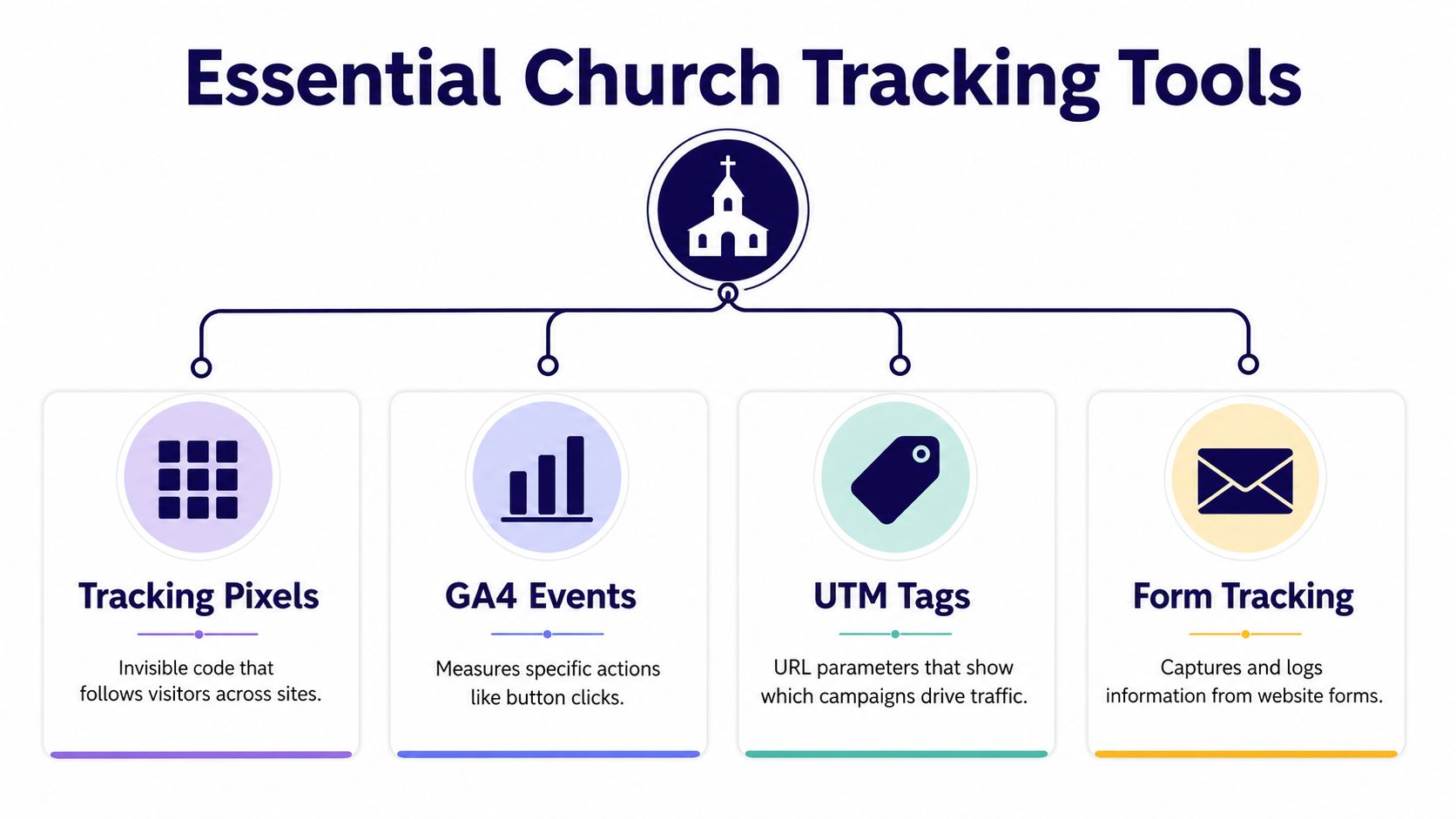
Churches usually need four pieces working together, even if they start with just one. A tracking pixel notices the conversion, GA4 events record specific actions, UTM tags identify where the traffic came from, and form tracking ties a submission to a real response. The tools serve different jobs, and mixing them up is where a lot of volunteers get stuck TrackingPlan's conversion tracking guide.
Where each tool fits
A pixel is useful on a donation thank-you page or event confirmation page, because that's where the meaningful action is easiest to confirm. GA4 events are better for things like sermon video plays, button clicks, or engagement actions on your site. UTM tags help when you want to know whether a link in a social post, email, or campaign drove the visit in the first place.
Form tracking matters when the form itself is the conversion, like a volunteer application or visitor connect card. Singular notes that web tracking may rely on a pixel on the site or a third-party cookie, while app tracking can use an SDK or Apple's SKAN framework, which is a reminder that the mechanics change by channel and device Singular conversion tracking glossary.
A simple setup path for volunteers
- Put the pixel on the confirmation page. If a donor reaches the thank-you page, that visit can count as the conversion signal.
- Define the GA4 event. Use it for actions like sermon playback or button clicks, so you can see engagement without guessing.
- Add UTM tags to campaign links. If you share a youth night post through ChurchSocial.ai's drag-and-drop calendar, tagged links help you trace which post drove the visit.
- Track the form submission itself. This works well for volunteer signups and connect cards, where the form completion is the goal.
Keep the setup boring. A church volunteer should be able to explain the tracking chain in one sentence, from post to page to action.
ChurchSocial.ai also integrates with Planning Center and church calendars, which makes it easier to create event content that links cleanly to registration pages and follow-up actions. That doesn't replace analytics, but it does help keep your content and tracking aligned.
If you want a deeper look at how traffic sources show up in analytics, video transcript blog posts can help you think about content inputs as trackable assets. The key is to make one path measurable before trying to measure every path.
Measuring Results and Reporting to Church Leadership
A report should help a pastor, staff member, or board member see what happened and decide what to do next. If the numbers stay trapped in a dashboard, they do not help ministry. Keep the summary in church language, clear enough that a volunteer can read it without having to decode analytics terms.
Start with the conversion that matters most, then describe the trend in plain words. If volunteer signups rise during one content series and fall during another, say that directly. If sermon clips generate views but do not lead to registrations, that still matters, because it shows which content builds awareness and which content moves people toward a next step.
ChurchSocial.ai's built-in analytics can sit beside GA4 here, especially for social posts tied to a specific action. That combination makes it easier to see which posts prompt engagement and which ones only collect attention. It also helps volunteers avoid measuring the parts that are easiest to count instead of the parts that support ministry goals.
Board-room rule: report the ministry effect first, the tool second, and the technical detail last.
A Simple Report Leaders Can Use
Keep the math simple. Use the conversion rate formula from earlier, then explain it in one line. Say how many people took the action out of how many eligible interactions, then connect that number back to the ministry goal. Leaders do not need every click path or event label to understand whether the track is working.
For teams that turn sermons into clips, shorter assets often make reporting easier because the response is clearer. A helpful resource on that workflow is video transcript blog posts, since transcript-based content often gives you cleaner topical hooks for measuring response.
A reporting rhythm that stays realistic
A monthly meeting works well for spotting patterns, while a weekly huddle works well for quick course correction. Keep the format the same each time so the team knows what to expect. Use three questions, what moved, what did not, and what we will test next.
A simple template can look like this:
- Top conversion this period: Name the action and the content that drove it.
- Weakest conversion this period: Name the action and the likely reason it lagged.
- Next test: Change one variable, like the headline, the image, or the call to action.
A low conversion rate is not failure. It is a sign that the message or pathway needs adjustment. Churches make better decisions when they treat tracking as a learning loop instead of a scoreboard.
Privacy Considerations and Tracking in a Post-Cookie World
Churches don't just manage data, they handle trust. Privacy belongs inside conversion tracking, not beside it. Browser cookies are less dependable than they used to be, so churches have to pay attention to what data is seen directly, what data is estimated, and what data can still be checked from first touch to final report. Google Ads conversion tracking guidance
What churches can still trust
First-party data matters more now because it comes from your own website, forms, and direct interactions. A visitor submitting a connect card, a donor completing a gift, or a volunteer registering on your site gives a clearer signal than a loosely observed visit. Google's guidance places weight on the Google tag, conversion actions, and verification, so checking that the setup fires matters as much as placing the tag in the right spot.
Consent also matters. Clear privacy notices on forms help people understand why the church asks for data, and Google's consent mode is part of the measurement approach for sites that rely on ad products. Churches should be transparent, because community data is a sacred trust, not just a list of contact records.
Practical guardrails
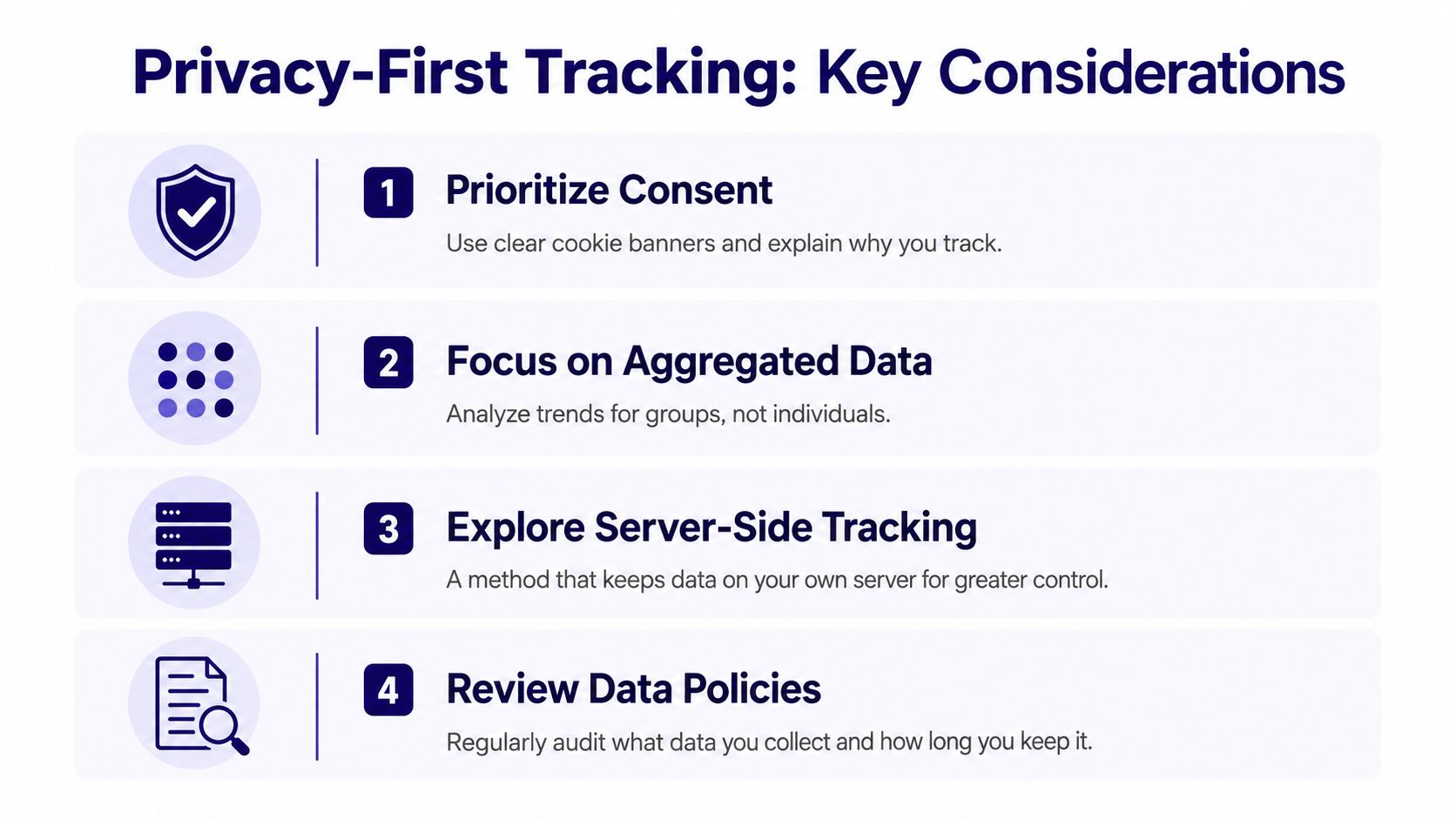
- Prioritize consent. Make it clear why the church tracks form activity and what it is used for.
- Focus on aggregated data. Look for patterns across groups and campaigns instead of following one person's path.
- Use server-side tracking where it fits. This gives your team more control over how data moves.
- Review your data policies. Check what you collect and how long you keep it.
ChurchSocial.ai can sit inside that workflow as the practical hub for social-driven conversions, especially when the church wants to see how a post, a clip, or a shared invitation leads to a real ministry action. That kind of view helps teams measure ROI with multi-touch attribution and avoid treating one post as if it acted alone.
The church takeaway is simple. Privacy restrictions do not make tracking impossible, they ask for cleaner habits, clearer notices, and better validation. If a metric cannot be checked from source to report, treat it carefully and explain its limits to leadership.
Church-Specific Troubleshooting and Next Steps
A church tech volunteer sets up a donation conversion, checks the form, and sees nothing in the report. In many cases, the problem is a thank-you page URL change, not a broken strategy. The form still works, but the pixel never fires because it was tied to the old confirmation page.
Another common problem shows up with campaign links. A volunteer adds UTM tags to a post, then shares the same link through a messaging app, and the tags get stripped or altered. The symptom is confusing traffic data, but the cause is usually the link-sharing path, not the campaign itself.
GA4 can also look empty when the event is attached to the wrong template. A church might install the tag on a page layout that never appears on the actual registration page, so the action happens but the event never records. The fix is to check the live page, the page template, and the event trigger together, then test the path from click to completion.
Test the whole chain, not just the page. A working form without a firing event is still a blind spot.
Multi-campus churches face another issue. A single event can happen at several locations or service times, and the team needs a clean way to separate them without creating chaos in the reports. The safest move is to label the source and the campus clearly before the content goes live, then keep the reporting structure consistent across locations.
Start with one conversion, one tool, and one report. That single path gives your team a repeatable process, and repeatable processes are what turn analytics from a one-time setup into an ongoing ministry habit. ChurchSocial.ai can support that rhythm with AI-generated sermon clips, graphic templates, and a calendar that keeps content moving on schedule, so your tracking has something consistent to measure.
ChurchSocial.ai helps churches plan, create, schedule, and publish social content in one place, which makes it easier to build trackable campaigns around sermons, events, and volunteer calls. If you want a practical way to connect church content with measurable next steps, visit ChurchSocial.ai and see how it fits your team's workflow.


