
Sunday's over, the reel got shared, and the group chat is buzzing because the numbers look exciting. Then Monday comes, the visitor parking lot looks normal, the new family table doesn't feel fuller, and someone asks the question every church communications lead has heard in one form or another, what did that post do?
That gap is why how to track content performance can't start with applause. It has to start with stewardship, because churches aren't trying to win attention for its own sake. They're trying to notice who's engaging, who's taking a next step, and which content is helping people move closer to the life of the church.
The mistake is usually the same. Teams celebrate one visible metric, then assume it tells the whole story. A sermon clip can get a flood of impressions and still fail to produce a click, a form fill, or an event registration, which is why modern guidance recommends reading performance across awareness, engagement, customer satisfaction, and conversion/ROI instead of leaning on one vanity metric alone (Social Media Metrics Guide). That broader view fits church work better anyway, since a post can be doing real ministry even when the last click is missing.
I've found the cleanest way to think about this is a four-part rhythm, define, instrument, read, act. Churches that use a unified workflow, especially one that turns sermons into clips and posts, can build that rhythm into the same place they schedule and publish. That keeps tracking from becoming a side project nobody has time to maintain.
Why Most Churches Are Tracking the Wrong Numbers
The first time a pastor sees a “viral” reel and asks why no new families showed up on Sunday, the room usually gets quiet. Everyone knows the clip did well online. Nobody knows whether it helped ministry in a way that matters.
That is the core problem with chasing the loudest number. Impressions and views tell you reach, but they do not tell you whether people cared enough to take a next step. Guidance from Sprout Social's metrics overview points teams toward reach, impressions, follower growth, then asks them to balance those against likes, comments, shares, engagement rate, and finally connect the whole picture to click-through rate, conversions, and revenue attribution instead of treating one metric as proof of success. For churches, that turns into a better question, not “did it get seen?”, but “did it move someone toward Sunday, a prayer request, a group, or an event?”
A post can look strong in one dimension and weak in another. A sermon clip can draw attention while producing almost no website action. That is why a ministry team needs to stop reading the dashboard like a scoreboard and start reading it like a funnel.
Practical rule: if a post got attention but no next step, it was not automatically a bad post. It may simply have been the wrong content for the wrong outcome.
The history of content tracking matters here too. Content measurement used to focus mostly on visits, then analytics platforms matured and teams began connecting content to business outcomes such as leads, signups, and ROI. Churches need the same broader lens, except the outcomes are usually visitor growth, member engagement, and event response. If you want a clear way to frame that shift, how to measure social media ROI for church communications is the right question to ask before the dashboard gets crowded.
A church-friendly workflow helps keep that question in view. If sermon clips, captions, and scheduled posts all live in one place, you are less likely to bolt on tracking after the fact. ChurchSocial.ai can sit inside the same publishing rhythm, so the content, the calendar, and the measurement plan are not three separate systems competing for volunteer attention.
Set Ministry Goals Before You Open a Dashboard
A dashboard is easier to read after the ministry outcome is clear. Without that, every metric starts competing for attention, and the team ends up treating noise like direction.
Start with two or three outcomes
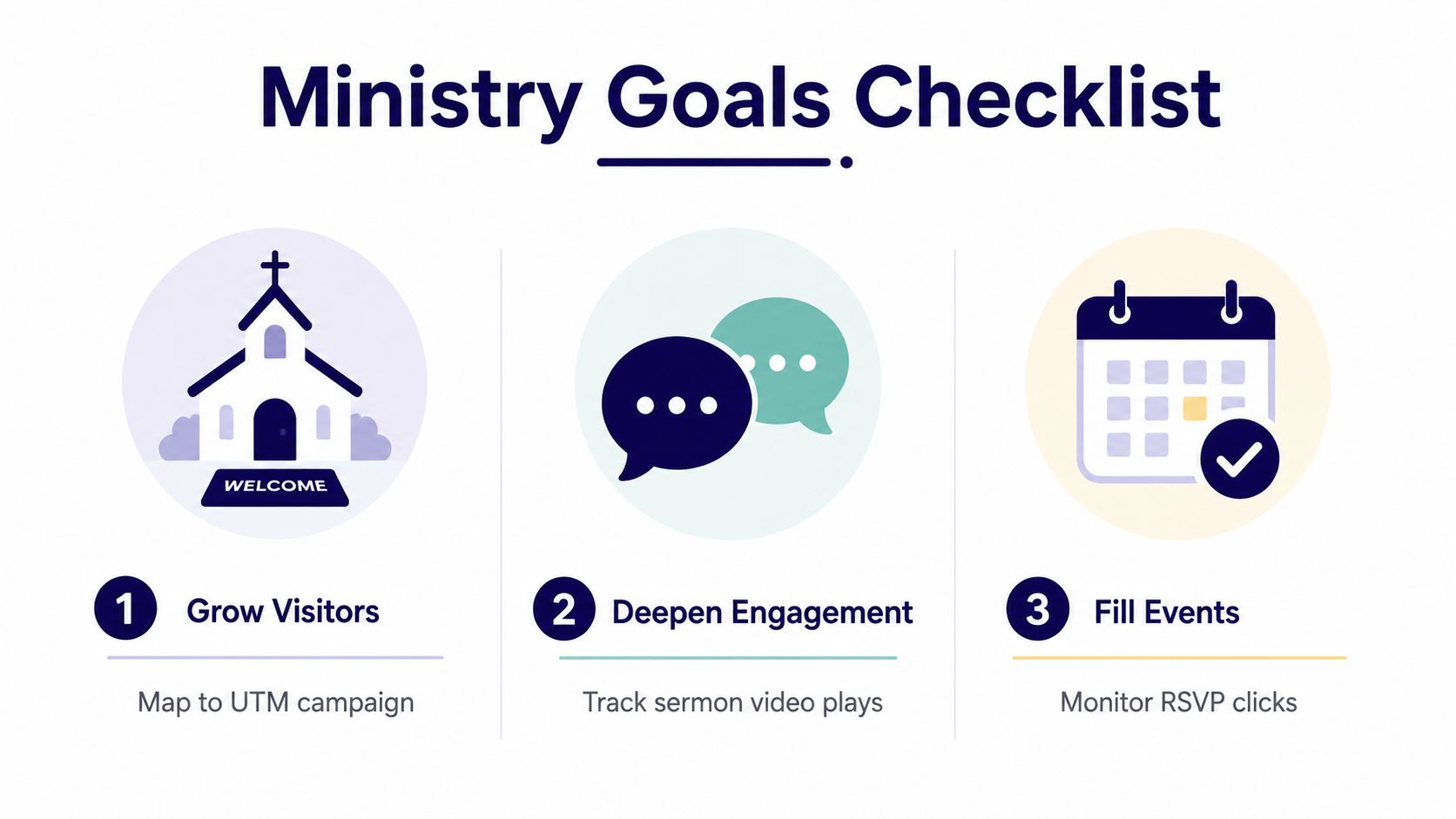
For most churches, the cleanest goals stay simple: grow visitors, deepen member engagement, and fill events. Those goals are broad enough to reflect real ministry work, but specific enough to track without guesswork.
- Grow Visitors: map this to a campaign goal like first-time guest interest or directions requests.
- Deepen Engagement: track sermon video plays, saves, comments, prayer requests, or email signups.
- Fill Events: watch RSVP clicks, registration completions, and event-page visits.
Each outcome should have one primary metric, plus a few supporting signals that show whether the main number is trustworthy. For visitor growth, that might be website clicks and directions requests. For engagement, it might be sermon plays and average engagement time. For events, it might be RSVP clicks and completed registrations.
That last part matters because a single metric can lie by omission. A sermon clip may earn views while producing no directions requests, and a well-timed invite post may drive comments without producing registrations. Church teams need to know which response supports the ministry goal, not just which number looks busy.
Write the goal down before publishing
ChurchSocial.ai's Planning Center integration helps here because event data already lives where churches manage ministry calendars. If a guest night, small-group launch, or Easter service is already on the calendar, the content target is already there. The social plan can follow the ministry calendar instead of being built around whatever topic feels urgent that day.
The same logic applies to Google Business. A posted update, a service change, or a special event only helps if the team knows what response it should produce. If you want a practical setup guide for that profile, use Google Business Profile setup for churches as the starting point, then connect that local presence to the same weekly content plan.
Before you open analytics, answer these questions:
- What ministry outcome are we trying to influence?
- What one metric proves that outcome is moving?
- What secondary metrics would confirm the story?
- Which event, sermon, or invite is tied to this campaign?
- Who owns the review after the post goes live?
A small team can keep this simple. If a volunteer can say, “This Easter invite is meant to drive registrations and directions requests,” the setup gets much easier. The dashboard stops being a mystery, and it becomes a record of whether the church's message helped someone take the next step.
If you also use video analytics tools for 2026 to review sermon clips, keep the same question in view. Which clip led to a next step, and which one only created attention? That comparison keeps tracking tied to stewardship instead of vanity.
ChurchSocial.ai fits into that weekly rhythm because the sermon clip, the caption, the calendar, and the review all sit in the same workflow. When the team publishes from the same place they plan, they are less likely to add tracking later as an afterthought.
Wire Up Tracking With UTMs, GA4 Events, and Google Business
A church does not need a giant analytics stack. It needs a few signals wired correctly so the same sermon clip, invite post, or calendar reminder can be traced from share to response without guesswork.
Use UTMs for every shared link
UTMs are the tags on a link that show where the click came from. Keep the naming simple and consistent. For a sermon clip, use a structure like utm_source=instagram, utm_medium=social, and utm_campaign=sermon_clip_easter. For an invite post, you might use utm_campaign=guest_sunday_fall. The exact names matter less than consistency, because changing them mid-campaign breaks comparison and makes weekly review harder.
That is where automation helps. ChurchSocial.ai can auto-tag posts, so volunteers do not have to remember the naming pattern every time they publish from the sermon-clip and calendar workflow. If the sermon transcript also feeds the post copy, the message, the caption, and the measurement path are already connected before the content goes live.
Turn on GA4 events that match church actions
The second layer is GA4 events. Pageviews alone do not show whether content moved someone toward a real next step. A church should track events for newsletter signups, prayer-request submissions, event registrations, and other content-specific actions that show response. One current guide recommends primary conversions, micro-conversions, and content-specific conversions such as checklist downloads or calculator usage, and the same logic fits church forms, registrations, and next-step pages (Content Performance Analysis Guide).
For teams comparing how modern clip tracking is handled outside the church context, video analytics tools for 2026 is a useful reference point. It gives a clearer sense of how watch behavior, completion, and downstream action can be measured together without forcing every platform to report the same way.
ChurchSocial.ai fits into that weekly rhythm because the sermon clip, the caption, the calendar, and the review all sit in the same workflow. When the team publishes from the same place they plan, they are less likely to add tracking later as an afterthought.
Don't ignore Google Business profile actions
A person may respond from Google before they ever hit the website. Directions requests and phone calls belong in the picture too, especially for outreach campaigns and Sunday invites. If a family finds service times through search and taps directions, that is content performance in a church context.
For a practical setup walkthrough, the Google Business profile setup guide is worth keeping close. It ties the profile work back to the same church calendar and local search presence the social team already manages, instead of treating it like a separate project.
If a volunteer can name the link source, the event action, and the local search action, the church has enough tracking to make real decisions.
For teams comparing tools, this analytics tool guide is a solid reminder that the tool matters less than whether the tags, events, and review cadence stay in place.
Read the Numbers Each Platform Actually Shows You
Every platform tells a slightly different story, and that's where a lot of church confusion starts. The trick is not to force all platforms into one identical dashboard. The trick is to know what each one is good at, then pull only the numbers that fit your ministry goal.
Match the metric to the platform
Facebook and Instagram are strong for reach, engagement, and link clicks. TikTok is useful for views, watch behavior, shares, and comments. YouTube adds more value when you care about longer-form video and completion behavior. LinkedIn matters less for most churches, but it can still help with staff recruiting, nonprofit partnerships, and local leadership visibility.
A simple way to stop over-celebrating the wrong thing is to ask whether the number represents attention or action. Likes and views are attention. Clicks, registrations, directions requests, and signups are action. If your team only reports the first category, you're not measuring performance, you're measuring visibility.
| Platform | Useful weekly metric | What to trust most |
|---|---|---|
| Reach and link clicks | Posts tied to event or visitor goals | |
| Engagement rate and profile taps | Reels and carousel saves plus clicks | |
| TikTok | Views and comments | Short-form sermon clips and shares |
| YouTube | Watch time and completion behavior | Sermon excerpts and full-message distribution |
For churches that want a cleaner view of page-based traffic, grow your unique visitor metric is a helpful reminder that unique visitors tell a different story from total visits. That distinction matters when the same person watches several clips or revisits a sermon page.
Don't let search blind spots distort the picture
The other issue is that not every meaningful interaction becomes a clean website visit anymore. Some 2026 guidance now includes AI visibility in search results, plus branded search and organic traffic, because content can shape intent without producing a last-click session (Measuring Content Performance in AI Search). That doesn't mean churches should obsess over AI answers. It means branded search and direct traffic deserve a look when a post seems to be influencing interest but not producing obvious clicks.
The safest approach is still the same. Compare like with like, then read platform data alongside your ministry outcomes. A sermon clip that drives comments but not registrations may still be useful. A post that drives fewer reactions but more directions requests may be the one that matters most.
Build a One-Page Weekly Dashboard You Will Actually Use
A dashboard only works if it gets checked. The best one I've seen in a church setting is a single page that fits on one screen and answers the same questions every Monday morning.
Keep the layout boring on purpose
Use rows for reach, engagement, website clicks, event signups, and prayer or next-step form fills. Add one column for week-over-week change, even if you're only reading directionally. That structure keeps the team from wandering into unnecessary detail.

A simple ownership split keeps it from stalling:
- Communications lead: updates the dashboard and calls out the story.
- Social volunteer: logs the weekly post results and top-performing content.
- Ministry coordinator: checks event signups and prayer request data.
- Pastor or director: decides what gets repeated, changed, or retired.
Use a fixed cadence
A 10-minute Monday check-in is enough for direction. That meeting should answer one question, what moved? Then a 30-minute monthly review is where you decide whether a topic, format, or distribution pattern deserves to continue.
ChurchSocial.ai's unified calendar view makes this easier because the posts, sermon clips, and event promos sit in one workflow. That means the dashboard can pull from the same publishing rhythm instead of forcing a volunteer to chase screenshots and spreadsheets across three tools.
Don't build the dashboard for curiosity. Build it for decision-making.
If the team can see last week's sermon clip, the prayer request post, and the upcoming event promo in one place, the conversation gets practical fast. You stop asking whether the church “did well on social” and start asking which content moved people toward the next step.
Turn Insights Into Next Week's Sermon Clip and Posts
The dashboard becomes useful the moment it changes what you publish next. If it doesn't lead to a new caption, a repurposed clip, or a different invite, it's just reporting.
Look for the inflection point
A good weekly review asks where attention started to slow down. Maybe a sermon clip came out strong in the first few days, then flattened in week two. Maybe a Wednesday prayer post kept getting quiet engagement after the Sunday reel had already peaked. That's the inflection point, the moment when the content stops accelerating and starts plateauing.
Teams that track content over time are usually looking for staged windows like early response, midweek momentum, and later decline, because different metrics move at different speeds. Views may spike quickly, while registrations and other business outcomes lag. That's why a post can still be useful even after the first wave fades.
Turn one insight into one action
If a sermon clip stalled, don't panic and delete it. Change the caption, cut a shorter follow-up, or turn the theme into a new post tied to the next ministry step. If a prayer post outperformed the sermon reel, promote that kind of content again and make it easier for people to respond.
For teams that want a smart way to reuse strong material, give old posts new life is a useful reminder that repurposing is often better stewardship than starting from scratch.
Keep the loop closed
The best churches I've worked with don't treat analytics as a separate department. They turn the same sermon into multiple usable assets, then schedule the next version based on what the dashboard showed last week. ChurchSocial.ai supports that kind of loop because the sermon transcript can become posts, clips, and blog-style content, while the calendar keeps the follow-up visible.
When the data says one theme is landing, repeat it with purpose. When it says a format is weak, change the format, not just the caption. That's how tracking becomes ministry action instead of a post-mortem.
Quick-Start Checklist and Common Tracking Pitfalls
Monday morning is the right time to make this simple. You don't need a perfect analytics stack, you need a repeatable habit that respects the attention people gave your church content.
Monday morning checklist
- Define two ministry outcomes for the month, such as visitor growth and event response.
- Set up three UTMs for the main campaign links you're sharing this week.
- Turn on four GA4 events, including form fills, signups, registrations, and prayer requests.
- Schedule the first weekly review before the content goes live.
- Assign one owner for the dashboard so nobody assumes someone else will update it.
Avoid the traps that quietly break tracking
- Chasing one viral post: a big view count doesn't prove ministry impact.
- Ignoring email and Google Business data: not every response starts on a social platform.
- Changing UTMs mid-campaign: inconsistent tagging ruins comparisons.
- Never writing down the goals: if no one can name the outcome, the numbers won't mean much.
The stewardship case is simple. Churches have limited volunteer hours, limited attention, and real ministry priorities. Tracking content performance is how you honor all three, because it tells you what deserves another post, what deserves a better format, and what can be retired without guilt. Tools should make that loop lighter, not heavier, and that's the bar every dashboard has to meet.
If you're ready to stop guessing and start reading your church content with a simpler weekly rhythm, take a look at ChurchSocial.ai. It's built to help churches plan sermon clips, posts, and event content in one place, with tracking and scheduling that fit a real ministry calendar.


