
Somewhere between Sunday afternoon and Wednesday evening, a church staff member or volunteer opens Instagram, stares at a blank caption field, and thinks, “I know what we want to say. I just don't have time to write it well.”
That moment is common. The sermon is finished. Event details are sitting in Planning Center. A youth night graphic is ready. The community needs encouragement. But turning all of that into steady, thoughtful Instagram content can feel like a second ministry job.
That's why interest in an AI caption generator for Instagram keeps growing in church communications. Used well, it doesn't replace pastoral care or spiritual discernment. It removes friction from the drafting process so your team can spend more time serving people and less time wrestling with wording.
From Sunday Service to Daily Connection on Instagram
Monday morning often looks the same in church communications. The sermon is still fresh, the week is already full, and Instagram needs a post before the moment passes.
The issue usually is not a lack of message. Churches already have plenty to say. The issue is turning Sunday's message into steady, weeklong encouragement without asking a pastor, admin, or volunteer to write every caption from scratch.

Instagram still deserves attention because people use it every day, and churches are trying to meet people where they already are. Meta's own advertising tools have reported broad global reach for Instagram, which helps explain why many ministries treat it as part of their weekly communication rhythm (Meta Ads resources).
For a church, that rhythm usually falls on a small team. Sometimes it is a volunteer posting after work. Sometimes it is a communications director writing captions between Sunday slides, email announcements, and event updates. I have seen the same pattern over and over. The message is ready, but the wording bottlenecks the process.
AI helps most at that bottleneck.
An AI caption generator for Instagram can turn a sermon quote, scripture passage, event summary, or prayer prompt into a draft in seconds. The trade-off is simple. You save time on the first version, but you still need human review for theology, tone, and pastoral clarity. That matters even more for churches, because a caption is not just content. It is ministry in public.
Churches using ChurchSocial.ai often approach Instagram this way. They start with the sermon, pull out the clearest takeaway, then shape it into short posts people can absorb during the week. That turns one message into daily connection without making the church sound automated. If your team wants a practical workflow for that, this guide on repurposing sermon content with AI shows what that process can look like.
Here is what changes when caption drafting gets faster:
- Sermons keep working after Sunday through quote posts, reflection captions, and scripture-based reminders.
- Event promotion gets easier because ministry details can be turned into clear, readable announcements without rewriting the same information each time.
- Your voice stays more consistent when one tool helps organize recurring formats for prayer nights, youth events, outreach, and weekend invitations.
- Staff and volunteers get time back for conversations, follow-up, and pastoral care.
A lot of teams are already experimenting with AI tools for Instagram content, but churches have a different standard than brands do. Speed helps. Authenticity still carries the weight.
That is why the goal is not more captions for the sake of posting more. The goal is faithful, clear communication that extends the care of Sunday into the rest of the week.
Setting Up Your Church's Content Engine with ChurchSocial.ai
The cleanest social workflow starts with one source of truth. For churches, that's often the sermon transcript and the ministry calendar.
Instead of treating every Instagram caption as a separate task, build from the content you already create. A sermon transcript can supply the language, theology, and tone for multiple posts. Event data can supply dates, times, and calls to action. Once those two streams are organized, content creation becomes far less reactive.
Start with your sermon and calendar
A useful setup looks like this:
- Bring in the sermon content. Upload or paste the transcript, notes, or a summary.
- Pull out key moments. Identify one memorable quote, one scripture, one application point, and one invitation.
- Map your weekly rhythm. Decide which items become Reels, static posts, Stories, and captions.
- Connect upcoming events. Use calendar details so ministry announcements don't have to be rewritten from scratch each time.
Churches that want one system for this often look for tools that connect sermon repurposing, graphics, scheduling, and event planning. One example is ChurchSocial.ai, which supports AI-generated sermon clips, transcript-based content creation, graphic templates, a visual posting calendar, and event-related content tied to church planning workflows.
The strongest church social systems don't begin with Instagram. They begin with the sermon, the calendar, and the ministries already happening in the life of the church.
Build one workflow instead of five
If you're comparing categories before choosing software, it helps to look at broader guides to AI tools for Instagram content so you can see how caption writing fits into the larger process of planning, design, and publishing.
The big mistake is using one tool for transcripts, another for graphics, a third for scheduling, and a fourth for brainstorming captions, with nothing connected. That setup creates handoff problems. Details get missed. Event info goes stale. Volunteers don't know where to find the latest version.
A better model is content repurposing from one central input. If you want practical examples of that approach, this guide on repurposing content with AI is a helpful next step.
What a healthy setup looks like
You don't need a complicated operation. You need a repeatable one.
Look for these habits:
- One sermon, many outputs so each message stretches through the week
- Shared planning so children's ministry, youth, and events aren't posting in isolation
- Draft first, edit second so no one wastes energy trying to write from zero
- Calendar visibility so the church can see what's scheduled and what's missing
That's how a church account moves from last-minute posting to steady communication.
Crafting Perfect Prompts for Ministry Content
Most weak AI captions come from weak instructions.
If you ask for “an Instagram caption for church,” you'll get something generic. If you give the tool clear context about audience, tone, topic, and action, the quality jumps. Guidance from caption platforms consistently points in the same direction: give the AI strong context, with as much as 200 words of detail including audience, tone, and examples of captions that have worked for you before (Copy.ai).
What a strong ministry prompt includes
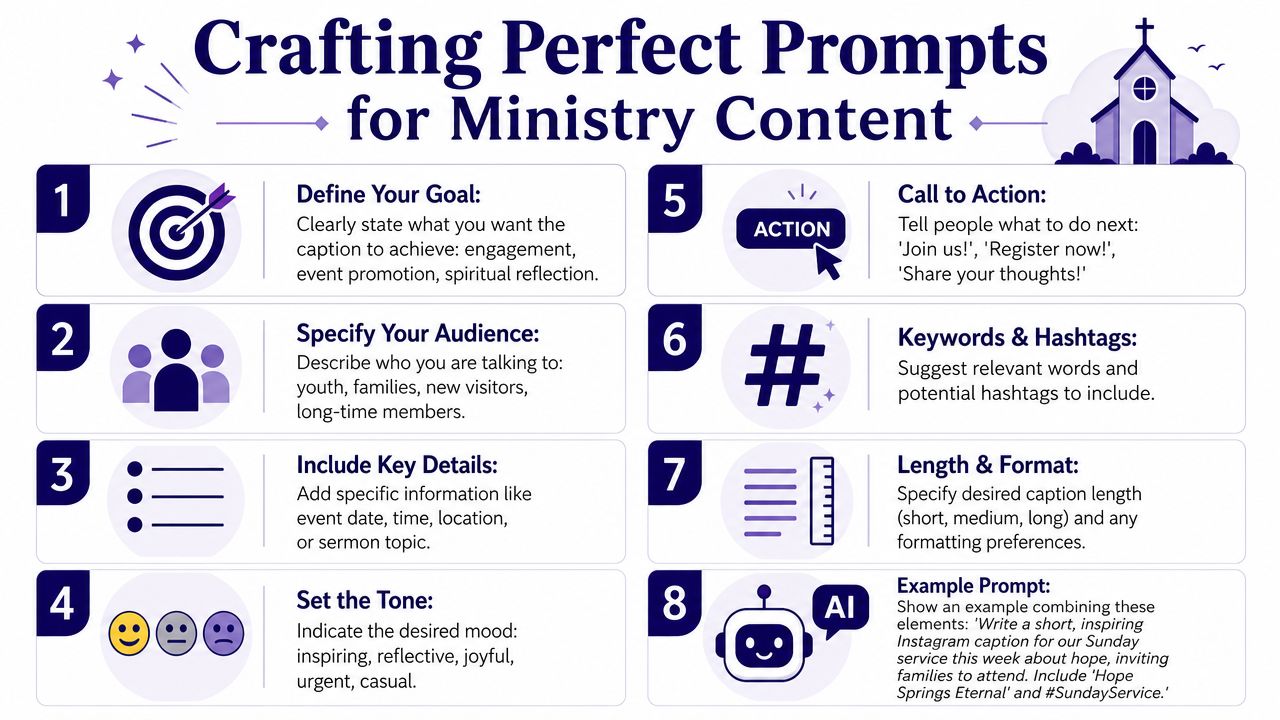
A church prompt should usually include these parts:
- Audience. Families, young adults, first-time guests, long-time members, volunteers
- Goal. Invite, encourage, remind, reflect, recruit, celebrate
- Tone. Warm, pastoral, joyful, thoughtful, urgent, hopeful
- Content details. Scripture, sermon theme, event info, speaker, location
- Length. Short, medium, or longer reflection
- Call to action. Join us, comment, register, pray, share, invite a friend
If you want a broader primer on how AI writing works before you build prompts, this article on what AI copywriting is gives a helpful foundation.
Church Instagram prompt formulas
| Post Type | Prompt Formula |
|---|---|
| Sunday service invitation | Write an Instagram caption for our church inviting [audience] to Sunday service. Use a [tone] tone. Mention the theme [sermon theme], include [time and location], and end with a welcoming call to action for first-time guests. |
| Sermon quote post | Write a reflective Instagram caption around this sermon quote: “[quote].” Connect it to [scripture or theme], keep it [short/medium], and end with one question that invites thoughtful comments. |
| Volunteer recruitment | Write an Instagram caption recruiting volunteers for [ministry or event]. Speak to [audience], emphasize service and community, keep the tone [encouraging/practical], and include how people can sign up. |
| Scripture reflection | Write a gentle Instagram caption based on [Bible verse]. Use a pastoral tone, connect it to everyday life, avoid sounding overly formal, and include a short prayer or reflective takeaway. |
| Event reminder | Write a clear and upbeat Instagram caption for our upcoming [event]. Include [date, time, place], who it's for, and a simple call to action to attend or invite someone. |
| Reel from sermon clip | Write a caption for an Instagram Reel from this sermon clip about [topic]. Start with a strong hook, keep it concise, and include a question that encourages engagement. |
Why these formulas work
They work because they remove ambiguity. The AI knows who you're talking to, what the post is for, and how the church wants to sound.
This matters more in ministry than in retail. A church account has to hold warmth and clarity at the same time. A volunteer ask shouldn't sound like a product launch. A prayer post shouldn't sound like a sales caption. A sermon quote needs enough context to feel pastoral, not ripped from a transcript.
A good prompt gives the AI guardrails. A good editor gives the caption a soul.
For extra inspiration on prompt-based caption writing in other event-driven industries, I've found examples like AgentPulse's guide to simplify open house marketing useful, not because church communication is the same as real estate, but because the structure of invitation-based captions often overlaps.
Prompt examples you can adapt today
Try prompts like these:
For families
“Write a warm Instagram caption inviting families in our community to Sunday service. Theme: hope in hard seasons. Mention kids ministry is available. Keep it welcoming and avoid churchy jargon.”For a sermon clip
“Write three caption options for an Instagram Reel from this sermon clip on trusting God when life feels uncertain. Tone should be calm, biblical, and encouraging. Include one short call to action.”For volunteers
“Write a caption asking our church to volunteer at our local outreach event this weekend. Keep it practical, hopeful, and community-focused. Mention that every role matters.”
Those prompts give you something AI can work with.
Maintaining an Authentic Voice with AI
The biggest concern churches raise about AI isn't usually speed. It's trust.
Leaders don't want ministry communication to feel synthetic, hollow, or detached from the actual heart of the church. That concern is healthy. It means you care about stewardship. It also points to the right way to use AI. Let it draft. Don't let it pastor.
AI should sound like your church, not like the internet
A church caption should reflect the way your church speaks. Some congregations sound formal and liturgical. Others sound conversational and neighborhood-focused. Some write with a strong teaching voice. Others lead with invitation and warmth.
AI can help with that if you train it with specifics. In practice, that means feeding it examples of your past captions, recurring phrases you use, ministries you mention often, and wording you want to avoid. Process guidance from social copy tools also points to the same reality: mature workflows improve when teams provide examples of prior strong captions, tone guidance, audience context, and then edit the results for fit instead of posting raw output.
What to edit every time
Even a strong draft needs review. Churches should check for:
- Theological accuracy so the wording reflects what your church believes
- Pastoral tone so the caption feels caring rather than clever for its own sake
- Local relevance so names, dates, ministries, and event details are right
- Specificity so the post sounds rooted in your church, not any church
- Sensitivity so prayer requests, grief-related posts, or crisis communication are handled wisely
If a caption could be posted by any church in any city, it probably still needs editing.
Where AI usually misses the mark
The most common failure modes are easy to spot once you've seen them a few times.
Sometimes the tone is too polished. Sometimes it uses language your congregation would never say out loud. Sometimes it adds generic inspiration where the post needs concrete information. And sometimes it turns a simple invitation into something bloated and dramatic.
That doesn't mean the tool failed. It usually means the workflow needs one more human pass.
A helpful pattern is to keep a short internal style guide with examples like these:
- Phrases we use often
- Phrases we never use
- How we refer to visitors
- How we write scripture references
- Whether captions should sound formal, relaxed, or mixed
- How direct our calls to action should be
The partnership approach works better
The best results come when ministry leaders treat AI as a writing assistant under supervision. Let it organize a first draft. Let it suggest hooks. Let it shorten long paragraphs. But keep final approval with someone who understands the church's voice and convictions.
That approach preserves authenticity because the heart of the message still comes from real shepherds, real ministries, and real local relationships.
Beyond the Caption A Full Instagram Strategy
Monday morning often arrives with the same question. What do we post now that Sunday is over?
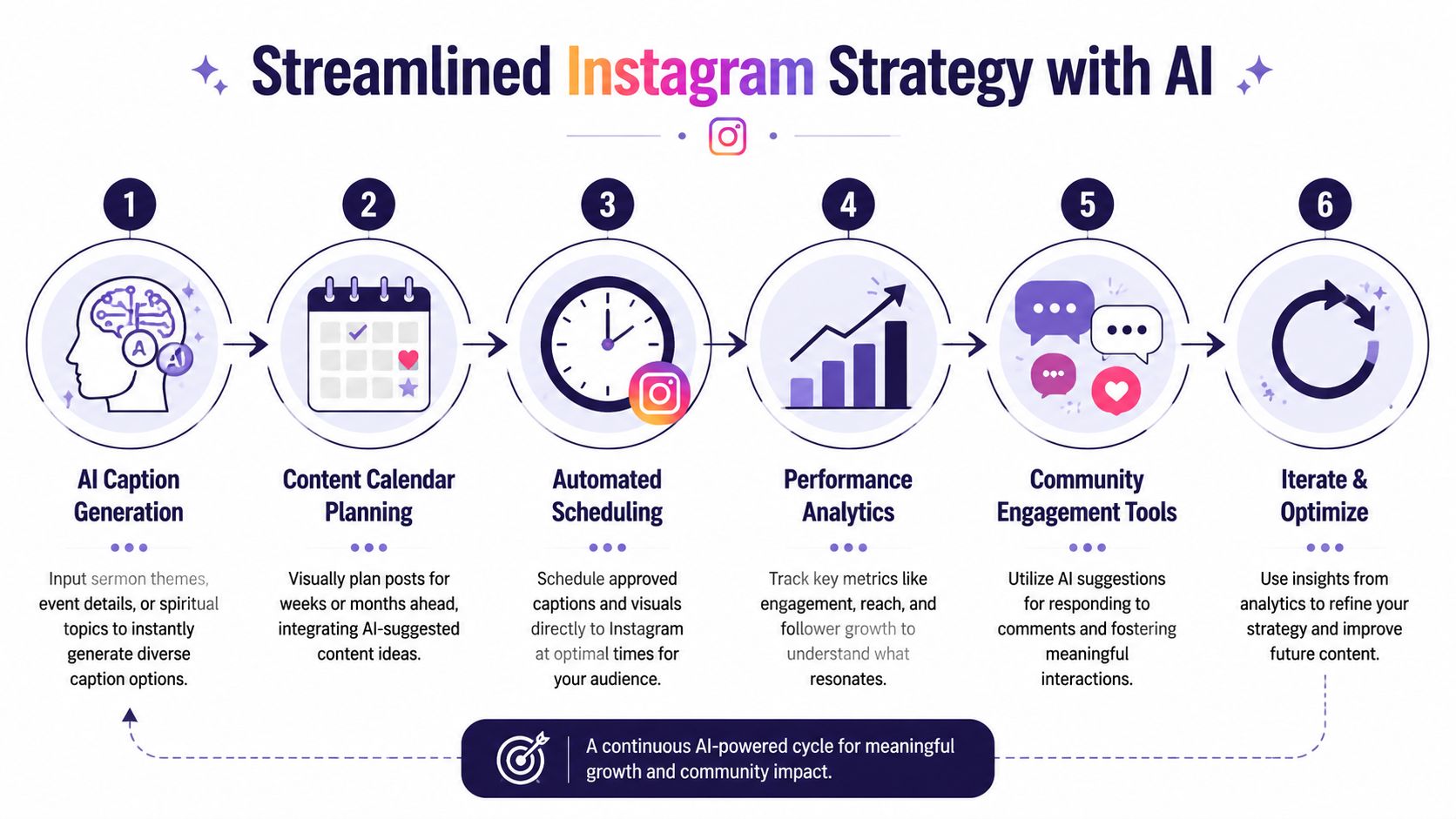
A healthy church Instagram plan answers that question before it becomes a scramble. The goal is not to fill a feed. The goal is to carry the message of the week into the daily life of the congregation, with posts that help people remember, respond, and invite someone else along. That is where a church-specific workflow helps. In ChurchSocial.ai, the caption is only one part of the job. A significant benefit is keeping sermon ideas, event communication, visuals, and scheduling connected in one place so the message stays clear.
Build a monthly rhythm your team can actually keep
Churches rarely need more content categories. They need a pattern they can sustain with the people they have.
A workable month usually includes sermon follow-up posts, midweek scripture encouragement, event reminders, volunteer spotlights, and the occasional testimony or ministry story. That mix keeps the account rooted in real church life instead of turning every post into an announcement.
Consistency also lowers stress. When the team knows that Tuesday is for sermon clips, Thursday is for weekend reminders, and Friday is for a prayer prompt or invitation, it becomes much easier to batch content and review it calmly.
Plan the whole post, not just the words
Good ministry communication on Instagram depends on more than a strong caption.
A sermon quote may work better as a carousel than a single graphic. An event invitation may need the date, location, childcare details, and registration steps shown clearly in the design itself. A Reel may need on-screen text because many people watch with the sound off. Alt text matters too, especially for churches trying to welcome people well.
These details shape whether a post serves people.
Use one message in several formats
One of the most useful habits for a church team is to stop creating every post from scratch. A single Sunday message can become several pieces of content across the week.
For example:
- Pull one clear sermon takeaway for a quote graphic.
- Turn a key scripture into a short devotional caption.
- Create a Reel from a brief sermon clip.
- Share an event post that connects the message to a next step.
- Repost a volunteer or ministry moment that shows the sermon lived out in community.
That kind of planning helps a church stay present online without sounding repetitive. It also keeps the feed centered on ministry, not just promotion.
Choose tools that fit church work
General creator tools can help with ideation and scheduling, and this roundup of top AI solutions for creators gives a useful view of the wider category. Churches usually need one more layer though. They need workflows that can handle sermon-based content, ministry events, pastoral review, and volunteer collaboration without losing the church's voice in the process.
That is why I prefer a system built around ministry communication rather than a stack of disconnected apps. Fewer handoffs usually means fewer mistakes.
Keep strategy tied to ministry outcomes
A full Instagram strategy should make it easier to see what is actually helping. Are sermon posts getting saved? Are event reminders leading to attendance? Are people replying with prayer needs or questions about next steps?
Those are better signals than raw output. If your team wants a practical framework for tracking those results, this guide on how to measure social media ROI for church communication is worth using alongside your Instagram planning.
A sustainable strategy is simple. Start with what God is already doing in your church, turn it into clear weekly content, and use AI to save time without handing over discernment.
Engaging Your Community and Measuring What Matters
Church Instagram success isn't just about publishing more. It's about helping people respond.
The easiest way to improve engagement is to stop ending every caption with information only. Add a question, a prayer prompt, a simple reflection, or an invitation to share with someone who needs encouragement. AI can help generate those conversation starters, but the questions should still reflect the kind of community your church wants to build.
What to pay attention to
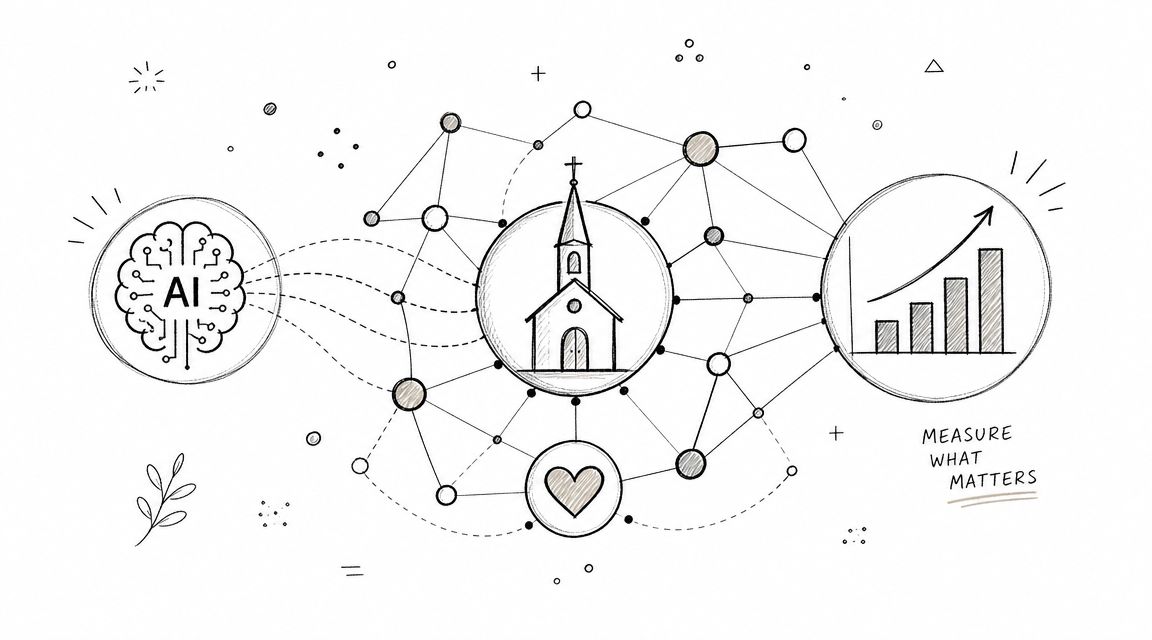
The healthiest signs are usually qualitative before they're impressive on paper.
Watch for things like:
- Comments with substance instead of one-word reactions
- Shares and saves on posts that encourage, explain, or invite
- Direct messages asking for prayer, details, or next steps
- Event participation that clearly connects to online reminders
- Volunteer response after recruitment posts
If your church wants help thinking through those indicators in more depth, this guide on how to measure social media ROI is a practical resource.
Use captions to open doors
Try ending posts with prompts like:
- What part of Sunday's message stayed with you?
- How can we pray for you this week?
- Who could you invite this weekend?
- What does this verse mean to you right now?
Those questions do more than raise activity. They create room for pastoral connection in public and private conversations.
A good caption doesn't just fill space under a post. It gives people a next step.
Frequently Asked Questions About AI in Ministry
| Question | Answer |
|---|---|
| Is using AI for church captions dishonest? | No, not if you use it as a drafting tool and review the final post. Churches already use calendars, templates, and editing help. AI fits that same category when people remain responsible for the message. |
| Will AI make our church sound generic? | It can, if you paste and post without editing. It becomes much more useful when you provide context, examples, and clear tone guidance, then personalize the output before publishing. |
| Should pastors write every caption themselves? | Not necessarily. Pastors should guide theology and voice, but they don't need to draft every line. A communications person or volunteer can prepare strong drafts for review. |
| What kinds of posts work well with AI? | Sermon quotes, service invitations, event reminders, scripture reflections, volunteer asks, and Reel captions are all good candidates because they usually follow clear patterns. |
| What should never be automated without care? | Sensitive pastoral communication. Prayer needs, grief-related posts, crisis updates, church discipline matters, and anything requiring nuanced spiritual counsel should always receive close human review. |
| Is AI worth it for a small church? | Usually, yes, if the real problem is limited time. Even a small team can benefit when AI reduces blank-page stress and helps build a steadier posting rhythm. |
If your church wants a simpler way to turn sermons, events, and weekly ministry moments into consistent social content, ChurchSocial.ai is built for that workflow. It helps churches create captions, generate sermon-based content, make Reels, design posts, and manage everything on a visual calendar so social media supports ministry instead of draining it.


