

Are your baptism announcements getting the engagement they deserve? Too many churches still treat them like a bulletin update instead of a ministry moment. A baptism announcement isn't just logistics. It's a public celebration of life change, a discipleship signal to your congregation, and often one of the most compelling outreach stories your church can share online.
That matters because people respond to stories more than schedules. In 2022, Southern Baptist congregations reporting to the Annual Church Profile recorded exactly 180,177 baptisms, a 16% increase over 2021, according to Lifeway Research on the Southern Baptist baptism rebound. Church communicators should pay attention to that rebound. It shows that when churches highlight transformation clearly and consistently, people notice.
Most churches don't need more ideas. They need better execution. That's where a system helps. With ChurchSocial.ai, you can turn sermon transcripts into social posts and blog drafts, create AI-generated reels from sermons, build graphics and carousels with templates, and schedule everything from a simple drag-and-drop calendar. If you use Planning Center or another church calendar, the platform can also pull event details into your content workflow so your baptism promotion doesn't live in a separate silo.
These baptism announcement ideas are built for busy church staff and volunteers. They're practical, adaptable, and designed for real ministry workflows. You'll find what works, what usually falls flat, and how to use ChurchSocial.ai to plan announcements that feel personal without becoming chaotic.
1. Video Testimonial Reel Series
Testimony videos are still the strongest baptism content most churches have, and many churches underuse them. They film one long interview, post it once, and move on. That leaves a lot of impact on the table.
Short testimony reels work better because they meet people where they already are. Testimony videos generate 1,200% more shares on social media than text and image content combined, according to this Pro Church Tools video on ministry posts and testimony content. If your baptism announcements are mostly still graphics, you're probably leading with the weaker format.

What to record
Keep each story focused on one clear angle. Don't ask someone to summarize their entire spiritual journey in one take. Ask direct questions like “Why baptism now?” or “What changed?” and trim each answer into a standalone reel.
ChurchSocial.ai helps here in a very practical way. Upload the raw video, pull short clips for Instagram Reels, TikTok, and Shorts, then use the caption tool to draft accessible text for each version. If you also want to sharpen your short-form approach on YouTube, review these best practices for YouTube Shorts.
Practical rule: One person's story should become a series, not a single post.
Real churches already lean into this format well. Lakewood Church's testimony-style Instagram content, Elevation Church's “Baptism Stories” approach on YouTube, and Life.Church's short-form video habits all point in the same direction. People stop scrolling for authentic transformation, not polished event promos.
What works and what doesn't
- What works: Record testimonies 2 to 3 weeks before baptism Sunday so you have time to edit calmly.
- What works: Pair one testimony reel with a sermon clip on baptism so story and teaching reinforce each other.
- What doesn't: Over-scripted talking points that make the person sound like a spokesperson.
- What doesn't: Posting the entire interview as one long feed video and hoping people watch to the end.
ChurchSocial.ai's calendar is especially useful if you're trying to stay consistent. Schedule one testimony each month, or cluster a few around your next baptism service, then cross-post from one place instead of rebuilding the same campaign platform by platform.
2. Animated Infographic Carousel Posts
What if your baptism announcement needs to answer questions before it asks for a response? Carousel posts do that job well because they let you teach one clear idea at a time on mobile, in an order people can follow.
The best carousels stay narrow. A post built around “Why do we baptize children?” or “What should parents bring on baptism day?” will usually outperform a post trying to explain theology, registration, timing, required classes, and service details all at once. Church communicators see this problem often. The post gets saved by a few highly engaged members, but new families stop at slide two because the message is carrying too much weight.
That matters even more in churches where infant baptism is a regular part of ministry. Parents and godparents are usually looking for clarity first. They want to know the process, the preparation, and what the day will feel like. A carousel gives you room to answer those questions without turning the caption into a wall of text.
A practical slide order works well here:
- the one question the post answers
- a short explanation in plain language
- what families should expect
- what they need to prepare
- how to register or contact the church
ChurchSocial.ai helps speed this up for busy staff. Start with a branded template, then use AI to turn class notes, a pastor's baptism teaching, or your parish FAQ into slide copy that reads clearly on a phone screen. For churches building these often, the platform's AI carousel maker for churches cuts down design time and keeps each post visually consistent with the rest of your ministry content.
Lead with the question your people are typing into DMs and search bars.
Design choices matter here. Large type, one idea per slide, and obvious next steps will do more work than decorative graphics. I usually recommend six to eight slides max for baptism topics. That is enough room to teach, but short enough to hold attention. If your team needs to cover more than that, split it into a series and schedule the posts across a week inside ChurchSocial.ai instead of forcing everything into one carousel.
Use churches like North Point Community Church, Hillsong Church, or The City Church as style references for clarity and pacing. The useful takeaway is not visual flair. It is restraint. Strong baptism announcement ideas often look simpler than communicators expect because simple posts are easier to read, save, and share with family members.
One final trade-off is imagery. Photos of people can feel warm and personal, but they also create permission questions and can date quickly. Water, the baptismal space, towels, printed liturgy, signage, or a registration card usually give you more flexibility and less follow-up work for your team.
3. Behind-the-Scenes Baptism Day Coverage
Some of the best baptism content isn't created before the event. It's captured during the day itself.
Churches often either overproduce baptism Sunday or barely document it. The middle ground works best. Post enough to help people feel the room, but don't turn the moment into a content factory. Coverage should support celebration, not distract from it.
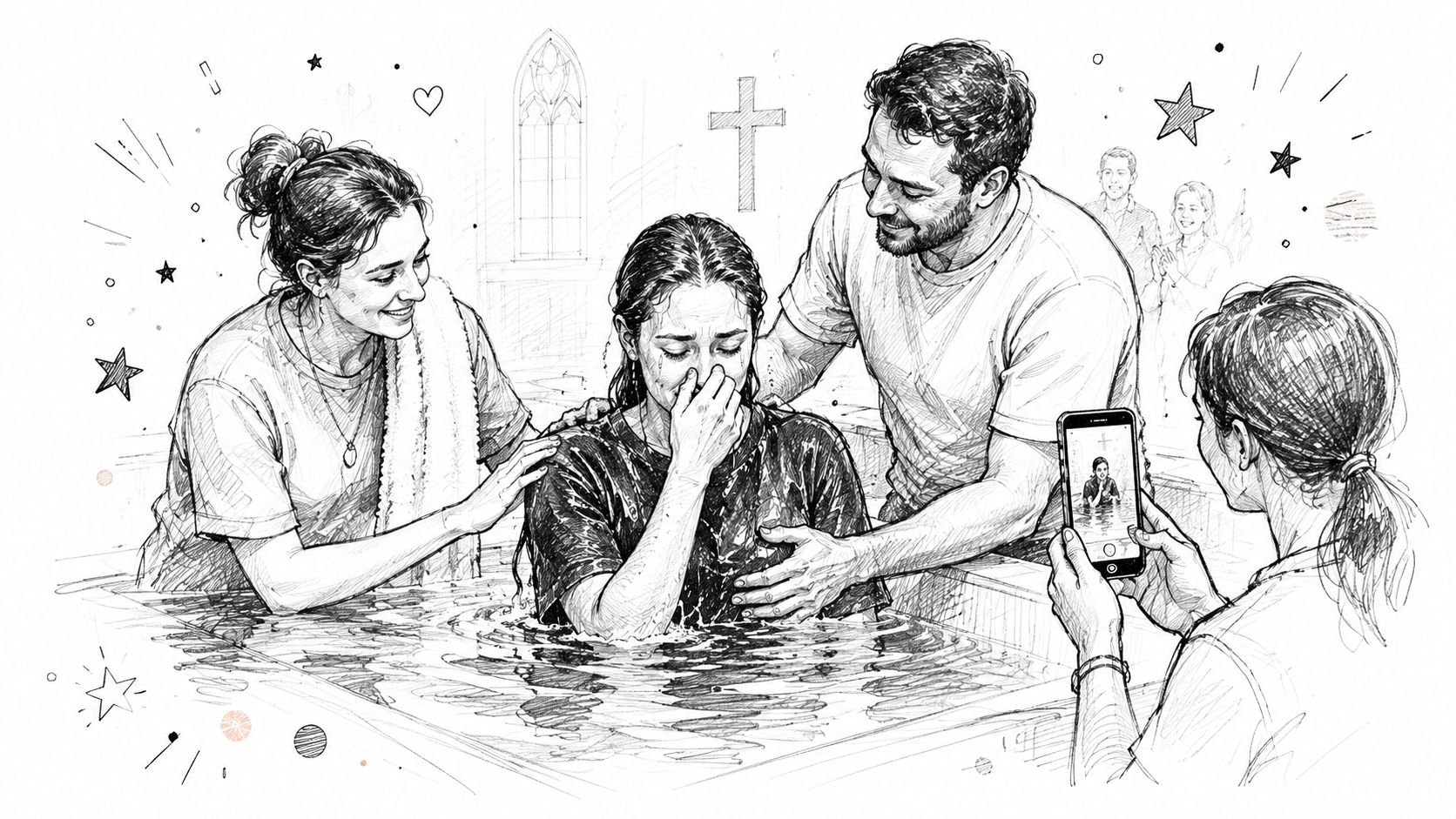
What to capture
Think in sequences, not isolated shots. A useful story arc might include the water being prepared, towels laid out, a close-up of hands praying, the moment just before baptism, and the celebration after. That gives you enough variety for Stories, a Reel, and a recap post without overfilming faces.
This is also where visual restraint matters. The strongest images often aren't crowd shots. Focus on water, movement, hands, robes, or the baptismal setup. You'll still communicate the event clearly, and you'll stay aligned with a more respectful visual style.
How to manage the day without chaos
Assign one volunteer or staff member to own event-day coverage. If five people are all posting independently, the result usually feels scattered. ChurchSocial.ai helps because you can pre-load story frames, event reminders, and placeholder graphics into the calendar before the service, then swap in real-time photos or clips as the day unfolds.
Churches like Gateway Church, Saddleback Church, and Christ Fellowship have all shown versions of this approach in their event coverage habits. What works is simple. One person shoots. One person approves. One Reel goes out quickly while momentum is still there.
- Capture preparation: Water, towels, stage setup, or printed materials before the room fills.
- Capture action carefully: Film the moment from a respectful angle and avoid intrusive close-ups.
- Capture response: Applause, prayer, family hugs, or celebration after the baptism often performs better than the dunk itself.
- Capture recap fast: Publish one short Reel within a day while the congregation is still talking about it.
A clean workflow beats a heroic one every time.
4. Countdown Campaign with Daily Micro-Content
A baptism announcement shouldn't begin when registration is almost closed. By then, you're forcing urgency before you've built meaning.
A short countdown campaign fixes that. Instead of one “sign up now” post, create a two-week sequence that steadily teaches, invites, answers objections, and builds anticipation. This is one of the most practical baptism announcement ideas for smaller teams because you can batch it in one planning session.
Make the countdown varied
Don't repeat the same asset with a different date sticker. Variety keeps the campaign from feeling automated. One day can be a quote graphic from a sermon. The next can be a short FAQ clip. Another can be a carousel on what to expect. Another can be a prior baptism story.
ChurchSocial.ai is built for this kind of batch planning. You can pull sermon transcript language into AI-generated captions, create reels from teaching clips, use graphic templates for daily branding, and organize the whole sequence in a drag-and-drop calendar. If Planning Center already has the event, the content planning process gets much easier because the date and ministry context don't have to be entered twice.
Why consistency matters more than one viral post
Churches that post consistently tend to grow their audience over time. Pro Church Tools notes that a 1.5% monthly follower growth rate translates to approximately 20% yearly growth, and that a church with 1,700 followers would reach 4,250 followers in five years if it maintains consistent weekly content, as explained in this Pro Church Tools article on how small churches grow using social media. The point isn't to chase vanity metrics. It's that regular, steady content compounds.
Consistency makes baptism season feel important before the event ever starts.
A practical countdown might include these themes:
- Day 14: Why baptism matters
- Day 10: Common question answered
- Day 7: A past testimony clip
- Day 5: What to expect on baptism day
- Day 3: Registration reminder
- Day 1: Celebration invite for the whole church
What doesn't work is filling the whole countdown with recycled stock art and generic verses. People notice when the campaign was built from your church's own language, sermons, and stories. ChurchSocial.ai gives you enough speed to do that without building every asset from scratch.
5. Interactive Stories Polls and Question Series
If your church only broadcasts baptism announcements, you'll miss the questions people were too hesitant to ask in person. Stories are useful because they lower the pressure. A poll or question sticker feels easier than walking up to a pastor after service.
That makes Stories a strong pre-baptism tool, especially for adults considering their next step. Ask about meaning, timing, concerns, or practical questions. Keep it simple and specific. “What's your biggest baptism question?” will generate better responses than “Thoughts on baptism?”
Why this matters for adult decisions
There's a real gap here in church communication. A lot of public baptism content still centers on infant invitations and printed keepsakes, while churches often have less guidance for adult decisions and baptism Sunday moments that happen quickly. That's one reason interactive content matters. It gives communicators a live read on what people need before they commit.
Use polls for easy participation, then collect the responses and answer them in follow-up content. A short Reel, a FAQ carousel, or a pastor response clip can all come from Story feedback.
A good pattern for Story engagement
- Ask one clear question: “What's stopping you from getting baptized?”
- Use one easy poll: “Baptism means identity, obedience, or public faith?”
- Reply personally: Direct messages matter more than public metrics here.
- Reuse smartly: Turn recurring questions into future posts, classes, or announcement copy.
Churches like Catalyst Conference, Relevant Church, and Centerpoint Church have used interactive faith prompts to start conversations rather than just publish updates. That's the true value. Not every Story needs to “perform.” Some need to uncover hesitation.
ChurchSocial.ai can help you plan these prompts alongside your other baptism posts so they don't get forgotten between weekend tasks. Put the Story sequence on the calendar before the event week starts, then leave room to respond manually. Automation should support ministry here, not replace it.
6. User-Generated Content Hashtag Campaign
A baptism day shouldn't belong only to your church account. It should belong to the people celebrating it.
A simple branded hashtag invites the congregation to participate in the story. This works best when the tag is short, obvious, and tied to the event. Think along the lines of #GraceBaptisms or #CityChurchBaptism. Long campaign slogans usually don't get used.

Make it easy for people to contribute
Most churches announce the hashtag once and assume people will remember it. They won't. Put it on screen, in the event slides, in the caption, and in any printed handout if you're using one. If your church is sharing event info through printed cards or QR-enabled handouts, even adjacent tools like Wedding QR codes show how scan-based sharing can simplify event participation when adapted thoughtfully for ministry settings.
The primary work begins after people post. Someone needs to monitor the tag, request permission when needed, and reshare the best posts in a consistent format. That's where ChurchSocial.ai becomes useful again. Build one reusable reshare template inside the graphics editor, then drop in community photos or screenshots without redesigning every Story frame.
What makes UGC feel ministry-centered
Not every repost needs to feature faces. In fact, some of the strongest community content is symbolic: wet towels, a baptism shirt, hands raised in worship, a family Bible on a chair, water in the tank before service. That style is often more timeless and easier to share responsibly.
Churches such as Lakewood Church, Hillsong, and Life.Church have all shown versions of community-driven event storytelling. The lesson is simple. If people already want to celebrate publicly, give them a shared language and a clean path to participate.
Community content works best when the church curates it, not when the church tries to control it.
What usually fails is reposting everything. Curate the strongest posts. Thank contributors. Keep the feed coherent. Let the church family amplify the joy, while your communications team keeps the message unified.
7. Sermon Series Integration and Clip Creation
What if your next baptism announcement starts with Sunday's sermon instead of a blank Canva file?
If your pastor is preaching on baptism, the message already contains your clearest wording, your theological framing, and your strongest invitation. Church communicators get better results when announcement content borrows that language directly. The campaign feels consistent because it is consistent.
ChurchSocial.ai helps turn that sermon into usable assets fast. Upload the transcript or video, let the AI suggest short clip moments, draft captions from the transcript, and build follow-up content from the same source. One message can become Reels, Shorts, quote posts, email copy, and small-group prompts without asking your team to rewrite the same idea five different ways. If you want those assets to publish in a planned sequence instead of a last-minute rush, map them in a church social media content calendar.
Turn one message into several distinct clips
The goal is not to post the same sermon excerpt all week. Cut for intent.
One clip can answer, “Why does baptism matter?” Another can explain who should take this step. A third can capture the invitation moment from the service. A fourth can pair the pastor's teaching with B-roll from past baptism Sundays. That mix gives your feed range while keeping the message unified.
This approach also solves a common staff problem. The pastor wants doctrinal clarity. The social team needs short, watchable content. Clip creation lets you keep both. Start with the strongest 20 to 40 seconds, add captions, and end with one clear action such as register, ask a question, or talk to a pastor after service.
Keep AI helpful, not automatic
AI speeds up selection and drafting, but it should not make the final ministry call. Review every suggested clip for tone, context, and accuracy. A strong excerpt on its own can still feel abrupt if the full sermon built to that point over ten minutes.
Churches such as Elevation, Gateway, and North Point have shown how effective sermon clipping can be when each video has a job. Some clips teach. Some invite. Some reassure people who are interested but hesitant. That is the standard to aim for.
Use the sermon as your source material. Use ChurchSocial.ai to cut, caption, format, and schedule it. Then let a human editor choose the moments that will serve your church best.
8. Email-to-Social Announcement Calendar
How many baptism signups is your church losing between the first announcement and the final reminder?
The gap is usually not interest. It is coordination. A parent sees an Instagram post, plans to ask a question later, misses the email, and never reaches the registration page. A student responds to a Reel but needs the text reminder two days before the deadline. Churches do not need more content here. They need one campaign calendar that keeps every channel saying the same thing at the right time.
ChurchSocial.ai helps church teams build that system before a single post goes live. Start with the event date, registration link, key deadlines, and approval notes in one place. Then map the communication sequence across email, Instagram, Facebook, Stories, and SMS. If your team needs a planning framework, use this church social media content calendar guide as the model.
This matters even more when several people touch the campaign. The ministry lead updates the event page. The communications director drafts the email. A volunteer schedules social posts. Without one calendar, details drift fast. I have seen churches promote the right baptism Sunday with the wrong registration deadline because the email and social plans were built separately.
A practical sequence looks like this:
- 2 to 3 weeks out: Save-the-date email, one feed post, website or event page update
- 10 to 14 days out: FAQ email, educational social post, ministry leader reminder from stage
- 7 days out: Testimony clip, Story Q&A, text reminder with registration link
- 3 days out: Short email, countdown Story frames, staff follow-up on incomplete registrations
- 24 hours out: Final SMS, reposted reminder graphic, Sunday verbal announcement plan
Each channel should do a different job. Email carries detail. Social creates visibility and emotion. SMS handles timing. The church calendar and registration page stay accurate. ChurchSocial.ai makes that easier because the same campaign can be drafted once, adapted by channel with AI copy variations, and scheduled from one dashboard.
Churches serving infant baptism, child dedication to baptism pathways, or family-oriented sacramental classes need this especially. Parents, grandparents, and regular attenders do not all respond to the same platform. As noted earlier, baptism participation patterns vary widely across church contexts. The communication lesson is simple. One post will not carry the whole message.
Avoid copy-pasting the same announcement everywhere. Write one core message, then tailor the format. A caption can lead with story. An email can answer process questions. A text should contain one link and one action. That is how a calendar stops being an administrative document and starts producing registrations.
8-Option Baptism Announcement Ideas Comparison
| Content Idea | Implementation complexity 🔄 | Resource requirements | Speed / efficiency ⚡ | Expected effectiveness ⭐ | Expected impact & ideal use cases 📊💡 |
|---|---|---|---|---|---|
| Video Testimonial Reel Series | Medium, coordinate participants and consent, light editing | Basic camera/phone, volunteer interviewer, AI editing tools | High, AI-assisted editing and scheduling speeds production | ⭐⭐⭐⭐, authentic social proof performs well on short-form platforms | Strong for awareness & registration drives; best for youth/short-form channels and monthly testimonial slots |
| Animated Infographic Carousel Posts | Low–Medium, assemble slides and copy across 5–10 frames | Templates (no designer), copywriting time, ChurchSocial.ai graphics studio | Medium, template-based creation is efficient but multi-slide needs review | ⭐⭐⭐, educational authority and evergreen value | Ideal to explain baptism process, FAQs, and registration steps; use pre-event 2–3 weeks out |
| Behind-the-Scenes Baptism Day Coverage | Medium–High, real-time management and permissions required | On-site social volunteer, mobile gear, quick editor, permissions workflow | Medium, real-time posts require staffing but rapid publishing | ⭐⭐⭐⭐, high engagement, fosters community and FOMO | Best for event-day engagement and community storytelling; assign a dedicated on-site social lead |
| Countdown Campaign with Daily Micro-Content | High, upfront planning and varied content formats | Time for batch creation, templates, scheduling tools | High (after setup), batch-create once, auto-publish daily | ⭐⭐⭐⭐, sustained visibility and conversion potential | Effective to build momentum 1–2 weeks before event; beware audience fatigue, vary formats |
| Interactive Stories Polls and Question Series | Low, easy to post but needs active moderation | Instagram/Facebook access, moderator for responses, analytics | High, fast to create and deploy; responses are immediate | ⭐⭐⭐, strong engagement and insight generation | Use to surface FAQs, drive two-way conversation, and inform follow-up content |
| User-Generated Content Hashtag Campaign | Medium, promotion, monitoring, and permission handling | Hashtag promotion, moderation team, repost templates | Low–Medium, UGC accrues over time; republishing is efficient | ⭐⭐⭐⭐, highly authentic content that builds trust | Best for amplifying community voice and increasing content volume; require clear permission process |
| Sermon Series Integration and Clip Creation | Medium, upload and curate AI-extracted clips | Sermon video/transcript, AI tools, human curation | High, AI extracts clips quickly but needs review | ⭐⭐⭐⭐⭐, multiplies sermon reach and supports funnel to registration | Ideal when running a baptism sermon series; drives SEO, discussion groups, and sign-ups |
| Email-to-Social Announcement Calendar | High, cross-channel planning and integration setup | Team coordination, integrations (Planning Center), multi-format assets | High (after setup), unified scheduling saves ongoing effort | ⭐⭐⭐⭐, consistent messaging increases conversions | Best for omnichannel campaigns to maximize reach and conversion; map 4–6 week touchpoint plan |
Plan Your Next Baptism Announcement with Confidence
Baptism announcements deserve more care than a single graphic and a caption that says “Join us this Sunday.” They carry pastoral weight. They tell your church what you celebrate, and they show outsiders what kind of transformation your ministry takes seriously. When churches handle them well, the result isn't just better engagement. It's clearer discipleship communication.
The most effective baptism announcement ideas share a few traits. They're specific. They're built around real stories. They use multiple formats instead of asking one post to do everything. And they respect the difference between promotion and ministry. A testimony reel can inspire. A carousel can clarify. A Story poll can surface hesitation. A coordinated calendar can keep all of it from falling apart.
That's where ChurchSocial.ai becomes more than a convenience tool. It gives churches a practical operating system for social media ministry. You can create AI-generated reels from sermons, generate social captions and blog drafts from sermon transcripts, design graphics and carousels with templates, and organize your schedule in a drag-and-drop calendar that's simple enough for volunteers and strong enough for staff teams. When you connect Planning Center and other church calendars, event communication gets easier to manage because your baptism campaign starts with the details you already have.
It also helps churches work with the reality most ministry teams face. You probably don't have a full production crew. You may have one communications pastor, one admin, or one volunteer trying to keep Facebook, Instagram, YouTube, and event promotion moving at the same time. That's exactly why workflow matters. The right system reduces the friction between a good idea and a published post.
One more creative principle is worth keeping in front of your team. Avoid relying on generic people-heavy imagery when you don't need it. Some of the strongest baptism visuals are still life moments that carry meaning without crowding the frame: water, folded towels, a prepared baptismal, a handwritten prayer card, a sign-up form on a clipboard, or a phone screen showing the registration page. If text appears in an image, place it where it makes sense, like a printed card, a sign, a whiteboard, or a clear overlay added afterward. That keeps your content cleaner and more believable.
Your next baptism announcement doesn't need to be louder. It needs to be clearer, more human, and easier to sustain. Build the plan once, repurpose what your church is already preaching, and let each post serve a real purpose. That's how baptism announcements stop feeling like chores and start working like ministry.
ChurchSocial.ai helps churches turn baptism moments into organized, high-quality campaigns without adding hours of manual work. Use ChurchSocial.ai to create sermon-based reels, generate social posts and blogs from transcripts, design branded graphics and carousels, and schedule everything from one visual calendar that integrates with Planning Center and other church calendars.


