
AI-generated content is text, images, audio, or video created by generative AI models trained on large datasets. In major English web samples, it's no longer rare, with 74.2% of 900,000 newly created English-language pages showing detectable AI-generated content in April 2025, and Graphite finding AI and human articles nearly tied in early 2025 at 49.6% vs. 50.4%. Ahrefs' 2025 content analysis and Graphite's web publishing data show why churches should treat this as a normal workflow, not a novelty, because the question is how to use it responsibly.
A volunteer social media manager knows the moment. The sermon was strong, the photos are ready, and the next six days still need captions, clips, graphics, and an email recap. AI-generated content can close that gap if your team treats it like a draft-making tool, not a substitute for discernment, doctrine review, or pastoral judgment.
The Moment Every Church Social Manager Recognizes
Sunday morning ends, and the communications team is already behind. One person is trying to remember the key line from the sermon, another is hunting for a clear announcement photo, and someone else is asking whether the youth retreat post should go up tonight or tomorrow. The work matters, but the clock is already winning.
A volunteer social media manager knows that moment well. The sermon was strong, the photos are ready, and the next few days still need captions, clips, graphics, and an email recap. Church communication still has to sound like the church, but the workload keeps growing faster than a small team can write from scratch.
That is where AI-generated content fits into the church week. In plain language, it means text, images, audio, or video produced by a generative AI model trained on large datasets, then shaped by a prompt, a transcript, or a source file. The point is not to hand ministry communication to a machine. It is to turn one faithful Sunday message into usable drafts faster, so people can review, refine, and publish with care.
Why this feels different now
Church leaders keep running into AI content in the same places they already publish, search, and share. The wider web reflects that shift. Ahrefs' published figures show that AI-generated pages now show up at scale in new English-language content, and Graphite found AI and human articles nearly tied in early 2025 before AI briefly moved ahead and then settled back into close balance.
For churches, that matters for a simple reason. Your team does not need to master machine learning to use these tools well. You need a clear definition, a steady review process, and a workflow that respects the trust your people place in what you publish.
Practical rule: if a post carries teaching, counseling, or doctrinal weight, a human should always approve it before it goes live.
The best way to understand AI-generated content is as a draft engine. It can help a small ministry team move from one sermon to several platform-ready pieces without losing the human voice that makes church communication feel pastoral instead of mechanical.
How AI Actually Creates Content
Generative AI works by learning patterns from data and then predicting what should come next. IBM describes AI-generated content as output from generative models trained on large datasets that learn statistical patterns and produce new text, images, audio, or video that resembles the training data rather than copying it verbatim. IBM's explanation of AI-generated content is a good plain-language starting point because it shows that the model is pattern-based, not magical.
Think of it like a songwriter, not a photocopier
A helpful analogy is a songwriter who has heard thousands of melodies. That songwriter can write something new in a familiar style, but the result still depends on taste, training, and revision. AI works similarly. It studies patterns in the data, then generates likely next words, likely visual shapes, or likely audio structures based on the prompt you give it.
That means prompt quality matters. So does the training data behind the model. If the prompt is vague, the draft can drift. If the source material is weak, the output can sound polished and still miss the point. That's why a church volunteer shouldn't ask, “Write something about Sunday,” and publish whatever appears. A better prompt names the sermon theme, the audience, the tone, and the platform.
A good AI draft is still a draft. The human job is to check whether it says what the church actually means.
The workflow that keeps teams grounded
A simple church-safe process looks like this.
- Prompt. Start with a sermon transcript, event details, or a clear request.
- Draft. Let the model generate a caption, post, clip script, or graphic copy.
- Review. A person checks theology, tone, names, dates, and clarity.
- Publish. Post only after the human approver signs off.
- Measure. Watch what people respond to, then refine the next draft.
That pattern is useful inside tools such as the AI Caption Writer and Sermon Clip Creator in ChurchSocial.ai, because both depend on the same basic idea, human-guided generation. If you want a simple companion read on that narrower topic, see what AI copywriting means for church teams.
When churches understand that chain, prompt to draft to review to publish, they stop treating AI as a mysterious shortcut and start using it as a disciplined assistant.
The Main Types of AI Content Churches Can Produce
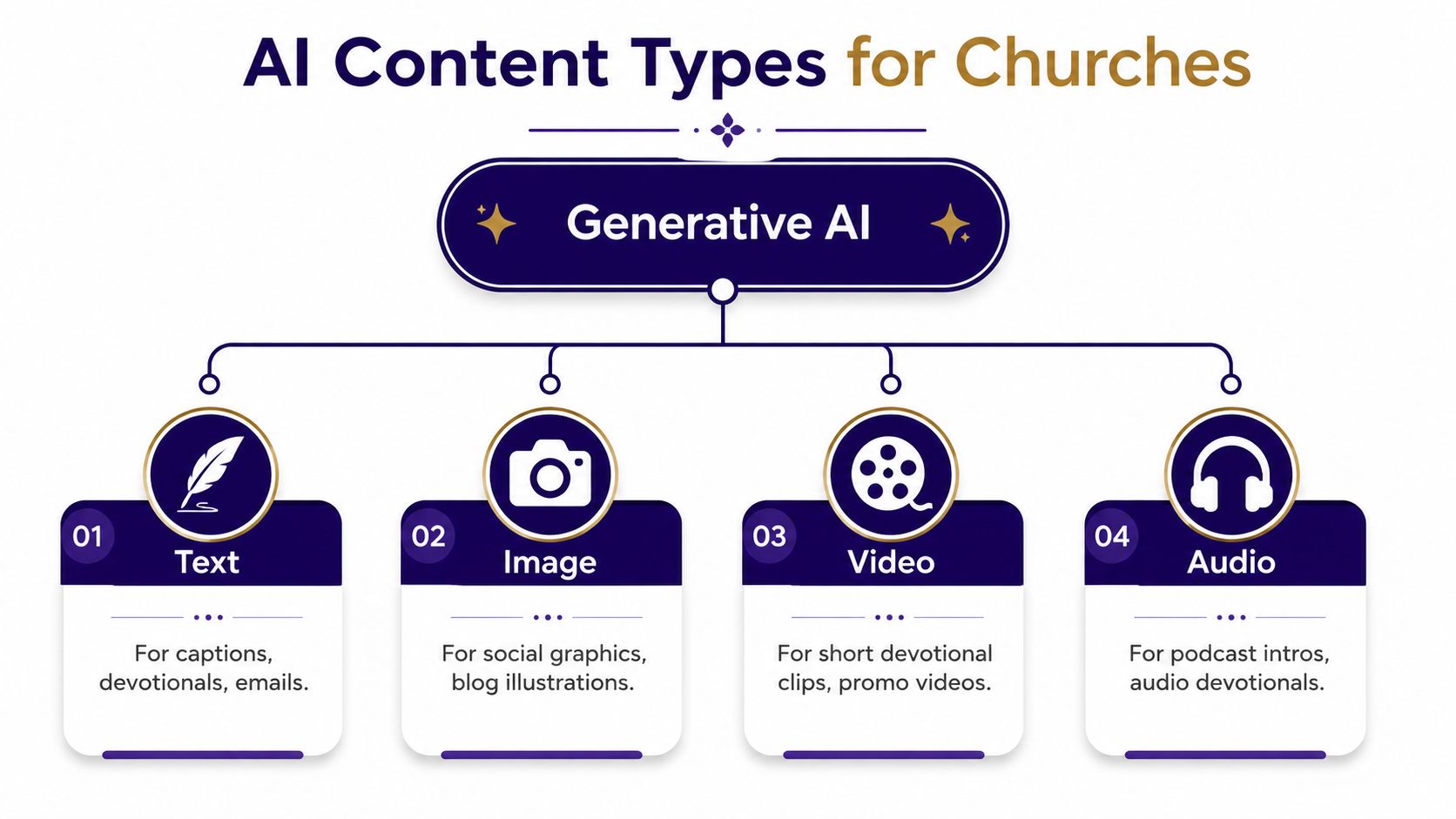
A Sunday update can begin as a sermon transcript, then become a caption, a graphic, a short clip, or a voiced message for people who missed the service. That range is what makes AI-generated content useful for churches. It is not one single output, it is a set of formats, and each format solves a different ministry task.
Text, image, audio, and video each solve a different problem
Text is usually the easiest place to begin. A volunteer can turn a sermon transcript into captions, devotionals, recap posts, discussion questions, or an email newsletter. A useful prompt names the audience and the goal, such as, “Write a warm Instagram caption from this sermon point for young families.” Text still needs review for theology, dates, and names, especially if the post includes Scripture references or invitations.
Image generation helps with sermon quote graphics, announcement slides, carousels, and event promos. In churches, the safest visuals are often simple, branded, and free of people when possible. If text appears, it should fit the image naturally, like words on paper, a whiteboard, or an overlay added after the fact.
Audio can support voiceovers, podcast drafts, and narrated scripture clips. That is useful when a church wants to repurpose a message for people who prefer listening on the move. Human review matters here because voice content can sound intimate even when the script is rough.
Video is where many teams first feel the payoff. Short-form reels, sermon highlight clips, and lyric overlays can all come from one sermon source file. One practical resource many teams use for clip ideas is edit sermon highlights for social, especially when they are trying to shape a long message into a shorter platform fit.
A helpful comparison is a songwriter who has heard thousands of melodies. The machine can combine patterns quickly, but the church still has to decide which version carries the right message and tone.
Watch the tone, not just the grammar. A caption can be technically clean and still sound unlike your church.
AI-generated content helps most when each format stays in its lane. Text carries the message, image carries the visual identity, audio carries the voice, and video carries the moment. Churches do not need all four every week, but they do need enough of each to meet people where they already spend time.
Church teams that want a wider look at tool options can also compare choices in this guide to the best AI content creation tools for churches. It helps to see how different platforms handle text, visuals, and scheduling before a volunteer commits to a workflow.
The reason this matters for small teams is simple. One faithful source can become several useful outputs without changing the message, if the team keeps a human hand on the editing wheel.
How ChurchSocial.ai Fits Into a Church Week
A church week often starts with one clear source and ends with several publishing choices. A sermon transcript, a planning calendar, and a few event details can grow into a fuller content system once the workflow is organized. ChurchSocial.ai fits into that pattern by helping a team turn one sermon or one event into multiple drafts that can be reviewed and scheduled in one place.
One sermon, several outputs
ChurchSocial.ai can take a sermon transcript or audio file and turn it into social posts, blog drafts, and AI-generated reels. Its Sermon Clip Creator supports the familiar church task of shaping a longer message into shorter video pieces for social platforms. Its AI Caption Writer can turn the sermon's main idea into post copy that matches the church's voice.
The workflow becomes more useful when the church also needs visuals. The platform's graphic templates and editor let a team build photos and carousels without starting from a blank page each time. Then the drag-and-drop calendar brings those pieces into a weekly schedule, which helps when one volunteer is handling several platforms at once.
Here is a simple view of that flow.
| Source Material | AI-Generated Output | ChurchSocial.ai Feature |
|---|---|---|
| Sunday sermon transcript | Social captions, blog drafts, discussion questions | AI Caption Writer |
| Sermon audio or full message | Short reels and highlight clips | Sermon Clip Creator |
| Event details from planning software | Scheduled announcement posts | Calendar and integrations |
| Branded announcement copy | Photos and carousels | Templates and editor |
The same basic logic applies to scheduling too. When event details come from tools the church already uses, manual copy-paste errors become less likely. ChurchSocial.ai also integrates with Planning Center and other church calendars, so event information can move more cleanly into content planning.
If your team is comparing clip workflows, it can help to look at a focused guide on how to edit sermon highlights for social and then compare that with the broader planning side. One guide helps with clipping, the other helps shape the week-long content rhythm around it.
Why this matters on a real Sunday through Saturday cycle
The value is practical. A communications volunteer can capture the sermon once, review the generated drafts, add the church's voice, and schedule the week without rebuilding every asset from scratch. That does not remove human work, it concentrates it where judgment matters most.
ChurchSocial.ai fits best when the team wants one connected system for drafting, visual design, and scheduling. That is different from random AI tools scattered across separate apps, because the church can keep content, context, and approval in the same workflow.
The Risks Churches Cannot Afford to Ignore
A church social manager can do everything right on Tuesday and still publish a polished post that misses the mark on Sunday. Speed changes the burden of review. AI can draft quickly, but a smooth sentence still needs a careful human eye before it goes out under the church's name.
Accuracy, authenticity, and the trust penalty
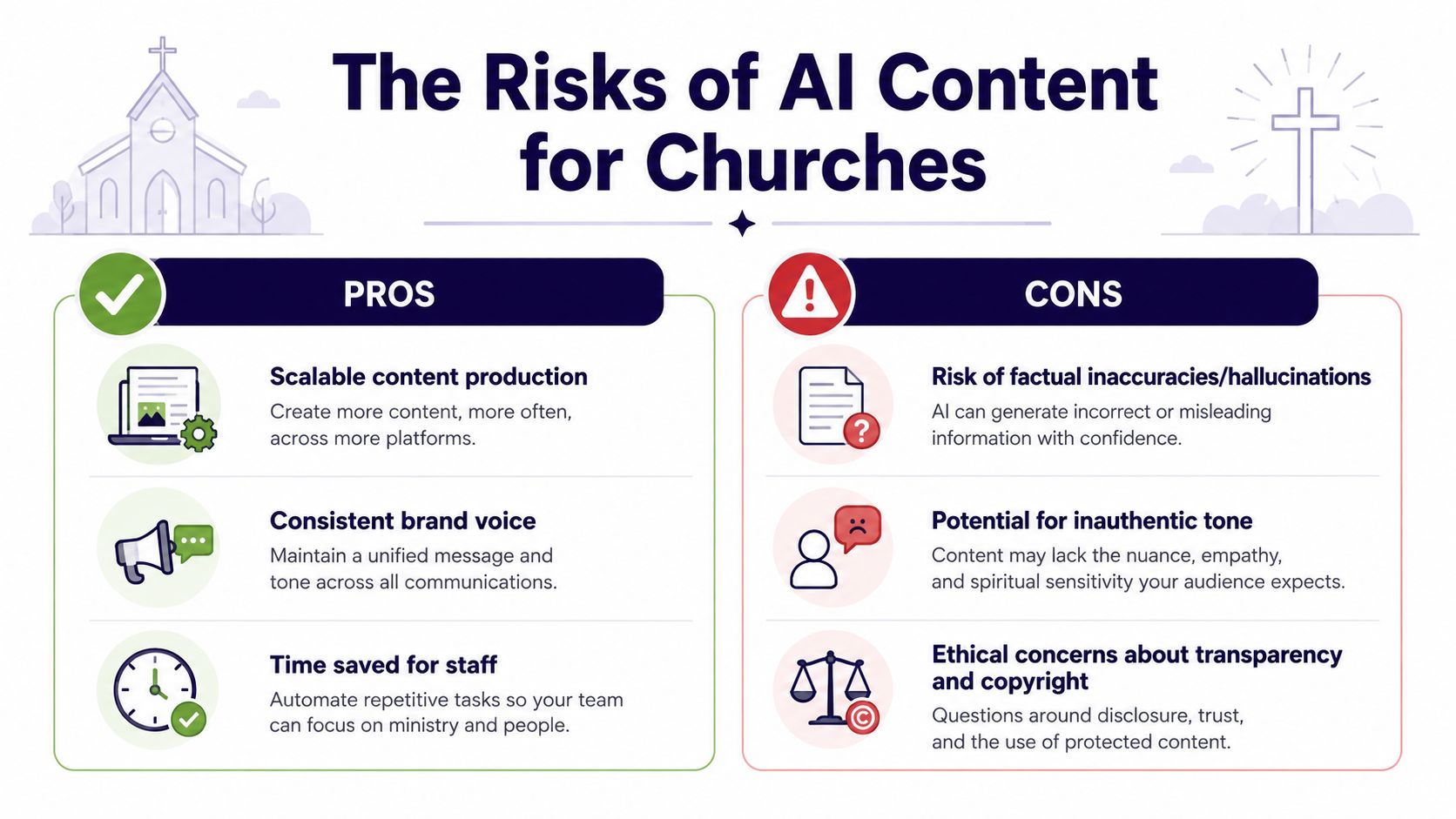
One risk is simple factual error. AI citations can look tidy and still be wrong, so source checking has to be part of the workflow, not a courtesy. The Nature's citation study found that many cited works in its GPT-3.5 sample were fabricated, which is a plain reminder that any reference in a draft needs to be checked by a person for the title, author, date, and publication details.
Disclosure is the second risk. Industry guidance now treats AI-generated content as a provenance question, not only a production question, and verification can include metadata, watermarking, or signatures that show whether content has been changed. Industry guidance on AI content disclosure and provenance points in that direction, and Digital Content Next's trust analysis shows that failing to disclose AI-generated content can hurt trust. Churches should pay attention here because trust is one of their core assets.
What the quality tradeoff looks like in practice
AI can raise output, but output is not the same as care. Once a church posts more often, generic phrasing, thin theology, and a flat tone can slip through if nobody is checking the drafts closely. Many explainers stop at the convenience, but the central question is whether the church can keep its voice recognizable while using a faster tool.
A recent experimental study on social media found that AI tools can increase engagement and volume, while also lowering perceived quality and authenticity and creating negative spillover in conversations. The study on quality and authenticity tradeoffs matters here because church audiences usually notice when a post feels templated or emotionally hollow.
A church member may not name the problem, but they will feel it.
If people feel misled, the effect is not limited to one post. It can shape how they read the next announcement, the next caption, and even the next sermon clip, especially when the content sounds generic or pulled from somewhere else. Church teams also have to watch the legal and platform side of reused media, which is why a clear process for handling YouTube copyright claims and disputes belongs in the same review habit as checking quotes and captions.
For church teams, the response is not to avoid AI entirely. It is to label, review, and verify with the same seriousness you would bring to any public communication carrying the church's name.
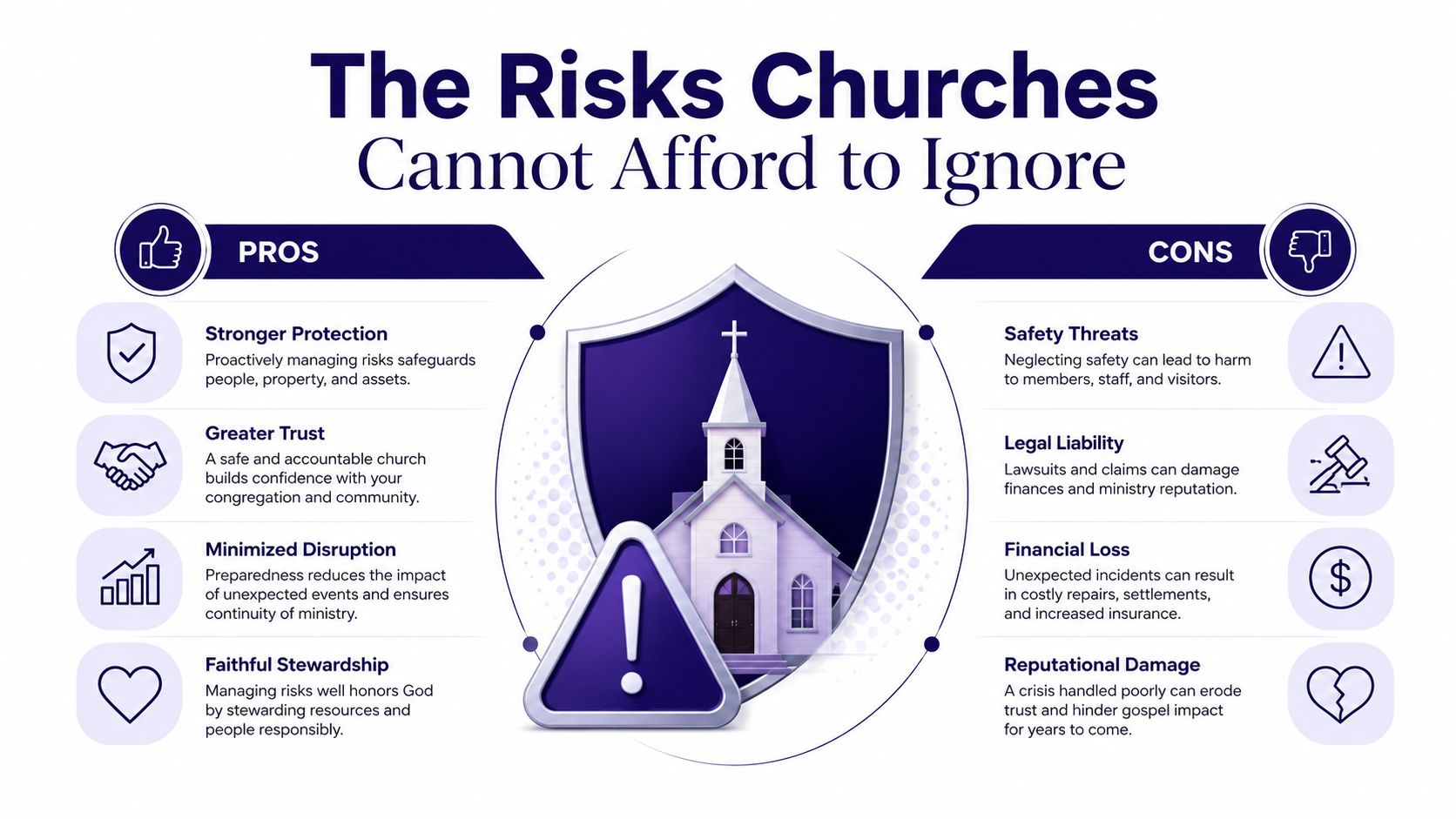
If a church treats AI as a governance question, not just a convenience, it can use the tool without spending down its credibility.
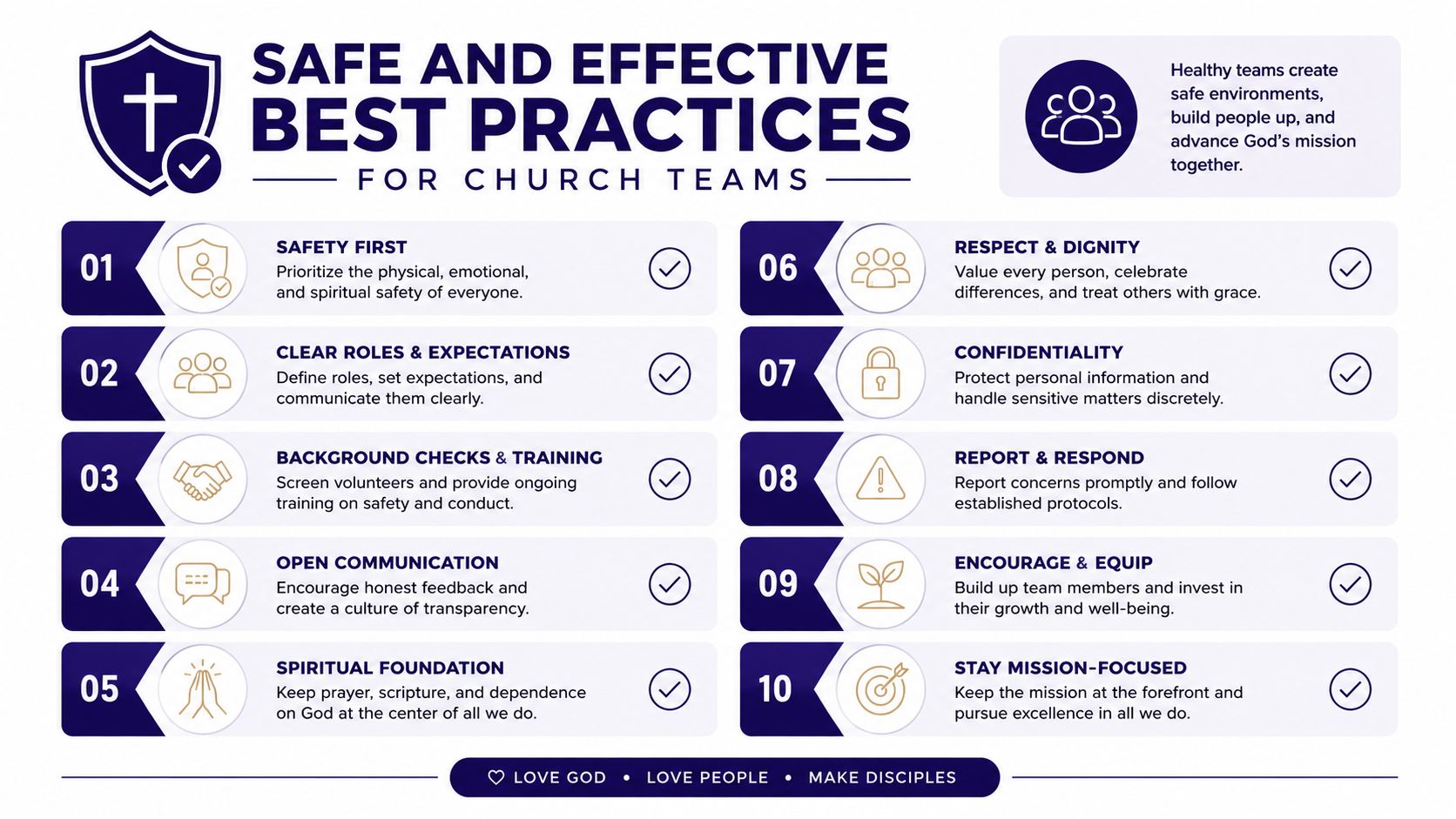
Safe and Effective Best Practices for Church Teams
A church doesn't need a complicated policy to use AI well. It needs a few habits that protect doctrine, tone, and trust. That starts with the same process every week, no matter which tool is in play.
A practical checklist for the next planning meeting
- Write tighter prompts. Name the scripture, event, audience, and tone so the draft starts closer to what the church wants.
- Review teaching content by hand. Any doctrinal, counseling, or pastoral language should pass through a person with real responsibility.
- Verify outside claims. If a draft includes a citation, check that the source exists and matches the details before publishing.
- Inspect visual assets carefully. For images, use reverse image search, metadata review, and a quick provenance check when the source isn't clear.
- Label where transparency is needed. If your congregation would reasonably want to know a post used AI assistance, say so in a clear and calm way.
- Keep the human voice audible. Edit for local references, church-specific language, and the kind of specificity that makes a post sound lived-in.
- Post at a measured pace. More output isn't always better if it makes every announcement feel rushed or generic.
Those habits fit naturally into a ChurchSocial.ai workflow because the platform is built around draft generation, editing, and scheduling rather than one-click publishing. That matters for volunteers, because it gives them a structure they can repeat without needing a technical background.
The broader rule is simple. Use AI to shorten the blank page, not to skip discernment. When the church keeps its people in the loop, AI-generated content can support ministry communication without replacing the judgment that gives it weight.
ChurchSocial.ai helps churches turn sermons, events, and planning details into captions, reels, graphics, and scheduled posts in one connected workflow. If your team wants a practical way to use AI-generated content with stronger review, clearer disclosure, and less weekly scramble, visit ChurchSocial.ai and see how the planning, caption, clip, and calendar tools can fit your ministry rhythm.


