

You've probably felt this on a Thursday afternoon. The sermon outline is half done, your notes are scattered across tabs, and someone on the team asks, “Can we also get a good Instagram post from this week's message?”
That moment exposes a real ministry gap. It's not usually a lack of biblical material. It's a lack of a connected workflow. You need help understanding the text thoroughly, and you need a practical way to turn that understanding into teaching, discussion, and digital outreach.
A strong bible with commentary app can help with both. It gives you more than a Bible reader on your phone. It gives you context, language tools, study notes, and linked resources that help you move from “I know the passage” to “I can teach this clearly.” That matters because people are already engaging Scripture digitally at scale. The Bible App by Life.Church has reached over 400 million device installations worldwide, and downloads surged 40% during the 2020 to 2022 pandemic. The same source notes that 75% of U.S. evangelicals use mobile devices for Bible study, which means your congregation is already learning, reading, and reflecting in digital spaces (Life.Church Bible App adoption and usage trends).
For church workers, that changes the question. It's no longer “Should we use digital study tools?” It's “Which tool helps us study faithfully and communicate clearly?”
Beyond the Page Why Your Church Needs a Digital Commentary Library
A pastor opens Mark 4, reads the passage carefully, and knows the main point is there. But he's still stuck. He needs historical background on the crowd, a sharper explanation of the parable, and one insight that will help a tired parent in the congregation hear the text freshly on Sunday.
A volunteer running social media has a related problem. She doesn't need a full sermon manuscript. She needs one faithful takeaway, one concise explanation, and one clear application she can turn into a caption or carousel.
That's where a digital commentary library earns its place. A bible with commentary app doesn't replace prayer, careful reading, or pastoral judgment. It supports them. Instead of flipping between a print Bible, a commentary set, a concordance, and a notebook, you can keep those functions connected in one place.
Why this matters in church life
Most ministry teams aren't short on responsibility. They're short on time.
A good app helps when you need to:
- Clarify a difficult verse: You can compare how trusted commentators handle the same passage.
- See the bigger picture: Cross-references and linked notes help you connect this week's text to the wider storyline of Scripture.
- Prepare while moving: Study can continue in a waiting room, coffee shop, office, or church lobby.
- Serve more than one ministry output: The same insight can shape a sermon point, a small group prompt, and a weekday post.
Practical rule: If a tool only helps you read, it's useful. If it helps you read, interpret, organize, and teach, it becomes part of your ministry system.
The shift churches can't ignore
Digital Bible use isn't a niche habit anymore. Many church members already reach for their phones when they study Scripture. That doesn't lower the need for depth. It raises it. If people are engaging the Bible on a screen, churches should be ready to meet them there with teaching that is accurate, accessible, and connected to real life.
A digital commentary library helps you do that. It gives your team a place to gather understanding before you speak, post, or lead.
Understanding the Modern Bible Commentary App
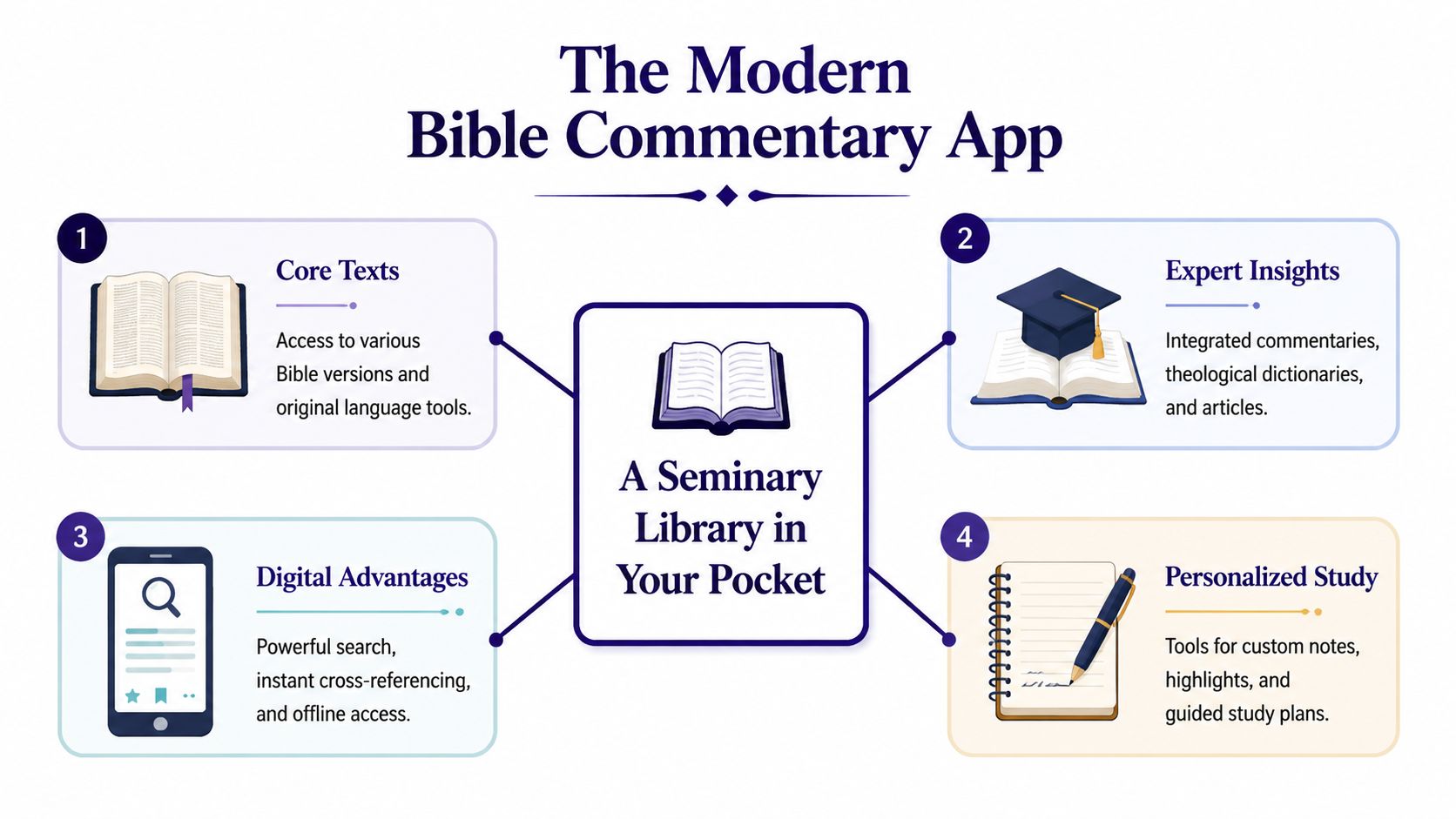
A real bible with commentary app is best understood as a seminary library in your pocket. That phrase isn't hype. It's a helpful way to distinguish a simple Bible reader from a connected study platform.
A basic Bible app lets you open a translation, highlight a verse, and maybe save a reading plan. That's helpful for devotion. But a commentary app is built for study. It links the biblical text to explanatory notes, dictionaries, language tools, cross-references, and personal annotations in one working environment.
More than an e-reader
Think of the difference like this.
| Tool | What it mainly does | Where it helps most |
|---|---|---|
| Basic Bible reader | Displays Scripture text | Daily reading and simple reference |
| Bible with commentary app | Connects Scripture to study resources | Sermon prep, teaching, group leadership, deeper study |
The value is in the connections. Tap a verse and you may see commentary notes on that exact passage. Tap a word and you may reach a dictionary entry or original-language support. Search a theme and you can trace it across Scripture without opening five separate resources.
What “integrated” really means
When church workers hear “commentary app,” they sometimes picture a digital shelf full of books. That's part of it, but not the best part. The best part is that the resources talk to each other.
A healthy integrated study environment often includes:
- Bible translations: So you can compare wording and emphasis.
- Verse-linked commentaries: So interpretation stays anchored to the text in front of you.
- Reference tools: Dictionaries, maps, and study notes that explain names, places, and themes.
- Language helps: Interlinear views or word-study tools that assist even if you haven't taken Greek or Hebrew.
- Personal workspaces: Notes, highlights, tags, and saved searches you can revisit later.
A strong app reduces friction. You spend less time hunting for material and more time understanding the passage.
Why that matters for ministry
Church teaching often breaks down at the point between reading and explaining. You know what the verse says, but you need help seeing why it matters, how it fits the chapter, and where readers usually misunderstand it.
That's exactly where modern commentary apps shine. They don't just store information. They organize study so your brain can follow the passage more clearly. For a pastor, that can sharpen an outline. For a volunteer, it can turn a confusing text into a simple, faithful explanation. For a small group leader, it can mean walking into the room with confidence instead of uncertainty.
Essential Features to Evaluate in a Commentary App
Not every study app deserves a place in your weekly workflow. Some look polished but stay shallow. Others feel dense but become dependable once you learn them. The right choice comes down to features that support actual ministry work.
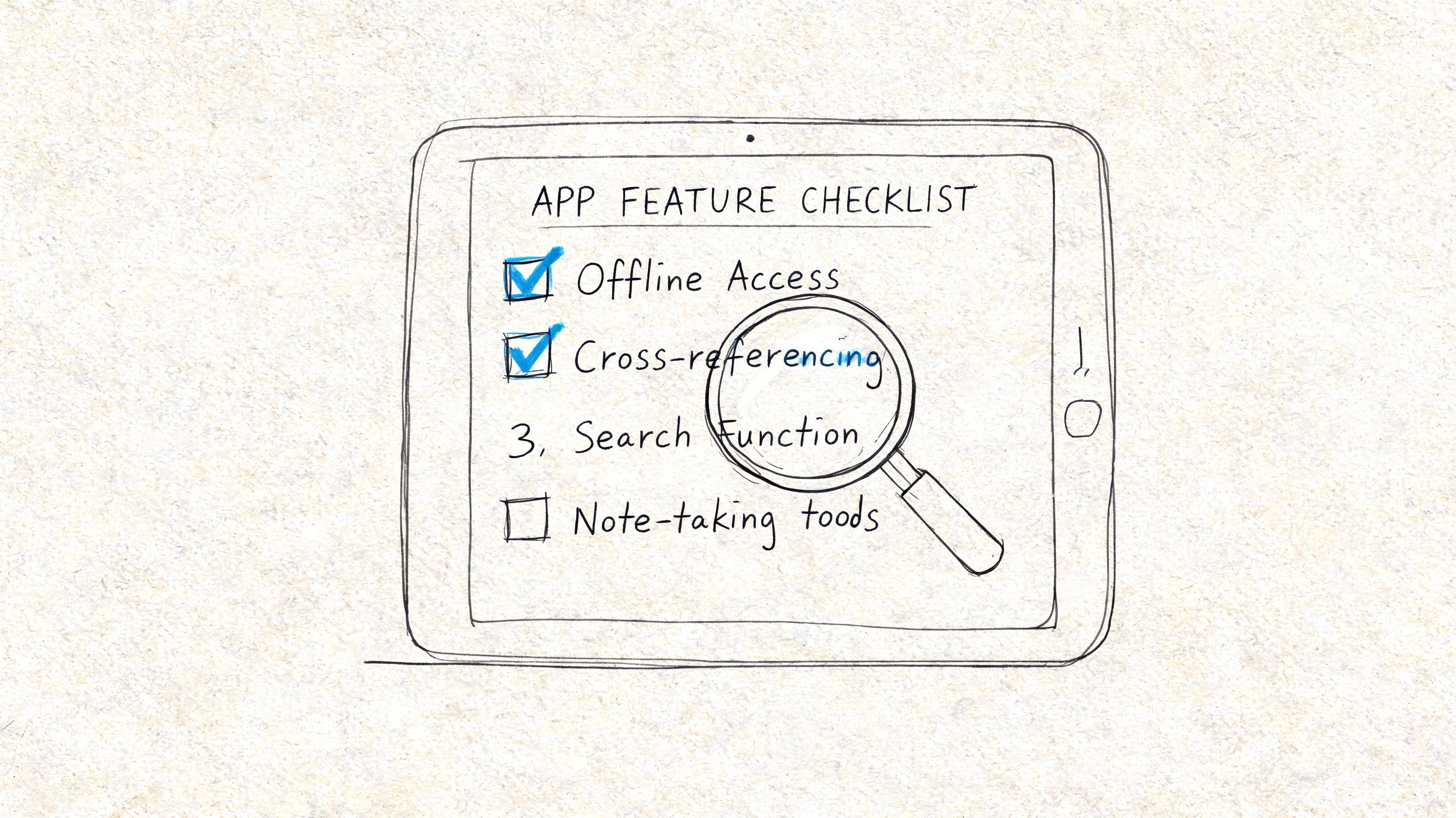
One category trend stands out. The global Bible software market surpassed $500 million by 2025, and surveys showed 70% of serious users prioritize apps with high-quality, verse-linked commentaries for in-depth exegesis (Bible commentary software market and user priorities). That tells you what experienced users value most. They don't start with flashy extras. They start with reliable commentary tied directly to the text.
Start with the commentary library
This is the first question to ask: Whose voices are you reading?
A strong app should make it easy to identify its commentary sources. You want resources from trusted scholars, pastors, and editors, not just an impressive number of titles. Depth matters, but curation matters too.
Look for:
- Clear attribution: You should know which commentary you're reading.
- Verse-by-verse access: Notes should connect directly to the passage, not sit in a disconnected article archive.
- A range of levels: Some days you need a concise study note. Other days you need deeper treatment.
If the commentary layer is weak, the app won't help much when you hit a hard text.
Search needs to go beyond keywords
Many church workers underestimate search until sermon week gets busy. A good search feature doesn't just find the exact word you typed. It helps you explore connected ideas, related verses, and recurring themes.
For ministry use, test whether you can:
- Search by verse reference quickly.
- Search topics across your library.
- Find your own notes and highlights later.
- Move from a result to the full context without getting lost.
If your team creates quote graphics or carousels, strong search also helps you find reusable lines and recurring themes. That's one reason communications teams also benefit from learning about optimizing multi-slide posts with PostNitro. The principle is similar. Clear structure makes content easier to reuse.
Language tools should help, not intimidate
You don't need formal training in Greek or Hebrew to benefit from interlinear features and word-study tools. The best apps surface those tools in a way that supports understanding instead of overwhelming you.
A practical language feature should help you ask better questions:
- Why do translations differ here?
- Is this word carrying a nuance I might miss in English?
- Does this term connect to another passage?
That's useful for preaching, but it's also useful for writing Bible study questions that move past surface-level discussion.
Don't choose language tools to sound scholarly. Choose them to make your explanation more accurate.
Notes and offline access matter more than people admit
A commentary app becomes more valuable over time if it remembers your work. Notes, highlights, folders, and tags turn the app into a ministry archive. This is how a passing insight from Tuesday becomes a teaching point three months later.
Offline access matters for a different reason. Ministry doesn't always happen at a desk with stable internet. You may prep in a hospital lobby, on a flight, or between meetings at church. If the app becomes useless without a connection, you'll stop depending on it.
A short scorecard can help:
| Feature | Why it matters in ministry |
|---|---|
| Trusted commentary sources | Protects teaching quality |
| Fast, flexible search | Saves time during prep |
| Original language support | Clarifies difficult wording |
| Note system | Preserves insights for future use |
| Offline mode | Keeps study available anywhere |
From Study to Sermon Practical Ministry Workflows
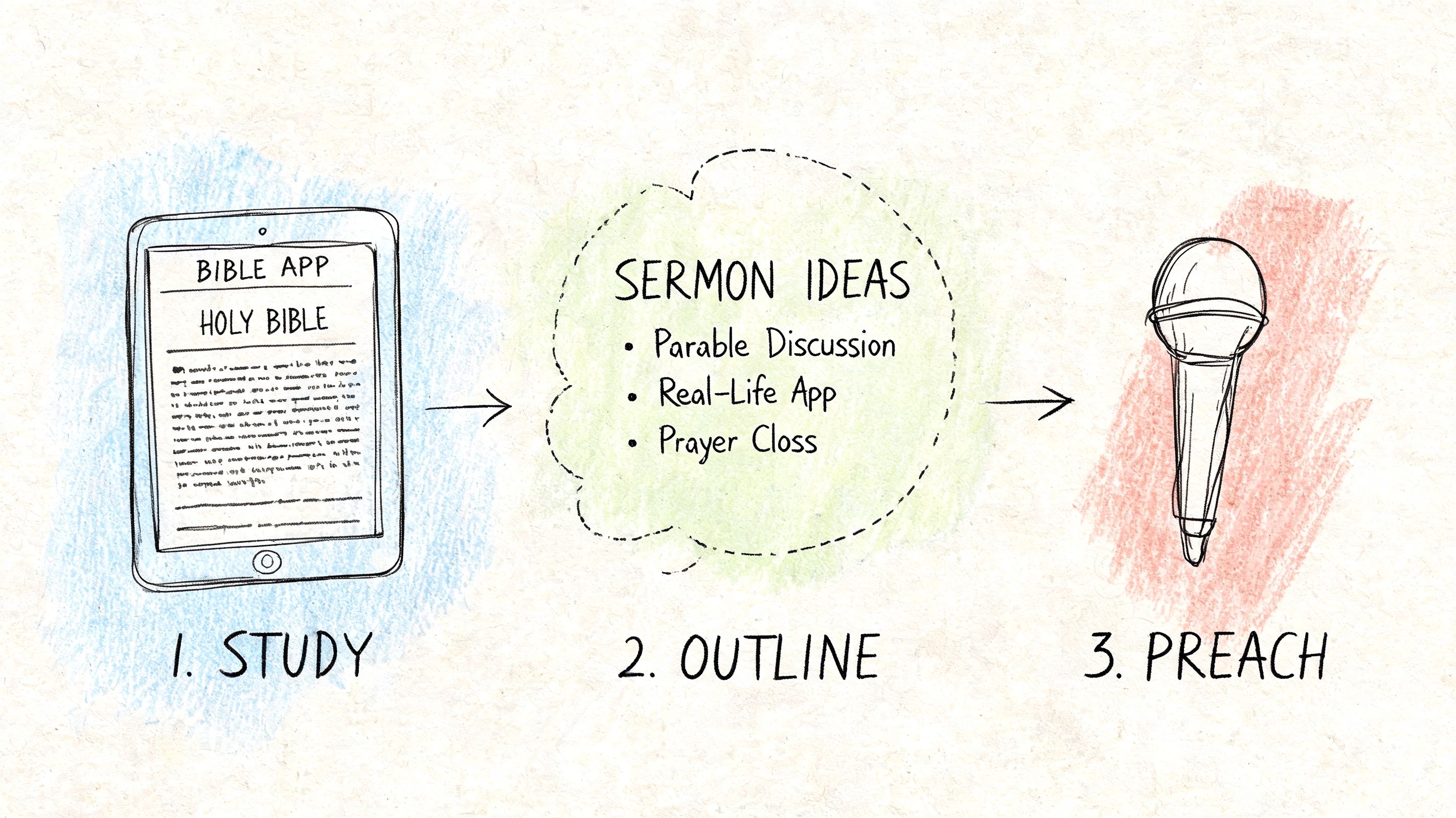
A commentary app proves its value when it supports a real week of ministry, not just a product demo. The easiest way to judge one is to picture yourself using it for three common tasks.
Workflow one for sermon preparation
Start with the passage itself. Read it in your main translation, then compare wording in another translation. Open the commentary panel only after you've observed the text on your own.
Then move in this order:
- Check the passage flow: What is the author doing in the immediate context?
- Open one or two commentary sources: Look for agreement on the central meaning before chasing side details.
- Mark one key insight: Save the line, theme, or historical detail that sharpens your outline.
- Write your own summary: Put the insight into plain language your church can hear.
If you want to tighten that process for expository preaching, this guide on expository sermon preparation for church leaders is a useful companion.
Workflow two for a small group leader
Small group leaders often need a different outcome. They don't need a polished manuscript. They need confidence and clarity.
A helpful rhythm looks like this:
- Read the passage slowly: Note repeated words, contrasts, commands, or promises.
- Use commentary for sticking points: Clarify what a phrase means, not every possible debate.
- Write three discussion prompts: One observation question, one interpretation question, one application question.
- Save the notes by series or passage: That way the leader can return to them later.
This keeps the app from becoming a rabbit hole. The point is not to collect information. The point is to lead people well.
Workflow three for a social post
A commentary insight can also become a strong church post when it's translated clearly.
Say you find a note explaining why a short phrase in the passage matters more than it first appears. Don't copy scholarly wording into a caption. Rewrite it in everyday language, connect it to the sermon theme, and pair it with one verse.
A good ministry post usually starts with one true sentence, not five clever ones.
That gives your team a simple content pattern: verse, insight, application. It works for a Sunday graphic, a Monday reflection, or a midweek encouragement post.
Turn Commentary Insights into Content with ChurchSocial.ai
A commentary app helps you understand the text. Church communication work begins when you turn that understanding into content people will see, save, and share.
That translation step is where many teams get stuck. The pastor has done the study. The sermon has been preached. But the communications volunteer is left trying to rebuild the message from memory, rushed notes, or a long transcript.
A practical content workflow
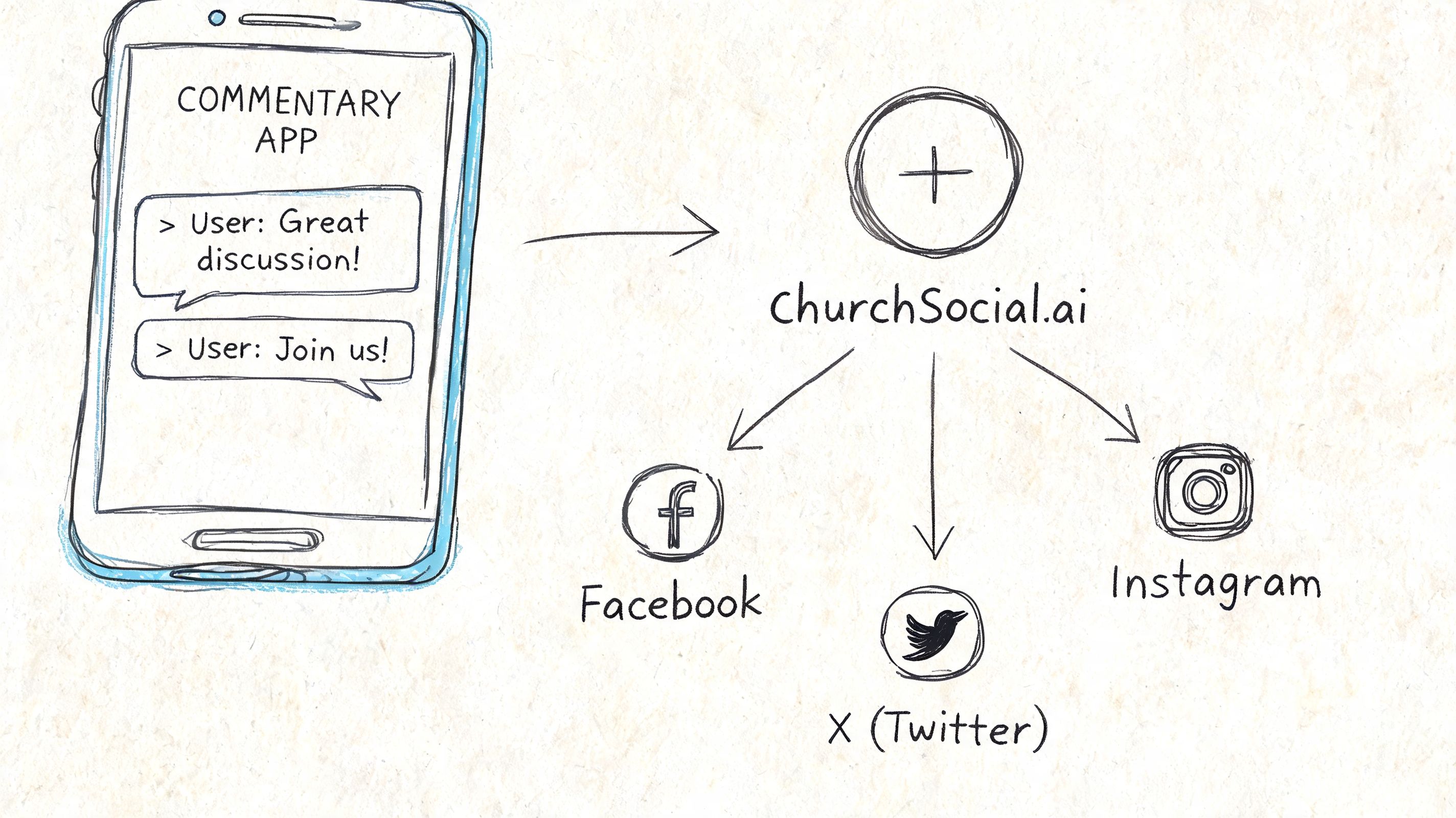
Here's a clean way to connect biblical study with church social media using ChurchSocial.ai.
First, identify one commentary-informed insight from your study week. Keep it short. For example, write one sentence explaining the main force of the passage in plain English.
Next, move that insight into a content workflow:
- Use the sermon transcript as source material: Pull the section where the preacher explained the passage most clearly.
- Create short-form video from the message: A focused clip works well when the speaker is explaining one verse or one takeaway.
- Generate supporting social copy: Build a caption, a discussion prompt, or a short devotional reflection from the same core idea.
- Design a matching visual: Use graphic templates for a quote card, carousel, or announcement-style post tied to the sermon series.
- Schedule it in one place: A drag-and-drop calendar helps the team map content across the week instead of posting at random.
Why this works better than starting from scratch
When your social content begins with real study, the message feels grounded. It isn't generic encouragement with a Bible verse attached. It carries context.
That approach also aligns with a broader technical trend. By leveraging Bible APIs and AI, tools like ChurchSocial.ai can auto-generate sermon clips and posts with linked commentary context, and that approach can boost engagement on TikTok and Instagram by up to 25% because the content is more scripture-contextualized (Bible API and AI workflow insights for church content).
If your team is comparing broader creative workflows, this roundup of top AI tools for content creation can help you think through where automation saves the most time.
What a weekly church rhythm can look like
A small church team could run a week like this:
| Day | Ministry input | Content output |
|---|---|---|
| Monday | Review sermon transcript | Pull one short clip |
| Tuesday | Revisit commentary insight | Write a devotional-style post |
| Wednesday | Build a carousel or quote graphic | Schedule small group content |
| Thursday | Add event reminders from calendar | Prepare weekend posts |
| Friday | Final review and scheduling | Queue everything for the weekend |
For teams exploring sermon reuse, this guide on repurpose content with AI for church communication gives a helpful framework.
The point isn't to automate ministry voice. It's to reduce repetitive production work so your team can spend more energy on clarity, care, and consistency.
Choosing Your App A Simple Decision Checklist
By this point, the decision is less about finding the app with the most features and more about finding the app that fits how your church operates. A solo pastor, a volunteer social lead, and a larger communications team may all choose differently. That's fine.
The right bible with commentary app is the one your team will use during sermon prep, teaching prep, and content planning. If it's too shallow, it won't help you teach. If it's too clumsy, people will abandon it after two weeks.
A simple checklist to use before you download
Ask these questions while browsing options in the app store or comparing software platforms.
- Are the commentary sources trustworthy? Check whether the app names its scholars and commentary collections clearly.
- Can I move from verse to explanation quickly? The best tools reduce friction between reading and interpretation.
- Does the search function help with real ministry tasks? You should be able to find passages, themes, and your own notes without frustration.
- Will this help both preaching and discipleship? A good app should support sermons, classes, counseling, and small groups.
- Can I save my work in an organized way? Notes, highlights, folders, and tags matter over time.
- Will it work when I'm away from my desk? Offline access and clean mobile usability are practical advantages, not luxury features.
Match the app to your ministry role
Different roles should prioritize different things.
| Ministry role | Top priority |
|---|---|
| Pastor or teaching elder | Commentary depth and note organization |
| Small group leader | Simplicity and clear study helps |
| Communications volunteer | Searchable insights and easy verse access |
| Ministry team lead | Shared consistency across teaching and content |
Choose the tool that helps your team explain Scripture more clearly, not the one with the longest feature list.
One final test helps. After trying an app, ask whether it improved this week's ministry in a visible way. Did it sharpen a sermon point? Clarify a confusing text? Produce better discussion questions? Help your team build stronger church content from biblical insight?
If yes, it's doing its job.
Churches that want a broader view of the digital ecosystem around study, communication, and outreach may also benefit from exploring faith-based apps that support modern ministry workflows. The strongest systems don't separate discipleship from communication. They connect them thoughtfully.
Your app choice is an investment in teaching quality. Used well, it can also strengthen the path from study to sermon to social reach.
A bible with commentary app can help your church study Scripture with more depth. ChurchSocial.ai helps you carry that insight into the week by turning sermons into reels, generating social posts and blogs from sermon transcripts, creating branded graphics and carousels, and organizing everything in a simple drag-and-drop calendar with Planning Center and church calendar integrations. If your team wants a cleaner path from pulpit to social media, it's a practical place to start.


