
Let's be real for a moment. For many churches, the digital front door has become just as crucial as the physical one. A solid, dependable BoxCast live stream is how you open that door, turning your Sunday service from a local gathering into a genuine global outreach. This isn't just about broadcasting; it's about extending your sanctuary far beyond its four walls.
Why Your Church Needs a BoxCast Live Stream in 2026
The way we talk about church live streaming has completely changed. What might have started as a temporary measure is now a permanent, vital piece of modern ministry. A stable, high-quality BoxCast live stream is a digital extension of your community, making sure your message can reach anyone, anywhere.
Think about the people you're actually serving with this:
- The elderly or homebound members who can't attend in person but desperately want to stay connected.
- Military families stationed across the country or even overseas, trying to keep a tie to their home church.
- New families who have just moved to your city and "visit" a few churches online before deciding where to go on Sunday.
- The curious person who stumbles across your service on social media during a tough time and needs to hear a message of hope.
From Pandemic Patch to Ministry Pillar
If you're still viewing streaming as just another tech task on a to-do list, you're missing the bigger picture. It's a core function of discipleship and outreach. Meaningful outreach is the foundation of any growing ministry, and a robust BoxCast live stream fits perfectly into a modern church growth strategy. Every single step you take to make your stream better is a step toward fulfilling your mission.
The potential reach is just staggering. In 2025 alone, BoxCast broadcasts pulled in 42.7 million viewers—that’s more people than the entire population of California. This shows just how essential streaming has become for connecting with people well beyond a single building. You can dive deeper into the surprising data from BoxCast to truly grasp the scale of this opportunity.
Your Sunday sermon is far too important to be confined to one room for just one hour. A live stream gives that message a life that lasts all week and a reach that can span the globe, meeting people right where they are.
And after the service ends, the work isn't over. This is where tools like ChurchSocial.ai come in, making it incredibly simple to take that sermon recording and repurpose it into a full week of engaging social media content. Imagine automatically creating AI-generated Reels from your sermons, generating a blog post from the transcript for your website, or designing quote graphics with easy-to-use templates. You can transform your one-hour broadcast into a seven-day outreach engine, all managed in just a few minutes with a simple drag-and-drop calendar.
Getting Started with Your First Broadcast
Alright, this is where the rubber meets the road. Getting your first BoxCast live stream up and running is probably a lot less intimidating than you think, even if you're the one volunteer wearing ten different hats on a Sunday morning. Let's get your first service online without any of the confusing tech jargon.
First things first, let's plug everything in. Your BoxCaster encoder is the little box that does all the heavy lifting, acting as the bridge between what's happening in your sanctuary and your viewers online. You’ll run a cable (usually HDMI or SDI) from your main camera's video output straight into the BoxCaster. Then, do the same for your audio, connecting a line from your soundboard to the encoder. This simple step is what ensures your online audience gets the same crisp video and clear audio as everyone in the pews. If you're building your setup from scratch, this streaming setup for beginners guide is a great resource.
Scheduling Your Service in the Dashboard
Once your hardware is hooked up, it’s time to jump into the BoxCast dashboard. This is your command center, where you tell BoxCast what you’re streaming and when. You’ll schedule a new broadcast, which only requires a few key pieces of information.
Your title is the first thing people see, so make it count. Instead of a generic "Sunday Service," try something that hints at the day's message, like "Sunday Worship - The Power of Forgiveness." It gives people a reason to tune in. Next, you'll want to write a quick, helpful description. You can briefly summarize the sermon, note the scripture passages, or just post a warm invitation to join your church community online.
Finally, just set the date and time. You can schedule a one-off broadcast for a special event or create a recurring schedule that automatically goes live every Sunday at 10 AM. You can get this all done in just a couple of minutes.
The goal is to make your live stream feel like an intentional invitation, not just a technical broadcast. A thoughtful title and description can make all the difference in turning a passive viewer into an active participant.
This flowchart shows how beautifully simple the process is, taking your live service from inside the church walls out to a global community.
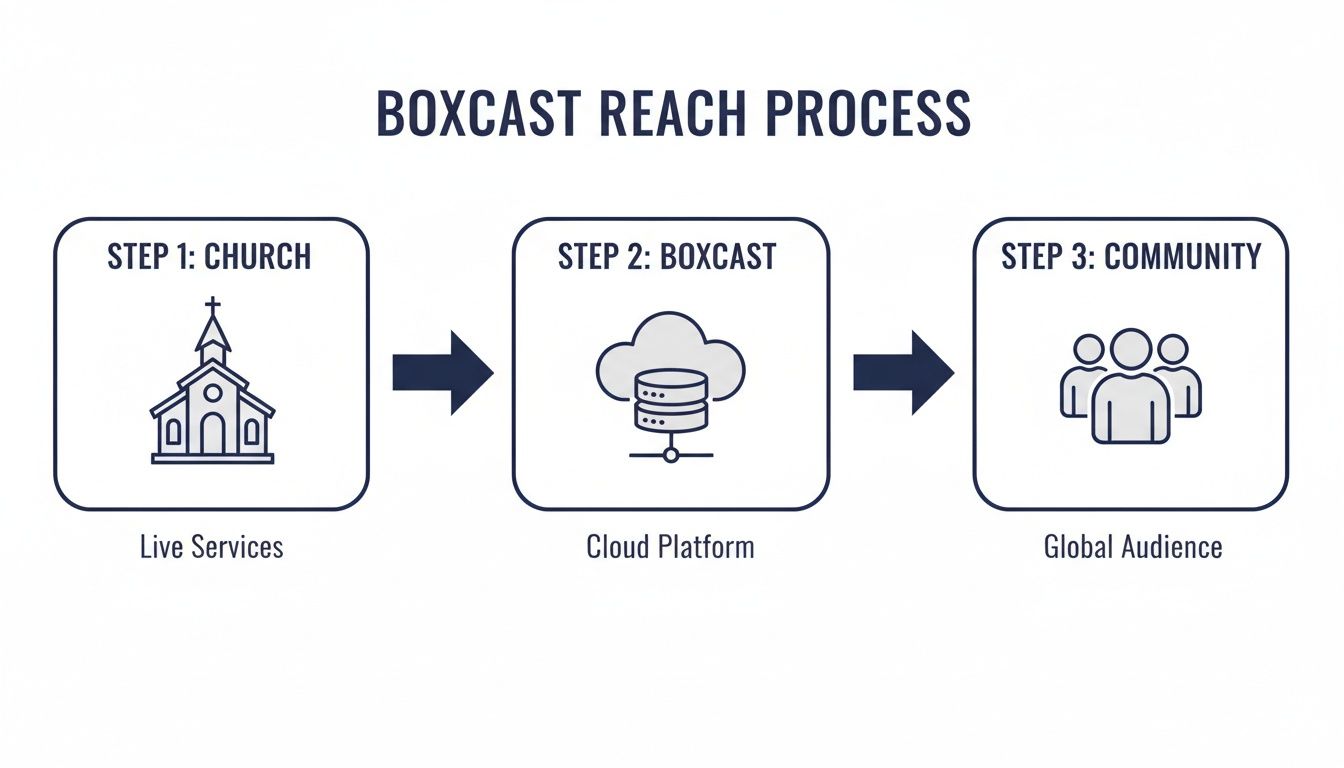
As you can see, BoxCast serves as the central hub, reliably delivering your service from your building directly to your online community.
Of course, once your stream is live, the real work begins. Choosing the right church live stream software is a huge first step, but you also need to think about what happens after the broadcast ends. This is where a tool like ChurchSocial.ai comes in. It lets you take that powerful sermon recording and instantly create AI-generated video clips, social media posts, and even blog content from the transcript. With a simple drag-and-drop calendar and built-in graphic templates, you can schedule an entire week of content that keeps Sunday's message resonating long after everyone has gone home.
Achieving a Stable and High-Quality Stream
We’ve all felt that sinking feeling when the stream starts to buffer. It’s probably the number one fear for any church tech volunteer, especially when you’re working with the spotty internet found in many older church buildings.
This is precisely where running a BoxCast live stream gives you an incredible advantage.
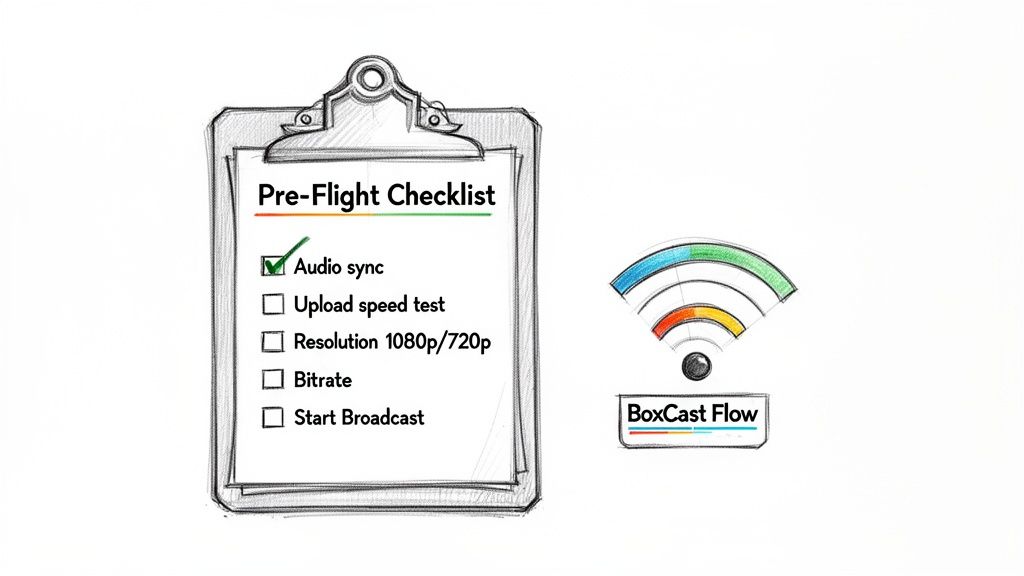
The secret to its reliability is a unique technology called the BoxCast Flow protocol. Think of it as an intelligent delivery system that keeps your stream smooth and buffer-free, even when your internet connection is less than perfect. It automatically adapts to network hiccups to ensure the signal gets through cleanly.
In fact, BoxCast's patented Flow protocol can deliver high-quality video using about one-third of the bandwidth of other streaming solutions. This is a total game-changer for churches. The tech rescues over 10,000 broadcasts every single week from unstable networks, making a professional stream possible without needing a crazy-expensive internet plan. You can read more about BoxCast's unique platform technology to see how it works under the hood.
Optimizing Your Broadcast Settings
To really nail your BoxCast live stream, you have to match your settings to your church’s reality. It's so tempting to crank everything to the highest quality, but a smarter, more realistic choice will almost always give your viewers a better experience.
Resolution (1080p vs. 720p): While 1080p looks sharper, it's a bandwidth hog. From my experience, a high-quality 720p stream is the sweet spot for most churches. It delivers a fantastic HD picture without pushing your connection to its breaking point and risking a buffer-fest. A stable 3-5 Mbps upload speed is all you need.
Bitrate: This is simply how much data you send every second. You can usually set this in the BoxCast dashboard. A lower bitrate is more forgiving on a slow connection, while a higher one improves quality.
Before your service, run a quick internet speed test. If your upload speed is consistently over 6 Mbps, feel free to go for 1080p. If it’s bouncing around 4-5 Mbps, stick with 720p for a rock-solid, worry-free broadcast.
Your goal isn't just to stream; it's to provide a positive, distraction-free worship experience. A stable 720p stream is always better than a stuttering 1080p stream.
Your Pre-Flight Broadcast Checklist
Give yourself some peace of mind by running through a quick "pre-flight" check about 30 minutes before every service. This routine has saved me countless times by catching small problems before the congregation tunes in.
Check Video and Audio Sources: Make sure your camera feed is live and you're getting a clean audio signal from the soundboard. A quick mic check will save you from those "we can't hear anything!" comments later.
Confirm Stream Title and Destination: Glance at the broadcast title to ensure it’s correct. Then, double-check that you're streaming to all the right places—your website, Facebook, YouTube, etc.
Monitor for Dropped Frames: Keep an eye on the broadcast preview in your BoxCast dashboard. If you see dropped frames, it’s an early warning sign of a network issue you need to address.
This simple routine helps you hit the 'Start Broadcast' button with confidence, not a prayer. And while the tech setup is critical, remember it’s just one piece of your digital ministry. If you’re still figuring out what gear you need, our guide on video systems for churches can point you in the right direction.
Streaming to Where Your Community Gathers
Your beautiful BoxCast live stream is ready to go. But where will people actually watch it? The true test of your stream isn't just its quality—it's how many people you can get it in front of.
To really connect with your church family and community, you have to go where they are. This means broadcasting your service to multiple places at once, and thankfully, BoxCast makes this surprisingly simple. You can send that single stream to your church website, Facebook Page, and YouTube channel all at the same time.
This isn't just a technical trick. It’s a vital strategy for engaging your current members and reaching new visitors who might stumble upon your service while scrolling their feed.
Connecting BoxCast to Your Platforms
The magic behind all of this is something called an RTMP (Real-Time Messaging Protocol) stream key. Don't let the technical name fool you. Think of it as a unique password for your live video.
You just copy this key from a platform like Facebook or YouTube and paste it into your BoxCast dashboard. That single action tells BoxCast exactly where to send your stream.
Finding these keys is the part that often trips up church volunteers, but it's easy once you know where to look.
- Facebook: Go to your church’s Facebook Page and select "Live Video." Inside the producer tools, you’ll find your stream key. Facebook lets you use a persistent key, which means you can set it once and use it every week.
- YouTube: From your YouTube Studio, click the "Go Live" button. This takes you to the Live Control Room, where your unique stream key is waiting for you to copy.
- Your Website: BoxCast gives you a simple embed code for your website. Just copy that code and paste it into the backend of your site wherever you want the video player to show up.
Once you’ve set these destinations up, you’re done. Your stream will now appear everywhere, every Sunday, without any extra work.
"Meet your community where they gather online. Simulcasting removes friction and makes it effortless for someone to join your service, whether they’re a faithful member on your website or a curious visitor on Facebook."
Once the BoxCast live stream is over, your work has just begun. This is the perfect time to use a tool like ChurchSocial.ai.
You can take the recording of your sermon and immediately put it to work. With its AI features, you can pull short video clips and Reels directly from the sermon, create beautiful quote graphics from powerful lines using our templates, and schedule them all week long on a simple drag-and-drop calendar.
This approach transforms a one-hour service into a seven-day outreach engine, all in just a few minutes.
Turn Your Sermon Into a Week of Content
The Sunday service doesn’t have to end when your BoxCast live stream does. In fact, for many churches, that’s when some of the most important work begins. Your sermon recording is a goldmine—a powerful asset for ongoing discipleship and outreach all week long.
But let's be honest. Your sermon is packed with shareable moments, but finding the time to actually pull them out and create content is a huge challenge for most church staff and volunteers. This is where a platform designed specifically for ministry can completely change your workflow.
From One Hour to a Seven-Day Conversation
Imagine this: You take your one-hour sermon recording and, almost instantly, have enough content to fuel your social media presence for the entire week. With a tool like ChurchSocial.ai, that’s not just a nice idea; it's a practical reality. You can turn that single message into a steady flow of posts that keep your community engaged.
This strategy, known as content repurposing, lets the core message of your sermon echo long after Sunday is over. It also lifts the heavy burden of constantly creating new content from scratch.
This is what it looks like to turn one sermon into multiple pieces of content that keep the conversation going.
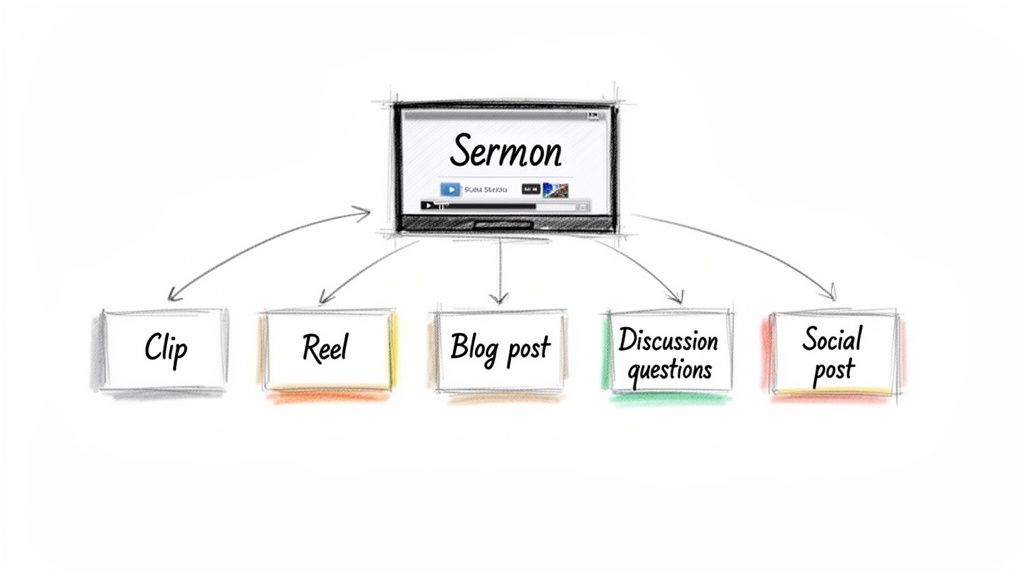
As you can see, the right tool can automatically find powerful segments, add eye-catching captions, and format them perfectly for platforms like Instagram Reels and TikTok. It makes creating compelling short-form video—a vital part of modern outreach—nearly effortless.
Automate Your Social Media Workflow
The real magic happens when you pair AI-driven content creation with a simple scheduling tool. A platform built for churches gets that you need more than just good ideas; you need an efficient, repeatable process.
Here’s what that looks like in practice using ChurchSocial.ai:
- AI-Powered Sermon Clips: The system scans your sermon transcript to pinpoint the most engaging one-minute segments, then automatically generates short videos with animated captions to grab attention on social feeds.
- Instant Written Content: You can create thoughtful blog posts for your website, discussion questions for your small groups, or engaging social media captions—all pulled directly from the sermon.
- Effortless Graphics: Jump into our library of professional graphic templates and use our editor to create and post branded quote graphics, carousels, or announcements that look polished, without needing a design degree.
- Simple Scheduling: Drag and drop all this new content onto a visual calendar to easily manage and update all of your social media.
By turning your sermon into a variety of content formats, you ensure that the message reaches different people in different ways. Some will watch a Reel, others will read a blog post, and some will engage with a discussion question—all from the same sermon.
This approach transforms your BoxCast live stream from a one-time event into a seven-day discipleship and outreach engine. It's a system designed to save your team hours of work while dramatically increasing your ministry’s impact online.
For any church looking to get more out of their digital presence, learning to effectively repurpose video is the critical next step. You can dive deeper into these strategies in our guide on getting the most out of your sermon on video.
Here is the rewritten section, designed to sound completely human-written and natural, following all the specified requirements.
Common Questions About BoxCast for Churches
Thinking about bringing BoxCast into your church's tech setup? You're not alone, and you've probably got some questions. Let's walk through a few of the most common ones we hear from ministry leaders and tech volunteers.
Do I Need Fast Internet for a BoxCast Live Stream?
This is probably the biggest sigh of relief for churches everywhere: not really. While a rock-solid connection is always a plus, BoxCast's big advantage is how well it performs even when your internet isn't top-tier. It was built to use about one-third of the data that many other streaming platforms demand.
A good rule of thumb we've seen work time and again is to have an upload speed that’s at least double your streaming bitrate. For a crisp 720p HD stream that looks fantastic on phones, tablets, and computers, a consistent upload speed of 5 Mbps is usually all it takes.
Can I Show Song Lyrics on My Stream?
Absolutely. The key is to remember that BoxCast simply broadcasts whatever video signal you give it. If you want to overlay song lyrics, sermon notes, or scripture, you'll need to handle that before the signal gets to your BoxCast encoder.
The most common setup involves presentation software (like ProPresenter or even PowerPoint) and a basic video switcher.
Here’s how that looks in practice:
- Your main camera feed plugs into one input on the video switcher.
- Your computer running the presentation slides plugs into another input.
- Your tech volunteer can then use the switcher to cut between the live camera and the lyrics, and that combined feed is what goes out to your BoxCast encoder.
It’s a simple workflow that gives your online service a polished, professional feel.
Key Takeaway: Think of your BoxCast live stream as the last step. Everything your online audience sees—from lyrics to announcement graphics—is determined by the video sources you mix together before they hit the encoder.
How Do I Get More People to Watch?
Getting the stream running is one thing; getting people to watch it is another. The secret isn't a one-time trick—it's consistent, week-long promotion. The most painless way to manage this is with a tool like ChurchSocial.ai, which was designed specifically for this purpose.
Before your service even starts, you can use our graphic templates and editor to schedule "Service starts soon!" posts on Facebook and Instagram. But the real magic happens afterward. The AI can comb through your sermon, automatically pulling out short, powerful AI-generated Reels from the transcript. It can even create quote graphics and blog posts from that same message.
Imagine having a whole week's worth of content scheduled on our simple drag-and-drop calendar, all from one Sunday sermon. This keeps your church top-of-mind and builds momentum for the next BoxCast live stream. We also integrate with Planning Center and other church calendars to create content for events, taking even more work off your plate.
Ready to turn your Sunday sermon into a week of engaging content? With ChurchSocial.ai, you can easily create ai generated reels from your sermons, create ai generated content from the sermon transcript like social posts, blogs, etc., you can use our graphic templates and editor to create and post photos and carousels, and our simple drag and drop calendar allows churches to easily manage and update all of their social media. Stop letting your message get lost after Sunday and start reaching your community all week long. Learn more at ChurchSocial.ai.


