

If you manage church media, you’ve probably seen the sermon archive that nobody wants to touch. It’s a folder full of files named “Sunday.mp3,” “sermon-final,” or “new recording 4.” Everybody knows there’s valuable teaching in there. Nobody can find the right message when they need it.
That’s the core problem with sermon audio by speaker. It isn’t only storage. It’s access, reuse, and stewardship. When someone asks for every message from a guest preacher, or wants to pull a clip from your pastor’s series from last fall, the answer shouldn’t depend on one staff member’s memory.
A clean sermon archive changes more than your files. It changes how your church communicates all week. One message can become a clip, a caption, a blog post, a devotional thought, and a discussion prompt. If you want a good model for that mindset, this guide on how to repurpose church content is worth reading.
Introduction From Sermon Archive to Content Engine
The churches that get the most value from sermon content usually don’t have the fanciest setup. They have a repeatable system. They know where the audio lives, how it’s labeled, and who owns the next step.
That matters because sermon audio by speaker is usually requested in very practical situations:
- A volunteer needs clips from one specific preacher for social posts.
- A staff member wants a transcript from a guest message without digging through old drives.
- A ministry leader is building a series recap and needs every sermon from the same speaker in one place.
- A new communications volunteer inherits the archive and has no idea what anything is.
Without a system, every one of those tasks turns into a scavenger hunt.
Practical rule: If a new volunteer can’t find the right sermon in a few minutes, the archive isn’t organized yet.
The good news is that this is fixable. You don’t need to rebuild your whole media workflow in a week. You need a simple chain: record clearly, name files consistently, tag by speaker, generate transcript-based content, then publish on a schedule.
That’s how a sermon archive becomes a content engine. The archive keeps the message. The system puts the message back into circulation.
The Foundation Capturing and Organizing Your Sermon Audio
Good organization starts before the file ever hits your computer. If the audio is muddy, clipped, or buried in room echo, every step after that gets harder. Transcription suffers. Editing takes longer. Social clips feel amateur, even if the sermon itself was strong.

Use a recording method volunteers can repeat
A solid starting point is simple and reliable. A portable recorder with a lavalier mic, WAV recording, and dual recording mode gives churches a practical way to capture clean sermon audio. That lower-volume safety track helps prevent distortion, and this method has been shown to reduce distortion-related failures from 20-30% in single-track setups to virtually zero according to Pastor Will’s sermon recording workflow.
What usually works:
- Put the mic close to the speaker. A lav mic on clothing will usually beat a room mic at the back of the sanctuary.
- Record a clean source file. WAV is easier to edit well later than a heavily compressed file.
- Use the safety track. Preachers don’t all stay at one volume.
- Check before service starts. Headphones catch bad cable connections faster than guesswork.
What usually doesn’t work:
- Depending on the camera mic alone
- Letting one volunteer use a completely different setup every week
- Saving files with random names
- Throwing edited and raw versions into the same folder
Name files like you expect to search them later
A file name should answer the basic questions before you open it. Date, series, sermon title, and speaker are enough for most churches.
Use a format like this:
2026-10-04_Grace-in-Action_The-Good-Samaritan_Jane-Doe.wav
That format solves several common problems at once.
| Problem | Better naming fixes it by |
|---|---|
| Duplicate sermon titles | adding the date |
| Multiple preachers | including the speaker |
| Similar series names | keeping the series in every file |
| Volunteer confusion | making the pattern obvious |
If your starting point is video instead of audio, convert it once and store the extracted audio with the same naming convention. A simple video to MP3 converter can help when a sermon only exists as a camera file and your volunteer needs audio for editing or clipping.
For teams that are cleaning up a growing archive, this article on digital asset management software for churches gives useful structure for deciding what belongs where.
The file name is your first layer of organization. It’s not enough by itself, but it prevents a lot of avoidable mess.
Smart Tagging How to Find Any Sermon by Speaker Instantly
A good file name helps humans browse. Metadata helps teams search. That’s the difference between “I think the file is in this folder” and “I can pull every sermon from this speaker right now.”

Churches often assume this level of organization is only for large ministries. It isn’t. Smaller teams need it even more, because they have less margin for wasted time. And there’s a real gap here. As noted on SermonAudio, there is a significant gap in tools that help churches systematically tag and organize sermons by speaker for easy repurposing, especially for volunteer-led teams trying to find content from specific preachers quickly.
The speaker tag matters more than most churches realize
If you only add one consistent tag to every sermon, make it speaker.
Why? Because speaker is one of the most common retrieval questions in church communications. Not topic. Not date. Person.
People ask for content in ways like:
- “Can you find every sermon from Pastor Mike on prayer?”
- “We need clips from the guest speaker last month.”
- “Pull all youth pastor messages for a student ministry recap.”
- “Which sermons has this campus pastor preached recently?”
If your archive isn’t tagged by speaker, every request becomes manual. Someone has to remember names, series, dates, or file locations. That’s slow, and slow systems don’t get used.
Build a tagging standard your team can follow
Complicated metadata systems fall apart fast. Simple ones stick.
Use a minimum set like this:
- Speaker
- Sermon title
- Date preached
- Series
- Scripture reference
- Ministry category if needed, such as Sunday morning, youth, guest, conference, or devotional
Keep speaker naming consistent. Don’t tag one sermon as “Pastor John,” another as “John S.,” and another as “Pr. John Smith.” Pick one standard and keep it.
A search system only works if the tags are predictable.
Search fails less from bad software than from inconsistent naming.
For churches building a transcript-first workflow, this guide to a sermon transcription service for churches is useful because searchable transcripts become far more valuable when they’re tied to clean speaker metadata.
What tagging changes in real ministry work
Once sermon audio by speaker is organized properly, your archive stops acting like storage and starts acting like a library.
A volunteer can pull every message from a guest preacher for a highlight series. A communications pastor can group clips from the same voice for a social campaign that feels coherent. A multi-speaker church can maintain continuity instead of posting disconnected sermon moments with no context.
That's a significant win. Better retrieval creates better reuse.
Unleash the Transcript AI-Powered Content Generation
Once your sermon archive is organized and searchable, the transcript becomes the raw material for nearly everything else. Most churches underuse this part. They post the full message and stop there. Meanwhile, the sermon contains dozens of lines, explanations, prayers, and applications that could serve people all week.
Here’s the larger context. SermonAudio’s speaker directory shows content from 52,398 speakers, with top contributors such as Joel Beeke at 3,116 sermons, John Greer at 3,008, and John Vaughn at 2,861. That scale shows how much teaching content exists and why individual churches need a workable system for managing and repurposing their own archive.
The workflow below is the point where archived audio becomes active ministry content.
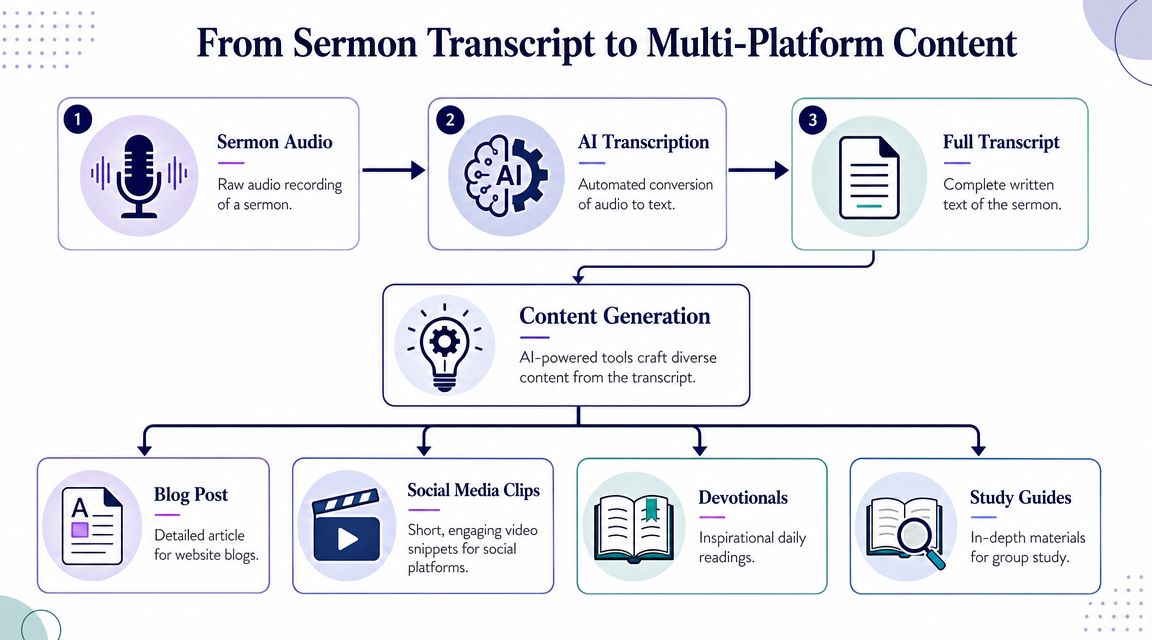
Start with moments, not the whole transcript
A full sermon transcript can feel overwhelming if you treat it like one giant document. Don’t start there. Start by identifying the pieces inside it.
Look for:
- A clear sentence of encouragement
- A strong explanation of a passage
- A practical application point
- A memorable closing paragraph
- A short section that could stand alone as a devotional
Those moments usually become better content than broad sermon summaries.
For teams comparing options and trying to understand where automation helps, this explainer on AI transcription gives a helpful overview of how speech becomes editable text.
Turn one transcript into several useful assets
A transcript can be repurposed in several directions without changing the message itself. The point isn’t to manufacture content. The point is to distribute the same teaching in formats people will consume.
One sermon transcript can become:
| Transcript excerpt use | Output |
|---|---|
| Main idea paragraph | website blog post |
| Strong quote | social caption |
| Application section | small group questions |
| Prayer or reflection | weekday devotional |
| Teaching summary | email newsletter copy |
This is the part of the workflow where ChurchSocial.ai fits naturally. It can take a sermon transcript and generate social posts, blog drafts, discussion questions, and other church content formats from that source material, which helps a volunteer move from archive to publishable content without rewriting everything manually.
Keep the speaker’s voice intact
The main trade-off with AI-generated writing is speed versus tone. Fast content is useful. Generic content isn’t. A volunteer should still review every output and ask three questions:
- Does this sound like the speaker?
- Does this keep the sermon’s meaning intact?
- Would this make sense to someone who didn’t hear the full message?
If the answer to any of those is no, edit it before posting.
Strong transcript-based content doesn’t invent new ideas. It surfaces the clearest ideas already preached.
Create Viral Moments Turning Sermons into Shareable Clips
Short-form video is where many churches stall. They have the sermon. They may even have the transcript. But they don’t have a repeatable method for turning long-form teaching into clips that feel native to social platforms.
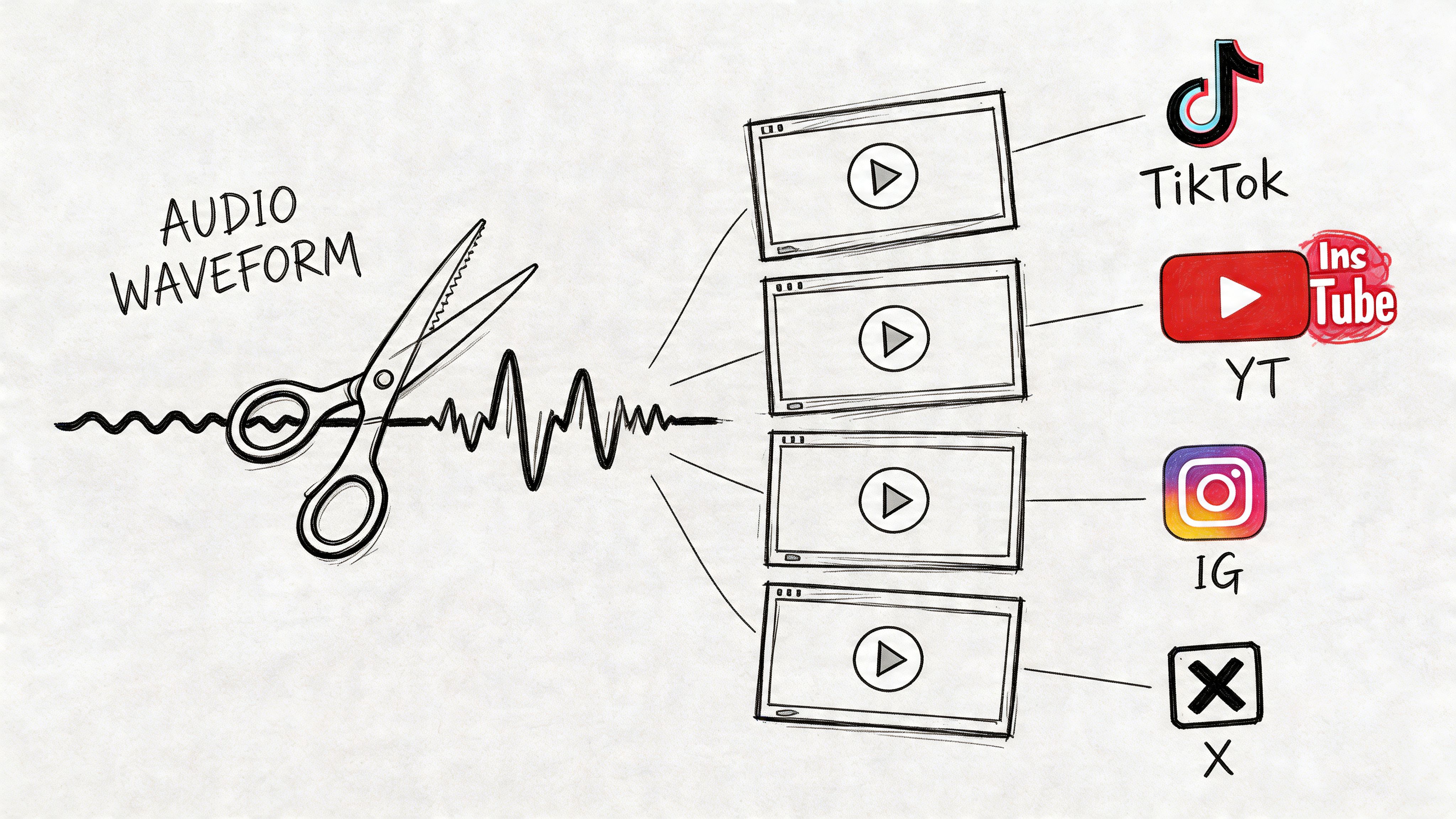
That gap is real. As discussed in Logos’ article on sermon engagement tools, churches lack clear guidance on extracting speaker-specific clips from long-form audio for social media, and that content conversion gap creates friction for volunteer-led teams trying to use sermon material on platforms like TikTok and Instagram.
The clip is not a miniature sermon
Many church teams overlook a key point. A social clip doesn’t need to carry the whole sermon. It needs to carry one clear thought.
Good sermon clips usually have these qualities:
- One complete idea
- A strong opening line
- Clear attribution to the speaker
- Context that prevents misunderstanding
- Captions for silent viewing
Weak clips usually fail for opposite reasons. They start too slowly, depend on information the viewer never heard, or cut the speaker mid-thought just because the sentence sounded emotional.
A practical selection test
When choosing a clip from sermon audio by speaker, ask:
| Question | If yes | If no |
|---|---|---|
| Can this clip stand alone? | keep reviewing it | add more context or skip it |
| Does it sound like the speaker at their clearest? | good candidate | find a better moment |
| Would a first-time viewer understand it? | postable | rewrite intro text or choose another section |
| Is the tone aligned with your church voice? | brandable | don’t force it |
A lot of churches are learning the same lesson podcast teams have already learned. One strong recording can fuel multiple posts when it’s broken into the right formats. This guide on repurposing one recording into multiple social media posts is useful because the same logic applies to sermon content.
What makes clips work in church communication
The technical side matters less than people think. Yes, format for vertical video. Yes, use readable captions. Yes, keep branding consistent. But the largest factor is still editorial judgment.
Choose moments where the speaker says something clear, specific, and pastorally useful. A direct line about anxiety, forgiveness, prayer, identity, or hope will usually travel further than a clip that requires several minutes of setup.
If a volunteer has to explain the clip before posting it, the clip probably isn’t ready.
The goal isn’t random virality. It’s faithful clarity in a format people will watch.
Your Master Plan Scheduling and Publishing with a Visual Calendar
Most churches don’t struggle because they lack content. They struggle because content sits unfinished in folders, drafts, and notes apps. Scheduling is what turns scattered work into a communication rhythm people can follow.
A weekly sermon-based plan works well because it gives your team a predictable source. Sunday’s message can feed posts throughout the week without forcing your volunteer to invent new material every day.
Build a weekly rhythm from one sermon
A simple rhythm might look like this:
- Early week for a short clip or quote that reinforces the main point
- Midweek for a transcript-based reflection or blog post
- Later in the week for a discussion question, carousel, or event-related post tied to the same theme
That kind of cadence is easier to sustain than trying to create unrelated posts from scratch.
For churches that want to think more clearly about what to publish when, analytics help. A sermon analytics dashboard can track plays by speaker, series, or date range and even provide geographic heat maps of listener locations, as described in this overview of advanced sermon analytics. The principle carries over to social media. If one speaker’s clips consistently spark more conversation, or one series gets more saves and shares, that should shape your calendar.
What to schedule and what to leave flexible
Not everything belongs on autopilot. Some posts should be planned early. Others need room for pastoral judgment.
Use this distinction:
| Schedule ahead | Leave flexible |
|---|---|
| sermon clips | response to current events |
| quote graphics | pastoral updates |
| transcript-based blog posts | urgent prayer needs |
| recurring event reminders | spontaneous community moments |
This keeps your calendar stable without making your church feel robotic.
Connect sermon content with the rest of church life
A sermon shouldn’t float apart from the rest of your ministry communication. If the message touches prayer, marriage, grief, mission, or discipleship, connect that teaching to the ministries, events, and next steps your church is already offering.
That’s where a visual calendar becomes useful. You can line up sermon-derived posts alongside event promotion, seasonal campaigns, and ministry updates so your church sounds coordinated instead of fragmented.
A good schedule also protects volunteers from burnout. They can batch work when they have time, review what’s ready, and avoid the weekly panic of staring at a blank publishing calendar on Tuesday afternoon.
A steady publishing rhythm usually beats a burst of last-minute creativity.
Conclusion Multiply Your Ministry's Reach
A sermon archive doesn’t have to stay a digital storage closet. With a clear workflow, sermon audio by speaker becomes searchable, usable, and ready for weekly ministry.
The shift is simple but important. Record clean audio. Name it well. Tag it by speaker. Pull the transcript into usable pieces. Turn key moments into clips and posts. Schedule them so the sermon keeps serving people after Sunday ends.
That approach saves time, but more than that, it helps your church steward teaching well. Messages that once disappeared into folders can now encourage members, reach visitors, support small groups, and keep your church’s voice active throughout the week.
If your team has been sitting on years of sermon content without a system, this is a good place to start. Clean organization isn’t administrative busywork. It’s what makes ongoing outreach possible.
If your church wants one place to turn sermon messages into clips, captions, blog drafts, graphics, and scheduled posts, take a look at ChurchSocial.ai. It’s built for church teams who need a practical workflow, not a complicated production stack.


