

Most churches don’t have a technology problem. They have a capacity problem.
A pastor finishes Sunday preaching, a volunteer grabs a few photos, someone remembers on Tuesday that the youth event still hasn’t been posted, and by Thursday the team is already behind on next week. That’s where a lot of churches are living right now. The pressure isn’t only to “be online.” It’s to communicate clearly, consistently, and without adding another full-time job to an already stretched staff.
That’s why evaluating christian technology companies matters. The right vendor won’t just give your church another login and another dashboard. It will remove repeated work, reduce confusion, and help your team stay present with people instead of always scrambling to publish the next post.
Why Your Ministry Needs a Tech Partner Not Just a Tool

Church leaders used to evaluate software mostly around administration. Can it track attendance. Can it manage giving. Can it keep the calendar organized. Those questions still matter, but they’re no longer enough. Churches now need tools that also support communication, content, follow-up, and digital outreach.
That shift isn’t anecdotal. The global Church Management Software Market was valued at USD 275.71 million in 2024 and is projected to reach USD 465.8 million by 2033, growing at a CAGR of 6%, according to SkyQuest’s church management software market analysis. Churches are adopting technology because ministry itself now runs through both physical and digital touchpoints.
Tools solve tasks but partners reduce friction
A tool can publish a post.
A partner helps your church answer harder questions. Who on the team can use this without training fatigue. What happens when your communications director leaves. Can volunteers step in without breaking the workflow. Will this connect with the systems you already depend on.
That’s where many christian technology companies separate themselves. The most useful ones understand church rhythms. They know content production spikes around sermon series, Easter, Christmas, VBS, retreats, and giving campaigns. They know churches often rely on part-time staff and volunteers who need simple workflows more than advanced marketing jargon.
Practical rule: If a platform saves time for one skilled staff member but creates confusion for everyone else, it isn’t a ministry partner.
A good partner also respects what ministry work is and what it isn’t. Churches don’t need a system designed for ecommerce teams and then awkwardly adapted to Sunday worship. They need software that fits sermon-based communication, event-driven planning, and pastoral review.
Digital ministry is now operational ministry
For many churches, social media still gets treated like an extra. It’s often the first task dropped when the office gets busy. In practice, though, it functions more like a front door. A visitor may see sermon clips before visiting. A member may remember an event because of a scheduled post. A family may stay connected during a hard season because communication stayed clear.
That’s why the better buying question isn’t “Which product has the most features?” It’s “Which company helps our church communicate faithfully and consistently with the team we have?”
Churches that are rethinking this shift often benefit from a broader ministry technology perspective, especially around how digital systems shape church communication and operations, as discussed in this church and technology overview.
Defining Your Church’s Core Technology Needs
Before comparing vendors, get honest about your current bottlenecks. Most churches don’t need more software categories. They need clarity on where work is getting stuck.
The strongest evaluations start with internal audit questions, not demos. If you skip this step, you’ll end up buying based on polished sales language instead of ministry reality.
Start with ministry outcomes
Technology decisions should connect to outcomes your leadership already cares about. That includes community connection, generosity, volunteer coordination, and follow-up.
According to Pushpay’s 2025 State of Church Technology report summarized by Worship Facility, 70% of church leaders report that technology has increased congregational generosity, while 86% affirm that digital tools play a vital role in fostering deeper community connections. Those aren’t abstract IT benefits. They’re ministry outcomes.
Audit three categories separately
Don’t lump all needs together. A church can be strong in one area and weak in another.
- Administration: Ask whether your current system handles people, attendance, events, registrations, and volunteer records without duplicate entry. If your staff still keeps shadow spreadsheets because the main system is too clunky, that’s a signal.
- Generosity: Review the giving experience from a donor’s perspective. Is it simple on mobile. Can your team communicate around giving moments without creating separate workflows.
- Communication: Many churches experience the most friction here. Look at your weekly process for sermon promotion, event reminders, graphics, reels, captions, and publishing.
A practical communication audit usually surfaces the core issue fast.
Questions worth asking in staff meeting
- How many people touch one week of social content before it gets published?
- How often does a sermon become more than one asset such as a clip, post, blog, email snippet, or discussion prompt?
- Where does content stall most often: writing, design, approvals, or scheduling?
- Can a volunteer manage the workflow when the main staff person is out?
- Are event details entered once or repeated across multiple systems?
If your answers reveal repeated manual work, your church doesn’t just need better discipline. It probably needs a better content system.
Churches rarely struggle because they lack ideas. They struggle because each idea takes too many steps to turn into usable content.
Watch for false priorities
Church teams sometimes overvalue feature depth in categories they barely use and undervalue workflow simplicity in categories they use every week. A church may spend months debating niche database options while ignoring the fact that sermon content never leaves Sunday morning.
That’s costly. The church’s most valuable communication asset is often already being created from the pulpit each week. If your systems don’t help turn that message into weekday communication, they’re leaving ministry value on the table.
Use a simple ranking exercise with your team:
| Need area | Current pain | Ministry impact | Urgency |
|---|---|---|---|
| ChMS and admin | Low, medium, or high | Low, medium, or high | Low, medium, or high |
| Giving workflows | Low, medium, or high | Low, medium, or high | Low, medium, or high |
| Social content and publishing | Low, medium, or high | Low, medium, or high | Low, medium, or high |
If communication lands high in all three columns, evaluate christian technology companies with content operations near the top of your criteria, not as an afterthought.
Evaluating Essential Social Media and Content Features
Church communication platforms don’t need to do everything. They need to do the right things without exhausting your team.
That’s especially true in social media. Churches aren’t usually short on meaningful material. They’re short on time to shape that material into posts, clips, captions, graphics, and a publishing schedule people can maintain.
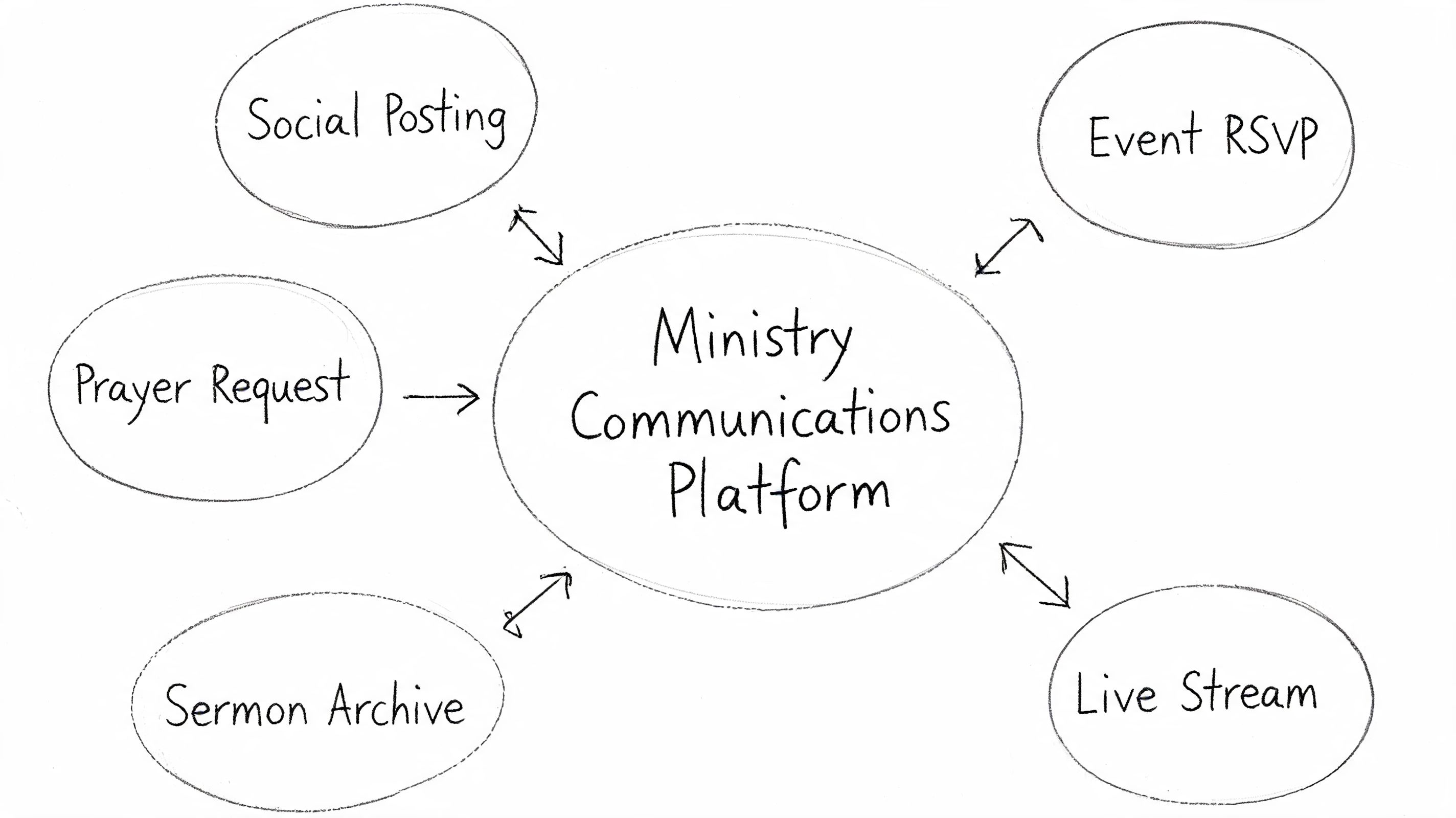
Sermon content should become a weekly system
A lot of vendor lists still treat social publishing like a simple scheduler. That’s outdated for churches. The hard part isn’t pressing publish. The hard part is turning a sermon into multiple usable assets.
The clearest modern benchmark is AI-assisted sermon repurposing. According to this analysis of church technology companies and AI sermon workflows, the methodology for AI-powered sermon clip creators includes transcribing sermons with 95% accuracy, identifying engaging 30 to 60 second segments with NLP, and auto-editing them for platforms like Instagram Reels. The same source states that this process can increase audience engagement by 2 to 5 times compared to manually created clips.
Those numbers matter because they point to a practical reality. Manual clipping is slow. It usually depends on one person with editing skills and enough margin to watch the full message again. Most churches don’t have that margin.
The features that actually change workload
When I evaluate communications software for churches, I look for five things first.
- Sermon-to-content workflow: Can the platform take a sermon transcript and turn it into clips, captions, and draft posts without exporting everything into separate tools?
- Built-in church graphics support: Generic design software works, but it often leaves volunteers staring at a blank canvas. Templates matter because they speed up production and protect consistency.
- Visual calendar management: If your team can’t see the month at a glance, content gets reactive fast. Drag-and-drop scheduling is more helpful in churches than complex campaign builders.
- Calendar and event integrations: Event communication falls apart when dates live in one place and content planning lives in another. Integration with systems like Planning Center matters.
- Multi-format publishing: Churches need one message adapted for reels, static posts, carousels, stories, and sometimes blogs or discussion prompts.
That’s the standard I’d use before looking at bonus features.
What works and what doesn’t
Here’s where some christian technology companies still miss the mark.
What works: Platforms that reduce handoffs. If a sermon becomes clips, social copy, blog drafts, and scheduled posts inside one workflow, your team stays focused. If events sync into the content calendar, reminders get planned.
What doesn’t: Platforms that are technically powerful but operationally fragmented. If your team needs one tool for clipping, one for graphics, one for captions, one for scheduling, and another for approvals, the process breaks under normal church staffing conditions.
One ministry-focused option in this category is ChurchSocial.ai’s guide to social media for churches, and the platform itself combines sermon reel generation, transcript-based content creation, graphic templates, a drag-and-drop calendar, and integrations with Planning Center and other church calendars for event-based content workflows.
The best church social workflow is the one a tired volunteer can still run on Thursday night without needing a training manual.
For teams that also want to understand the broader technical side of publishing and integrations, this roundup of social media API solutions is useful background. Not because churches need to build their own stack, but because it helps staff ask sharper questions about how a platform connects to the networks they rely on.
Assessing Analytics Security and Support
Feature demos usually get the attention. Analytics, security, and support decide whether the relationship still works six months later.
Churches often discover this the hard way. A tool looks polished in onboarding, but nobody can tell what’s working, no one knows how data is protected, and support responses assume a full-time marketing department is available to troubleshoot.

Analytics should answer ministry questions
Church analytics shouldn’t stop at likes and reach. Those numbers have a place, but they don’t tell a church much by themselves.
The stronger approach is integrated analytics that connect activity across systems and help teams see patterns over time. According to Confide in’s overview of christian tech companies and church analytics, a robust church analytics methodology runs from data ingestion through predictive modeling, and churches that successfully use integrated analytics can report up to 40% higher retention rates compared to those relying on manual tracking methods.
That doesn’t mean every church needs advanced modeling. It means your platform should help your team move from vanity metrics to useful questions such as:
- Which content types drive meaningful responses
- Which event reminders lead to registrations or attendance
- Whether first-time guest follow-up content is consistent
- How sermon clips perform compared with static announcements
If a vendor can only show surface-level engagement, keep digging.
A practical reference point for church teams comparing reporting approaches is this breakdown of social media analytics tools for churches.
Security questions to ask before signing
Churches handle sensitive information. Even a communications platform may touch staff accounts, publishing permissions, calendars, media assets, and audience data.
Ask direct questions:
- Access controls: Who can publish, approve, edit, or connect accounts?
- Account protection: How are connected social accounts secured and monitored?
- Data handling: What church data is stored, and what happens if you cancel?
- Incident response: How does the company communicate if something goes wrong?
- Third-party review: Has the platform been tested externally?
If your church board or operations team wants a baseline example of what external security testing looks like, Affordable Pentesting for SMBs offers a helpful reference. It’s useful for framing the conversation, especially if your team hasn’t worked through vendor security review before.
Ministry ops reminder: “Secure enough for our size” is usually how churches postpone asking the right questions.
Support is part of the product
Support quality matters more in churches than many vendors realize. A business software company may assume trained admins and documented internal processes. Churches often have rotating volunteers, part-time staff, and approval chains that change with the season.
That means you should test support before buying. Send a question. Ask how onboarding works. See whether the answer is written for a church team or for a generic SaaS buyer.
A platform can have solid features and still be a poor fit if the company doesn’t understand Easter week pressure, last-minute event changes, or the reality that your Instagram manager might also run slides on Sunday.
Navigating Pricing Contracts and Vendor Fit
Pricing pages rarely tell the whole story. Churches need to know how software costs behave after the demo, after onboarding, and after the team grows.
The most common models each have trade-offs, and none is automatically right.
Common pricing models in church software
Per-user pricing can work for larger teams with defined roles. It often becomes frustrating in churches because volunteers, interns, and seasonal contributors may need access without justifying another seat.
Tiered plans are easy to understand at first. The issue is that many churches don’t upgrade because they need a huge bundle of new features. They upgrade because they need one specific capability hidden behind a higher tier.
Flat-rate pricing is easier to budget. It also tends to fit churches better when responsibilities are shared across staff and volunteers.
A modular model can be especially practical in ministry settings because it lets churches pay for the parts they use. ChurchSocial.ai, for example, offers pricing starting at $15/month plus modular add-ons for areas like sermon and design workflows, which is often easier for churches to scale than committing to a large bundled platform from day one.
Contract terms that deserve scrutiny
The contract matters as much as the monthly number.
Review these items carefully:
- Term length: Annual agreements aren’t always bad, but long lock-in periods create risk if adoption stalls.
- Auto-renewal language: Churches miss this often, especially when purchasing happens near budget season.
- Data ownership: Make sure your church can export its content, calendars, and assets if needed.
- Feature access: Clarify which capabilities are core and which require upgrades or add-ons.
- Support limits: Some vendors advertise support broadly but restrict onboarding help or response levels by plan.
If a company hesitates when you ask about data export, pay attention. Churches generate a lot of message-based content over time. Losing access to that archive creates real operational pain.
Vendor fit is more than product fit
A platform may check every feature box and still be wrong for your church.
Mission fit shows up in smaller ways. Does the company understand sermon-driven content. Do they recognize that approval sometimes sits with a pastor, not a marketing manager. Do they build for teams that need simple handoffs, not enterprise-style campaign management.
Use this short comparison during final conversations:
| Question | Healthy answer | Concerning answer |
|---|---|---|
| Who is this built for | Churches or ministry teams with clear use cases | “Any organization” with vague church references |
| How hard is setup | Clear workflow and onboarding path | Heavy customization before value appears |
| What happens if staffing changes | Easy handoff and role clarity | Knowledge stays with one trained user |
| Can we scale gradually | Modular or flexible growth path | Immediate upgrade pressure |
The best vendor fit usually feels boring in the right way. The tool makes sense. The workflow is clear. Your team can picture using it next Tuesday, not just admiring it in a demo.
Making Your Final Decision with a Scoring Matrix
When a church gets down to two or three finalists, opinions start to multiply. One person likes the feature set. Another likes the price. Someone else had a good demo experience. A scoring matrix keeps the decision grounded.
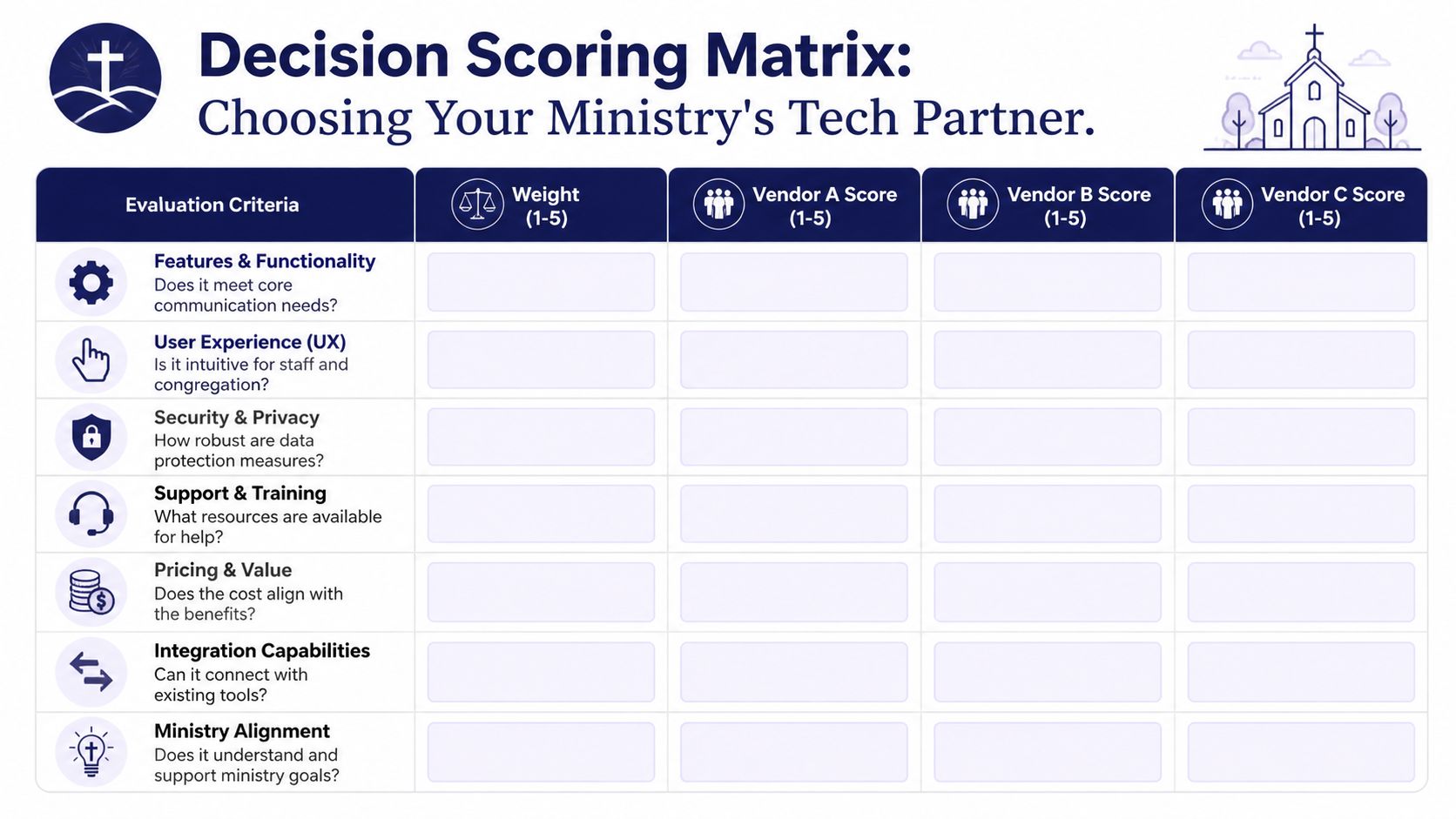
Use weighted criteria, not just raw scores. A small church with volunteers may care more about simplicity and support than deep customization. A multi-site team may place more weight on integrations and governance.
Vendor Decision Matrix Template
| Criterion | Weight (1-5) | Vendor A Score (1-5) | Vendor A Weighted | Vendor B Score (1-5) | Vendor B Weighted |
|---|---|---|---|---|---|
| Features and functionality | |||||
| User experience | |||||
| Security and privacy | |||||
| Support and training | |||||
| Pricing and value | |||||
| Integration capabilities | |||||
| Ministry alignment |
How to use it well
Don’t let one person fill it out alone. Ask your communications lead, an operations staff member, and at least one regular user to score each vendor independently. Then compare notes.
A few criteria deserve heavier weight for most churches:
- Support and training if volunteers or part-time staff will run the system
- Integration capabilities if your events and planning already live in another platform
- Ministry alignment if the product claims to serve churches specifically
- Features and functionality if sermon repurposing and social publishing are central needs
Choose the platform your team will actually keep using in October, not the one that sounded impressive in April.
Good decisions here create margin. Staff spend less time chasing assets. Volunteers spend less time guessing what to post. Pastors see their message travel further through the week. That’s the essential value christian technology companies should deliver.
If your church needs a simpler way to turn sermons and events into scheduled social content, ChurchSocial.ai is worth evaluating alongside your other options. It’s built specifically for churches and includes AI sermon reels, transcript-based content generation, graphic templates, a visual calendar, and Planning Center-connected workflows that can reduce the weekly scramble for staff and volunteers.


