
Your church needs a fresh image for Sunday's announcement, a sermon thumbnail, or an event carousel. The first search produces the same cathedral, stained-glass window, and empty pew images your audience has already seen, while volunteers still need something they can download, edit, and publish without calling a designer. The challenge isn't finding church-related imagery. It's finding visuals that are usable, licensable, adaptable, and relevant to the message.
This list brings together church-focused libraries, general stock platforms, and openly licensed archives. Each source is evaluated for search usefulness, download practicality, licensing clarity, branding potential, and fit for social posts, carousels, reels, blogs, and event announcements. The best choice depends on whether you need a clean background, a seasonal graphic, local architecture, or a visual that supports sermon-derived content.
Once you've selected an image, ChurchSocial.ai's guide to stock photos for churches offers a practical next step. ChurchSocial.ai lets churches turn selected assets into branded graphics and carousels, while also creating sermon-based posts, blog content, and AI-generated reels. Its visual calendar helps volunteers plan, update, schedule, and publish content without managing every platform separately.
1. Unsplash
Unsplash is usually the strongest first search for churches that want polished imagery without a dated stock-photo feel. Search terms such as church, worship, prayer, baptism, Bible study, cross, and seasonal phrases can surface exteriors, interiors, architectural details, devotional scenes, and atmospheric backgrounds. It isn't church-exclusive, so the results can still lean toward generic religious imagery, but the visual quality is often consistent enough for social posts, website headers, sermon thumbnails, and blog graphics.
Unsplash states that its license allows users to download, copy, modify, distribute, perform, and use images for free, including commercially, without permission or attribution, under a worldwide, irrevocable, nonexclusive license. That makes it practical for donation campaigns, event promotion, worship slides, newsletters, and branded social graphics. You should still review separate concerns when an image contains identifiable people, trademarks, or private property.
Best church communications uses
Use wide architectural photos for event announcements, close-up details such as hands on a Bible for devotional posts, and images with open sky or uncluttered walls for sermon titles. High-resolution originals also give you room to crop for vertical reels and short-form video covers.
The main limitation is authenticity. A beautiful worship scene may communicate reverence, but it probably doesn't represent your congregation. Choose images without visible faces whenever possible, especially when the image is serving as a background rather than documenting an actual ministry moment.
Practical rule: Treat Unsplash as a source for atmosphere and visual consistency, not as a replacement for photographs of your own church community.
Unsplash+ results may appear alongside free content, so check the download option before building a design around an image. In ChurchSocial.ai, use the image as a restrained background, add your church's colors and logo in the editor, and let the accompanying caption carry the specific invitation.
2. Pexels
Pexels is a useful option when your church needs both still images and short video clips. Its church and worship searches cover sanctuaries, Bibles, choirs, architecture, candles, music, and other visual themes that can support announcements, sermon series, prayer prompts, and event reminders. The platform also includes vertical-friendly footage, which is helpful when a social team is creating reels without filming new material.
Pexels says that its photos and videos are free for personal and commercial use and that attribution isn't required, although credit is appreciated. That no-credit requirement reduces friction for volunteer teams that publish frequently across social channels. It doesn't remove the need for judgment. Check the specific image for recognizable people, logos, sensitive situations, or visual details that could make an otherwise attractive asset inappropriate for a ministry message.
Where Pexels works best
Use a quiet sanctuary image behind a service invitation, a vertical clip as a reel background, or a Bible and notebook composition for a sermon reflection. Search with combinations rather than relying on “church” alone. Terms such as worship background, prayer hands, open Bible, church interior, or community gathering can produce more useful results.
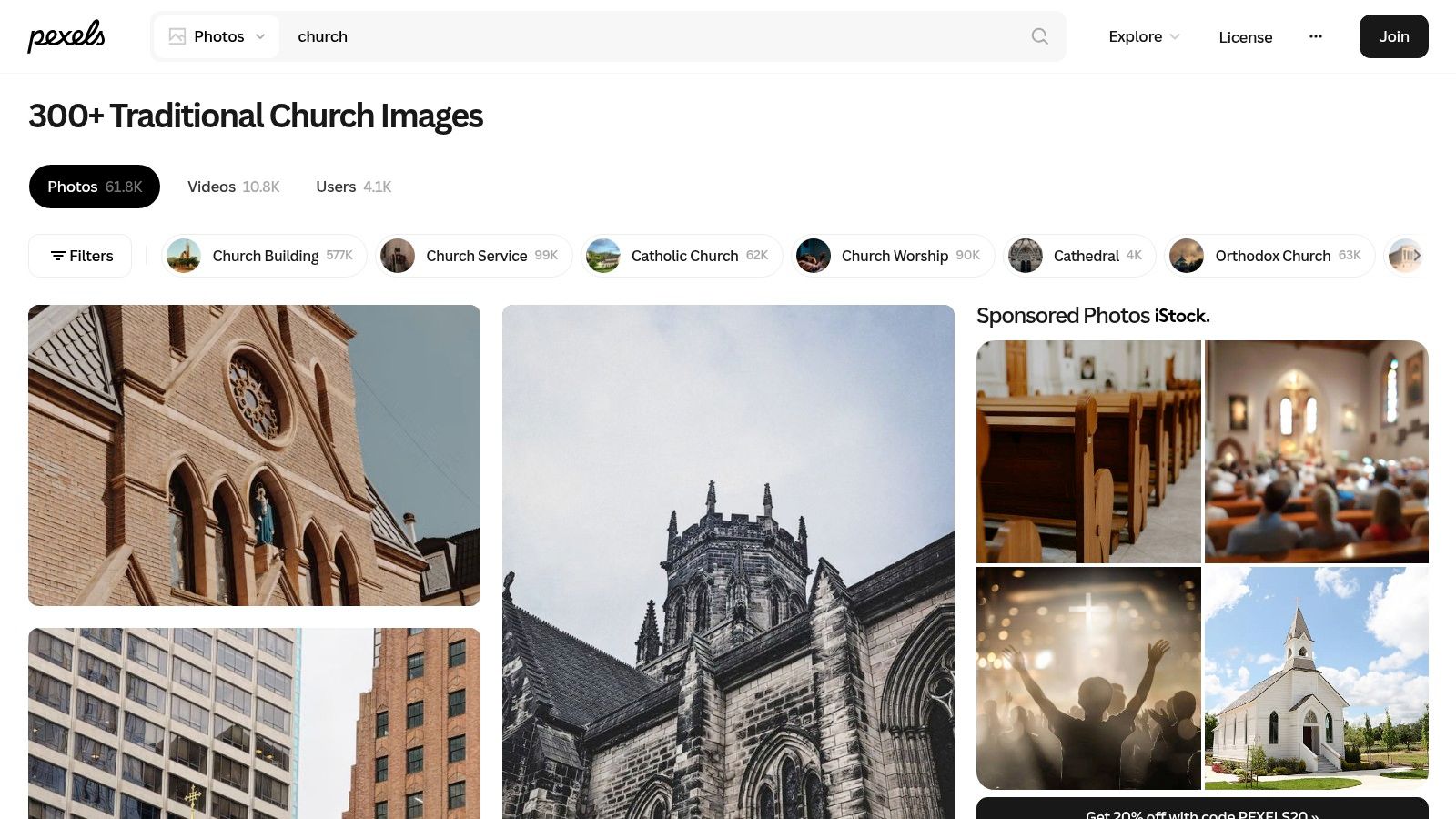
Pexels is easy for volunteers because downloads are straightforward and a login isn't required for ordinary access. Quality varies, and some images appear across multiple free platforms, so save the source page with the downloaded file if your team wants a clear internal record.
For branded posts, select images with a calm area on one side or near the top. Add text as a deliberate overlay in ChurchSocial.ai rather than using an image that contains random words embedded in the scene. If a photo includes text on a paper, whiteboard, or sign, make sure that text supports the context instead of creating confusion.
3. Pixabay
Pixabay's church search is valuable when you need volume, variety, or formats beyond standard photography. The library includes church buildings, chapels, cathedrals, interiors, illustrations, vectors, videos, music, and backgrounds. Filters for orientation, color, and size help narrow a broad search into something more usable for a square post, vertical story, widescreen slide, or printed announcement.
Pixabay says its images can be used without attribution in digital and printed formats, including commercial applications. The platform uses its own content license rather than presenting every asset as CC0, so review the current terms and the individual asset before publishing. This matters when a church is using an image for fundraising, ticketed registration, a monetized livestream, or a promotional campaign.
A good choice for visual exploration
Pixabay is particularly useful for searches involving church architecture, cross backgrounds, stained glass, Easter, Christmas, Advent, and other seasonal themes. It can also help when a church needs an illustration instead of a photograph, such as a simple background for children's ministry or a sermon series concept.
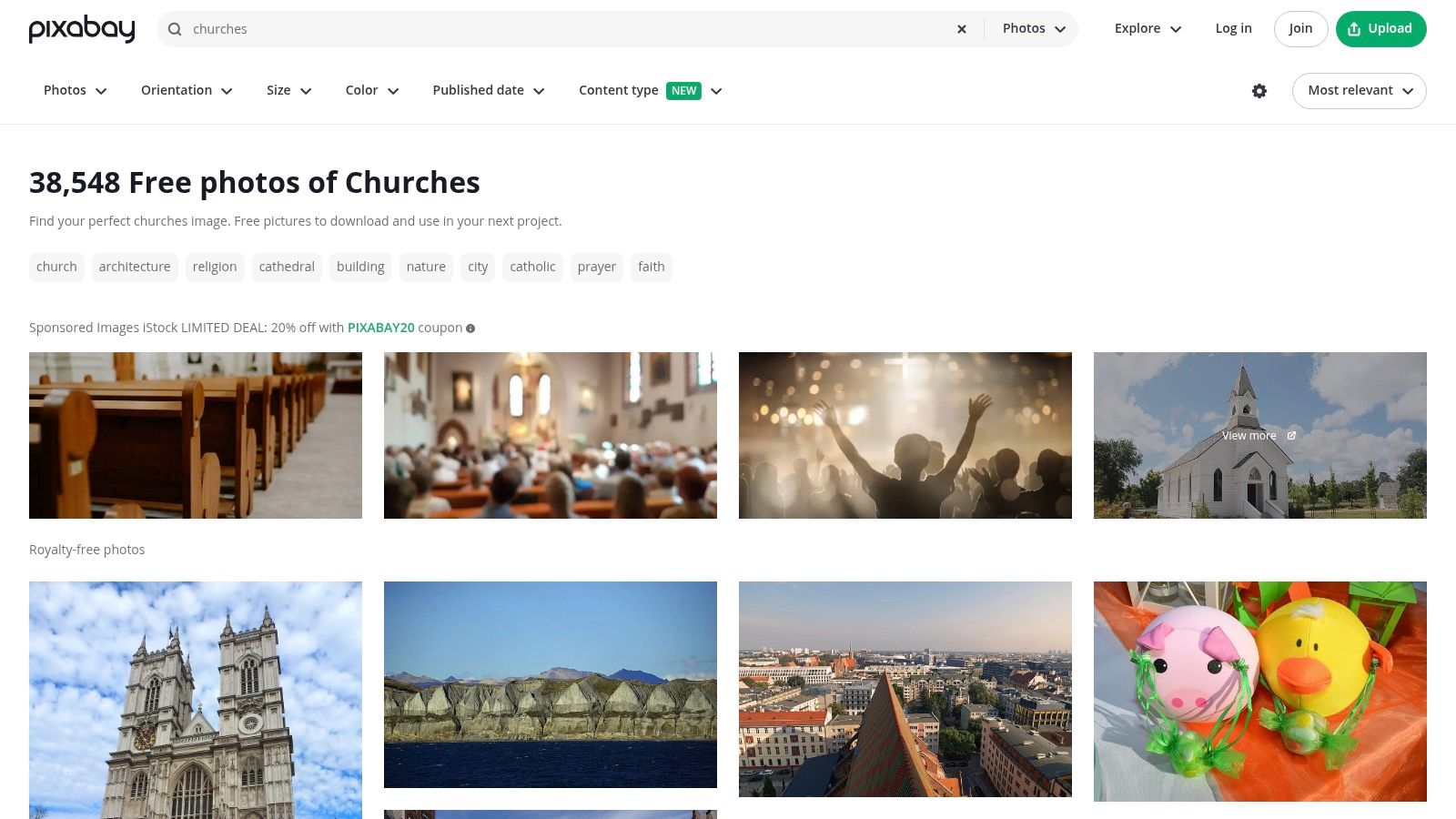
The trade-off is uneven quality. Sponsored stock placements can appear in results, and a large catalog requires more filtering than a tightly curated library. Don't choose the first visually relevant thumbnail. Open the asset, confirm the download option and licensing information, then check whether the composition leaves room for your message.
Pixabay works well with ChurchSocial.ai's templates when you need several related assets for a carousel. Keep the image treatment consistent across slides, use one intentional text hierarchy, and avoid placing words over busy stained glass or detailed architecture. A clean background usually communicates more clearly than a dramatic image overloaded with text.
4. StockSnap.io
StockSnap.io is a smaller, simpler source, but its clarity can be more useful than a massive catalog when a volunteer needs to make a decision quickly. The dedicated church search page brings together architectural details, interiors, crosses, windows, and other relevant imagery without the same level of visual clutter found on larger platforms.
StockSnap identifies its images as released under CC0, a licensing approach designed to waive copyright and related rights as completely as legally possible. For church teams, that makes StockSnap attractive when an image will be heavily edited, recolored, cropped, combined with graphic elements, or used repeatedly in a branded campaign. Even with permissive copyright terms, review images for people, trademarks, and private-property concerns before publication.
Why smaller catalogs can help
StockSnap isn't the place to start if you need a highly specific modern congregational scene. It has fewer people-in-worship images and less breadth than the largest free libraries. It is stronger as a source for quiet backgrounds, architectural textures, church details, and visual elements that support text-led communication.
The fast interface also suits volunteer workflows. Search, inspect the file, download it, and move directly into your design process without spending too long comparing near-identical results.
A clear license and an uncluttered image are often more valuable than another page of mediocre search results.
Use StockSnap for a sermon quote card, a prayer reminder, or a simple event graphic. In ChurchSocial.ai, apply your church's type treatment and color palette after download. The image should establish tone, while the overlay gives the post its ministry-specific meaning.
5. Burst
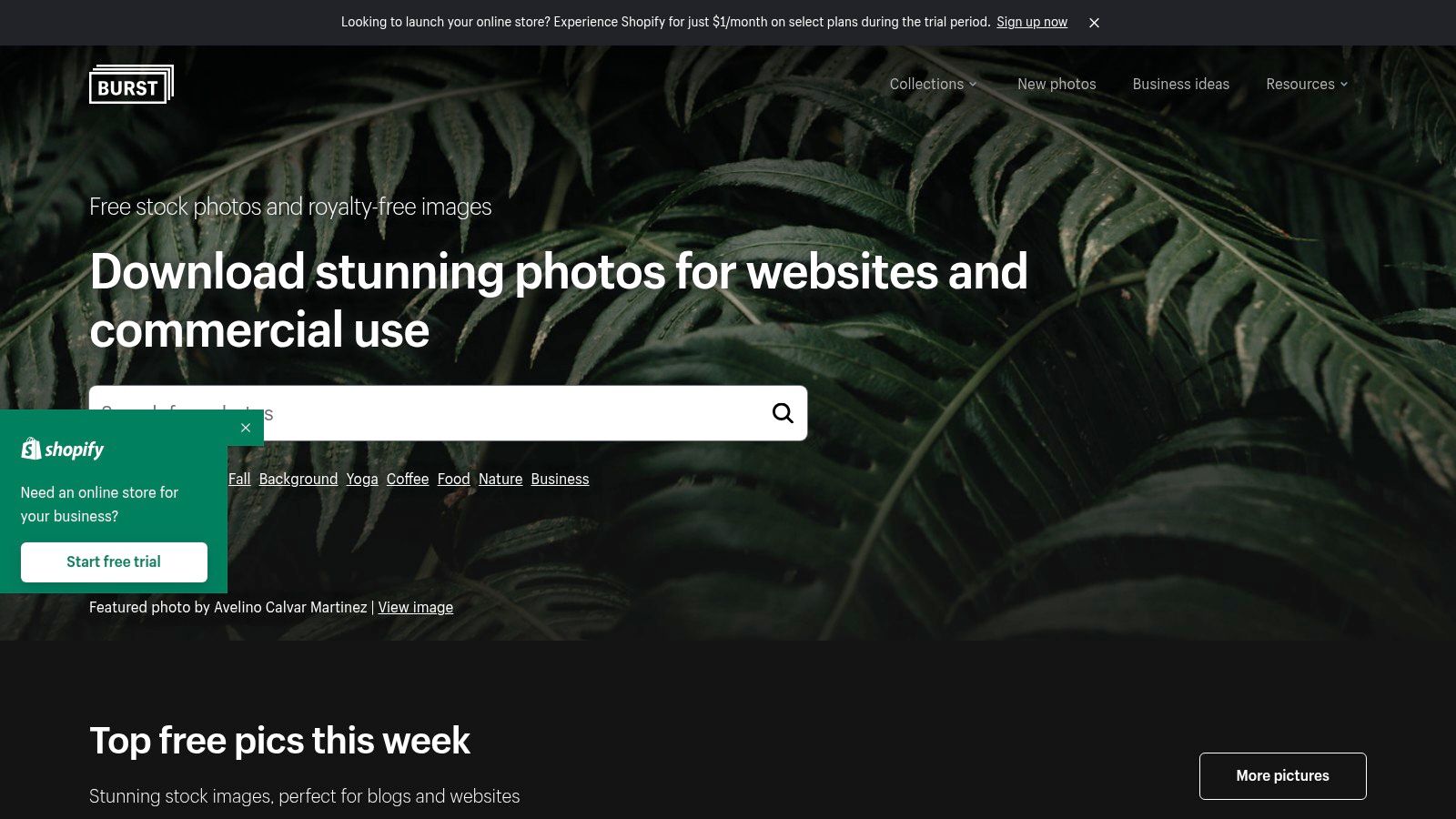
Shopify's Burst is not a church-specific library, and that's part of its usefulness. Its curated, brand-friendly photography can provide community, hospitality, seasonal, workspace, nature, and architectural imagery for outreach posts, welcome campaigns, volunteer announcements, and event promotions. Search results may not always show explicit worship scenes, but they can feel less repetitive than the standard church-building search.
Burst provides high-resolution, free-to-use imagery intended for commercial use. The practical advantage is a campaign-ready visual style that can work well when a church wants to communicate warmth, organization, hospitality, or community rather than focus on religious symbols.
Use it for the message around the ministry
A church picnic announcement may need a welcoming outdoor image rather than a sanctuary. A volunteer recruitment post may work better with a clean community or workspace composition. An event graphic may need a seasonal texture, neutral background, or image with generous negative space for date and location details.
Burst's limitation is obvious. You won't find the same depth of baptism, communion, prayer-night, or worship imagery available from church-focused sources. It's a supporting library, not a complete church-media system.
Before downloading, think about the final layout. A photo with open space on the left can support a square announcement, while a centered subject may crop poorly in a vertical reel cover. Keep people out of the image where possible if the post is meant to represent a general invitation rather than a real congregation.
Burst is a good match for ChurchSocial.ai's graphic templates and editor. Choose the visual first, then add text as a deliberate post-production layer. Don't use photographs with random signs or illegible words that compete with the announcement.
6. Rawpixel
Rawpixel's church collection combines free material, public-domain assets, and paid content. That mixture gives churches access to church and cathedral interiors, stained glass, Bible imagery, historical photographs, and decorative visual sets, but it also creates a licensing task that can't be skipped. Use the platform's Public Domain or Free filters before treating an asset as available for your workflow.
Public-domain images can be useful when you need substantial editing. A historic church photograph can become a textured sermon background, a stained-glass detail can support a seasonal series, and an archival image can give an educational post more character than a generic stock photograph.
Filter before you design
The primary risk is assuming that every result in a mixed library has the same rights. Rawpixel includes paid material, so confirm the status of the exact file, save the source information, and avoid downloading a preview that later turns out to require a subscription.
ChurchSocial.ai's guide to church slide backgrounds is relevant when you're choosing imagery for worship screens, sermon visuals, or announcement slides. A slide background needs enough contrast and open space for readable text, not merely a striking subject.
Rawpixel can support a more distinctive visual identity, but it's less suitable for rushed posting unless your team has a reliable file-recording habit. Download only what you can document, and keep the original file separate from the edited version.
For social content, avoid putting text into the image itself unless it naturally belongs there, such as writing on paper or a whiteboard. Add sermon titles, service times, and calls to action later in ChurchSocial.ai's editor so the same asset can be adapted for multiple destinations.
7. Openverse
Openverse is a discovery tool rather than a single stock-photo catalog. It searches openly licensed media from sources such as Flickr and Wikimedia, which makes it especially useful when standard stock sites return polished but generic church interiors. Searches can surface local buildings, real congregational settings, historic scenes, and niche subjects that are difficult to find elsewhere.
Openverse provides license filters, including CC BY, CC BY-SA, and CC0, along with attribution guidance and source information. That flexibility comes with responsibility. The license can differ from one image to the next, so open the original source page and verify the exact permissions before downloading or editing.
When Openverse is worth the extra step
Use it for a regional church-history post, a local architecture feature, a Bible-study article, or a carousel that needs a more documentary feel. It's also a strong option when authenticity matters more than polished commercial styling.
ChurchSocial.ai's free media guide for churches can help teams think beyond a single image library. Openverse is most useful when your team accepts that licensing research is part of the selection process, not an inconvenience to postpone.
License habit: Save the image URL, creator name, license type, and attribution wording with the file before you add branding.
CC BY generally requires attribution, while CC BY-SA adds requirements around the licensing of adaptations. The University of North Carolina Web Guide also explains that CC BY-NC is limited to noncommercial use, and that “royalty-free” still may involve a one-time fee or subscription rather than free access. Those distinctions matter for fundraising, registration, promotion, and any church content connected to revenue.
8. Wikimedia Commons
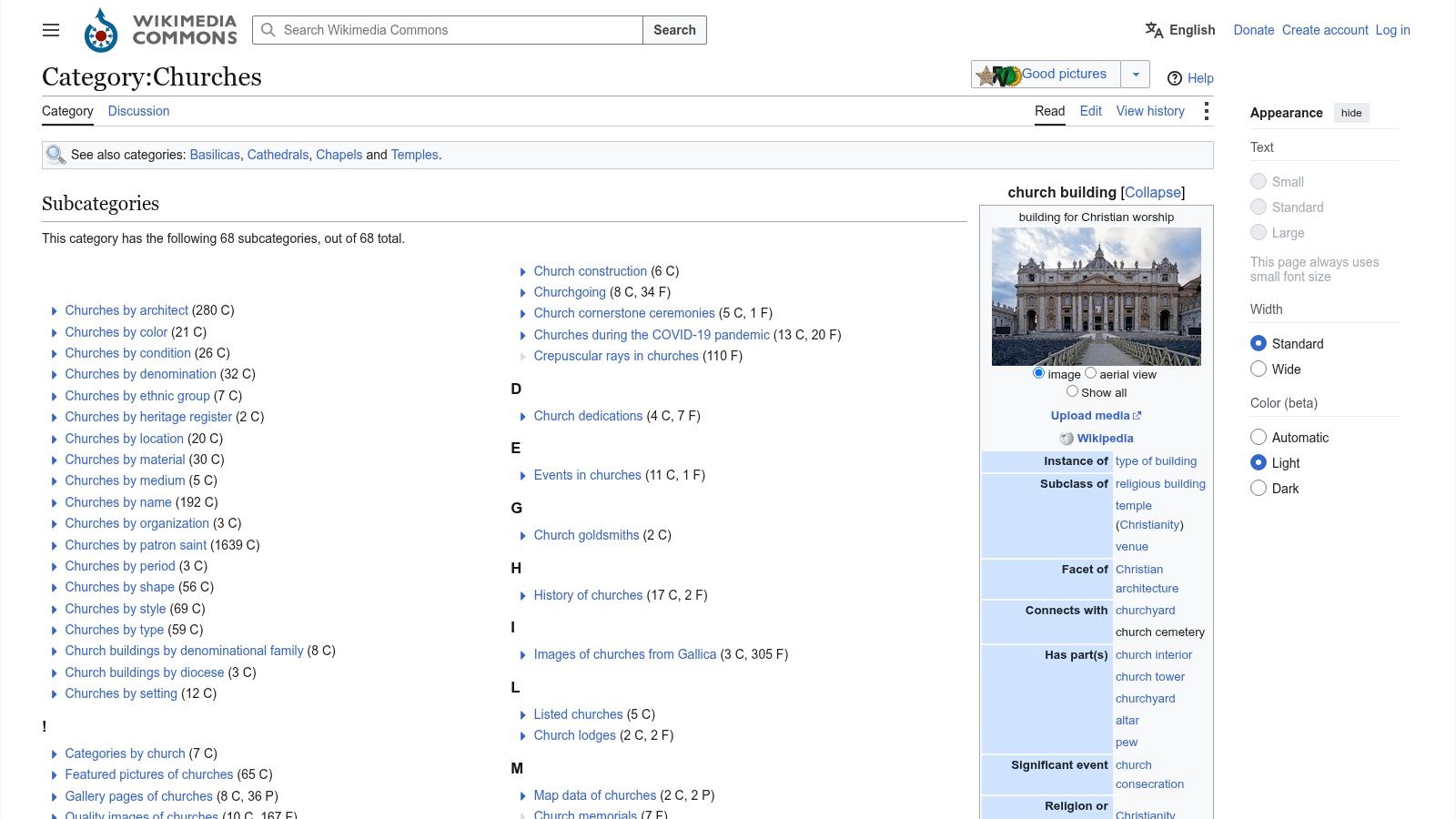
Wikimedia Commons' church category is one of the best places to search for documented architecture, stained glass, historical parish photographs, and local church imagery. Its category trees can lead from broad church collections to country, state, city, or architectural categories. That depth is useful for heritage spotlights, regional outreach, educational captions, and posts connected to a specific place.
Many Commons files are public domain or available under Creative Commons licenses such as CC BY and CC BY-SA. The file page normally identifies the creator, license, and attribution requirements, but those details belong to the individual file. Don't assume that two images in the same category share the same permissions.
Strong for local and educational content
Wikimedia Commons works best when the image itself carries factual or historical value. A photograph of a local church building can support a community-history post. A documented stained-glass panel can give a visual Bible-study post more substance. An architectural image can make a regional event announcement feel connected to place.
The trade-off is extra administration. Before publication, record the creator, source page, license, and required credit. If the license requires attribution, include it where your audience can find it, such as the caption, description, or a linked credits page, depending on the terms.
Wikimedia images can look excellent in ChurchSocial.ai carousels when each slide has a restrained layout. Keep historical context in the caption or second slide, and use the image itself without random embedded text. If you need a visual for a sermon reel, choose a simple file that won't distract from the transcript-derived message.
9. Tithely Media
Tithely Media is designed around church communications rather than general photography. Its media hub includes stock photos, sermon graphics, social posts, design kits, and seasonal material for subjects such as baptism, communion, prayer nights, Easter, and Advent. That church-specific focus can save time when the post already has a clear ministry purpose.
The platform advertises free downloads of available media and offers content in formats intended for church communication use cases. Search can span photos, series art, and seasonal packs, which makes it easier to keep a campaign visually connected instead of assembling unrelated assets from several general libraries.
Best for ready-to-adapt ministry graphics
Tithely Media is a sensible starting point for a baptism announcement, Easter invitation, communion reminder, or sermon-series launch. The content is closer to the language and calendar of church life than generic stock results, so volunteers spend less time translating an image into a ministry context.
The limitation is breadth. General stock libraries still offer more variety for unusual concepts, local scenes, abstract backgrounds, and nonreligious community content. Treat Tithely Media as a church-workflow resource, then supplement it with your own photography or a broader library when the message needs something more specific.
Check the terms attached to the particular download, especially if the asset includes editable graphics or third-party elements. Once selected, use ChurchSocial.ai's templates and editor to apply your church's branding, create a square post and carousel version, and schedule the content alongside the relevant event.
Images should support the announcement, not compete with it. Choose visuals without people whenever possible, and use faces only when the context is appropriate and the rights are clear.
10. Ministry Designs Media
Ministry Designs Media offers a church-centric library of stock photos and graphics for services, ministries, events, holidays, and social content. Themed packs and sermon-series assets make it useful for small teams that need a coherent visual direction but don't have a designer available for every campaign.
The library is described as free forever, with access focused on church communication needs. A free account or signup is required, so it's not the fastest source for a volunteer who needs one image immediately. Once an account is in place, the browsing and download process is oriented toward repeat ministry use rather than general image discovery.
A practical fit for recurring campaigns
Use Ministry Designs Media when you're building a series around a common theme, such as a holiday, sermon sequence, children's ministry initiative, or service announcement. Themed assets can reduce the temptation to choose a different visual style for every post. Consistency helps your audience recognize related content in a crowded social feed.
The trade-off is focus. The selection is narrower than a major general stock platform, and common ministry themes receive more attention than highly specific local or contemporary scenes. That's not a problem if you need a dependable starting point, but original photographs may still be better for showing your actual congregation, volunteers, ministries, and neighborhood.
Keep downloaded assets organized by campaign and source. Then use ChurchSocial.ai to create branded photos and carousels, turn sermon transcripts into social posts and blog articles, and generate AI-powered reels from sermon audio or video. Its drag-and-drop calendar can keep those assets connected to your wider publishing plan, while integrations with Planning Center and other church calendars can help create content around events.
10 Free Church Stock Photo Sources, Comparison
| Resource | Core focus & unique features (✨) | Quality / UX (★) | Best for (👥) | Price / Value (💰) | Standout (🏆) |
|---|---|---|---|---|---|
| Unsplash | Massive free photo library; curated church collections ✨ | High-res & modern; strong search ★★★★☆ | Social posts, thumbnails, volunteers 👥 | Free, generous license 💰 | Broad, high-quality church imagery 🏆 |
| Pexels | Photos + short vertical-friendly video clips ✨ | Modern social-ready assets; easy downloads ★★★★☆ | Reels/Shorts + social feeds 👥 | Free, no attribution needed 💰 | Built-in short clips for vertical content 🏆 |
| Pixabay | Photos, vectors, music & video; orientation/color filters ✨ | Huge volume but variable quality ★★★☆☆ | Large-volume needs & exterior shots 👥 | Free, multiple sizes on download 💰 | One-click size options & multi-media depth 🏆 |
| StockSnap.io | CC0 licensing across site; uncluttered interface ✨ | Clear rights; fast downloads ★★★★☆ | Branding, heavy edits, volunteer workflows 👥 | Free, public-domain style use 💰 | Safest rights for remixing & overlays 🏆 |
| Burst (Shopify) | Curated, brand-friendly aesthetic; campaign-ready shots ✨ | High-res, polished assets ★★★★☆ | Announcements, event promos, marketing 👥 | Free, commercial-friendly 💰 | Campaign-ready quality for outreach 🏆 |
| Rawpixel | Mixed library with Public Domain filter; historical sets ✨ | High-res but mixed paid/free access ★★★★☆ | Historical assets & heavy edits 👥 | Free tier + paid items (filter needed) 💰 | Public Domain filter for zero-attrib use 🏆 |
| Openverse | Meta-search across CC sources with license filters ✨ | Good discovery; license guidance ★★★★☆ | Attribution-ready projects & niche finds 👥 | Free (varied CC terms per image) 💰 | Aggregates hard-to-find CC assets 🏆 |
| Wikimedia Commons | Vast public-domain & CC media; local category trees ✨ | Deep, documented files; careful licensing ★★★★☆ | Regional/historical posts & education 👥 | Free, verify license per file 💰 | Exceptional local & historic church coverage 🏆 |
| Tithely Media | Church-tailored photo packs, sermon graphics & sizes ✨ | Designed for church workflows; easy use ★★★★☆ | Worship teams & communications staff 👥 | Free downloads; church-focused 💰 | Ready-to-use church-themed packs 🏆 |
| Ministry Designs Media | “Free forever” church-centric stock & sermon packs ✨ | Simple browsing; themed sets ★★★★☆ | Small teams & sermon-series graphics 👥 | Free (account required) 💰 | Themed series packs built for churches 🏆 |
| Pixabay | (duplicate entry removed) | , | , | , | , |
Turn Free Images Into Consistent Ministry Content
A free image library only solves the discovery part of church content production. The better workflow starts by confirming the exact license for the asset you're about to use. “Royalty-free” doesn't mean free. The University of North Carolina's Web Guide explains that it generally means a user pays a one-time fee or subscription and can reuse the image within the license terms. Creative Commons licenses also differ, with some requiring attribution, some limiting commercial use, and some requiring adaptations to use the same license.
Save the source page and licensing details with the original file. If attribution is required, record the creator and the exact wording while the information is easy to find. This small habit protects volunteers from having to reconstruct the asset history months later when a campaign is reused.
Your selection should also serve the layout. Look for clear space, simple backgrounds, and compositions that can survive cropping. Avoid unnecessary people whenever possible, particularly when a generic stock image could falsely imply that a person attends or endorses your church. If people are visible, review the context carefully and confirm that the image is suitable for the message.
Text belongs in one of two places. It can appear naturally in the scene, such as on paper or a whiteboard, when that wording makes sense. Otherwise, add it deliberately afterward as an overlay. Don't use an image with random text placed on a wall, shirt, sign, or unrelated object if that text distracts from the announcement.
A repeatable production flow can look like this:
- Choose the message first: Decide whether the asset supports a sermon clip, prayer prompt, event announcement, blog post, or carousel.
- Select for composition: Download an image with enough negative space for the intended headline and platform crop.
- Record the rights: Save the source, license, creator, and attribution details before editing.
- Create the branded version: Use ChurchSocial.ai's graphic templates and editor to add your church's colors, logo, headline, and call to action.
- Adapt for the destination: Prepare the visual for a post, carousel, reel cover, announcement, or website placement rather than forcing one crop everywhere.
- Schedule the complete campaign: Place the image alongside sermon-derived posts, AI-generated reels, and event content in the visual calendar.
ChurchSocial.ai can turn sermon video or audio into transcript-based social posts, blog articles, captions, and AI-generated reels. Its graphics studio and templates help churches create and post photos and carousels, while the drag-and-drop calendar makes it easier to manage and update social media content. Integrations with Planning Center and other church calendars can support event-related content, so a selected image doesn't remain stranded in a downloads folder.
The most effective church stock photos free workflow isn't about collecting every attractive image. It's about building a small, organized library of backgrounds, seasonal visuals, architectural details, and ministry-relevant assets that your team can reuse responsibly. Connect that library to a publishing system, and volunteers can spend less time searching and more time communicating clearly.
ChurchSocial.ai helps churches create branded photos and carousels, turn sermons into AI-generated reels and social posts, and manage publishing through a simple drag-and-drop calendar. Visit ChurchSocial.ai to connect your free image workflow with sermon content, church events, and consistent social media planning.


