
So, you're building a church tech booth. This little corner of your sanctuary is more than just a place to stash mixers and computers. It's the nerve center for your entire worship experience, translating what happens on stage for everyone in the room and, increasingly, for people watching on screens all over the world. It’s a vital hub for modern ministry.
Defining Your Ministry Goals and Tech Team Roles
Before you even think about buying a new camera or microphone, let's pump the brakes. The most important question you need to ask is: what are we actually trying to accomplish with our tech?
Your answer changes everything. It dictates your budget, your equipment choices, and how you build your volunteer team. Are you primarily focused on making sure the sermon is crystal clear for the people in the pews? Or is your vision bigger, aiming to create a full-fledged online campus that reaches people who will never set foot in your building? Nailing this down turns your tech booth from a technical task into a focused ministry hub.
Clarifying Your Technical Mission
Most churches find their mission falls into one of two camps, or more often, a mix of both.
- Enhancing the In-Sanctuary Experience: Here, the goal is excellence inside your four walls. We're talking about clear, intelligible audio, dynamic lighting that sets a worshipful mood, and easy-to-read lyrics on the screens. It’s all about removing distractions so your congregation can connect with God.
- Building an Online Campus: This is a production mindset. The priority is a high-quality live stream, an engaging online experience, and a strategy to turn Sunday’s sermon into content that connects with people all week long. Your tech booth essentially becomes a broadcast studio for a global audience.
These days, most of us are trying to do both. Even if your main focus is the room, a solid live stream is a lifeline for members who are sick or traveling, not to mention a front door for newcomers checking you out. Get clear on your primary and secondary goals—it'll be your North Star for every decision that follows.
Structuring Your Tech Team Roles
A tech ministry runs on people, not just gear. Defining roles is the key to preventing confusion and, more importantly, volunteer burnout. Even in a small church where one person wears five different hats, thinking in terms of specific functions brings much-needed clarity.
I've learned this the hard way: a supportive and grace-filled culture is the single most important factor in building a sustainable volunteer team. You can teach someone to run a soundboard, but you can't teach a heart for the ministry.
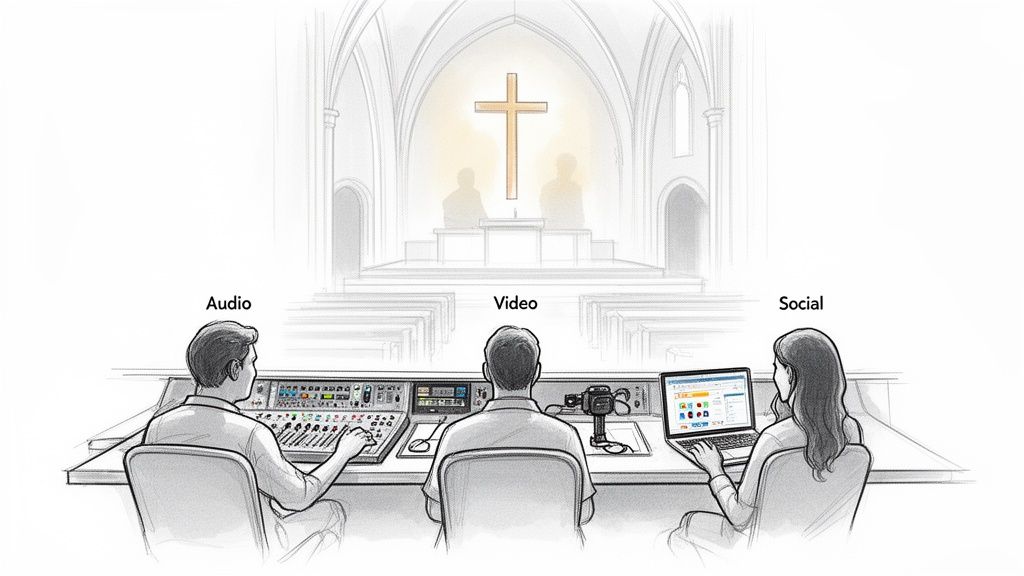
Here are the key roles to consider for your church tech booth team:
- Audio Engineer: This person owns all things sound. They're responsible for getting a clean, balanced mix for both the people in the room and the audience online.
- Video Director/Switcher: The storyteller for the online audience. They sit at the video switcher, calling the shots and choosing the camera angles that best capture the flow of the service.
- Camera Operator(s): The eyes of your online ministry. They run the cameras, making sure shots are in focus, steady, and beautifully composed.
- Graphics/ProPresenter Operator: This role is all about what goes on the screens—song lyrics, sermon points, and announcements. They guide the congregation visually through the service.
- Social Media Manager: This role is the bridge between Sunday morning and the rest of the week. They take the powerful sermon and repurpose it into clips, quotes, and posts that engage your community online.
That last role can be a massive time sink, but it's crucial for modern ministry. This is where a tool like ChurchSocial.ai can be a game-changer. It helps churches plan and manage their social media effortlessly. You can take a sermon transcript and automatically generate social media posts, blog articles, and even create AI-generated reels from the sermon video. It frees your volunteer from hours of editing and content creation, allowing them to focus on what really matters: engaging with people online.
Designing an Efficient and Ergonomic Tech Booth
The physical design of your church tech booth is so much more than an afterthought. I’ve seen it firsthand—a poorly planned, cramped space is a recipe for volunteer stress, burnout, and technical glitches right in the middle of a service. On the flip side, a well-designed booth fosters clear communication, cuts down on errors, and makes your tech ministry a place people actually want to serve.
Before you even think about equipment, you have to answer some basic questions about the space itself. Where is it going? What can you actually see from there? How will the team talk to each other during a loud worship set versus a quiet prayer? Nailing these details from the start saves you from massive headaches later.
Foundational Layout Considerations
Before you measure for a single desk, you need to think about the booth’s placement and its core purpose. A truly functional church tech booth is a balancing act.
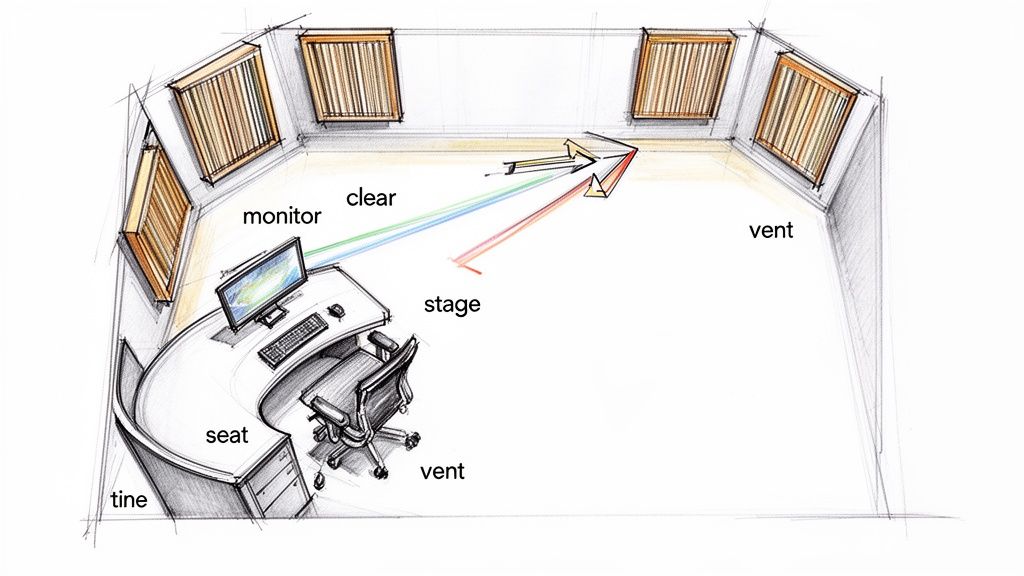
- Clear Sightlines: Your team absolutely must be able to see the stage. This isn't just about watching the pastor. It's about catching the visual cues, noticing when a guitarist's battery pack dies, and feeling the room's energy to get the audio mix just right.
- Acoustic Isolation: The booth needs to be at least partially soundproofed. This is crucial for preventing the main speakers from bleeding into the broadcast mics, which creates a terrible echo on your livestream. It also means your team can communicate clearly without yelling over the music or distracting the people sitting nearby.
- Adequate Ventilation: All those computers, video switchers, and lighting consoles create a surprising amount of heat. Good airflow isn’t a luxury; it’s what keeps your gear from overheating and failing—which it will always do at the worst possible moment.
Think of these three things as the foundation of your entire tech ministry workspace. If you have terrible sightlines or constant audio bleed, your team will be frustrated no matter how fancy the equipment is.
Creating an Ergonomic Workspace
Ergonomics is just a technical word for making the workspace fit the person, not forcing the person to contort to the workspace. For volunteers sitting for two to three hours at a time, comfort is directly tied to focus and performance.
Take desk height, for example. A standard office desk might seem fine, but for someone running a soundboard or video switcher for hours, it can cause real strain. The goal is a neutral wrist position. If your budget allows, look into adjustable-height desks or even custom-built consoles.
The goal is to minimize physical distractions so your team can focus on the spiritual and technical elements of the service. A comfortable volunteer is an attentive and effective volunteer.
And don't forget the chairs. Seriously. Invest in quality chairs with good lumbar support and adjustable armrests. When your team isn't fidgeting and trying to get comfortable, they’re paying better attention to the audio mix and camera shots.
Monitor placement is another easy win. Screens should be at eye level to prevent neck strain. A few well-placed monitor arms are a small investment that makes a huge difference in volunteer comfort and focus.
Choosing the Essential Gear for Your Tech Booth
Walking into the world of audio, video, and lighting gear can feel like learning a completely new language. I get it. But outfitting your church tech booth doesn't have to be overwhelming. The trick is to break it down into four key areas: audio, video, lighting, and streaming. This helps you make smart, confident choices that actually serve your ministry's goals and budget.
Let’s be clear: the goal isn’t to buy the most expensive equipment. It’s to invest in the right equipment. A shaky camera might be a minor distraction, but if your congregation—both in-person and online—can't hear the message clearly, the entire service loses its impact. That’s why we always, always start with audio.
The Foundation: Your Tech Booth's Audio
Great audio is simply non-negotiable. It's the single most crucial part of your service, both in the room and online. If your sound is muffled, distorted, or cutting in and out, you will lose your online audience in a heartbeat.
Here’s a quick rundown of what you’ll need to get started:
- Microphones: This is your starting point. You’ll need a mix of mics for different jobs. Think a quality wireless lavalier or headset for your pastor, handhelds for the worship team, and maybe some condenser mics to capture the room's energy for the livestream.
- Audio Mixer: This is the command center for your sound system, bringing all your audio sources together. A digital mixer is usually a much better long-term investment than an analog one. It gives you incredible flexibility for sending audio to different places (the main sanctuary, lobby, and stream) and lets you save your settings for different events.
- Speakers & Monitors: You'll need main speakers for the room and stage monitors so the worship team can hear themselves properly. Just as important for the tech booth is a good pair of studio headphones. They are essential for isolating the livestream audio to make sure it sounds clean and professional.
When you're mapping out your budget, make sure a significant chunk is dedicated to your audio setup. Clean, clear sound is the foundation you'll build everything else on.
Bringing the Service to Life with Video
Once your audio is solid, you can turn your attention to the visuals. Video is what truly connects your online audience to the service, helping them feel like participants rather than just spectators. A thoughtful video setup can completely transform your online ministry.
Imagine the typical church tech booth on a Sunday morning. A volunteer is often juggling cameras, streaming software, and maybe even getting clips ready for social media. It's a busy place! In fact, 85% of churches now use tools like Facebook Live for their services. This shift has led 55% of congregations to invest more in their digital media gear over the last couple of years, recognizing that a more professional setup keeps people watching.
Here are the key components for your video system:
- Cameras: The options here are endless. PTZ (Pan-Tilt-Zoom) cameras are a fantastic choice because a single operator can control several of them remotely. This is a huge win for churches that rely on small volunteer teams. If you're just starting out, don't underestimate the power of a newer smartphone on a good tripod—it can be a very effective and budget-friendly way to run a single-camera stream.
- Video Switcher: Just like an audio mixer handles sound, a video switcher lets your team cut seamlessly between different cameras, sermon graphics, and pre-recorded videos. This is what gives your livestream that polished, broadcast-quality feel.
- Capture Card: This small but powerful device is the bridge between your camera (or switcher) and your computer. It takes the video signal and converts it into a format your computer can use for streaming.
A great video setup does more than just show what's happening; it tells a story. For a deeper dive, our guide on choosing a video recording system for your church has more detailed advice on cameras and accessories.
The Overlooked Essential: Good Lighting
I’ve seen it a hundred times: a church invests in great cameras but forgets about lighting. It’s easily the most overlooked part of video production, but it has a massive impact on the final quality. Even with the best cameras money can buy, poor lighting will make your video look dark, grainy, and amateur.
The goal for stage lighting isn't just to light the stage, but to light it for the camera. You want to create a soft, even light on your speakers and worship team, getting rid of any harsh shadows. The easiest way to do this is with a simple three-point lighting setup:
- Key Light: Your main, brightest light, positioned slightly to one side of your subject.
- Fill Light: A softer light placed on the opposite side to "fill in" the shadows from the key light.
- Back Light: A light placed behind the subject to create separation from the background, which adds a lot of depth to your shot.
Modern LED lighting fixtures are a fantastic investment. They don't get hot, they use way less power, and many of them let you change colors on the fly. This gives you amazing flexibility for matching sermon series graphics or creating a specific mood for worship.
A common mistake is lighting the stage for the human eye, not the camera. What looks good in person can often look dark and shadowy on a livestream. Always check your lighting through the camera’s viewfinder before you go live.
Making the Connection: Streaming and Social Media
Finally, you need the gear to send your service out to the world and keep your community engaged all week long. This part is about two things: a stable network connection for your stream and the right software tools to make the most of your content.
First, a rock-solid internet connection is non-negotiable. A hardwired ethernet connection to your streaming computer will always be more reliable than Wi-Fi. Always.
This is also where your tech booth's workflow can become a content engine for your church's social media. That sermon you just streamed? It's a goldmine of content. A platform like ChurchSocial.ai was built for this exact purpose. After the service, you can upload the sermon and its AI will help generate blog posts, social media captions, and small group questions.
Even better, its AI-powered tools can analyze your message, find the most powerful moments, and automatically create AI-generated reels. These are perfect for sharing on Instagram and TikTok. This approach turns your tech booth from a Sunday-only operation into a ministry tool that works for you all week long, without burying your team in extra hours of work.
Mastering Your Booth's Wiring and Signal Flow
Let's be honest. That tangled mess of cables behind the tech desk—what we affectionately call "cable spaghetti"—is more than just an eyesore. It's a ticking time bomb, a critical point of failure just waiting to trip you up during a key moment in the service. I've seen it happen countless times.
A clean, organized church tech booth isn't about being a perfectionist; it's about peace of mind. Getting your wiring and signal flow right makes troubleshooting a breeze and opens the door for any volunteer to serve confidently. We're going to walk through how to build a system that anyone on your team can understand.
Taming the Cable Spaghetti
The first step to a reliable system is getting those cables under control. An organized wiring closet is all about serviceability. When a cable eventually gives out (and trust me, it will), you need to be able to find and replace it in minutes, not waste an hour tracing it through a knotted mess.
Here are a few tricks of the trade that make a world of difference:
- Color-Coding: This is a simple but powerful visual cue. Try using blue for all audio cables, red for video, and yellow for your network lines. It instantly makes tracing a connection much faster.
- Label Everything: If you do only one thing, do this. Get a label maker and tag both ends of every single cable. The label needs to say where it's coming from and where it's going (e.g., "Mixer Main Out L" to "Stream PC In L"). Your future self will thank you.
- Use Cable Raceways and Velcro Ties: Please, step away from the zip ties. They can crush cables and are a nightmare to remove. Instead, bundle cables neatly with velcro ties and run them through cable raceways or trays under your desks and in your racks.
A well-managed cable system is a sign of a healthy tech ministry. It shows a commitment to excellence and stewardship, making it easier for new volunteers to step in and serve without being intimidated by a chaotic mess.
This process is the foundation. It helps you get hands-on with the gear that makes your services happen. The flowchart below breaks down the essential flow for any worship experience, covering the big three: audio, video, and lighting.
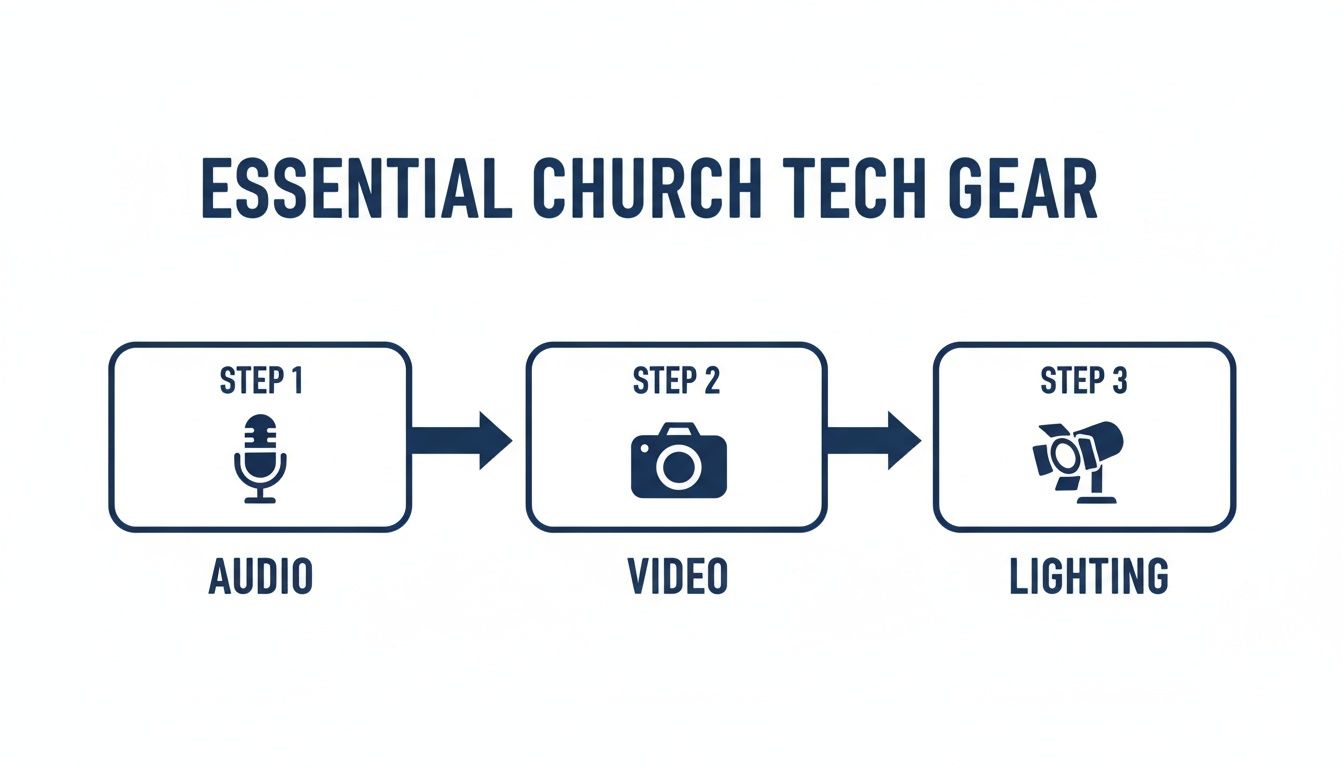
As you can see, audio, video, and lighting are the three pillars of your production. Each one has a specific path that you need to manage correctly for a smooth service.
Demystifying Signal Flow
"Signal flow" sounds complicated, but it's really not. It’s just the journey your audio or video signal takes from its source (like a microphone or camera) to its destination (like a speaker or a livestream). If you can understand this path, you can set up and troubleshoot anything. Think of it like a river: the signal starts at a source, flows through gear that changes it, and ends up at its destination.
Audio Signal Flow Example
Let's trace the signal for a pastor's microphone to the online stream.
- Source: The pastor speaks into their lavalier mic.
- Processing: That mic signal travels to the audio mixer. Here, your operator adjusts the volume, uses EQ to make the voice clear, and maybe adds some compression to keep the level consistent.
- Destination: From the mixer, the finished audio goes to two places at once: the main speakers in the room and the computer running your livestream.
If your online audience suddenly can't hear the pastor, a volunteer who understands signal flow can immediately start troubleshooting. They can work backward from the computer, to the mixer, to the mic, checking each link in the chain. We cover this in much more detail in our guide to optimizing sound systems in churches.
Video Signal Flow Example
It’s the exact same principle for your video.
- Source: A PTZ camera captures the wide shot of the stage.
- Processing: The camera sends that video feed to your video switcher. The tech director punches up that camera, sending its signal to the switcher's main "program" output.
- Destination: The switcher's output is fed into a capture card, which gets the signal ready for the streaming computer. The computer then pairs this video with the audio from the mixer and sends it out to YouTube or Facebook.
Take the time to draw out these signal paths for your specific setup. Creating these simple diagrams is an incredible training tool. It turns abstract tech jargon into a clear roadmap, empowering your volunteers to run the church tech booth with genuine confidence.
Turn Your Sermon Into a Week of Content
For a long time, the tech booth’s job was considered done once the service ended. The lights came up, the livestream was over, and that was that. But in reality, some of the most impactful work is just getting started. That sermon you just spent an hour capturing is a treasure trove of content, ready to encourage and connect with your community all week long. This is where your Sunday production becomes your weekday digital ministry.
For years, the amazing content captured on Sunday would sit on a hard drive. Maybe it got uploaded to the church website, but it rarely reached its full potential. The idea of a volunteer or staff member spending hours sifting through footage, editing clips, and writing posts just felt overwhelming. Thankfully, new tools are completely changing this, turning your tech booth from a simple production space into a full-blown content creation engine.
From Sunday Service to Social Strategy
The big shift is learning to see the sermon not as a one-time event, but as the source material for a whole week of connection points. Every single message has dozens of powerful quotes, shareable moments, and questions perfect for sparking discussion. The real challenge has always been getting those moments out of the full video without adding a mountain of work for your team.
This is exactly the problem a platform like ChurchSocial.ai was built to solve. It’s designed for the specific needs of a church, replacing a tedious, manual process with a simple, automated one.
- First, you just upload your sermon video or audio file after the service.
- The AI then gets to work, generating AI content from the transcript like social posts and blog articles.
- From there, you’re just a few clicks away from a whole suite of content.
Think about it: you take one sermon and, in just a few minutes, you can have engaging social media captions, a full blog post for your website, and even discussion questions for your small groups. This is how the work your tech team does on Sunday becomes a discipleship tool that serves your church long after the weekend is over.
The goal is to get the most mileage out of every sermon. By repurposing the content you’re already working so hard to create, you extend your ministry's voice and provide value to your people every single day.
Create Shareable Clips Without the Editing Headache
Let's be honest, one of the best ways to reach people online right now is with short-form vertical video—the kind you see on Instagram Reels and TikTok. These quick, powerful clips are perfect for sharing the heart of a message. But finding and editing those moments from a 40-minute sermon? That's a huge time commitment.
The AI tools inside ChurchSocial.ai automate this whole thing. You can easily create AI-generated reels from your sermons. The platform scans your message, helps you pick out the most shareable segments, and then formats them into vertical videos, ready to post. No need to fire up complex editing software or have advanced video skills.
This feature alone can give your team back hours of their week. You can empower a volunteer to create a week’s worth of high-impact video clips in the time it used to take to edit just one. For any church tech booth that wants to make a real impact online, this is a game-changer.
Automate Your Content and Save Your Team
Of course, a church’s communication isn’t just about the sermon. Your calendar is packed with events, announcements, and ministry updates that all need to be promoted. ChurchSocial.ai helps you plan and manage all your church social media accounts in one place. You can use beautiful graphic templates and our editor to create and post photos and carousels, while the simple drag-and-drop calendar allows you to easily manage all of your social media.
This is where integrating with tools you already use, like Planning Center, makes a huge difference. ChurchSocial.ai can connect to your church calendar and help you create content to promote upcoming events. The drag-and-drop calendar gives you a central place to plan, schedule, and see all your social media content at a glance.
This kind of automation frees your team from the grind of administrative tasks so they can focus on what they do best—actually engaging with people. It’s a smarter way to work, and churches are catching on. In fact, 95% of church leaders agree that digital tools benefit ministry, and 78% say technology helps simplify their work. We’re also seeing how AI-driven sermon clippers are driving 51% higher engagement from Gen Z, turning long-form messages into short clips that truly connect. You can read more about how churches are embracing these new technologies and the impact it's having.
By connecting your tech booth’s workflow with a smart social media tool, you build a powerful, sustainable system for your digital outreach. You ensure the message your team works so hard to capture on Sunday keeps encouraging and inspiring people all week long.
Common Questions About Building Your Church Tech Booth
Jumping into the world of church tech can feel a little overwhelming. We get it. You see the potential, but you're not quite sure where to begin. Let's walk through some of the most common questions we hear from church leaders just like you and give you some clear, practical answers to get you started.
What's the First Thing We Should Buy?
Hands down, your first and most critical investment is audio. You can have the best cameras in the world, but if people can't clearly hear the sermon, you've lost them. A shaky camera is a minor distraction; bad audio is a dealbreaker.
Start by getting a quality microphone for your pastor or main speaker. Then, find an audio mixer that your volunteers can learn without a steep learning curve, and make sure your sanctuary speakers are reliable. Poor sound is the single fastest way to lose an online viewer. Once your audio is solid and clear, then you can start putting your budget toward cameras and lighting.
Think of it this way: people will forgive a less-than-perfect video, but they will not tolerate bad audio. It's the foundation of your entire production.
How Do We Find and Train Tech Volunteers?
Look for people who are "tech-curious," not necessarily tech experts. Honestly, a passion for the ministry and a servant's heart are far more important than knowing how to operate a specific piece of gear. Announce the need from the stage and frame it as what it is: a vital ministry role that helps carry the message well beyond your four walls.
When it comes to training, a shadowing system works wonders. Let a new volunteer sit with an experienced one for a few services to see how it's done. Create simple, laminated checklists for startup and shutdown procedures—it takes the guesswork out of the process. Above all, create a culture of grace where mistakes are just learning opportunities. A positive, encouraging team environment is the best volunteer retention tool you have.
We Have a Tiny Budget. Where Do We Even Start?
A small budget isn't a dead end; it just calls for some creative thinking. You can get started with the powerful tools you probably already have in your pocket. A modern smartphone on a decent tripod makes a surprisingly good camera for your live stream.
You can also use incredible free software like OBS Studio to manage all your recording and streaming. When you're ready to take your sermon content online, you don't need a huge creative team or fancy design software.
For a small investment, a tool like ChurchSocial.ai can help you plan and manage your church social media accounts. You can use it to turn one sermon into an entire week's worth of content—from AI-generated reels to social posts. It's a massive time and budget saver. The key is to start small, get one thing right—like crystal-clear audio—and then build from there as your team and budget grow.
How Does the Tech Booth Connect to Our Social Media?
Your church tech booth is mission control for your digital outreach all week long. That sermon recording is the raw material for your entire social media strategy, and the right tools make this workflow incredibly simple.
With a platform like ChurchSocial.ai, the process looks something like this:
- Upload: Once the service is over, just upload your sermon video or transcript.
- Generate: The AI gets to work, creating AI-generated content from the transcript like social posts, blog posts, and more.
- Clip: Use the AI tools to create AI-generated reels from your sermon, turning powerful moments into shareable videos for Instagram or TikTok.
- Schedule: Use the simple drag-and-drop calendar to plan and manage all of this new content for the entire week.
This simple workflow transforms your tech booth from a Sunday-only station into a full-blown content engine for your ministry, helping you engage with your community every single day.
Ready to turn your Sunday sermon into a week of engaging social media content? ChurchSocial.ai gives you all the tools you need. From AI-generated reels from your sermons to beautiful graphic templates and a simple drag-and-drop calendar, you can plan and manage your entire church social media presence in one place. Start your free trial today and see how easy it can be.


