
Sunday ends. The message was strong, the room was attentive, and someone on your team says, “That one moment needs to go online this week.”
Then reality hits.
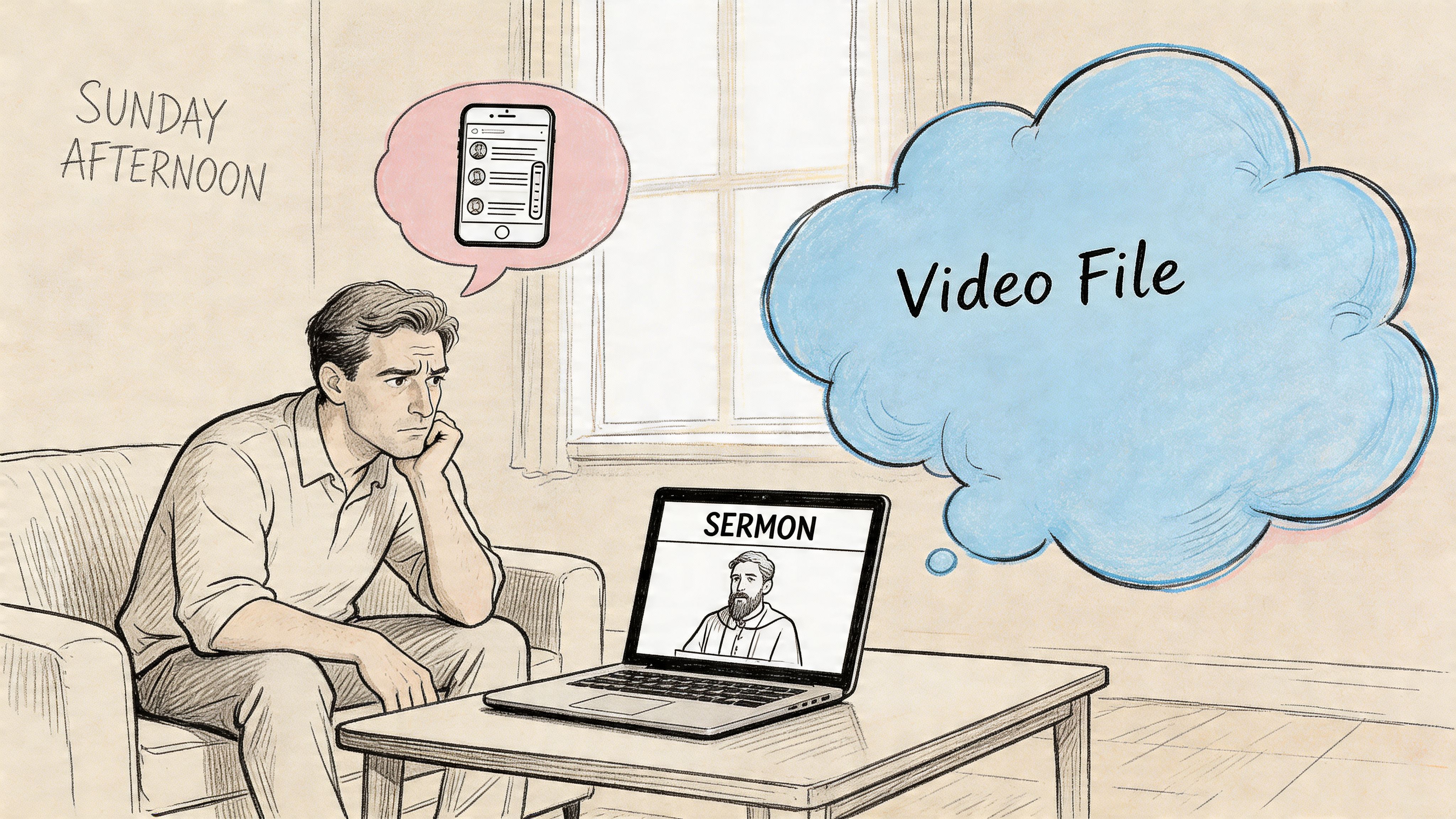
The sermon file is long. The volunteer who usually edits is tired. The software feels built for professionals, not church staff trying to serve people well on a Monday morning. So the clip never gets made, or it gets posted late, or it goes up as a long, unedited video that few people finish.
That’s where a simple clip and trim workflow helps. Churches don’t need more complexity. They need a repeatable process that helps them spot the most spiritually meaningful moment, shape it for social media, and publish it without turning sermon follow-up into a second full-time job.
A short clip won’t replace the full sermon. It does something different. It gives people a faithful, timely reminder of truth during the week. It reaches members who need encouragement on their lunch break and visitors who may never click a full message first.
From Sunday Sermon to Monday Morning Scroll
A common church communications scene goes like this. The service ends, someone remembers a powerful line from the sermon, and there’s genuine excitement about sharing it. Then the task gets delayed because nobody wants to scrub through a long file, guess the right timestamps, and fight with editing tools after a full ministry weekend.
That hesitation is understandable. Most churches aren’t running a media agency. They’re asking a staff member, a volunteer, or a pastor with limited time to turn one long sermon into something concise enough for social media.
Why this work matters
A sermon clip works best when it serves ministry, not vanity metrics. The point isn’t to force every message into internet style. The point is to help people encounter one clear takeaway at the right moment in their week.
That’s why clip and trim is really a stewardship practice. You already prepared the message. You already recorded it. You’re making that message easier to receive in the places people already spend attention.
If your team is still figuring out the bigger strategy behind reusing sermon content, this guide on what is content repurposing gives helpful context for why one message can become many useful pieces.
What usually slows churches down
Most stalled workflows break in the same places:
- The file feels too big: Long sermon videos create mental resistance before editing even starts.
- Nobody knows where the moment is: Staff remember the sermon broadly, but not the exact sentence or timestamp.
- The edit starts too late: When clipping waits until midweek, it competes with events, announcements, and Sunday prep.
- The process depends on one person: If only one volunteer knows the software, the system is fragile.
A healthier rhythm starts with a simple rule. Decide on Monday that the job is not “edit the whole sermon.” The job is “find one moment worth sharing.”
That shift changes everything.
Churches that build a repeatable repurposing rhythm usually find that sermon follow-up becomes easier to manage over time. This practical church-focused resource shows that mindset well: https://www.churchsocial.ai/blog/how-to-repurpose-content
Practical rule: Don’t start with the timeline. Start with the message moment you want someone to remember on Tuesday.
Finding Shareable Moments in Your Message
The strongest sermon clips are usually obvious in hindsight. They’re the moment people leaned in, wrote something down, or brought up in the lobby after service. What matters most isn’t editing skill. It’s choosing the right section of the message.
Listen like a first-time viewer
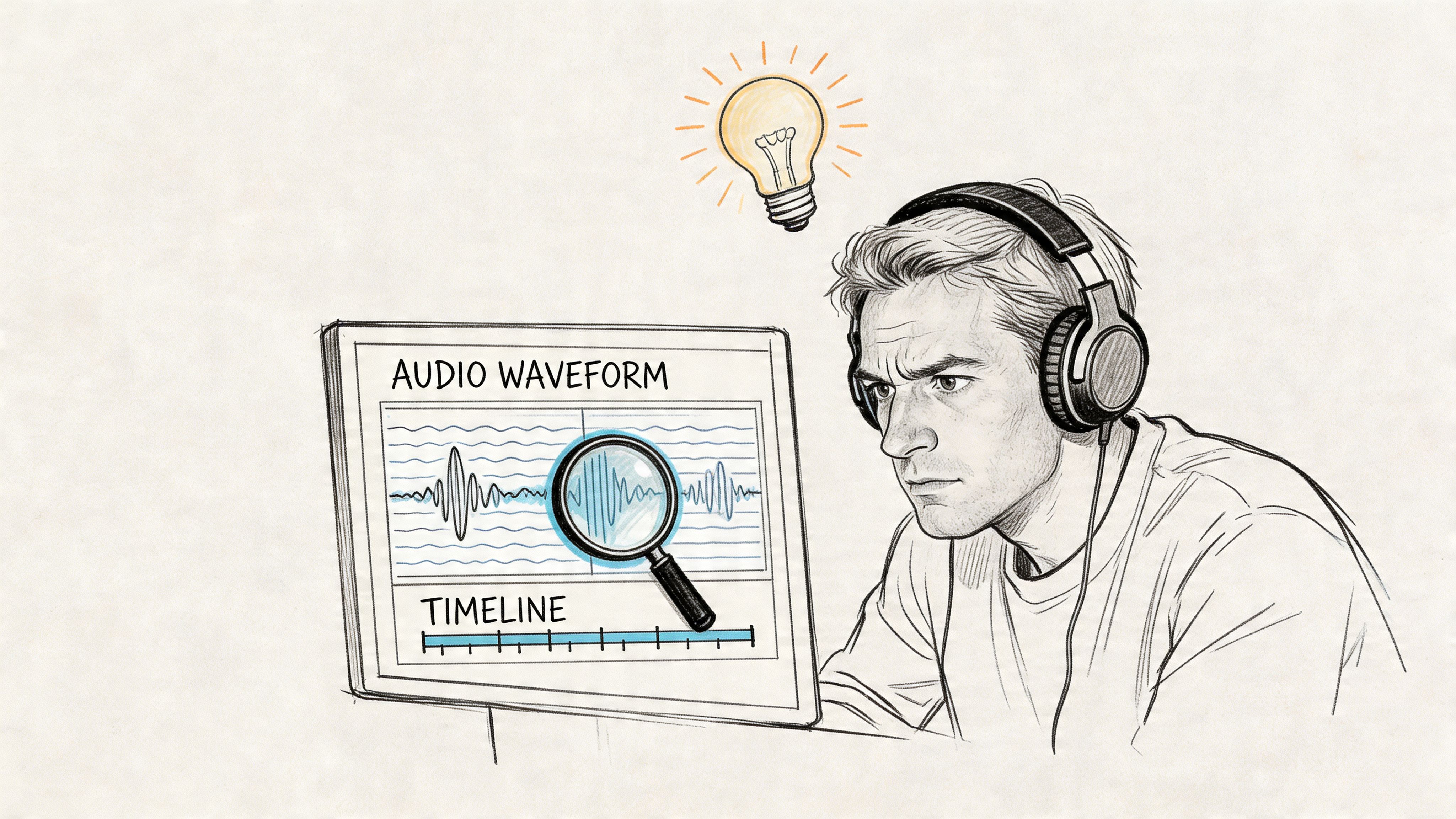
When you review a sermon for clip and trim, don’t listen as the person who already knows the full outline. Listen like someone scrolling with no context.
Ask a few simple questions:
- Would this stop me? A short clip needs an opening thought that creates immediate interest.
- Can this stand alone? If the point depends on ten minutes of setup, it probably won’t work as a social clip.
- Is there a clear takeaway? Viewers should know what the pastor is saying without needing the rest of the sermon.
- Does it sound like your church? The clip should feel pastoral and faithful, not edited into something the speaker didn’t mean.
What to mark as you review
Some moments consistently work better than others. Look for these:
- A strong one-liner: A sentence that summarizes the heart of the message.
- A relatable story beat: A brief personal example or everyday observation that opens the door to application.
- A clear scripture application: A moment where biblical truth becomes practical and direct.
- A pastoral encouragement: Short clips often connect when they offer comfort, conviction, or hope in plain language.
- A memorable call to action: Not every clip needs one, but some messages benefit from a direct invitation to trust, pray, confess, forgive, or respond.
Shortlist several moments, not just one. Some lines feel powerful in the room but flat on replay. Others become stronger once heard on their own.
Treat selection as pre-production
Church teams often waste time because they jump straight into editing. That’s backwards. Expert video workflows treat content identification as a formal pre-production phase. A hybrid Agile-Waterfall approach, where you first analyze the full footage to identify peak moments, has been shown to boost project success rates by up to 28% compared to just jumping into editing (Avenga).
That principle fits church work well. Planning first doesn’t make the process less spiritual. It makes the communication clearer.
A simple review pass can look like this:
| Review pass | What you’re listening for | What to note |
|---|---|---|
| First pass | Big moments | Approximate timestamps |
| Second pass | Standalone clarity | Exact opening and closing sentence |
| Third pass | Social fit | Whether the clip needs context, captions, or a title card |
A technically clean clip won’t carry a weak moment. A strong moment can survive a simple edit.
What doesn’t work well
Some sermon sections are valuable live but weak as social clips.
Avoid segments that are mostly internal announcements, long transitions, repeated setup, or references that only your congregation understands. Also be careful with jokes that rely on room energy. What landed in the sanctuary may feel confusing on a phone.
The best church clips don’t try to summarize the whole sermon. They deliver one complete thought with conviction and clarity.
The Practical Guide to the Clip and Trim
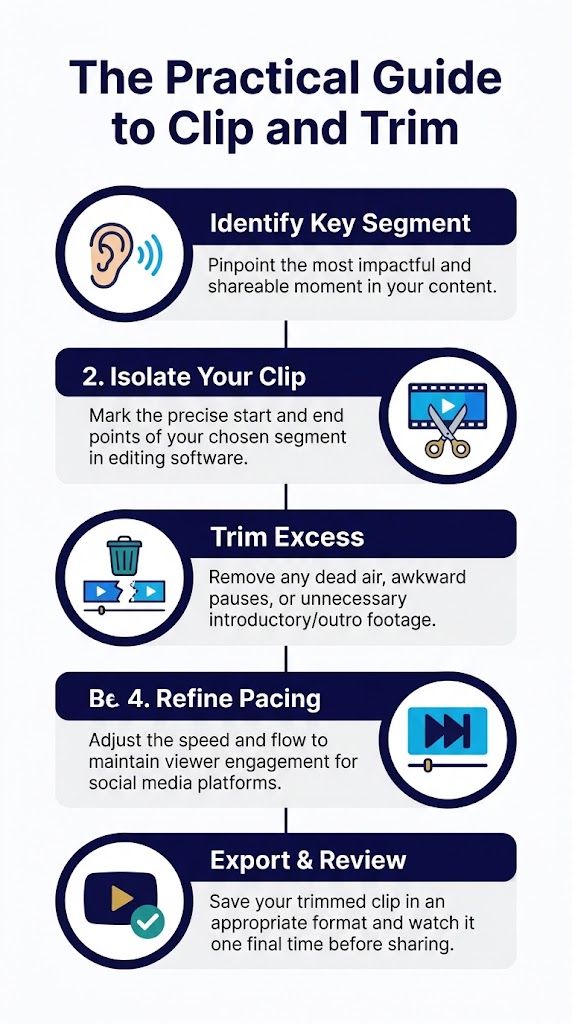
Once you’ve chosen the moment, the editing itself should stay simple. Most church teams don’t need advanced effects. They need clean trimming, steady pacing, and a clip that feels complete when viewed on its own.
Start with a rough cut
Take a slightly longer section than you think you need.
If the sentence you want starts at one point, pull in a little before it. If the final line lands well, leave a little after it. This gives you room to tighten naturally instead of boxing yourself into an abrupt opening or ending.
A rough cut protects tone. Pastors often need half a beat before a line to sound human and not clipped.
Tighten the opening and ending
The first seconds matter most. A weak start usually comes from beginning too early.
Trim away:
- Long setup phrases: If the pastor takes time to arrive at the point, start closer to the point.
- Internal references: Remove details that require church-specific knowledge if they distract from the takeaway.
- Dead air: Silence before the statement often feels longer on social than it did in the room.
Then check the end. The best endings feel settled, not chopped off. Let the thought complete. If the pastor moves into a new section, stop before the transition muddies the point.
Editing instinct: Cut later than you think at the end of a sentence, and earlier than you think at the beginning of a setup.
Refine pacing without losing voice
Clip and trim is not about making preaching sound artificial. It’s about removing what slows a short-form viewer down.
That usually means trimming:
- Awkward pauses
- Repeated filler phrases
- Visible resets
- Extra runway before the main idea
It does not mean flattening every pause. Some pauses carry weight. If a line needs space, keep it.
A useful test is to watch the clip once with full attention and once while slightly distracted. If the point still comes through, the pacing is probably right for social.
Keep the clip self-contained
Every short sermon clip should answer three viewer questions quickly:
- What is this about?
- Why should I keep watching?
- What am I supposed to take from it?
If your chosen section can’t answer those on its own, either add light framing or choose a different moment.
That’s why many teams do better with one complete application point than with a dramatic excerpt from the middle of a theological argument.
Use simple tools well
Many editors can handle this job. A basic browser editor or timeline tool is often enough if the source clip is strong. If your volunteer needs a beginner-friendly walkthrough on handles, splitting, and removing unwanted footage, how to trim video is a useful reference.
Church teams also benefit from sermon-specific workflows built around clipping from full messages. A practical example is this guide to creating sermon clips from longer videos: https://www.churchsocial.ai/blog/create-clips-from-video
Final review checklist
Before exporting, run through this quick check:
- Does the clip open with a clear thought?
- Would a first-time viewer understand it?
- Did you remove obvious drag without changing meaning?
- Does the ending feel complete?
- Would you feel comfortable posting this as a faithful representation of the sermon?
If the answer to the last question is shaky, keep editing or choose another moment.
Branding and Captions to Stop the Scroll
A clean trim is only part of the job. The clip still has to compete for attention inside a crowded feed, often with the sound off.

Captions aren’t optional
If you post sermon clips without captions, many viewers will miss the message entirely. Captions don’t just help accessibility. They help comprehension.
That matters even more in short-form video. Data shows that trimmed 15-30 second video clips can achieve 300% higher engagement rates than unedited posts. This is significant because with over 1.5 billion TikTok users popularizing the format, vertical short-form content now generates twice as many views in religious niches (Statistics by Jim).
Those numbers aren’t a reason to chase trends for their own sake. They’re a reminder that format affects whether people receive the message.
What good captions look like
The best captions are easy to read in motion.
Use this standard:
- High contrast: Light text on a dark background, or the reverse.
- Comfortable size: Large enough for mobile viewing without covering the speaker’s face.
- Clean phrasing: Break lines naturally so key ideas stay together.
- Accurate timing: Captions should match the spoken rhythm closely.
- Minimal clutter: Don’t crowd the frame with too many visual elements.
Auto-captions can save time, but they still need review. Church language, scripture references, and names often need correction.
Branding should support, not distract
A sermon clip should feel recognizably connected to your church. Consistent branding builds trust over time, but it needs restraint.
A good church clip usually needs only a few visual identifiers:
| Element | Keep it subtle | Avoid |
|---|---|---|
| Logo | Small corner placement | Large mark covering content |
| Colors | Consistent lower thirds or title cards | Overdesigned graphics |
| Fonts | One readable family | Decorative type that hurts clarity |
| Intro or outro | Brief and clean | Long branded sequences before the message |
Branding helps a viewer know who’s speaking. It should never make the video feel like an ad.
If the viewer remembers the animation more than the message, the branding is doing too much.
Where churches lose momentum
Teams often spend too much time debating graphic polish and too little time making the words legible. That’s backward.
A plainly branded clip with excellent captions will usually serve your audience better than a stylish clip with weak readability. For church communication, clarity is part of care.
Automating Your Workflow with ChurchSocial.ai
Most churches don’t struggle because they lack good sermon content. They struggle because the weekly process asks too much of too few people.
The practical fix is workflow automation. That doesn’t mean removing discernment. It means shortening the technical parts so the team can spend energy on message selection, review, and scheduling.
A church workflow that actually fits the week
The strongest setup usually follows this order:
- Upload the full sermon
- Review transcript-based clip suggestions
- Choose the moment that carries a complete thought
- Trim lightly for pacing
- Add captions and visual consistency
- Export in platform-ready formats
- Schedule the post while planning the rest of the week
That process is much easier when one platform handles clipping, transcript-driven content creation, graphics, and calendar scheduling in the same place.
ChurchSocial.ai fits that church-specific workflow. It can create AI-generated reels from sermon transcripts, generate written content such as social posts and blogs, provide graphic templates and editing tools, and let teams manage publishing through a drag-and-drop calendar with church calendar integrations. For teams looking at AI-assisted sermon repurposing, this overview is useful: https://www.churchsocial.ai/blog/repurpose-content-ai
What automation should handle
Automation is most helpful in the parts of the job that are repetitive.
That includes:
- Transcript generation: Helpful for finding exact wording instead of hunting manually.
- Clip suggestions: Useful when the team knows the sermon was strong but needs help locating likely highlights.
- Caption drafting: A faster starting point than typing every line by hand.
- Template application: Keeps visual output consistent across volunteers.
- Scheduling: Prevents finished clips from sitting unpublished on a desktop.
What still needs a human
Not everything should be automated.
A person should still decide:
- whether a clip represents the sermon fairly
- whether a moment is pastorally wise to post out of context
- whether the wording needs surrounding explanation in the caption
- whether the timing fits the life of the church that week
In this regard, many churches get a healthier result than brands do. You’re not manufacturing content. You’re handling ministry communication. Speed matters, but discernment matters more.
Automation should remove friction, not responsibility.
A practical export mindset
Aspect ratio and file handling can become frustrating fast when teams use general-purpose editing software. The simpler approach is to think in platform terms before posting.
Keep these principles in mind:
- Vertical first: If the clip is for Reels, Shorts, or TikTok, frame for vertical viewing.
- Readable safe zones: Leave space so captions and platform buttons don’t cover important parts of the frame.
- Manageable files: Smaller, optimized exports help volunteers upload from home or on church internet without delays.
- One review on a phone: Desktop previews can hide mobile problems.
When the system handles those details automatically, sermon clipping becomes sustainable instead of heroic.
Exporting and Sharing Your Finished Clip
A finished clip still needs the right packaging for the platform. Good editing can look weak if the export doesn’t fit the feed where people watch it.
For most church teams, the simplest rule is to match the clip format to where you’re posting it. Vertical video is usually the right starting point for short sermon excerpts. Feed posts may call for a different shape depending on layout and design.
Social Media Video Export Cheat Sheet
| Platform | Aspect Ratio | Max Length | Best For |
|---|---|---|---|
| Instagram Reels | 9:16 | Keep it short | Sermon highlights, invitations, encouragement |
| TikTok | 9:16 | Keep it short | Discovery, simple teaching moments, strong hooks |
| YouTube Shorts | 9:16 | Keep it short | Broader reach, searchable short teaching clips |
| Facebook Feed | 4:5 or 1:1 | Keep it concise | Church audience updates, sermon excerpts in-feed |
| Instagram Feed | 4:5 or 1:1 | Keep it concise | Branded clips that need a strong cover frame |
Posting choices that help
Exporting is only half the final step. Sharing well matters too.
Use this quick publishing check:
- Write a caption that adds context: A short sentence can frame the sermon clip without repeating it.
- Choose a clear cover image: The first frame should look intentional, not accidental.
- Post natively to the platform when possible: That usually creates a cleaner viewer experience.
- Place the clip in the weekly rhythm: A Monday encouragement clip serves a different purpose than a Saturday invitation.
The insight is that clip and trim works best as a connected system. The sermon becomes a short video. That video can inspire a caption, a blog post, a devotional thought, or an event reminder tied to the same message theme. When one workflow supports all of that, the church gets consistency without extra scramble.
That’s why integrated planning matters. The clip is not the end product. It’s one piece in a broader communication rhythm that helps your church stay present and clear during the week.
Frequently Asked Questions About Sermon Clips
How long should a sermon clip be
Short enough to carry one complete thought. If the clip needs too much setup, it’s too long or it’s the wrong moment.
Should every sermon produce a clip
No. Some sermons contain several strong clip moments. Others may be better repurposed into quotes, carousels, or written posts. Faithful selection matters more than forcing output every week.
Is it okay to remove pauses and repeated words
Yes, if you’re tightening for clarity and not changing meaning. The edit should preserve the pastor’s intent and tone.
What kind of sermon moments work best
The clearest ones. A short application point, a memorable line, or a concise pastoral encouragement often works better than a clip that depends on a long argument.
Do captions really make that much difference
Yes. They improve accessibility and help people follow the message in silent viewing environments. For church content, that’s part of communicating with care.
What if our team has very little time
Build a repeatable routine. Pick one clip, not five. Use templates. Review on mobile. Schedule it early in the week. Consistency beats ambition that burns out your volunteer team.
ChurchSocial.ai helps churches turn sermons into usable weekly content without piling more work onto staff or volunteers. If your team wants one place to create sermon clips, generate social posts and blogs from transcripts, design branded graphics, and schedule everything on a simple calendar, take a look at ChurchSocial.ai.


