
Most churches start the same way on YouTube. They record Sunday's message, upload the full sermon, add a generic title, and hope the right people find it. Then the video sits there with modest activity, while the team wonders whether YouTube church sermons are even worth the effort.
The usual problem isn't the preaching. It's packaging, workflow, and follow-through. Churches are often publishing valuable teaching in a format that works like an archive, while YouTube increasingly rewards discovery paths that begin with shorter, more targeted content. That gap is why so many teams feel stuck between faithful sermon ministry and platform reality.
Beyond a Digital Archive Turning Sermons into Ministry
A sermon library matters. Members go back to revisit a message, new attendees catch up on a series, and shut-ins stay connected. But if your channel only functions as storage, you're missing most of what YouTube can do for ministry.
That's the shift churches need to make. Think less like a video shelf and more like a content engine. One sermon can become a full replay, a focused teaching clip, several short vertical clips, quote graphics, follow-up discussion prompts, and weekday social posts. The sermon remains the source. The format changes based on how people discover and consume content online.
Most public advice still leans toward full-length uploads, even though YouTube's product direction favors short-form discovery and creator growth. That mismatch leaves many churches treating YouTube as an archive instead of a discoverability channel, which creates a real need for repeatable workflows for staff and volunteers, as noted in this discussion of the sermon clipping gap.
What changes when you treat sermons as ministry content
- Your sermon serves multiple audiences. Members may want the full message. A first-time viewer may only watch a short clip answering one clear question.
- Your week gets easier. Instead of inventing fresh content every day, your team repurposes what was already preached.
- Your church becomes easier to find. Searchers rarely know your church name. They search problems, questions, and topics.
Practical rule: Don't ask one upload to do every job. A full sermon, a mid-length clip, and a short-form clip each serve a different ministry purpose.
Churches that want a stronger system for online preaching should build around process, not one-off inspiration. That's the deeper opportunity behind sermons online for churches. When the workflow is sustainable, your Sunday message keeps working all week.
Plan Your Sermon for Online Impact
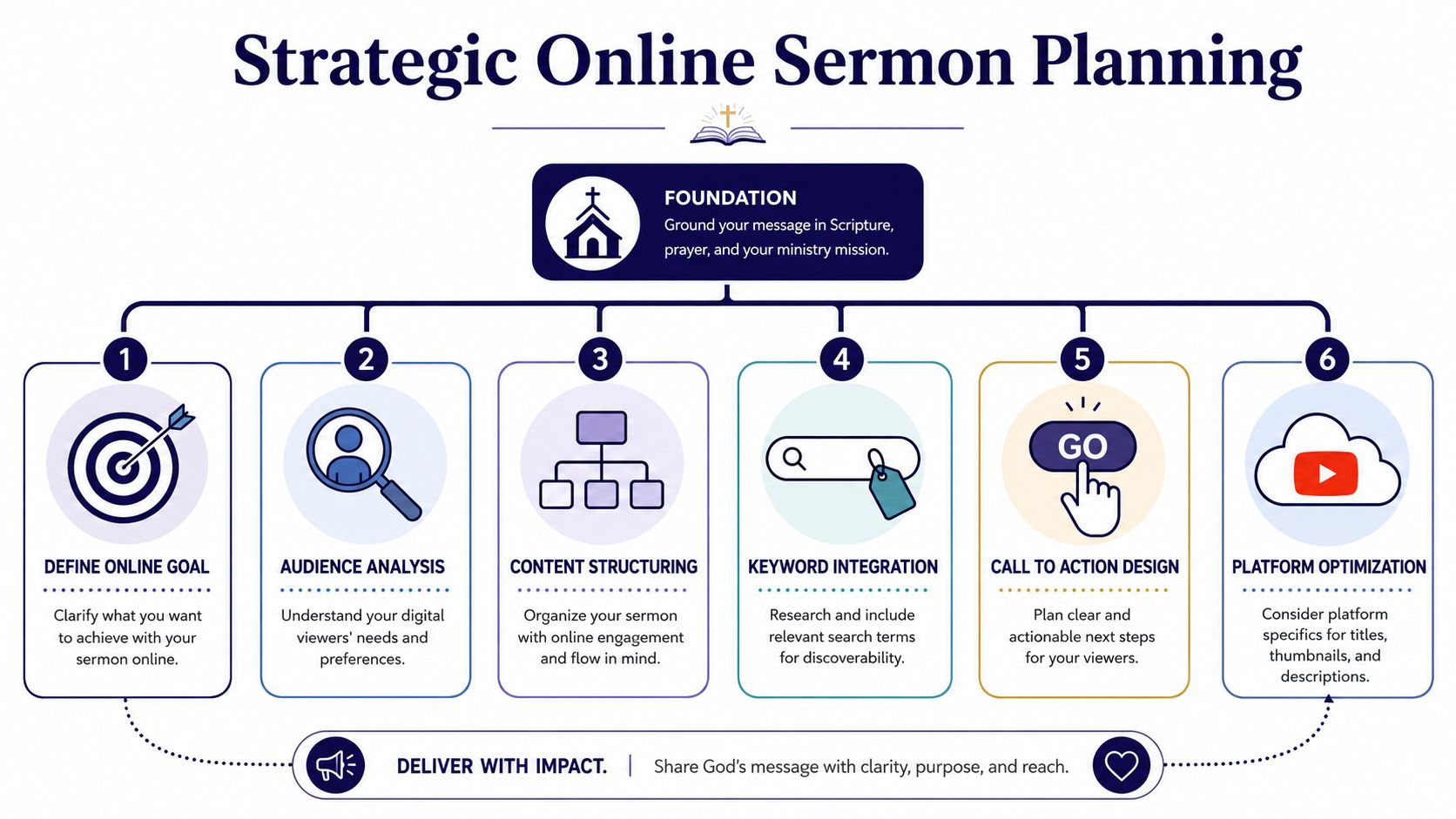
Great YouTube church sermons are usually planned before the camera turns on. If the message wanders, the video will wander too. If the sermon has one clear spine, the recording, edit, title, clips, and social promotion all get easier.
Preaching practitioners consistently point back to the same discipline. Structure the message around one big point, and use roughly 10% of the total sermon length for the introduction. That opening should create tension instead of resolving it too early, and every later movement should teach, explain, illustrate, and apply the central idea so people can recall it quickly, as outlined in this sermon structure guidance.
Build around one memorable sentence
If your team can't summarize the sermon in one sentence, clipping it later will be messy. The strongest online sermons usually have a bottom line that can survive outside the room.
A useful test is simple. Can a volunteer answer these questions in less than a minute?
- What is the sermon about
- What tension opens the message
- What line would make a strong clip title
- What response should a viewer make after watching
If the answer to any of those is fuzzy, keep tightening the sermon structure before Sunday.
Shape the introduction for retention
A lot of sermons lose online viewers because the opening starts too slowly or gives away the resolution immediately. In the room, people are seated and committed. On YouTube, they can leave in seconds.
Try this pattern:
- Name the tension. Surface the question, pain point, contradiction, or struggle.
- Delay the resolution. Don't rush to the “three answers” in the first minute.
- Promise clarity. Let people know the sermon is going somewhere.
- Return to the big point. Every section should reinforce the same core claim.
Open with the burden people feel, not only the doctrine you want to explain.
Write with clipping in mind
The sermon manuscript or outline should already contain likely clip moments. Look for:
- A direct question that could become a title
- A strong illustration that stands alone without heavy setup
- A clear application moment with practical relevance
- A concise gospel explanation that can travel beyond Sunday
This doesn't mean preaching for the algorithm. It means preaching with enough clarity that the message can move across formats without losing meaning.
Simple Tech for High-Quality Sermon Recording
You don't need cinema gear to record strong YouTube church sermons. You do need a dependable setup. Viewers forgive ordinary visuals faster than they forgive poor sound, shaky framing, or inconsistent lighting.
Start with audio, not cameras
If the sermon sounds distant, echoey, or distorted, people leave. A clean feed from your house audio or a properly placed microphone will usually matter more than upgrading to a fancier camera.
Keep your setup simple:
- Good. Use a smartphone on a tripod and capture clean audio from a dedicated mic source.
- Better. Add a fixed camera with manual framing and consistent exposure.
- Best for most churches. Run one locked wide shot and one tighter angle, with stable audio and repeatable volunteer instructions.
The key is consistency. The same angle, same sound path, and same checklist every week beats a complicated setup that only works when your most technical volunteer is present.
Keep the image steady and distraction-free
A sermon video doesn't need dramatic movement. It needs confidence and clarity. Frame the preacher cleanly, avoid excessive zooming, and make sure the background isn't visually chaotic.
A few practical standards help:
- Use a tripod so the image never drifts.
- Light the platform evenly so the face is clear.
- Check exposure before service rather than trusting full auto in changing stage light.
- Record a test clip every week, even if your system worked last Sunday.
Train volunteers with one-page instructions
Most church production problems come from inconsistency, not lack of goodwill. Give volunteers a short checklist they can follow under pressure.
A useful checklist includes:
- Battery and storage check
- Audio signal confirmation
- Framing reference
- Start and stop timing
- File naming and handoff
If your team is building from scratch, this guide on a video recording system for church is a practical next step. The goal isn't impressive gear. It's a system your church can run every week without stress.
Mastering Your First Sermon Upload
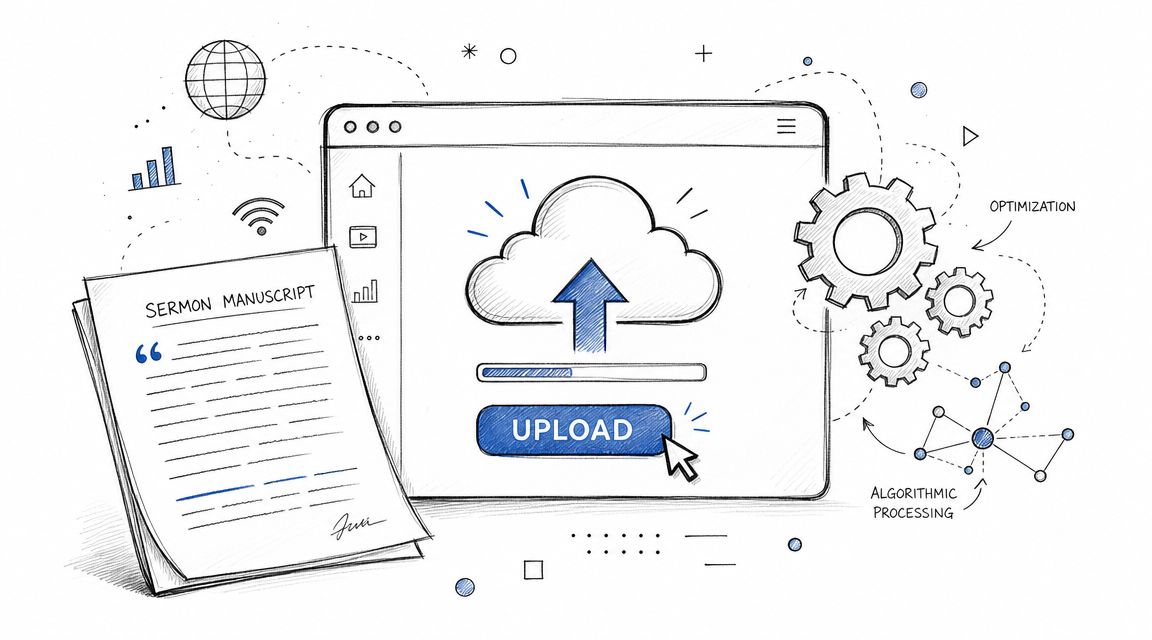
Uploading the sermon is where many churches lose momentum. The message is strong, the recording is usable, and then the final packaging becomes generic. On YouTube, generic packaging usually means weak discovery.
An upload should help YouTube understand the topic and help a viewer decide quickly whether the video is for them.
Write titles for search and curiosity
A title like “Sunday Sermon | Week 4” helps your members if they already know the series. It doesn't help a searcher. A stronger title usually names the core question or felt need inside the sermon.
Compare the difference:
| Weak title | Stronger direction |
|---|---|
| Faith Series Part 3 | Why Does God Feel Silent in Hard Seasons |
| Sunday Message | What Jesus Says About Anxiety and Trust |
| Sermon Archive | Can You Have Peace When Life Feels Unstable |
The title should still be truthful to the sermon. Curiosity works best when it matches the actual content.
Use the description like sermon notes
Descriptions don't need to be stuffed with awkward keywords. They should be readable, helpful, and structured. Include a short summary, relevant themes, Scripture references, and timestamps if available.
A good description often includes:
- A short opening summary that states the message clearly
- Scripture references for viewers who want to study further
- Chapters or timestamps so people can jump to sections
- A next step such as prayer, visiting, or watching another message
A sermon description should help both the search engine and the person.
Design thumbnails that look intentional
Churches often use a random frame from the sermon video. That usually underperforms because it blends into everything else on the page. A stronger thumbnail has one clear focal point, simple composition, and visual contrast.
Avoid clutter. Don't cram in too many words. If you use text, make sure it reinforces the title instead of repeating it with no value.
Church teams that also think in podcast terms can learn from Podmuse's guide to YouTube podcasts, especially around packaging long-form spoken content for YouTube audiences. Many of the same principles apply to sermon publishing.
If you're also cutting vertical sermon moments, this walkthrough on how to upload YouTube Shorts from PC helps keep your publishing workflow in one place instead of improvising each week.
The Sermon Repurposing Engine From Message to Moments
Most church channels don't need more full sermons. They need more entry points into those sermons.
That's why clipping matters so much. In an analysis of 100 church YouTube accounts, videos built around a direct question outperformed statement-based videos by 34% on average, and short-form clips using emotional keywords generated 53% more views than clips using theological keywords. The same analysis found that viewers who watched a short-form version of a message were 3.7 times more likely to watch the full message than a typical YouTube viewer, according to this church YouTube performance analysis.
Full sermon versus focused clip
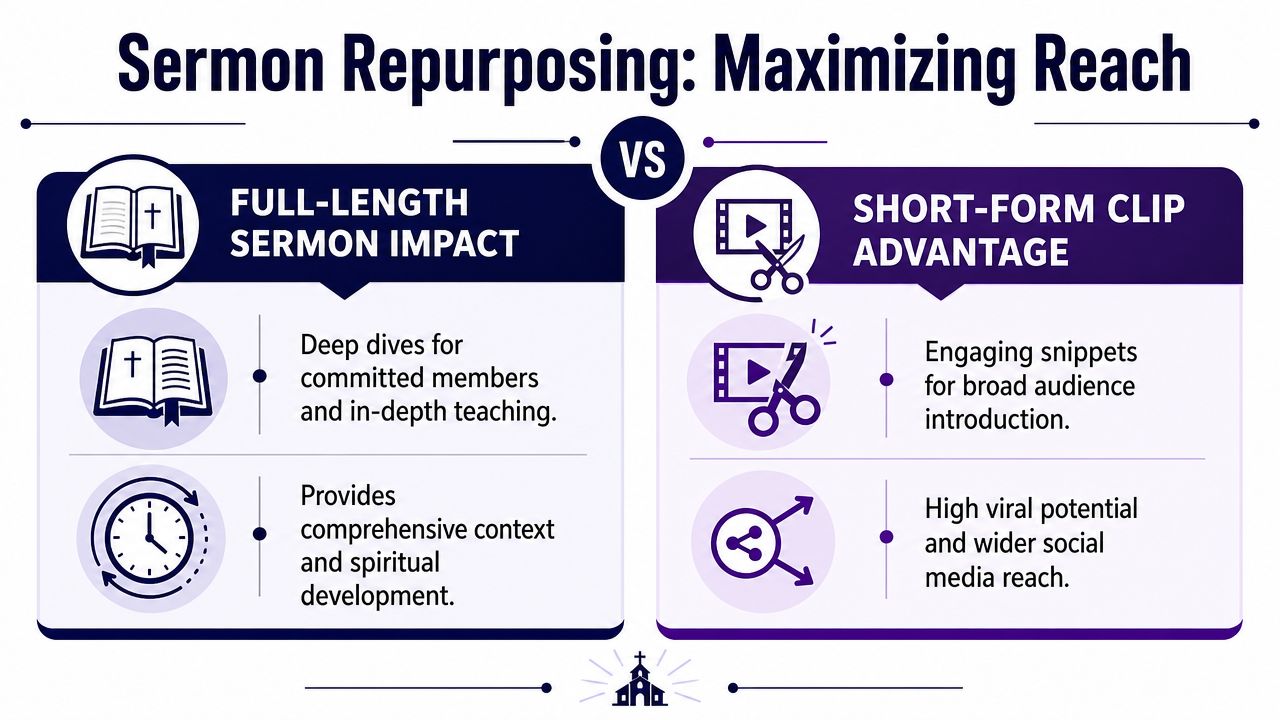
This isn't an either-or decision. Churches need both.
The full sermon serves committed listeners who want the whole argument, the complete exposition, and the full pastoral context. The clip serves discovery. It gives someone a reason to stop, listen, and decide whether they want more.
Church video practitioners recommend cutting a 6–20 minute standalone segment focused on a single idea, because YouTube is unlikely to promote the entire sermon “as-is.” The practical method is to identify one segment with a clear topic, trim it to that range, and package it with a targeted title, intro, and thumbnail, as described in this YouTube sermon clip workflow.
What makes a sermon segment clip-worthy
The best clips aren't always the loudest moments. They're the clearest moments. A clip should stand on its own without requiring ten minutes of setup from the room.
Look for segments that have:
- One clear claim. The viewer should know what this clip is about almost immediately.
- A natural emotional hook. Not manipulation. Just a real human burden, hope, conflict, or question.
- A complete thought. The clip should feel finished, not chopped in the middle of an argument.
- Strong verbal pacing. Dense doctrinal sections can work, but they often need more setup than short-form allows.
Editing boundary: If removing the surrounding context changes the theology of the point, that segment needs a different cut or a fuller format.
A practical weekly clipping model
A sustainable sermon repurposing system usually looks like this:
- Publish the full sermon for members and archives.
- Extract one mid-length segment that stands alone as a searchable teaching video.
- Create several short vertical clips from the strongest moments.
- Write titles around questions or emotional tension, not internal series language.
- Schedule the clips across the week so the sermon keeps circulating after Sunday.
For teams that don't have an editor sitting around all week, tools matter. One practical option is ChurchSocial.ai, which can take a sermon source, generate AI sermon clips, create transcript-based content like social posts and blogs, and organize publishing in a visual calendar. That kind of workflow helps smaller churches move from occasional clipping to a repeatable system.
If your volunteers still need a basic primer on extraction methods, 4 methods for YouTube clips is a helpful companion resource.
What usually does not work
A few patterns repeatedly slow churches down:
- Uploading only the full sermon and expecting discovery to happen on its own
- Using insider language that makes sense to the congregation but not to searchers
- Making clips too broad so YouTube can't easily classify the topic
- Over-editing theological nuance out of the message to chase attention
The win isn't turning preaching into entertainment. The win is building more faithful entry points to the same sermon.
Foster Community and Measure Your Impact
A sermon channel can gather views without building connection. Ministry requires more than distribution. It requires response, conversation, and a sense that someone is listening back.
Treat comments like pastoral touchpoints
Most churches either ignore comments or answer them inconsistently. That's a missed opportunity. When someone responds to a sermon online, they're often doing more than boosting engagement. They may be asking for prayer, revealing confusion, or testing whether your church is present.
Good responses are usually simple:
- Acknowledge the person directly
- Answer real questions when possible
- Move sensitive care needs to a safer channel
- Thank returning viewers by name when appropriate
That doesn't mean every comment turns into counseling. It means your channel shouldn't feel unattended.
Use the Community Tab for midweek connection
If your church has access to YouTube's community features, use them for lightweight interaction. Ask a follow-up question from Sunday's sermon. Invite prayer requests. Share a verse image or a simple reminder about the next message in the series.
This works especially well when your sermon strategy already produces multiple touchpoints during the week. The sermon isn't just a Sunday upload anymore. It becomes the center of ongoing conversation.
Watch the right analytics
Not every metric deserves equal attention. A high view count with weak retention may mean the packaging got clicks. A modestly viewed clip with strong retention may tell you your topic and editing were more aligned.
Pay attention to patterns such as:
- Audience retention to see where viewers stay or leave
- Traffic sources to understand how people are finding the video
- Comments and returning interaction to spot community growth
- Performance by format across full sermons, focused clips, and Shorts
The point of analytics isn't obsession. It's listening. Over time, your channel starts showing you which sermon openings hold attention, which titles connect, and which topics create meaningful response.
Building Your Sustainable Content Workflow
A church can produce strong YouTube church sermons without a large media department. What it can't do for long is rely on improvisation. Sustainability comes from sequence, ownership, and reasonable expectations.
Pew Research Center analyzed nearly 50,000 sermons and found a median sermon length of 37 minutes overall, with major differences by tradition. Historically Black Protestant sermons had a median of 54 minutes, Catholic homilies were about 14 minutes, evangelical sermons were 39 minutes, and mainline Protestant sermons were 25 minutes. That variation is one reason churches need flexible repurposing systems rather than one rigid content model, according to Pew's nationwide analysis of online sermons.
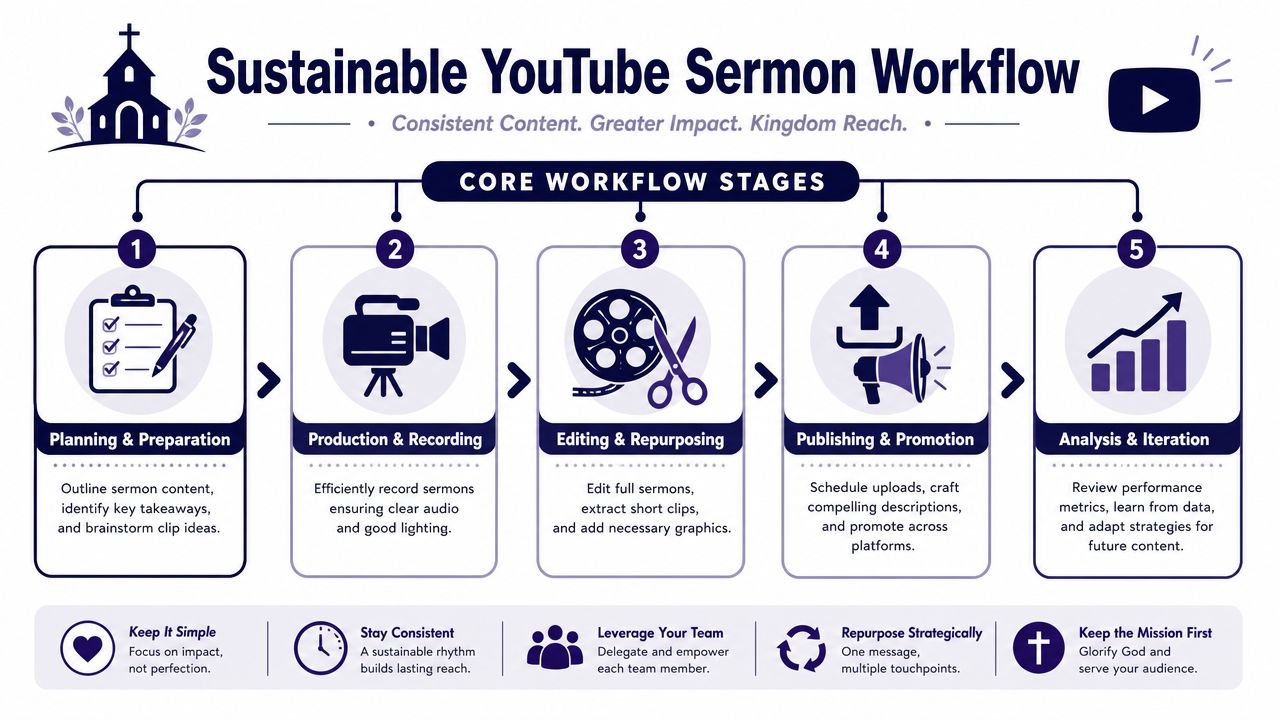
A weekly rhythm small teams can actually keep
A workable rhythm often looks like this:
- Sunday. Record the sermon cleanly and save files in the same place every week.
- Monday. Upload the full sermon, finalize title and thumbnail, and review likely clip moments.
- Tuesday. Approve the mid-length teaching clip and short vertical cuts.
- Wednesday through Friday. Schedule clips, quote posts, carousels, and discussion prompts drawn from the sermon.
- End of week. Check retention, comments, and which topics created the strongest response.
That rhythm matters because it lowers decision fatigue. Volunteers know what happens when. Staff don't need to reinvent the process every week.
Use one system instead of five disconnected ones
Most church teams lose time in handoffs. Video files sit in one app, captions live in a doc, graphics are built somewhere else, and the posting calendar lives in a spreadsheet no one updates.
A simpler workflow is to centralize planning, clip review, design, and scheduling as much as possible. If your platform can also pull from church calendars such as Planning Center, your event content and sermon content stop competing with each other.
The healthiest church content systems are boring in the best way. They're clear, repeatable, and easy to hand off.
Protect your team from burnout
The point of process isn't efficiency for its own sake. It's stewardship. A repeatable workflow helps a small church stay present online without asking one volunteer to become a full-time editor, designer, copywriter, and publisher by accident.
When your system is healthy, Sunday's sermon keeps serving people throughout the week. That's where YouTube stops feeling like one more task and starts functioning as real ministry.
ChurchSocial.ai gives churches one place to turn sermons into clips, transcript-based posts, blogs, graphics, and scheduled content across platforms. If your team wants a simpler workflow for YouTube sermons, weekly social planning, and event-driven content from tools like Planning Center, ChurchSocial.ai is worth a look.


