
So, you want to get your sermon clips and worship moments onto Facebook? You've probably already discovered that you can't just upload an MP3 file directly. But don't worry, there's a straightforward workaround that unlocks a ton of potential for your ministry.
The key is to package your audio into a simple video. This just means pairing your audio clip with a static image (like your church logo or a sermon graphic) or a cool-looking moving waveform. Once it's in a video format, Facebook is ready to share it with the world. This one extra step is all it takes to get your church's audio messages online.
Why Sharing Audio on Facebook Matters for Your Ministry
Think about the impact of sharing a powerful 60-second sermon quote, a moving moment from worship, or a short prayer. These audio clips become digital touchpoints, allowing your congregation to revisit, reflect on, and easily share your message with friends and family throughout the week. It keeps your community connected long after Sunday morning.
The truth is, people are on their phones, and Facebook is a central hub for that activity. By figuring out how to post an audio clip on Facebook, you're meeting your congregation right where they are. Since the platform is built for visual content, turning your audio into a video is the necessary first step.
Extending Your Reach Beyond the Pews
Converting your audio into a video does more than just make it compatible with Facebook—it taps into the platform's algorithm. Native videos, meaning those uploaded directly to the platform, are favored by Facebook and shown to more people organically. For ministries working with limited budgets, this is a massive win.
Instead of a powerful sermon just being a one-time event, you can get so much more out of a single recording.
- Sermon Highlights: Pull out the most impactful minute and share it as a Reel.
- Worship Moments: Post a moving clip from a favorite worship song to bring encouragement.
- Daily Devotionals: A quick, uplifting audio message can be the perfect way to start someone's day.
This whole process might sound technical, but it's genuinely more accessible than ever. You don't need a dedicated media team or fancy software to turn sermon audio into engaging content that supports your ministry.
Tools like ChurchSocial.ai were built specifically to make this seamless for church leaders and volunteers. You can use its AI to generate reels from your sermons, create other content like blog posts from the sermon transcript, design branded graphics in a simple editor, and schedule everything on an easy drag-and-drop calendar. It takes a time-consuming, multi-step task and makes it an effortless part of your weekly workflow, helping your message reach far beyond your church walls.
Choosing the Right Method to Share Your Audio
So, you want to get your sermon clips, worship music, or devotionals onto Facebook. The first thing to know is that you can't just upload an MP3 file directly. It’s a bit of a hurdle, but the workaround is simple: you have to turn your audio into a video.
But how you do that really depends on what you're trying to accomplish. Are you looking for a quick, scroll-stopping clip, or do you want to point people to a full-length sermon? Let's walk through the best options so you can pick the right one for your ministry's goals.
H3: Convert Audio into a Video with a Static Image
The most straightforward way to get this done is to pair your audio with a single, branded image. Think of it as a digital album cover. This could be your church's logo, a custom graphic with the sermon title, or even a high-quality photo that fits the theme. The end result is a simple MP4 video file that you can upload straight to your Facebook page.
This is a fantastic starting point. It’s a low-effort, high-reward strategy for creating a consistent, professional look for all your audio content without a ton of technical fuss.
Pro Tip: Consistency is key. If you use the same logo placement or brand colors on all your static image videos, your congregation will instantly recognize your posts in their crowded news feeds.
H3: Create a Dynamic Audiogram with a Waveform
Ready to take it up a notch? An audiogram adds a moving soundwave that syncs with your audio. That little bit of motion is surprisingly powerful—it catches the eye and signals to someone scrolling that there's something to listen to. This alone can significantly boost engagement and play rates.
Audiograms are perfect for:
- Sermon Highlights: A powerful 60-second quote from your pastor feels much more alive when paired with a visual of their voice.
- Worship Moments: Let your community see the music as they hear it. It creates a much more immersive experience.
- Podcast Previews: Tease a longer episode with a short, visually engaging clip that makes people want to click and hear the rest.
As you build out your strategy, it’s also smart to think about cross-platform promotion. Learning how to post from Facebook to Instagram can help you get more mileage out of every piece of content you create.
This decision tree gives you a quick visual of the workflow.
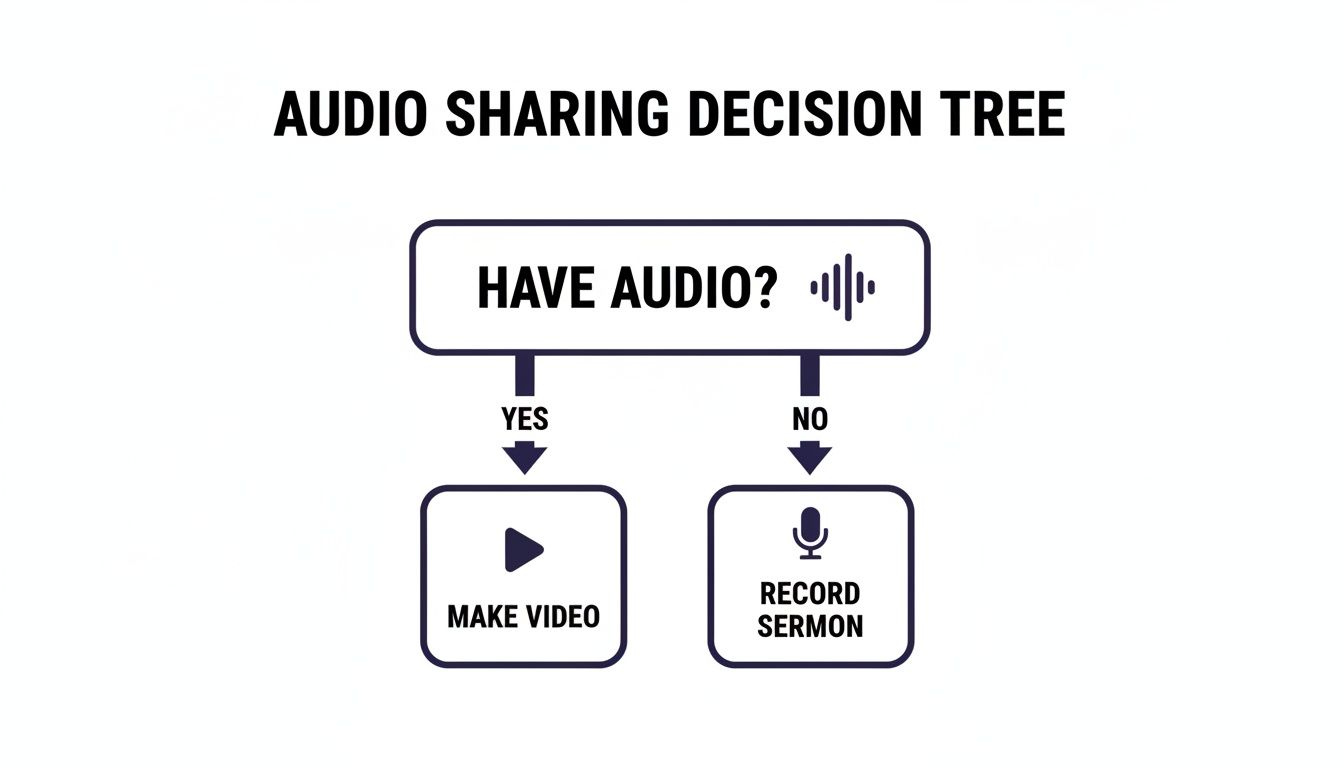
As you can see, no matter the source, the path for sharing audio on Facebook always leads to creating a video first.
H3: Share a Link to a Podcasting Platform
If your main goal is to drive your congregation to longer-form content—like a full sermon on your website or a weekly podcast—then simply sharing a link is the way to go. When you paste a link from a platform like Spotify, Apple Podcasts, or SoundCloud into a Facebook post, it automatically generates a nice preview with a title and image.
This method isn't really about getting plays right there in the Facebook feed. It's about driving traffic to your primary audio hub, which is crucial for growing your subscriber base if you have an established podcast.
To make all of this even easier, a tool like ChurchSocial.ai can handle the entire process. It can create AI-generated reels from your sermons, let you design branded graphics with our templates and editor, and help you manage and schedule everything from audiograms to podcast links, all from one simple calendar.
Comparing Methods for Sharing Audio on Facebook
Deciding which route to take can be tough. This table breaks down the different ways to share audio on Facebook, helping you see the benefits, drawbacks, and best-case scenarios for each one at a glance.
Ultimately, the best strategy often involves a mix of all three. Use audiograms for teasers, static images for quick devotionals, and links to promote your full-length episodes. This multi-pronged approach ensures you're meeting your community wherever they are.
Turning Sermon Audio into an Engaging Video Clip
Let's get practical. The single most effective way to share your sermon audio on Facebook is to package it as a video and upload it directly. We'll walk through exactly how to do this, even if you have zero video editing experience.
Think about it: you take a powerful 60-second clip from Sunday's message, pair it with your church's logo or a key quote, and suddenly that audio file becomes a shareable, visual experience for your community.
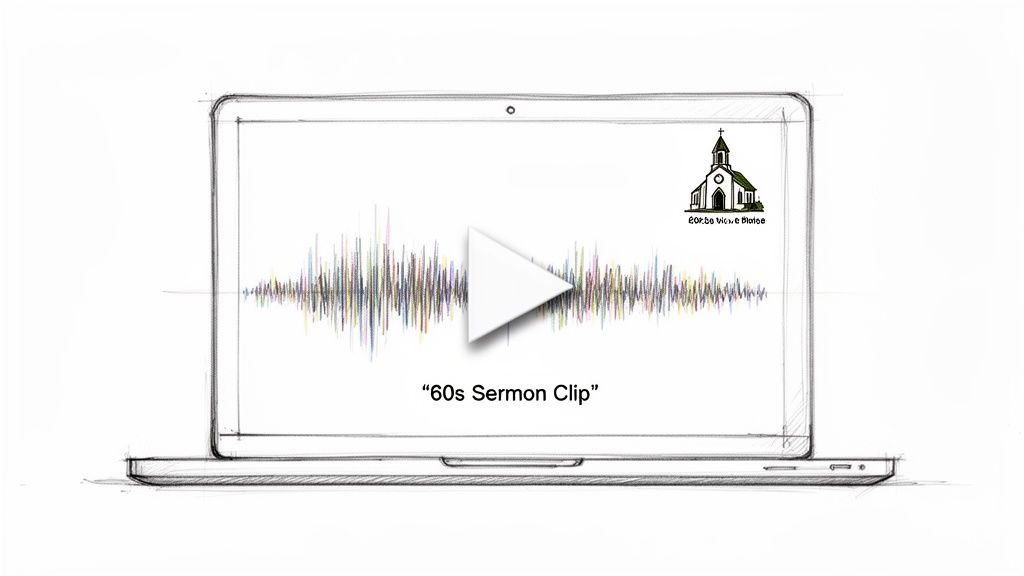
This isn't just a workaround to get audio on the platform; it’s a strategy that plays directly into how Facebook's algorithm works. Native videos—those uploaded straight to Facebook instead of linked from another site—are heavily favored. For you, that means your message is far more likely to show up in people's feeds.
Creating Your First Audio-Based Video
There are really two ways you can go here: using a simple, branded graphic as the background, or creating a more dynamic "audiogram" that visually moves with the sound. Both are incredibly effective.
For a static image video, you just need a simple graphic. This could be a slide with the sermon title, your church logo, or a photo that fits the theme of the message. The key is to be consistent. Using similar branding helps your content become instantly recognizable as people scroll.
An audiogram takes things up a notch by adding a moving soundwave. This visual cue is a powerful signal to viewers that there's audio to listen to, which can make a huge difference in getting them to stop and press play. To get these captivating visuals, it's helpful to understand the basics of how to turn an MP3 into a video.
The Power of Native Video for Churches
Uploading your MP4 file directly to Facebook is the game-changer. The data on this is overwhelming: posting audio clips as native videos can skyrocket shares by 478% compared to just dropping a link. Native content sees 1055% higher shares and 300% better engagement simply because it autoplays seamlessly, hooking viewers instantly.
For churches, clipping a sermon and uploading it directly means you’re amplifying your message to a potential audience of 500 million people who watch videos on Facebook every single day.
For church staff and volunteers, this process shouldn't be a burden. Your focus is on ministry, not on becoming a video editor. That's why integrated tools are so valuable—they handle the technical side so you can focus on the message.
This is where a platform like ChurchSocial.ai makes a massive difference. Our built-in graphic templates and editor were created specifically for churches. You can easily create a branded image, pick an audiogram style, add your sermon clip, and have a ready-to-post video in just a few minutes.
A Streamlined Workflow for Your Ministry
Instead of juggling different apps—one for audio editing, another for graphic design, and a third for scheduling—you can do it all in one place.
- Sermon Clip Creator: Our AI can listen to your full sermon and automatically find the most powerful, shareable moments. This alone can save you hours of work. If you're curious about the tech, you might be interested in our guide on how a podcast clip maker works.
- Graphic Templates & Editor: Pick from a library of professionally designed templates that you can quickly customize with your church’s logo and colors to create photos and carousels.
- Simple Scheduling: Once your video is ready, schedule it directly to your Facebook page from our simple drag-and-drop calendar.
This approach takes what could be a complicated, time-consuming task and makes it a simple, repeatable part of your weekly ministry outreach. You get all the benefits of high-performing native video content without the steep learning curve.
Using Facebook Reels for Maximum Community Reach
If you're serious about reaching a younger audience and really expanding your church's digital footprint, you have to be using Facebook Reels. This isn't just another feature; it's the short-form video format designed to grab attention and stop the scroll.
Think about it: a powerful 30-second highlight from a sermon, a clip from a worship song, or a brief, encouraging prayer set against a simple background. These are the kinds of bite-sized moments that share your ministry's heart in a way that truly connects with how people consume content today. The vertical layout and captions are absolutely essential for anyone scrolling on their phone.
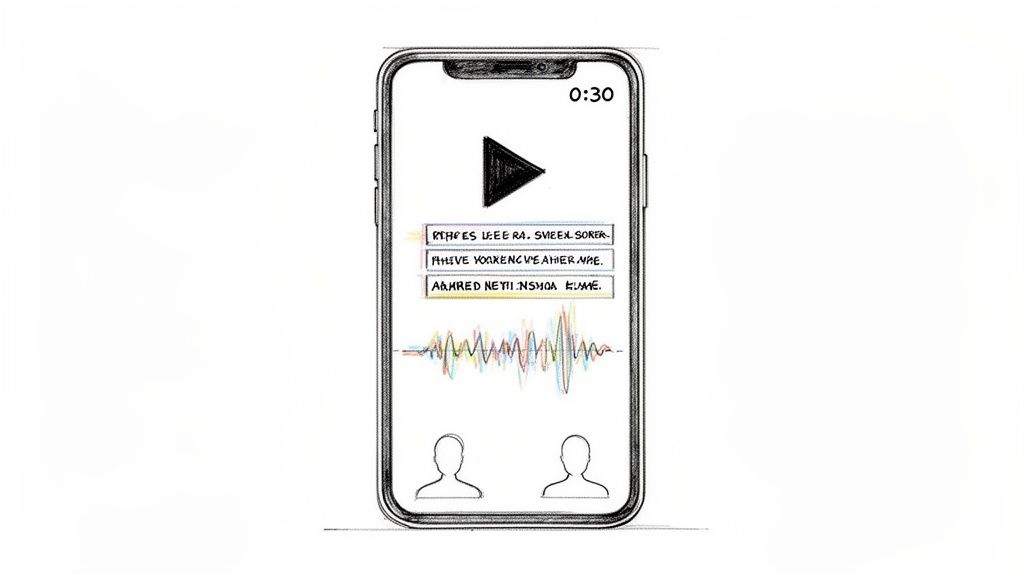
This might sound like a lot of extra work, but it doesn't have to be. For example, the AI features inside ChurchSocial.ai can automatically pinpoint the most powerful moments in your sermon and generate perfectly formatted, AI-generated Reels that are ready to post. This lets your ministry tap into one of Facebook's most popular features without adding hours of video editing to your team's plate.
Why Reels Are a Game Changer for Church Audio
Reels aren't just another video format—they're a powerhouse for engagement. Here’s a stat that should get your attention: Reels with audio overlays consistently pull in 22% higher engagement rates than standard videos. With over 140 billion Reels being watched around the world every single month, the opportunity for your message to be seen is just massive. You can read more about these powerful Facebook stats and what they mean for creators.
For church communicators, this is gold. Imagine turning a two-minute prayer into a compelling 15- to 30-second Reel. Videos of this length see much higher completion rates, meaning your message is actually heard.
The data also shows that 68% of Reel interactions come from users aged 18-34, making this the ideal format for attracting younger families to your congregation and connecting with the next generation.
Practical Tips for Creating Audio-Based Reels
Getting started with Reels is more about strategy than it is about having pro-level technical skills. The goal is to create content that feels authentic and provides immediate value to the viewer.
- Keep it Short and Sweet: Aim for 15-30 seconds. Just pull one powerful quote, one chorus of a song, or one key takeaway. That’s it.
- Always Add Captions: Most Reels are watched with the sound off. On-screen text ensures your message lands, even in silence.
- Use a Simple Visual: You don't need a full production. A branded background, a peaceful stock video, or even a simple audiogram provides all the visual element you need.
Creating this kind of content consistently can feel like a heavy lift, I get it. That's exactly why ChurchSocial.ai was built—to automate this process, turning full-length sermons into multiple, shareable Reels in just a few minutes. If you’re looking to get started, you might find our guide on how to create a Reel for your church helpful. It’s all about working smarter, not harder, to spread your message.
Automating Your Audio Posts with ChurchSocial.ai
We've walked through the different ways to get your audio onto Facebook, from DIY video creation to sharing links. Now, let’s talk about the most efficient way to get your ministry's message out there. Instead of jumping between a half-dozen different tools for editing, design, and scheduling, a dedicated platform like ChurchSocial.ai brings everything you need under one roof.
Let's be honest: manually clipping sermons, creating graphics, and writing captions can quickly eat up a volunteer's entire afternoon. This is where a little bit of smart automation can make a massive difference in your ministry's outreach.
From Full Sermon to Shareable Clip in Minutes
Imagine this: you upload your full Sunday sermon recording and let an AI do the hard work. That's exactly what the AI-powered features inside ChurchSocial.ai do. It can listen through the sermon and automatically pull out several shareable video clips, complete with accurate captions. It can even generate blog posts and social media copy from the sermon transcript. It finds the most powerful moments for you, saving you hours of listening and editing.
Once you have your clips and copy, you can jump into the built-in graphics editor to add your church’s branding. This ensures every post looks polished and instantly recognizable. What used to be a complicated, technical chore becomes a simple, straightforward part of your weekly workflow.
The goal here isn't just to save time; it's to redirect that time. When you automate the technical stuff, your staff and volunteers are freed up to do what really matters: engaging with people and building real relationships.
This isn't just about making life easier. It's about reaching more people. Remember, converting audio into video opens the door to a huge audience—over 1.25 billion people check out the Facebook Video tab every single month. For church teams, that number shows why automating this process is a game-changer. Better visibility leads directly to more engagement and growth. You can see more compelling stats about the power of Facebook video over at AdamConnell.me.
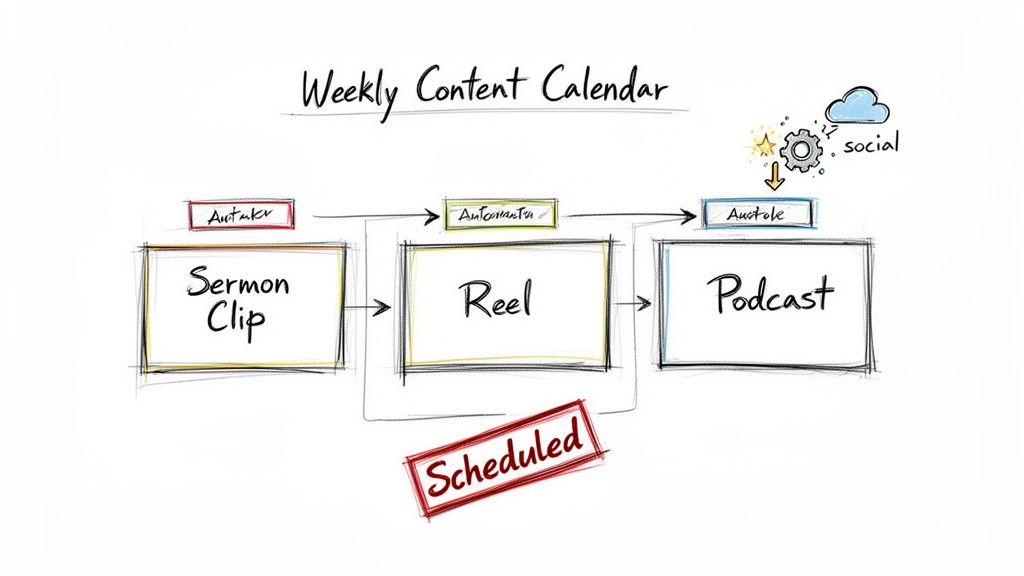
Plan and Manage Your Content Effortlessly
After your clips are ready to go, the simple drag-and-drop calendar makes scheduling them a breeze. You can plan and manage all your church's social media accounts in one place. Plus, ChurchSocial.ai even integrates with Planning Center and other church calendars, automatically pulling in your event details to help you create timely, relevant posts without the extra effort.
This kind of integrated system transforms content creation from a scattered, time-sucking task into a manageable and impactful piece of your ministry. By using tools built specifically for churches, you can learn how to repurpose content with AI and share your message far beyond the walls of your building.
Frequently Asked Questions
When it comes to sharing audio on Facebook, a few common questions always seem to pop up, especially for ministry teams trying to get it right. Let's tackle some of the most frequent ones so you can share your church's message with clarity and confidence.
Can I Just Upload an MP3 File Directly to My Facebook Page?
In short, no. Facebook doesn’t have a feature for uploading audio-only files like MP3s or WAVs directly to your page feed. It’s a visual-first platform.
To get your audio out there, you have to package it as a video first, usually an MP4 file. The simplest way is to pair your audio clip with a static image (like your church logo) or create a more dynamic audiogram with a moving waveform. This is exactly what tools like ChurchSocial.ai are designed to automate, taking the technical hassle completely off your plate.
What Is the Best Length for an Audio Clip on Facebook?
This is a great question, and the answer really depends on where you're posting it. Different spots on Facebook are built for different attention spans.
- For Facebook Reels: Think short, sweet, and powerful. Aim for 15 to 60 seconds to grab attention while people are scrolling fast.
- For a Standard Feed Video: A clip between 1 and 3 minutes is a sweet spot for sharing a key story, a powerful point from a sermon, or a brief teaching.
- For Longer Content: If you have a full sermon or a longer segment, it's usually best to share it as a link. Post the URL to your church's podcast on Spotify or direct people to the audio on your website.
Do I Need Expensive Software to Turn Audio into Video?
Not at all. While you could use professional video editing software, it's often overkill and comes with a steep learning curve. For most ministries, a dedicated platform like ChurchSocial.ai is a much more practical and efficient choice.
It’s built for this exact purpose. You get AI-powered tools that find the best moments from your sermon for you, a library of graphic templates, and a simple editor to pull it all together. You can create professional-looking videos, photos, and carousels without needing any real design or editing experience.
Should I Add Captions to My Audio Clip Videos?
Yes, absolutely. Think of this as non-negotiable for effective ministry on social media. The statistics are pretty eye-opening: up to 85% of Facebook videos are watched with the sound off.
Adding captions makes your message accessible to everyone—whether they're scrolling in a quiet public space, are hard of hearing, or just prefer to watch without audio. Captions drastically boost watch time and engagement, ensuring your message actually lands instead of being scrolled past. Most creation tools, including Facebook’s own video editor and ChurchSocial.ai, can generate these for you automatically.
Ready to transform your sermons into engaging social media content without the hassle? With ChurchSocial.ai, you can create AI-generated reels from your sermons, use our graphic templates and editor to create photos, and plan and manage all your posts from one simple drag-and-drop calendar. Start reaching more people with your message today. Learn more at ChurchSocial.ai.


