
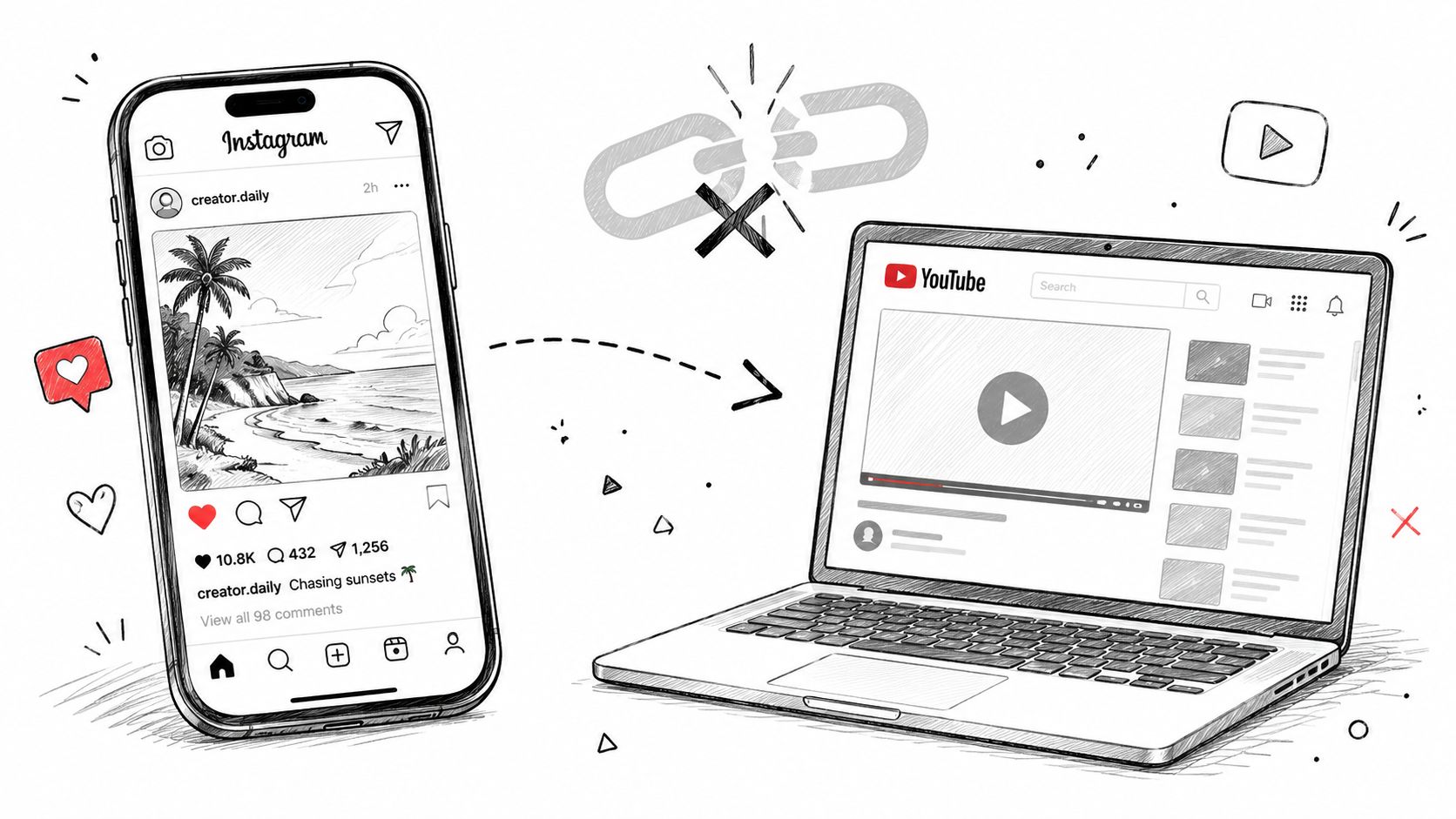
A volunteer finds a sermon on the church's YouTube channel, copies the link, and pastes it into an Instagram caption. The post is technically live, but the congregation has to leave Instagram, open YouTube, and choose whether to watch. That extra step is often enough for the moment to disappear.
The better answer to how to post a YouTube video on Instagram is to choose the right format first. Use a Story link when the destination matters most, or create a native Reel when you want the sermon excerpt to fit the way people already use Instagram. For a church team, the process also has to protect permissions, preserve quality, and remain simple enough for a volunteer to repeat each week.
Why Repurposing Sermons for Instagram Matters
Instagram and YouTube serve different viewing habits. YouTube is built for longer viewing, while Instagram is a fast, mobile-first environment where a native clip can communicate its point before someone decides whether to continue. Pasting a YouTube URL can still be useful, especially in a Story with a link sticker, but it doesn't give people an immediately playable sermon moment in the feed.
Instagram launched Reels globally on August 5, 2020, rolling the feature out in more than 50 countries at once, including the United States, India, France, Germany, Japan, Australia, and the United Kingdom, as reported by Variety's coverage of the launch. Public accounts could share Reels with followers in Feed and reach the wider Instagram community through Explore. That created a native path for short video, rather than asking viewers to follow an external link before they could hear the message.
A sermon link and a sermon clip do different jobs
Suppose the pastor says, “God meets us in seasons when we feel overlooked.” A YouTube link sends people to the full service, where they may eventually find that sentence. A Reel can open with the sentence itself, display captions, and end with a clear invitation to watch the full sermon on YouTube.
The clip isn't a replacement for the sermon. It acts as an entry point. People who discover the church through Instagram can hear the central idea immediately, while regular attendees can save or share a concise reminder.
Early reporting described Reels as a 15-second sharing feature at launch in 2020, a format that helped establish the short, vertical approach to repurposing longer videos, as documented by Gigazine's report on the original Reels format. The practical lesson remains useful: don't treat Instagram as a YouTube embed. Re-edit the material for the platform.
Practical rule: Give Instagram the clearest moment from the sermon, then give interested viewers a path to the full message.
Preparing Your YouTube Content for Mobile
Start with the original recording whenever possible. A downloaded copy from YouTube may be adequate, but the master file gives you more room to crop, sharpen, caption, and export without stacking unnecessary compression. If the church owns the sermon, use the file stored by your media team or the church's approved video workflow. Downloading content that belongs to someone else requires permission before you republish it.
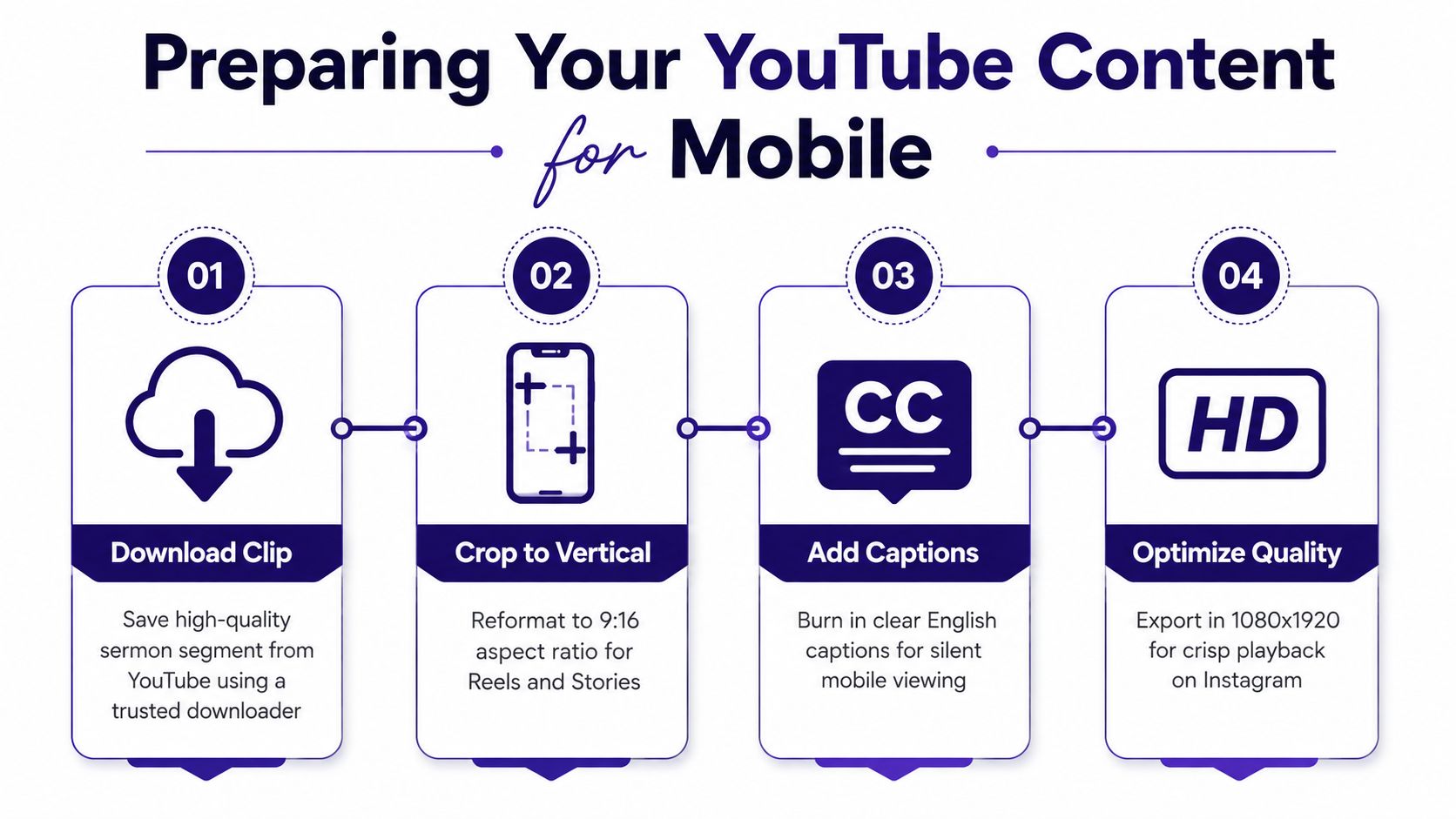
A practical editing sequence
Choose one complete thought. Review the sermon transcript and mark a section that makes sense without several minutes of setup. A strong excerpt might answer a question, name a common struggle, or offer a memorable application. Don't cut in the middle of a sentence just to force a shorter runtime.
Download or locate the approved source file. If you must work from YouTube, use a trusted method and confirm that the video is yours or that the church has permission to reuse it. Keep the original file untouched, then create a separate working copy for Instagram.
Create a vertical project. Set the canvas to 9:16 at 1080×1920 pixels, the practical Reels standard identified in Postr Social's Instagram video specifications. A sermon will need reframing. Track the speaker's face, crop toward the person speaking, or use a tasteful blurred background when a full crop would remove important context.
Protect the safe zone. Keep captions and key visual information away from the outer edges. Instagram's interface can cover lower and side areas with buttons, captions, and account information. The speaker's face should remain visible, and text shouldn't sit where the interface competes with it.
Add readable captions. Many viewers encounter church content with sound muted. Use accurate English captions, strong contrast, and line breaks that follow natural speech. Review names, Bible references, and theological terms manually because automated transcription can mishear them.
Export for Instagram. Use MP4 or MOV, with H.264 video and AAC audio, then review the finished file on a phone before uploading. Pixflow's social video format guidance explains why a dedicated vertical export is preferable to uploading an unchanged 16:9 sermon.
The strongest excerpt isn't always the shortest excerpt. A clip needs enough context to make the point understandable, but it shouldn't spend its opening moments on greetings, housekeeping, or a long musical introduction. Put the substance near the beginning, then use the caption to direct viewers to the complete sermon.
Technical Specifications for Every Instagram Format
The format you choose should match the job. Reels are suited to discovery and sermon highlights, Stories work well for a temporary announcement or a direct YouTube link, and Feed video can support a longer segment when the church wants the excerpt to remain in its profile grid.
| Format | Aspect Ratio | Resolution | Max Length |
|---|---|---|---|
| Reels | 9:16 | 1080×1920 pixels | 90 seconds for direct publishing in one common specification set, with longer uploaded-video rollouts varying by account |
| Stories | 9:16 | 1080×1920 pixels | Use a short excerpt or link-led preview |
| Feed video | Vertical is generally preferable for mobile viewing | High-resolution MP4 or MOV | 15 minutes on mobile, 60 minutes on desktop, according to EchoWave's Instagram video length guidance |
The Reels limits require care. Instagram Reels support uploads up to 3 minutes in the in-app camera and up to 15 minutes for uploaded videos, with some accounts seeing a 20-minute rollout, according to Moonb's account of current Reel length options. However, Socialinsider's discussion of Reel length and discovery notes that Reels longer than 3 minutes aren't recommended to non-followers because they don't receive placement in the Reels tab.
That distinction matters more than the maximum upload limit. A long sermon excerpt may upload successfully but reach fewer people outside the existing congregation. For discovery, a focused vertical clip is usually a better editorial choice than posting the longest file Instagram accepts.
Avoid the blurry-video problem
Match the export to the placement instead of relying on Instagram to repair a mismatched file. A 16:9 video placed inside a vertical canvas can produce blank space or awkward cropping, while an over-compressed file may look soft after upload. Keep the original master, export a dedicated social version, and inspect the result after Instagram processes it.
For carousel posts that support a sermon quote, announcement, or discussion prompt, use 4:5 at 1080×1350 pixels, the recommended vertical carousel layout described by Cadenus's Instagram carousel size guidance. A carousel can extend the sermon idea without forcing every message into video.
For a detailed visual explanation of where captions and logos should sit, use ChurchSocial.ai's Reels safe-area guide. The principle is simple: place the words where viewers can read them, not where Instagram's controls will cover them.
Automating the Workflow with ChurchSocial.ai
Manual sermon repurposing can consume an entire volunteer evening. Someone must find the recording, transcribe it, identify a useful excerpt, crop the video, add captions, design a cover, write a caption, and remember when to publish. That workload becomes difficult to sustain when one person also handles Sunday announcements, event reminders, and urgent ministry updates.
AI can handle the repetitive first pass while a church leader keeps editorial control. The tool should surface possible moments, not decide what represents the church without review. A volunteer still needs to check context, theology, names, permissions, and whether the clip sounds natural when separated from the full sermon.
Use the transcript as the source of multiple formats
A sermon transcript can become more than a Reel. It can supply a short social caption, a blog draft, discussion questions for a small group, and quote graphics for the week. That lets the communications team build a connected set of posts around one message instead of starting from a blank screen every day.
ChurchSocial.ai's guide to repurposing content with AI describes this broader workflow. ChurchSocial.ai can create AI-generated Reels from sermons, turn sermon transcripts into social posts and blogs, provide graphic templates and an editor for photos and carousels, and organize planned content in a drag-and-drop calendar. It also integrates with Planning Center and other church calendars so events can inform the content schedule.

Keep a human review checkpoint
Before scheduling, ask:
- Context: Does the excerpt stand on its own?
- Accuracy: Are the captions, names, and references correct?
- Brand: Does the cover use the church's approved visual style?
- Permissions: Does the audio and footage belong in this post?
- Pastoral care: Could the clip be misunderstood without the surrounding sermon?
ChurchSocial.ai is one option for combining sermon clip creation, transcript-based content, graphic design, and calendar management in one workflow. The value for a volunteer isn't removing judgment. It's reducing the number of repetitive production tasks that compete with communication planning.
Uploading and Optimizing for Reach
Once the vertical file passes review, open Instagram and select the plus button, then choose Reel, Story, or Post based on the purpose of the content. Select the exported video, check the crop, choose a clear cover frame, and review the preview before publishing. Don't assume the upload preview reflects the final result perfectly, so watch the finished post from a phone after it goes live.

Build the post around one invitation
A sermon Reel caption should add context, not repeat every spoken word. Identify the central idea, name the full sermon, and tell viewers what to do next. Depending on the purpose, invite them to watch the complete message, share the clip with someone who needs encouragement, or respond with a thoughtful question.
Use a location tag when the church wants local discovery, and choose relevant ministry or community hashtags instead of filling the caption with unrelated terms. Accessibility matters just as much as reach, so keep captions on the video and use Instagram's accessibility fields where appropriate.
A Story can take a different route. Add a still image or short preview, then place the YouTube URL in Instagram's link sticker. This preserves the direct path to the full sermon without pretending that a link behaves like native video in the feed.
Consider collaboration carefully
The Collab feature can make sense when the excerpt includes a guest speaker, partner ministry, or shared event. Ask the other account first, agree on the wording and cover image, and confirm that everyone has permission to use the footage. A collaboration request shouldn't replace a clear editorial agreement.
The thumbnail also deserves attention. Choose a frame with a visible subject or a simple graphic, and keep overlay text short enough to read in the profile grid. For churches, an uncluttered design often works better than placing decorative text over a busy sanctuary image.
Navigating Copyright and Content Permissions
Church ownership of a sermon recording doesn't automatically grant permission to every element inside it. Worship music may involve separate rights, a guest speaker may control their appearance or presentation, and third-party footage may have its own license. A video can be approved for the church's YouTube channel yet still create problems when copied into a new platform format.
Before publishing, identify the source of every significant audio and visual element. If the worship portion contains music the church can't reuse on Instagram, choose a spoken-word excerpt, remove the restricted audio where appropriate, or use a properly licensed alternative. Don't assume that a ministry purpose makes copyrighted material automatically safe.
Make permissions part of the weekly checklist
Keep a simple record of:
- Ownership: Who created the sermon recording and graphics?
- Music: What license covers the worship audio on Instagram?
- Guests: Has each guest speaker approved reuse?
- Footage: Does any third-party video or image have republishing permission?
- Volunteer work: Has the church agreed that volunteer-created assets can be used in its social channels?
A shorter captioned excerpt may be the safest choice, while a Story link can send people to the original YouTube video without creating another full upload. ChurchSocial.ai's copyright guidance can help your team build a clearer review process, but no software can replace permission checks.
ChurchSocial.ai helps churches turn sermon transcripts and YouTube sermon links into captioned vertical Reels, create supporting posts, blogs, photos, and carousels, and manage publishing from a visual drag-and-drop calendar. Visit ChurchSocial.ai to see how your volunteer team can plan Instagram content, coordinate church events, and repurpose each sermon without rebuilding the workflow from scratch.


