

You're probably here because a volunteer, pastor, or communications lead found a video on a website and asked a simple question that turns messy fast: “Can we download this and use it?”
That happens all the time in church work. A guest speaker posts a teaching on a conference site. A ministry partner hosts a training video without a download option. A news clip would help explain a sermon series or community issue. The need feels practical. The path usually isn't.
Learning how to rip videos from a website is partly technical, partly legal, and partly a ministry integrity issue. Some methods work well on openly served files. Others break the moment a site switches to streaming formats. And some kinds of downloading cross a line your church shouldn't cross, even if the file seems easy to grab.
When You Need a Video and There Is No Download Button
A church team usually doesn't start with “video ripping” as the goal. The primary goal is communication. You need a clip for a class, a sermon bumper, a volunteer training moment, or a social post that helps people understand the message.

Sometimes the website gives you nothing obvious to work with. No right-click save option. No download icon. No embed code. Just a player in the page and a deadline on your calendar.
That's when it helps to slow down and ask three questions:
What kind of video is this
Is it a direct file, an embedded player, or a stream broken into smaller pieces behind the scenes?Do we have permission to use it
Technical access and legal permission aren't the same thing.Is downloading even the best path
For churches, the better move is often creating original content from your own sermons, events, and teaching archive.
Practical rule: If your first instinct is “there has to be a workaround,” stop long enough to ask whether an official share link, embed option, or permission email would solve the problem more cleanly.
The rest of the process gets easier when you think like a media director instead of a scavenger. First, identify the delivery method. Then use the least invasive tool that can do the job. Finally, make sure the use aligns with your church's standards, not just your technical ability.
That mindset protects your time. It also protects your church's reputation.
Four Technical Methods to Download Website Videos
Some methods are quick and clean. Others are backup options when the site uses modern streaming. Start simple. Move to advanced tools only when the easier path fails.
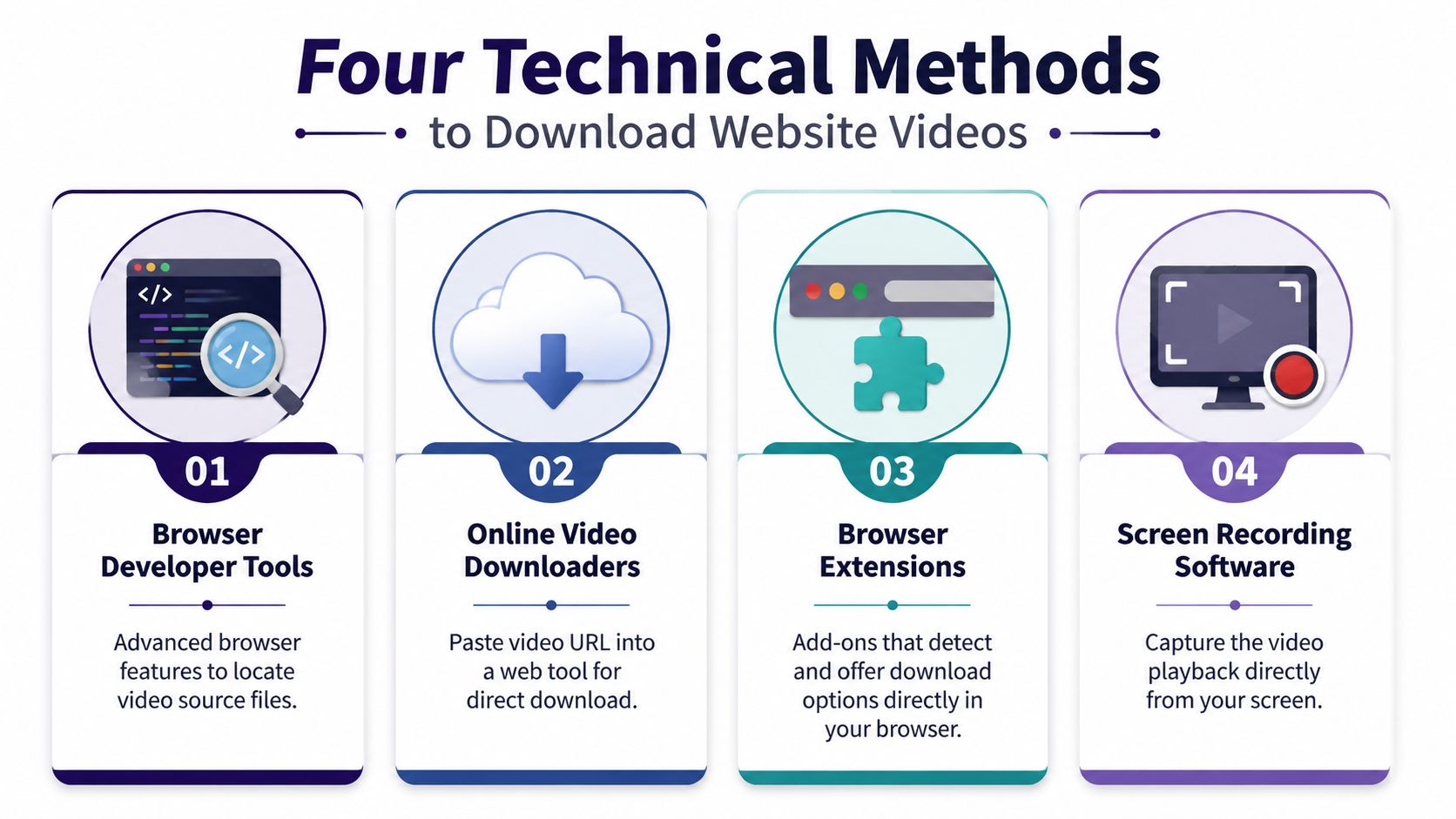
Use browser developer tools for direct files
This is the first thing I'd show a volunteer who's comfortable clicking around in Chrome or Edge. Open the page, start the video, press F12, then open the Network tab and filter for Media. As the video plays, the browser may reveal a direct file URL.
If the site serves an exposed video file, you can often open that file in a new tab and save it locally. This works best on pages that use straightforward embeds or public file delivery, and it may fail on ad-supported content or more locked-down players, as discussed in this practical thread on server tracing, DevTools, and video extraction.
A simple workflow looks like this:
- Open the video page: Let the player load fully before you inspect traffic.
- Start playback: Some files won't appear until the stream begins.
- Filter by media requests: Look for MP4, WebM, or playlist-related entries.
- Test the file URL: Open it separately and confirm it's the actual video, not a thumbnail or ad asset.
This method is often the cleanest because it shows you what the browser itself is fetching.
Handle HLS and m3u8 streams with yt-dlp
This is the part most articles skip, and it's why so many “easy downloader” guides fall apart. Most tutorials fail when sites use modern streaming protocols like HLS (m3u8 playlists). Data shows 60-70% of informational videos on news and educational sites are delivered via m3u8 streams, not direct MP4s. Learning to use a tool like yt-dlp to handle these is essential, as this workflow is absent from 90% of “top 5 free tools” guides according to a developer-community discussion on downloading informational videos.
If a downloader only grabs audio, or gives you a broken file, that often means the site is serving separate audio and video streams through a manifest.
Here's the practical pattern:
- Open DevTools and load the page.
- In the Network tab, look for
manifest.m3u8or similar playlist requests. - Copy the full playlist URL.
- Use yt-dlp with that manifest so the tool can fetch and merge the streams.
When a site doesn't expose an MP4, don't keep trying random extensions. Check for the playlist first.
If you need a more focused walkthrough, this church-friendly guide to downloading a video file is a helpful companion.
Try browser extensions carefully
Extensions are popular because they feel simple. Install one, reload the page, click the icon, and see whether it detects media. For volunteers, that ease is attractive.
But convenience has trade-offs. Extensions often work only on simpler sites, they can break after browser updates, and some don't handle fragmented streaming well. They're best used as a light first pass, not as your main strategy for difficult video sources.
A good rule is to test an extension only after you've confirmed the site isn't using a more complex stream. If the results look incomplete, move on.
Use screen recording when direct download fails
Sometimes the video is viewable but not realistically downloadable through ordinary tools. That's where screen recording software becomes the fallback. It doesn't extract the original file. It captures playback from your screen.
This is useful when:
| Situation | Why screen recording helps |
|---|---|
| A training clip plays in a locked player | You can preserve what you're permitted to watch |
| The site keeps changing stream requests | You avoid chasing file fragments |
| You only need a short excerpt for internal review | Recording is faster than decoding delivery logic |
The downside is quality. You're recording a playback session, not obtaining the source asset. Cursor movement, notifications, and playback hiccups can also ruin the result. For polished ministry communication, that usually means screen recording should be the last option, not the first.
Navigating the Legal and Ethical Waters of Video Ripping
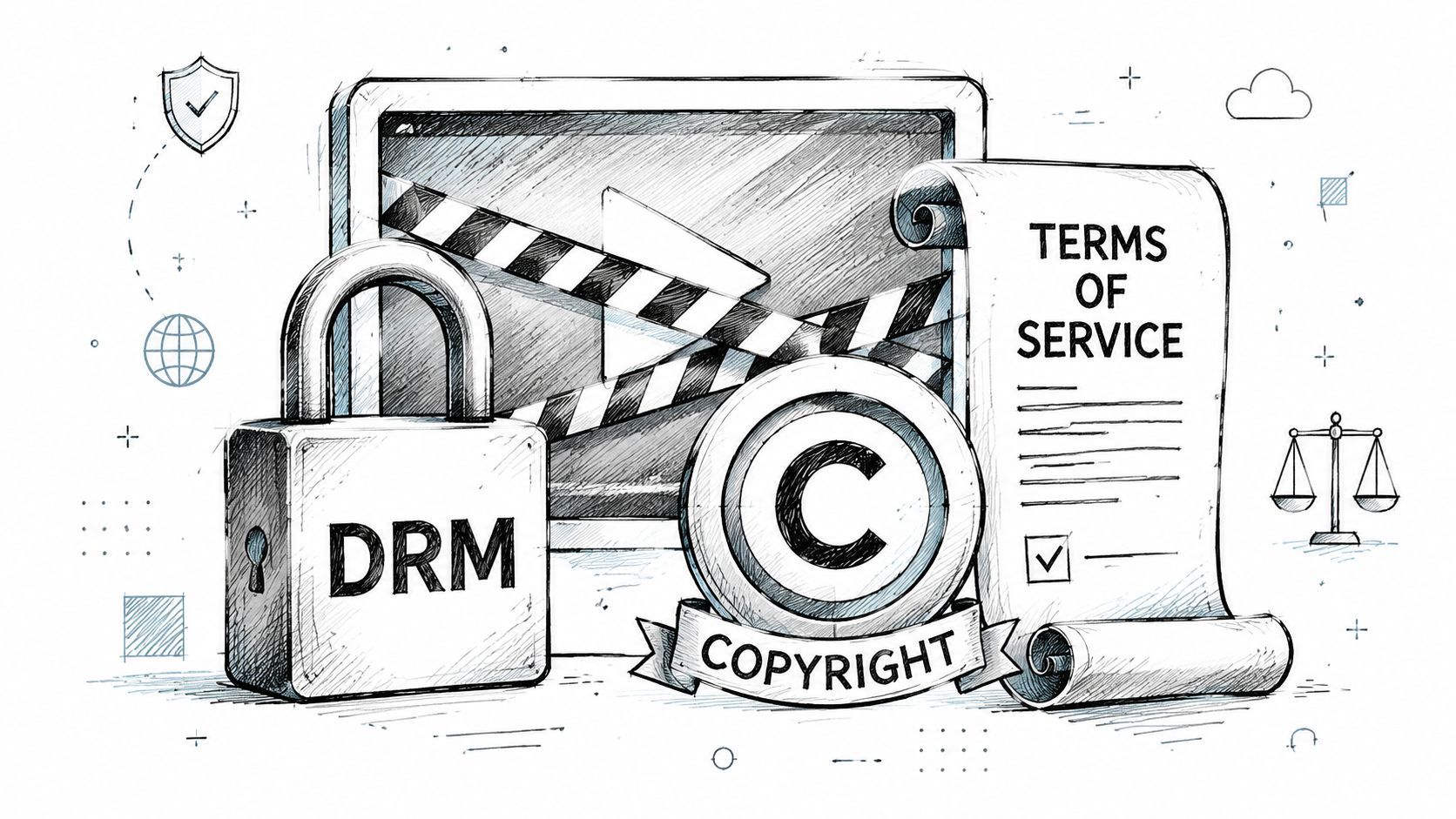
Churches shouldn't treat this as only a technical skill. It's a character issue too. The fact that a browser can access a stream doesn't mean your church has the right to download, edit, repost, or store it.
Know the bright red lines
Some boundaries are clear. Downloading content protected by Digital Rights Management (DRM) is illegal under laws like the U.S. Digital Millennium Copyright Act (DMCA). YouTube's Terms of Service also explicitly forbid downloading content unless a “download” button is provided by YouTube or the creator, as explained in this overview of website video downloading and DRM restrictions.
That means your church shouldn't be pulling video from services like Netflix or Hulu for ministry use. It also means “but we're only using it at church” isn't a technical or legal exception that makes DRM bypass acceptable.
Use the ministry test
A simple internal filter helps:
- Permission first: If the creator offers an embed code, share link, or written approval, use that.
- Official tools next: If a platform has its own offline feature inside its app, that's the legitimate route.
- Public or licensed content only: DRM-free public domain and Creative Commons material are a different category, but you still need to follow the license terms.
- Reputation matters: A church can lose trust by taking shortcuts with someone else's work, even if no one sends a takedown notice.
Respecting another creator's terms isn't a legal footnote. It's part of how a church practices honesty in public.
If your team runs into copyright confusion around platform policies, this guide to YouTube copyright claim disputes can help you think more clearly about risk and response.
What to do instead
Before downloading anything, ask for a better option. Many ministries, speakers, and conference teams will gladly send a file, provide an approved clip, or point you to an embeddable version if you explain the use.
That route is slower than clicking a shady downloader. It's also cleaner, safer, and much easier to defend.
Common Pitfalls and How to Avoid Them
Most failed downloads come from a few repeat mistakes, not bad luck. The file looks right, but it won't play. The video is there, but the audio is missing. Or the tool works once, then installs junk in the browser.
Common video ripping mistakes include codec misidentification, which leads to 40-50% playback failure rates, and ignoring fragmented formats, causing 30%+ unrecoverable downloads. Furthermore, privacy risks from free online tools result in 35% of users encountering aggressive adware or data leaks, according to this breakdown of video handling mistakes and fixes.
Watch for these failure points
- Wrong codec assumptions: Don't assume every downloaded file will behave like a standard MP4. A file extension can look familiar while the underlying codec causes playback trouble.
- Fragmented streams: If the site separates audio and video, one-click tools may grab only part of the asset. That's why HLS workflows need more than a basic downloader.
- Poor quality choices: If a tool defaults to a low-resolution stream, your final result may look soft or heavily compressed on social.
- Untrustworthy download sites: The fastest-looking sites are often the dirtiest. Pop-ups, fake buttons, and extension prompts are warning signs.
A safer troubleshooting approach
When a download fails, don't jump straight to another mystery tool. Verify the delivery method first. If it's a direct file, test it in a reliable player. If it's a stream, inspect for a manifest. If the source stays messy, stop and decide whether the content is worth the effort.
A broken file usually means you misunderstood the source, not that you clicked the wrong save button.
That habit saves volunteers a lot of wasted time.
A Better Way for Churches to Create Social Media Video
Most churches don't have a “video ripping” problem. They have a content pipeline problem. They need clips, reels, captions, graphics, and a schedule that a volunteer can maintain without spending half the week fighting web players.
That's why the better long-term move is usually to build from your own message archive instead of trying to repurpose someone else's video. Your sermons, devotionals, classes, testimonies, and event moments already carry your church's voice. They also avoid the ethical and technical tension that comes with downloading outside content.

Build from sermons instead of borrowed clips
A church with limited time needs a repeatable workflow. For sustainable social media growth, churches with limited capacity should focus on two platforms (like Facebook and Instagram) and post a minimum of 3 times per week. This consistency is more effective for steady growth than sporadic, high-effort campaigns, as noted in this church social media strategy guide.
That advice matters because a borrowed clip might solve one post. It doesn't solve next week, next month, or the volunteer handoff after that.
A healthier system looks like this:
- Turn sermons into short-form video: Pull teaching moments into reels and social clips.
- Use transcripts for written content: Convert spoken material into captions, blogs, email copy, and discussion prompts.
- Design inside a simple workflow: Use templates for graphics, carousels, and event visuals without starting from scratch.
- Plan around the church calendar: Sync upcoming services and events so content reflects what is happening in the life of the church.
For teams refining their general video strategy, this comprehensive guide to small business video is worth reading because many of the production and planning principles apply to ministry communication too.
The workflow churches actually need
The strongest setup for a small church is one that a volunteer can sustain. That means using tools that help create AI generated reels from sermons, generate social posts and blog drafts from sermon transcripts, provide graphic templates and an editor for photos and carousels, and organize publishing in a drag and drop calendar. It also helps when the platform integrates with Planning Center and other church calendars so event content doesn't live in someone's memory or on a sticky note.
If your team is exploring a sermon-first workflow, this guide to creating clips from video shows what that process can look like in practice.
Why this approach wins
It keeps your church focused on original ministry communication. It reduces legal uncertainty. It gives your team a repeatable library of content you own.
And from a pastoral standpoint, it keeps the message centered on what God is doing in your congregation, not on whatever outside clip you had to wrestle out of a browser tab.
From Ripping Videos to Reaching Your Community
The technical side of how to rip videos from a website is real. Sometimes browser tools reveal a direct file. Sometimes you need to inspect a streaming manifest and use a stronger tool. Sometimes the only workable fallback is screen capture.
But the church question isn't only, “Can we get the file?” The deeper question is, “What helps us communicate faithfully, legally, and consistently?” That's where many teams need a reset. A downloaded video can fill a gap. It can't replace a real content system.
The churches that stay effective online usually choose the clearer path. They respect copyright. They avoid sketchy tools. They build around content they're allowed to use. Then they publish consistently enough that social media supports ministry instead of draining it.
If your team is tired of chasing other people's files, that's a good sign. It means you're ready to move from workaround mode into a healthier rhythm of original content, smarter planning, and clearer communication for the people you're trying to reach.
Churches don't need more technical friction. They need a practical system for turning sermons, events, and ministry moments into content that gets published. ChurchSocial.ai helps churches create AI generated reels from sermons, turn sermon transcripts into social posts and blogs, design photos and carousels with built-in templates, and manage everything in a simple drag and drop calendar. It also integrates with Planning Center and other church calendars so your social media stays aligned with real ministry life.


