
Sunday service is over. The sermon landed well. Someone on the team has the recording on an SD card, another person has a Zoom backup in the cloud, and by Monday morning everyone agrees on one thing: that message needs to reach people online this week.
Then the friction starts.
The file is huge. The version in shared storage looks softer than the camera original. The volunteer who usually edits clips is busy. By the time anyone sorts out the downloading video file step, the best posting window has passed and the sermon clip never makes it to Instagram or Facebook.
Church teams run into this every week because getting a video online isn't one action. It's a chain. You capture it, download the right file, preserve quality, trim the useful parts, add captions, and publish consistently. If any step gets messy, the whole process slows down.
From Sermon Recording to Social Post A Guide for Churches
A lot of church media problems start with a simple misunderstanding. People treat watching a video and downloading a video as if they're the same thing. They aren't. A download is a distinct event where someone retrieves the file itself, and analytics guidance from Virginia Tech notes that standard analytics can miss direct file downloads, which matters when teams are tracking how media gets accessed through portals or file links (Virginia Tech research-impact guide on download events).
That matters in ministry work more than it sounds.
A preview inside Google Drive, Dropbox, or a church media portal isn't your master file. An embedded player on a website isn't the same as having the file on your computer. If you're responsible for posting sermon clips, "downloading video file" is the moment when your social workflow becomes real. That's when you can archive it, edit it, caption it, and send it where it needs to go.
Practical rule: If you can't point to the actual file in a folder on your computer or shared drive, you don't have a usable social asset yet.
One common church scenario looks like this:
- The pastor's sermon was recorded on camera. The highest-quality version is still on the SD card.
- A volunteer shared a cloud link. The link may open a preview, not the original full-resolution file.
- The service streamed live. The replay is viewable online, but the team still needs a local copy for clipping and republishing.
The churches that post consistently don't solve this by becoming video engineers. They solve it by using a repeatable workflow. Get the best original file first. Protect its quality. Create the right clip version for each platform. Then schedule it so the message goes out.
That's the workflow many had long sought.
Securely Downloading Your Original Video Footage
Sunday service ends. The livestream replay is already up, a volunteer texted a Dropbox link, and someone still has the camera card in their bag. That is usually the moment a church video workflow starts drifting off course.
Start by getting one file you trust. Save the original recording first, put it in a clearly named folder, and leave that master untouched. Every clip, captioned version, and social export should come from that file.
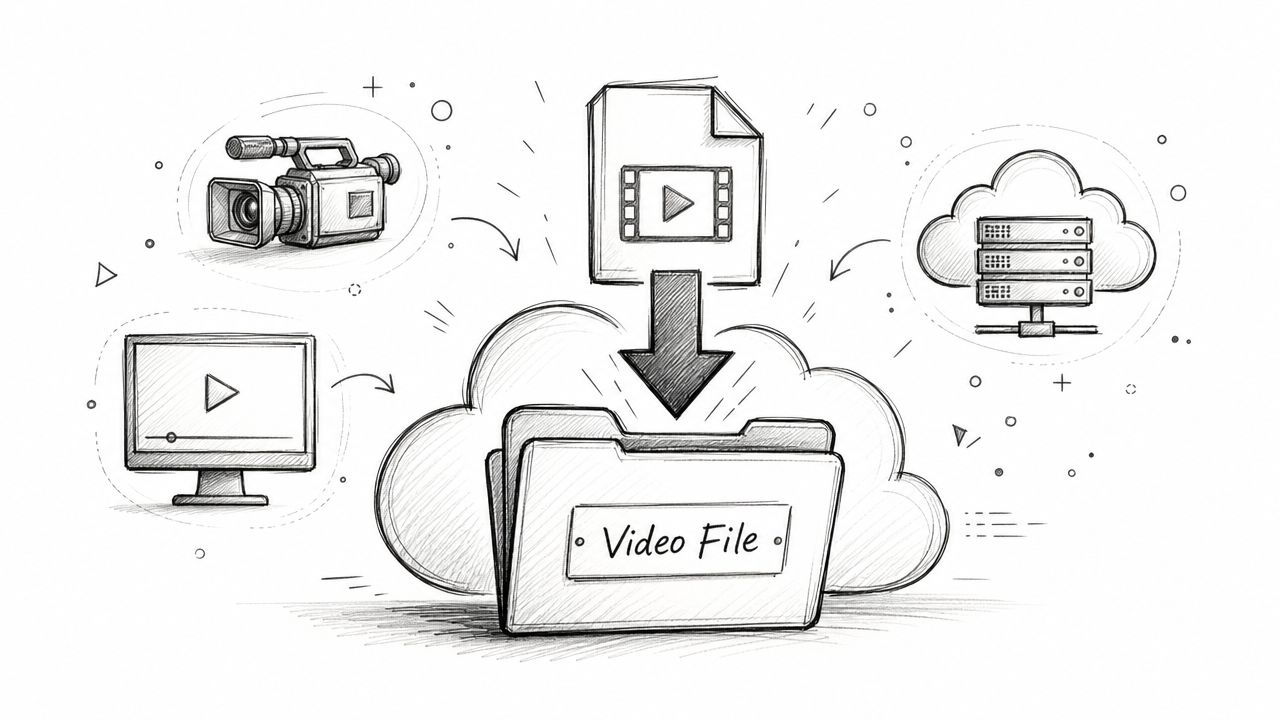
Download from cloud storage with verification
Cloud storage is fine for handoff, but church teams lose time when they treat a browser preview like a downloaded source file. Before editing anything, confirm what you received.
Use a quick check process:
- Open the file details. Confirm the filename, extension, and size so you know what was shared.
- Use the actual download option. Playing the video in Drive, Dropbox, or OneDrive does not give your team a working source file.
- Save it to a standard folder path. Organize by date, series, speaker, or event.
- Rename it consistently. A name like
2026-06-08-sermon-title-master.mp4keeps editors, volunteers, and schedulers on the same page. - Open the local file after download. Scrub through the middle and end, not just the first few seconds.
That small verification step prevents a lot of wasted editing time.
If your team keeps sermon videos, graphics, and clips in different places, a central library helps prevent duplicate files and missing masters. A clear system for digital asset management software for church teams makes it easier to store the original once, then let the right people clip, caption, and publish from the same source.
Copy camera footage before anyone starts editing
If the sermon was recorded on a camera, the card usually has your best version. Copy that footage to your computer or shared storage before anyone trims it in a phone app, sends it through a messaging app, or pulls audio from a replay.
A few habits make a real difference:
- Copy the full file first. Do not start by importing from the card into a lightweight editing app.
- Keep originals and working edits in separate folders. One folder holds untouched masters. Another holds project files and exports.
- Preserve the card until the transfer is confirmed. Do not format it the same day unless someone has checked the copied footage.
- Check for audio and sync issues. Churches sometimes discover a problem only after the sermon has already been clipped.
I have found this especially important with volunteer teams. People move fast on Sunday afternoon, and the wrong file often gets posted because it was easier to access.
Save online recordings like production assets, not temporary links
Churches also pull video from Zoom classes, webinar recordings, testimony submissions, and livestream platforms. Those files need the same discipline as camera footage.
Use the source that gives you the best retained file, then archive it locally or in your team storage before editing. A replay page is useful for viewing. It is a weak archive strategy.
Here is a practical guide:
| Source | What to save | Common mistake |
|---|---|---|
| Zoom or meeting platform | Local or cloud recording file | Clipping from the meeting replay instead of the actual recording |
| Facebook Live or similar replay | Exported local copy if available | Treating the replay page as the permanent source |
| Shared drive link | Original file download | Using a preview window as if it were the source |
This matters for the full church workflow, not just the download step. Once the original is stored correctly, ChurchSocial.ai can take over the time-consuming parts that usually slow churches down. Teams can turn the sermon into short clips, add captions, write post copy, and schedule distribution without hunting for files across email threads and shared drives.
A secure download process gives you one clean starting point. From there, the rest of the workflow gets a lot simpler.
How to Keep Video Quality High After Downloading
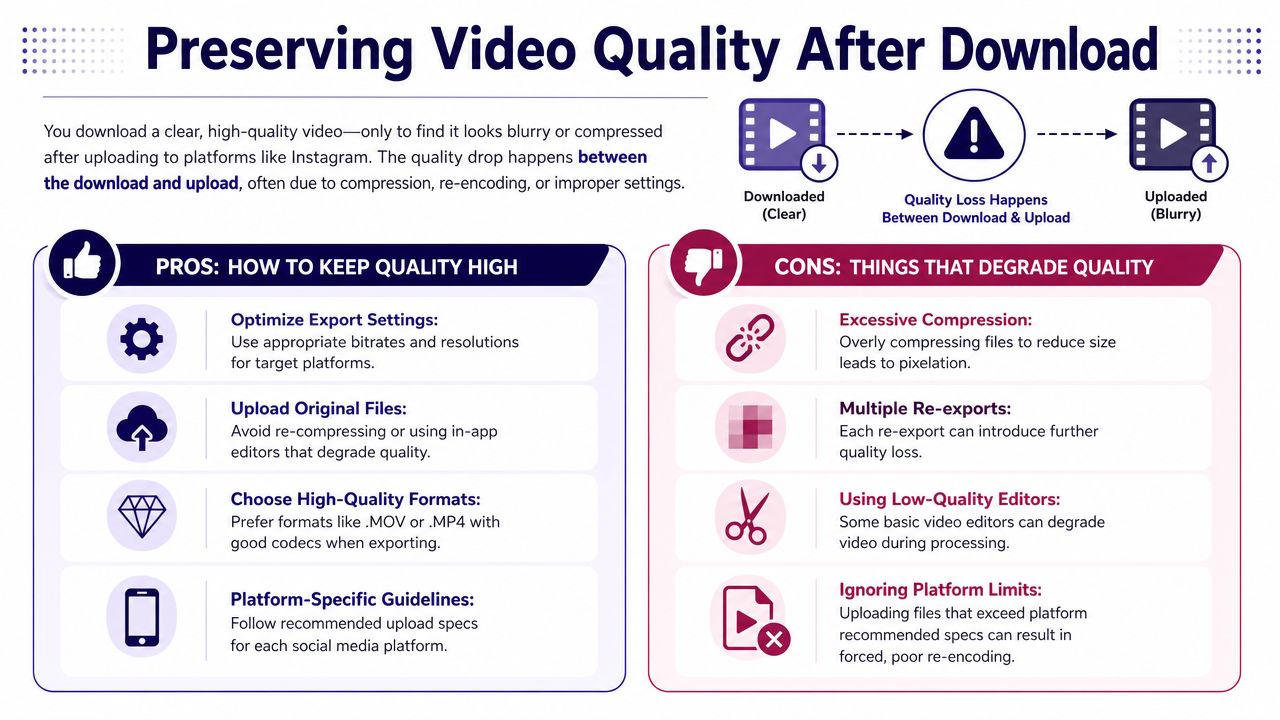
Most blurry church clips don't become blurry at recording. They become blurry after the team downloads the file, re-exports it too many times, and uploads a weakened version to social platforms.
The key idea is straightforward. Bitrate has more impact on file size and visual quality than the container format itself, and Frame.io notes that exporting from the highest-quality master available with an appropriate delivery bitrate is the practical way to preserve detail and avoid visible artifacts (Frame.io on video bitrates and export myths).
What to care about and what to ignore
Church teams often spend too much time worrying about file extension alone. MP4 matters for compatibility, but it isn't a magic quality switch by itself.
Focus on these instead:
- Bitrate: This drives how much visual information is preserved.
- Codec and export settings: These affect how efficiently that information is encoded.
- Source quality: If your master file is weak, the export won't improve it.
- Playback testing: A clip that looks fine on desktop can still fail on mobile.
Ignore these habits:
- Repeated exports: Every extra export can add more damage.
- Low-bitrate pre-compression: If you squeeze the file too early, those artifacts can stick around.
- Blind trust in platform defaults: Social platform processing isn't designed around your sermon archive.
A church-friendly export approach
You don't need a broadcast engineer's setup. You do need discipline.
A reliable workflow looks like this:
- Keep one untouched master. Never edit over the original sermon file.
- Create one social edit file. Use that for trimming captions and reframing.
- Export in a broadly supported format. MP4 is usually the safest delivery choice for posting and sharing.
- Watch the finished file on a phone before publishing. Sermon clips mostly get consumed on small screens.
If your team is still refining capture quality before you even reach the download stage, this guide to a video recording system for church helps upstream decisions that affect every later export.
A crisp recording can still turn soft if the team compresses too early, edits from a preview file, or keeps exporting "just one more version."
Progressive download changes the way you prepare files
There's another trade-off people miss. Some web video delivery is really progressive download over HTTP rather than true streaming. In practice, that means the same file often needs to work well both as a transferred asset and as something that begins playback before the transfer is complete.
For churches, that leads to practical decisions:
- Use a dependable delivery format. The person downloading shouldn't need special software just to open the file.
- Preserve detail in motion and shadows. Sermon stages often include dark backgrounds, spot lighting, and subtle movement that weak exports can crush.
- Test on desktop and mobile. Audio sync, subtitle readability, and playback smoothness all matter more than theoretical settings.
A good-looking clip usually comes from restraint. Start with the best file. Make fewer changes. Export once with care.
From Full Sermon to Viral Clip With AI
Manually clipping a sermon is where many church workflows break down. Someone downloads the whole message, opens editing software, finds a promising minute, trims it, reformats it vertically, adds captions, exports again, notices the framing is off, and starts over.
That process works. It just doesn't scale well when the same team is also posting event reminders, prayer updates, student ministry content, and Sunday graphics.

Professional video platforms already reflect this reality. Support documentation from Hudl shows that users often need to select the right angle or version before export, while other platforms allow trimming clips before download. That points to a bigger truth. People rarely need "the video." They need the right cut of the video for the job at hand (Hudl support on downloading the right tactical angle).
The manual route versus the smarter route
Here's the difference in practice.
| Approach | What your team does | What usually slows you down |
|---|---|---|
| Manual editing | Download full file, trim by hand, resize, caption, export | Time, version confusion, repeated exports |
| AI-assisted clipping | Upload sermon, review suggested clips, choose what to post | Final review and approval |
For churches producing regular sermon content, an integrated workflow removes several unnecessary steps at once. ChurchSocial.ai can turn sermon video and transcript content into short clips, captions, posts, blogs, and calendar-ready social assets in one place, which is especially useful when the team needs to move from full-message download to social distribution without juggling separate tools.
What actually helps a church team
The biggest advantage isn't novelty. It's consistency.
A practical AI workflow helps when:
- Volunteers rotate weekly. The process doesn't depend on one editor knowing every shortcut.
- The sermon has several strong moments. The team can review options instead of hunting manually through the full recording.
- You need vertical clips fast. Reels, Shorts, and similar formats require different framing than a full-width sermon recording.
- You want transcript-based content too. One message can become clips, captions, discussion questions, and post copy.
The strongest church social accounts usually aren't the ones with the fanciest edits. They're the ones that publish clear, timely, useful content week after week.
Navigating Copyright and Privacy with Church Videos
Once the file is downloaded and clipped, the next question isn't technical. It's pastoral and legal. Do you have the right to post everything that's in the video?

Copyright is usually the first problem
The common issue for churches is music. Background worship audio, walk-in tracks, bumper music, and performance clips can trigger takedowns, muting, or restricted distribution if the church doesn't hold the right permissions for social use.
Use a simple filter before posting:
- Licensed church-use music isn't automatically social-use music. Check the terms for the platform and use case.
- Royalty-free doesn't mean consequence-free. Keep records of the license and where the track came from.
- Original audio is often safer. A clean sermon clip with room tone and spoken word is easier to manage than a clip built around commercial music.
Privacy matters just as much as ownership
Children's ministry footage, altar moments, counseling-related testimony clips, and crowd shots all deserve extra care. Churches should make consent expectations clear and avoid posting sensitive moments solely because the file is available.
Security tools can help limit casual downloading, but they don't remove responsibility. Guidance on video protection is blunt: no system can fully stop a determined person from saving a video, including through screen capture, so permissions and rights management matter more than the illusion of perfect technical control (Foliovision on protecting video from downloading).
If your church wouldn't be comfortable seeing the clip copied outside your page, don't rely on technical locks to solve that discomfort.
If you do run into unauthorized reposting, takedown help can matter. This resource is useful for creators battling content theft, especially when a copied church video keeps spreading beyond the platform where it first appeared.
Your Simple Workflow for Church Video Content
Sunday service ends. The sermon file is still sitting on a camera card, one volunteer has the thumbnail in Canva, someone else is waiting on the quote pull, and by Tuesday the moment that would have made a strong reel already feels late.
A simple workflow fixes that.
Churches that publish video consistently usually follow the same pattern. Get the original file into the right place, keep one clean master, turn the sermon into a few platform-ready clips, and schedule the posts while the message is still fresh. The goal is not to create more media work. The goal is to make one sermon serve the church all week.
A repeatable weekly process
Use a sequence your team can repeat even when volunteers change.
- Bring in the master file the same day. Copy it from the camera card, livestream platform, or cloud folder into one standard location.
- Verify it before anyone edits. Check playback, audio sync, and file name so the team is not building on a broken export.
- Pull a few clear clip candidates. Look for one strong teaching point, one pastoral moment, and one short quote that can stand on its own.
- Create the social versions. Resize for vertical or square, trim the opening fast, add captions, and keep the message clear without requiring full-sermon context.
- Schedule the post package together. Queue the clip, caption, graphic, and any ministry follow-up while the sermon theme is still current.
I have found that churches lose the most time in handoffs, not editing. A file gets downloaded but not renamed. A clip gets approved but never scheduled. A volunteer saves the final version to a laptop instead of the shared folder. Small gaps like that are what break consistency.
That is why one working system matters more than one more editing app.
ChurchSocial.ai fits well in this part of the process because it keeps the sermon workflow in one place. Teams can turn the full message into short clips with AI, write captions and blog content from the transcript, build matching graphics, and schedule posts on a drag-and-drop calendar without bouncing between disconnected tools. For a church team, that means fewer missed steps between download and distribution.
The key win is simple. Sunday's message keeps reaching people after Sunday, and your team can keep up without feeling buried.


